
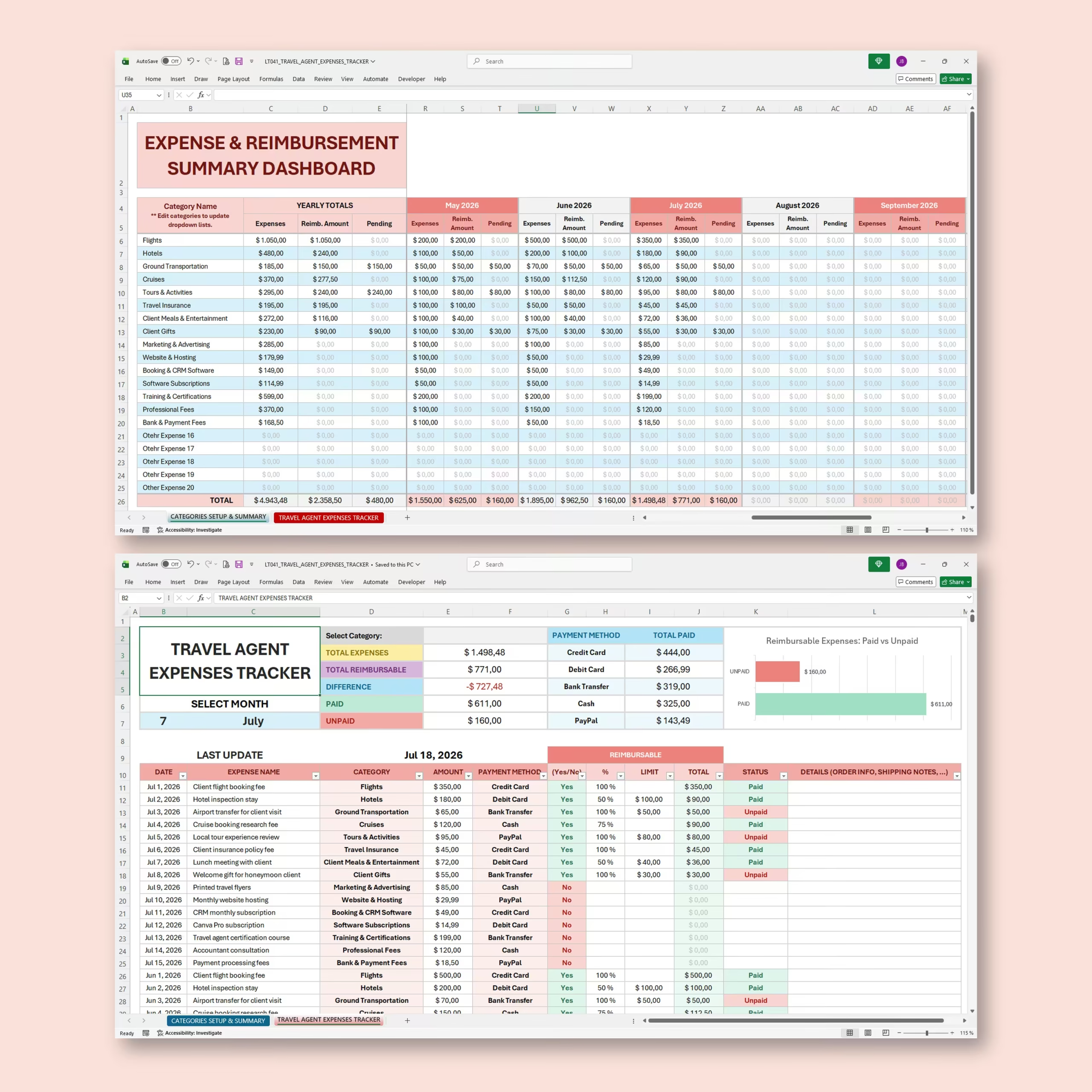
Travel Agent Expenses Tracker for Excel & Google Sheets
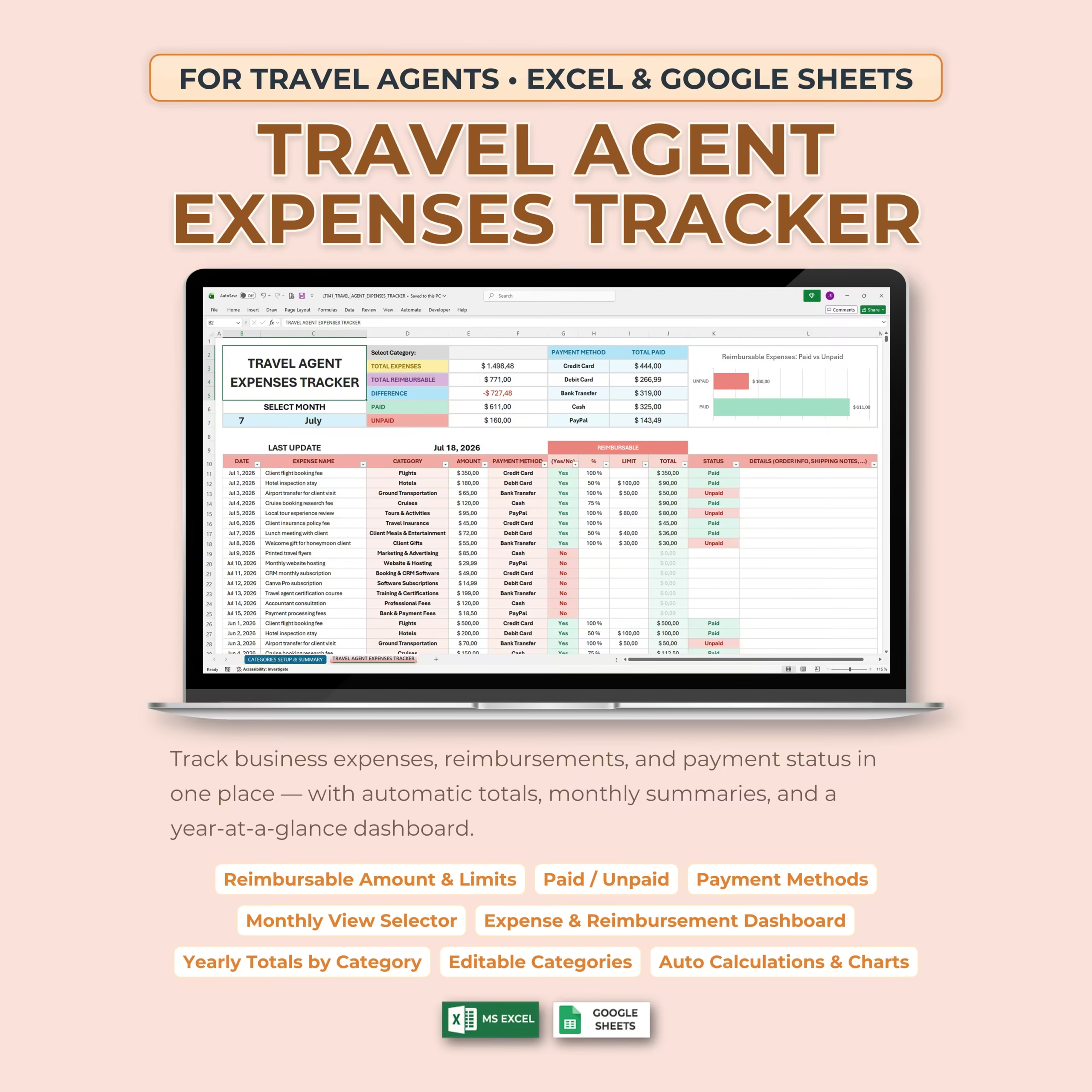
Stay on top of your travel business finances with this Travel Agent Expenses Tracker, designed specifically for travel agents, travel consultants, and travel business owners who need a simple way to track expenses, reimbursements, payment methods, and paid vs. unpaid balances.
This spreadsheet template helps you organize your business expenses in one place, view monthly summaries, monitor reimbursable amounts, and review your yearly totals by category. It is compatible with both Microsoft Excel and Google Sheets, so you can use it on the platform that works best for you.
Track Travel Agent Expenses in One Place
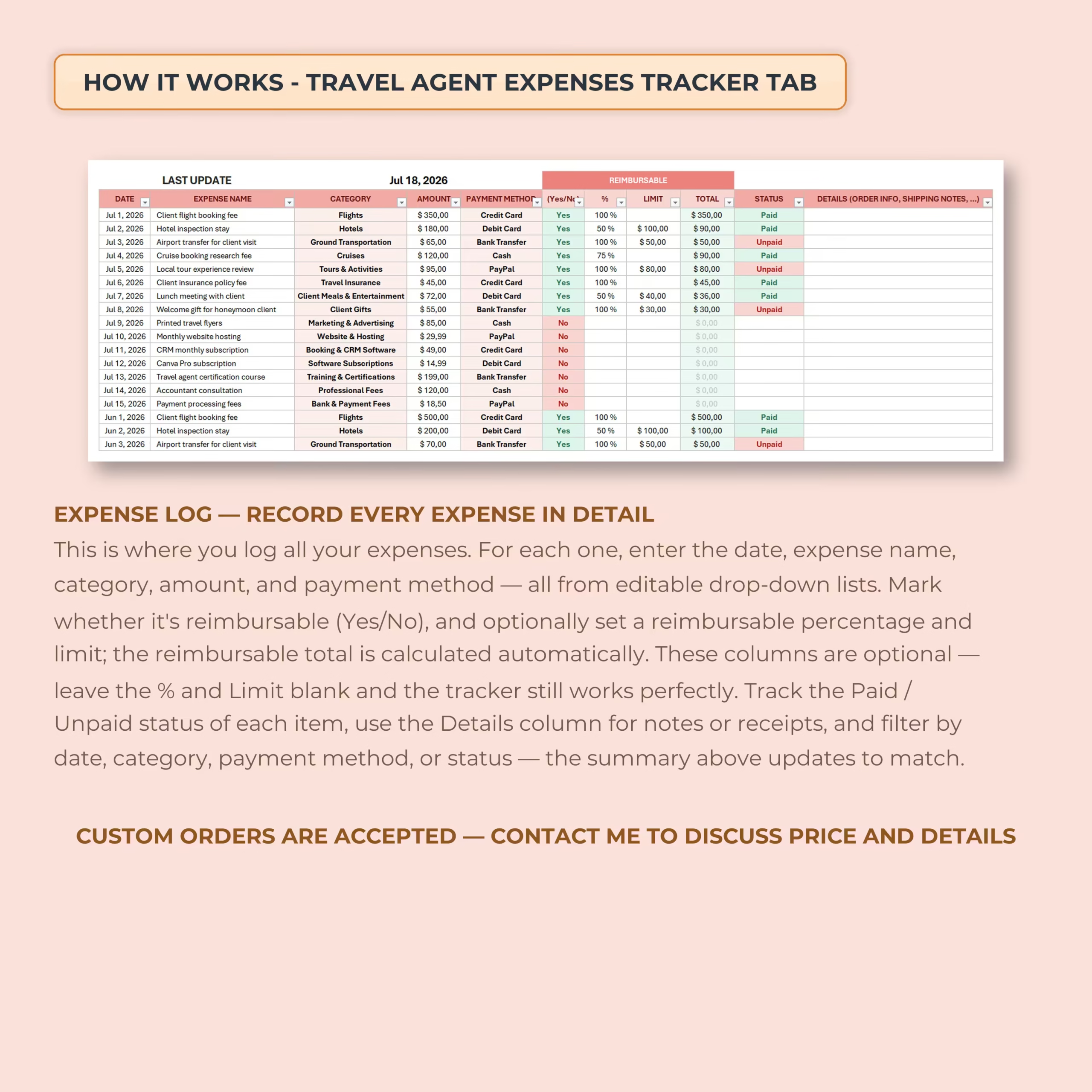
The main expense tracker tab lets you record every business expense in detail. Add the date, expense name, category, amount, payment method, reimbursement details, payment status, and notes for each transaction.
This makes it easier to keep your travel agency expenses organized, especially when managing client-related costs, business tools, marketing expenses, booking software, professional fees, and reimbursable travel items.
Built for Travel Agents
This template includes travel-agent-friendly expense categories that can be edited to match your business. Use it to track common travel business expenses such as flights, hotels, ground transportation, cruises, tours and activities, travel insurance, client gifts, website hosting, booking software, training, certifications, and professional fees.
- Client flight booking fees
- Hotel inspection stays
- Airport transfers and ground transportation
- Cruise booking research fees
- Local tour experience reviews
- Client insurance policy fees
- Marketing and advertising expenses
- Website and hosting costs
- Booking and CRM software
- Training and certification expenses
Reimbursement Tracking Made Simple
The tracker includes dedicated reimbursement fields so you can mark whether an expense is reimbursable, set a reimbursable percentage, add a reimbursement limit, and automatically calculate the reimbursable total.
You can also track whether each reimbursable item has been paid or remains unpaid, helping you see outstanding balances clearly.
- Mark expenses as reimbursable or non-reimbursable
- Add reimbursement percentages
- Set optional reimbursement limits
- Calculate reimbursable totals automatically
- Track paid and unpaid reimbursement status
Monthly Expense Summary
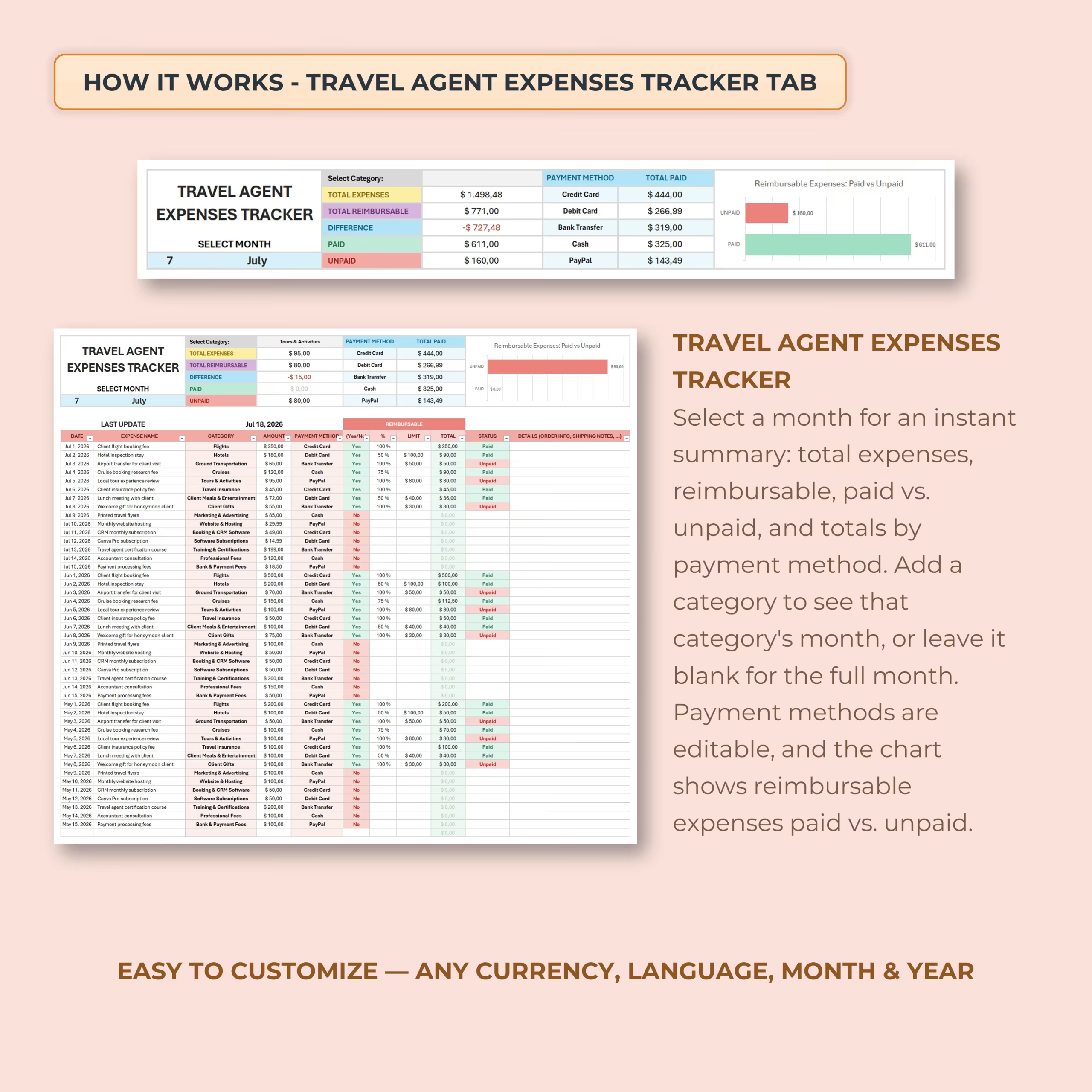
Select a month to instantly view a summary of your expenses, reimbursable amounts, paid totals, unpaid balances, and totals by payment method. The monthly view helps you quickly understand where your money is going and what still needs to be reimbursed.
You can also filter by category to review a specific type of expense or leave the category blank to see the full month.
Year-at-a-Glance Summary Dashboard
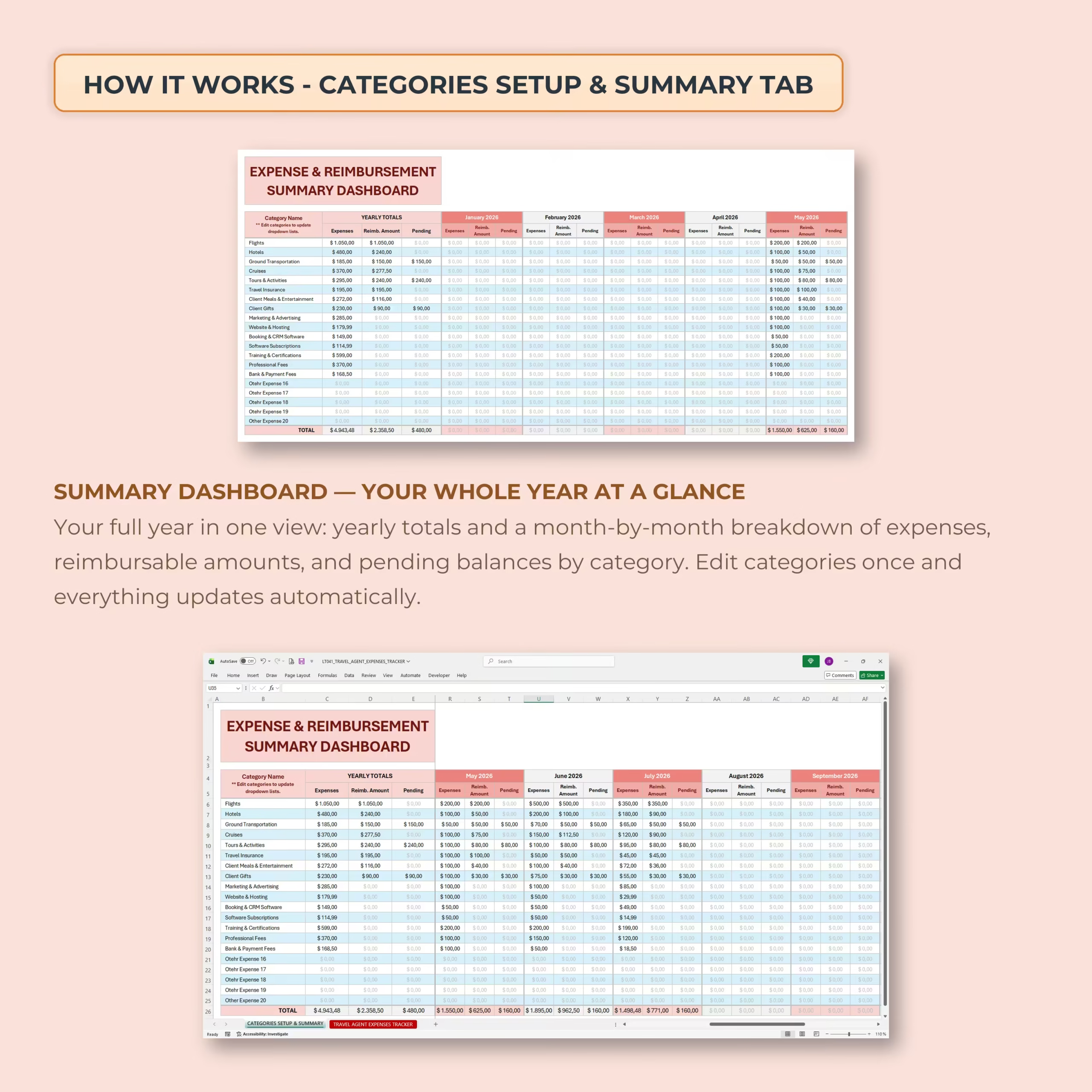
The included summary dashboard gives you a full-year overview of your travel business expenses. View yearly totals and month-by-month breakdowns for expenses, reimbursable amounts, and pending balances by category.
This makes it easier to analyze spending trends, review your business costs, and keep your expense records organized throughout the year.
Editable Categories and Payment Methods
The template is easy to customize. You can edit expense categories and payment methods to match your own business setup. Once updated, the dropdown lists use your custom options, helping you keep entries fast and consistent.
Payment methods can include credit card, debit card, bank transfer, cash, PayPal, or any other method you prefer to track.
Automatic Calculations and Charts
The spreadsheet includes built-in formulas and charts to help you monitor your expenses without manually calculating totals. Automatic summaries update as you add or filter expenses.
- Total expenses
- Total reimbursable amount
- Difference between expenses and reimbursements
- Paid and unpaid balances
- Totals by payment method
- Paid vs. unpaid reimbursement chart
- Yearly totals by expense category
Easy to Customize
This travel agent expense spreadsheet can be adapted to your preferred currency, language, month, and year. You can rename categories, update payment methods, adjust labels, and use the tracker in a way that fits your travel business workflow.
What’s Included
- Travel Agent Expenses Tracker tab
- Categories Setup & Summary tab
- Monthly expense view selector
- Expense log with editable dropdowns
- Reimbursable expense tracking
- Paid and unpaid status tracking
- Payment method totals
- Expense and reimbursement summary dashboard
- Yearly totals by category
- Automatic calculations and charts
- Excel version
- Google Sheets version
Perfect For
- Travel agents
- Independent travel advisors
- Travel consultants
- Home-based travel businesses
- Small travel agencies
- Travel planners who manage client-related expenses
- Business owners who need a simple reimbursement tracker
Use It in Excel or Google Sheets
This template is compatible with both Microsoft Excel and Google Sheets. Download the file, choose your preferred version, customize your categories and payment methods, and start tracking your travel agent expenses right away.
Please note: this spreadsheet is an organization and tracking tool. It does not provide tax, accounting, financial, or legal advice.
Reviews
There are no reviews yet.