
Employee Task Checklist Template for Excel and Google Sheets
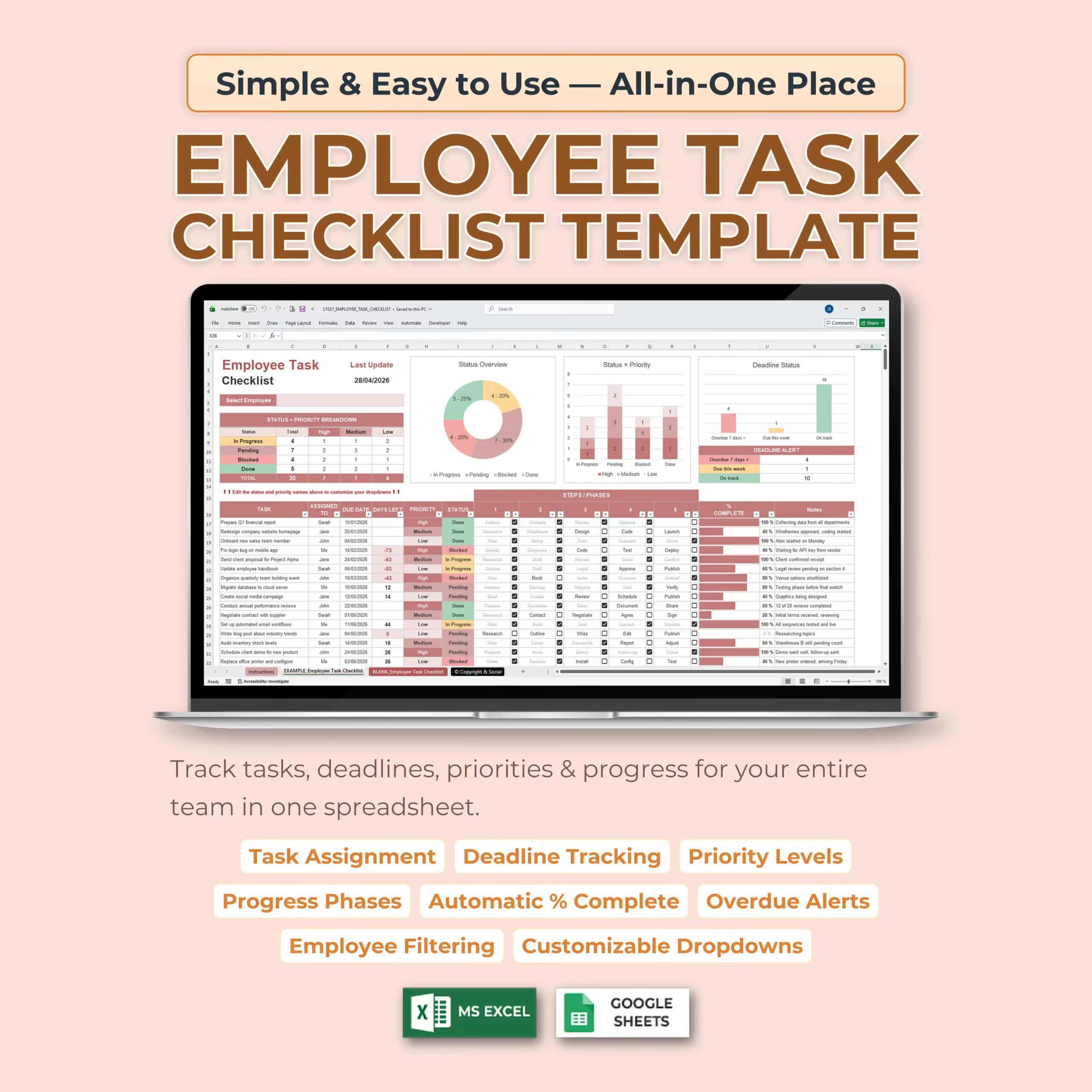
Organize your team’s work in one place with this Employee Task Checklist Template for Microsoft Excel and Google Sheets. This ready-to-use spreadsheet helps you assign tasks, monitor deadlines, track priorities, manage progress phases, and quickly see what is pending, in progress, blocked, or completed.
It is especially useful if you are looking for an employee task checklist template, employee task tracker Excel template, employee task list template Excel, task list for employees, staff checklist spreadsheet, team task list template, or team task management template that you can download, customize, and start using right away.
Whether you manage a small team, run a business, coordinate projects, or need a simple employee task tracker, this template gives you a clear and visual way to stay on top of responsibilities without complicated project management software. It is a practical fit for U.S. small businesses, service teams, office managers, and operations leads who want a downloadable Excel or Google Sheets workflow tracker instead of building one from scratch.
All-in-One Employee Task Tracker
This employee task checklist keeps everything organized in a single spreadsheet. You can list each task, assign it to a team member, set a due date, choose a priority level, update the status, track progress through multiple steps, and add notes for extra context.
Instead of managing tasks across scattered notes, emails, or separate documents, this template gives your team one organized place to review responsibilities, deadlines, and progress.
Built for Small Business and Team Accountability
This spreadsheet works well for small business operations, office admin teams, service businesses, remote teams, and managers who need a straightforward way to assign work and follow up on completion. It helps turn a simple spreadsheet into a practical employee accountability system that supports daily execution.
For buyers comparing templates for employee follow-up, internal operations, or recurring staff responsibilities, it also works well as an employee task tracker spreadsheet, team accountability tracker, staff task list spreadsheet, or small business task management template for Excel or Google Sheets.
Useful for Daily Follow-Up and Recurring Staff Work
Many teams do not need a heavy project platform. They need a simple spreadsheet to assign work, follow daily progress, and confirm that recurring responsibilities are actually being completed. That makes this template especially relevant for buyers searching for a daily task tracker for employees, a staff task tracker, or an employee follow-up spreadsheet they can start using immediately.
It works well for admin teams, service businesses, office operations, back-office workflows, and small business teams that want a practical Excel or Google Sheets template for repeatable staff tasks, internal follow-up, and deadline visibility.
Assign Tasks and Track Deadlines
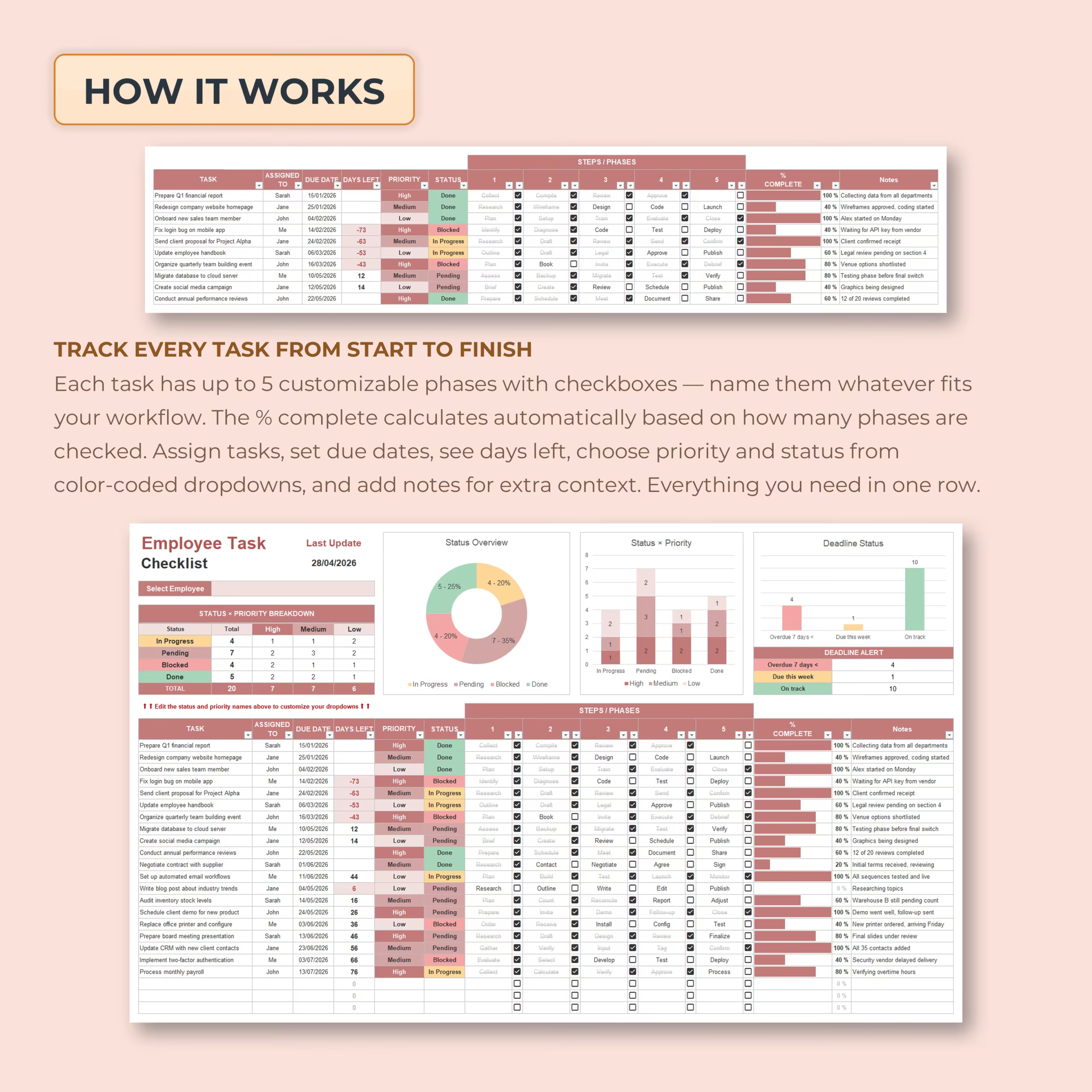
Each task row includes the key details you need to manage employee work clearly:
- Task name: Add the work item or responsibility.
- Assigned to: Assign each task to an employee or team member.
- Due date: Set a deadline for each task.
- Days left: Automatically see how many days remain before the task is due.
- Priority: Mark tasks as high, medium, or low priority.
- Status: Track whether tasks are in progress, pending, blocked, or done.
- Notes: Add updates, context, reminders, or next steps.
5 Customizable Progress Phases
Each task includes up to 5 customizable steps or phases with checkboxes. You can rename these phases to match your own workflow, such as planning, review, approval, launch, follow-up, or any process your team uses.
As phases are checked off, the spreadsheet automatically calculates the percentage complete for each task. This makes it easy to understand how far along each task is without manually updating progress numbers.
Automatic % Complete Tracking
The built-in progress system calculates task completion automatically based on how many phases are completed. This is useful for managers and team leads who want a fast visual signal instead of reviewing every task line manually.
It also helps if you are specifically comparing spreadsheet options for a task completion tracker, a progress checklist template, or an employee workflow tracker in Excel or Google Sheets.
Dashboard for Status, Priority, and Deadlines
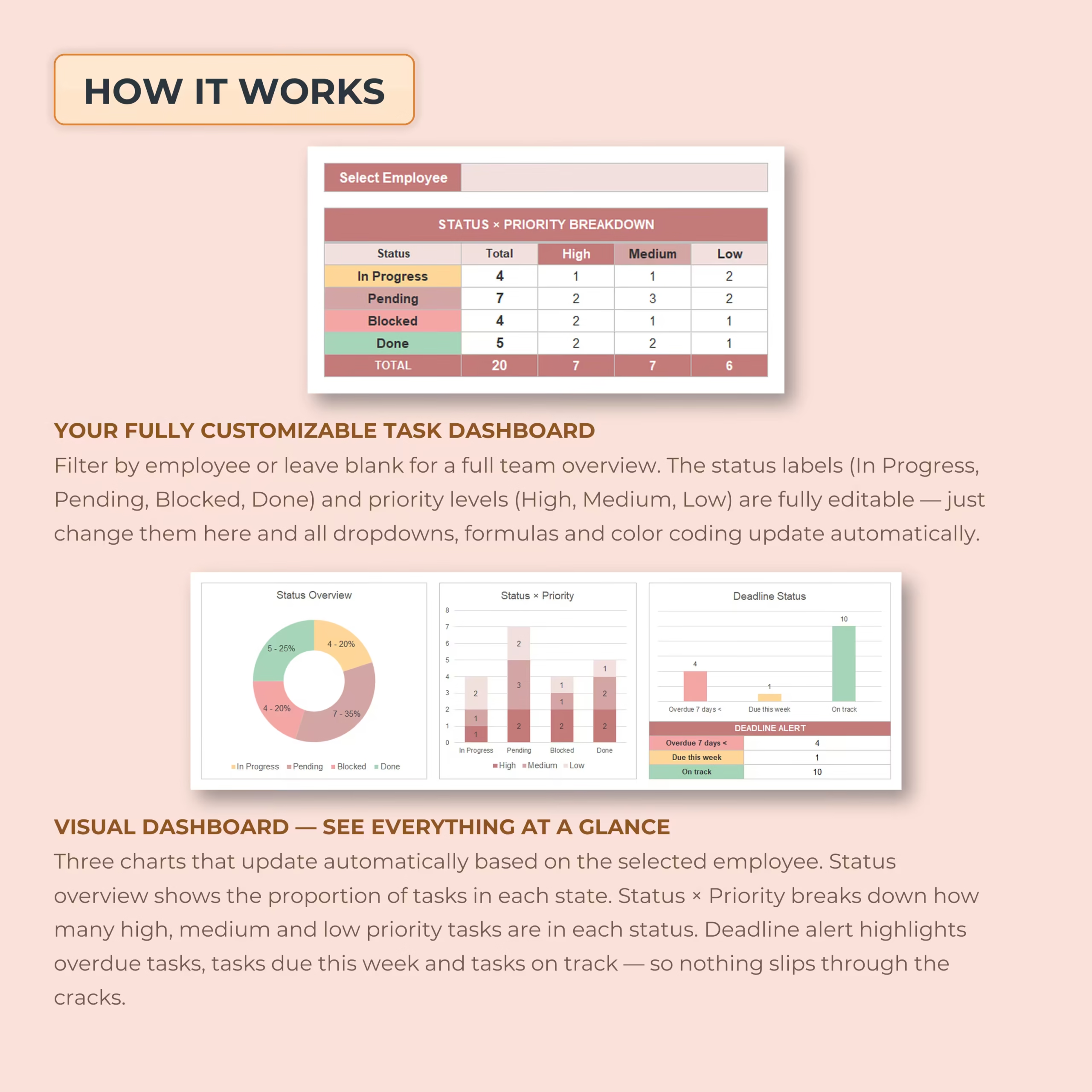
The template includes a visual dashboard that summarizes your task list. You can quickly review:
- Total tasks
- Tasks by status
- Tasks by priority
- Overdue tasks
- Tasks due this week
- On-track tasks
This makes it easier to spot bottlenecks, pending work, and urgent follow-up items without creating manual reports.
Employee Filter for Individual Review
The built-in employee filter makes it easy to review all tasks for one person or switch back to a full team view. This is useful for managers who want a simple way to run one-on-one check-ins, review workload, or monitor follow-up by employee.
For buyers looking for an employee task tracker Excel template that supports both team-wide and individual visibility, this feature adds practical day-to-day value.
Blank Employee Task Checklist Included
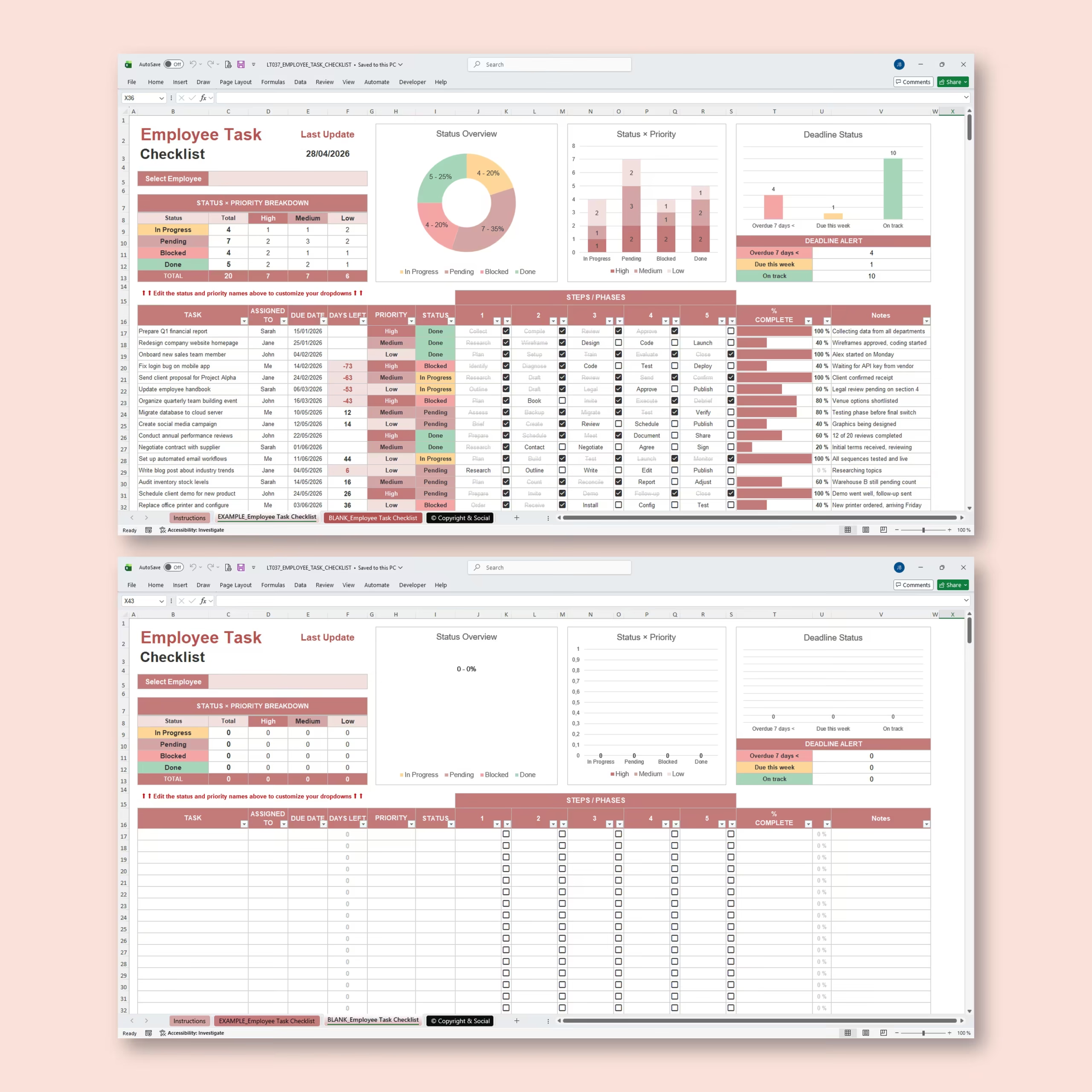
The template includes both an example version and a blank checklist. You can use the sample file to understand the layout quickly, then switch to the blank version to build your own workflow.
This makes the spreadsheet easier to adopt for new teams, managers, or business owners who want a faster setup.
Compatible with Excel and Google Sheets
This template works with both Microsoft Excel and Google Sheets, so you can choose the platform that fits your workflow. Use Excel for desktop spreadsheet management or Google Sheets for cloud-based access and collaboration.
Best For
- Managers and supervisors
- Small business owners
- Office administrators
- Remote teams
- Project coordinators
- Operations teams
- Service-based businesses
- Anyone who needs a task checklist for employees
Why Use This Employee Task Checklist Template?
If your team needs a simple and flexible way to assign work, monitor completion, and keep deadlines visible, this template gives you a ready-made system inside Excel or Google Sheets. It helps reduce missed tasks, improve accountability, and keep employee follow-up more organized.
Download this Employee Task Checklist Template today and start managing staff tasks, deadlines, and progress with a spreadsheet that is ready to use.
Reviews
There are no reviews yet.