
Monthly Task and To-Do Planner Template for Excel and Google Sheets
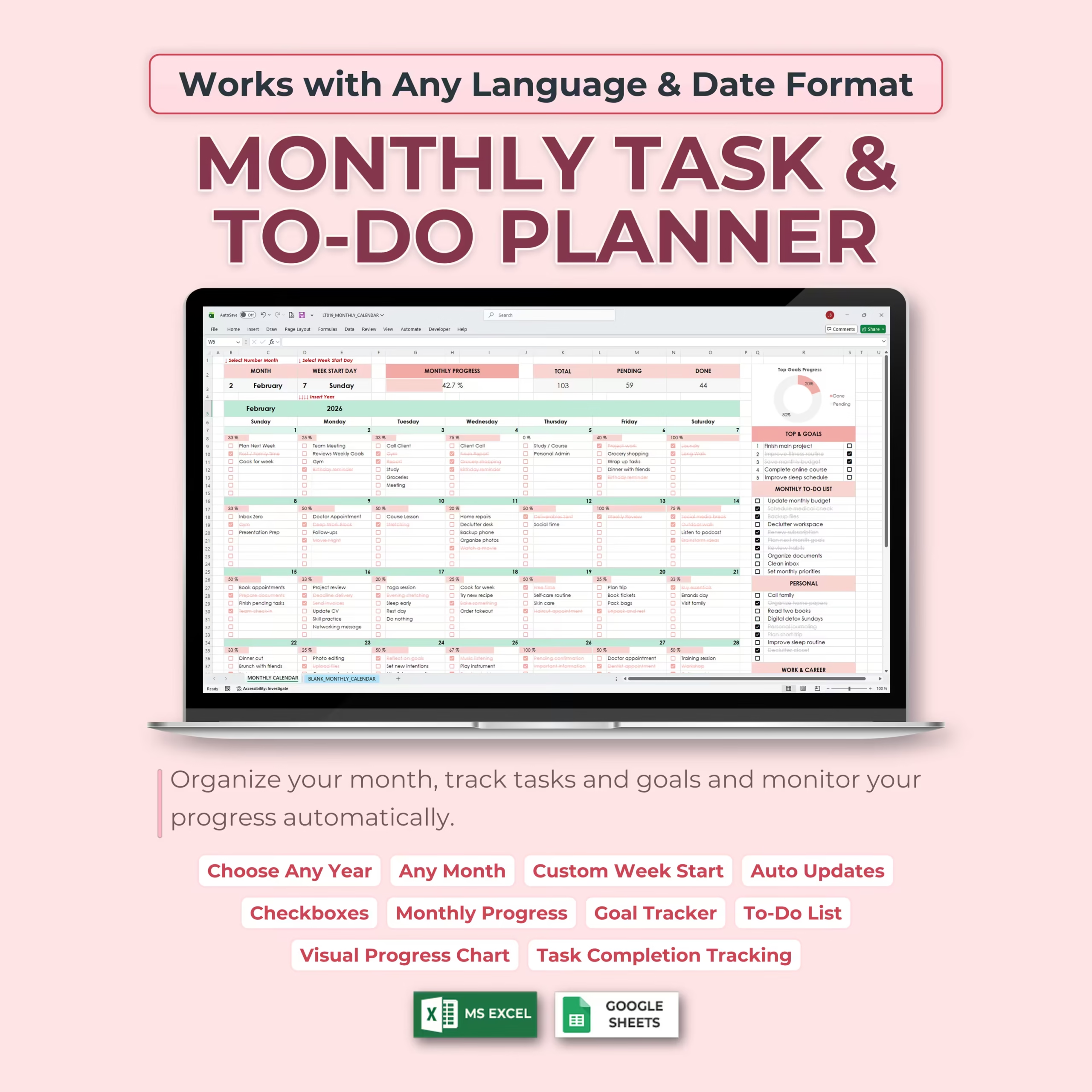
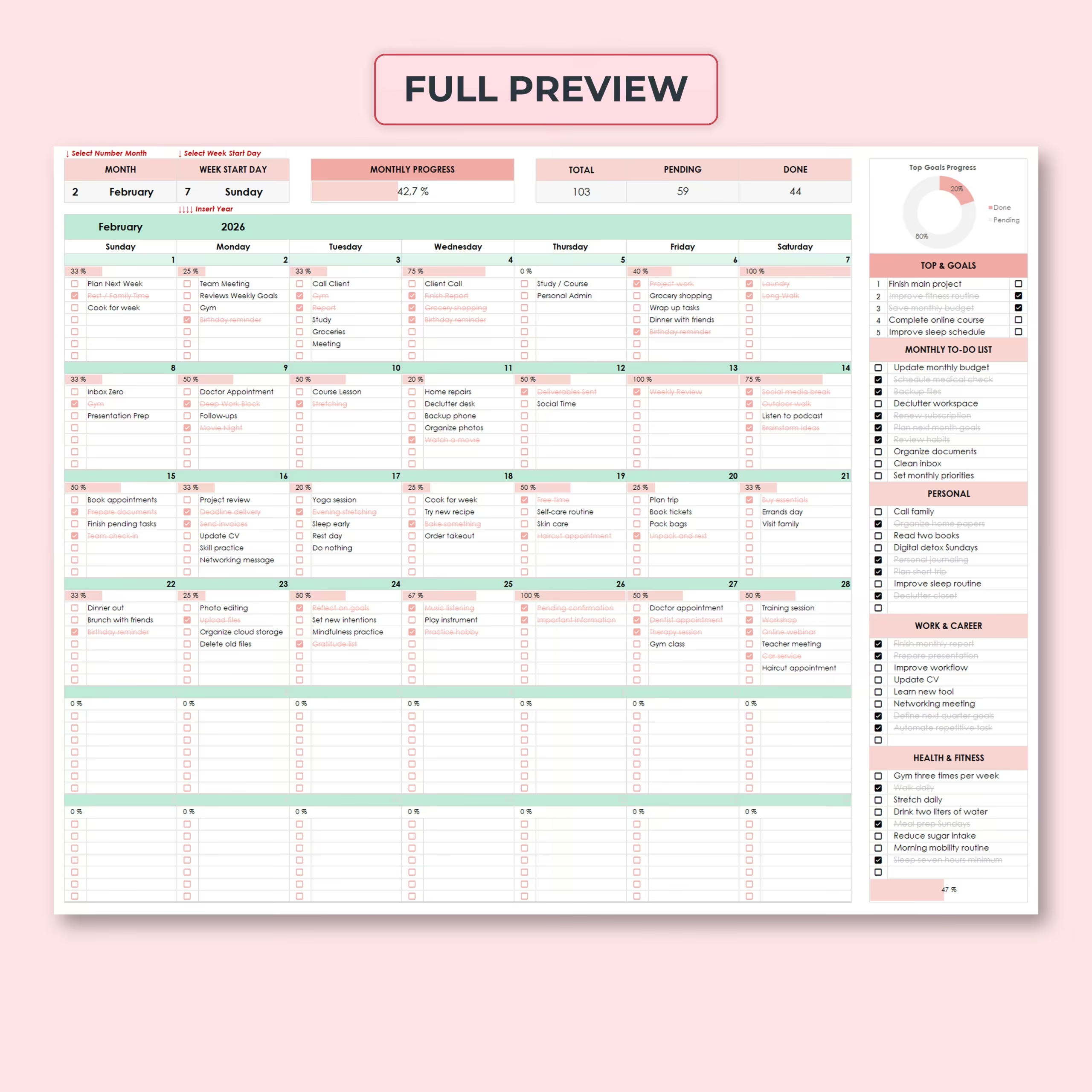
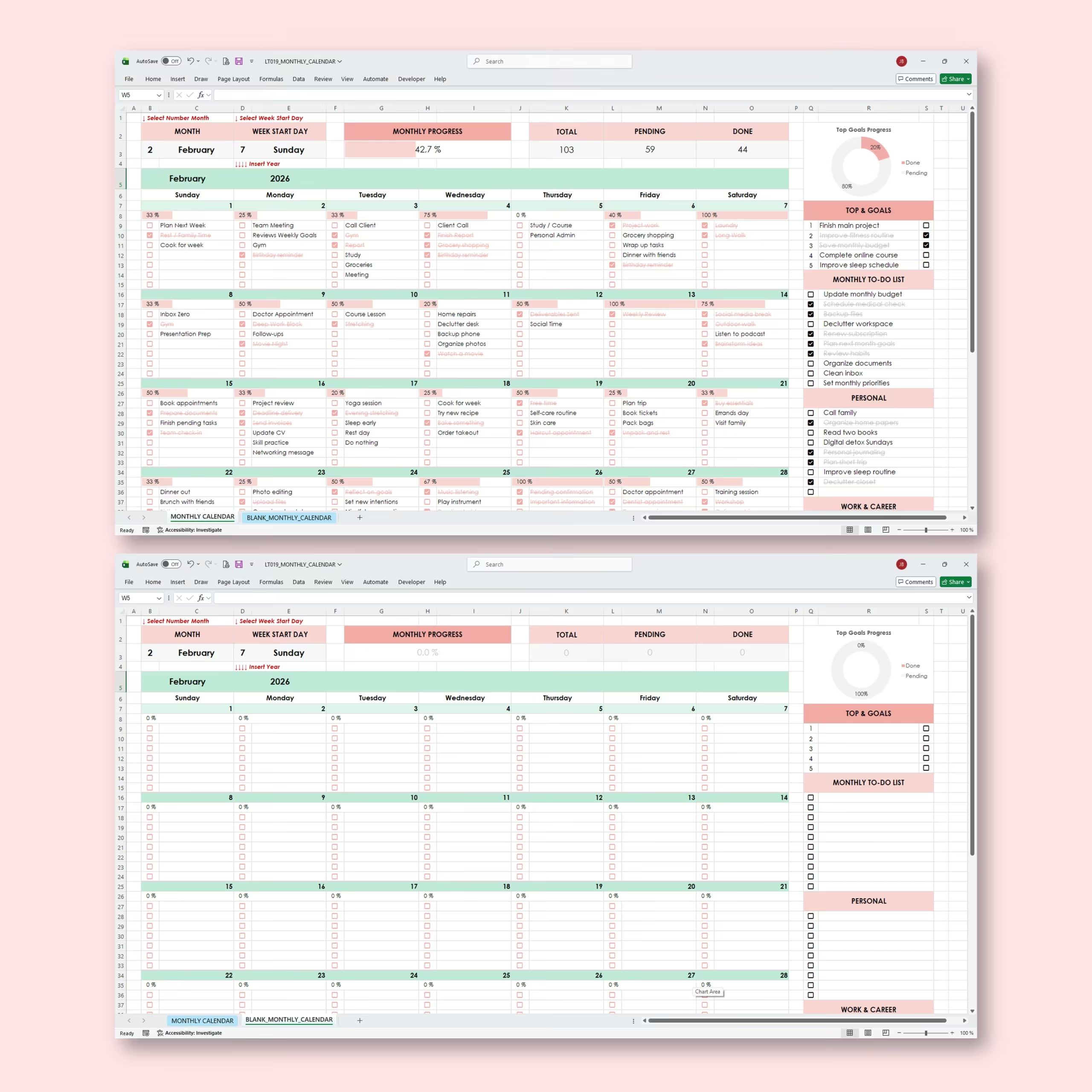
Stay organized all month long with this Monthly Task & To-Do Planner Template for Microsoft Excel and Google Sheets. This digital monthly calendar helps you plan daily tasks, track goals, manage reminders, monitor routines, and see your progress automatically in one clean and visual spreadsheet.
Whether you are organizing personal tasks, work projects, school assignments, health habits, daily routines, appointments, or monthly goals, this monthly planner gives you a simple system to see what needs to be done and what has already been completed.
Set It Once and Reuse It Forever
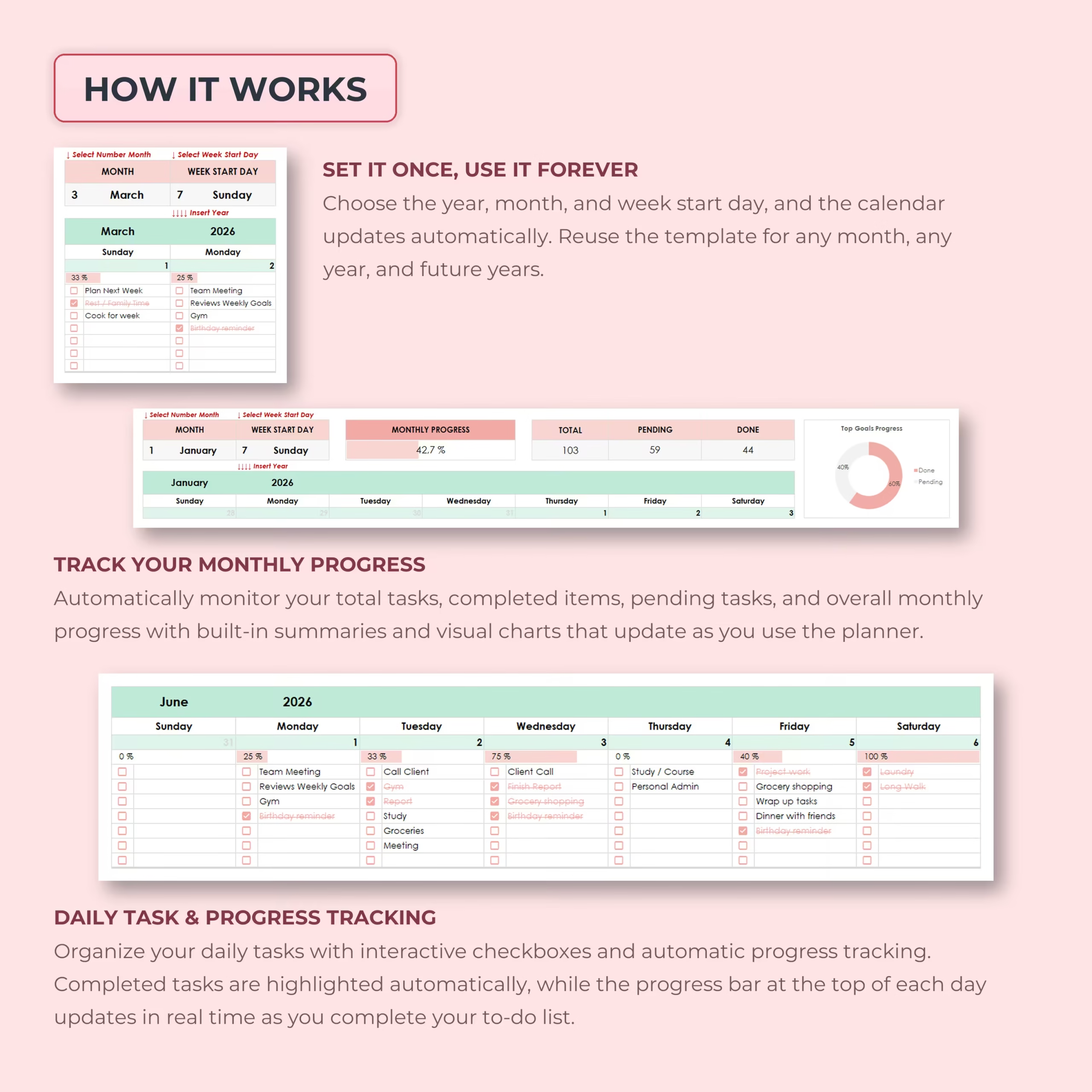
This monthly calendar template is designed to work for any month and any year. Simply choose the year, month, and preferred week start day, and the calendar updates automatically.
You can reuse the planner every month by making a copy and changing the setup. This makes it ideal for ongoing monthly planning without rebuilding your calendar from scratch.
Monthly Calendar with Daily Task Tracking
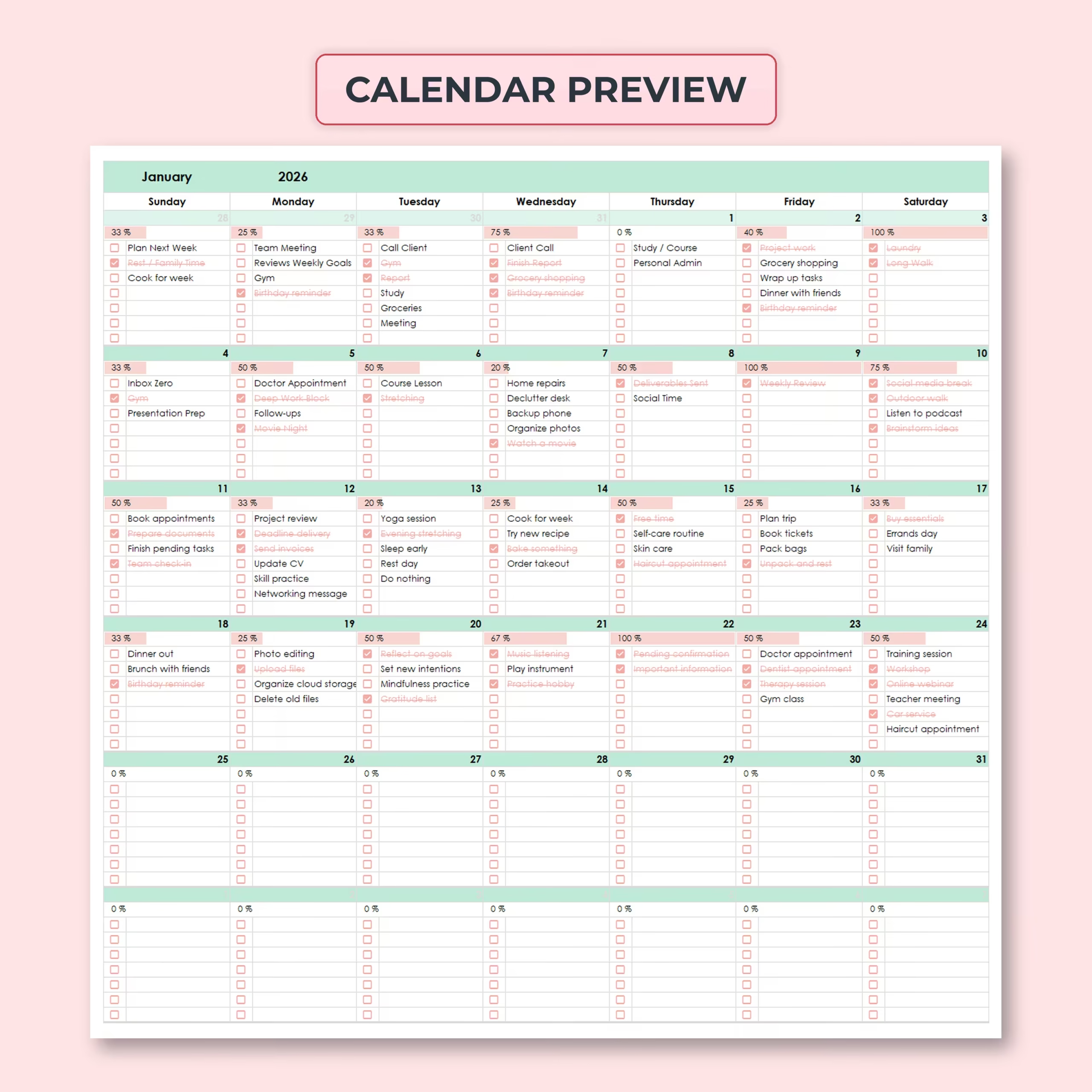
The main calendar gives you a full monthly view where you can organize your daily to-do list. Each day includes space for tasks and checkboxes, making it easy to plan your schedule and mark items complete as you go.
As you complete tasks, the spreadsheet automatically updates each day’s progress, monthly totals, and visual progress dashboard.
Interactive Checkboxes and Automatic Progress Bars
Each task includes an interactive checkbox. When you check off a completed task, the item is automatically marked as done and your progress updates instantly.
Daily progress bars help you quickly understand how much of each day’s to-do list has been completed. This makes the planner more visual and helps you stay motivated throughout the month.
Monthly Progress Dashboard
The built-in monthly dashboard summarizes your task progress automatically. You can see your total tasks, pending tasks, completed tasks, and overall monthly progress percentage in one place.
Visual charts make it easy to understand your productivity at a glance and quickly identify how much is done versus what still needs attention.
Goal Tracker and Monthly To-Do List
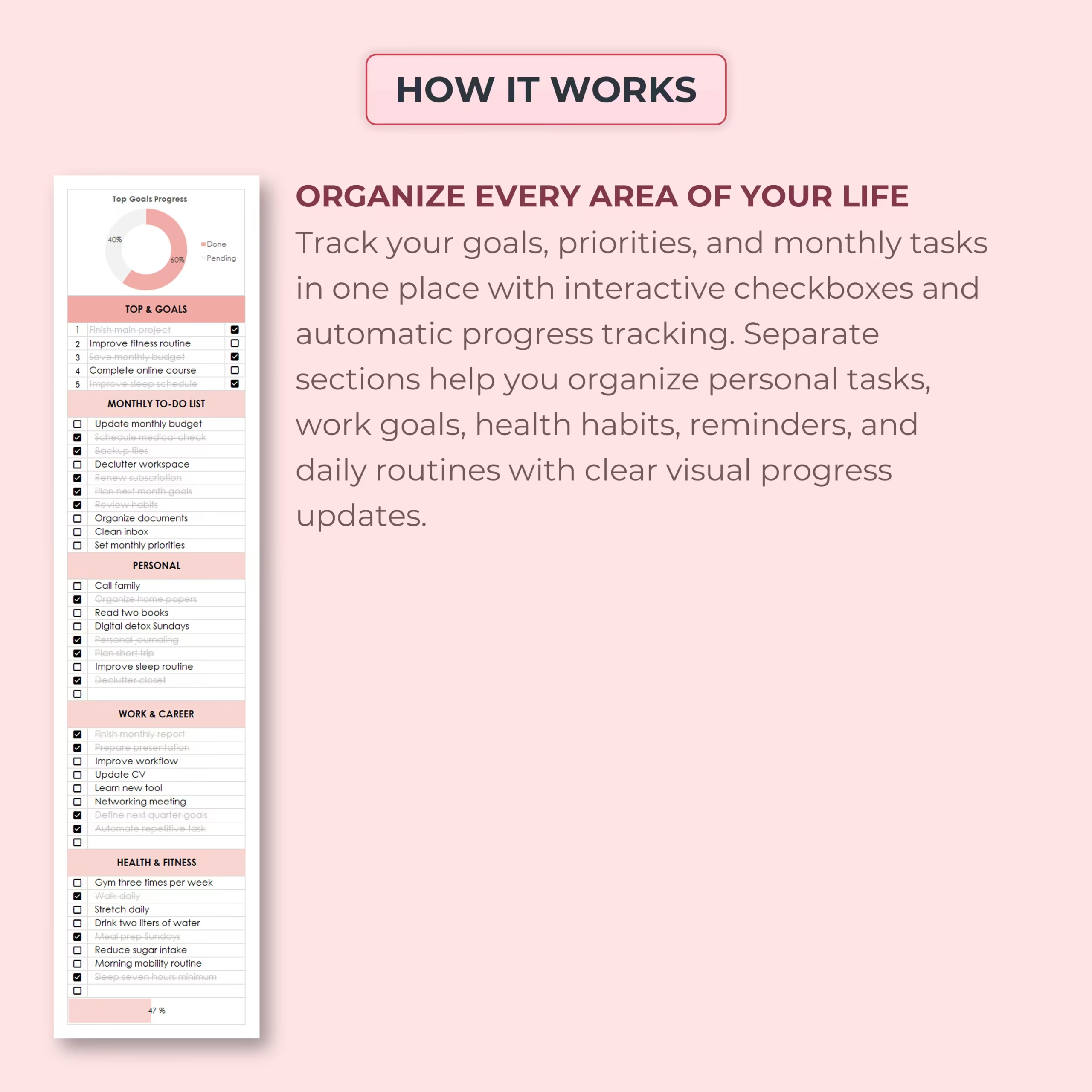
The planner includes a dedicated area for your top monthly goals and priority tasks. Use this section to keep your most important objectives visible throughout the month.
You can use it for:
- Top monthly goals
- Important reminders
- Monthly priorities
- Recurring responsibilities
- Appointments and deadlines
- Personal projects
Organize Every Area of Your Life
This monthly planner includes separate task sections to help you organize different areas of your life. You can track personal tasks, work and career goals, health and fitness habits, routines, reminders, and monthly to-dos in one spreadsheet.
Suggested planning sections include:
- Top goals
- Monthly to-do list
- Personal tasks
- Work and career
- Health and fitness
These sections make it easier to separate priorities while still keeping everything visible in the same monthly calendar.
Works with Any Language and Date Format
The template is easy to adapt to your preferred language and date format. You can edit labels, task names, categories, headings, and planner sections to match your own planning style.
This makes the spreadsheet flexible for different users, regions, workflows, and personal preferences.
Custom Week Start Day
You can customize the calendar based on your preferred week start day. Whether you prefer your week to begin on Sunday or Monday, the planner can be adjusted to match your routine.
Visual Task Completion Tracking
The template includes charts and visual progress indicators that update automatically as you complete tasks. This helps you review your month, measure productivity, and stay accountable to your goals.
Use the progress tracking features to quickly see completed tasks, pending tasks, task distribution, and overall monthly completion.
Works with Excel and Google Sheets
This monthly calendar template is compatible with both Microsoft Excel and Google Sheets. Use it offline in Excel or online in Google Sheets, depending on your preferred workflow.
Perfect For
- Monthly planning
- Daily to-do lists
- Goal tracking
- Personal productivity
- Work task planning
- School assignments
- Health and fitness habits
- Household tasks
- Appointments and reminders
- Monthly routines
- Project task planning
What You Can Track
- Daily tasks
- Completed tasks
- Pending tasks
- Monthly goals
- Personal tasks
- Work and career priorities
- Health and fitness habits
- Reminders and routines
- Monthly progress percentage
- Task completion by day
Why You’ll Love This Monthly Calendar Template
- Simple, visual, and easy to use
- Reusable for any month and any year
- Automatic calendar updates
- Customizable week start day
- Works with any language and date format
- Daily checkboxes for task completion
- Automatic progress bars and task counters
- Monthly goal and to-do sections included
- Visual charts help track productivity
- Works with Excel and Google Sheets
Plan your month with more clarity, track your tasks visually, and stay focused on what matters with this practical Monthly Task & To-Do Planner Template for Excel and Google Sheets.
Reviews
There are no reviews yet.