
Monthly Task Checklist Template with Mini Calendar for Excel and Google Sheets
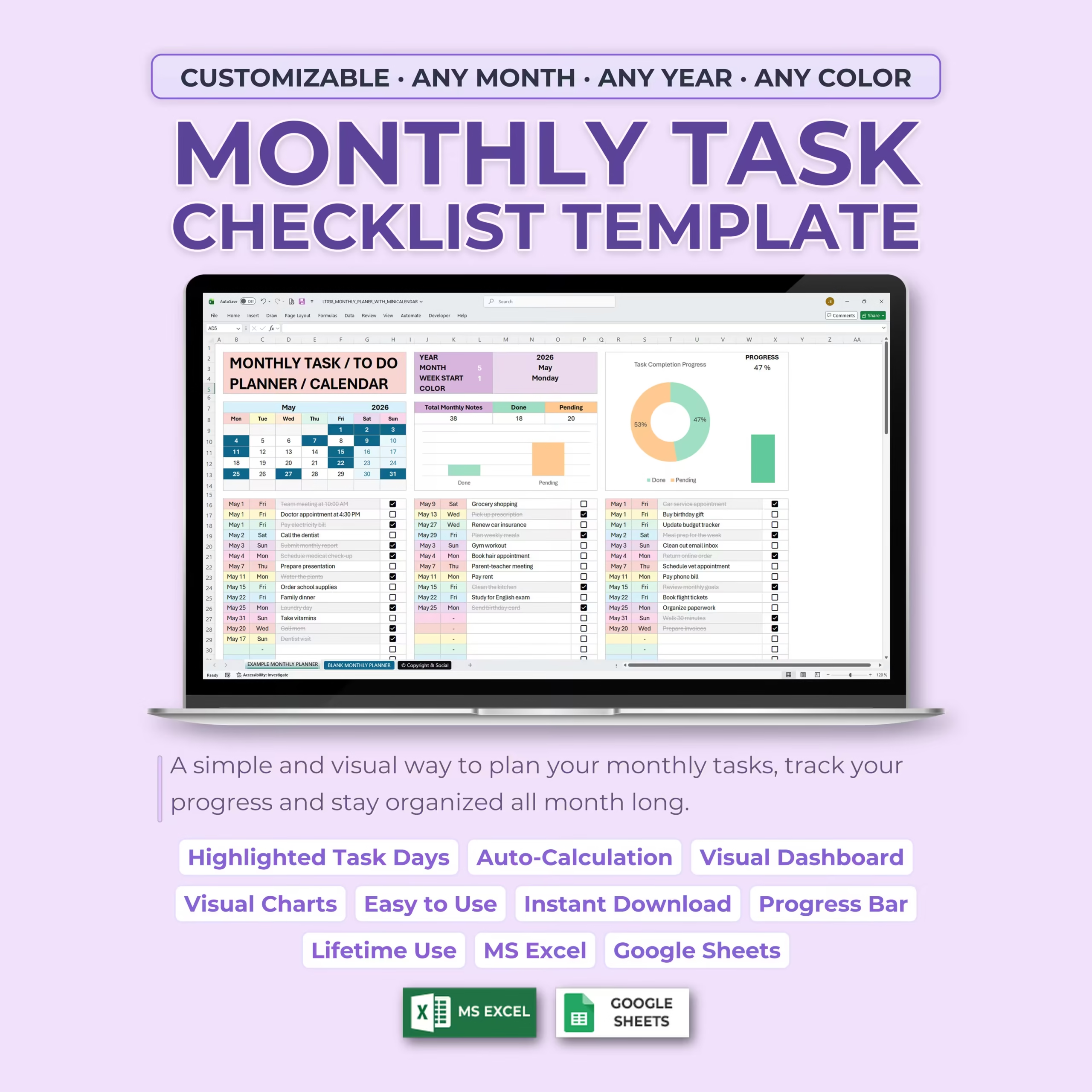
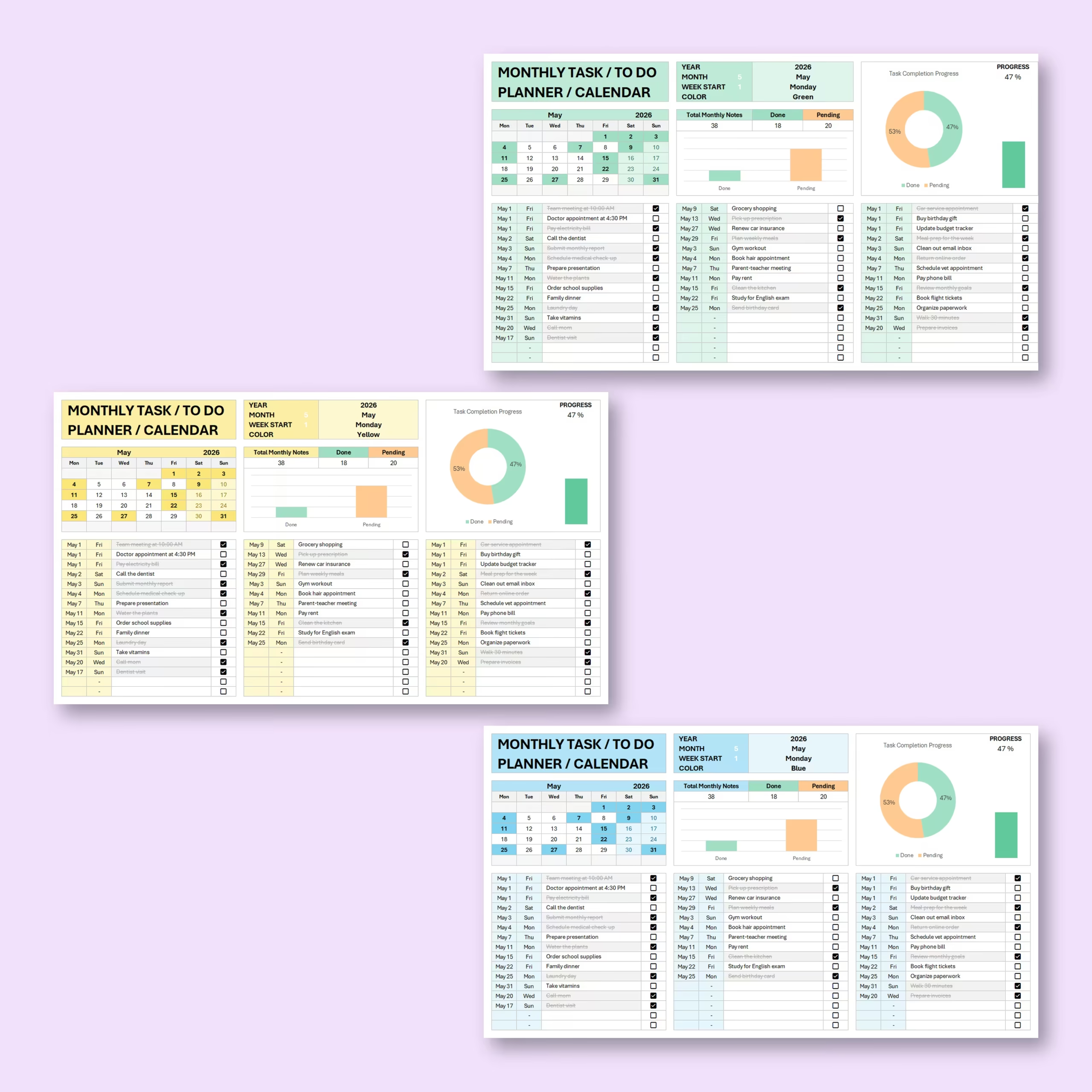
Stay organized all month long with this Monthly Task Checklist Template with Mini Calendar for Microsoft Excel and Google Sheets. This ready-to-use spreadsheet helps you organize monthly tasks, track progress, highlight pending task days, and manage your to-do list in one practical file.
If you are looking for a monthly task checklist template, monthly to do list template Excel, monthly planner template Excel, monthly task tracker, monthly checklist spreadsheet, or monthly to do list spreadsheet you can download and customize right away, this template is built for that exact use case. It works well for work planning, personal organization, school tasks, recurring reminders, and deadline tracking without starting from a blank spreadsheet.
Whether you are planning personal errands, work tasks, appointments, reminders, school assignments, household responsibilities, or monthly goals, this digital planner gives you a clear overview of what needs to be done and what has already been completed.
Useful as a Monthly Planner Template for Excel or Google Sheets
Many buyers are not looking for a complex project management app. They want a practical monthly planner template Excel file, monthly calendar template Excel, or Google Sheets monthly planner they can edit quickly and reuse every month. This spreadsheet is built for that kind of purchase intent, with a checklist view, mini calendar, and progress dashboard already prepared.
If you want a downloadable planner instead of building your own worksheet, this template gives you a faster way to organize tasks, deadlines, recurring reminders, and monthly priorities in Excel or Google Sheets.
Built for Monthly Planning at Work, School, or Home
This template is a good fit for professionals, assistants, students, and households that need one monthly planning file they can actually keep using. It works well as a monthly work planner spreadsheet, a simple monthly task organizer, or a reusable checklist for recurring responsibilities.
For U.S. buyers comparing spreadsheet options, it offers a faster alternative to setting up a planner manually and keeps the focus on practical task planning inside Excel or Google Sheets. It is especially useful when you want a ready-made monthly checklist template instead of losing time formatting dates, checkboxes, and progress tracking on your own.
Customizable for Any Month and Any Year
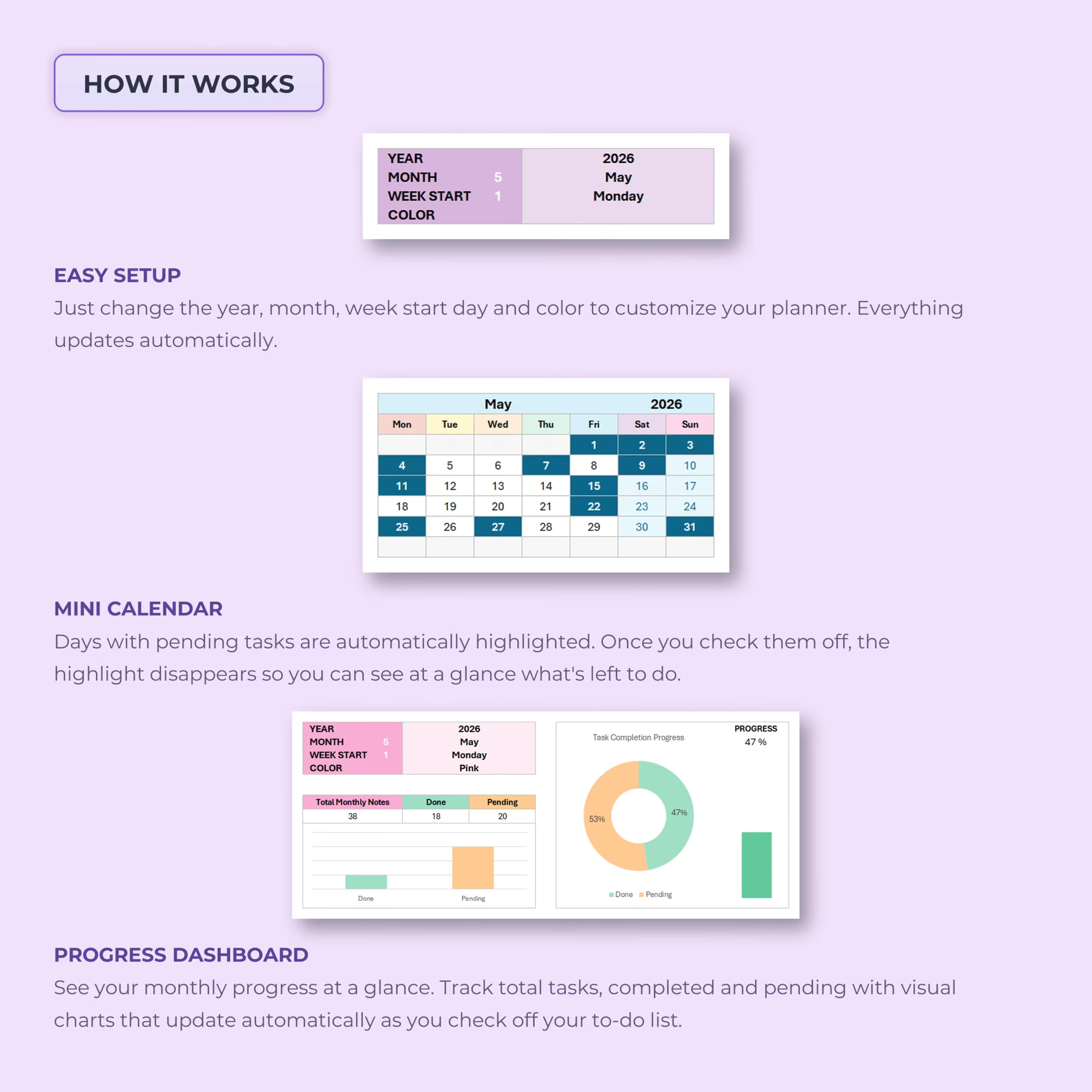
This monthly task planner is designed to work for any month and any year. Simply update the year, month, week start day, and color in the setup area, and the planner updates automatically.
This makes it easy to reuse the template month after month without starting from scratch. You can create a fresh copy for each new month and keep your planning system organized over time.
Built-In Mini Calendar
The built-in mini calendar gives you a quick visual overview of the selected month. Days with pending tasks are automatically highlighted, helping you instantly see which dates still need your attention.
Once all tasks for a specific day are checked off, the highlight disappears, so you can quickly recognize which days are complete and which still have pending items.
Simple Monthly Task Checklist
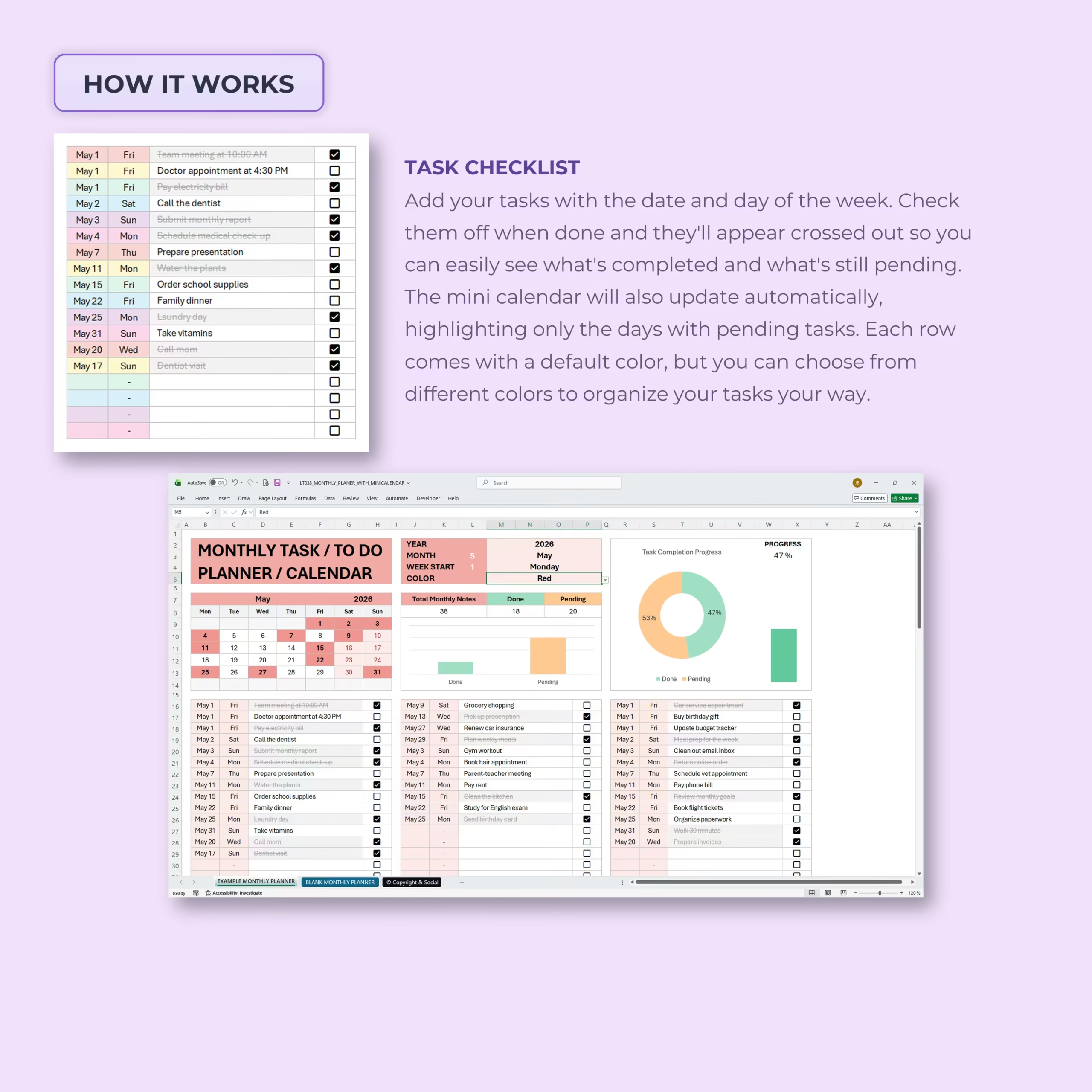
The task checklist section allows you to add tasks with their date and day of the week. You can use it for appointments, errands, deadlines, reminders, follow-ups, recurring tasks, or anything else you want to organize during the month.
Each task includes a checkbox. When you mark a task as complete, it is automatically crossed out, making it easy to see what is done and what is still pending.
Automatic Progress Dashboard
The template includes an automatic progress dashboard that summarizes your monthly task completion. As you check off tasks, the dashboard updates your total tasks, completed tasks, pending tasks, and overall progress percentage.
Visual charts make it easier to understand your progress at a glance, so you can stay motivated and focused throughout the month.
Visual Charts and Progress Tracking
This monthly planner includes visual charts that show completed vs. pending tasks. The progress section helps you quickly understand how much of your monthly to-do list has been completed and how much still needs attention.
This is ideal for anyone who likes visual planning, productivity tracking, and simple task management without complicated software.
Customizable Colors
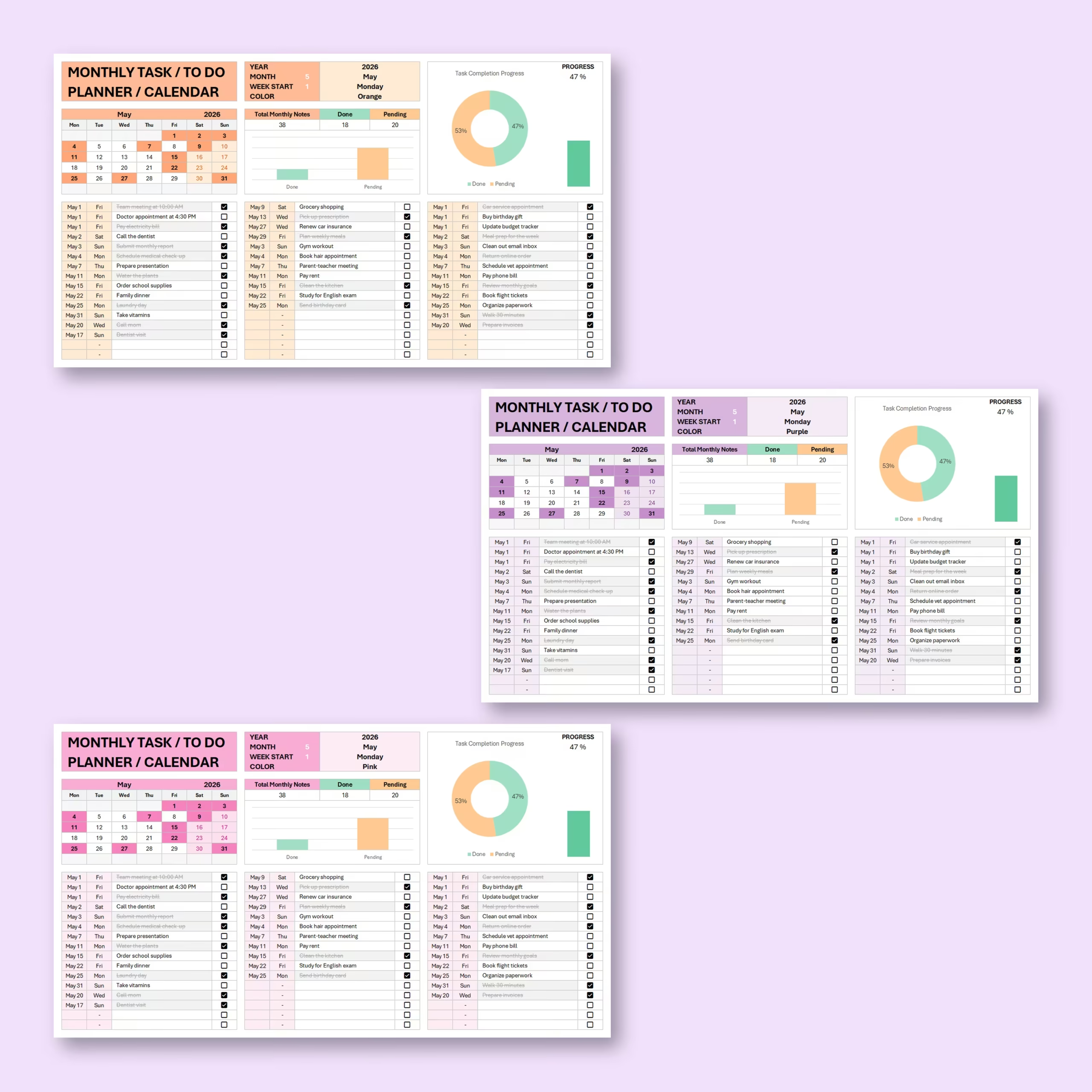
The planner is designed to be customizable by color, so you can adjust the look of your monthly task checklist to match your personal style or planning preference.
Use different colors to organize months, create sections visually, or match your existing planning system in Excel or Google Sheets.
Why Buy a Ready-Made Monthly Checklist Template
Creating a monthly planner from scratch takes time, especially if you want a mini calendar, checkbox logic, progress counters, and a clean layout that works in both Excel and Google Sheets. This template gives you a faster starting point with those pieces already built.
Instead of formatting a spreadsheet yourself, you can download the file, customize it to your routine, and start planning right away. That makes it a practical choice for buyers who want a reusable monthly planning spreadsheet with clear structure and quick setup.
What’s Included in the Download
- Editable monthly task checklist spreadsheet
- Reusable mini calendar for any month and year
- Task checkboxes with automatic completed and pending counts
- Progress percentage and visual summary charts
- Customizable colors and task details
- Files for Microsoft Excel and Google Sheets
Download the template, choose your month and year, add your tasks, and reuse the same organized system for future months. It is a ready-made option for buyers who want a practical monthly to-do list spreadsheet without setting up formulas, checkbox tracking, or a calendar layout themselves.
Reviews
There are no reviews yet.