
Tax Deduction Tracker Spreadsheet for Excel and Google Sheets
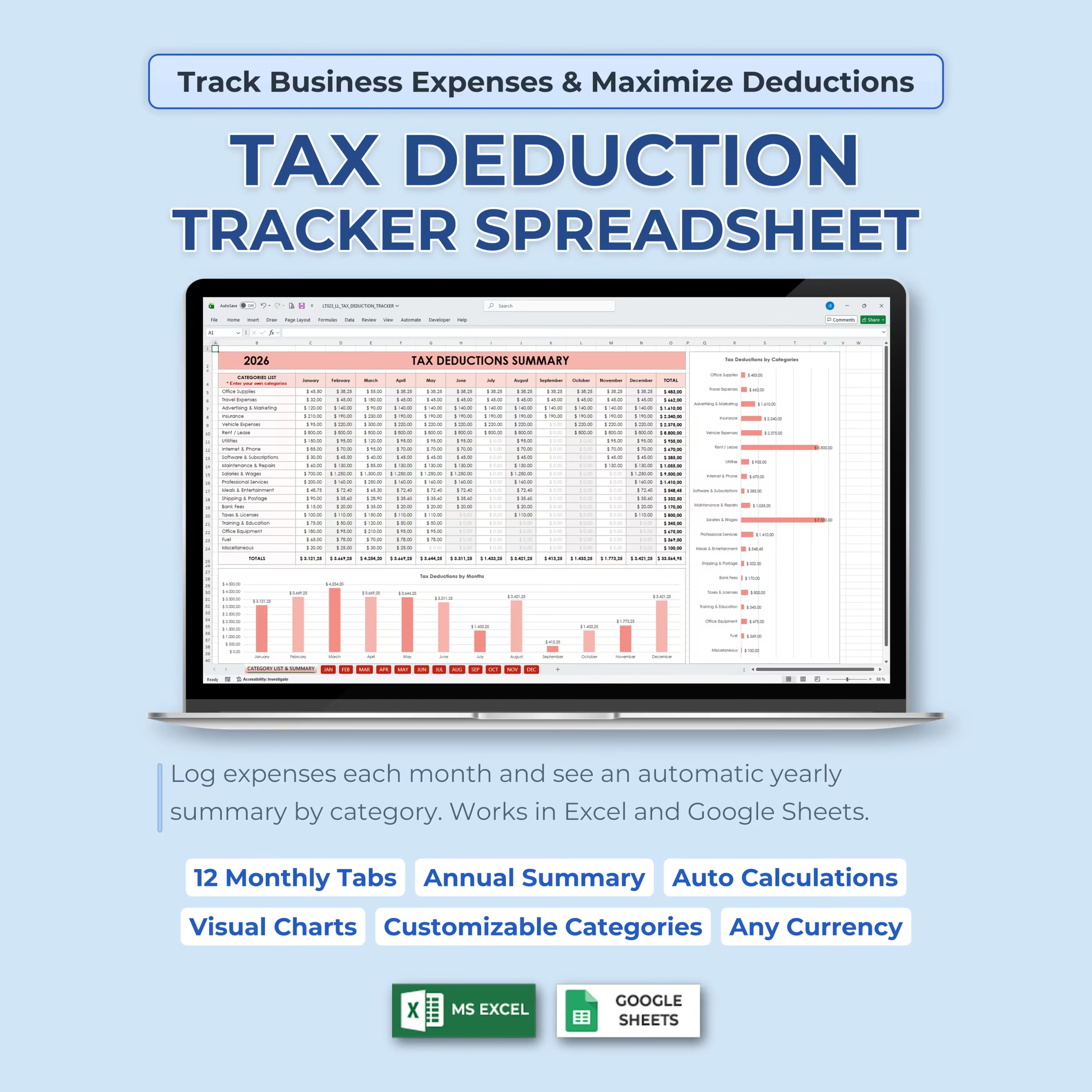
Keeping your business expenses organized throughout the year can make tax season much easier. Instead of sorting through receipts, bank statements, and scattered notes at the last minute, this Tax Deduction Tracker Spreadsheet gives you a simple system to log expenses month by month and see your deductions automatically summarized.
This template is designed for small business owners, freelancers, self-employed professionals, contractors, and anyone who wants an easy way to track business expenses and organize tax deductions in Excel or Google Sheets.
Track Business Expenses Month by Month
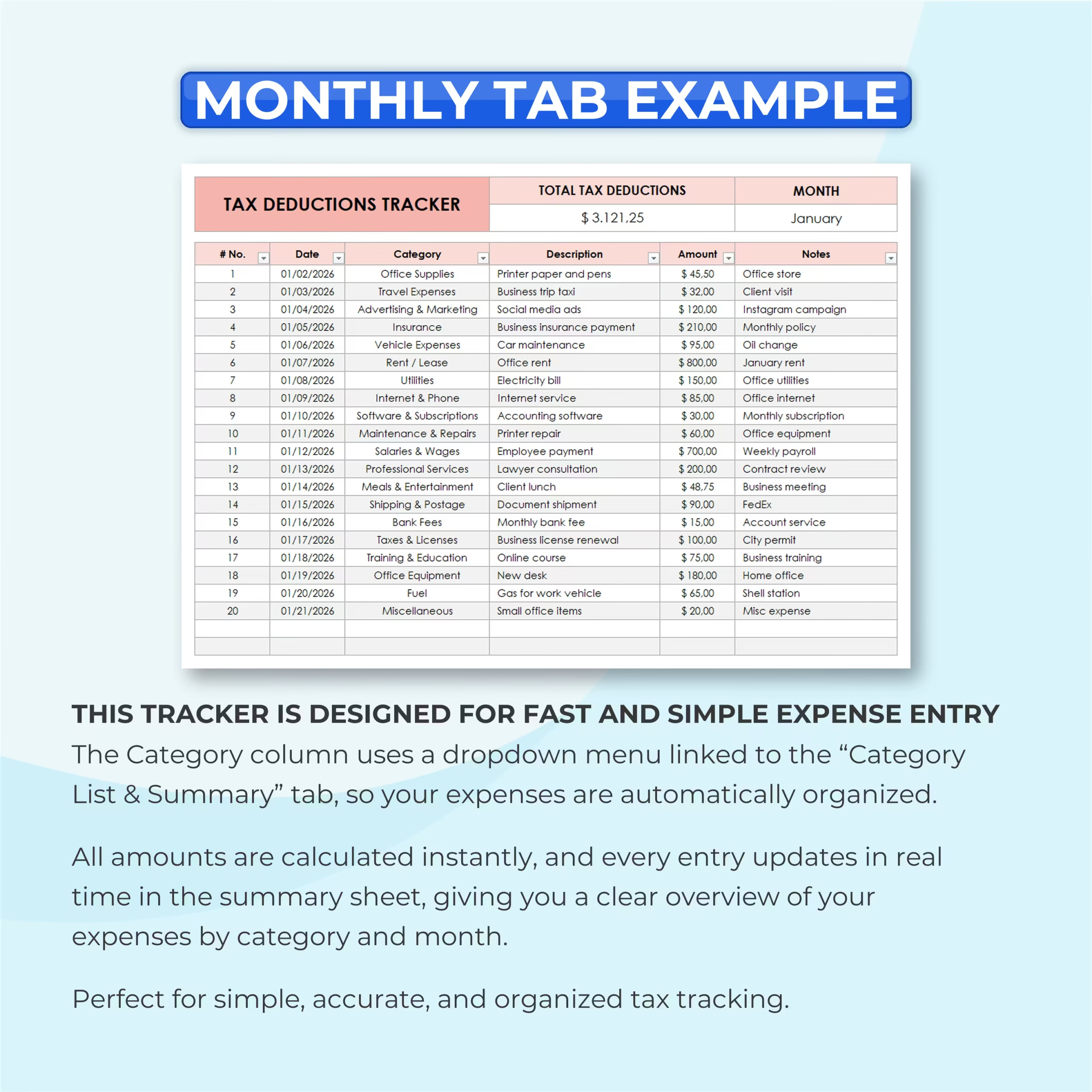
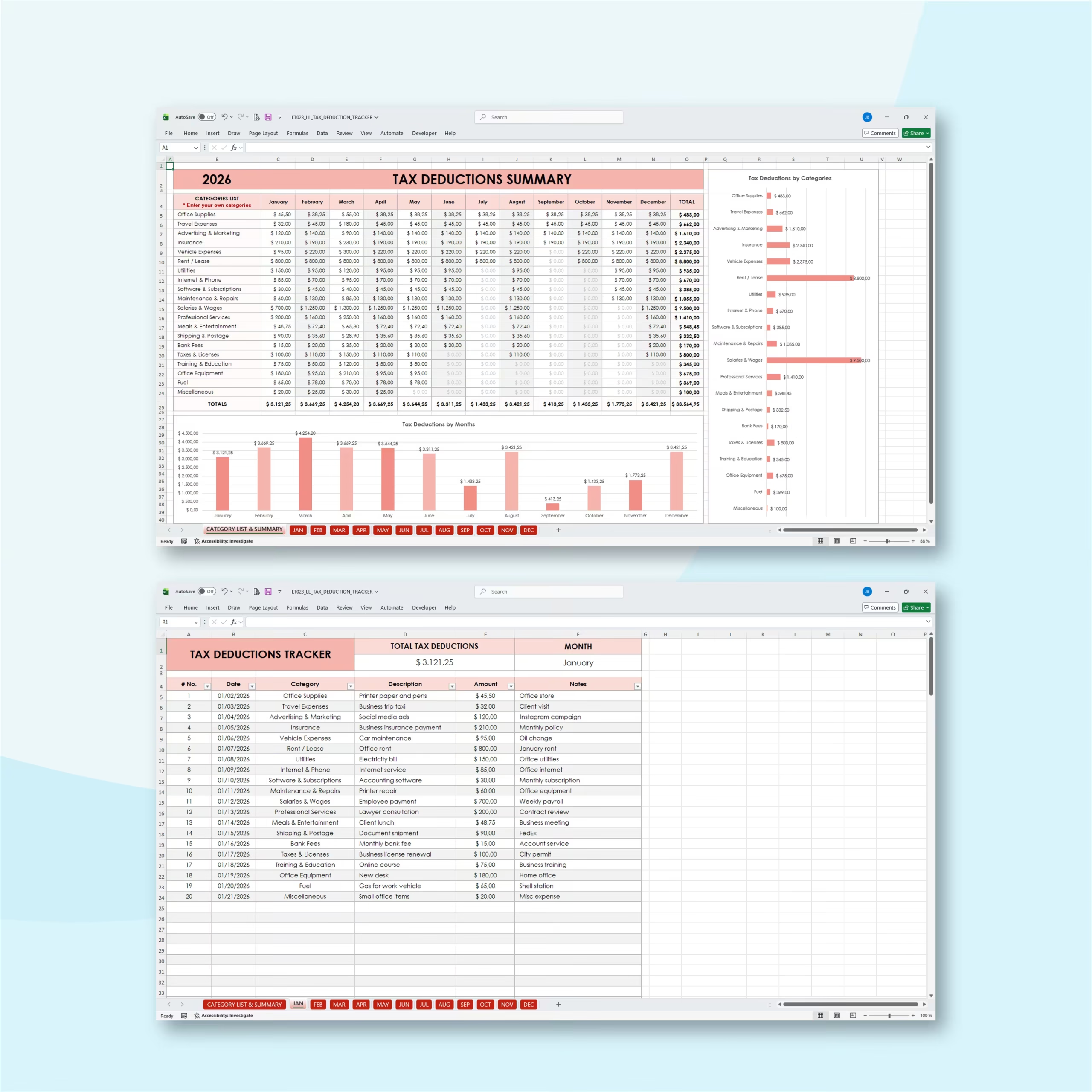
The spreadsheet includes 12 monthly tabs, one for each month of the year. Each monthly tab is designed for fast and simple expense entry.
You can log the date, category, description, amount, and notes for each expense. The category column uses a dropdown menu linked to the summary tab, helping you keep your records consistent and organized.
Automatic Tax Deduction Summary
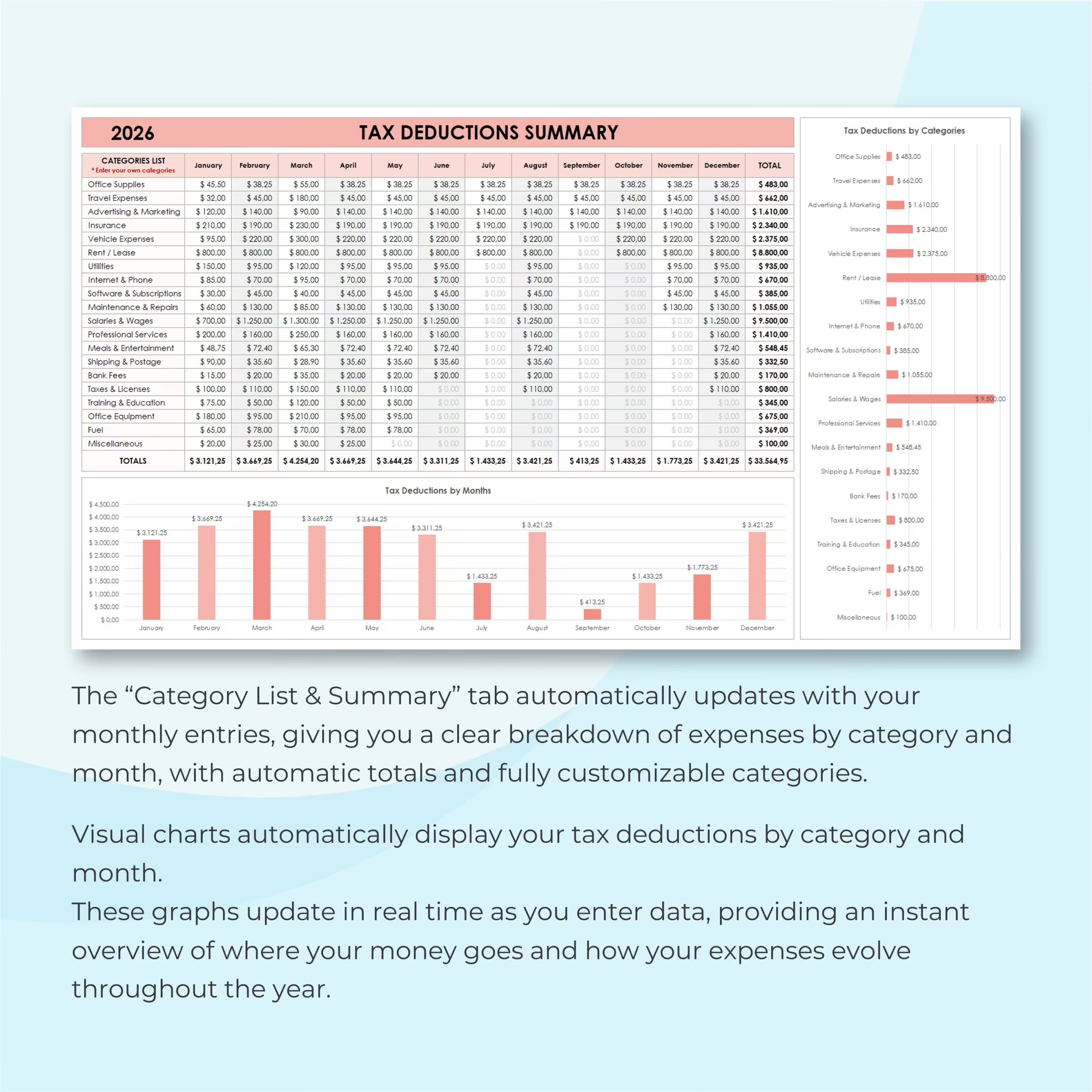
The Category List & Summary tab automatically updates as you enter monthly expenses. This gives you a clear yearly overview of your tax deductions by category and by month.
All amounts are calculated automatically, so every new entry updates the summary in real time. This helps you quickly see where your money is going and how your expenses change throughout the year.
Customizable Expense Categories
The template includes common business expense categories such as office supplies, travel expenses, advertising and marketing, insurance, vehicle expenses, rent or lease, utilities, internet and phone, software and subscriptions, maintenance and repairs, salaries and wages, professional services, meals and entertainment, shipping and postage, bank fees, taxes and licenses, training and education, office equipment, fuel, and miscellaneous expenses.
You can edit the category list to match your own business, industry, or personal tracking needs.
Visual Charts for Better Expense Insights
The annual summary includes visual charts that automatically display tax deductions by category and by month.
These charts help you understand your biggest expense categories, compare monthly spending, and get a clearer overview of your deductible business costs during the year.
Simple, Accurate, and Organized Tax Tracking
This spreadsheet is built for users who want a straightforward way to track tax-related expenses without complicated accounting software.
It gives you a clean monthly entry system, automatic calculations, category-based summaries, and visual charts in one reusable spreadsheet.
Works With Excel and Google Sheets
This Tax Deduction Tracker Spreadsheet is compatible with both Microsoft Excel and Google Sheets, so you can use it in the platform that works best for you.
The template can also be adapted to any currency, making it flexible for different users and business needs.
Who Is This Template For?
- Small business owners
- Freelancers
- Self-employed professionals
- Independent contractors
- Consultants
- Online business owners
- Service providers
- Side hustlers
- Anyone who wants to organize tax-deductible expenses
What’s Included
- 12 monthly expense tracking tabs
- Annual tax deductions summary
- Category List & Summary tab
- Dropdown expense categories
- Customizable category list
- Automatic monthly totals
- Automatic yearly totals
- Tax deductions by category chart
- Tax deductions by month chart
- Expense description and notes fields
- Excel and Google Sheets versions
Stay Ready for Tax Season
With this Tax Deduction Tracker Spreadsheet, you can log expenses as they happen, keep your categories organized, and review your yearly deduction totals whenever you need them.
Use it to stay organized, save time, and keep clearer business expense records throughout the year.
Reviews
There are no reviews yet.