
Work Hours Tracker Template for Excel and Google Sheets
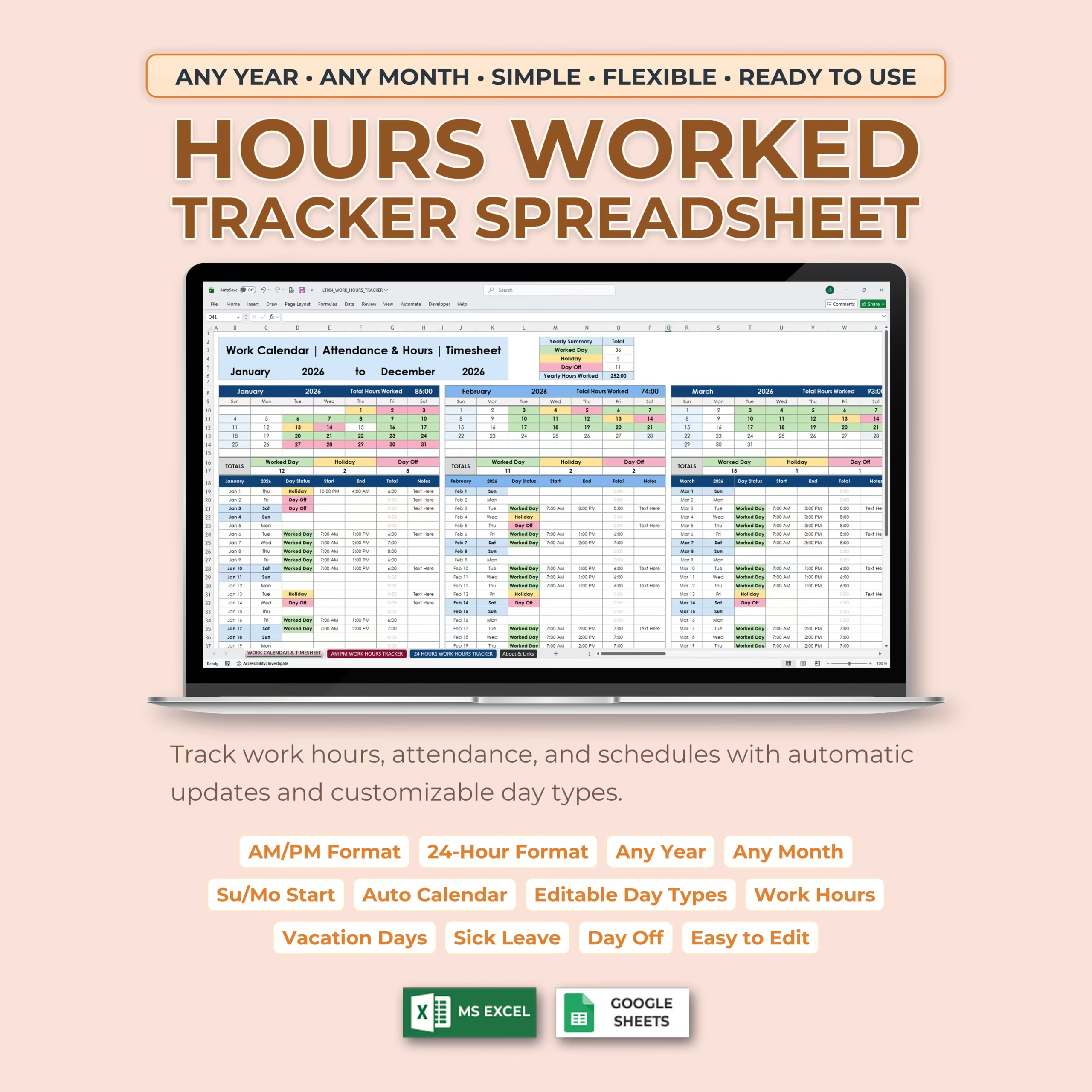
Keep an accurate record of working time with this Work Hours Tracker Template for Microsoft Excel and Google Sheets. This ready-to-use spreadsheet works well as a work hours tracker template, employee timesheet template, payroll hours spreadsheet, and simple monthly work log for people who want a practical system without building formulas from scratch.
It is especially useful if you are searching for a simple employee timesheet template, time card template, hours worked spreadsheet, employee time card spreadsheet, or lightweight payroll hours tracker for a small team, contractor workflow, or personal time tracking setup.
You can track daily work hours, breaks, overtime, vacation days, sick leave, holidays, time off, and estimated pay in one organized monthly tracker. It is a useful option for hourly employees, freelancers, contractors, remote workers, self-employed professionals, and small business owners who need a clear record of hours worked and pay estimates.
Track Work Hours for Any Year and Month
This template is designed to work for any year and any month. You can enter the year, select your starting month, and begin tracking your time based on your own schedule.
Use it as a monthly timesheet, yearly work hours tracker, employee time sheet, personal payroll planner, overtime tracker, or reusable time log for ongoing work records.
AM/PM and 24-Hour Format Included
The template includes both AM/PM time format and 24-hour time format, so you can choose the version that works best for you.
This makes the spreadsheet flexible for different schedules, work styles, and personal preferences. You can enter time in the format that feels most natural and still get automatic hour and pay calculations.
Simple Calendar Setup
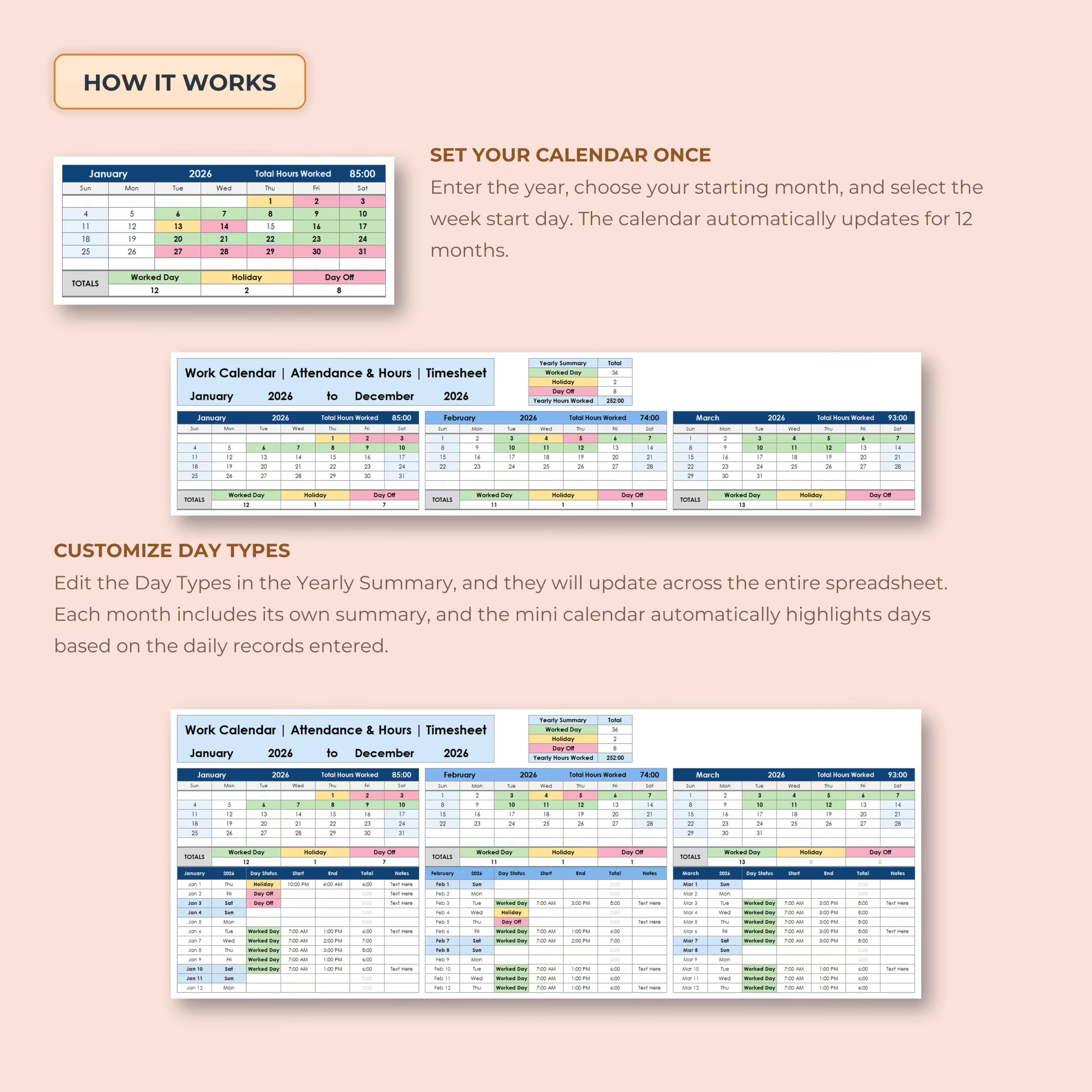
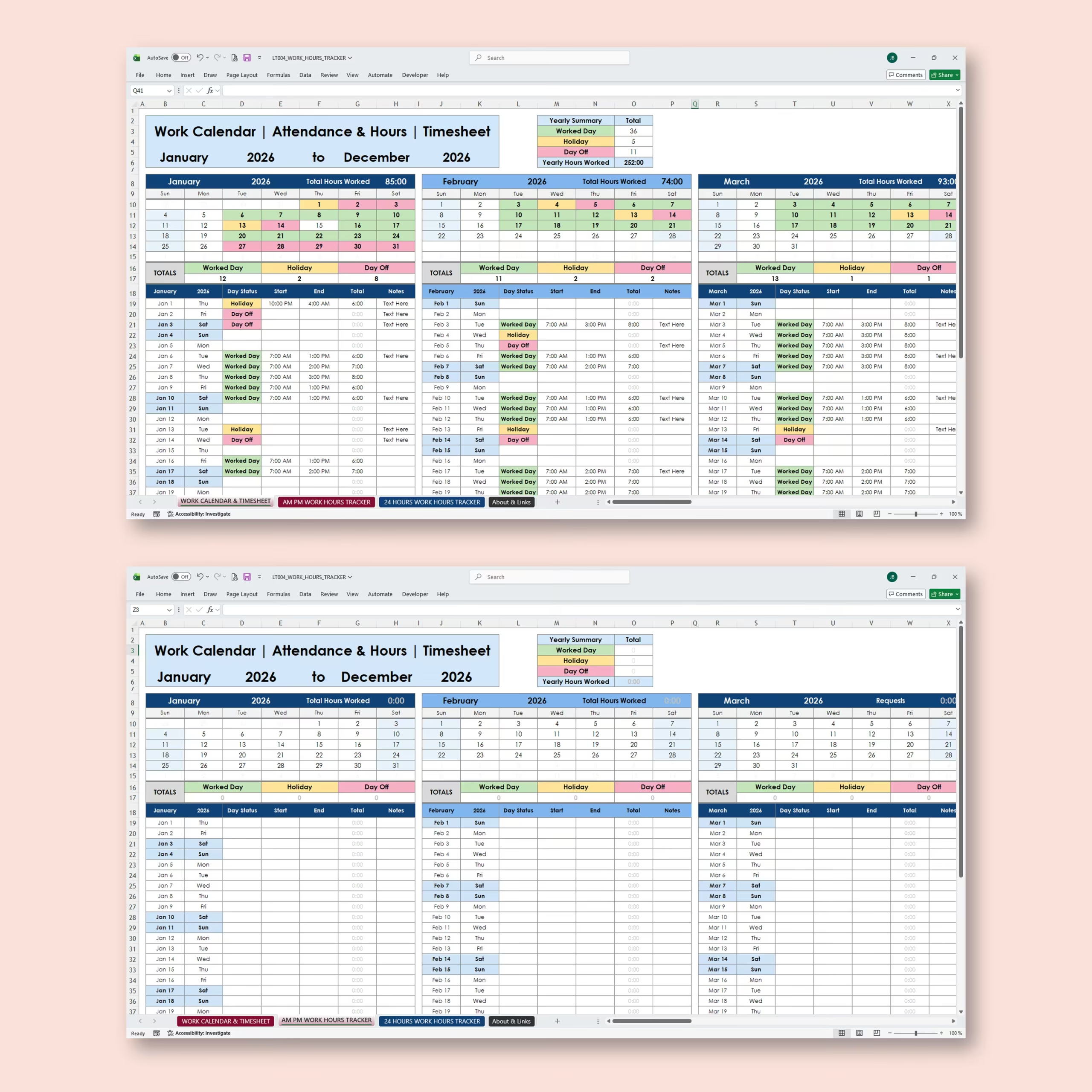
The setup section makes it easy to personalize the tracker before you start. You can enter your year, select the starting month, choose whether your week starts on Sunday or Monday, and customize the day types used in the template.
Once your settings are complete, the tracker is ready to use for daily time entries and monthly summaries.
Daily Timesheet Tracking
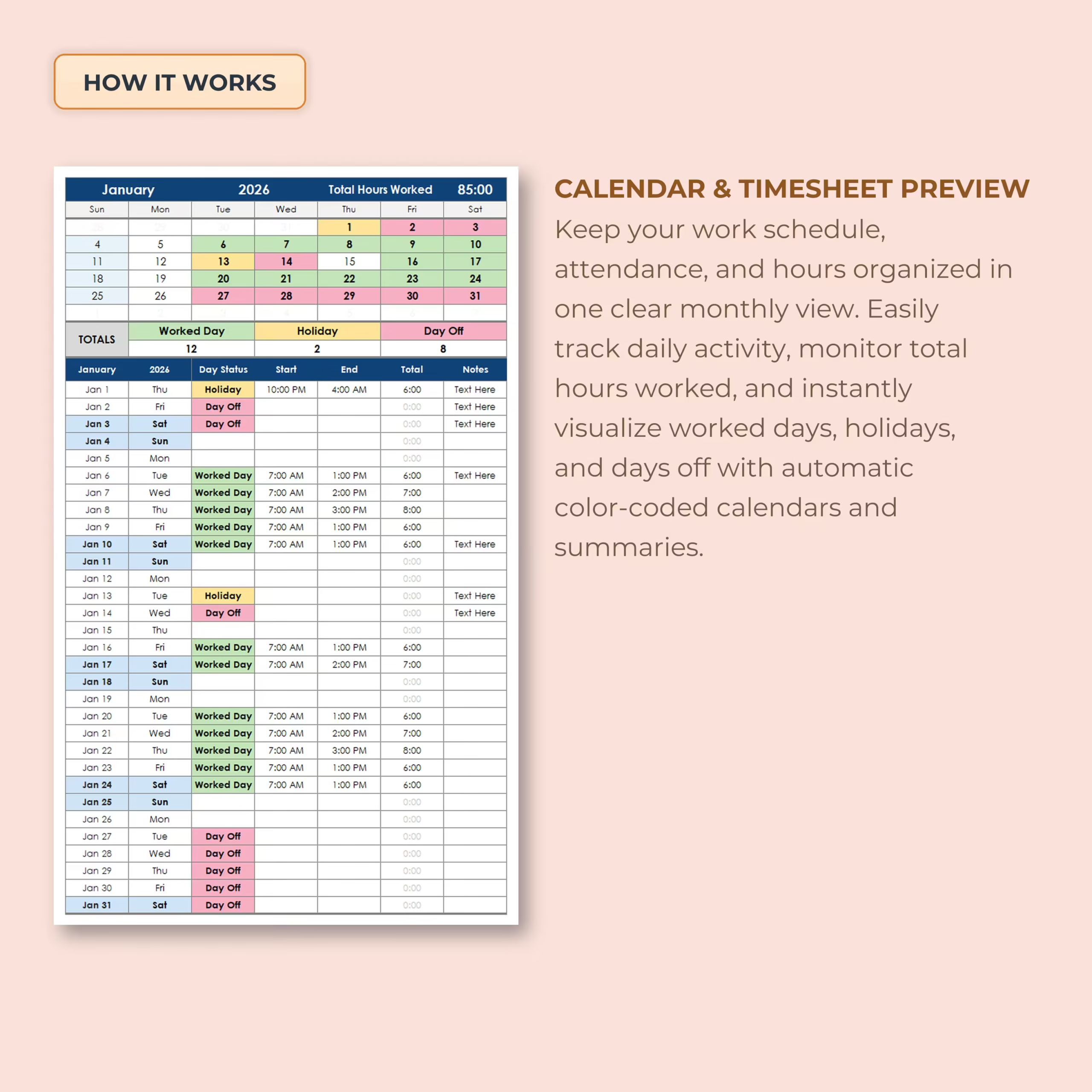
Each day includes a clear time entry section where you can record your work details. Add your start time, end time, break time, and day type, and the spreadsheet automatically calculates your total hours.
This makes the template especially useful if you want a spreadsheet that works like a time card template, employee hours tracker, overtime tracker, and hours worked calculator in one place.
- Start time
- End time
- Break time
- Total hours worked
- Extra hours
- Pending hours
- Regular pay
- Overtime pay
- Total pay
- Daily notes or details
Automatic Pay Calculator
The built-in pay calculator helps you estimate your regular pay, overtime pay, and total pay based on your hourly rate, overtime rate, target hours per day, and daily time entries.
You can customize your key settings, including:
- Target hours per day
- Hourly rate
- Overtime rate
- Initial vacation days
- Used vacation days
- Remaining vacation days
This makes it easier to understand how your hours are adding up and estimate your expected pay for each month.
Useful for U.S. Teams, Contractors, and Payroll Prep
For U.S. users, this spreadsheet can work as a practical first-step tracker before official payroll processing. It is helpful for small businesses, supervisors, freelancers, and contractors who want a clean employee hours record, a simple time card style log, or an internal spreadsheet for work hour review.
It can also support PTO tracking, overtime review, and monthly paycheck planning without forcing you into complex time tracking software.
Why Choose a Spreadsheet Template Instead of Starting from Scratch
Many people search for a free work hours spreadsheet or payroll tracker template because they want a faster way to organize work records. This template saves time by giving you a ready-made structure with formulas, editable sections, and a layout you can customize to match your workflow.
Instead of building your own tracker from the beginning, you can start with a spreadsheet designed for real work hour tracking and adapt it to your needs in Excel or Google Sheets.
Who This Work Hours Tracker Is For
- Hourly employees who want to track hours worked and overtime
- Freelancers and contractors who need a reusable time log
- Small business owners managing employee work hours
- Supervisors reviewing internal time records
- Anyone who wants a clean payroll hours spreadsheet for Excel or Google Sheets
Get Your Work Hours Tracker Template
If you need a practical work hours tracker template, employee timesheet template, or time card spreadsheet for Excel or Google Sheets, this file gives you a simple way to track hours, overtime, PTO, and estimated pay in one place.
Download it today and start using a ready-made spreadsheet template instead of building your own from scratch.
Choose This Work Hours Tracker for Day-to-Day Time Records
This template is a practical fit when your main goal is to record daily start and end times, breaks, regular hours, overtime, PTO, and estimated pay in Excel or Google Sheets. It works well for individual employees, freelancers, contractors, and small teams that need a reusable monthly hours log.
- Choose this tracker for ongoing daily and monthly time records
- Use the AM/PM or 24-hour version that matches your workflow
- Choose a dedicated payroll system if you need tax withholding, payroll filing, or compliance services
Reviews
There are no reviews yet.