
Debt Snowball and Avalanche Tracker for Excel and Google Sheets
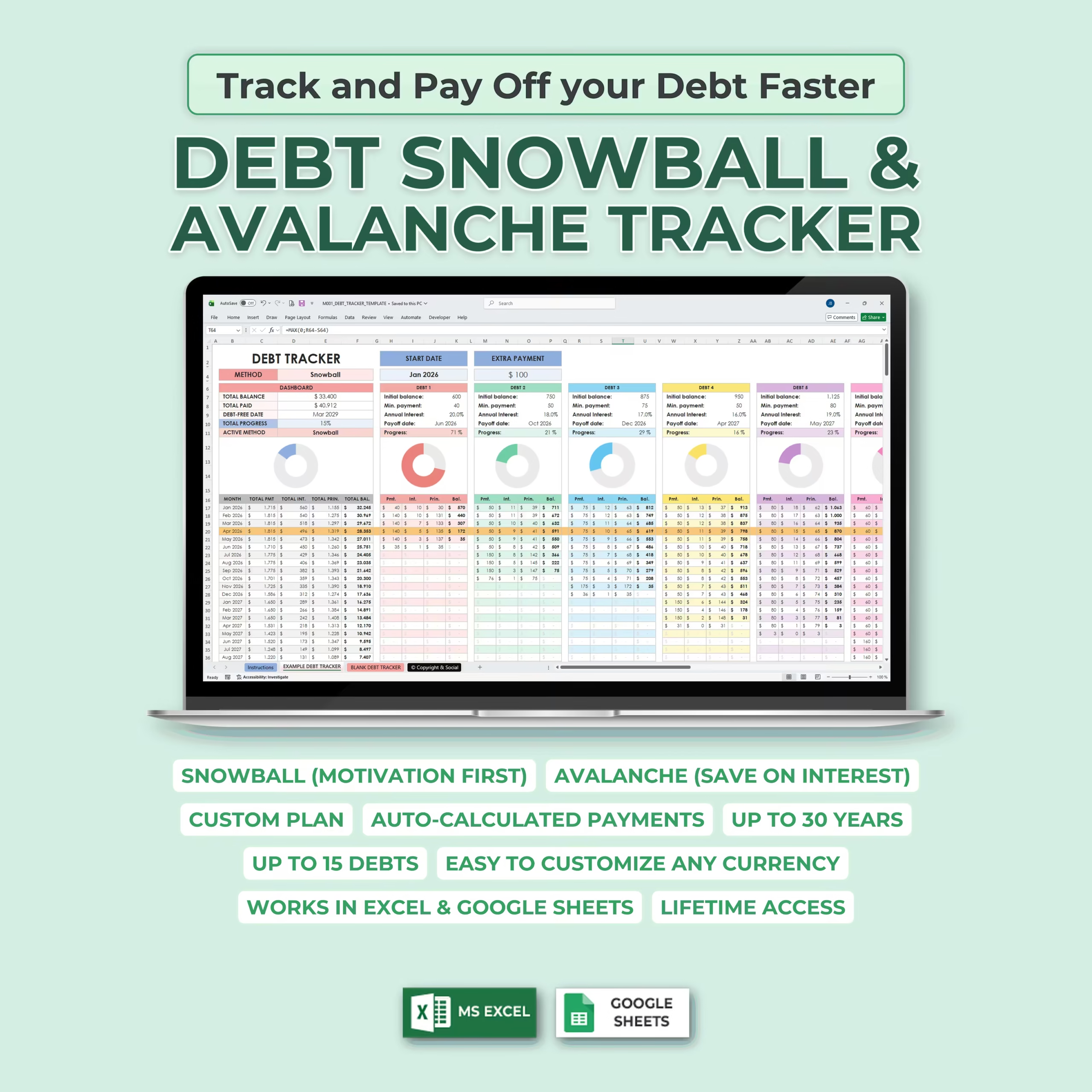
Take control of your debt payoff journey with this Debt Snowball & Avalanche Tracker for Microsoft Excel and Google Sheets. This is a ready-to-use debt payoff spreadsheet template for shoppers who want a practical debt snowball spreadsheet, debt avalanche spreadsheet, debt payoff calculator spreadsheet, or debt reduction spreadsheet instead of building formulas from scratch.
Whether you are paying off credit cards, student loans, car loans, personal loans, medical debt, or other balances, this digital debt payoff planner helps you organize your debts, compare payoff strategies, calculate monthly payments, and track your progress toward becoming debt-free in one file.
It is especially relevant for U.S. buyers looking for a debt payoff worksheet, credit card payoff spreadsheet, or debt payoff planner they can download, customize, and start using right away in Excel or Google Sheets.
It is also a strong fit for buyers searching for a debt payoff tracker spreadsheet, debt payoff planner spreadsheet, debt snowball spreadsheet Excel, or debt avalanche spreadsheet Google Sheets that can be downloaded and customized without building a workbook from scratch.
Built for Debt Snowball and Debt Avalanche Planning
If you have been searching for a debt snowball template, debt avalanche calculator excel style spreadsheet, a debt payoff tracker spreadsheet, or a Google Sheets debt tracker, this template gives you a faster starting point. The payoff method selection, payment schedule, debt summaries, and progress visuals are already built so you can focus on your plan instead of spreadsheet setup.
Choose Between Debt Snowball and Debt Avalanche
This template includes both popular debt repayment strategies: the Debt Snowball Method and the Debt Avalanche Method.
- Debt Snowball: Focuses on paying off the smallest balance first, helping you build motivation as you eliminate debts one by one.
- Debt Avalanche: Focuses on paying off the highest interest rate first, helping you reduce interest costs over time.
You can choose the method that best fits your goals and instantly build a personalized debt payoff plan inside the spreadsheet.
Quick and Easy Setup
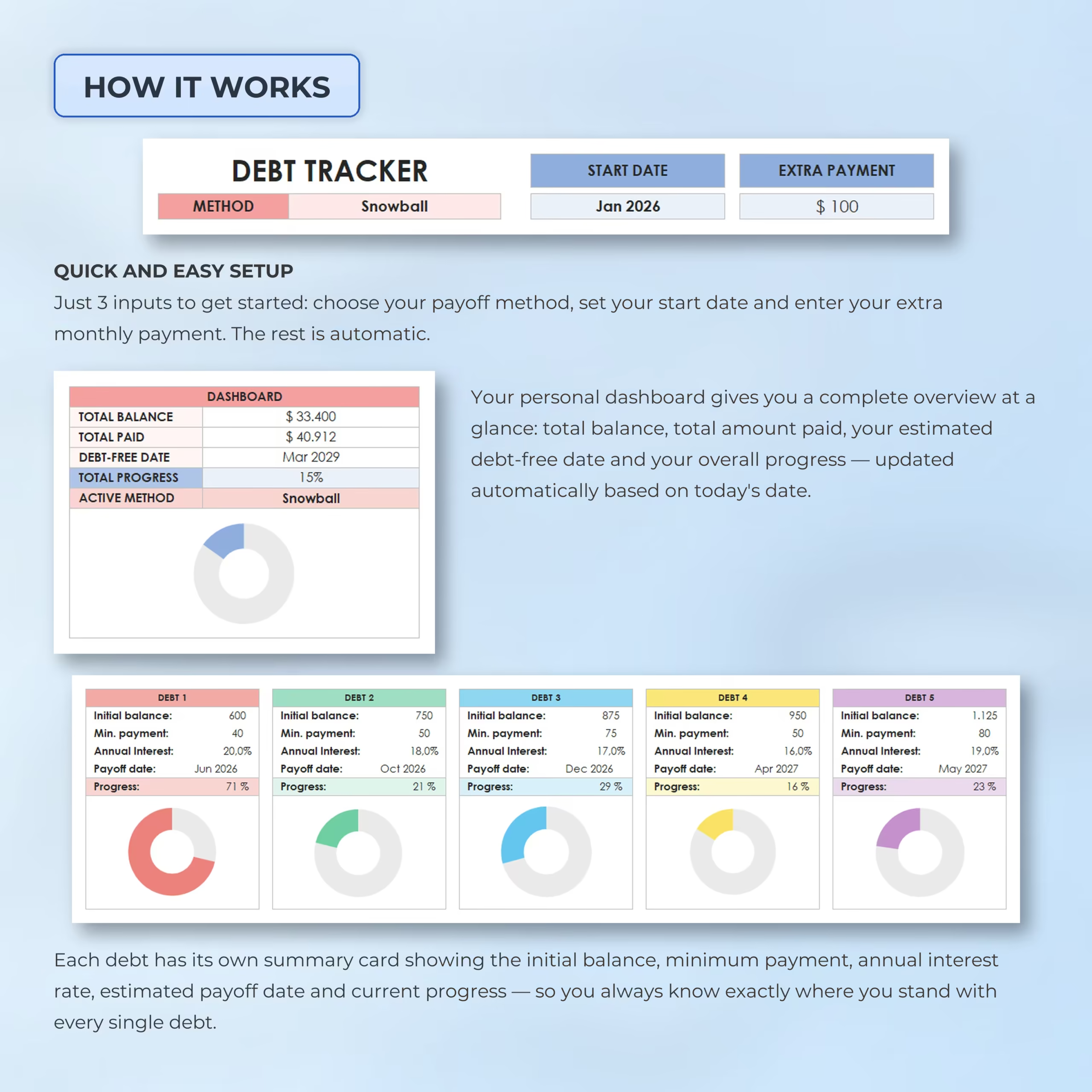
The debt tracker is designed to be simple to use. You only need a few key inputs to get started:
- Select your preferred payoff method
- Set your start date
- Enter your extra monthly payment
- Add each debt’s balance, minimum payment, and interest rate
Once your information is added, the spreadsheet automatically calculates your payment schedule, payoff dates, monthly balances, interest, principal, and overall progress.
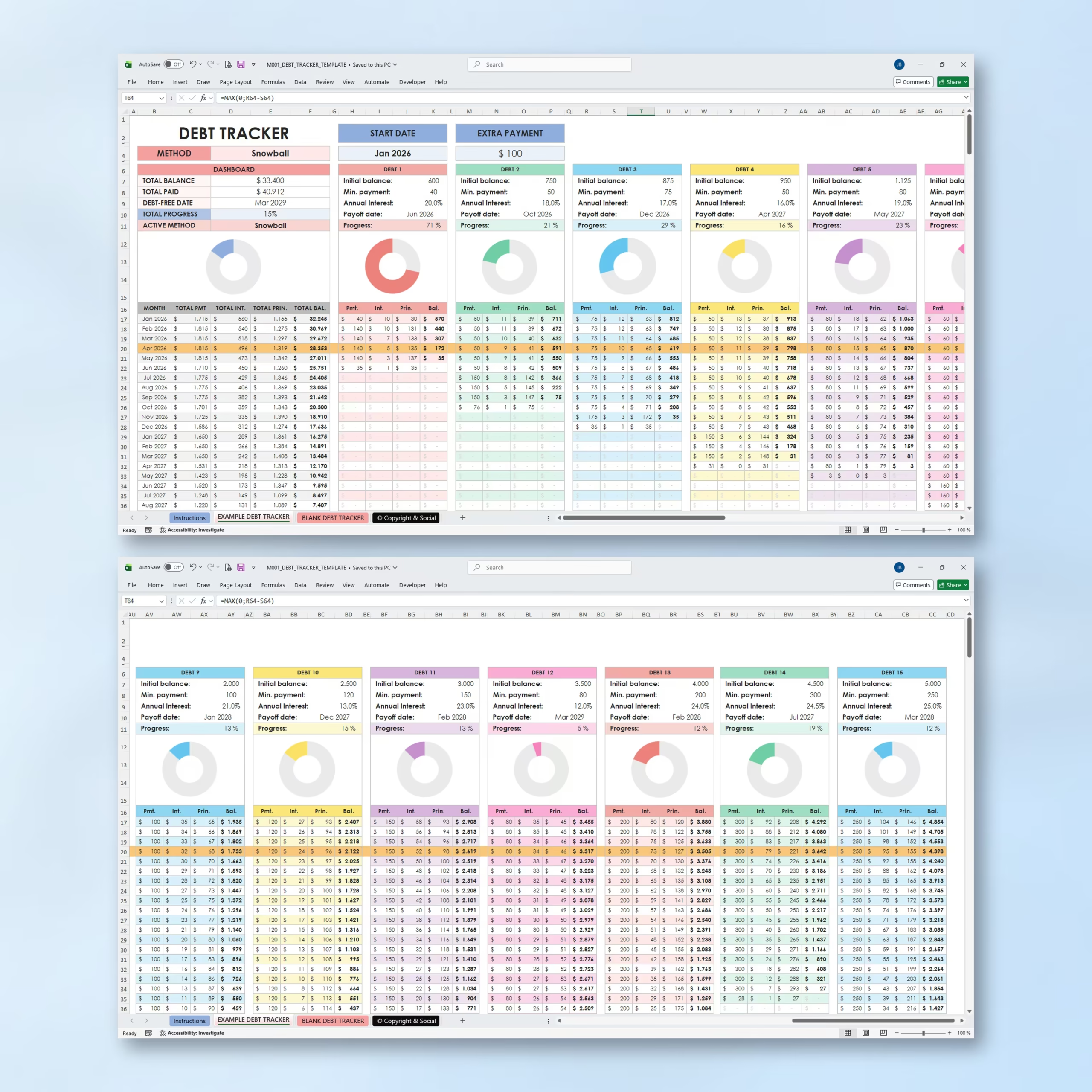
Track Up to 15 Debts
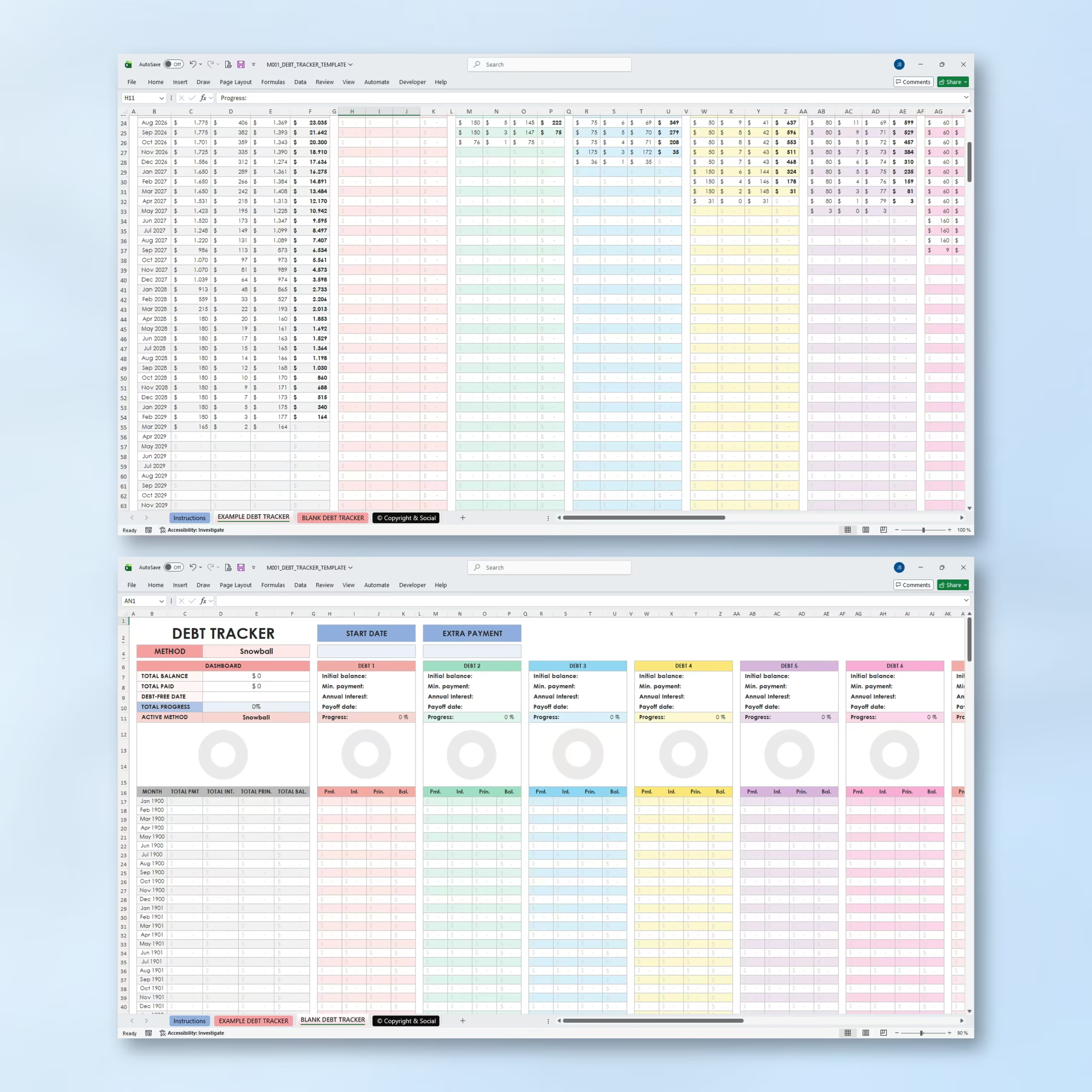
This debt payoff spreadsheet allows you to track up to 15 individual debts. Each debt has its own summary card showing important details such as initial balance, minimum payment, annual interest rate, estimated payoff date, and current payoff progress.
This makes it easy to monitor every debt individually while also seeing your complete debt payoff plan in one central dashboard.
Personal Debt Payoff Dashboard
The built-in dashboard gives you a clear overview of your debt payoff progress. It automatically displays your total balance, total amount paid, estimated debt-free date, total progress, and active payoff method.
Visual progress charts help you stay motivated and quickly understand how far you have come in your debt repayment journey. For buyers comparing debt payoff spreadsheet options, that makes it easier to review balances, monthly momentum, and the path to a debt-free date without extra setup.
Automatic Monthly Payment Schedule
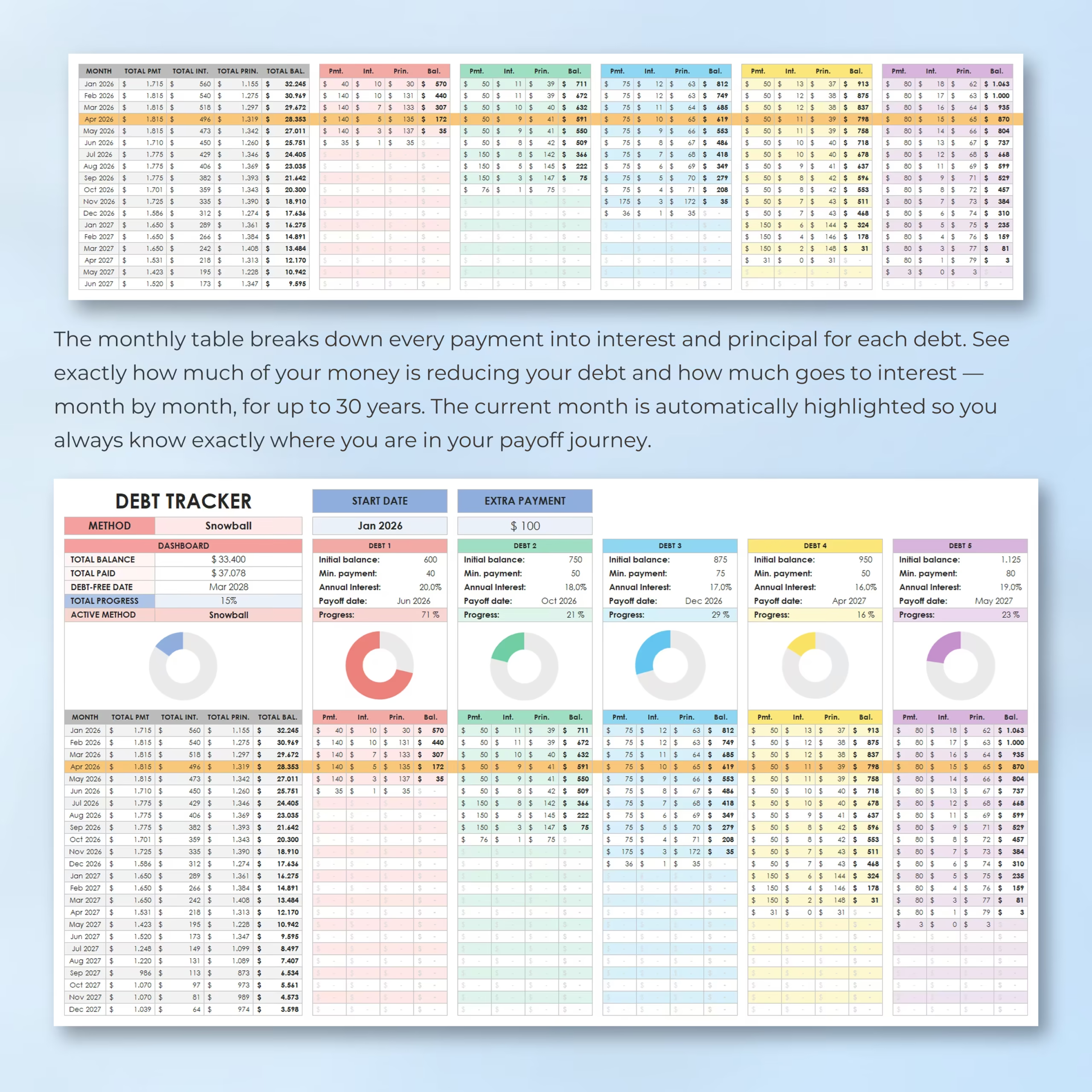
The monthly table breaks down every payment into interest and principal for each debt. This helps you see exactly how much of your money is reducing your balance and how much is going toward interest.
The tracker can plan your debt payoff schedule for up to 30 years, making it useful for both short-term and long-term repayment plans. The current month is automatically highlighted so you can easily see where you are in your payoff timeline.
Custom Debt Payoff Plan
Use this template to create a debt repayment plan based on your own numbers. Add your debts, enter your minimum payments, include an extra monthly payment, and see how your debt payoff timeline changes automatically.
This makes it easier to test different strategies, increase your extra payment when possible, and stay focused on your financial goals.
For U.S. buyers comparing spreadsheet options before choosing a download, this template keeps debt balances, payoff order, interest costs, and estimated debt-free timing visible in one place, which makes it more practical than juggling separate debt lists and manual formulas.
Works with Excel and Google Sheets
This debt tracker template is compatible with both Microsoft Excel and Google Sheets, giving you the flexibility to use it on your preferred platform. Use it on your computer with Excel or access it online with Google Sheets.
Easy to Customize for Any Currency
The template can be customized for any currency, making it flexible for users in different locations. You can adjust the currency formatting to match your needs and use the tracker for your personal debt payoff plan.
Example and Blank Trackers Included
The spreadsheet includes an example debt tracker so you can see how the template works, plus a blank debt tracker where you can enter your own information and build your personal payoff plan.
Perfect For Tracking
- Credit card debt
- Student loans
- Car loans
- Personal loans
- Medical debt
- Buy now, pay later balances
- Family loans
- Other personal debts
Why You’ll Love This Debt Tracker
- Includes both debt snowball and debt avalanche methods
- Helps you create a clear debt payoff strategy
- Tracks up to 15 debts in one place
- Calculates payments for up to 30 years
- Shows estimated debt-free date automatically
- Breaks payments into interest and principal
- Includes automatic charts and progress tracking
- Works with Excel and Google Sheets
- Beginner-friendly and easy to customize
Start building a more organized debt payoff plan with a simple, visual, and automatic Debt Snowball & Avalanche Tracker designed to help you stay focused, motivated, and in control of your repayment journey.
Reviews
There are no reviews yet.