
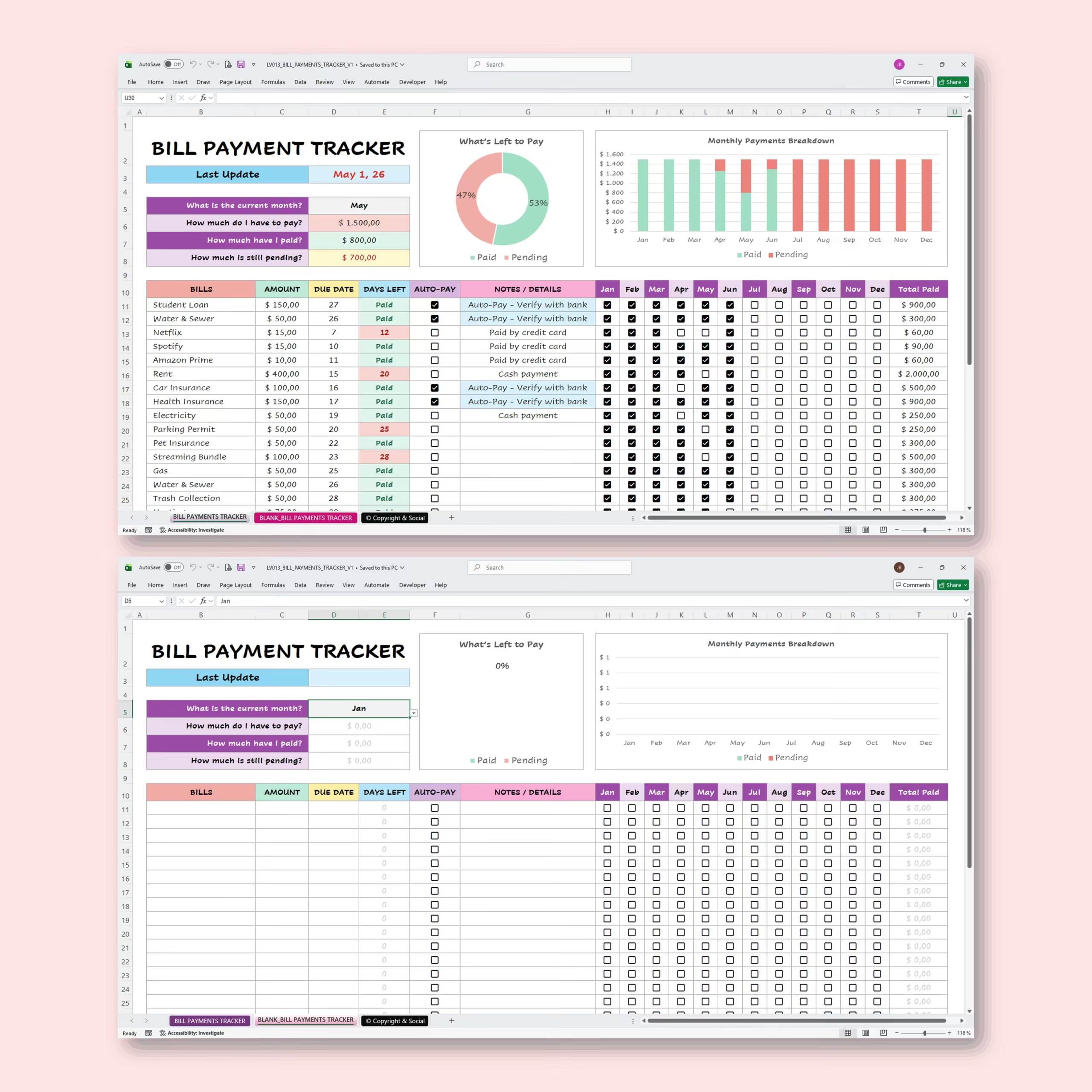
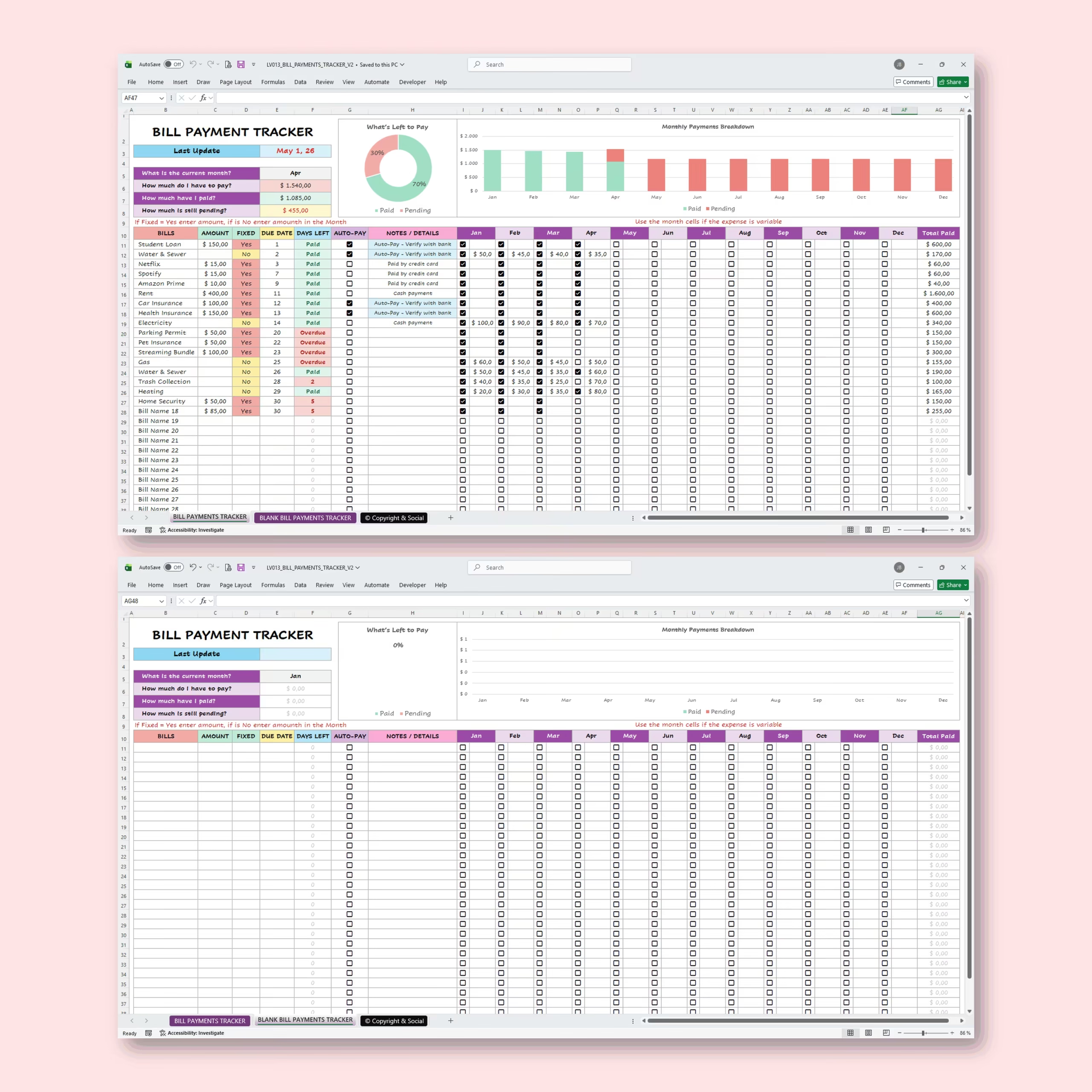
Bill Payment Tracker Template for Excel and Google Sheets
Keep your monthly bills organized, avoid missed due dates, and clearly see what has been paid with this Bill Payment Tracker Template for Microsoft Excel and Google Sheets. This ready-to-use spreadsheet works as a practical bill pay spreadsheet, bill payment spreadsheet, and monthly bill calendar for buyers who want a faster setup than starting from a blank file.
It is designed to help you manage recurring bills, payment due dates, overdue payments, fixed expenses, variable expenses, and monthly bill totals in one easy-to-use place. Whether you are tracking utilities, subscriptions, rent, mortgage payments, insurance, credit cards, or loan payments, this digital bill tracker gives you a clear overview of your payment status and helps you stay in control of your finances without building formulas from scratch. It is especially useful for U.S. buyers who want a reusable bill organizer spreadsheet, monthly bills spreadsheet, bill due date spreadsheet, Excel bill tracker, or Google Sheets bill tracker they can open every week or every payday.
Why Buy This Bill Pay Spreadsheet Instead of Starting From Scratch
If you have been searching for an Excel bill pay template, bill payment spreadsheet, bill payment template Excel, bill pay spreadsheet template, or Google Sheets bill tracker template, the main advantage here is speed. The layout, dashboard, calculations, payment status view, and monthly structure are already built, so you can start tracking bills right away instead of spending time formatting a blank spreadsheet.
This makes the template especially useful for households that want a simple bill organization system they can customize, reuse, and keep year after year. It also fits buyers comparing a bill payment spreadsheet template, monthly bills template, household bills spreadsheet, or monthly bill organizer spreadsheet before deciding what to download.
Useful as a Bill Reminder Spreadsheet and Monthly Bill Calendar
Some buyers are not looking for a full budget system. They simply want a bill reminder spreadsheet they can open quickly, check due dates, and update after each payment. This template works well for that job because it keeps recurring bills, due dates, payment status, and monthly progress visible in one place.
If you have searched for a bill reminder spreadsheet Google Sheets, an Excel template for bills and payments, a bill payment tracker Excel template, a bill pay spreadsheet, or a monthly bill payment spreadsheet, this file gives you a ready-made setup you can start using immediately.
Track All Your Bills in One Place
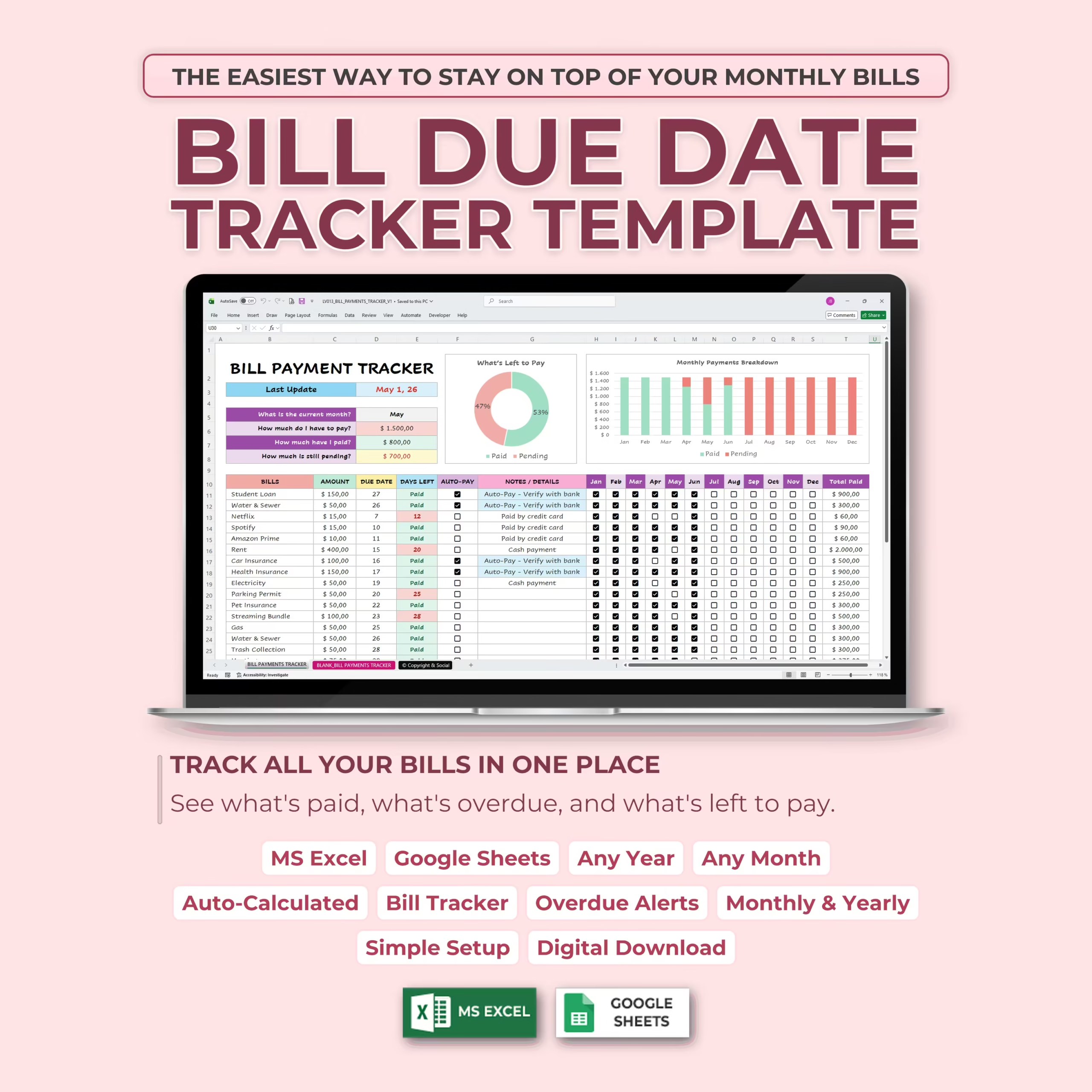
This bill due date tracker helps you see exactly what is paid, what is overdue, and what is still left to pay. Instead of checking multiple apps, notes, or bank statements, you can organize your bills in one spreadsheet and update your payment status month by month.
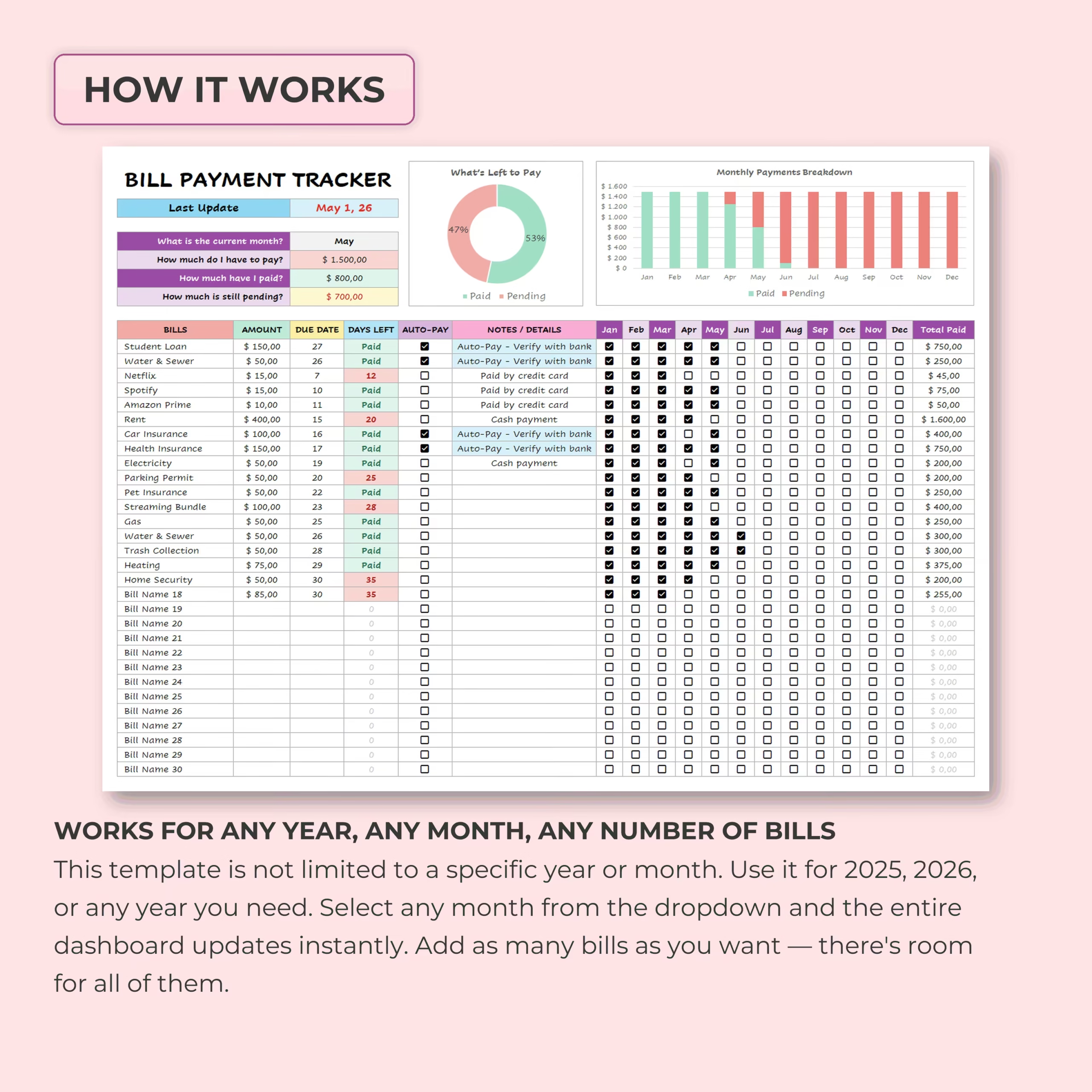
Use the tracker to list each bill with its amount, due date, payment method, autopay status, notes, and monthly payment checkboxes. As you update your payments, the template automatically calculates totals and updates your dashboard.
Useful as a Google Sheets or Excel Bill Tracker
If you are looking for a Google Sheets bill tracker template, a practical bill tracker spreadsheet, monthly bill organizer, or Excel file for recurring bills, this template gives you a simple structure that is easy to customize and reuse.
It is especially useful for people who want one spreadsheet for monthly bill planning instead of managing due dates across several apps or handwritten lists. For many households, that means a faster way to review due dates before payday and a simpler process for checking what is paid, pending, or late.
Helpful for Household Bill Planning and Recurring Payments
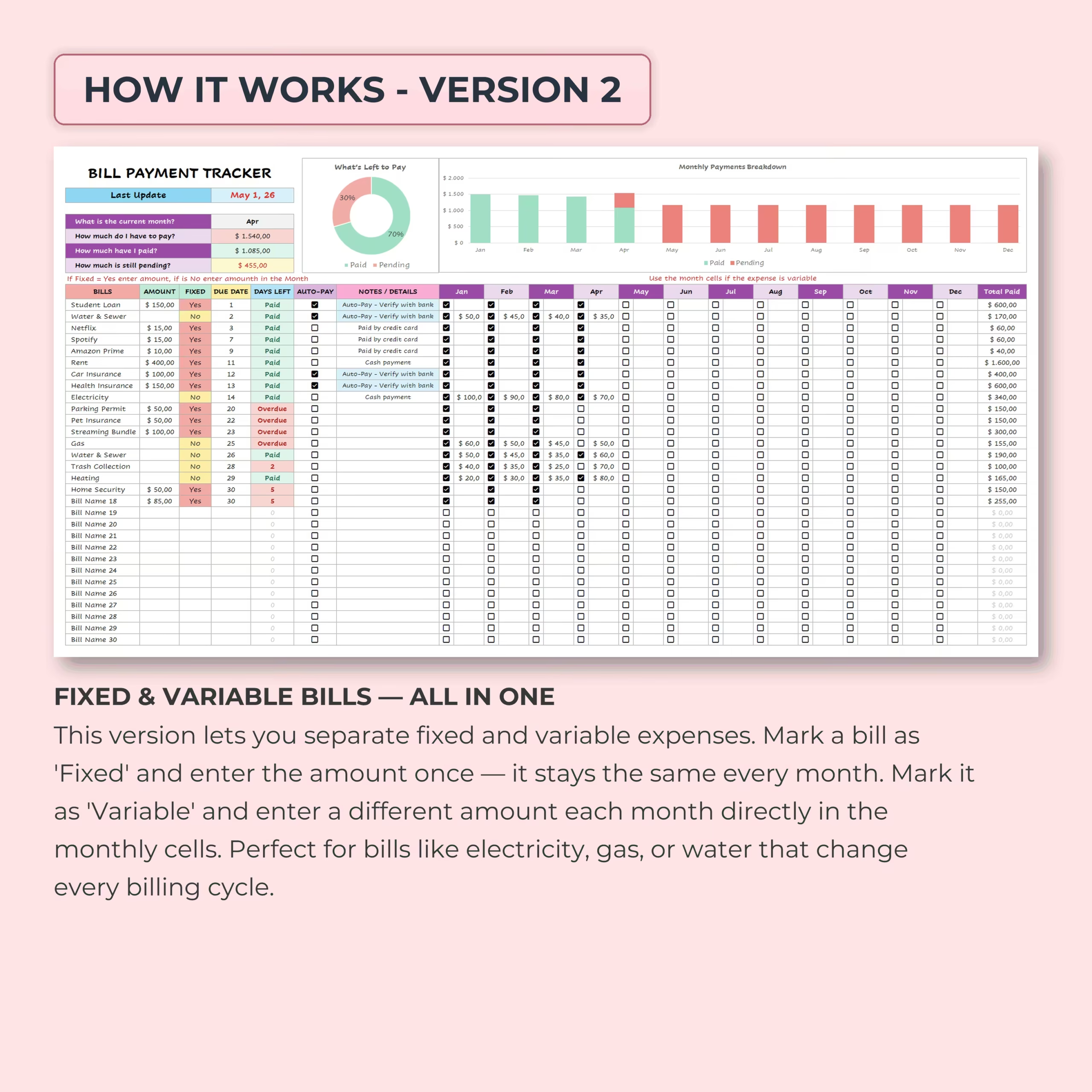
This template works well for households, couples, roommates, and individuals who want a simple system to stay ahead of recurring payments. It can help you review bills before payday, prepare for upcoming due dates, and keep fixed and variable expenses visible in one place.
It is also useful if you want a lightweight spreadsheet alternative to a budgeting app, especially when your goal is simple bill organization rather than full personal finance software. For U.S. buyers comparing options, it works well for monthly bill planning around weekly, biweekly, or semimonthly pay schedules.
Helpful for U.S. Monthly Bill Planning and Paycheck Cycles
For many U.S. households, the challenge is not only remembering due dates, but also matching bills to weekly, biweekly, or semimonthly paychecks. This template helps you keep recurring payments visible so you can prepare for rent, utilities, subscriptions, credit cards, and loan payments before they become late or disrupt your cash flow.
If you have been searching for a practical monthly bill pay spreadsheet, bill payment tracker for Excel, Google Sheets bill payment template, or bill payment template Excel, this file gives you a cleaner way to organize payment timing without relying on a more complex budgeting app.
Personal Dashboard at a Glance
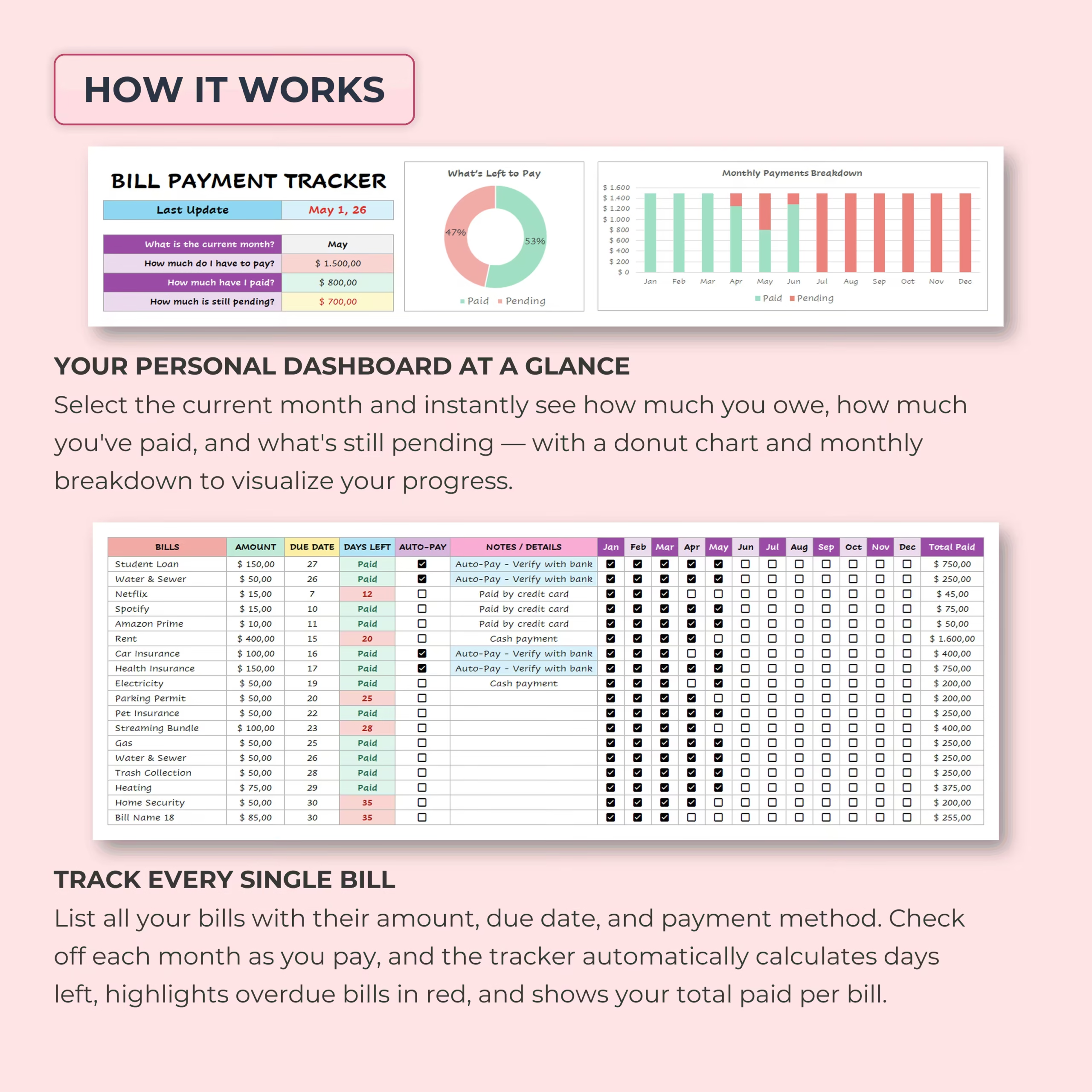
The built-in dashboard gives you a quick summary of your monthly bill payment progress. Select the current month from the dropdown and instantly see how much you owe, how much you have already paid, and how much is still pending.
The dashboard includes visual charts that make your bill status easier to understand, including a paid vs. pending donut chart and a monthly payment breakdown chart. This helps you quickly identify where you stand each month before bills become overdue.
Automatic Overdue Alerts
The template is designed to help you catch overdue bills faster. Based on your due dates and payment status, the spreadsheet automatically calculates days left and highlights overdue bills, making it easier to spot payments that need immediate attention.
This is especially useful for avoiding late fees, managing multiple due dates, and keeping your monthly budget organized. If you are shopping for a bill due date tracker or monthly bill tracker spreadsheet, this section is one of the main reasons the template is practical for day-to-day use.
Track Every Single Bill
For each bill, you can track key information such as:
- Bill name: Add rent, utilities, subscriptions, loans, credit cards, insurance, or any recurring payment.
- Category: Group bills by type for easier review.
- Amount due: Record the expected amount for each bill.
- Due date: Keep payment deadlines visible.
- Status: Mark bills as paid, pending, or overdue.
- Payment method: Track how each bill is paid.
- Autopay: Note which bills are on autopay.
- Notes: Add reminders or payment details.
Works with Excel and Google Sheets
This template is fully editable and works with both Microsoft Excel and Google Sheets. Use it in Excel if you prefer offline spreadsheet management, or keep it in Google Sheets for easy online access across devices.
Ideal For
- Monthly bill tracking
- Bill payment planning
- Recurring payment organization
- Due date tracking
- Household money management
- Weekly, biweekly, and semimonthly paycheck planning
- Bill reminder systems
- Simple personal finance organization
- People searching for a bill pay spreadsheet or monthly bills spreadsheet they can download and customize
Why You’ll Love This Bill Payment Tracker
- Ready to use in Excel and Google Sheets
- Easy way to organize due dates and recurring bills
- Useful as a bill pay spreadsheet, bill payment tracker, or bill payment template Excel
- Track paid, pending, and overdue payments clearly
- Built-in dashboard and monthly summaries
- Practical for U.S. paycheck cycles and monthly bill planning
- Reusable month after month
Stay on top of due dates and organize recurring payments with a practical Bill Payment Tracker Template designed for Excel and Google Sheets.
What’s Included in the Bill Tracker Download
- Editable bill payment tracker spreadsheet
- Monthly bill calendar and detailed bill list
- Fields for due dates, amounts, recurring payments, and payment status
- Automatic paid, pending, and overdue summaries
- Dashboard counters and visual charts
- Files for Microsoft Excel and Google Sheets
Download the template, add your recurring bills and due dates, and reuse the same organized system each month without building formulas or status tracking from scratch.
Reviews
There are no reviews yet.