
Keep a Clear Record of Every Bullying Incident
When incidents happen over time, remembering every date, conversation, location, and detail can become difficult.
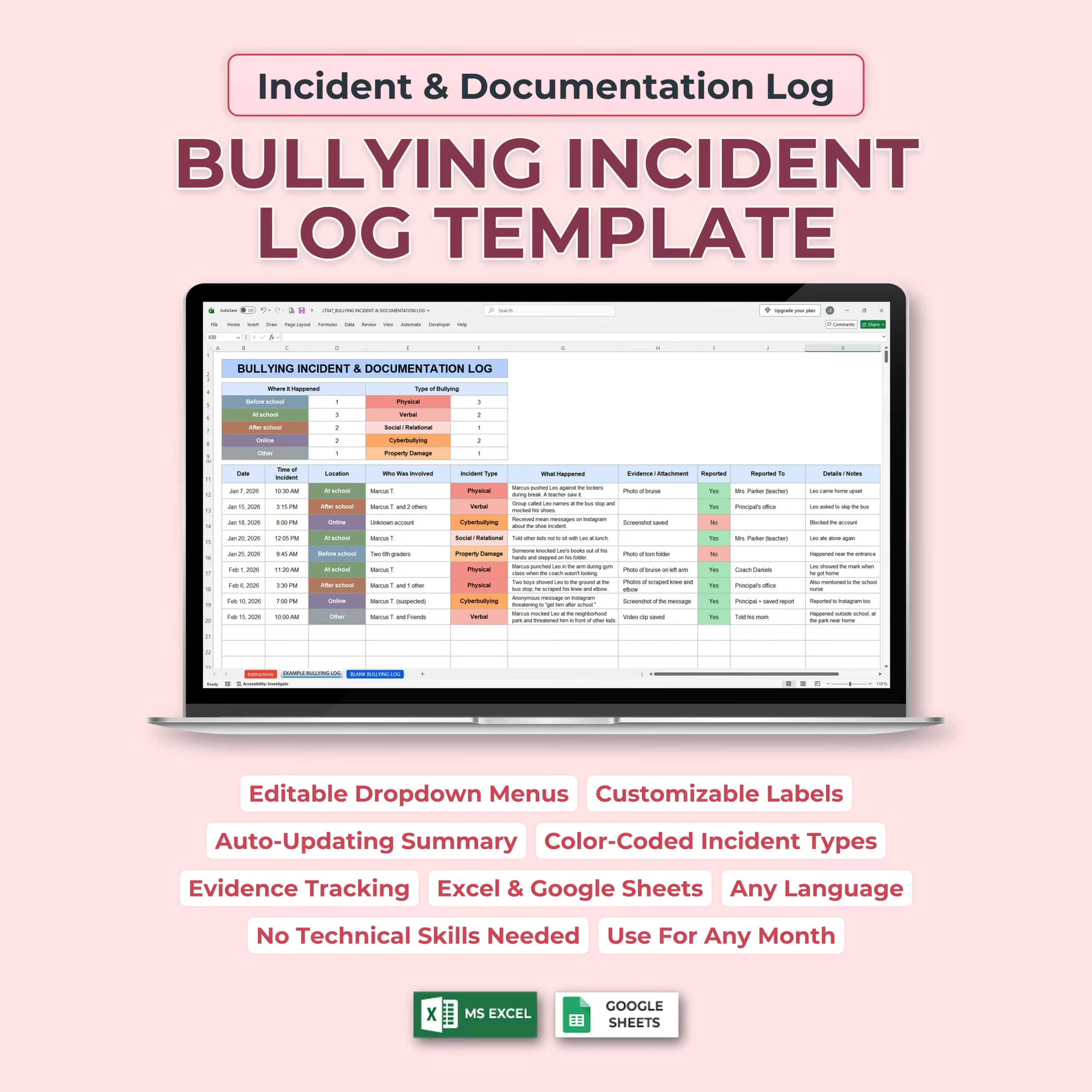
This Bullying Incident & Documentation Log Template for Microsoft Excel and Google Sheets gives you one organized place to record what happened while the details are still fresh.
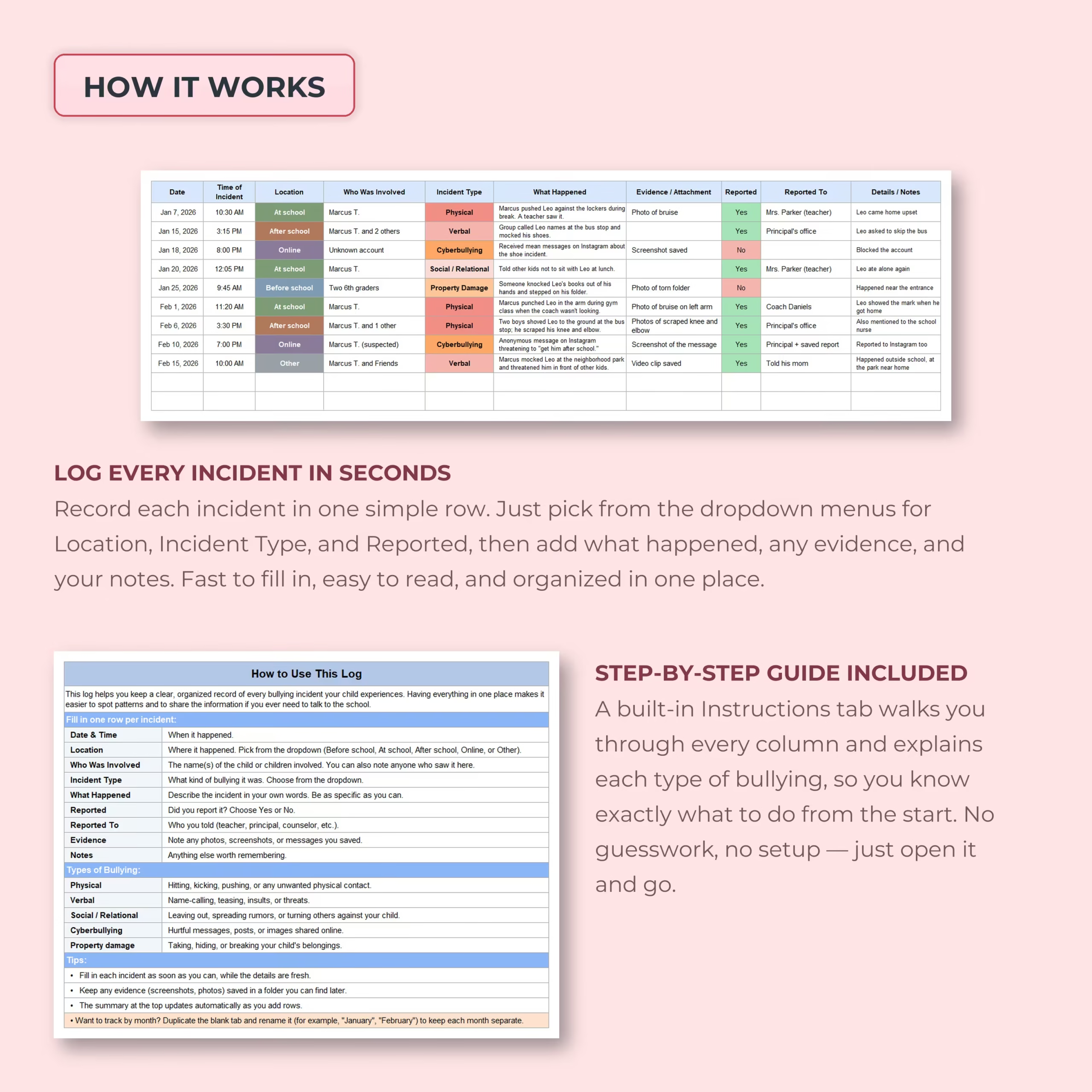
Each incident is entered on a single row, creating a chronological record that is easy to review, update, and refer back to whenever needed.
Document the Important Details
The structured incident log helps you capture the information that matters most for each event.
Record:
- Date of the incident
- Time of the incident
- Location
- Who was involved
- Type of incident or bullying
- Description of what happened
- Evidence or attachments collected
- Whether the incident was reported
- Who it was reported to
- Additional details and notes
Keeping everything in the same format makes it much easier to build a consistent record over time.
Editable Dropdown Menus Make Logging Faster
Frequently used fields include dropdown menus so you do not need to repeatedly type the same information.
The template includes location options such as:
- Before school
- At school
- After school
- Online
- Other
Incident-type options include:
- Physical
- Verbal
- Social / Relational
- Cyberbullying
- Property Damage
These options are fully editable, so you can rename, replace, or expand them to match your own situation.
Automatically See Patterns Over Time
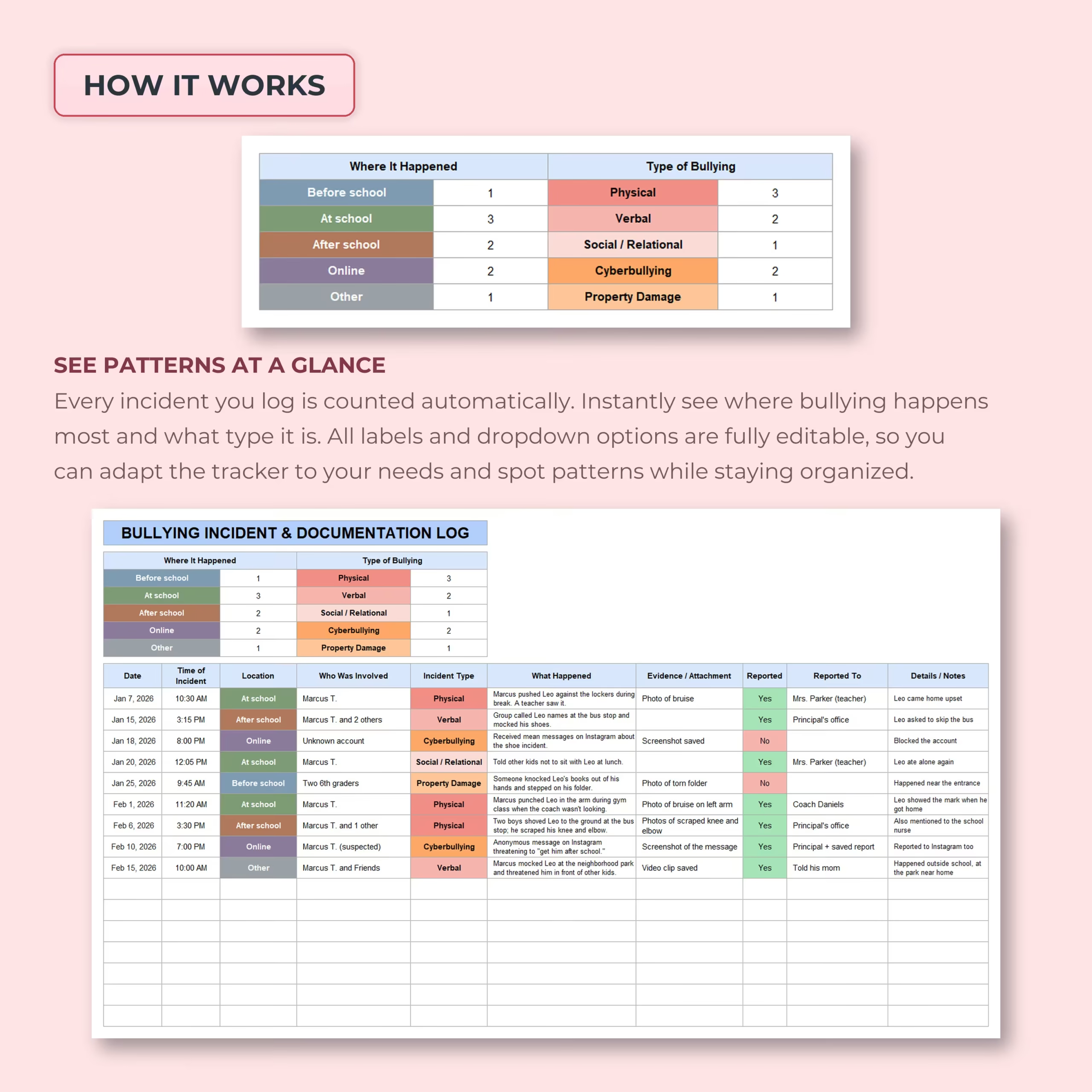
Every incident added to the log feeds into an automatic summary at the top of the spreadsheet.
The summary counts incidents by:
- Where they happened
- Type of bullying or incident
This gives you a quick visual overview of recurring patterns without manually counting entries.
For example, you may be able to see whether incidents are happening more often at school, after school, or online, and whether the most common issue is physical, verbal, relational, or digital.
Color-Coded Incident Categories
Locations and incident types are color coded to make longer logs easier to scan.
Instead of reading every row individually, you can quickly identify repeated categories and spot patterns across the record.
Track Evidence and Supporting Documentation
A dedicated Evidence / Attachment column lets you note what supporting material exists for each incident.
You can use it to reference items such as:
- Photos
- Screenshots
- Messages
- Emails
- Video clips
- Saved reports
- Other supporting documentation
This helps you remember exactly what evidence belongs to which incident and where additional documentation may exist.
Keep Track of What Was Reported
The spreadsheet also helps you document what happened after an incident.
Use the Reported field to indicate whether it was reported, then record who was informed in the Reported To column.
This may include a teacher, principal, counselor, coach, school office, parent, or another relevant person.
Having this information alongside the incident itself gives you a clearer history of both the events and the actions taken afterward.
Add Detailed Notes for Context
Every incident can include additional notes for details that do not fit neatly into the other columns.
Use this space to record follow-up information, conversations, reactions, later developments, or anything else you may want to remember.
Built-In Instructions Included
You do not need to figure out the spreadsheet on your own.
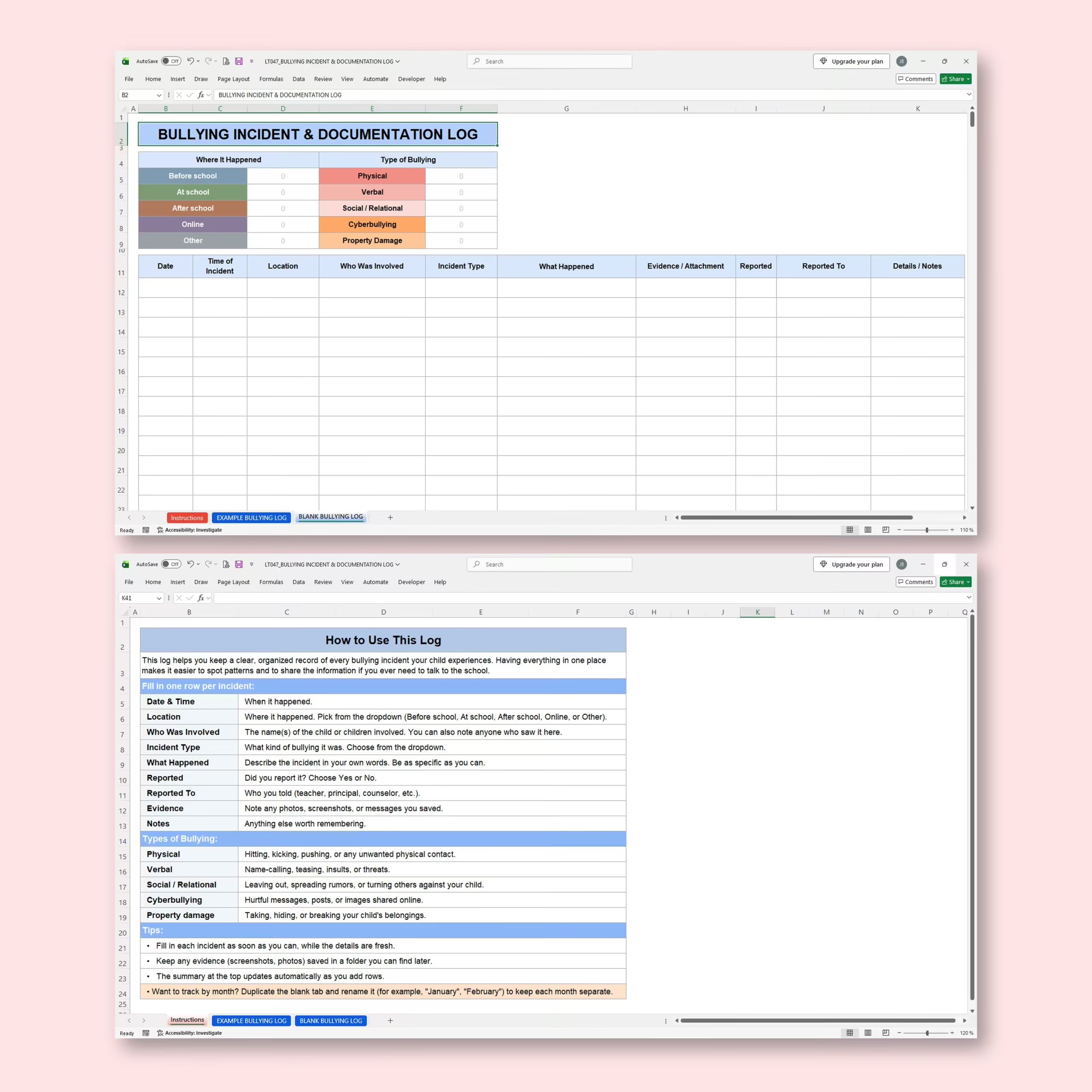
A dedicated Instructions tab explains each field and provides guidance on how to use the log.
It also includes simple descriptions of the different incident categories and practical tips for keeping records clear and consistent.
Example and Blank Logs Included
An example log is included with sample incidents so you can immediately understand how the spreadsheet is intended to work.
A blank version is also provided so you can begin your own documentation without having to delete demonstration data first.
Fully Customizable
Every situation is different, so the template is designed to be flexible.
You can edit:
- Dropdown options
- Location names
- Incident categories
- Labels
- Notes and descriptions
You can also duplicate the blank log if you prefer to keep separate records by month, school term, child, or another period.
Use It in Any Language
The spreadsheet text and labels can be edited, making it easy to adapt the template to another language or terminology that better fits your circumstances.
Useful for Parents, Caregivers, Schools, and Other Record-Keeping Needs
The template can help organize incident information for a variety of situations, including:
- Parent or caregiver documentation
- School bullying records
- Cyberbullying incidents
- Repeated peer conflicts
- Property damage incidents
- Communication with teachers or school staff
- Personal documentation and follow-up
Microsoft Excel and Google Sheets Compatible
The template is designed for both Microsoft Excel and Google Sheets, allowing you to keep your documentation on the platform you prefer.
Turn Scattered Details into an Organized Incident History
Individual incidents can be difficult to evaluate when dates, screenshots, notes, and conversations are stored in different places.
This Bullying Incident & Documentation Log brings the key information together into one consistent record, helping you document incidents clearly, keep evidence references organized, track reporting, and identify recurring patterns over time.
Reviews
There are no reviews yet.