
Biweekly Budget Template for Excel and Google Sheets
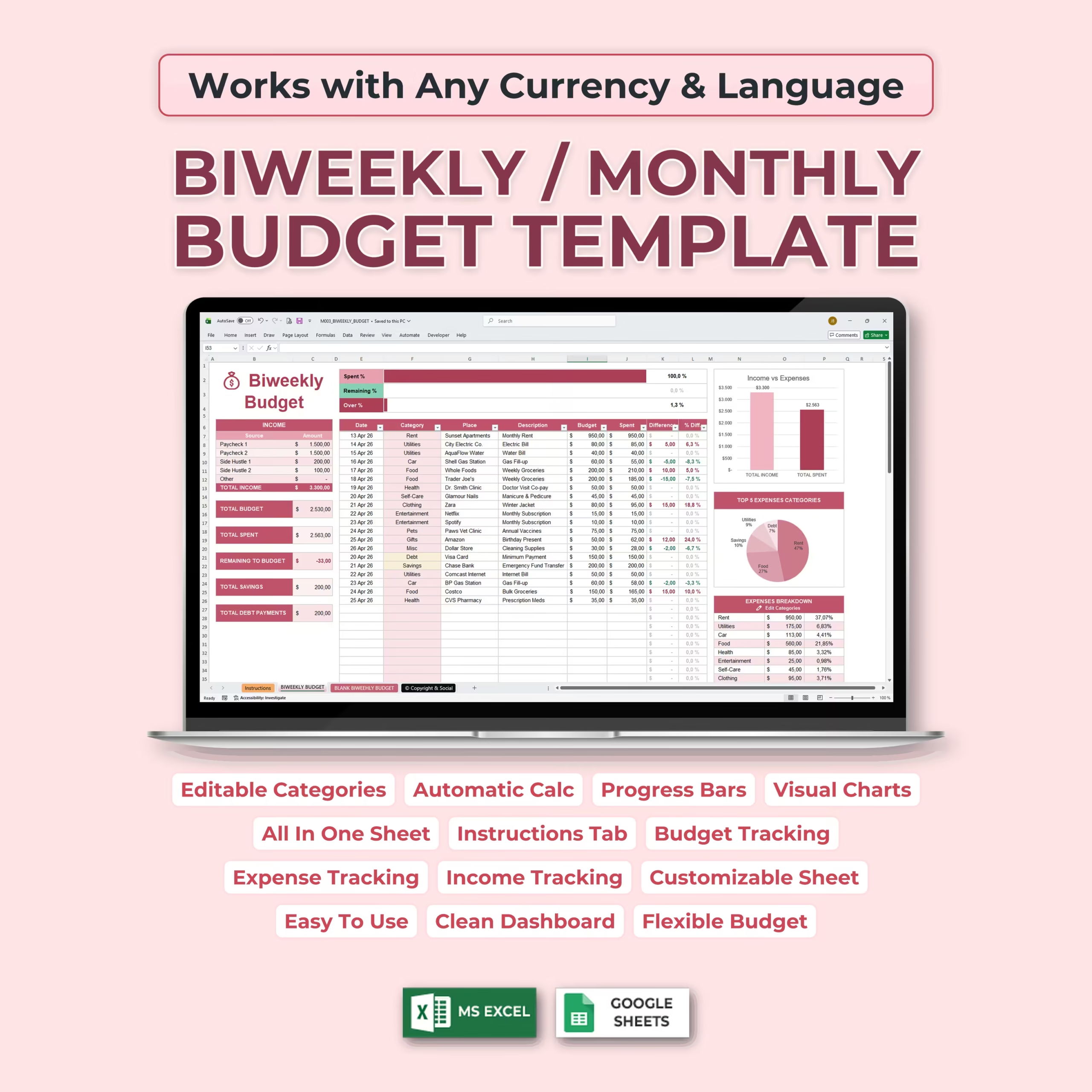
Organize your money with a practical Biweekly Budget Template for Microsoft Excel and Google Sheets. This ready-to-use spreadsheet is designed for buyers who want a clear budget by paycheck system to track income, bills, expenses, savings, and debt payments in one place without building a sheet from scratch.
If you get paid every two weeks, need a paycheck budget template, or want a simple way to manage your household budget without using a complex app, this template gives you a downloadable structure you can customize in minutes and reuse across each pay period.
It also fits buyers looking for a biweekly household budget template, a paycheck budget spreadsheet, a paycheck planning spreadsheet, or a practical budget calendar by paycheck in Excel or Google Sheets that keeps bills, savings, and spending visible before the next payday arrives.
It is also a strong fit for buyers comparing a household budget spreadsheet, a budget planner for couples, a biweekly budget template Excel, or a reusable paycheck-to-paycheck budget template for Excel or Google Sheets, especially in the United States where biweekly pay schedules and uneven bill timing are common.
Built for Biweekly and Two-Week Budgeting
This template works especially well for biweekly paycheck budgeting. It is also a practical fit if you are searching for a bi weekly budget template, a two week budget template, a biweekly budget spreadsheet, a biweekly budget template Google Sheets file, a bi weekly budget template Excel spreadsheet, or a ready-made biweekly pay budget template you can download instead of starting from a blank file.
Instead of trying to manage the whole month in a generic sheet, you can plan around each paycheck, assign money to key categories, review due dates, and compare your planned budget with actual spending.
That makes it useful for U.S. households, couples, individuals, and families who want more control between pay periods and a better view of upcoming bills and variable expenses.
Useful for 26 Pay Periods and 3-Paycheck Months
Many U.S. workers and households budget around 26 pay periods per year, which means some months include a third paycheck. This template helps you organize those biweekly pay cycles more clearly, so you can decide whether extra paycheck money should go toward bills, savings, sinking funds, or debt payoff instead of disappearing into unplanned spending.
If you have been looking for a spreadsheet to handle 3 paycheck months, uneven bill timing, or biweekly cash flow planning, this template gives you a practical way to plan each pay period in Excel or Google Sheets.
Track Income, Bills, Expenses, Savings, and Debt
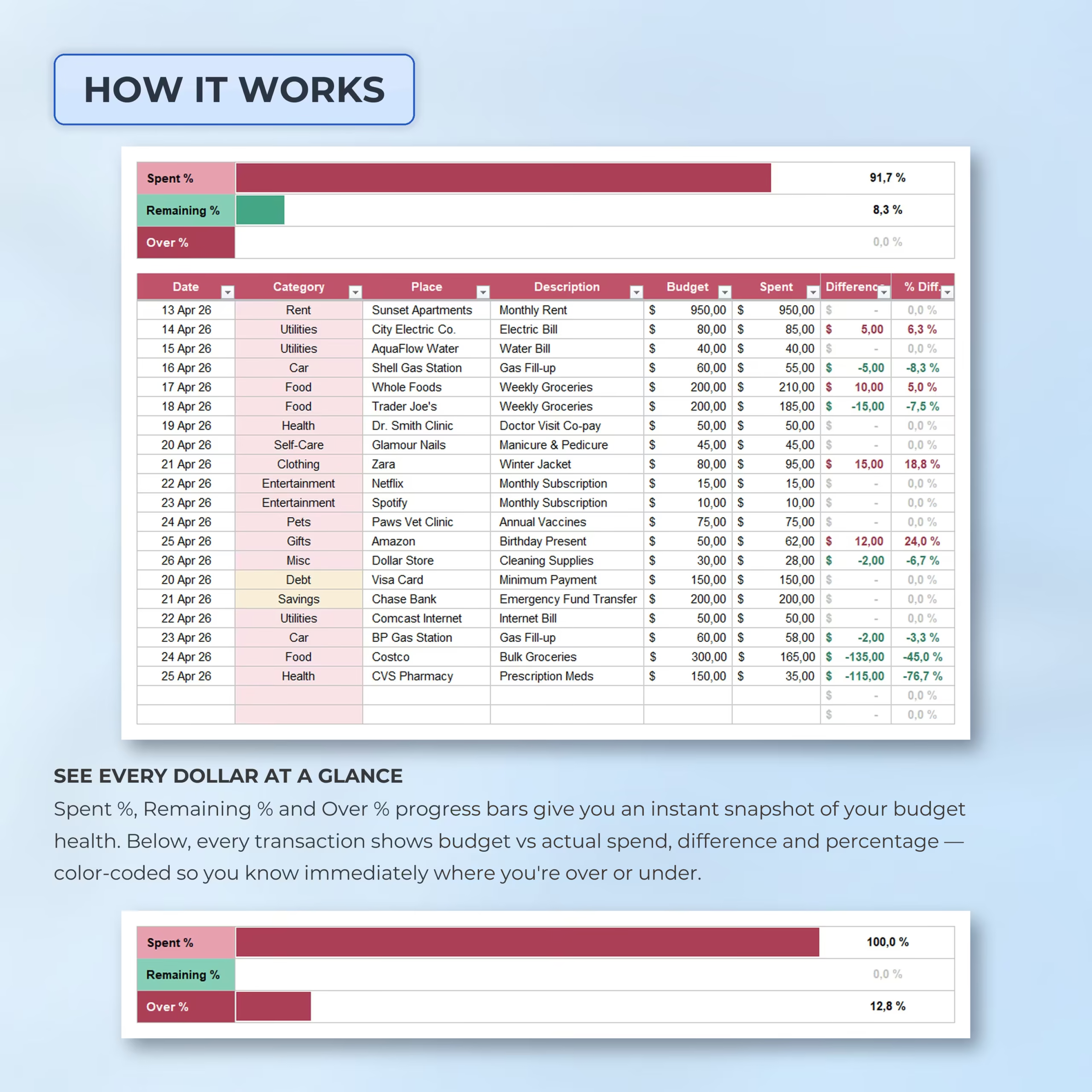
The spreadsheet includes space to organize your core budget totals and monitor where your money is going. Use it to plan income, fixed bills, variable expenses, savings goals, sinking funds, and debt payments in a way that is easier to review every two weeks.
Whether you want to stay on top of rent, utilities, groceries, transportation, subscriptions, credit cards, or loan payments, this biweekly budget spreadsheet helps keep your numbers organized and visible.
Why Use a Biweekly Budget Template Instead of a Blank Spreadsheet
Starting from a blank spreadsheet takes time and often leads to missed categories, broken formulas, or a layout that is harder to maintain. This template gives you a structure that is already organized, so you can focus on planning your money rather than setting up a budgeting system.
It is especially helpful for people who want an Excel or Google Sheets budget template they can edit, save, and reuse with minimal setup.
Useful for Paycheck Budgeting and Bill Timing
One of the hardest parts of biweekly budgeting is matching bill due dates with actual paycheck timing. This template helps you review what has to be covered in the current pay period, what can wait for the next paycheck, and how much is left for savings, debt payoff, and flexible spending.
That makes it a practical option for buyers searching for a budget by paycheck spreadsheet, paycheck planner, 3 paycheck month budget template, biweekly household budget template, or biweekly budget template that feels closer to real day-to-day money management in the United States.
Helpful for Couples and Paycheck-to-Paycheck Budgeting
This spreadsheet works well for individuals and couples who need to coordinate bills, groceries, savings, and shared expenses from one paycheck to the next. If you have been searching for a practical budget planner for couples or a paycheck-to-paycheck budget spreadsheet, this template gives you a cleaner starting point than a blank sheet.
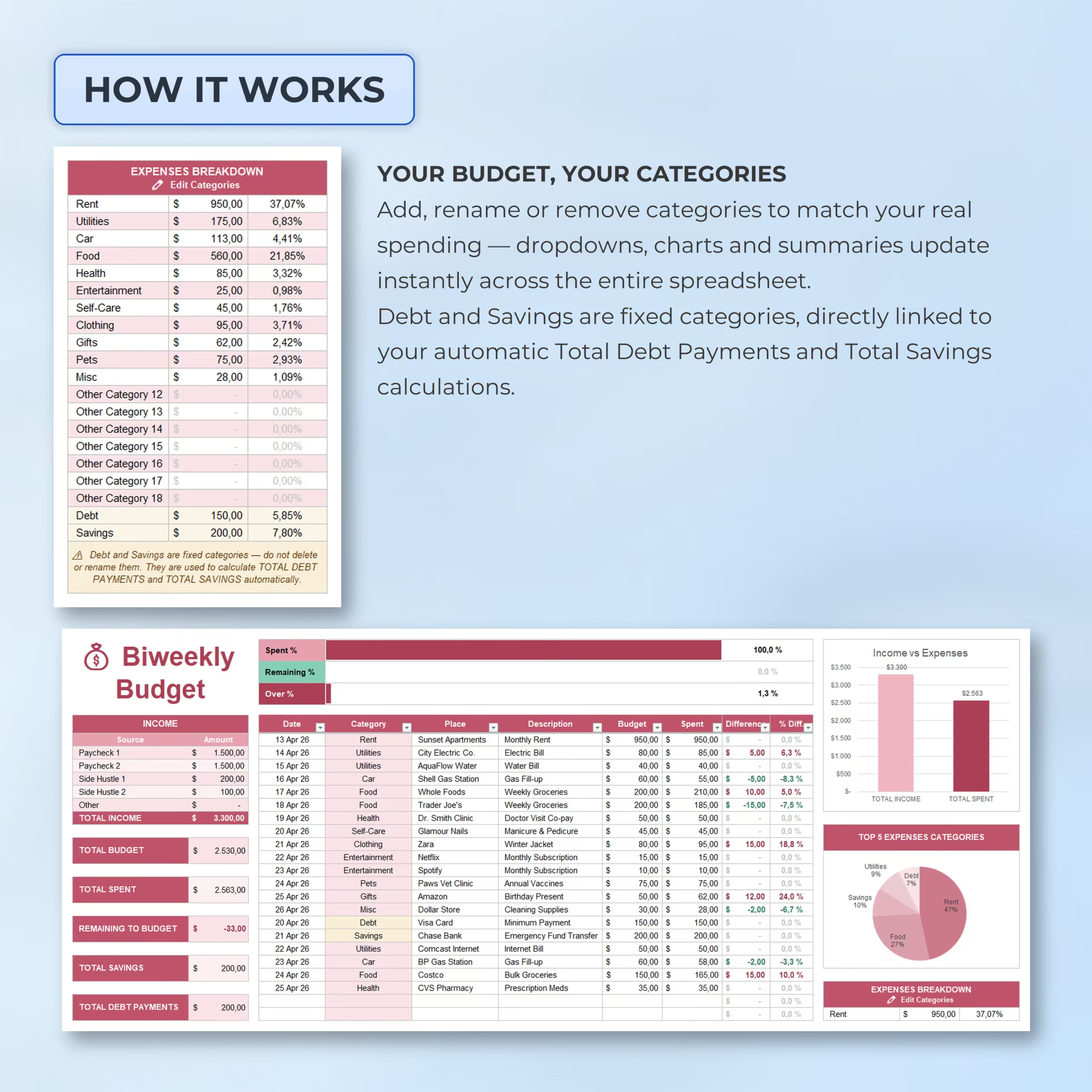
Because the file is editable in both Excel and Google Sheets, you can adapt categories, notes, and pay period planning to match one-income or two-income households without rebuilding the layout.
What You Can Use This Template For
- Biweekly paycheck budgeting
- Budgeting around 26 pay periods
- Planning for 3-paycheck months
- Tracking bills and variable spending
- Managing savings goals and sinking funds
- Monitoring debt payoff alongside everyday expenses
- Creating a more consistent household budgeting routine
Works in Excel and Google Sheets
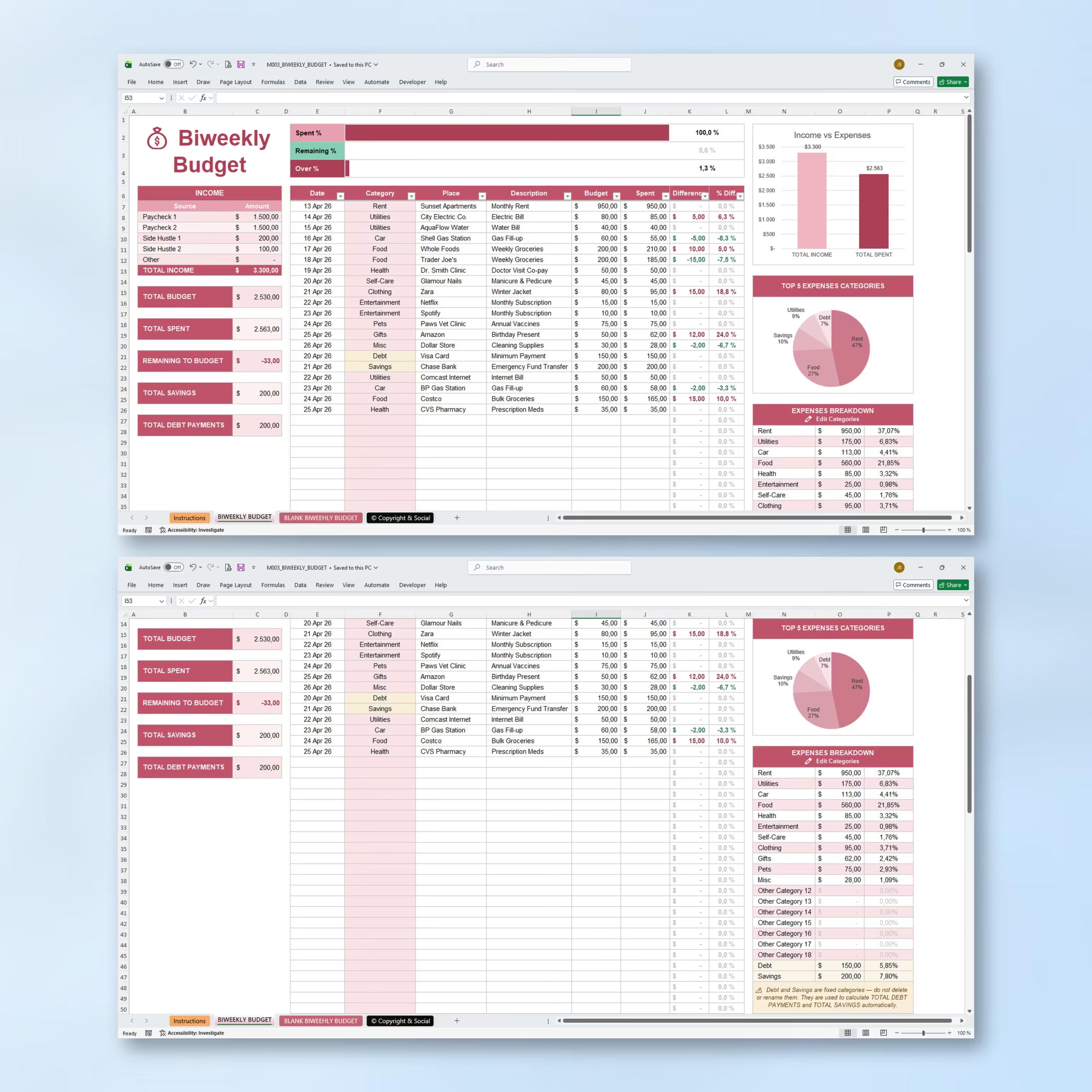
The template is compatible with both Microsoft Excel and Google Sheets, making it easy to use whether you prefer desktop spreadsheets or cloud-based access.
You can update categories, personalize the layout, and adapt the template to match your own paycheck schedule and budgeting style.
A Practical Two-Week and Biweekly Budget Spreadsheet for U.S. Households
If you need a practical biweekly budget template, a flexible two week budget template, or an editable biweekly budget spreadsheet you can download and start using right away, this Excel and Google Sheets file gives you a clear way to plan each paycheck, cover bills on time, and stay more intentional with your spending.
It is especially relevant for buyers who prefer editable spreadsheet templates over budgeting apps and want a file they can download once, customize, and keep using across future pay periods.
Reviews
There are no reviews yet.