
Simple Expense Tracker Spreadsheet for Excel and Google Sheets
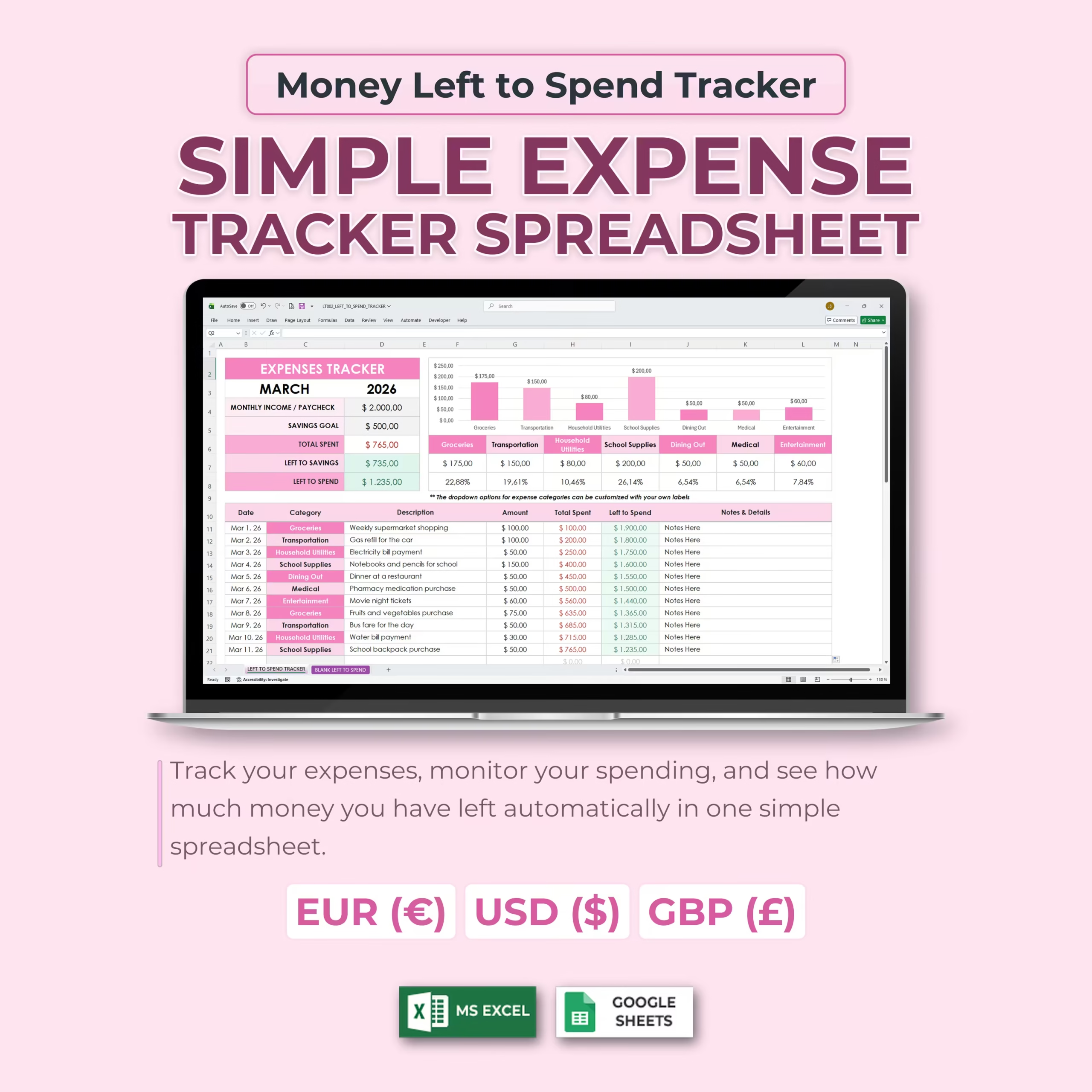
Take control of your spending with this Simple Expense Tracker Spreadsheet for Microsoft Excel and Google Sheets. This easy-to-use money left to spend tracker helps you record expenses, monitor your monthly income, track your savings goal, and instantly see how much money you have left to spend.
Instead of guessing where your money is going, this spreadsheet gives you a clear monthly snapshot of your spending, savings, and remaining balance — all updated automatically as you enter expenses.
Simple Monthly Budget Snapshot
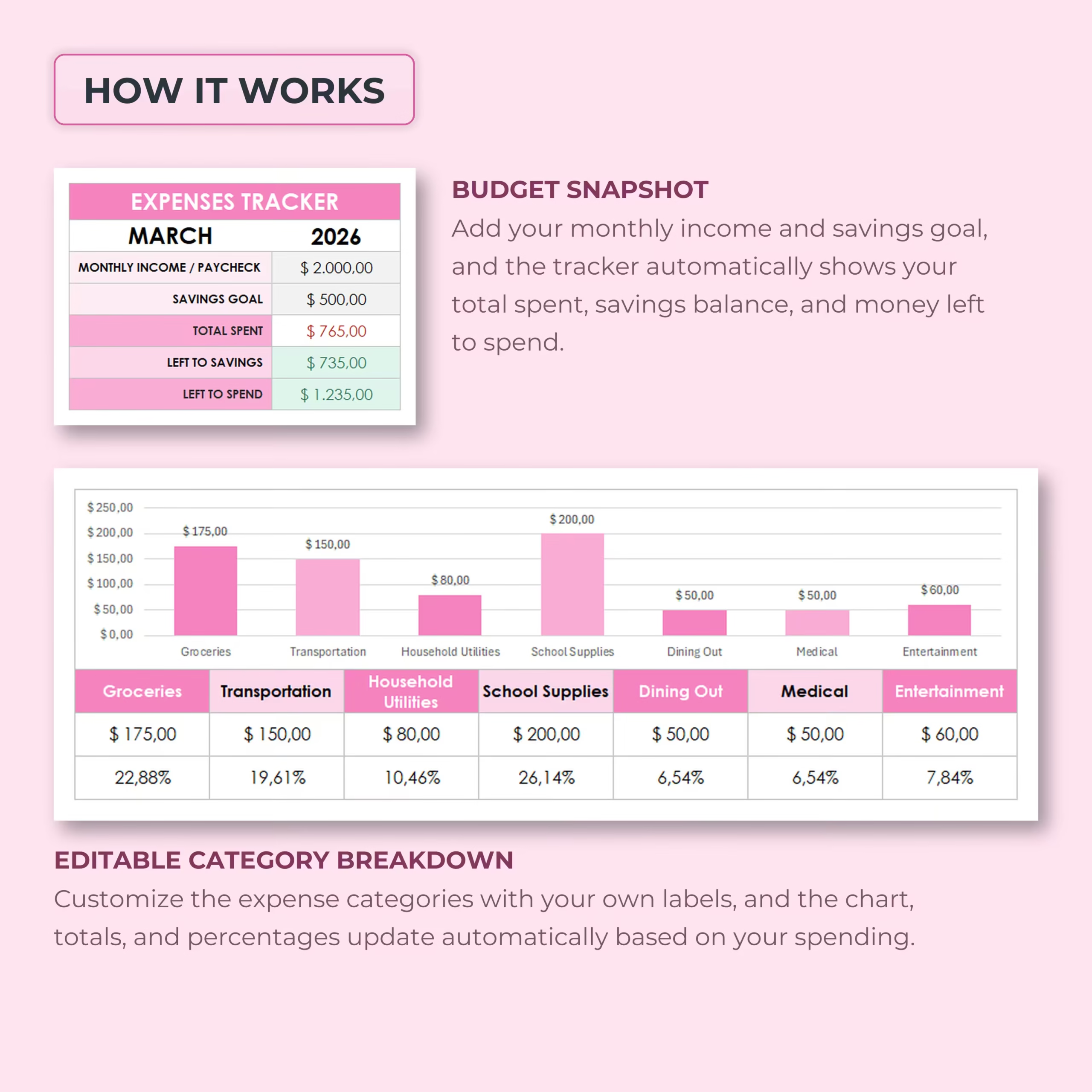
The budget snapshot gives you a quick overview of your monthly finances. Enter your month, year, monthly income or paycheck amount, and savings goal. As you add expenses, the tracker automatically updates your key totals.
The dashboard helps you track:
- Monthly income or paycheck: Enter your available money for the month.
- Savings goal: Set the amount you want to save.
- Total spent: See how much you have spent so far.
- Left to savings: Monitor your remaining balance after spending and savings planning.
- Left to spend: Know how much money is still available to spend.
Track Expenses in Real Time
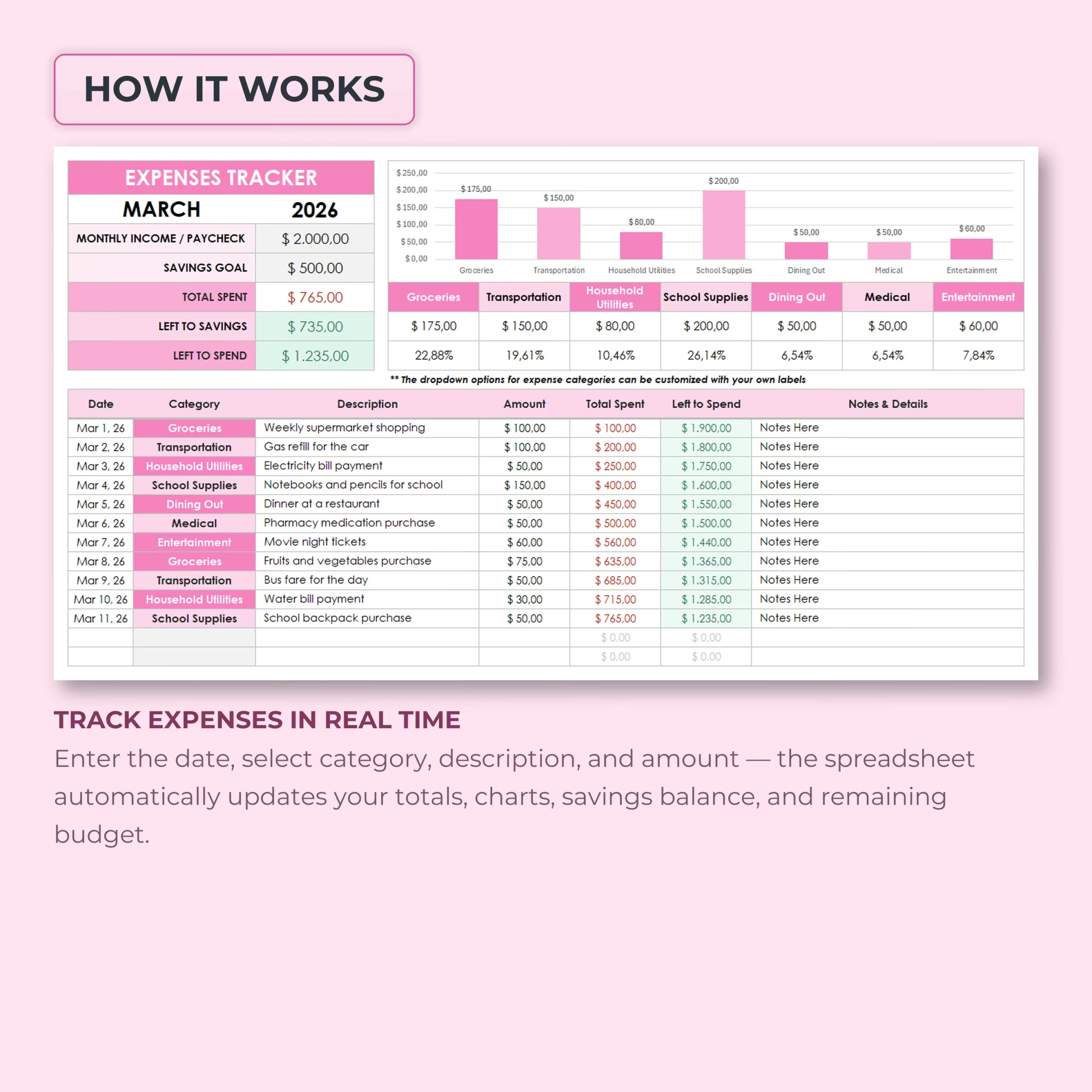
The expense log makes it easy to record each purchase or payment. Simply enter the date, select a category, add a description, enter the amount, and include any notes or details.
Each new expense automatically updates your totals, charts, savings balance, and remaining spending amount. This helps you make smarter spending decisions before the month is over.
Editable Expense Categories
The template includes editable expense categories with dropdown selections, so you can organize spending in a way that matches your lifestyle.
Example categories include:
- Groceries
- Transportation
- Household utilities
- School supplies
- Dining out
- Medical
- Entertainment
You can customize the category names with your own labels, and the chart, totals, and percentages update automatically based on your spending.
Visual Category Breakdown
The built-in chart shows your spending by category, making it easy to see where your money is going. Category totals and percentages update automatically as you enter expenses.
This visual breakdown helps you quickly identify your biggest spending areas, compare categories, and adjust your budget if needed.
Know What You Have Left to Spend
The main purpose of this tracker is simple: help you know how much money you still have available. After each expense entry, the spreadsheet updates your left to spend amount so you can stay aware of your budget throughout the month.
This is especially helpful if you want a simple budgeting system without complicated dashboards, multiple tabs, or advanced financial software.
Includes Multiple Currency Versions
The template includes versions for:
- EUR (€)
- USD ($)
- GBP (£)
This makes the spreadsheet flexible for users in the United States and other regions that prefer euro or pound formatting.
Example and Blank Trackers Included
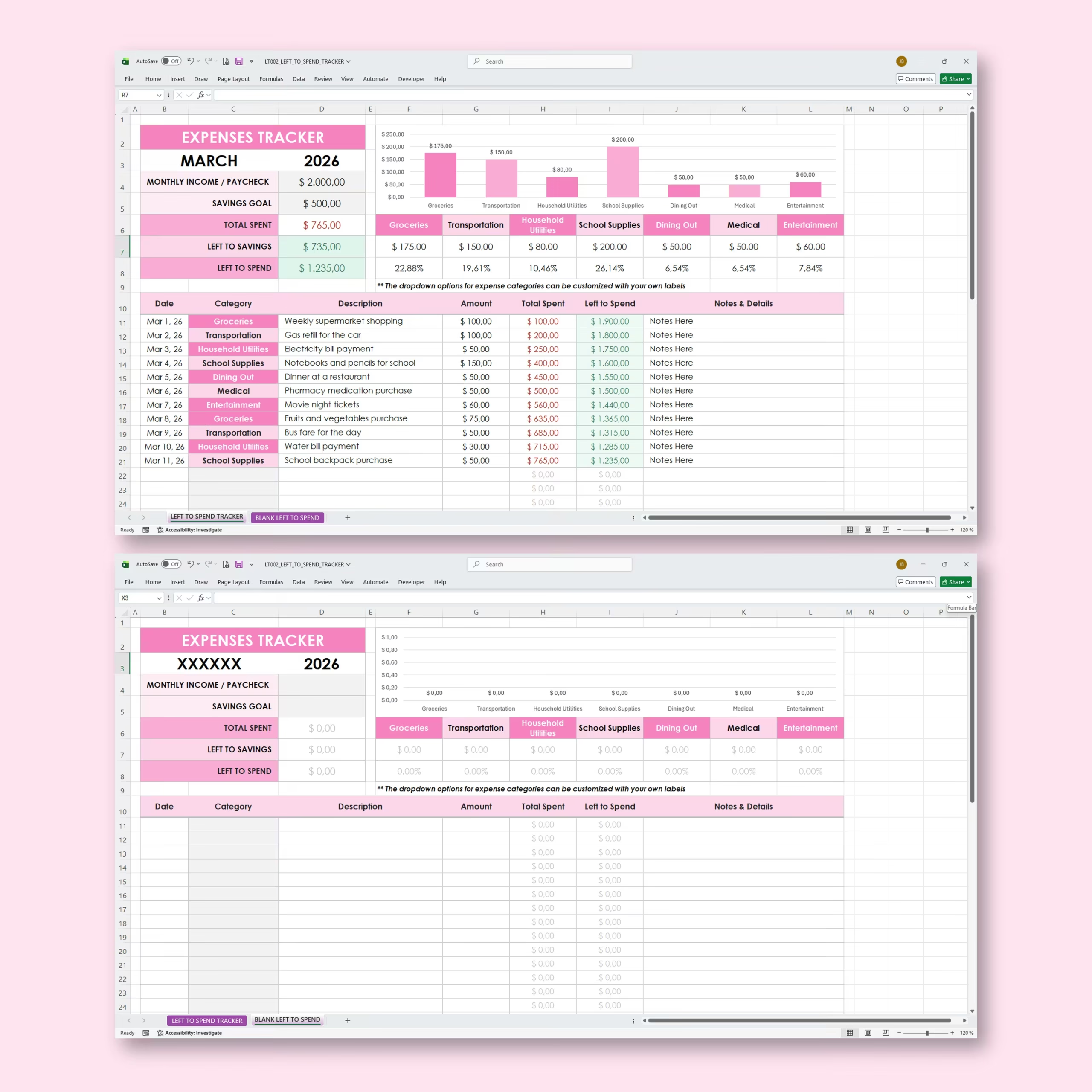
The spreadsheet includes an example tracker so you can see how the template works, plus a blank tracker where you can enter your own monthly income, savings goal, categories, and expenses.
You can duplicate the blank version and reuse it for future months.
Works with Excel and Google Sheets
This expense tracker works with both Microsoft Excel and Google Sheets. Use it offline in Excel or online in Google Sheets, depending on your preferred workflow.
Perfect For
- Monthly expense tracking
- Paycheck budgeting
- Personal finance organization
- Household spending
- Student budgets
- Savings goal planning
- Simple money management
- Tracking daily purchases
- Budget-conscious spending
Why You’ll Love This Expense Tracker
- Simple and beginner-friendly
- Shows your money left to spend clearly
- Tracks income, savings goal, and expenses together
- Automatic totals, balances, charts, and percentages
- Editable categories with dropdowns
- Visual spending breakdown by category
- Includes EUR, USD, and GBP versions
- Example and blank trackers included
- Works with Excel and Google Sheets
Stay aware of your spending, protect your savings goal, and know exactly how much money you have left with this practical Simple Expense Tracker Spreadsheet for Excel and Google Sheets.
Reviews
There are no reviews yet.