
Weekly To-Do List Template for Excel and Google Sheets
Plan your week, organize daily priorities, and track completion in one place with this Weekly To-Do List Tracker for Microsoft Excel and Google Sheets.
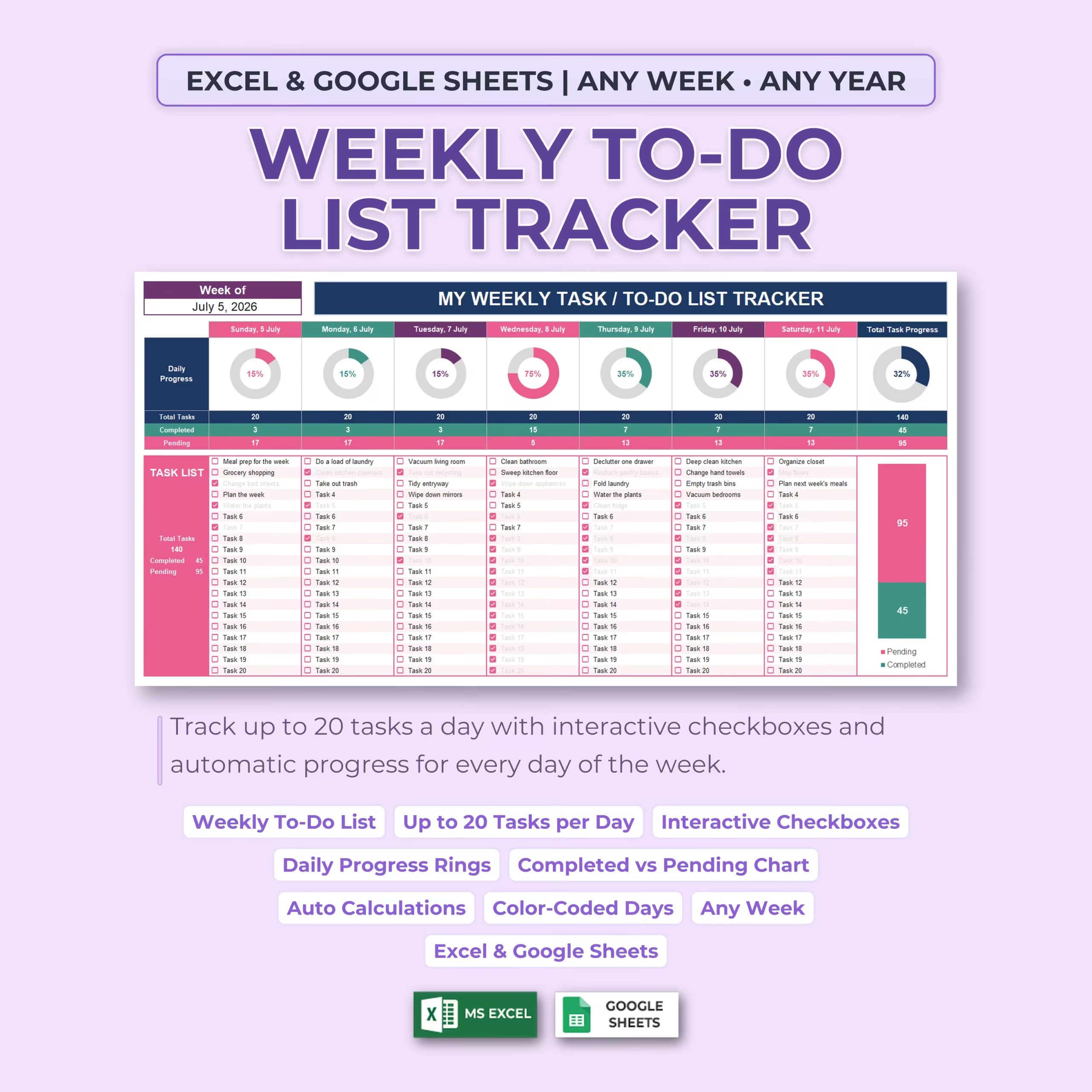
This downloadable weekly to-do list template is designed for people who want a practical spreadsheet for weekly planning instead of starting from a blank file. Add your tasks, check them off as you complete them, and let the tracker automatically calculate your daily totals, weekly completion rate, and remaining workload.
Whether you are managing work assignments, household chores, school responsibilities, personal goals, or a combination of everything, this weekly task tracker spreadsheet helps you keep priorities organized in a simple layout you can review at a glance.
Plan Up to 20 Tasks Every Day
Each day includes space for up to 20 individual tasks, giving you a total capacity of up to 140 tasks per week.
You can use the daily columns to organize:
- Work projects and deadlines
- Household chores and errands
- Schoolwork and study tasks
- Appointments and reminders
- Personal goals
- Family responsibilities
- Business and freelance work
- Weekly routines
The structured layout keeps every day separate while still allowing you to see your complete week at a glance.
Set Up Any Week in Seconds
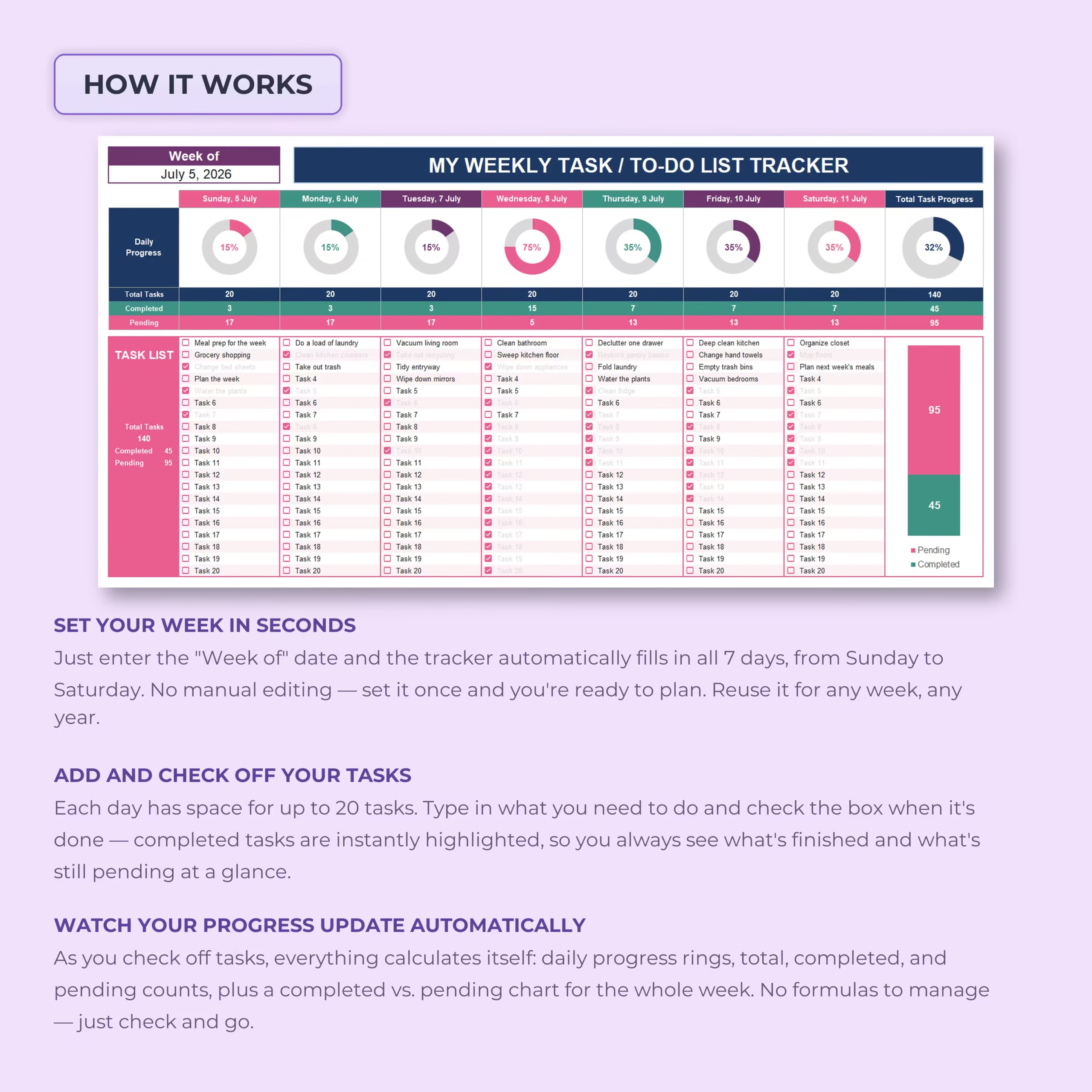
Enter the starting date in the Week Of field and the spreadsheet automatically generates the corresponding dates for all seven days, from Sunday through Saturday.
You can reuse the tracker for any week and any year without manually changing every date.
Interactive Task Checkboxes
Each task row includes an interactive checkbox. Once a task is completed, simply check the box and the spreadsheet updates your progress automatically.
Completed tasks are visually highlighted, helping you quickly distinguish finished items from tasks that still need attention.
Automatic Daily Progress Tracking
Every day includes its own visual progress ring and automatic summary.
The tracker calculates:
- Total tasks entered for the day
- Number of completed tasks
- Number of pending tasks
- Daily completion percentage
- Visual daily progress
This makes it easy to identify productive days, overloaded schedules, and unfinished priorities without calculating anything manually.
See Your Total Weekly Progress
In addition to the individual daily summaries, the spreadsheet combines all seven days into one weekly overview.
The weekly summary displays:
- Total tasks for the entire week
- Total completed tasks
- Total pending tasks
- Overall weekly completion percentage
- A completed versus pending task chart
This gives you an immediate picture of how much you have accomplished and how much remains before the end of the week.
Completed Versus Pending Task Chart
The built-in chart visually compares completed and unfinished tasks across the entire week.
As you check off items, the chart updates automatically, allowing you to monitor your progress without maintaining a separate dashboard or calculating percentages yourself.
Color-Coded Weekly Layout
Each day uses a different color accent, making the weekly schedule easier to scan and navigate.
The color-coded design helps separate your daily task lists while keeping all seven days together in one organized spreadsheet.
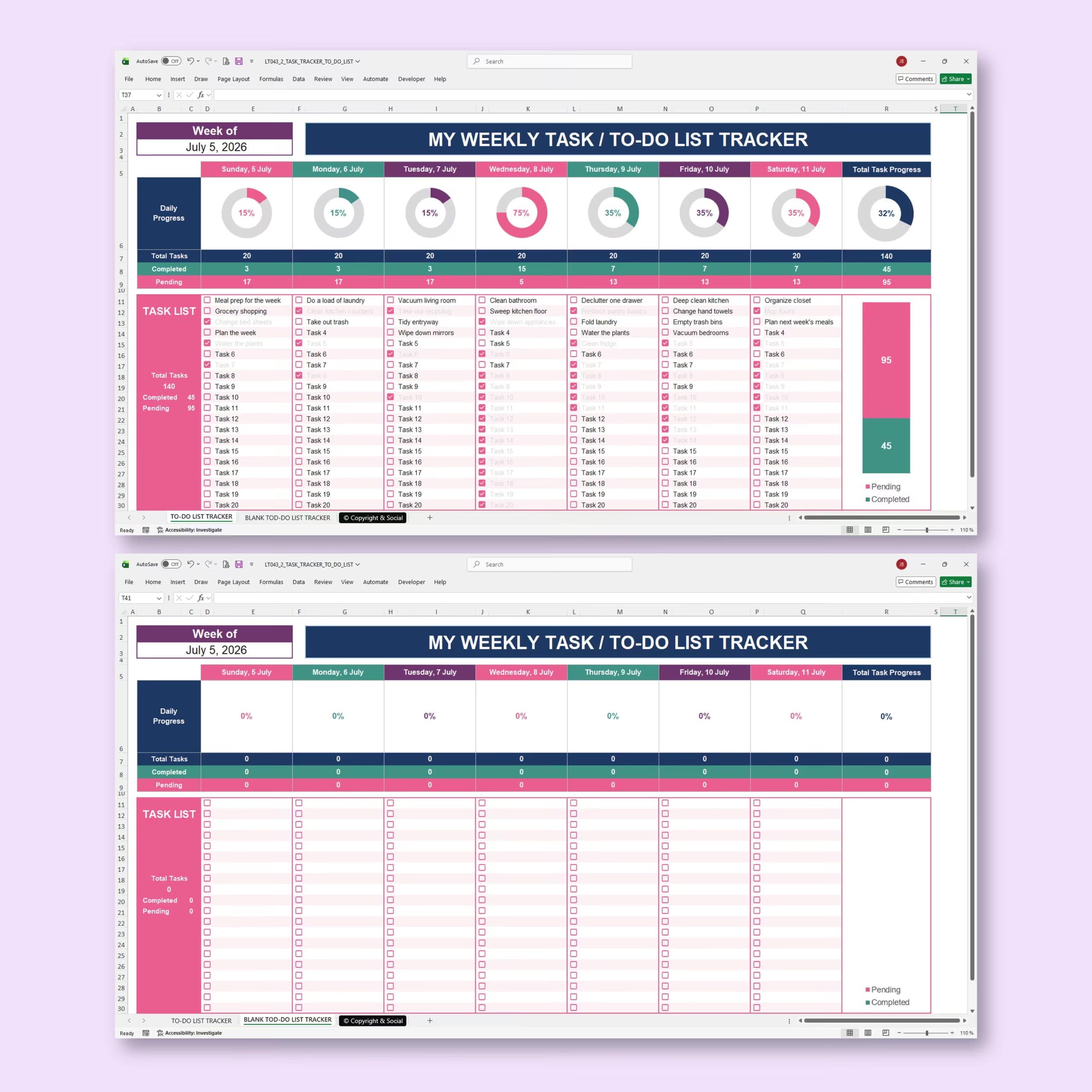
Example and Blank Trackers Included
The workbook includes an example weekly to-do list filled with sample tasks so you can quickly understand how the template works.
A blank tracker is also included, ready for you to enter your own dates, tasks, priorities, and weekly plans.
Useful for Work, Home, School, and Personal Planning
This weekly to-do list spreadsheet can be used for a wide variety of planning needs, including:
- Weekly work planning
- Personal productivity
- Household task management
- Student assignments
- Small business planning
- Freelance projects
- Family organization
- Cleaning and chore schedules
- Appointment reminders
- Weekly goal tracking
Microsoft Excel and Google Sheets Compatible
The template is designed for use with both Microsoft Excel and Google Sheets.
Use the Excel version on your computer or access your planner online with Google Sheets, depending on the platform that best fits your workflow.
A Ready-to-Use Weekly Planner Spreadsheet
If you are searching for a weekly planner template, weekly task list template, or weekly task tracker that is easy to download and customize, this spreadsheet gives you a faster way to get organized.
Instead of building formulas, progress indicators, and daily sections yourself, you get a ready-made file that helps you plan the week, stay accountable, and keep your workload under control.
Use the Weekly To-Do List Tracker to manage work, home, school, or personal tasks more clearly in Excel or Google Sheets.
Reviews
There are no reviews yet.