
Payroll Timesheet Template for Excel and Google Sheets
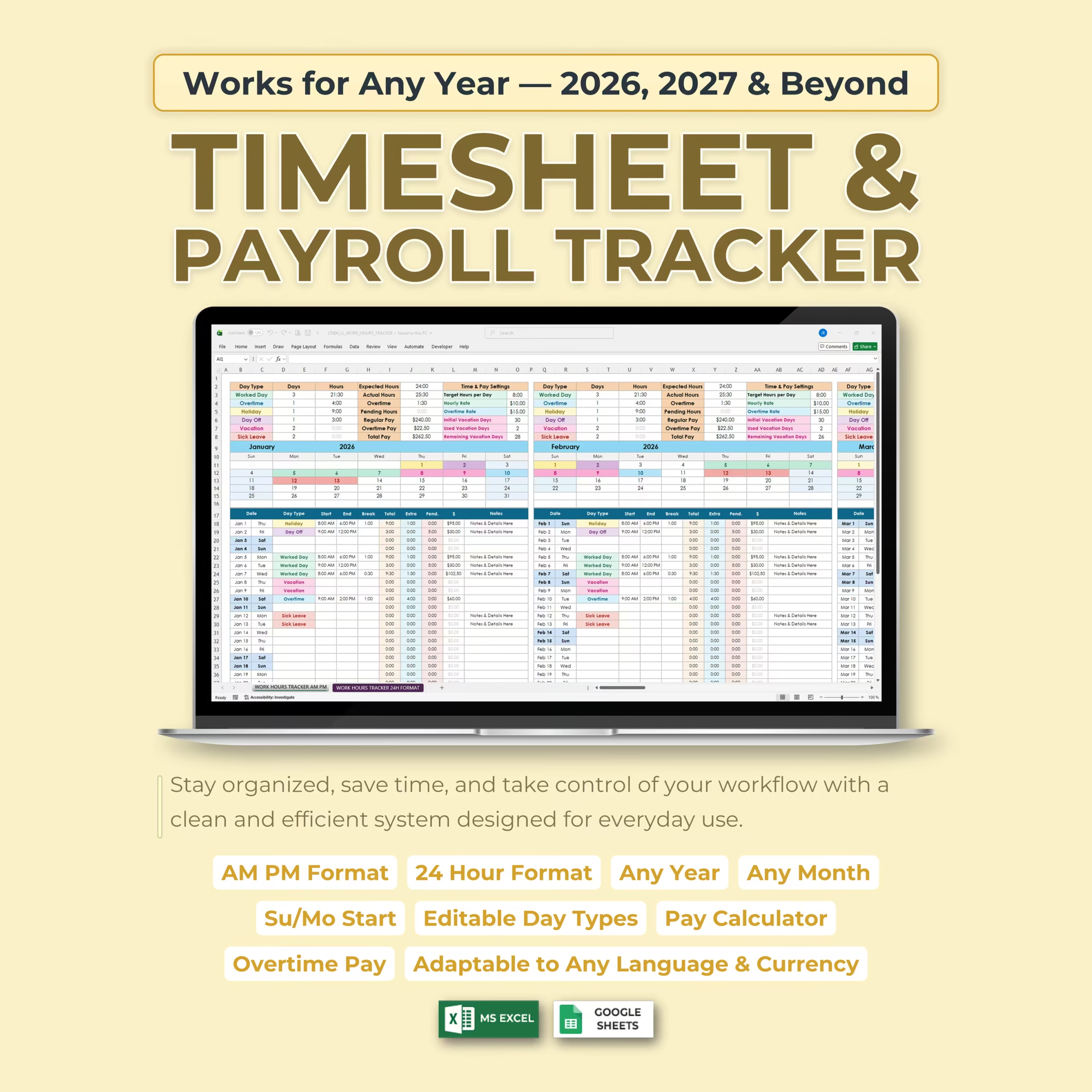
Track employee hours, overtime, breaks, PTO, and estimated pay with a payroll timesheet template for Microsoft Excel and Google Sheets. This ready-to-use download works as a practical payroll tracker template, payroll spreadsheet template, payroll tracker Excel, Google Sheets payroll template, small business payroll spreadsheet, employee time card template, and employee hours spreadsheet for buyers who want a faster way to manage payroll data.
It is built for buyers who want a cleaner way to collect hours before payroll runs, double-check overtime, and estimate pay without building formulas from scratch. If you are looking for a payroll timesheet template Excel, a weekly payroll Excel template, a payroll tracker spreadsheet, a payroll tracking spreadsheet, or a ready-made payroll Google Sheets template you can start using today, this template is designed for that commercial intent.
It also fits weekly payroll, biweekly payroll, and semimonthly payroll workflows, which makes it useful for U.S. small businesses, hourly teams, contractors, managers, and business owners who need a practical spreadsheet before approving time or processing payroll. Buyers looking for an employee payroll spreadsheet, timesheet with pay calculator, weekly payroll template, overtime tracking sheet, or small business timesheet template can use it as a ready-made file instead of building payroll tabs manually.
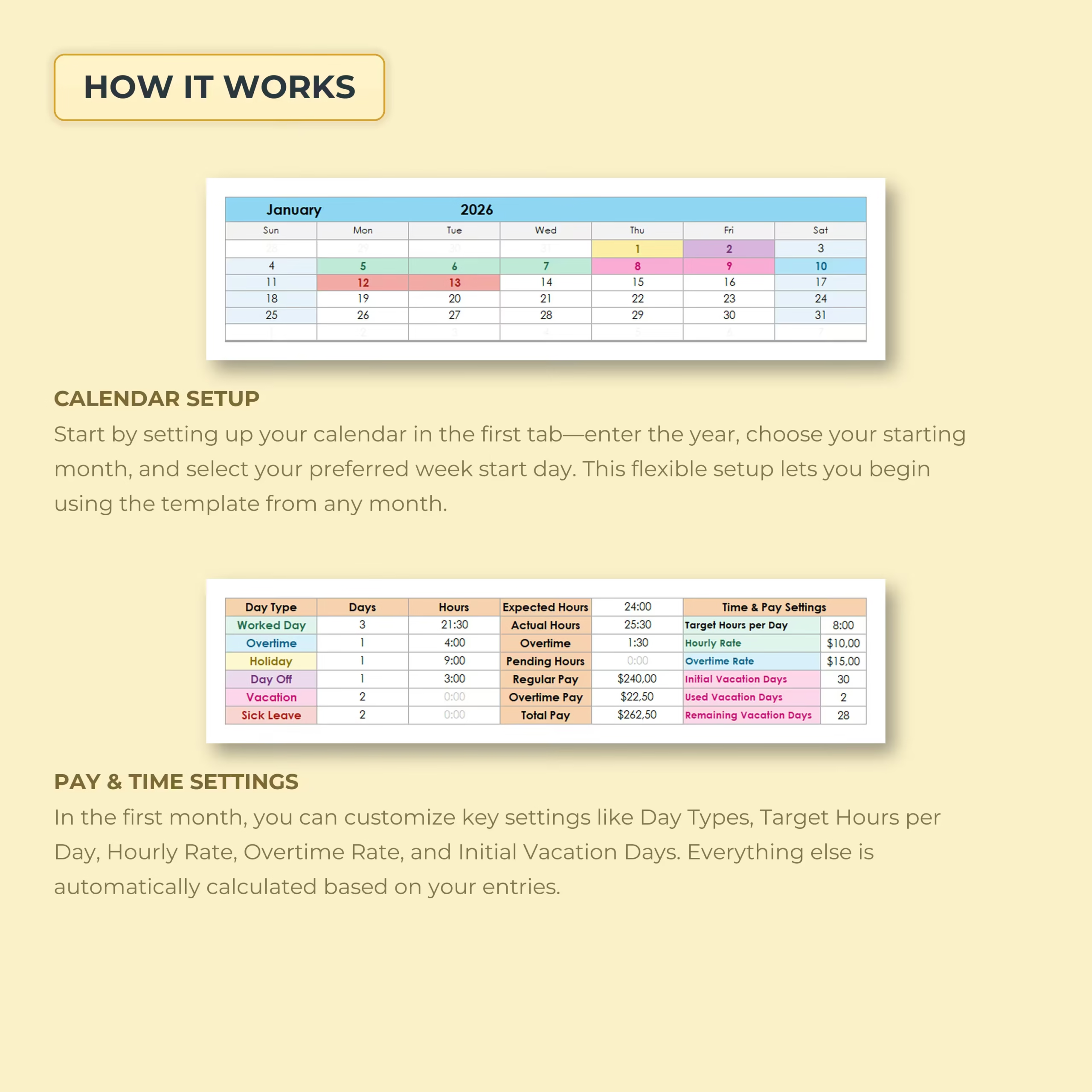
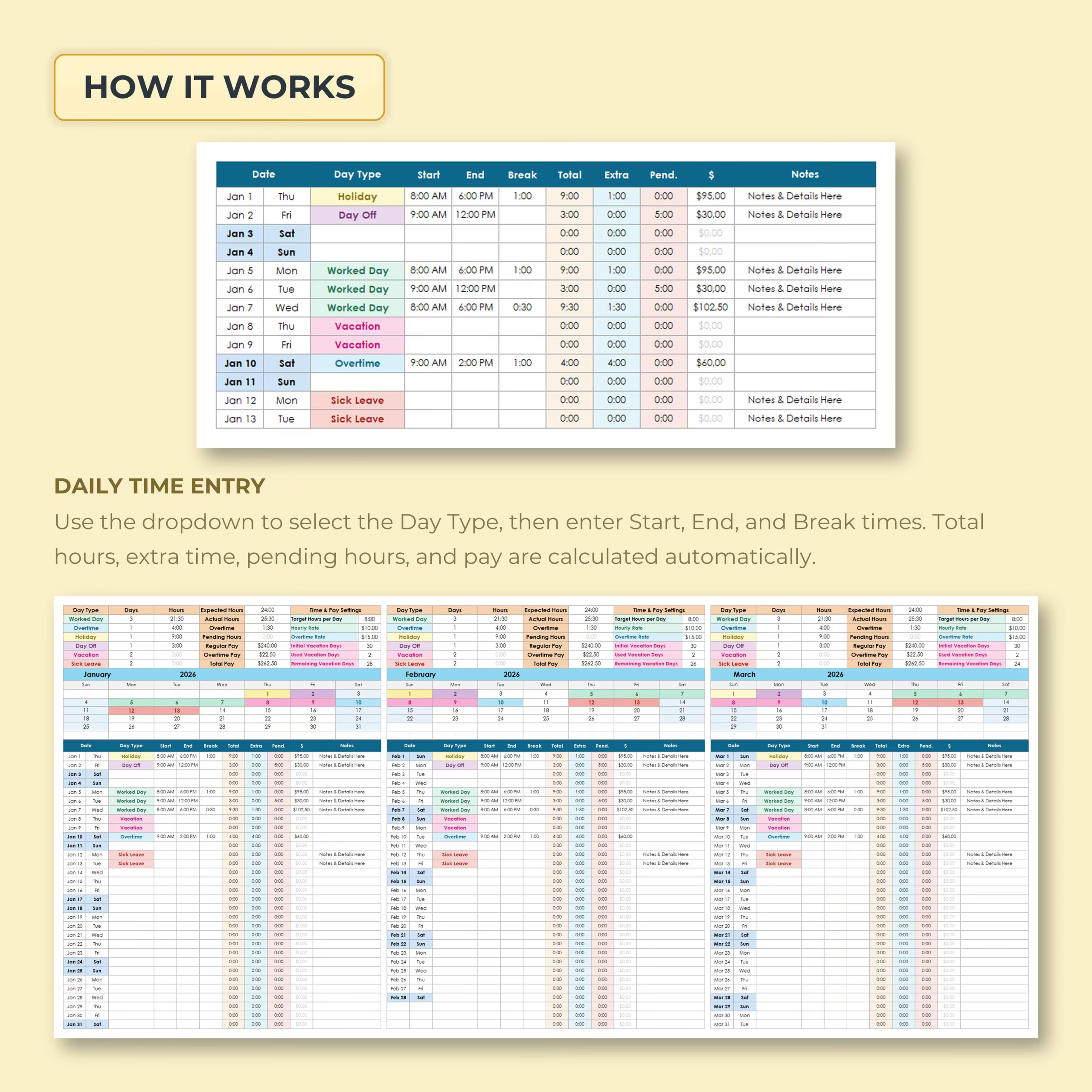
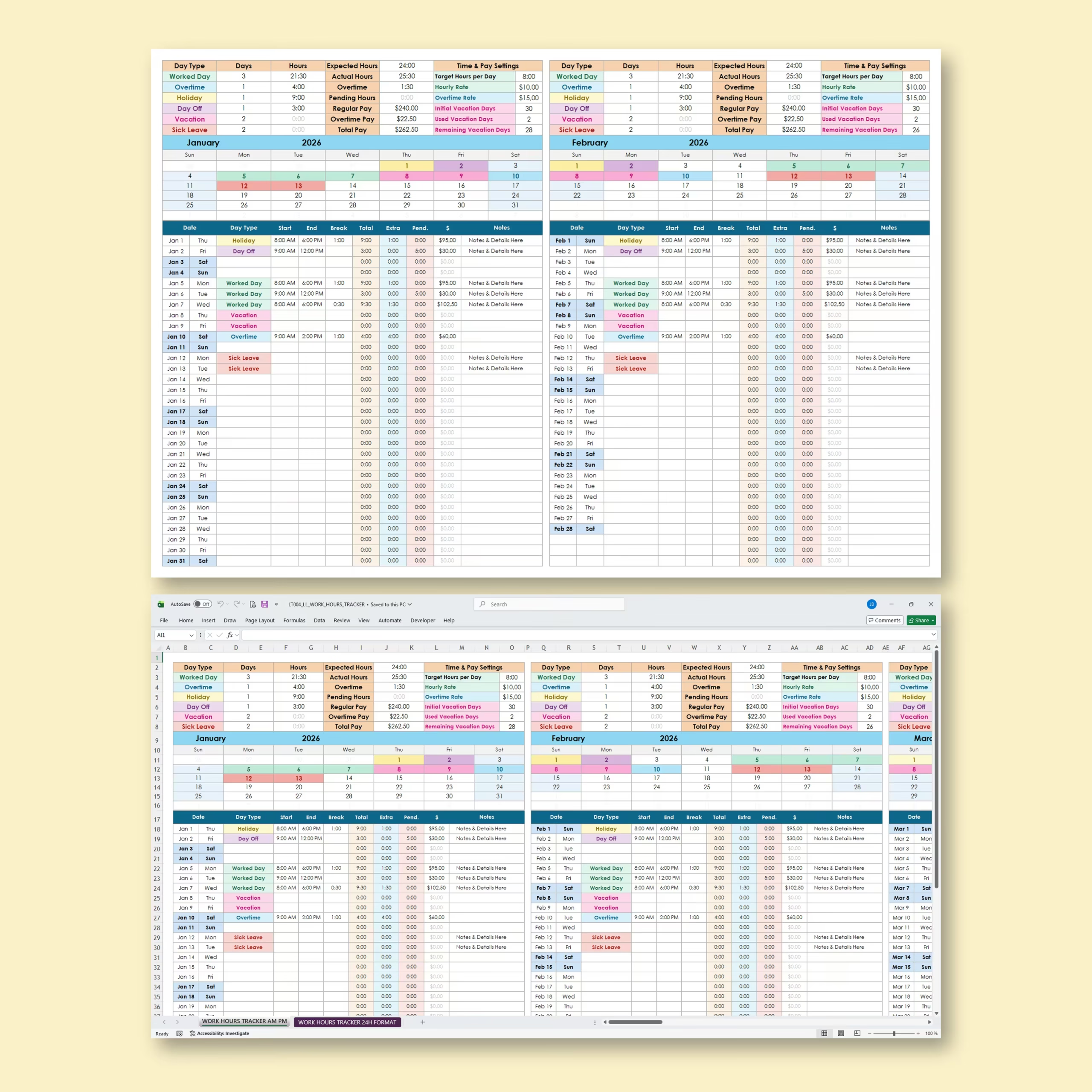
Use it to record daily work hours, break time, overtime, pending hours, pay, vacation days, sick leave, holidays, and time off in one clear monthly tracker. Whether you are an hourly employee, freelancer, contractor, small business owner, or self-employed professional, this spreadsheet gives you a practical way to monitor your schedule and estimate pay without building your own system from scratch.
Why Buyers Use This Payroll Tracker Template
This spreadsheet helps solve a common problem: many teams need a simple payroll tracking file before they are ready for more complex payroll software. Instead of starting with a blank sheet, you get a structured template that helps organize hours, overtime, PTO, and estimated pay in one place.
That makes it especially relevant for searches such as payroll tracker template, payroll tracker Excel, employee time card template, small business payroll spreadsheet, and payroll template Google Sheets where buyers want a ready-made spreadsheet they can edit and use right away.
Track Work Hours, Breaks, Overtime, and Pay
The main timesheet is designed to help you record the details needed for payroll preparation and internal time tracking. You can log the employee name, role, date, daily schedule, hours worked, breaks, overtime, time off, and pay-related fields in one organized workbook.
This makes the file useful as an employee hours tracker with pay, an internal payroll hours spreadsheet, a practical overtime tracking sheet, a tracking overtime spreadsheet, and a template for reviewing total hours before payroll is finalized.
Built for Weekly, Biweekly, and Semimonthly Payroll
Different businesses run payroll on different cycles, so this spreadsheet is useful for weekly, biweekly, and semimonthly payroll routines. If you are comparing templates to support a regular pay period workflow, this file gives you a more practical starting point than a blank worksheet.
It works well for service businesses, small offices, retail teams, contractors, and other U.S. employers who need a simple spreadsheet to review hours and estimated wages before sending data into payroll software or paying workers manually.
What You Can Track in This Payroll Spreadsheet
- Employee name and role
- Regular hours worked
- Break time and net hours
- Overtime hours
- PTO, vacation days, sick leave, and holidays
- Estimated pay totals by pay period
Works with Excel and Google Sheets
This template works with both Microsoft Excel and Google Sheets, so you can manage payroll records in the platform your team already uses.
Who This Payroll Spreadsheet Is For
- Small business owners preparing payroll internally
- Managers tracking employee hours and overtime
- Teams that need a simple time card and payroll worksheet
- Contractors and freelancers who want a pay-period tracking file
- Anyone looking for a ready-to-use payroll spreadsheet for Excel or Google Sheets
Note: This template is an organization tool and does not replace payroll, legal, tax, or accounting advice.
Is This Payroll Timesheet Template Right for Your Workflow?
Choose this spreadsheet if you need a practical way to collect employee hours, breaks, overtime, PTO, and estimated pay before payroll is finalized. It is designed for time tracking and payroll preparation in Microsoft Excel or Google Sheets, especially for small teams using weekly, biweekly, or semimonthly pay periods.
- Use it to organize time records and review estimated wages by pay period
- Use it alongside your existing payroll process or payroll provider
- Choose dedicated payroll software if you need automatic tax withholding, filing, or compliance services
Reviews
There are no reviews yet.