
Plan Your Whole Week in One Organized Spreadsheet
Bring your tasks, appointments, reminders, time slots, and weekly priorities together with this Weekly Planner for Microsoft Excel and Google Sheets.
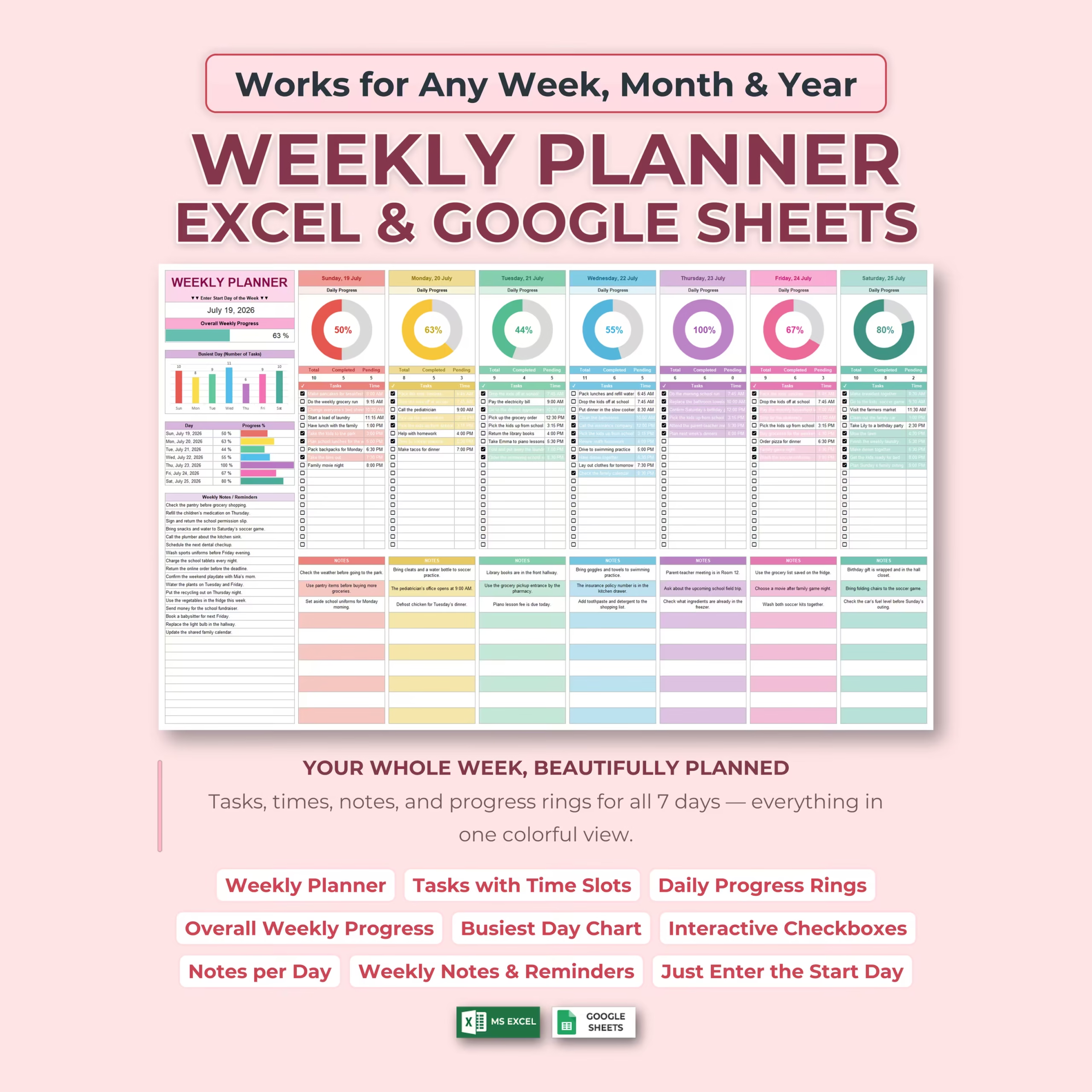
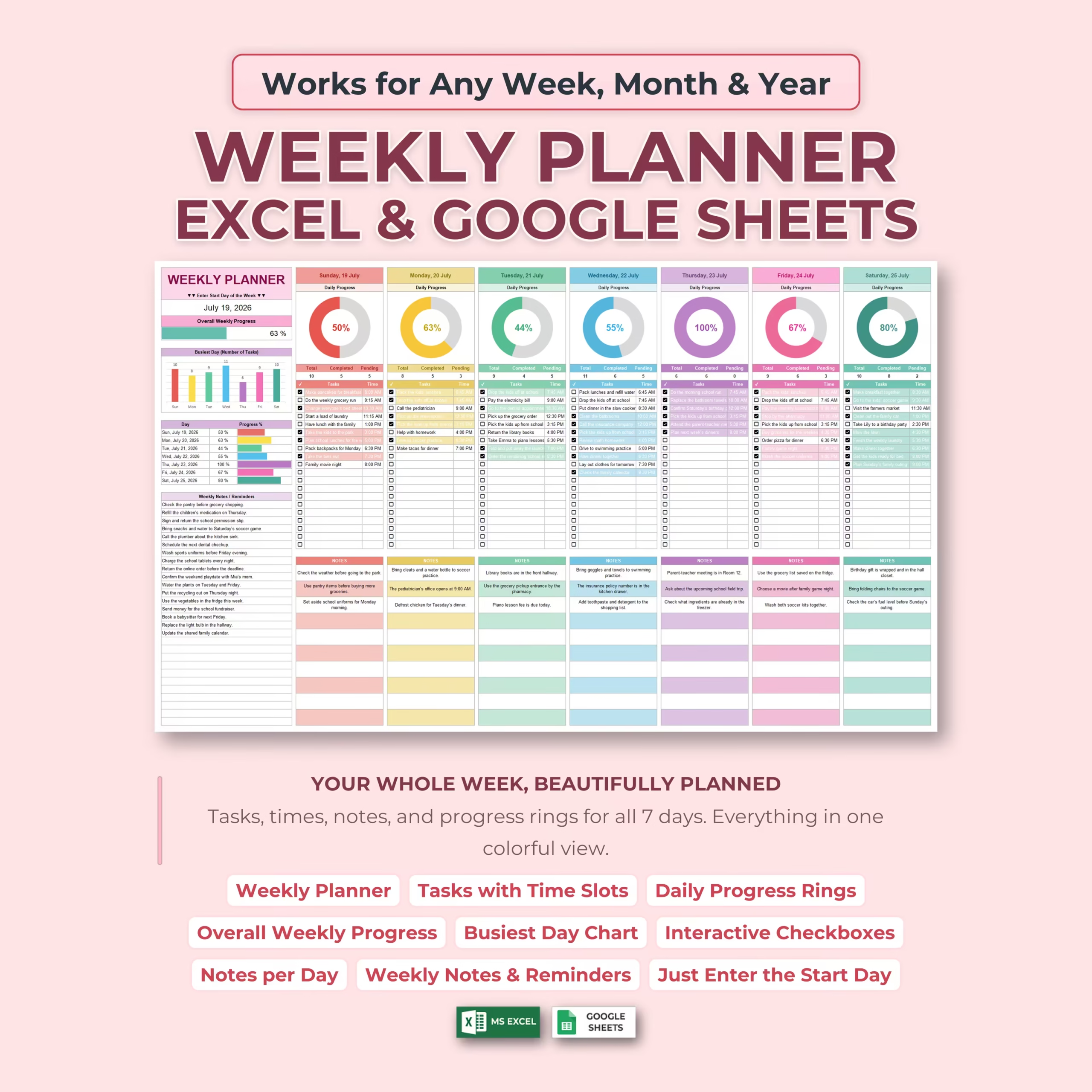
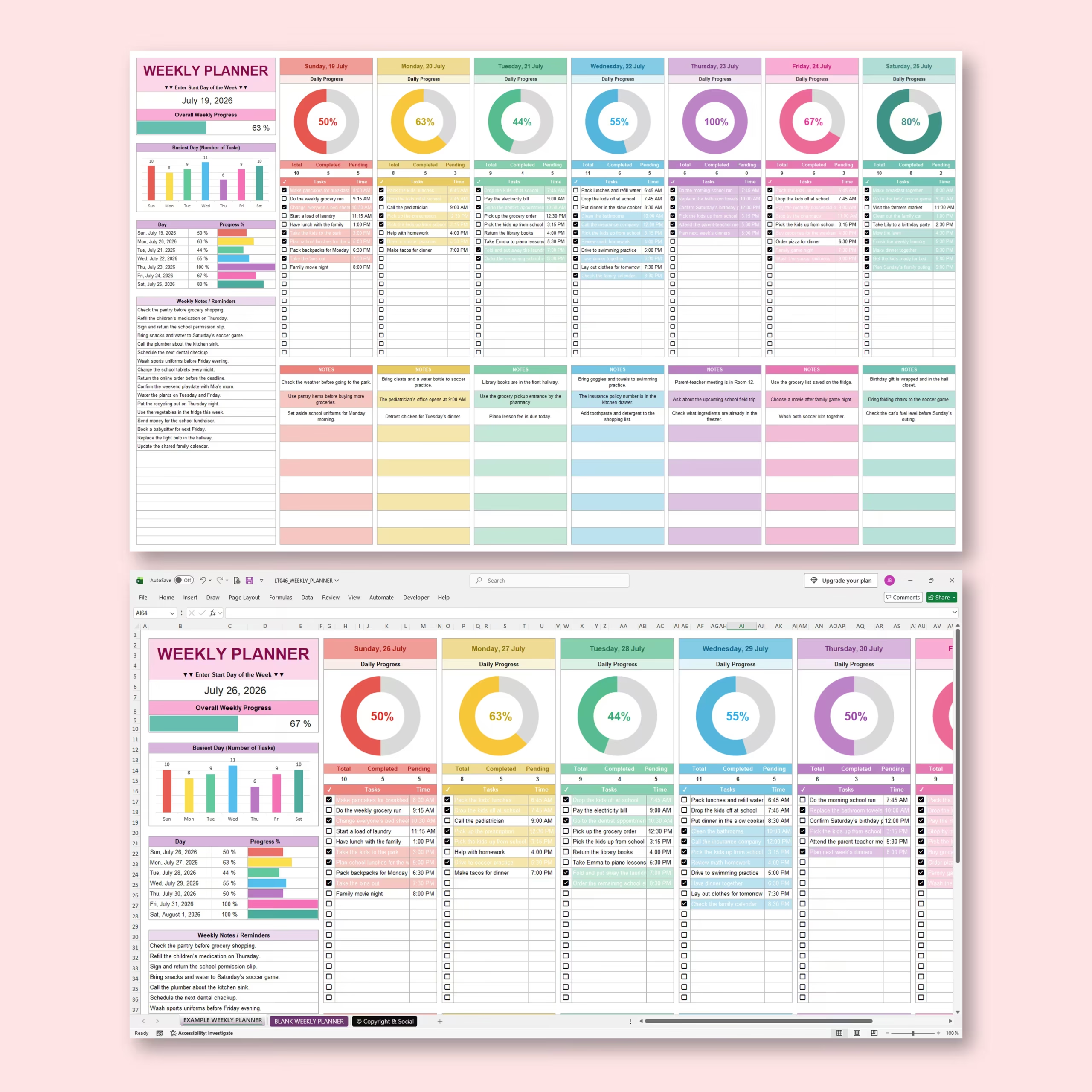
The template gives you a complete seven-day overview with separate planning areas for Sunday through Saturday. Add your tasks, assign times when needed, check items off as you complete them, and let the spreadsheet automatically track your progress.
Instead of managing separate to-do lists, calendars, and notes, you can keep your entire week organized in one visual dashboard.
Set Up Any Week in Seconds
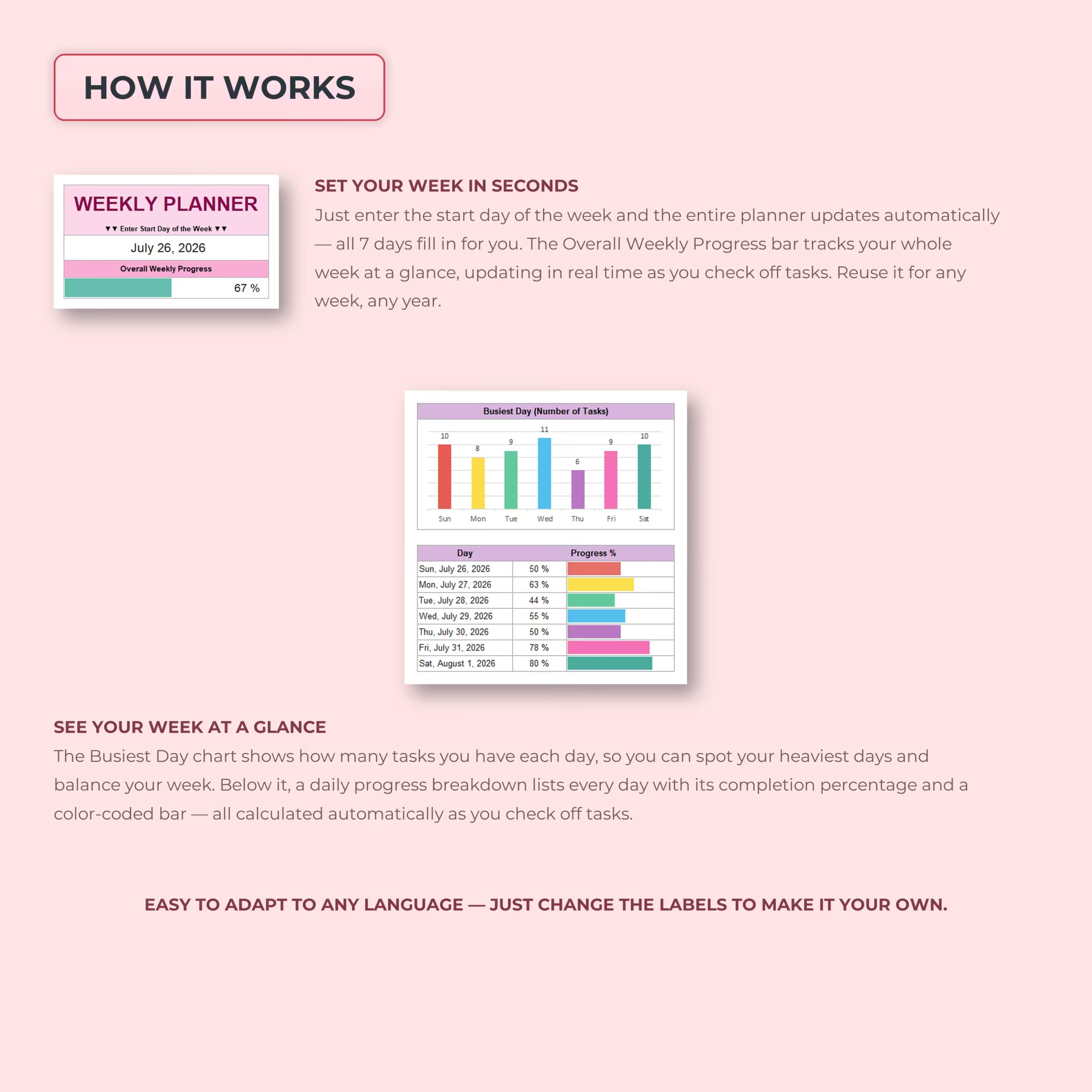
Simply enter the starting date of your week and the planner automatically fills in the dates for all seven days.
The template can be reused for any week, month, or year, so you do not need to rebuild your planner every time your schedule changes.
Plan Every Day with Tasks and Time Slots
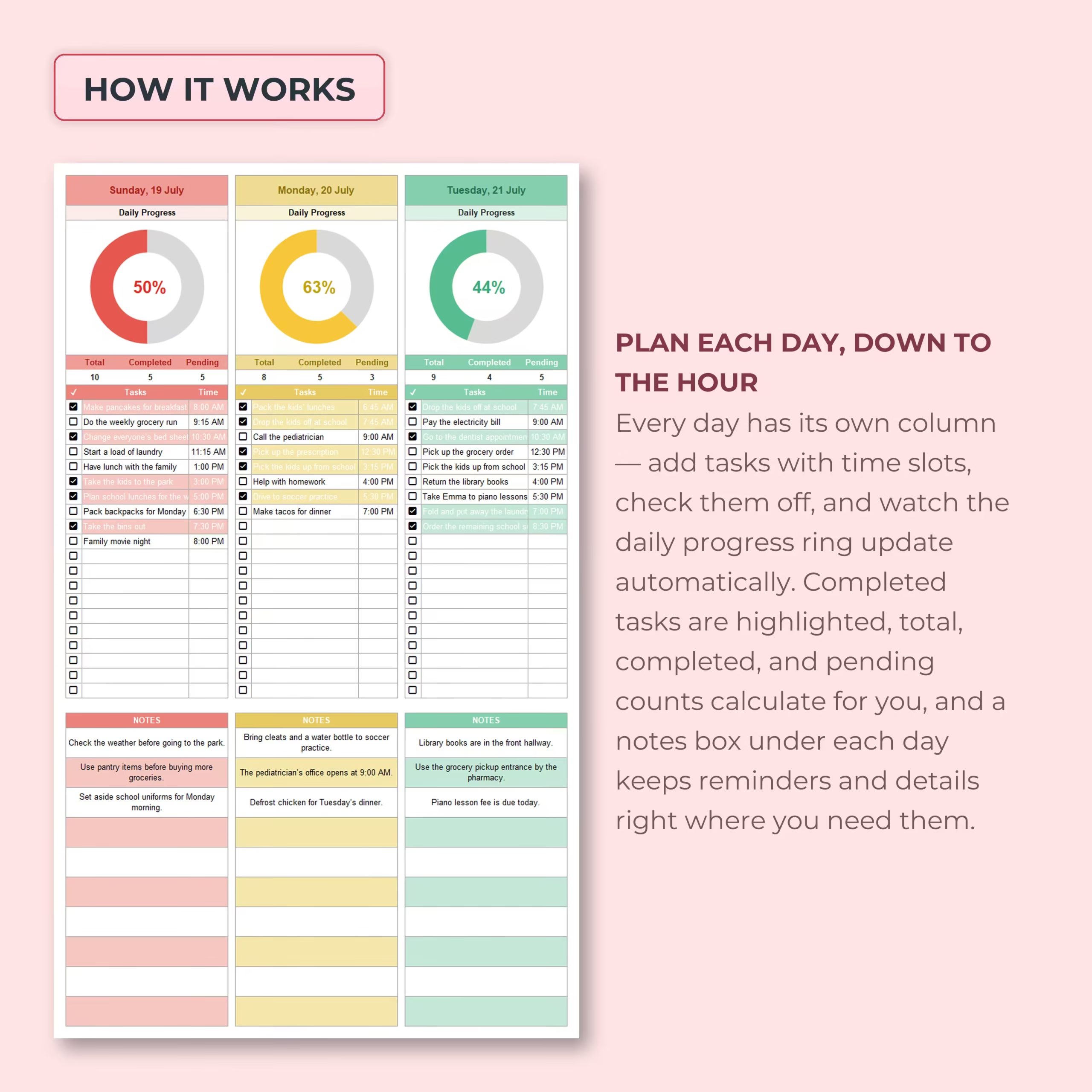
Each day has its own dedicated task column where you can enter what needs to be done and add a scheduled time when appropriate.
Use the planner for:
- Appointments
- Work tasks
- School schedules
- Family activities
- Errands
- Household chores
- Personal routines
- Meetings and calls
- Exercise and wellness
- Daily reminders
This combination of tasks and time slots makes the template useful as both a weekly to-do list and a practical weekly schedule.
Interactive Checkboxes for Easy Task Tracking
Each task row includes a checkbox so you can mark items complete as you work through your day.
Completed tasks are visually highlighted, helping you instantly see what is finished and what still needs your attention.
Automatic Daily Progress Rings
Every day includes its own visual progress ring.
As you check off tasks, the spreadsheet automatically calculates:
- Total tasks for the day
- Completed tasks
- Pending tasks
- Daily completion percentage
- Visual daily progress
You can see exactly how each day is progressing without counting tasks or updating percentages manually.
Track Your Overall Weekly Progress
The planner also combines your daily activity into one Overall Weekly Progress indicator.
This gives you an immediate view of how much of your entire week’s workload has been completed and how much still remains.
Identify Your Busiest Days
A built-in workload chart compares the number of tasks assigned to each day of the week.
This helps you spot overloaded days before they become stressful and makes it easier to redistribute tasks across the week when needed.
Daily Progress Overview
The summary area displays every day alongside its completion percentage and a visual progress bar.
This makes it easy to compare productivity across the week and see which days are on track and which still have unfinished tasks.
Notes for Every Day
Each daily column includes its own notes section underneath the task list.
Use it for information that does not need to be tracked as a task, such as:
- Appointment details
- Addresses
- Shopping reminders
- Things to bring
- School information
- Meal planning notes
- Important follow-ups
- General reminders
Weekly Notes and Reminders
A separate Weekly Notes / Reminders section gives you space for information that applies to the entire week rather than one specific day.
Keep important deadlines, errands, calls, household reminders, or other weekly priorities visible without cluttering your daily task lists.
Color-Coded Seven-Day Layout
Each day uses its own color, making the planner easier to scan while keeping all seven days together in one consistent layout.
The visual design helps separate each day’s schedule without forcing you to switch between multiple tabs or pages.
Editable and Easy to Customize
The planner can be adapted to different routines and workflows. Labels can be edited, making the template easy to personalize or adapt to another language if needed.
Use it as a personal planner, family organizer, work schedule, student planner, household planner, or general weekly productivity tracker.
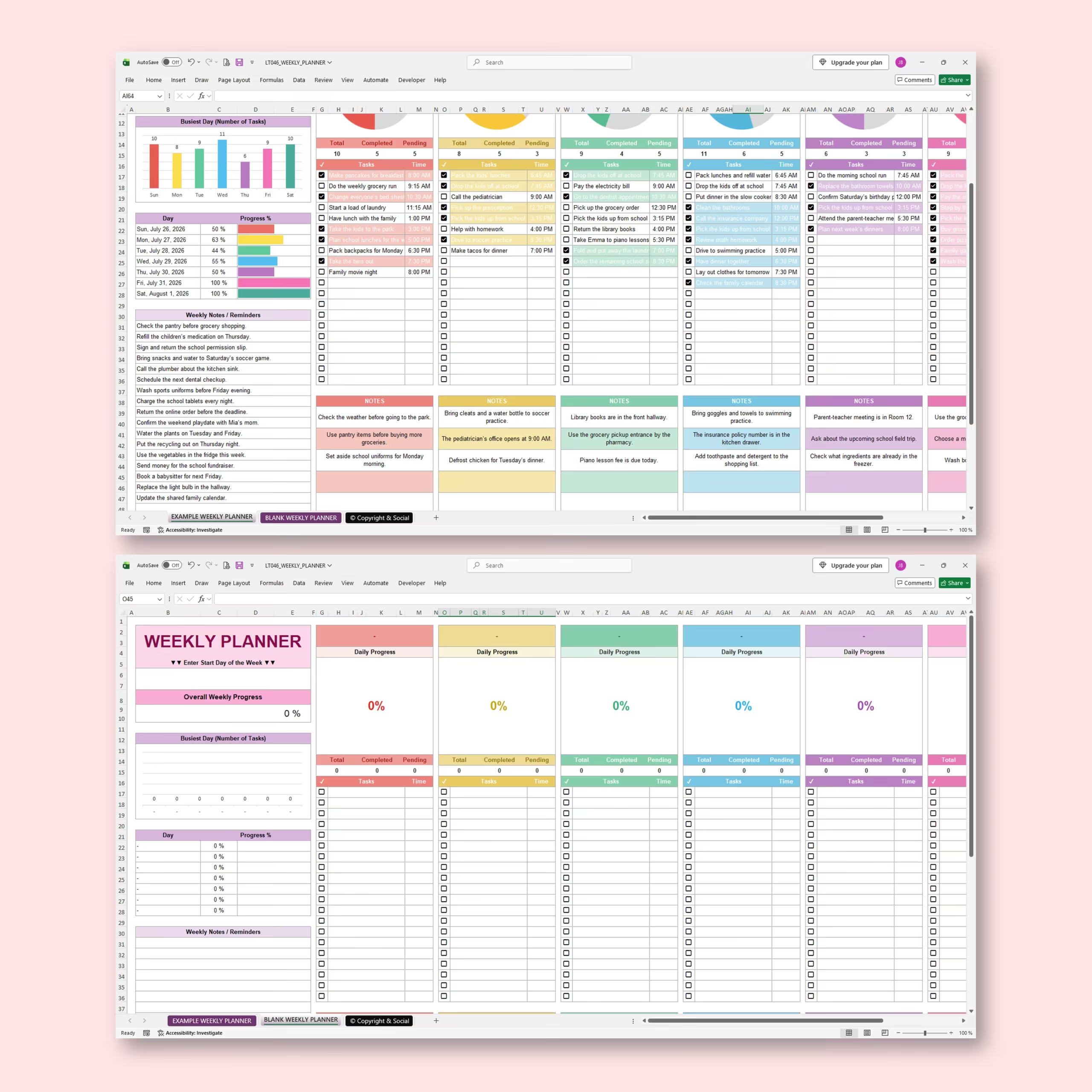
Example and Blank Weekly Planners Included
An example planner is included so you can quickly understand how the different sections work together.
A blank weekly planner is also provided, ready for you to enter your own dates, tasks, times, notes, and reminders.
Microsoft Excel and Google Sheets Compatible
The template is designed for use with both Microsoft Excel and Google Sheets, giving you the flexibility to choose the platform that best fits your workflow.
Make Every Week Easier to Manage
A good weekly planner should do more than give you empty boxes to fill in. This spreadsheet automatically turns your tasks into useful progress information, helping you understand your workload as the week unfolds.
Use the Weekly Planner to schedule your days, keep reminders organized, track what you accomplish, and maintain a clear view of your entire week from Sunday through Saturday.
Reviews
There are no reviews yet.