
Weekly and Monthly Task Tracker Template for Excel and Google Sheets
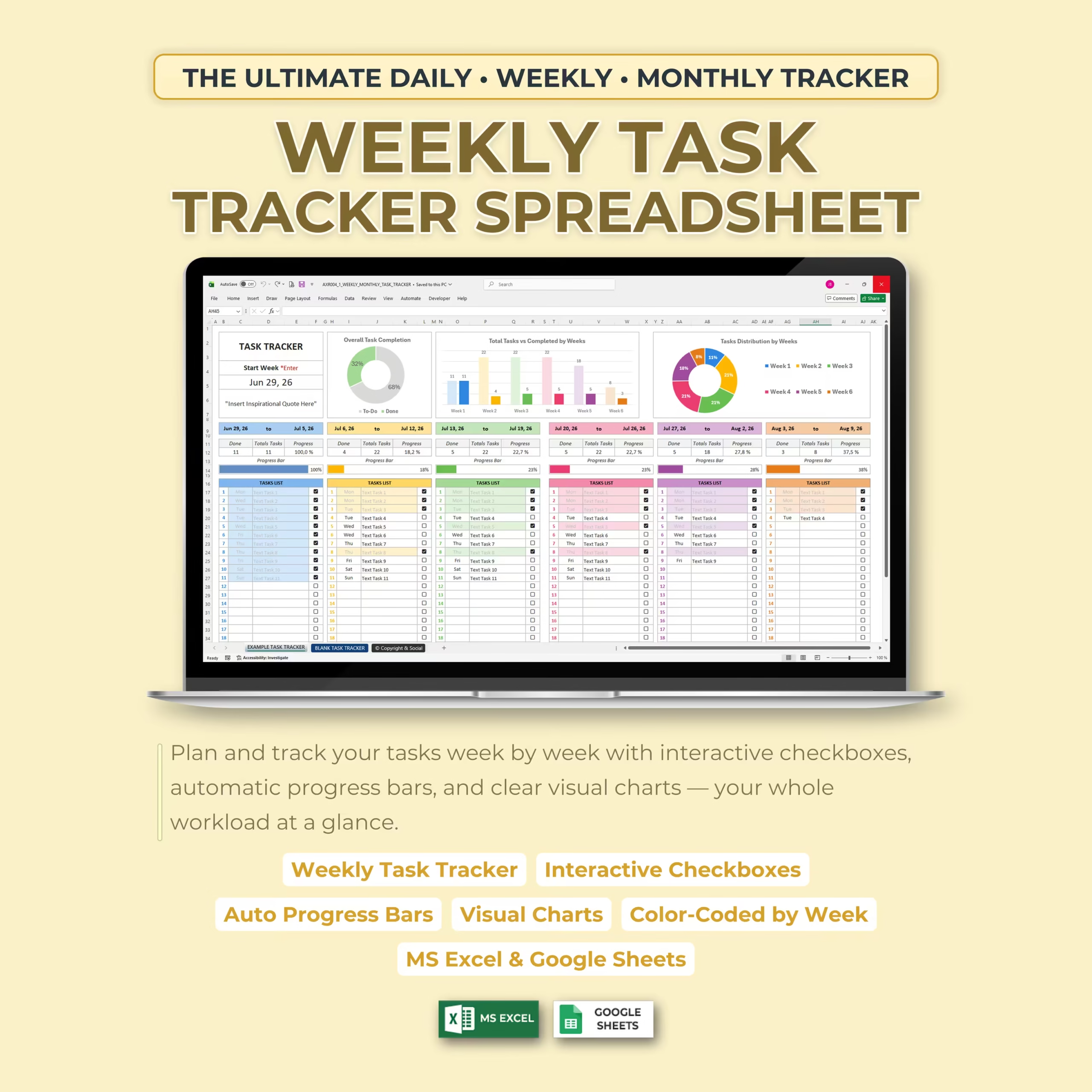
Plan tasks, assign days, and monitor progress with a weekly task tracker template for Microsoft Excel and Google Sheets. This ready-to-use download works as a practical monthly task tracker Excel, task list template, project task tracker spreadsheet, Google Sheets task tracker, and team task planner for buyers who want a clear system instead of building one from scratch.
It is designed for small business owners, managers, freelancers, students, and organized households that need to break work into manageable weeks, keep priorities visible, and review completion rates quickly. If you are searching for a weekly task tracker template, task checklist spreadsheet, weekly planner template Excel, or monthly planning spreadsheet, this file aligns with that commercial intent.
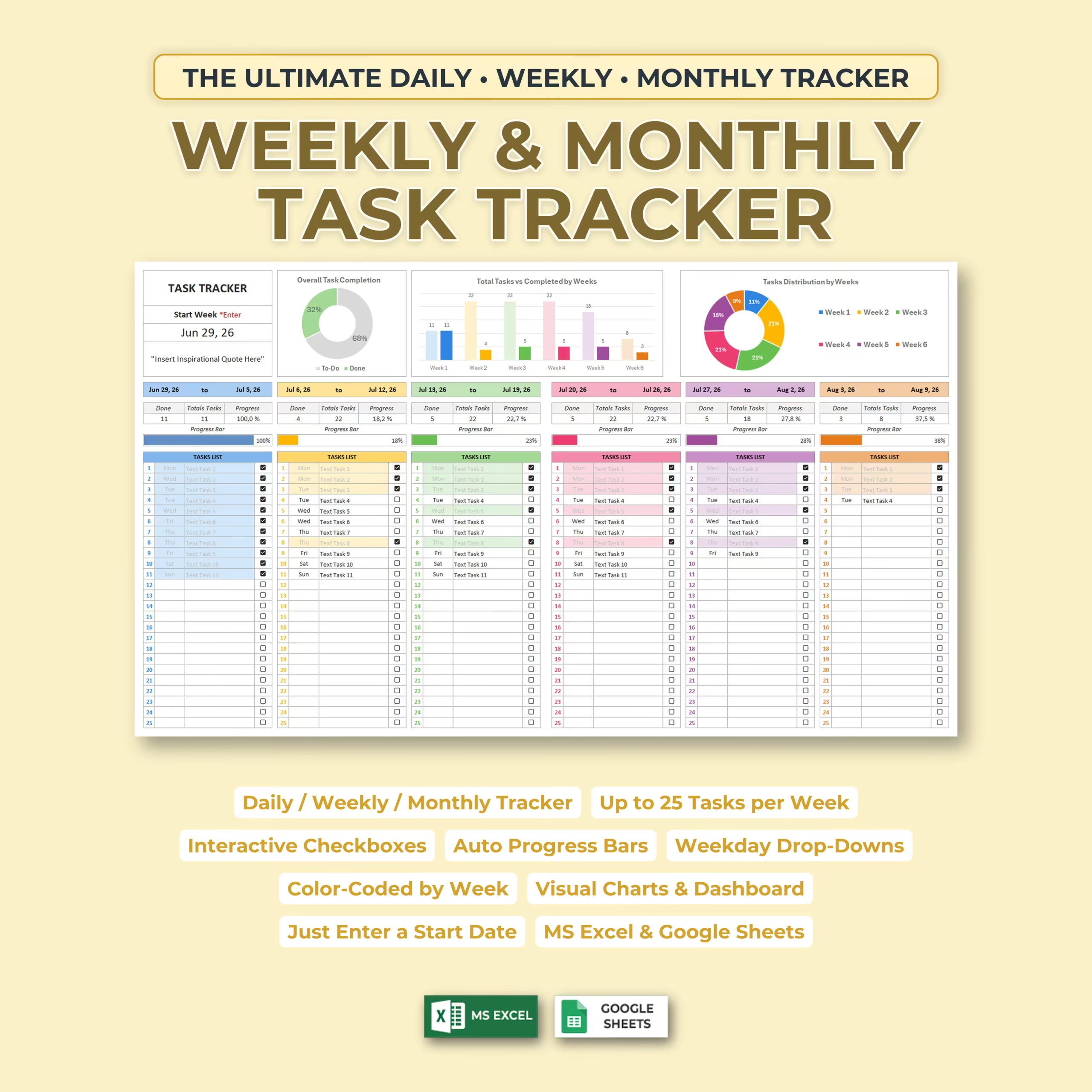
Enter one starting date and the spreadsheet automatically creates a six-week planning window. Add tasks, assign weekdays, check completed work, and let the dashboard update progress bars and charts for you. That makes it useful for recurring operations, client work, study plans, content calendars, and short project tracking across teams or individual workflows.
What This Task Tracker Includes
- A six-week task planning layout
- Space for up to 25 tasks per week
- Interactive completion checkboxes
- Weekday drop-down menus for task scheduling
- Automatic weekly completion percentages
- Color-coded weekly progress bars
- Overall task completion chart
- Weekly planned versus completed task chart
- Task distribution chart by week
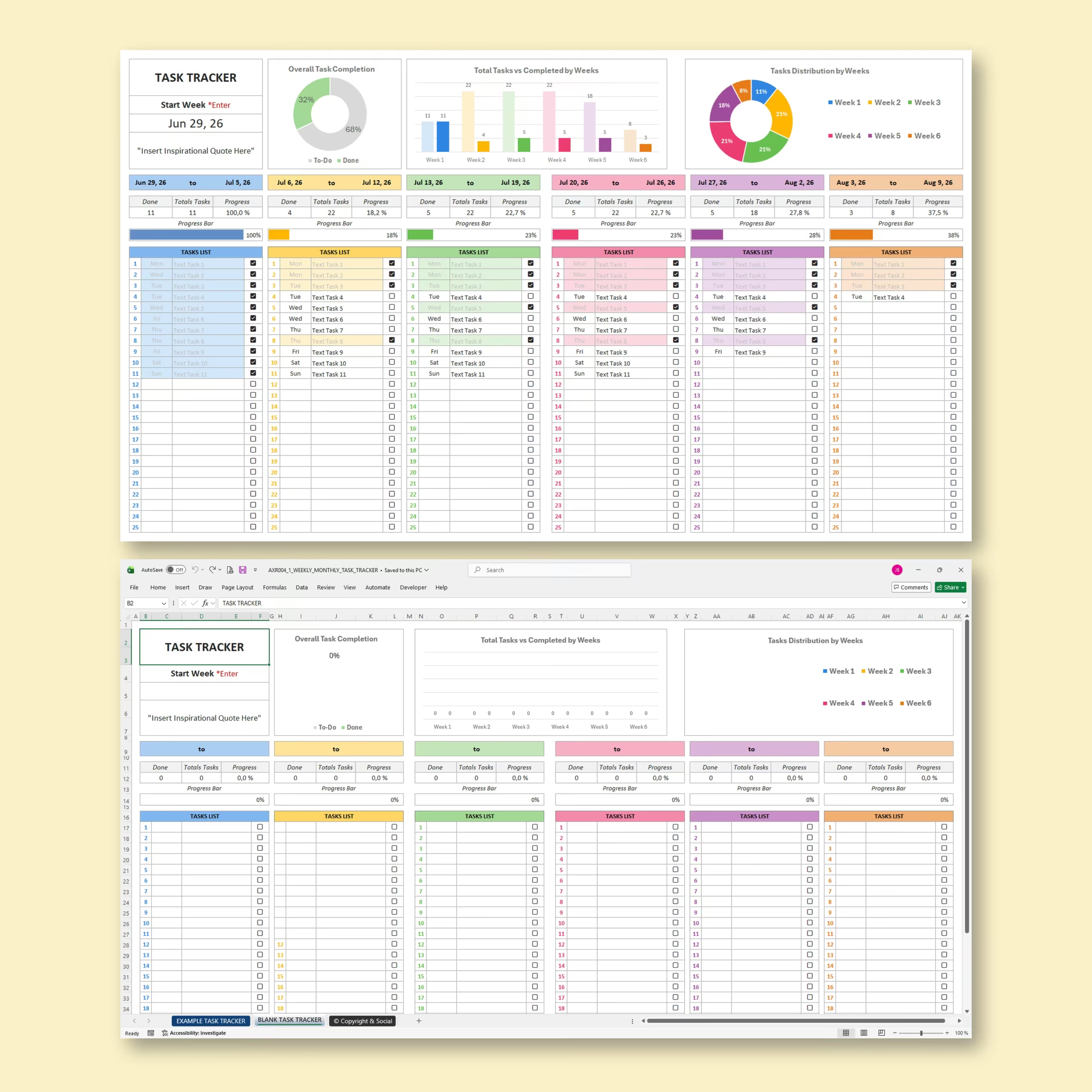
- An example task tracker to help you get started
- A blank task tracker ready for your own projects
Why Buyers Use This Weekly Task Tracker Template
Many buyers want a simple spreadsheet that can replace scattered notes, incomplete to-do lists, or basic apps that do not show progress clearly. This template gives you a structured task management file with visual reporting, which is especially useful for people comparing options like task tracker spreadsheet, weekly task planner, project task tracker Excel, or Google Sheets task list template.
Enter One Date and Automatically Create Six Weeks
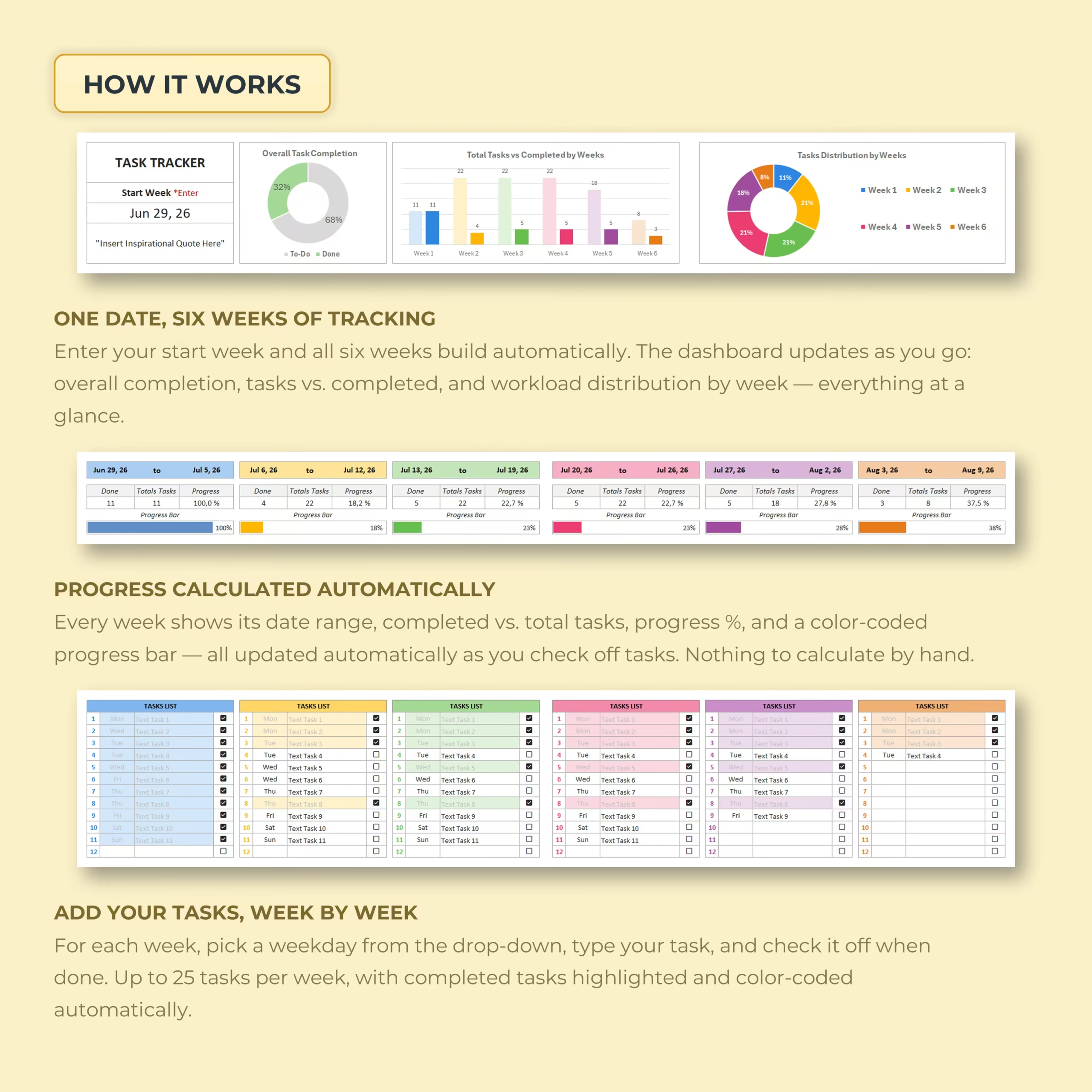
Getting started is quick. Enter the date of your first week and the spreadsheet automatically generates the date ranges for all six weeks.
This makes the template suitable for monthly planning, six-week projects, study schedules, business tasks, content calendars, household organization, and other short-term goals.
Track Up to 25 Tasks Every Week
Each weekly section provides room for up to 25 individual tasks. Select the appropriate weekday from the drop-down menu, type your task, and use the checkbox when the task is complete.
Completed tasks are visually highlighted, making it easy to distinguish finished work from remaining priorities.
Automatic Progress Tracking
You do not need to calculate percentages or update charts manually. As you add and complete tasks, the spreadsheet automatically displays:
- The total number of tasks for each week
- The number of completed tasks
- The weekly completion percentage
- A visual progress bar for every week
- Your overall task completion rate
This gives you an immediate overview of your productivity and helps you identify which weeks need more attention.
Visual Task Management Dashboard
The built-in dashboard turns your task data into clear visual reports. You can quickly compare planned and completed tasks, review your overall progress, and see how your workload is distributed across the six-week period.
The color-coded design separates each week while keeping the complete schedule visible on a single worksheet.
Useful for Work, Projects, and Personal Planning
This weekly and monthly task tracker can be used for a wide range of planning needs, including:
- Work and business task management
- Project planning
- Student assignments and study schedules
- Freelance client work
- Content creation and marketing tasks
- Household and family organization
- Personal goals and productivity planning
- Monthly and six-week action plans
Works with Excel and Google Sheets
The template is designed for use with both Microsoft Excel and Google Sheets, allowing you to choose the spreadsheet platform that best fits your workflow.
Use it on your computer for detailed planning or access your Google Sheets version online when you need a flexible task tracker that can travel with you.
Make Your To-Do List Easier to Manage
A long task list can feel overwhelming when there is no clear structure. This spreadsheet helps you break your workload into manageable weeks, schedule tasks by day, and measure your progress as you go.
Use the Weekly & Monthly Task Tracker Spreadsheet to create a more organized routine, maintain focus, and turn your plans into completed tasks.
Reviews
There are no reviews yet.