
Plan Your Wedding Budget With Confidence
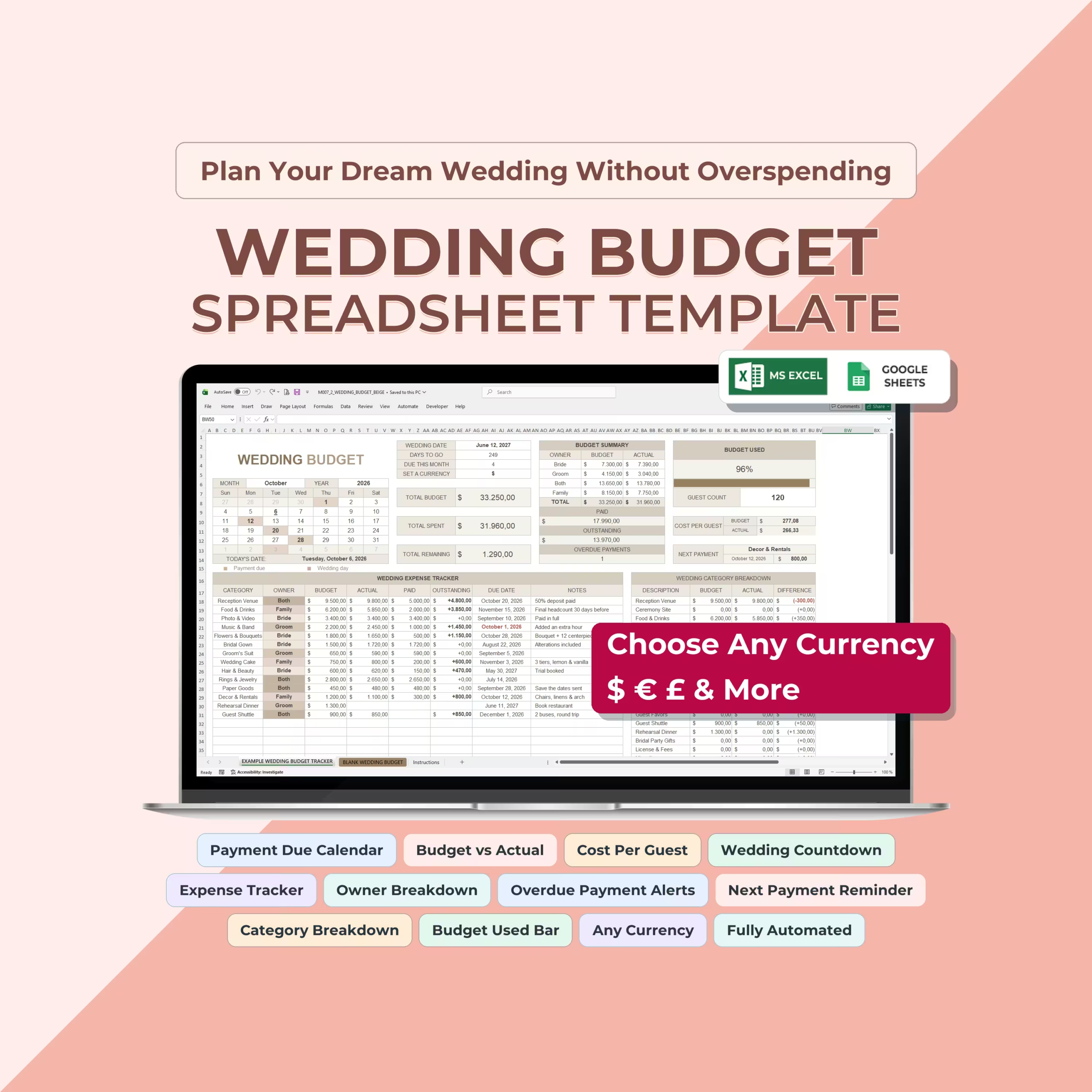
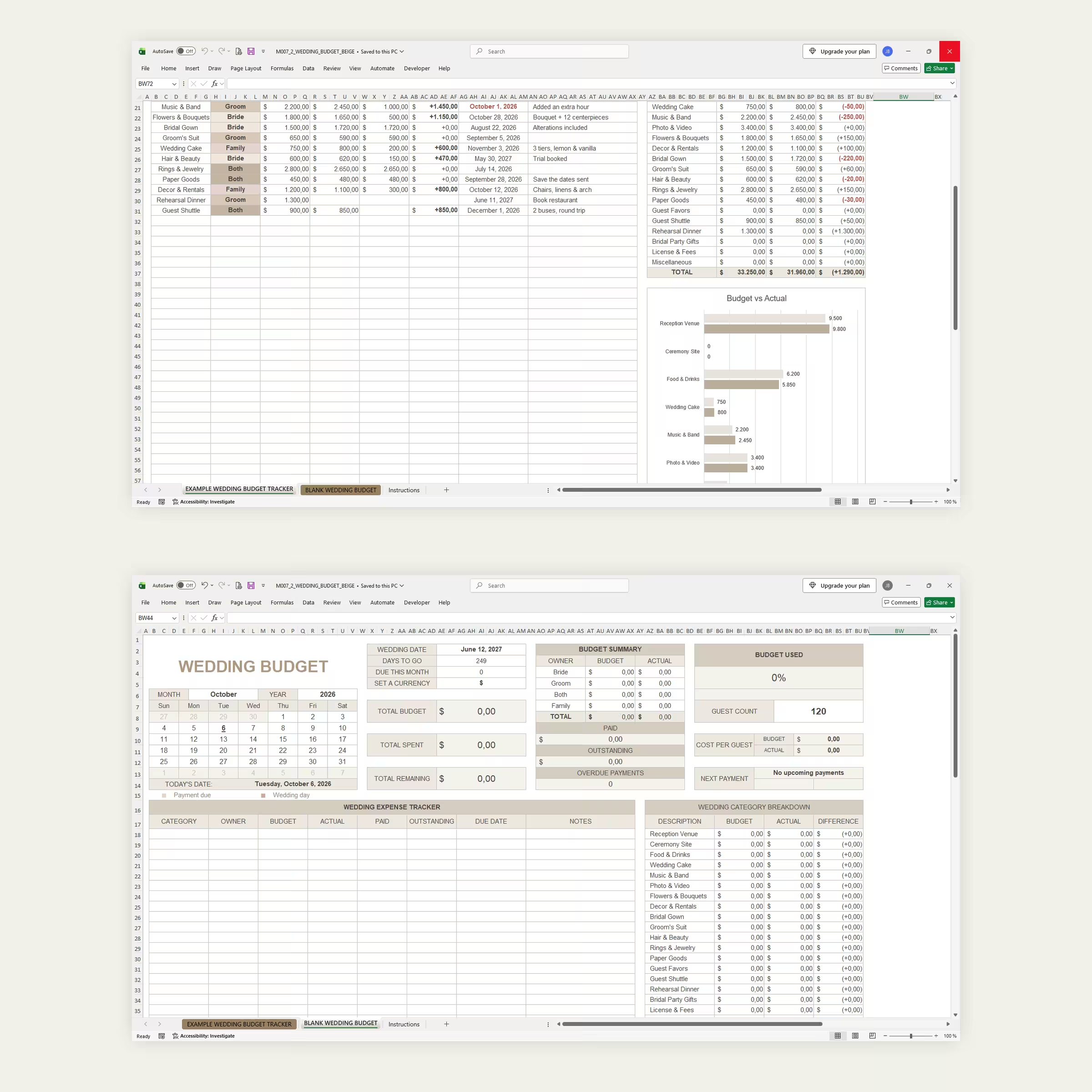
Keep your wedding spending organized with this beige wedding budget tracker for Microsoft Excel and Google Sheets. It helps couples and families plan expenses, monitor payments, compare budgeted and actual costs, and stay aware of upcoming deadlines.
What You Can Track
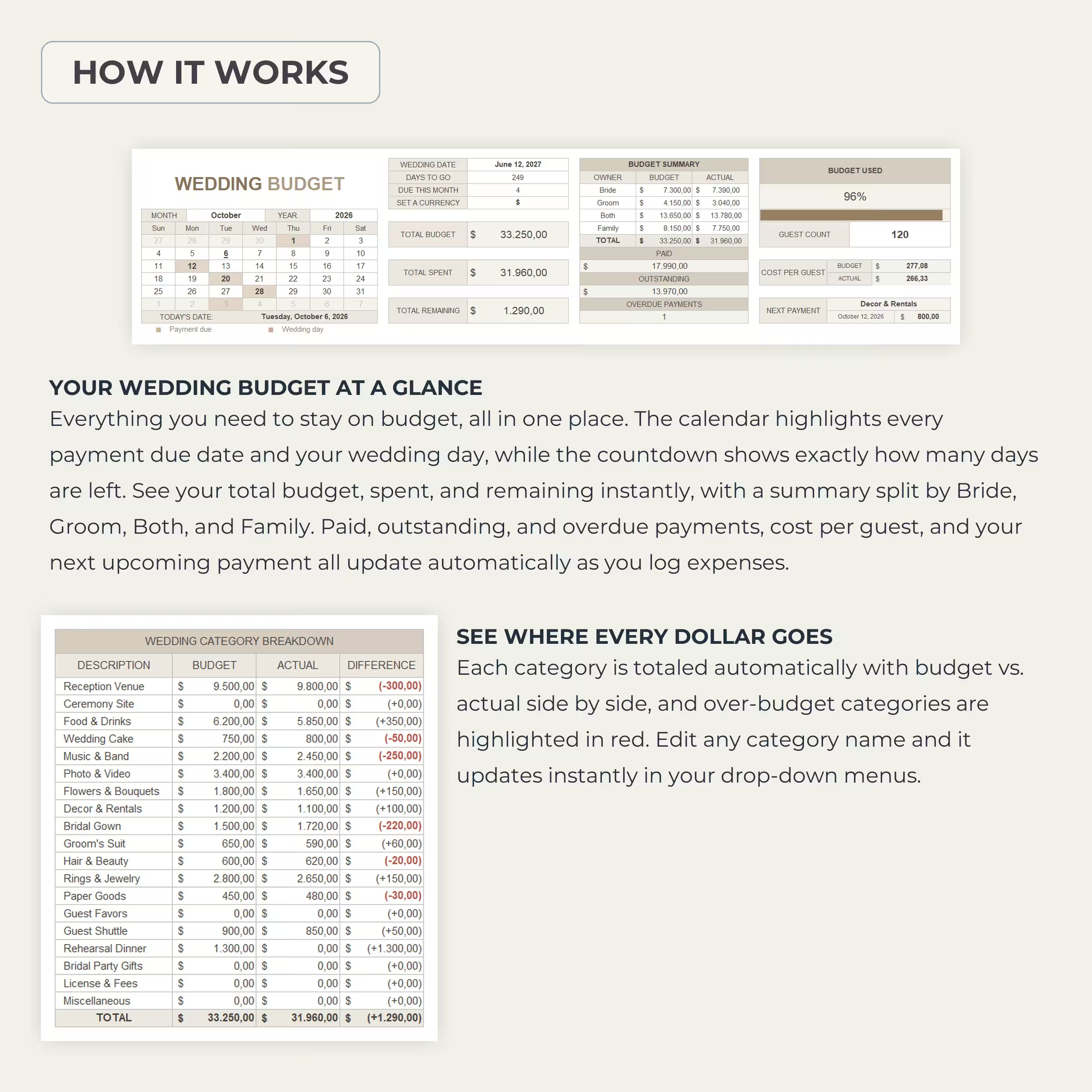
- Total wedding budget, actual spending, and remaining budget.
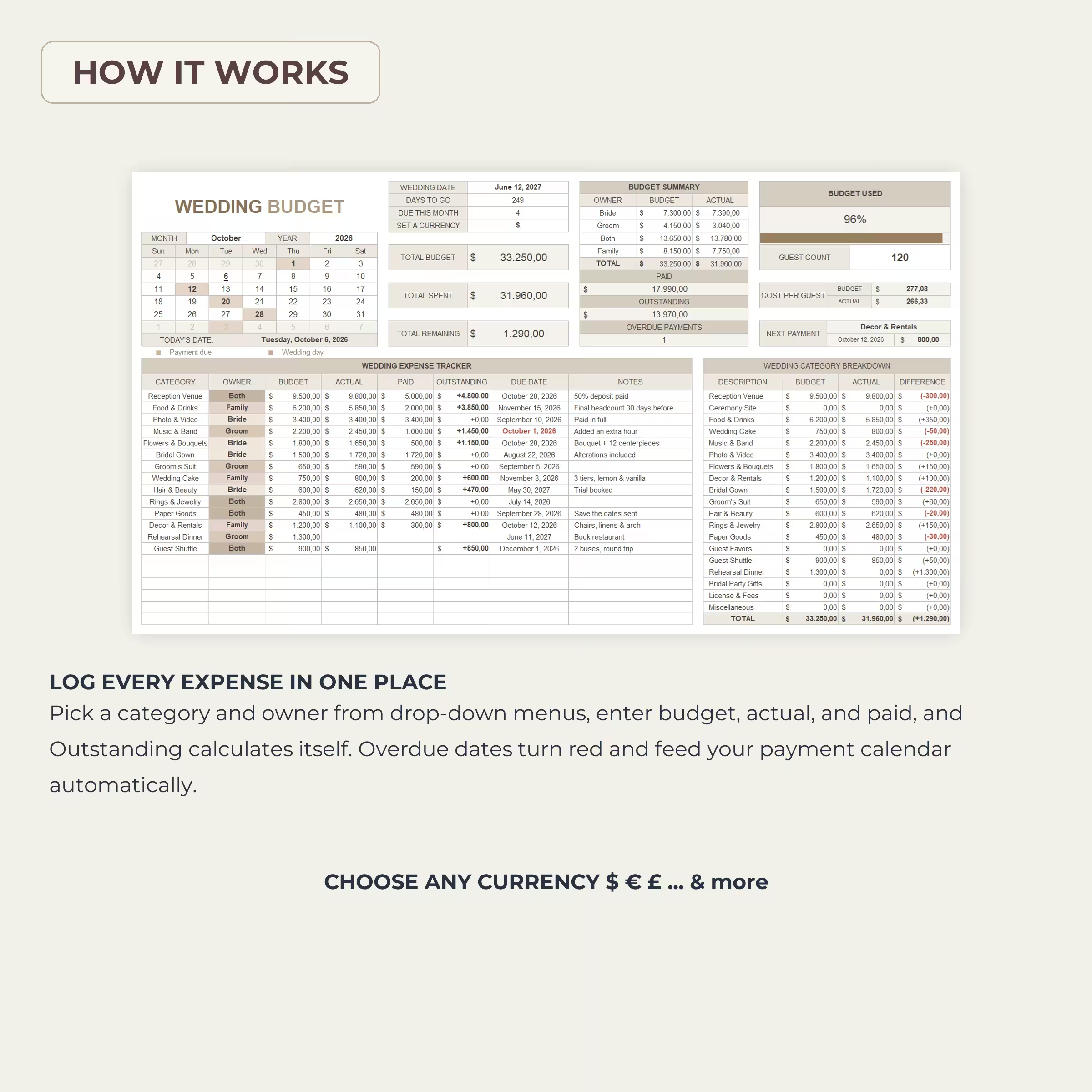
- Paid and outstanding amounts for each expense.
- Budget and actual totals by owner.
- Budget differences by wedding category.
- Upcoming and overdue payments.
- Wedding date and countdown.
- Monthly payment due calendar.
- Guest count and cost per guest.
- Vendor notes, deposits, payment details, and reminders.
- Budget versus actual comparison chart.
Included Sheets
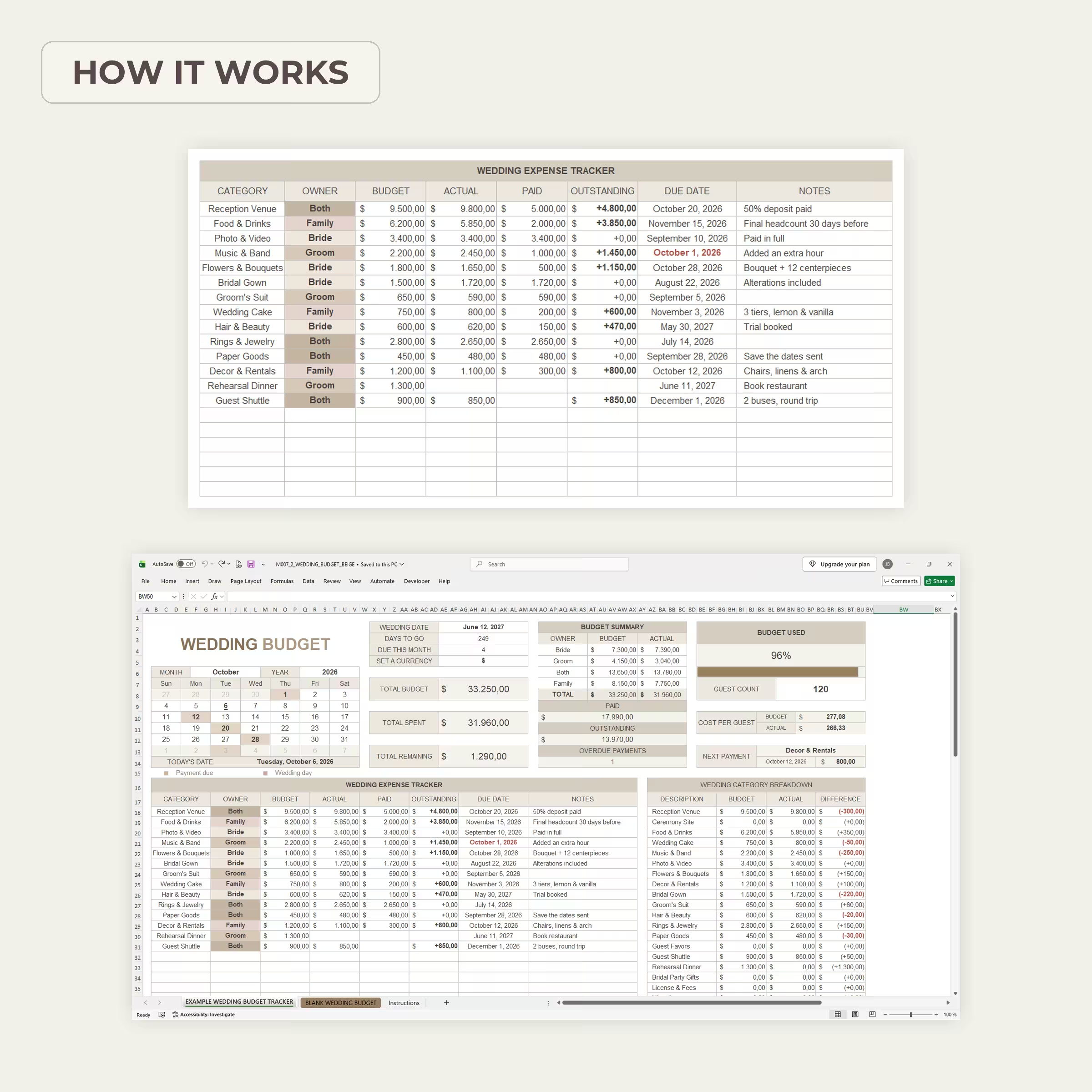
- Example Wedding Budget Tracker: A completed example showing how the workbook works.
- Blank Wedding Budget: A clean version for your own wedding.
- Instructions: Step-by-step setup and customization guidance.
Customizable Features
- Editable categories and owner names.
- Dropdown menus for categories and owners.
- Automatic outstanding balance calculations.
- Automatic totals and category summaries.
- Overdue payment highlighting.
- Currency symbol selector.
- Space for up to 75 expense entries.
The workbook is supplied as an XLSX file and can be used in Microsoft Excel or uploaded to Google Sheets. This is a digital product; no physical item will be shipped. Currency symbols do not perform currency conversion, and the template does not send external reminders or connect to a calendar service.
For personal or internal use only. Please do not resell, redistribute, share, or use commercially.
Reviews
There are no reviews yet.