
Tax Deductions Tracker Template for Excel and Google Sheets
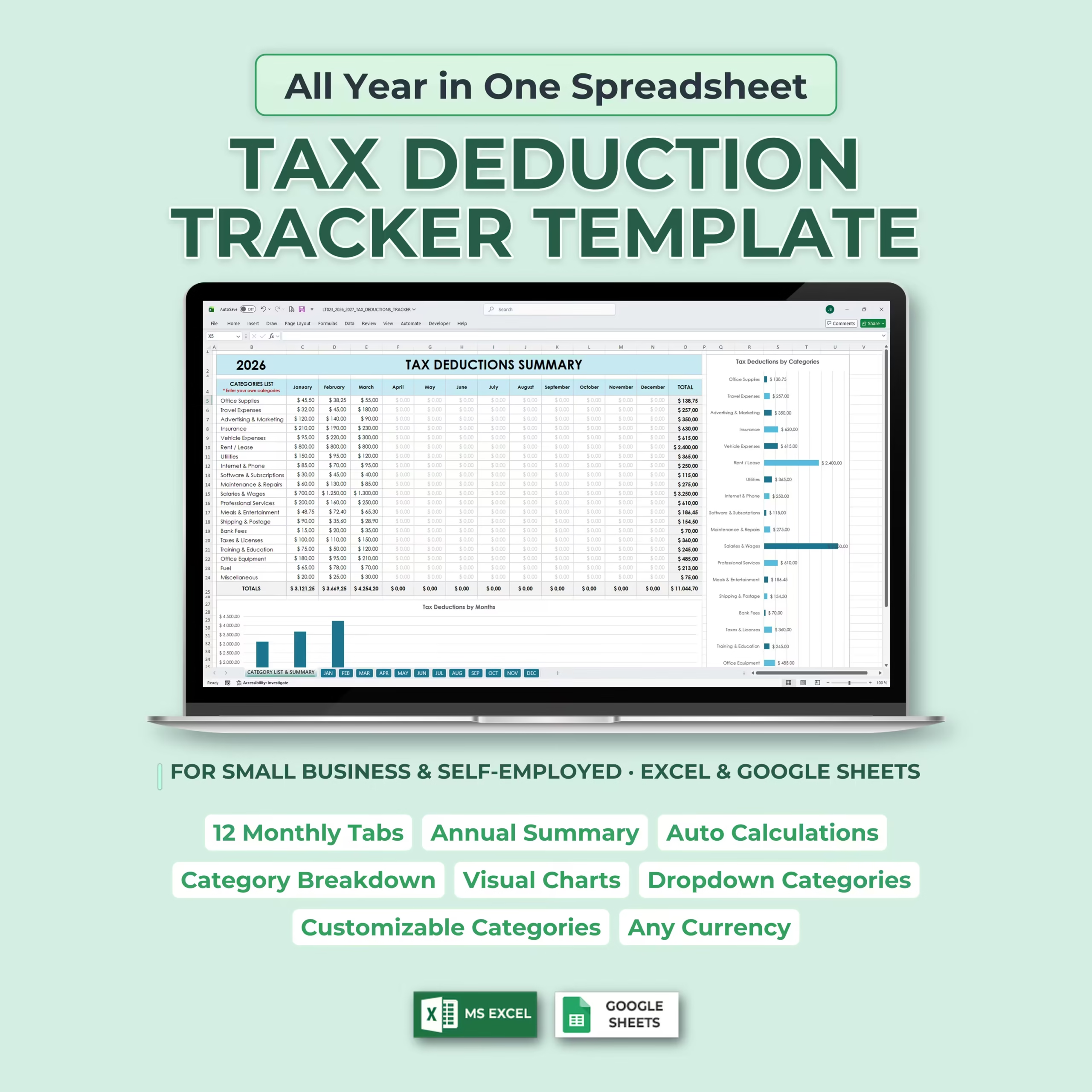
Keeping track of deductible expenses throughout the year does not have to be complicated. This Tax Deductions Tracker Template gives you a simple, organized system to record business expenses month by month and automatically summarize them in one place.
Whether you are self-employed, running a small business, freelancing, or managing side income, this template helps you stay organized and ready for tax season without needing complex accounting software.
All Year in One Spreadsheet
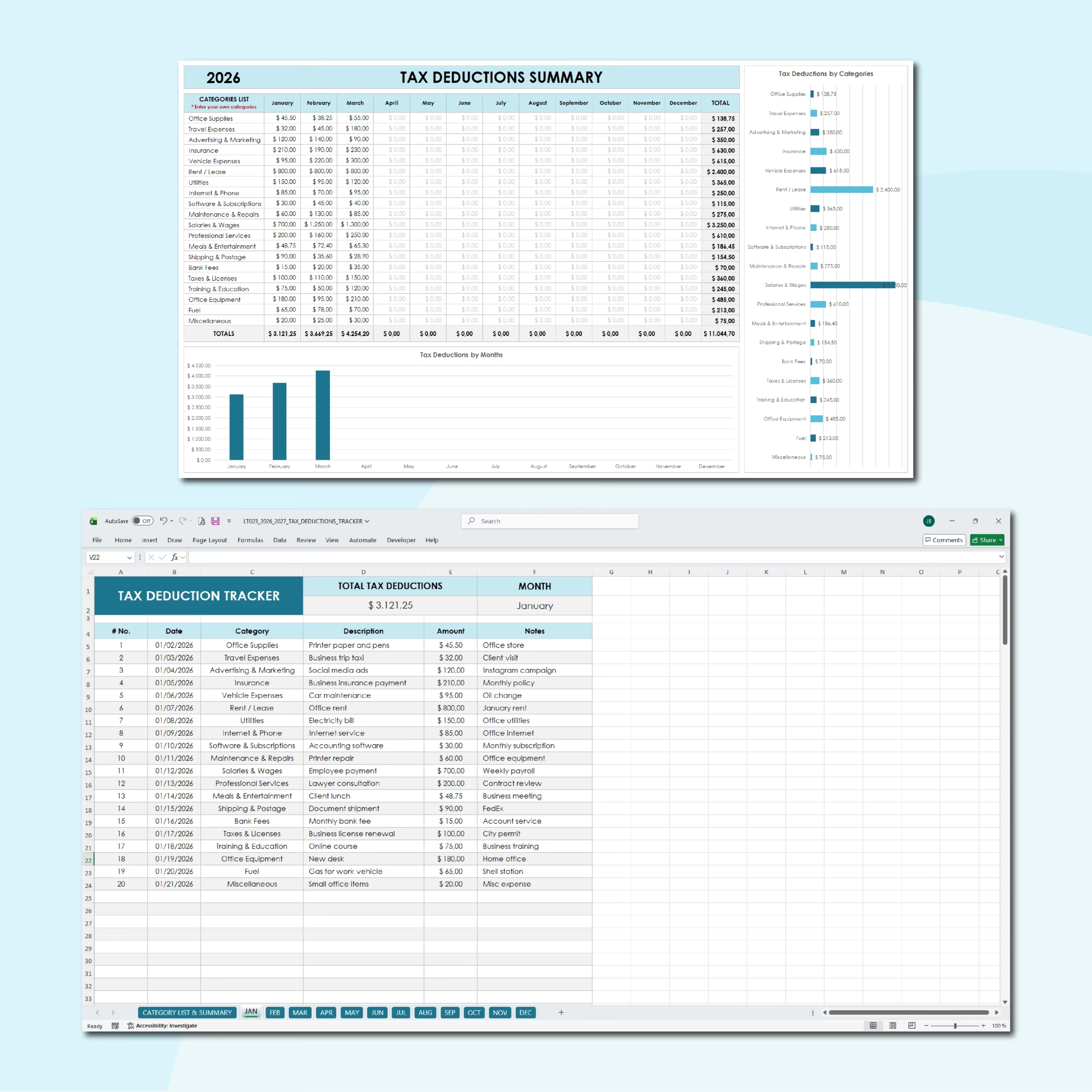
This template is designed to give you a full-year view of your deductible expenses. It includes 12 monthly tabs for ongoing expense entry plus a Category List & Summary tab that automatically updates your totals throughout the year.
Instead of tracking expenses across multiple documents, you can keep everything organized in one spreadsheet and review your monthly and yearly data whenever you need it.
Fast and Simple Monthly Expense Entry
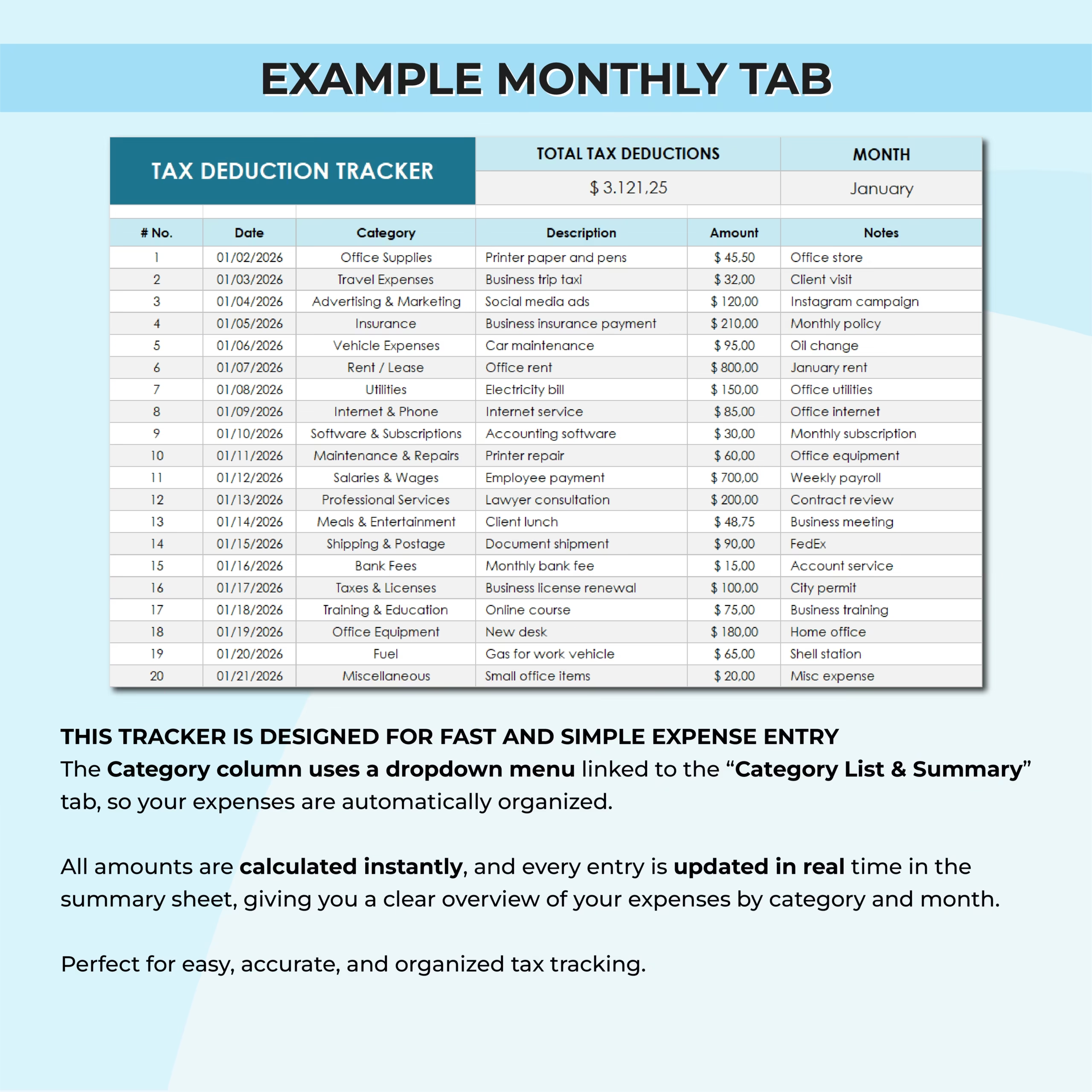
Each monthly tab is built for easy data entry. You can record the date, category, description, amount, and notes for every expense.
The category field uses a dropdown menu linked to the summary sheet, which helps keep your records organized and makes data entry faster and more consistent.
Automatic Category List & Summary
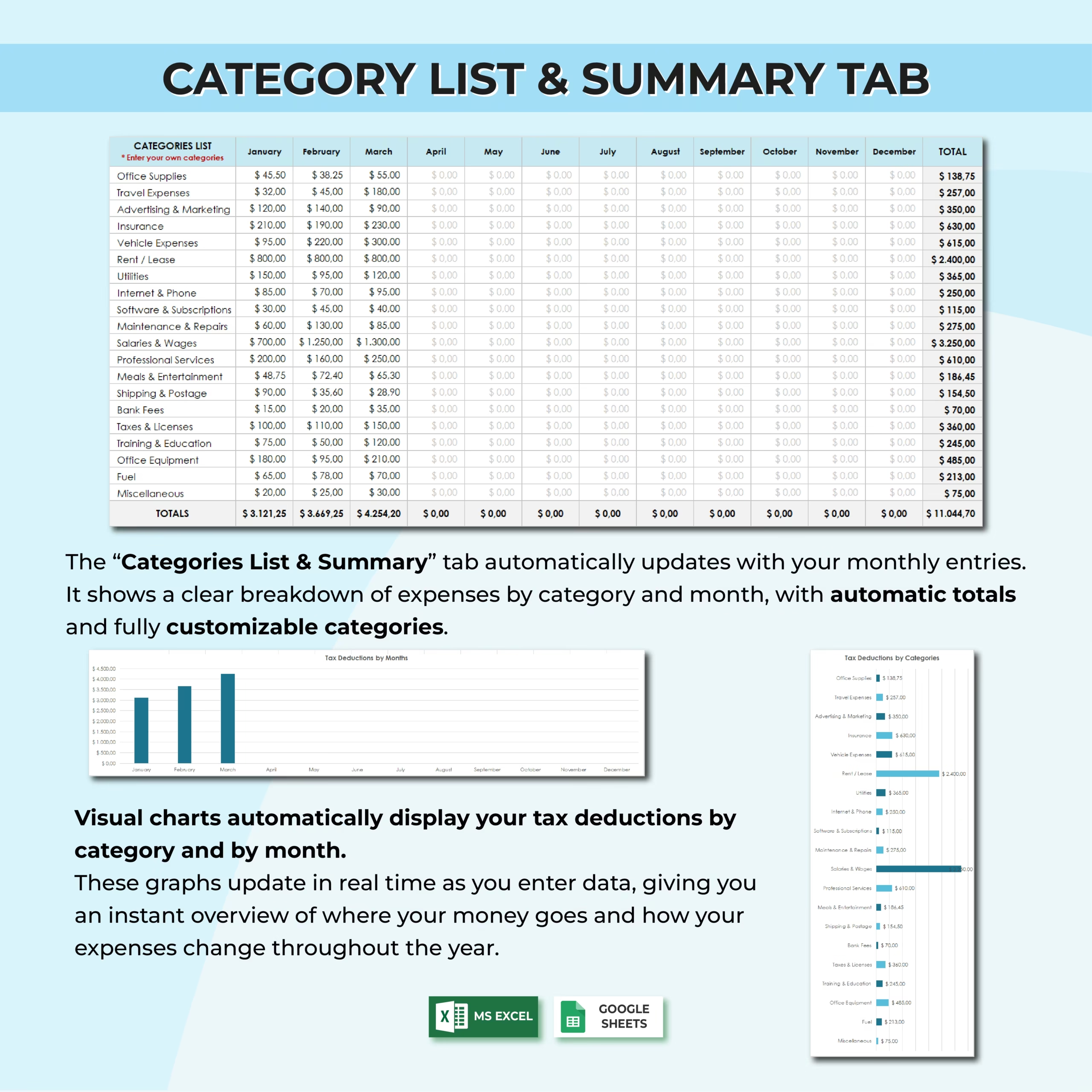
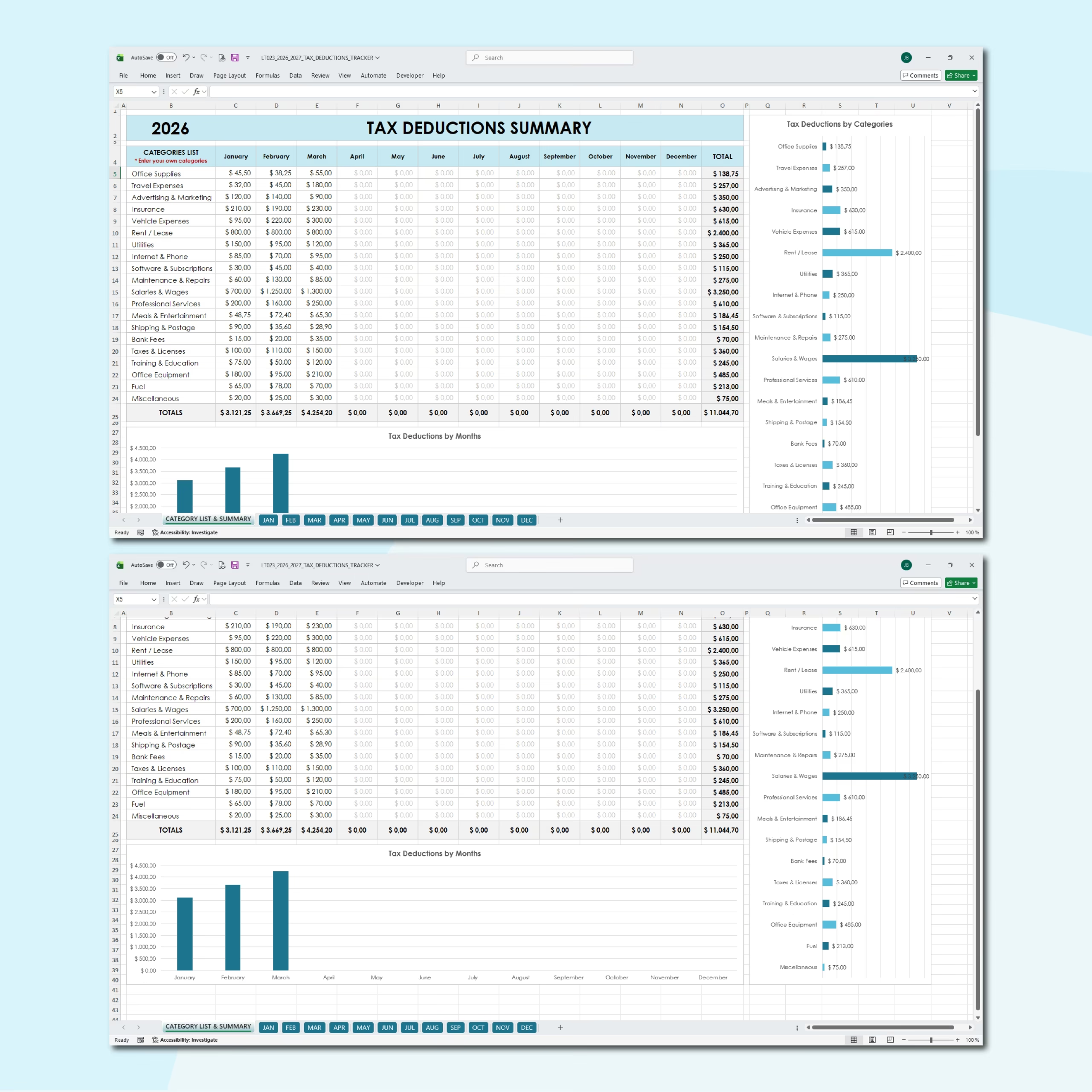
The Category List & Summary tab automatically updates with your monthly entries. It shows a clear breakdown of expenses by category and by month, along with automatic totals.
This makes it easy to understand where your money is going, which expense categories are highest, and how your deductions evolve during the year.
Visual Charts for Better Insights
The template includes visual charts that automatically display your tax deductions by category and by month.
These charts update in real time as you add new entries, giving you a quick visual overview of your business expenses without extra work.
Customizable Categories
The template includes common expense categories, but they are fully customizable. You can edit them to match your business, profession, or personal bookkeeping preferences.
This makes the tracker useful for many types of users, including consultants, service providers, online sellers, creatives, contractors, and other self-employed professionals.
Automatic Totals and Real-Time Updates
All amounts are calculated instantly. Every time you enter a new expense, your monthly total and annual summary update automatically.
This helps reduce manual work, improve accuracy, and keep your tax deduction records clean and organized throughout the year.
Works With Excel and Google Sheets
This Tax Deductions Tracker Template is compatible with both Microsoft Excel and Google Sheets, so you can use it in the platform that works best for you.
It can also be adapted to any currency, making it flexible for users in different countries or businesses working with different formats.
Who Is This Template For?
- Small business owners
- Self-employed professionals
- Freelancers
- Independent contractors
- Consultants
- Side hustlers
- Online business owners
- Anyone who wants to track deductible expenses in a simple spreadsheet
What’s Included
- 12 monthly tabs
- Category List & Summary tab
- Annual summary of deductions
- Dropdown category selection
- Automatic totals
- Expense breakdown by category and month
- Visual charts
- Customizable categories
- Description and notes fields
- Excel and Google Sheets versions
Stay Organized and Ready for Tax Season
This Tax Deductions Tracker Template helps you record expenses as they happen, organize them by category, and review your totals in one clean system.
If you want a simple, accurate, and organized way to track tax deductions throughout the year, this template gives you everything you need in one easy-to-use spreadsheet.
Reviews
There are no reviews yet.