
Construction Project Checklist and Building Project Tracker for Excel and Google Sheets
Keep your jobsite planning and punch list workflow organized with this Construction Project Checklist & Building Project Tracker for Microsoft Excel and Google Sheets. This downloadable file works as a practical construction checklist template Excel, construction project checklist template Excel, building construction checklist Excel, contractor punch list template Excel, and construction job tracking spreadsheet for buyers who want a ready-made template instead of starting from a blank sheet.
Use it to track project tasks, monitor completion, organize construction phases, and review progress across residential builds, remodeling jobs, site prep, foundation work, framing, and contractor punch lists. For U.S. contractors, remodelers, and homeowners comparing options online, it gives a faster way to manage work in one spreadsheet that is easy to customize and reuse.
It is especially useful for buyers looking for a construction checklist template, building project tracker spreadsheet, contractor task tracker, remodeling checklist template, or renovation checklist spreadsheet they can download and use in Excel or Google Sheets right away.
It also fits searches such as construction punch list spreadsheet, residential construction checklist template, construction tracking spreadsheet, home renovation tracker spreadsheet, and contractor punch list template, where the intent is to buy a practical file instead of building a project tracker from scratch.
Built for Contractors, Remodelers, and Homeowners
This template fits the kind of real-world planning many small contractors and property owners need. Use it to organize a remodel schedule, track open punch list items, follow job phases, or keep a simple construction planning spreadsheet that is easier to update than paper notes or a blank workbook.
If you are searching for a downloadable contractor project management spreadsheet, a practical construction checklist template Excel buyers can customize fast, or a simple Excel checklist for renovation work, this file gives you a faster starting point while still being easy to adapt for each project.
All-in-One Construction Project Tracker
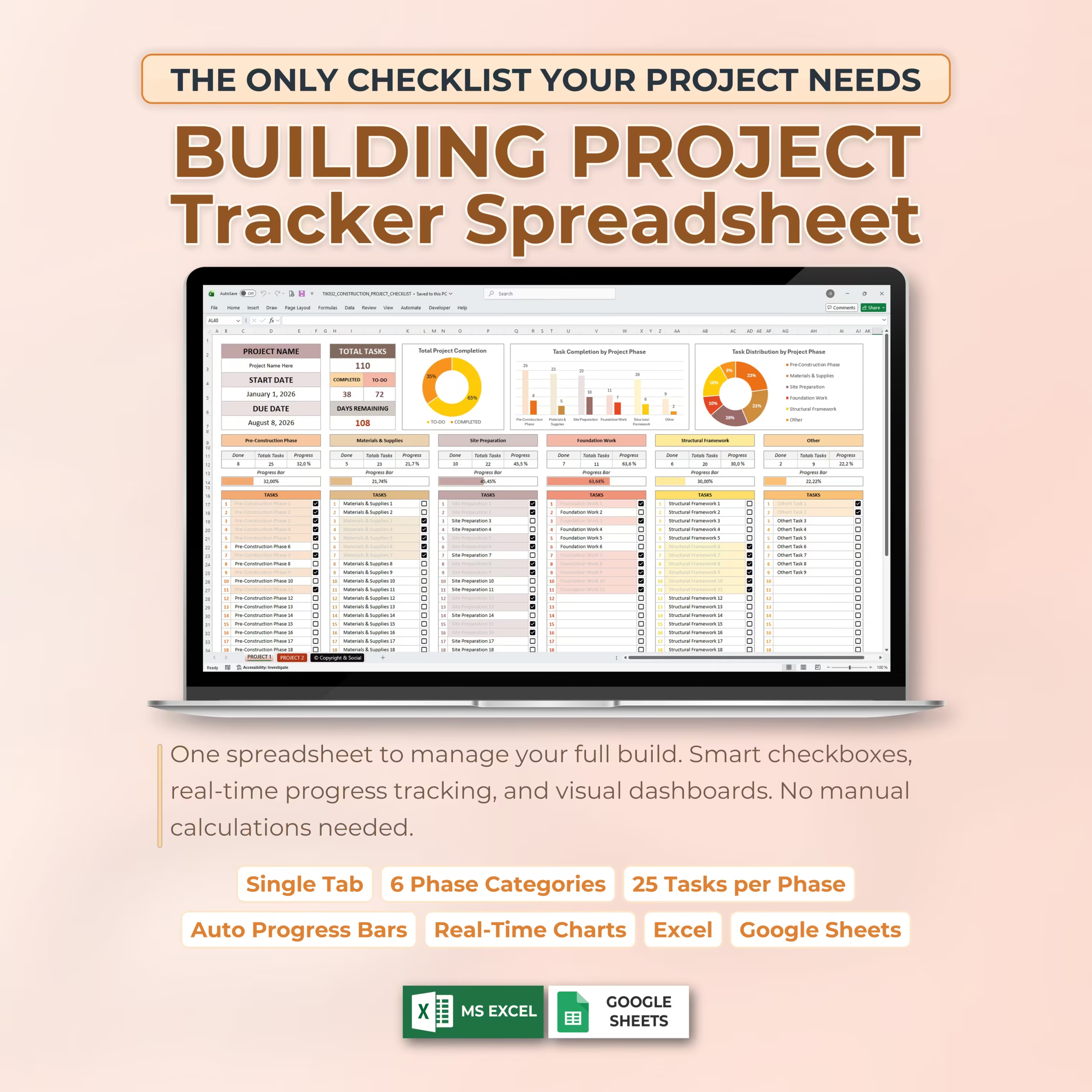
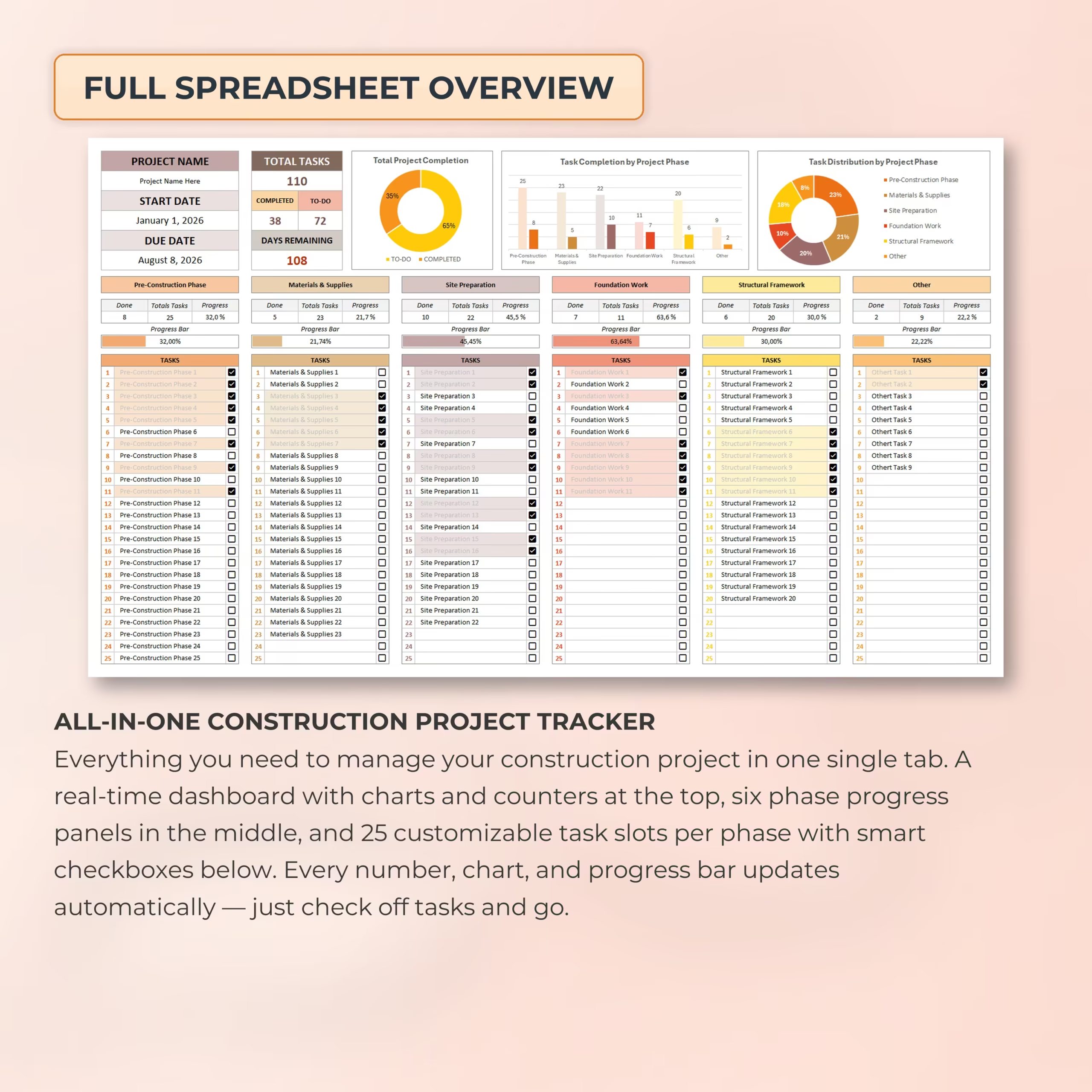
This template is designed as a single-tab construction project tracker, making it easy to manage your full project in one place. At the top of the spreadsheet, you can view your project details, total tasks, completed tasks, pending tasks, days remaining, and visual project progress.
Instead of using scattered notes, separate lists, or manual tracking systems, you can keep your construction checklist, progress dashboard, phase summaries, and task completion status together in one organized spreadsheet.
Track Your Full Project Overview
The dashboard gives you a quick overview of your construction project at a glance. You can enter your project name, start date, and due date, then track how many days remain until the project deadline.
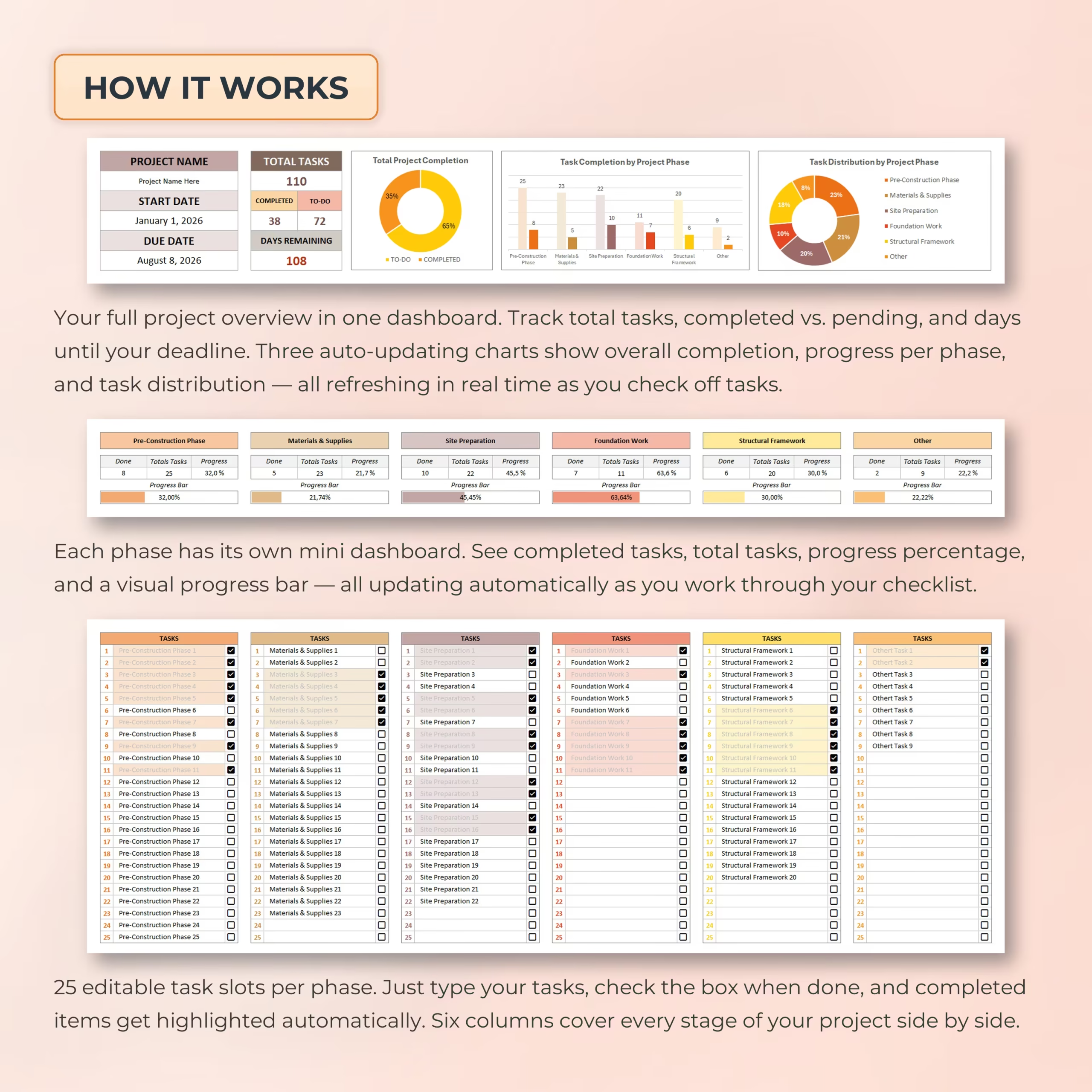
The dashboard also includes automatic charts that help you understand your progress visually, including total project completion, task completion by project phase, and task distribution by phase.
6 Construction Phase Categories
The template is organized into 6 project phase categories so you can break your construction project into clear, manageable sections.
Included phase categories are:
- Pre-Construction Phase
- Materials & Supplies
- Site Preparation
- Foundation Work
- Structural Framework
- Other
Each phase has its own progress panel, helping you see which areas of the project are moving forward and which still need attention.
25 Editable Task Slots Per Phase
Each construction phase includes 25 editable task slots, giving you space to customize the checklist based on your specific project. Add your own tasks, update task names, and check items off as they are completed.
With 6 phase categories and 25 task slots per phase, the template gives you plenty of room to organize detailed project steps while keeping everything easy to review.
Smart Checkboxes and Automatic Progress Tracking
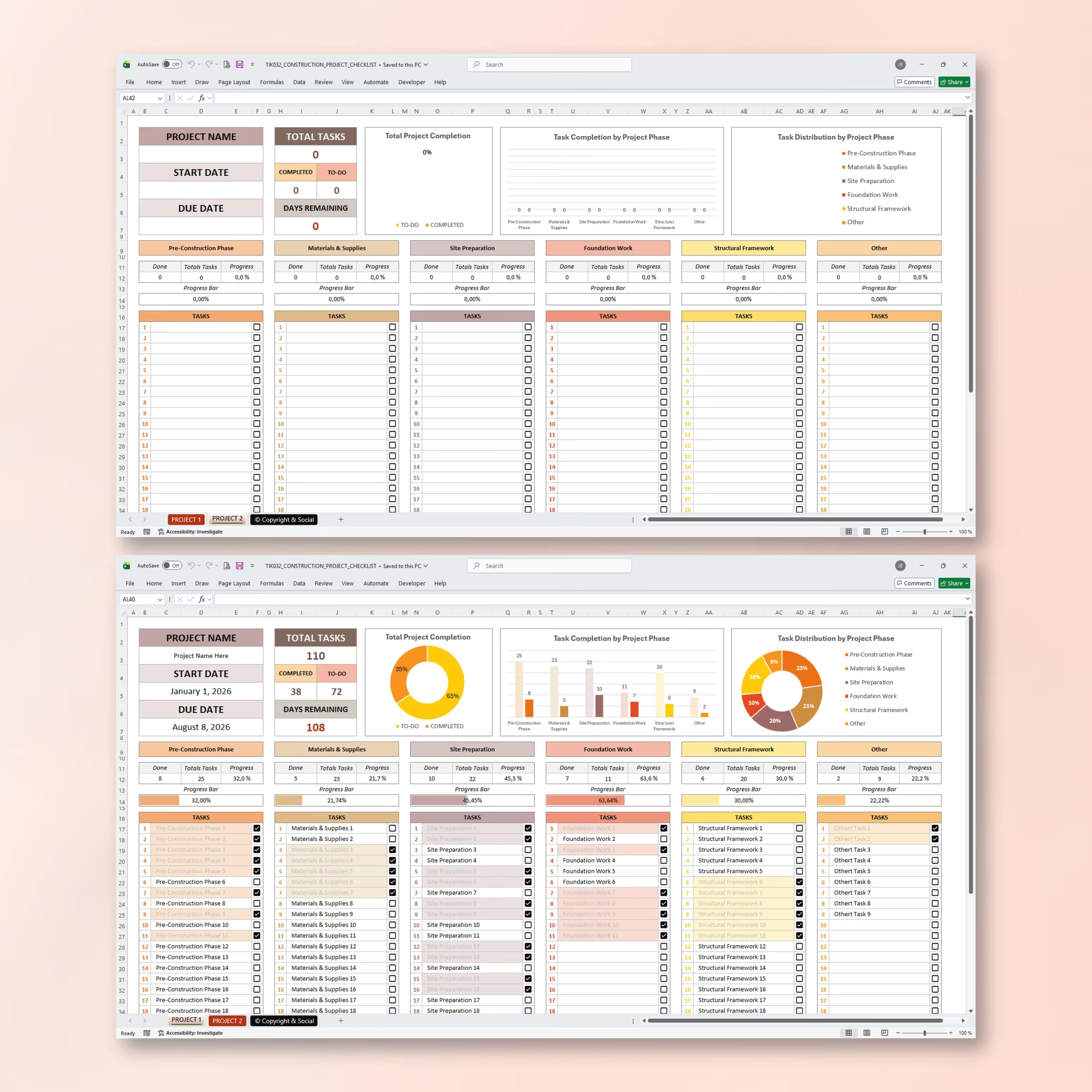
The construction checklist includes smart checkboxes that make task tracking fast and simple. As you check off completed tasks, the spreadsheet automatically updates your totals, phase progress, dashboard charts, and progress bars.
Completed items are highlighted automatically, making it easier to quickly see what has already been finished and what is still left to do.
Mini Dashboards for Each Project Phase
Each phase includes its own mini dashboard with completed tasks, total tasks, progress percentage, and a visual progress bar. This allows you to review progress phase by phase without manually calculating completion rates.
You can quickly compare areas such as materials, site preparation, foundation work, and structural framework to understand where your project stands.
Real-Time Charts and Visual Progress Bars
The built-in charts and progress bars update automatically as tasks are completed. These visuals help you track overall project completion, compare progress across project phases, and understand how tasks are distributed throughout the project.
This makes the template useful for reviewing project status, planning next steps, and keeping the construction process more organized.
Instead of building a project sheet from scratch, you get a ready-made construction planning spreadsheet with checkboxes, progress tracking, and a visual dashboard that supports faster project follow-up.
Perfect for Construction and Renovation Projects
This building project tracker can be used for many types of construction and improvement projects, including:
- Home construction projects
- House renovations
- Remodeling projects
- Contractor task tracking
- DIY building projects
- Pre-construction planning
- Site preparation checklists
- Foundation and framing task tracking
- Small construction project management
Works with Excel and Google Sheets
This construction project checklist works with both Microsoft Excel and Google Sheets, so you can use it on your preferred platform. Open it in Excel on your computer or manage it online in Google Sheets.
That flexibility is useful for U.S. buyers who want a spreadsheet they can edit on desktop, share with a partner or crew, and reuse across multiple renovation or building jobs.
Why You’ll Love This Construction Checklist
- Simple single-tab layout
- Easy task tracking with checkboxes
- Automatic dashboard updates
- Visual charts and progress bars
- 6 organized construction phase categories
- 25 editable task slots per phase
- Tracks completed vs. pending tasks
- Shows days remaining until the project due date
- Fully customizable for your own building project
- Works with Excel and Google Sheets
Stay organized, reduce confusion, and manage your construction tasks with a clear and practical Construction Project Checklist designed to help you track progress from planning to completion.
Reviews
There are no reviews yet.