
Small Business Expenses & Deductions Tracker for Excel and Google Sheets
Keeping up with business expenses, receipts, and tax deductions can get messy fast when your records are split across email, bank statements, notes, and different apps.
This Small Business Expenses & Deductions Tracker gives you a practical spreadsheet system to organize expenses, deductible amounts, vendors, receipts, and yearly totals in one place. It is built for freelancers, self-employed professionals, service providers, contractors, and small business owners who want a ready-to-use small business expense tracker spreadsheet instead of building one from scratch.
If you are looking for a simple tax deductions spreadsheet or bookkeeping spreadsheet template for Excel or Google Sheets, this template helps you start faster and keep cleaner records throughout the year.
Simple Expense Tracking for Small Business Owners
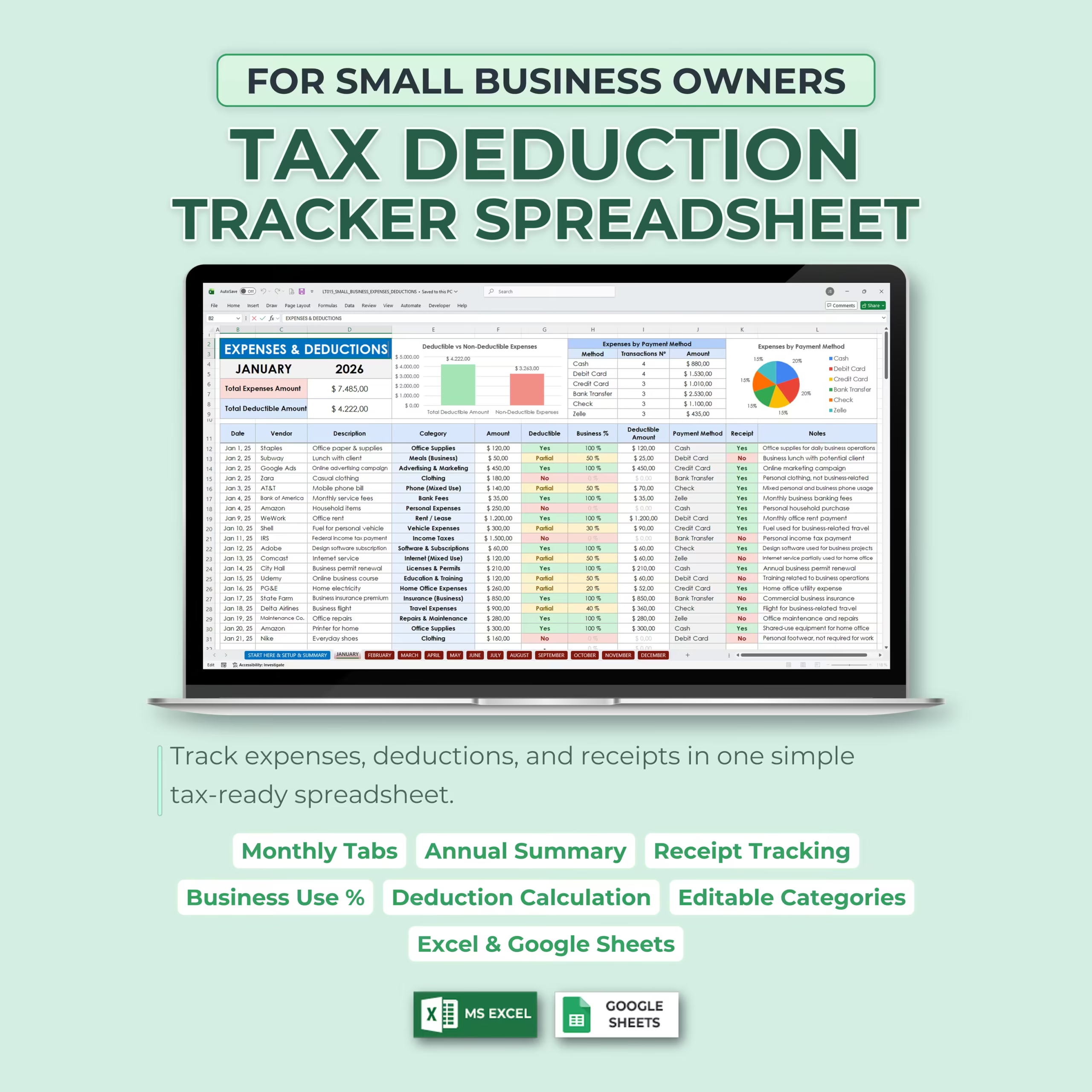
The template gives you a clear monthly system to record business expenses and automatically calculate deductible and non-deductible amounts based on your setup rules.
Each transaction can include the date, vendor, description, expense category, amount, deductible status, business-use percentage, deductible amount, payment method, receipt status, and notes.
Automatic Deduction Calculations
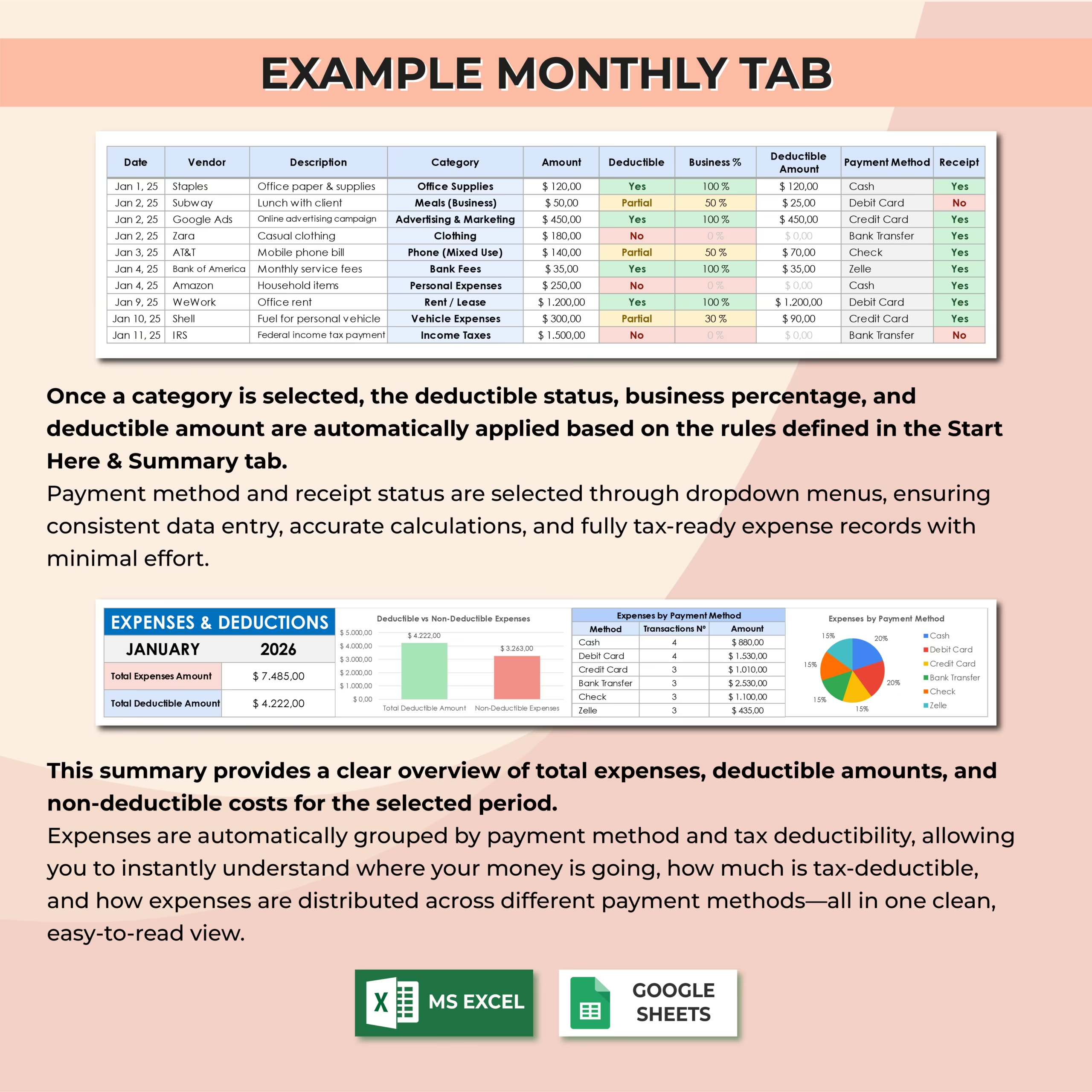
Once you select an expense category, the spreadsheet automatically applies the deductible status, business-use percentage, and deductible amount based on the rules defined in the setup section.
This helps you save time, reduce manual calculations, and keep your records more consistent throughout the year, especially when you need organized numbers for tax prep or accountant review.
Track Deductible and Non-Deductible Expenses
This spreadsheet helps you separate deductible, partially deductible, and non-deductible business expenses. You can customize the deduction rules and percentages to match your business needs.
The tracker automatically summarizes your total expenses, deductible amounts, and non-deductible expenses so you can better understand your business spending and prepare tax-ready records with less cleanup later.
Monthly Expense Tabs
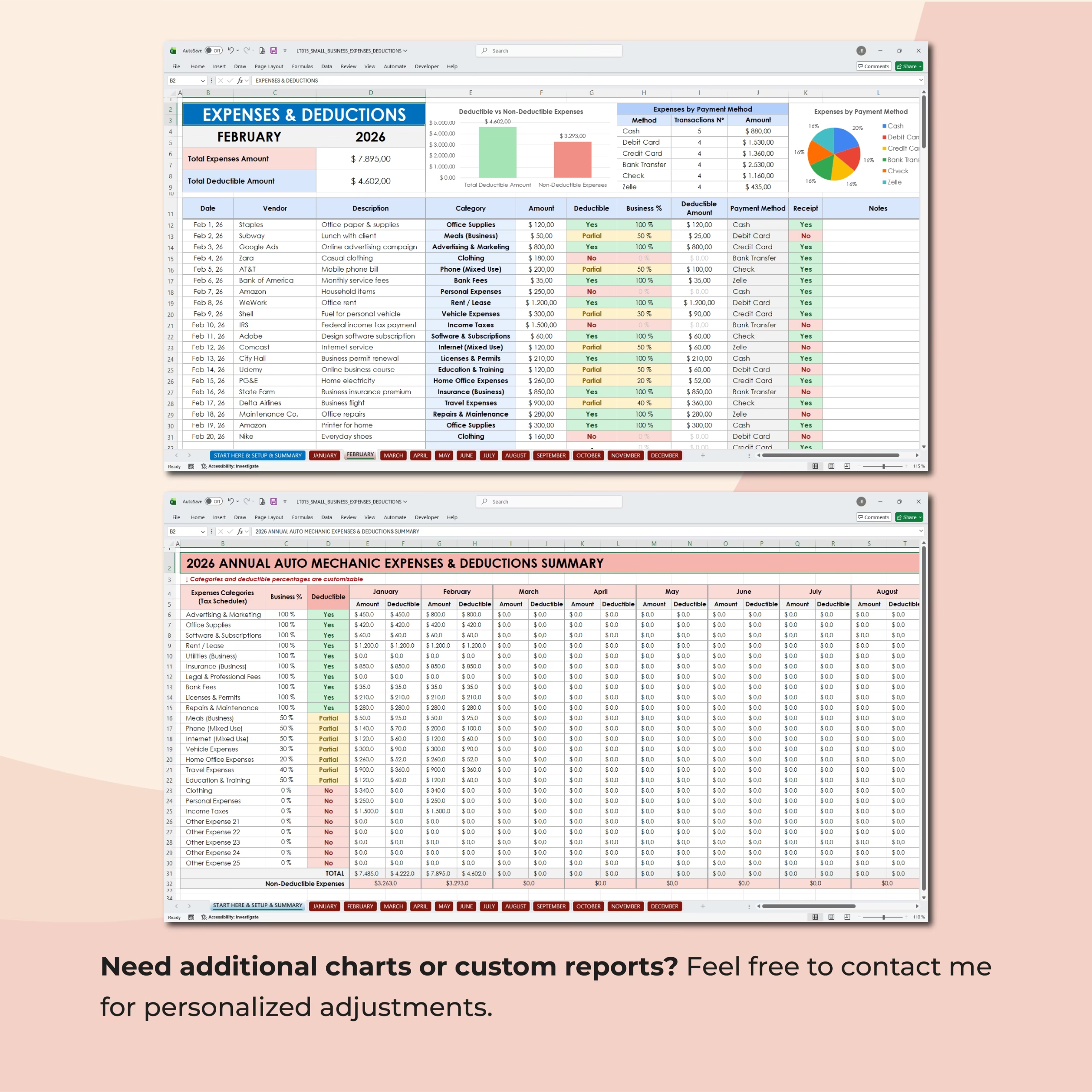
Each monthly tab allows you to enter and organize all your business expenses for that month. You can track vendors, descriptions, categories, amounts, receipts, payment methods, and notes in one place.
The monthly summary provides a quick overview of total expenses, deductible amounts, non-deductible costs, and payment method breakdowns.
Annual Summary
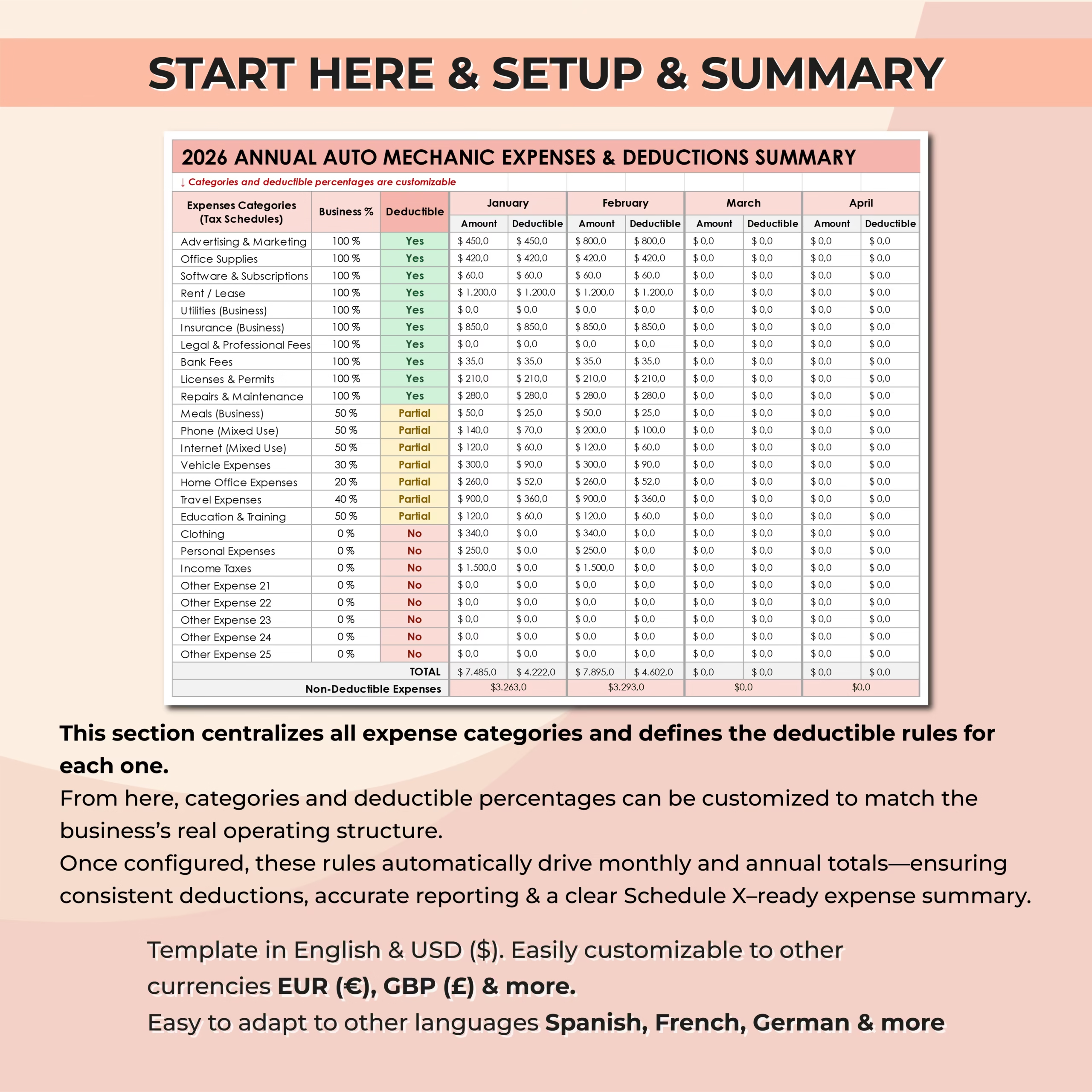
The annual summary centralizes all expense categories and shows monthly and yearly totals across the full year.
This makes it easier to review spending patterns, compare expenses by month, identify your largest business costs, and prepare more organized records for tax season or accountant review.
Editable Expense Categories and Deduction Rules
The setup section lets you customize expense categories, deductible status, and business-use percentages. These rules automatically drive the calculations across the monthly tabs and annual summary.
You can adapt the spreadsheet to fit your business, whether you are a freelancer, consultant, online business owner, service provider, contractor, or small business operator in the U.S. or elsewhere.
Receipt and Payment Method Tracking
Each transaction includes fields for receipt tracking and payment method. You can mark whether a receipt has been saved and track how expenses were paid.
This helps you keep cleaner records and makes it easier to review your business activity at the end of the month or year.
Compatible With Excel and Google Sheets
This template works with both Microsoft Excel and Google Sheets, so you can use it in the platform that best fits your workflow.
It is a digital download you can customize right away for your categories, tax rules, business-use percentages, and bookkeeping routine.
Who Is This Template For?
- Small business owners
- Freelancers
- Self-employed professionals
- Independent contractors
- Consultants
- Service providers
- Online business owners
- Side hustlers
- Anyone who wants to organize expenses, write-offs, and deductions in one spreadsheet
What’s Included
- Monthly business expense tracker tabs
- Start Here, Setup, and Summary section
- Annual expenses and deductions summary
- Editable expense categories
- Customizable deduction rules
- Automatic deductible amount calculations
- Deductible and non-deductible expense tracking
- Business-use percentage tracking
- Receipt status tracking
- Payment method tracking
- Vendor, description, and notes fields
- Charts and visual summaries
- Excel and Google Sheets versions
Stay Organized for Tax Season
Instead of sorting through receipts and scattered records at the end of the year, this Small Business Expenses & Deductions Tracker helps you stay organized month by month.
Use it to track expenses, monitor deductions, review yearly totals, and keep a more reliable bookkeeping workflow with a spreadsheet you can download, customize, and use immediately.
Reviews
There are no reviews yet.