
New Home Budget & Expenses Tracker for Excel and Google Sheets
Buying, moving into, furnishing, or renovating a new home can come with a lot of expenses. Between room upgrades, furniture, appliances, repairs, contractors, stores, payment dates, and unpaid balances, it is easy to lose track of where your money is going.
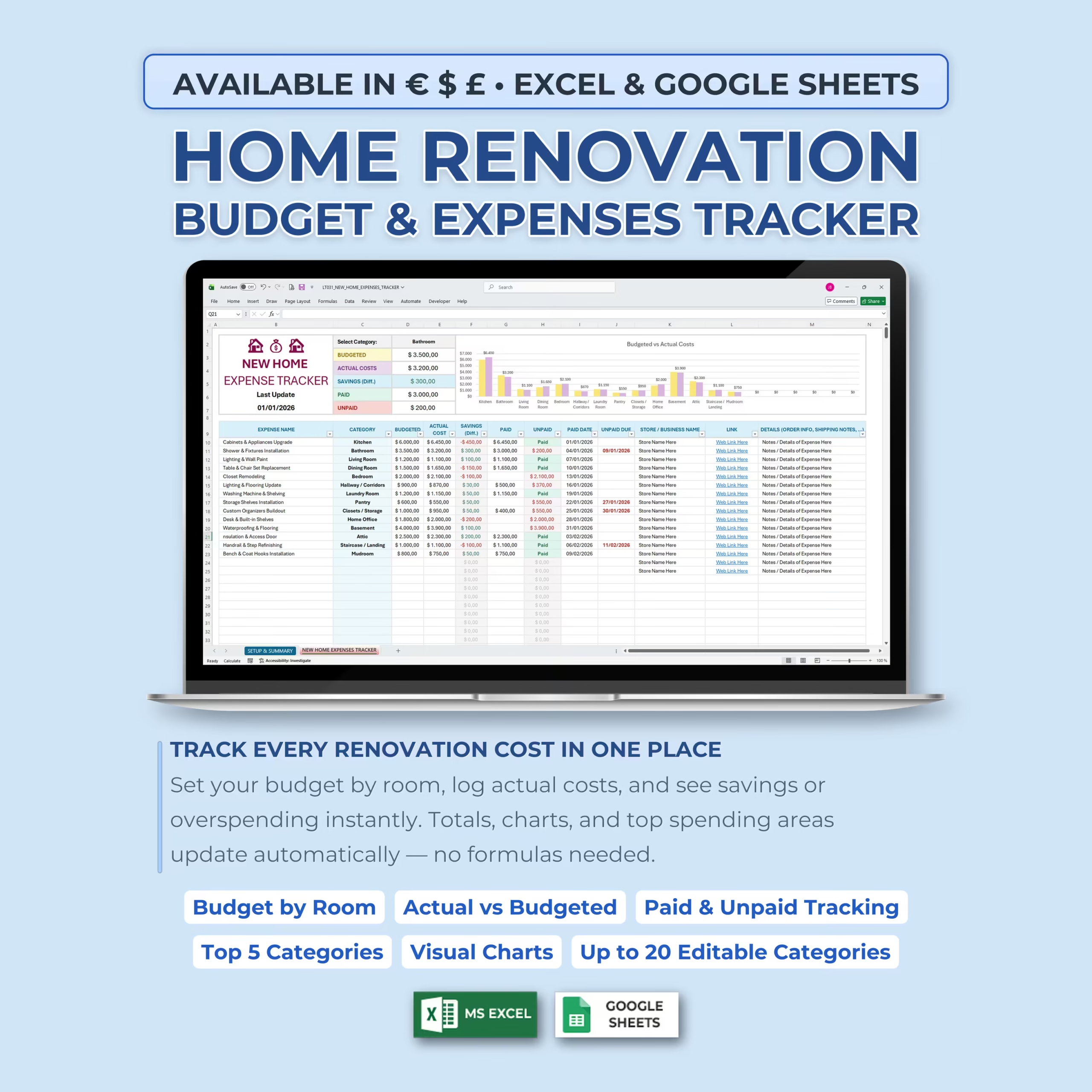
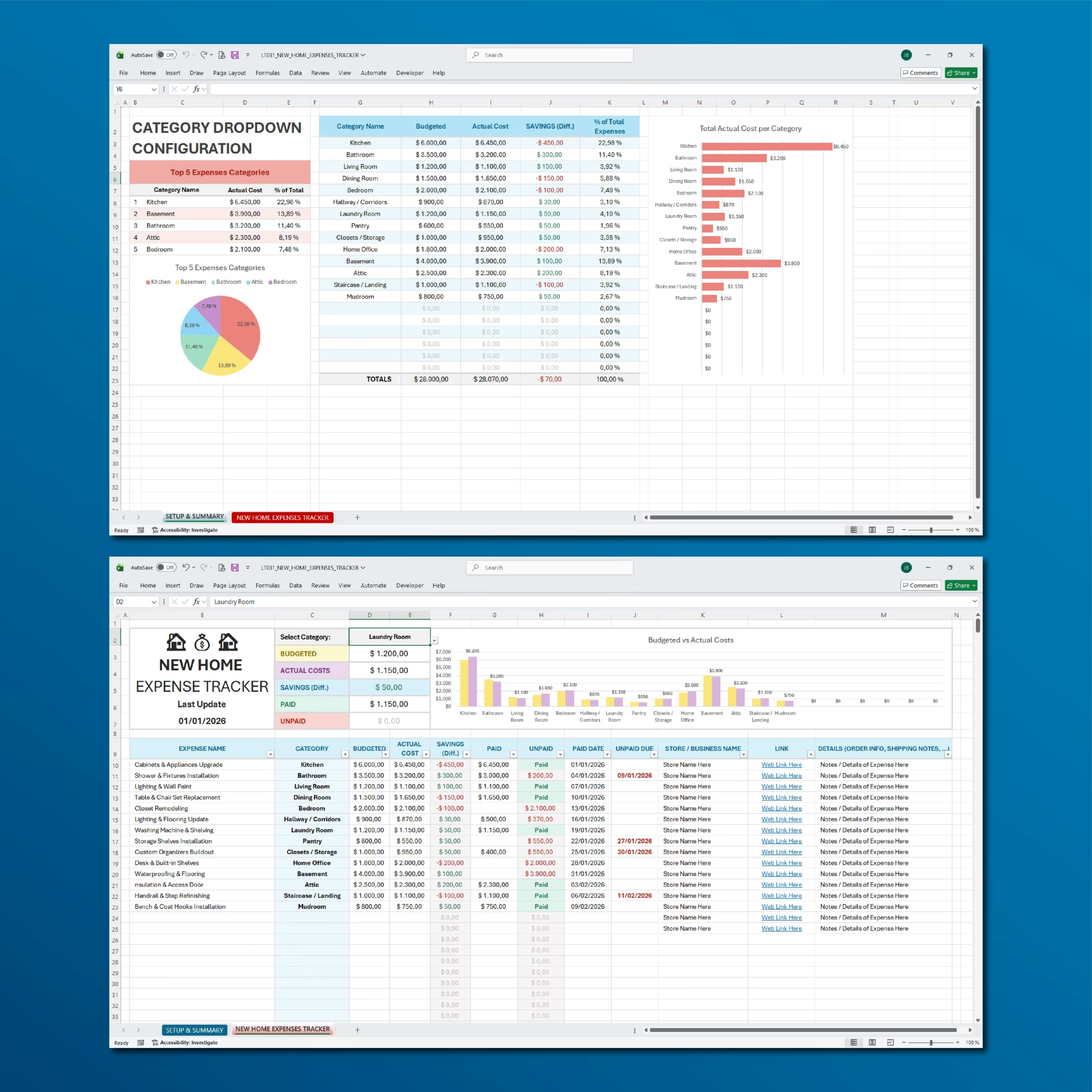
This New Home Budget & Expenses Tracker Spreadsheet gives you one organized place to plan your budget, log actual costs, track savings or overspending, monitor payments, and review your top spending areas in Excel or Google Sheets.
It works well as a new home budget spreadsheet, moving expenses tracker, home renovation budget template, or first house expense tracker for buyers and homeowners who want a practical file instead of building a budget sheet from scratch.
Track Every New Home Expense in One Place
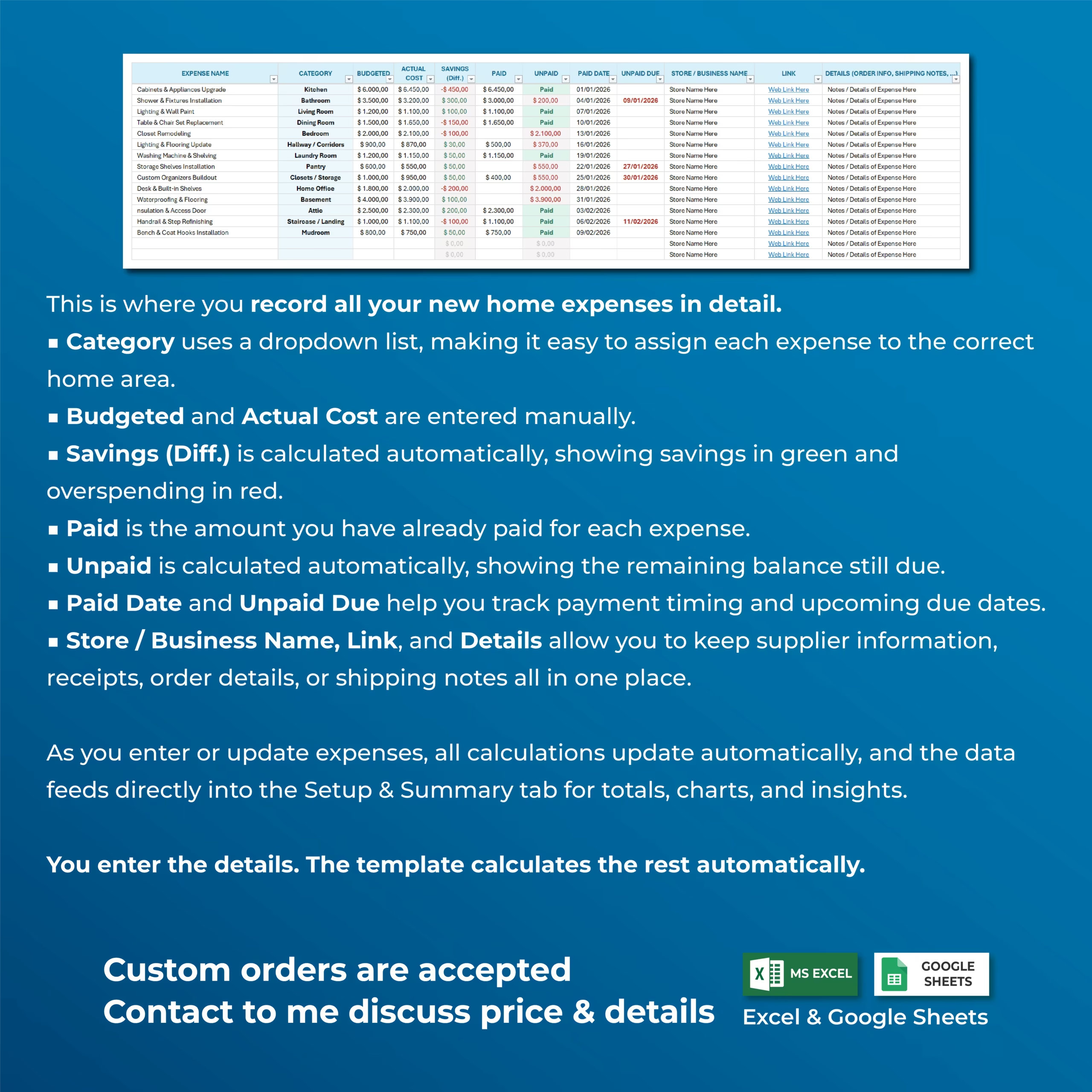
The tracker is designed to help you record all your new home expenses in detail. You can track the expense name, category, budgeted amount, actual cost, savings or overspending, paid amount, unpaid balance, paid date, unpaid due date, store or business name, web link, and extra details.
Use it for renovation costs, furniture purchases, appliances, repairs, room upgrades, moving expenses, home office setup, basement updates, attic projects, landscaping, staircases, mudrooms, and more.
Budgeted vs Actual Cost Tracking
For each expense, you can enter the budgeted amount and actual cost. The spreadsheet automatically calculates the difference so you can instantly see whether you are saving money or overspending.
Savings are clearly calculated and summarized, helping you understand how closely your real costs match your original home budget.
Paid and Unpaid Balance Tracking
This template helps you track what has already been paid and what is still due. You can record paid amounts, unpaid balances, paid dates, and upcoming unpaid due dates.
This makes it easier to stay organized with contractors, suppliers, stores, delivery orders, invoices, and payment deadlines.
Editable Category Dropdown Setup
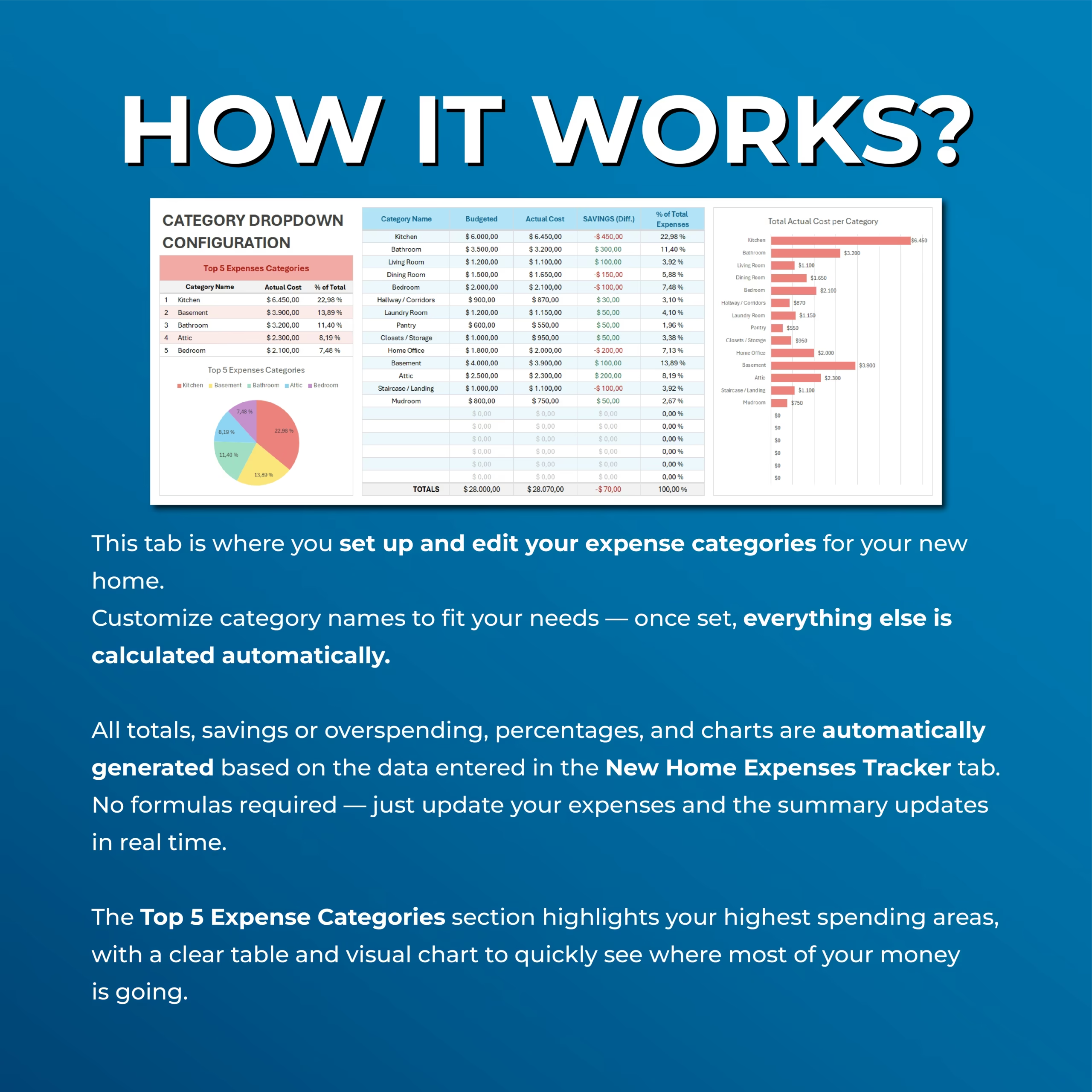
The setup and summary section lets you create and edit up to 20 home expense categories. These categories can be used in dropdown menus throughout the tracker for faster and cleaner data entry.
You can customize the category names to fit your own needs, whether you are tracking by room, project area, supplier type, or home improvement category.
Automatic Setup and Summary Dashboard
The summary section automatically calculates your totals, savings or overspending, percentages, and charts based on the information entered in the expenses tracker.
You can review budgeted totals, actual costs, savings, percentage of total expenses, and spending by category without creating formulas manually.
Top 5 Expense Categories
The tracker highlights your Top 5 expense categories so you can quickly see where most of your money is going.
This is useful for identifying your highest spending areas, reviewing project priorities, and making better budget decisions as your new home expenses grow.
Category Selector for Quick Financial Overview
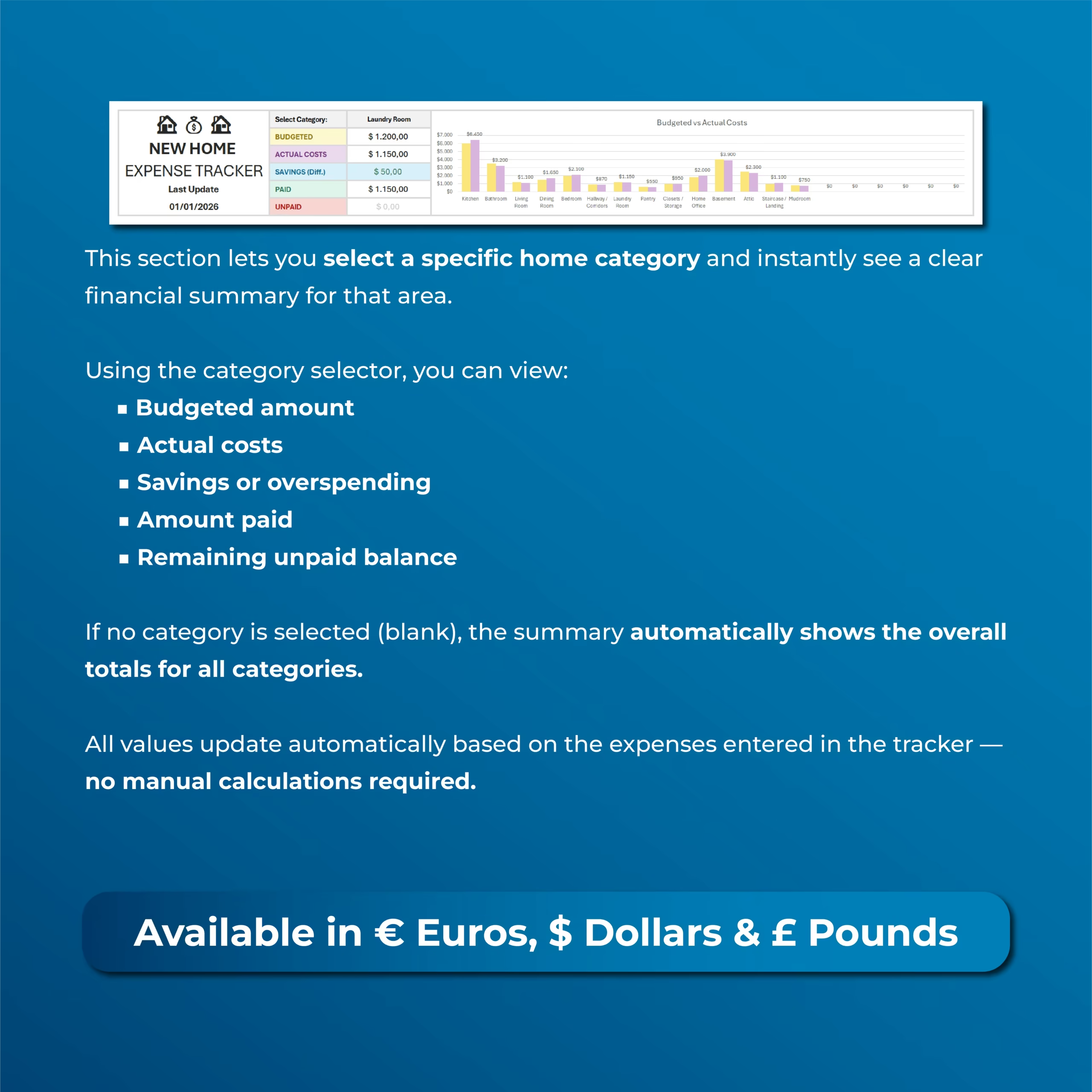
The template includes a category selector that lets you view a financial summary for a specific home category.
When you select a category, you can instantly review the budgeted amount, actual costs, savings or overspending, amount paid, and remaining unpaid balance for that area. If no category is selected, the summary shows overall totals for all categories.
Visual Charts and Automatic Calculations
The spreadsheet includes visual charts that show actual cost per category and top spending areas.
Charts, totals, savings, unpaid balances, percentages, and summaries update automatically as you enter or update expenses, giving you a clear real-time overview of your new home budget.
Multiple Currency Versions Included
The template includes separate versions for € Euros, $ Dollars, and £ Pounds, with the correct currency symbols already applied throughout the spreadsheet.
This makes it easy to choose the version that matches your preferred currency format.
Compatible With Excel and Google Sheets
This New Home Budget & Expenses Tracker works with both Microsoft Excel and Google Sheets, so you can use it in the platform that works best for you.
You can use it digitally, update it as your project progresses, and duplicate it for future home projects or renovations.
Who Is This Template For?
- New homeowners
- People moving into a new house or apartment
- Homeowners planning repairs or upgrades
- DIY renovators
- People furnishing a new home
- Couples or families managing home expenses
- Rental property owners tracking setup costs
- Anyone who wants a simple home expense tracker
What’s Included
- New home expenses tracker
- Setup and summary tab
- Budget by room or category
- Actual cost tracking
- Savings or overspending calculations
- Paid and unpaid balance tracking
- Paid date and unpaid due date fields
- Store or business name tracking
- Web link and details fields
- Up to 20 editable categories
- Category dropdown configuration
- Top 5 expense categories section
- Visual charts and automatic summaries
- Euro, Dollar, and Pound versions
- Excel and Google Sheets versions
Stay in Control of Your New Home Budget
This New Home Budget & Expenses Tracker helps you manage costs, payments, savings, balances, and suppliers in one clear system.
Use it to plan smarter, avoid budget surprises, and keep your new home expenses organized from the first purchase to the final payment.
Reviews
There are no reviews yet.