
Plan Your Entire Month in One Smart To-Do List Calendar
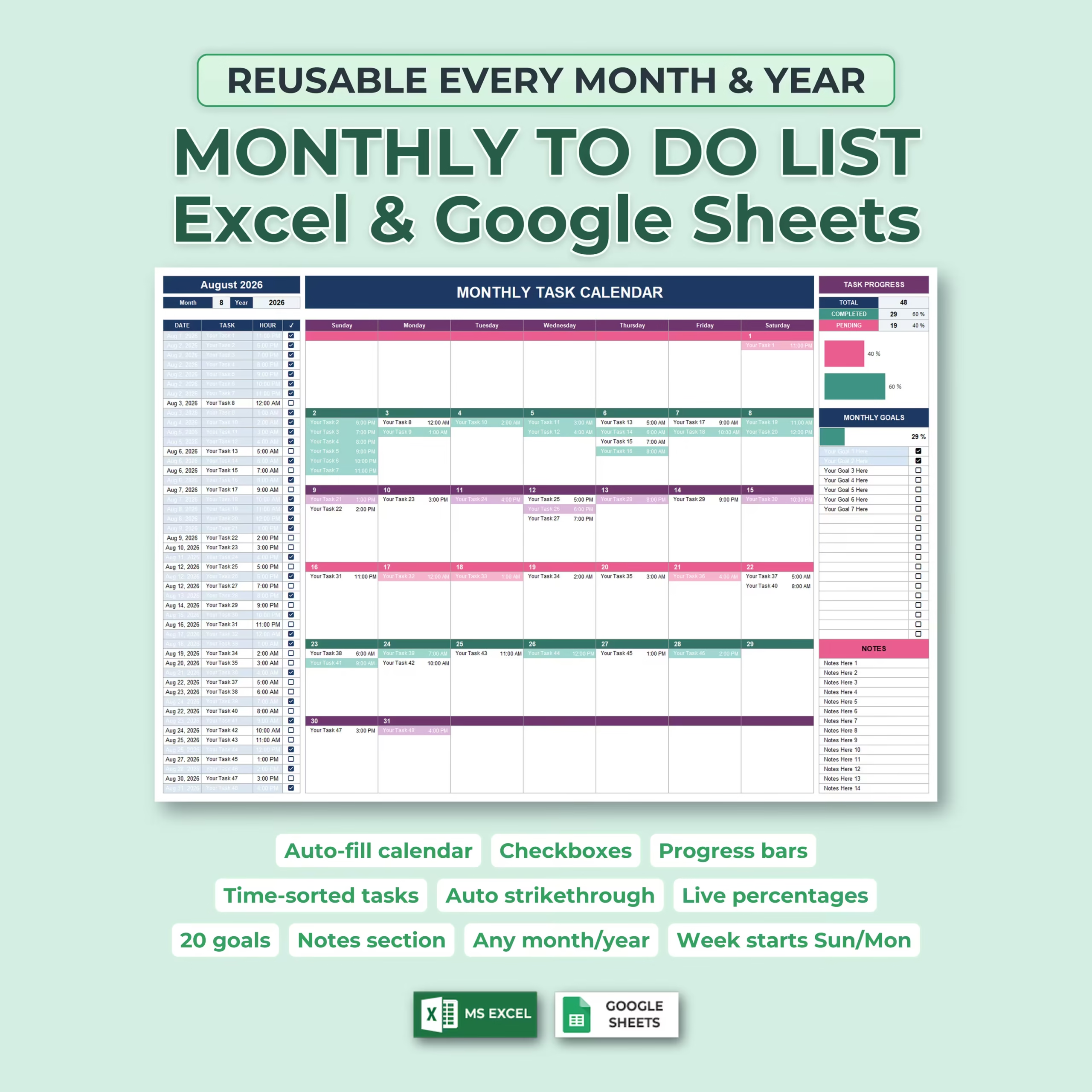
Organize tasks, appointments, deadlines, and monthly goals with this Monthly To-Do List and Task Calendar for Microsoft Excel and Google Sheets.
This downloadable monthly planner template is designed for buyers who want a ready-to-use spreadsheet for work planning, personal organization, household scheduling, or small business task management without building their own calendar from scratch.
Instead of maintaining a separate task list and calendar, this template combines both into one easy-to-use system. Enter a task with its date and time, and it automatically appears on the correct day of the monthly calendar.
For shoppers comparing a monthly task calendar, monthly to-do list template, task calendar spreadsheet, planner template for Excel, or Google Sheets monthly planner, this file keeps the focus on a practical downloadable template you can customize and start using right away.
As you complete tasks, simply check them off. The spreadsheet automatically updates your completed and pending totals, percentages, progress bars, and visual task status.
Automatically Create a Calendar for Any Month and Year
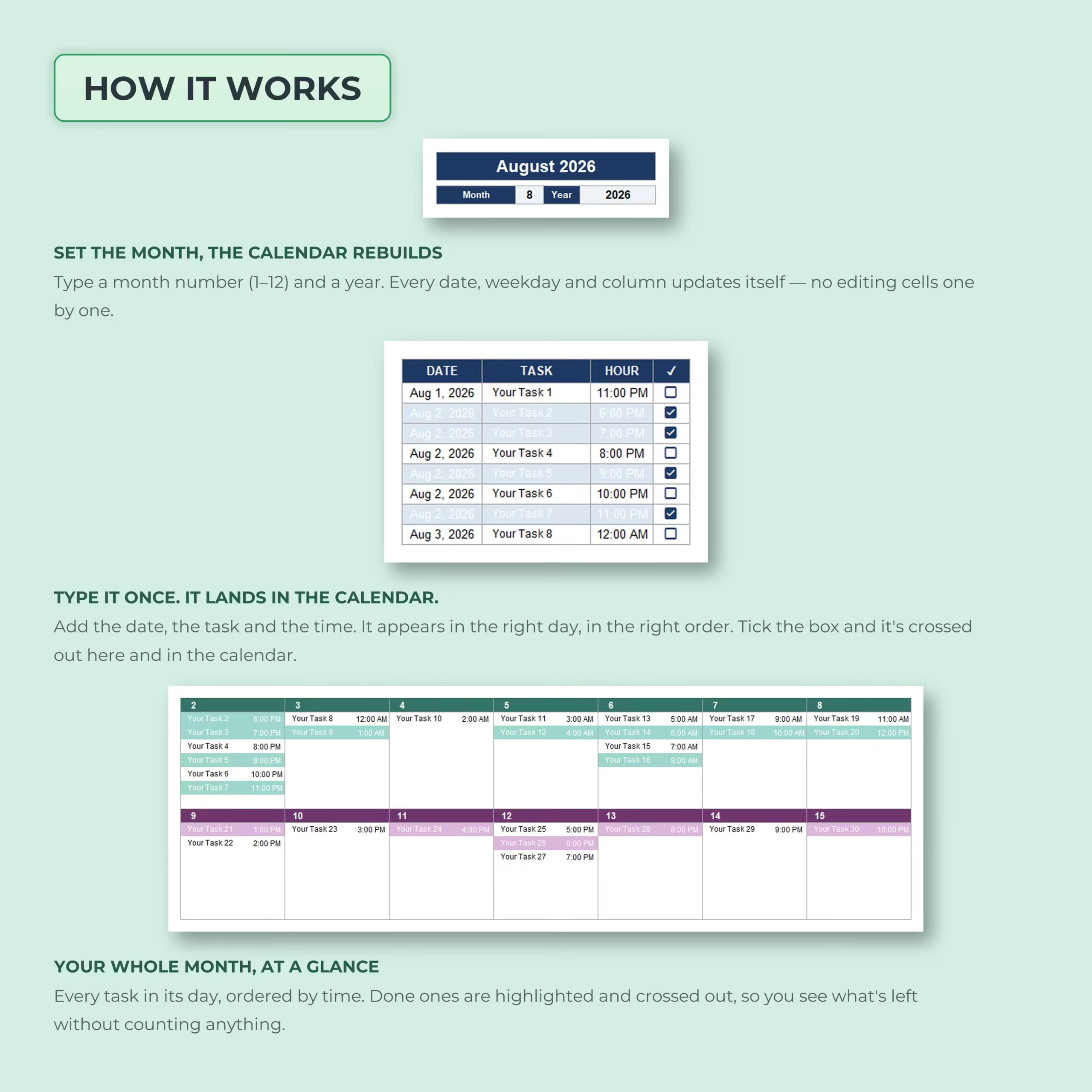
This monthly planner is fully reusable. Enter the month number and year you want to organize, and the calendar automatically rebuilds itself with the correct dates and weekdays.
Use it month after month and year after year without manually recreating your calendar.
Add a Task Once and See It on Your Calendar
The task list gives you a simple place to enter:
- Task date
- Task description
- Scheduled time
- Completion status
Once entered, each task automatically appears on the corresponding date in the monthly calendar.
If several tasks are scheduled for the same day, they are displayed in time order, helping you see your day more clearly without manually rearranging entries.
Interactive Checkboxes and Automatic Task Completion
Mark a task complete using its checkbox and the spreadsheet handles the rest.
Completed items are automatically highlighted and crossed out in both the task list and calendar, so you can instantly distinguish finished tasks from the ones that still require attention.
Automatic Monthly Task Progress
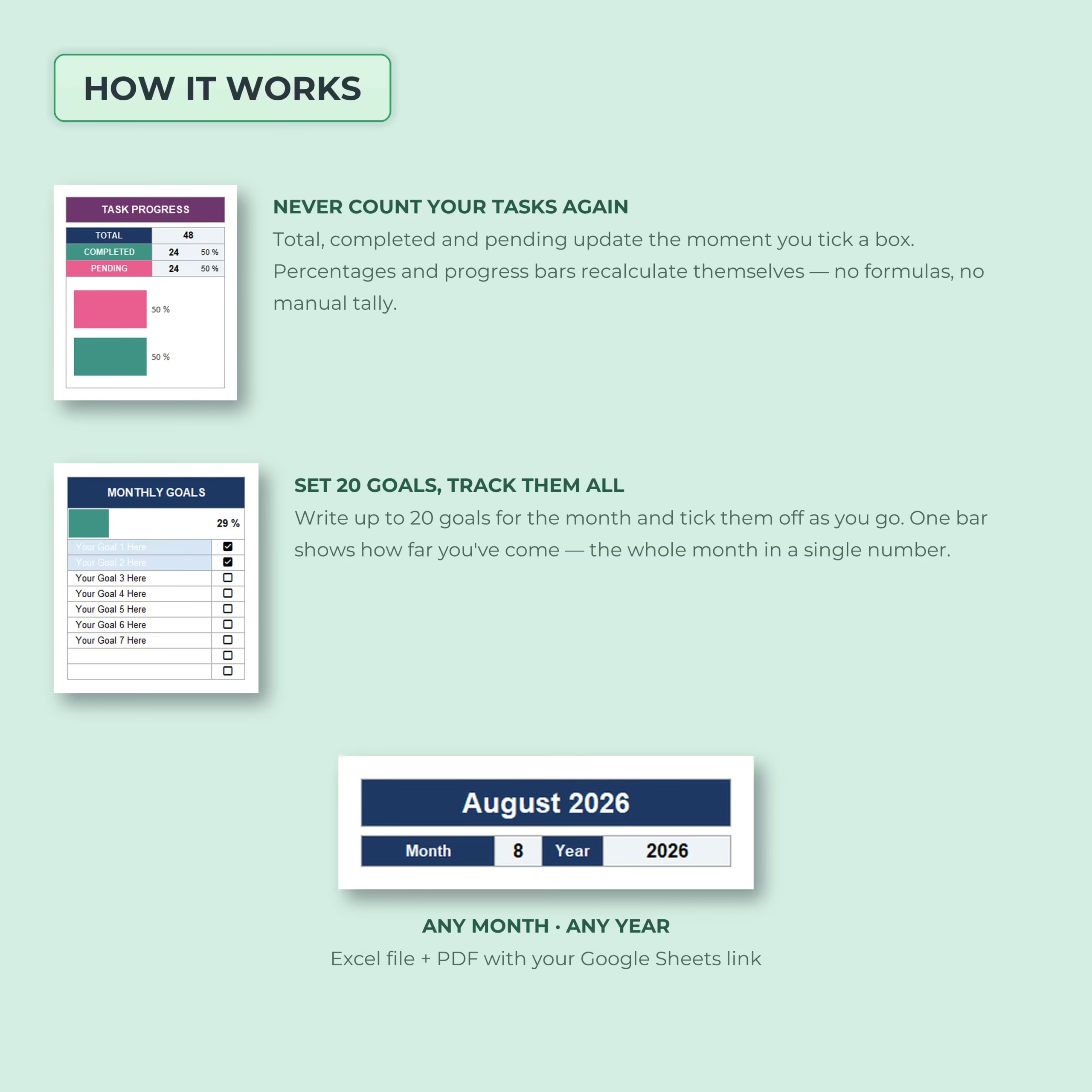
The built-in progress dashboard continuously tracks your workload.
It automatically calculates:
- Total tasks entered
- Completed tasks
- Pending tasks
- Completion percentage
- Pending percentage
- Visual progress bars
There is no need to count tasks or calculate percentages manually. Your progress updates as soon as you check off an item.
Set and Track Up to 20 Monthly Goals
Task management is only part of the planner. A dedicated Monthly Goals section lets you define up to 20 goals for the month and check them off as you accomplish them.
Your goal completion percentage updates automatically, giving you a simple way to monitor the bigger priorities behind your everyday tasks.
Monthly Calendar View at a Glance
The calendar gives you a visual overview of the entire month, with each task displayed on its scheduled day and time.
This makes the template useful for planning:
- Work deadlines and meetings
- Personal appointments
- Household tasks and errands
- School and study schedules
- Freelance and client work
- Content and marketing tasks
- Family activities
- Bills and financial reminders
- Personal goals and projects
Choose Sunday or Monday as Your Week Start
The template includes layouts for different calendar preferences, allowing you to organize your month with either Sunday or Monday as the first day of the week.
Built-In Notes Section
A dedicated notes area gives you extra space for reminders, ideas, priorities, or information that does not need to appear as a dated task.
This helps keep your monthly planning information together instead of spreading it across different files and apps.
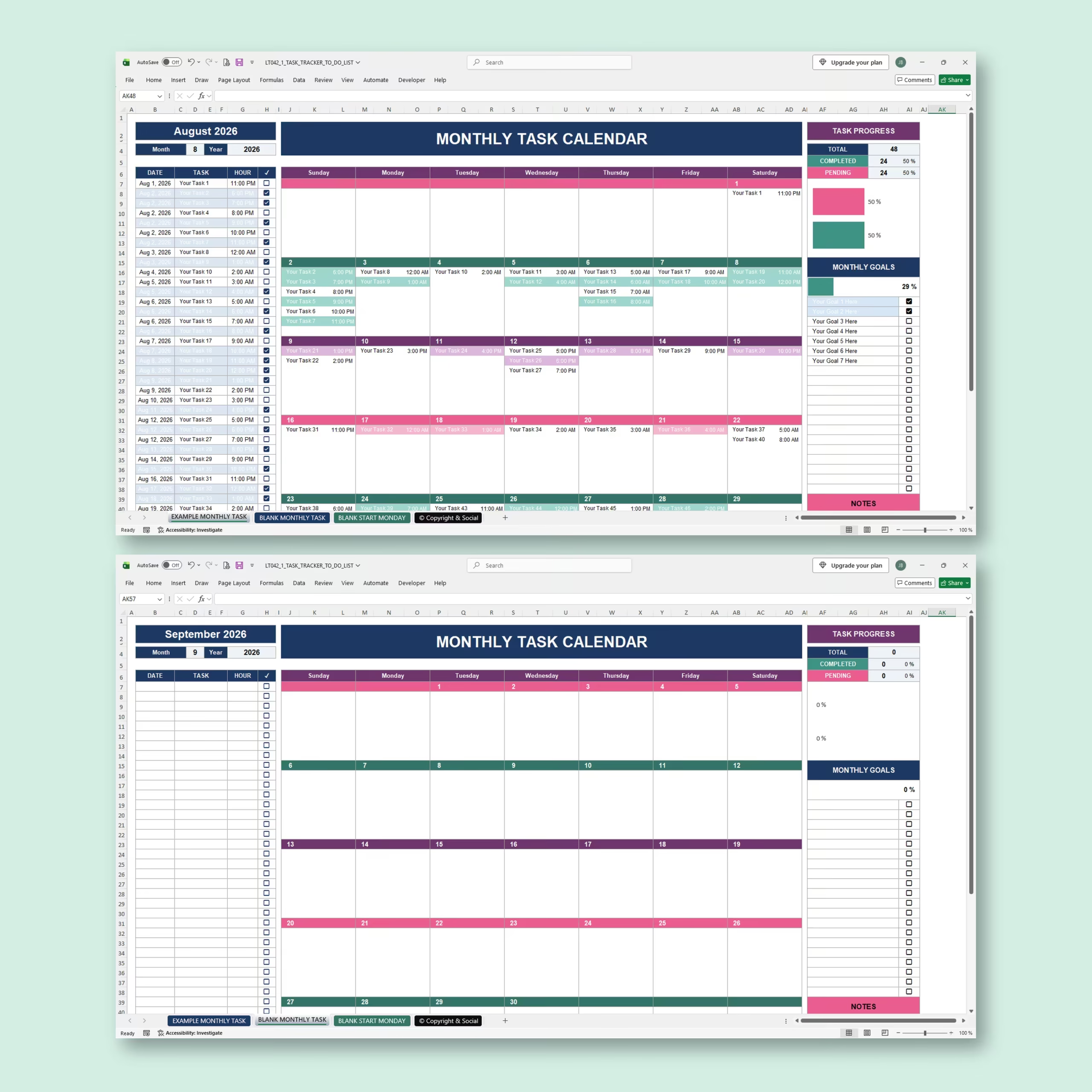
Example and Blank Templates Included
An example monthly tracker shows you how the spreadsheet works before you begin.
Blank versions are also included so you can quickly create your own monthly task calendar and choose the week-start format that works best for you.
Microsoft Excel and Google Sheets
The planner is designed for both Microsoft Excel and Google Sheets.
Your download includes the Excel file along with access instructions for the Google Sheets version, giving you the flexibility to use the platform you prefer.
A Smarter Alternative to a Basic Monthly To-Do List
A standard checklist tells you what needs to be done. This spreadsheet also shows you when each task is scheduled, places it automatically into a monthly calendar, tracks what has been completed, and measures your progress in real time.
For U.S. buyers looking for a downloadable monthly planner spreadsheet or task calendar template, it offers a practical way to organize deadlines and recurring tasks in Excel or Google Sheets without building formulas or layouts from scratch.
Use the Monthly To-Do List and Task Calendar to organize your month, keep deadlines visible, track your goals, and spend less time managing your planner.
Reviews
There are no reviews yet.