
Daily Work Log Template for Excel and Google Sheets
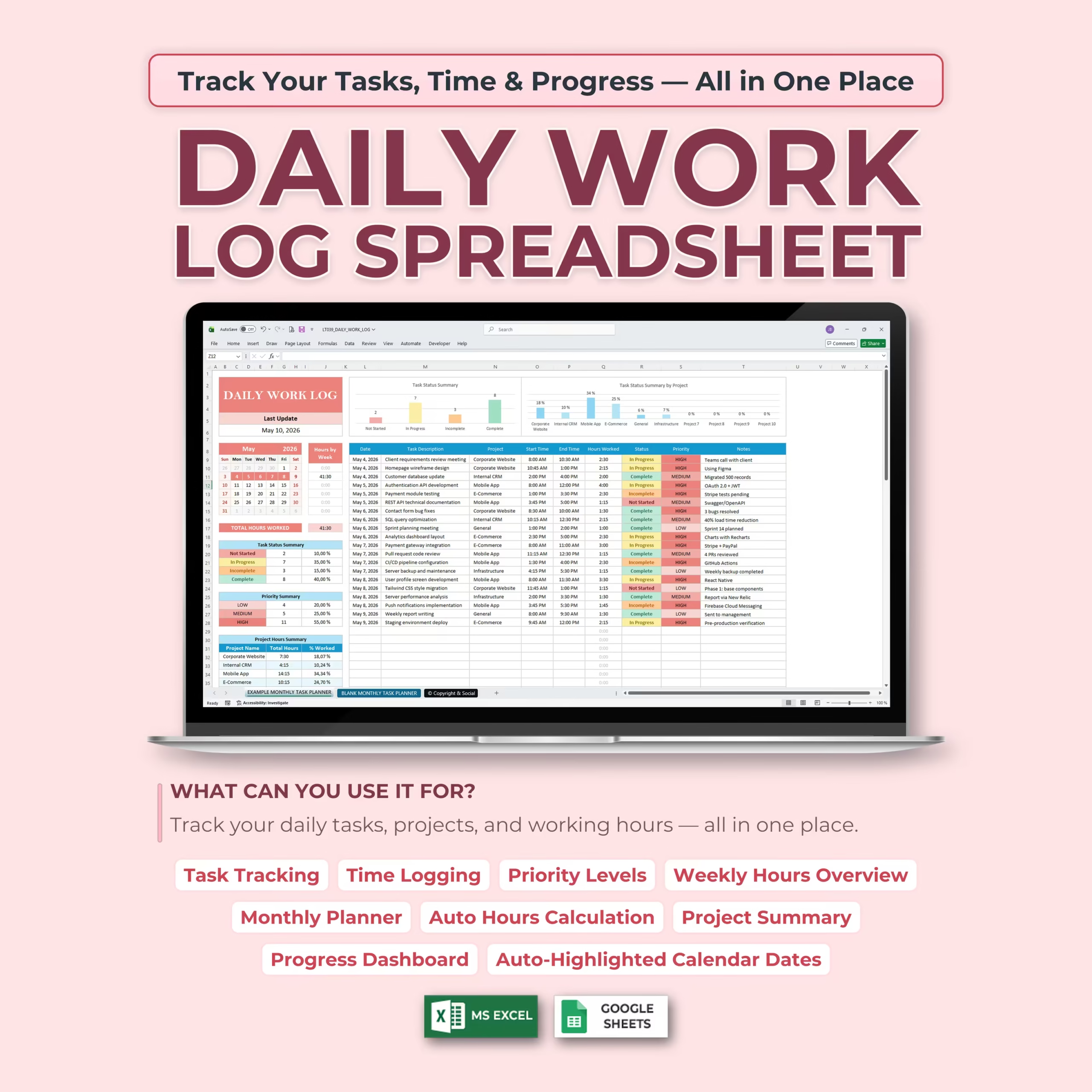
Track employee tasks, contractor hours, project updates, and daily job reports with this daily work log template for Microsoft Excel and Google Sheets. This ready-to-use spreadsheet gives you a practical system to record daily work, log time, assign projects, update status, and review productivity without building your own file from scratch.
If you are searching for a daily work log template, daily log template, daily work log spreadsheet, employee daily work log template, daily employee work report Excel, contractor daily work log template, daily report template for work, work log Excel template, or daily activity log template Excel you can download and start using right away, this template is built for that exact buying intent. It works especially well for U.S. small businesses, field teams, freelancers, and supervisors who want a ready-made spreadsheet instead of a blank worksheet.
It is also a practical fit for buyers comparing a work log sheet, daily log spreadsheet, daily log template Excel, daily job sheet, or daily job sheet template Excel and wanting a downloadable template that already includes structured fields, hours calculation, and space for real daily reporting.
It is especially useful if you are comparing a daily work log template Excel, employee daily work log template, daily work log template for employees, daily work tracker spreadsheet, daily report template for work, work log Excel template, daily log Google Sheets template, daily log Excel template, daily job sheet template Excel, or a simple daily log sheet that is clearly built for real work tracking instead of a blank spreadsheet.
For buyers looking for a more jobsite or service-oriented option, it also works well as a contractor daily work log template, employee shift log template, daily job log spreadsheet, daily job sheet, daily task tracker spreadsheet, or daily activity log template Excel for Excel or Google Sheets.
Whether you are a freelancer, remote worker, employee, consultant, contractor, small business owner, or project manager, this spreadsheet gives you a simple way to document work, understand where your time goes, and keep daily activity organized throughout the month.
Built for Employee Reporting, Contractor Logs, and Small Business Operations
This template is useful when you need a daily record that is easy to fill out, easy to review, and easy to reuse. It fits common purchase intent around employee daily work log templates, contractor daily report templates, daily job log spreadsheets, and daily employee work report Excel searches for teams that still rely on Excel or Google Sheets.
For U.S. buyers who want a practical spreadsheet instead of adopting new software, it offers a faster setup for internal reporting, jobsite updates, service work documentation, and simple manager oversight. That makes it a strong fit for offices, construction support, maintenance teams, service businesses, and independent contractors.
Track Tasks, Time, and Progress in One Place
This work log template keeps daily task tracking and time logging together. Instead of using separate notes, timers, calendars, and task lists, you can record everything in one organized spreadsheet.
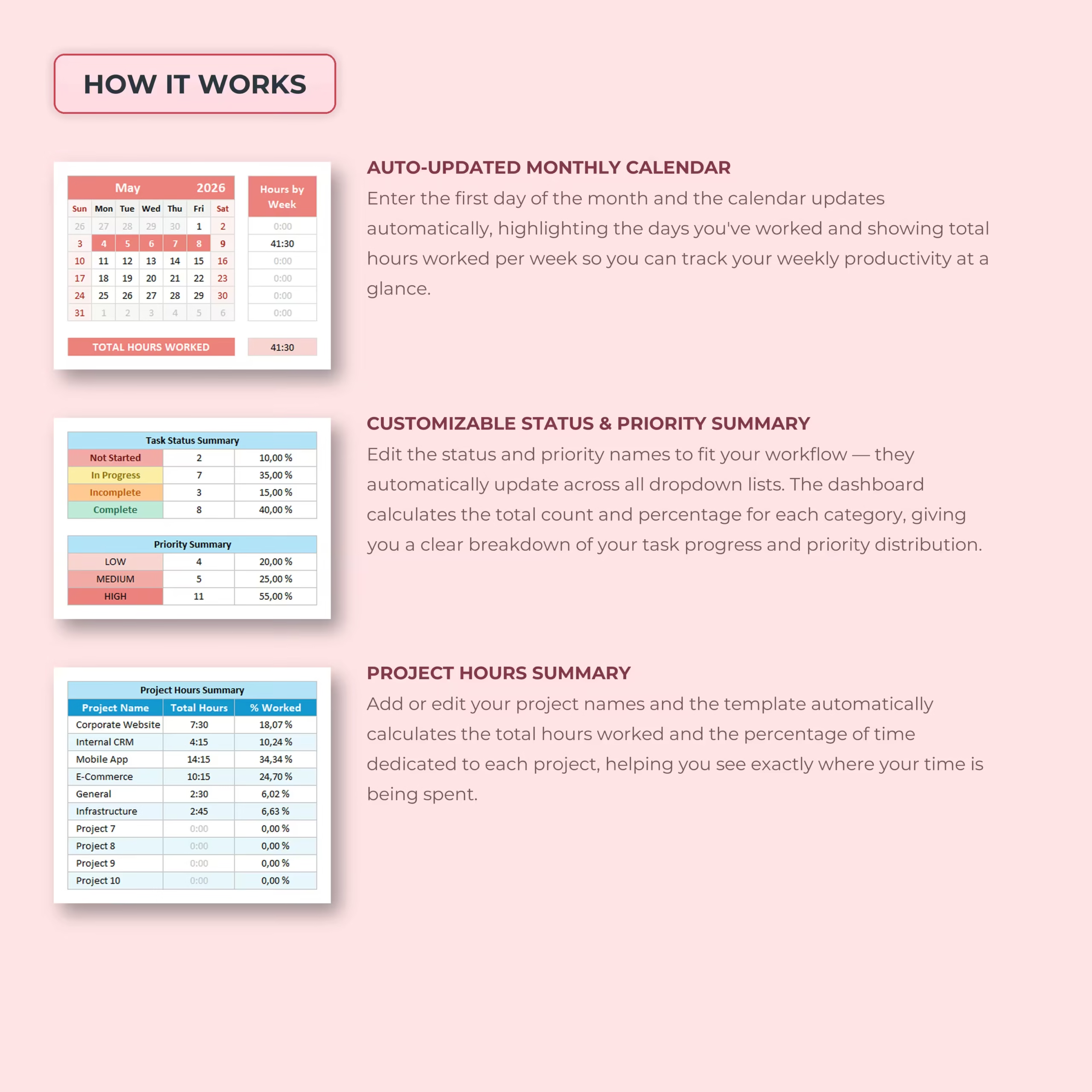
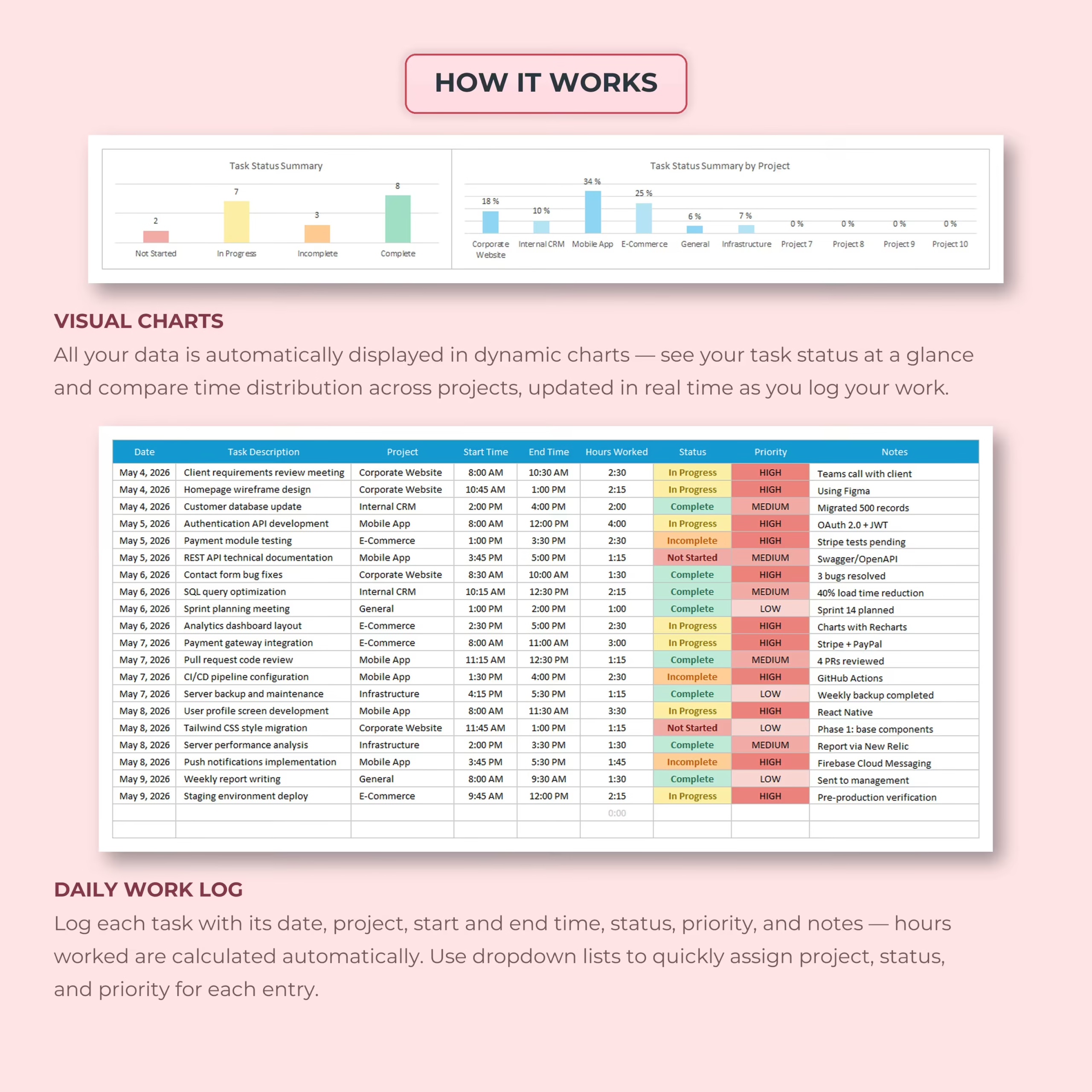
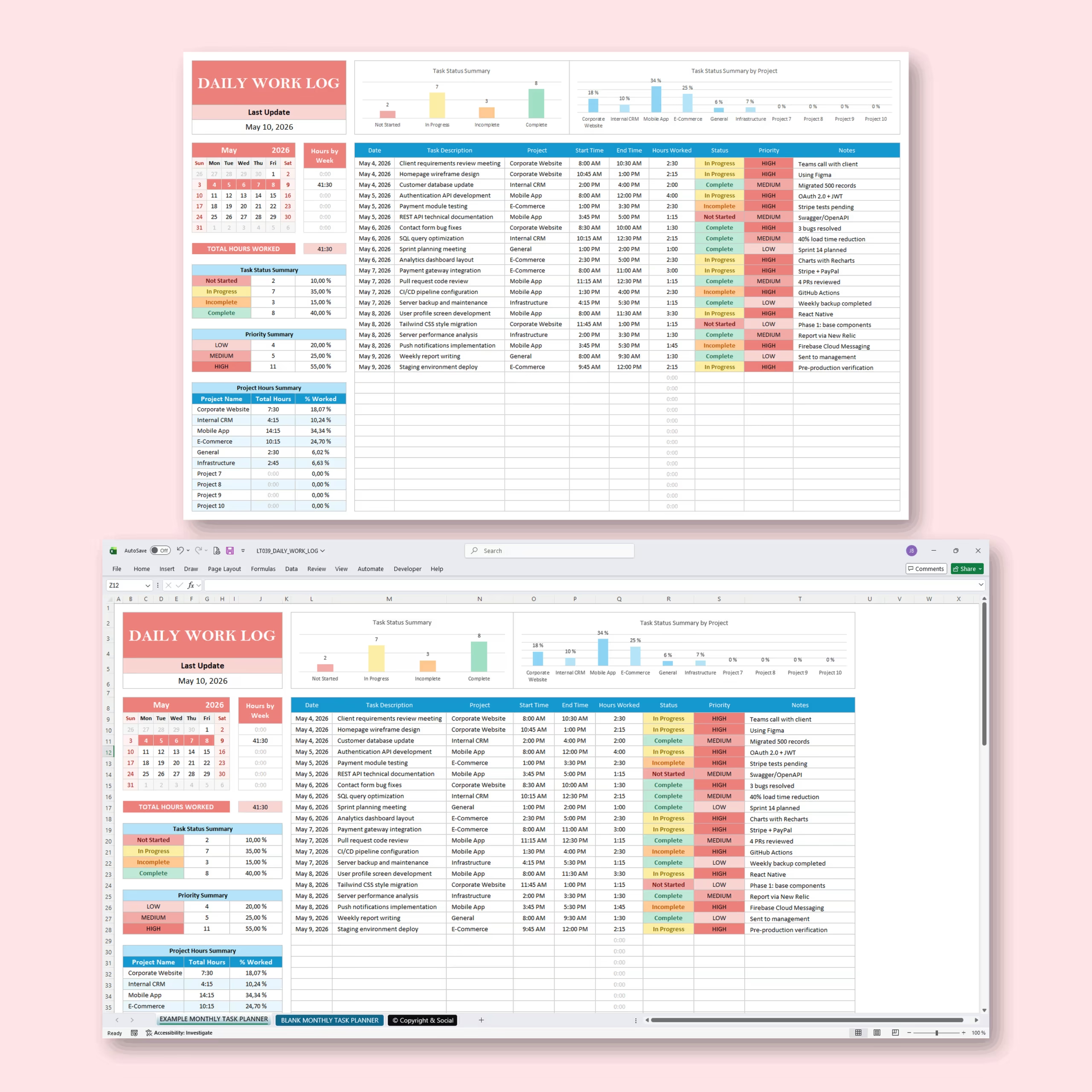
Each work log entry lets you track the date, task description, project, start time, end time, hours worked, status, priority, and notes. The template automatically calculates your hours so you can focus on logging work instead of building formulas.
Daily Work Log with Automatic Hours Calculation
The main daily work log makes it easy to record each task you complete throughout the day. Enter your start time and end time, and the spreadsheet calculates the total hours automatically.
For each entry, you can track:
- Date: Record when the task was completed.
- Task description: Add the task, activity, or work item.
- Project: Assign the task to a specific project or client.
- Start time and end time: Log when the work began and ended.
- Hours worked: Calculated automatically by the spreadsheet.
- Status: Track whether the task is not started, in progress, incomplete, or complete.
- Priority: Mark tasks as high, medium, or low priority.
- Notes: Add updates, details, reminders, or next steps.
Useful for Employees, Freelancers, and Small Teams
This template works well for employee task reporting, freelance time tracking, client work documentation, remote work organization, and internal small business workflows. It gives you a clear daily record you can review, share, or use as a starting point for timesheets, shift summaries, project updates, and simple daily reporting.
For U.S. small businesses, contractors, field service teams, and supervisors, it also works as a practical daily work log template for employees, employee work log spreadsheet, contractor work log template, or daily report spreadsheet that can be customized without extra software.
Why Buy a Ready-Made Daily Work Log Template
Building a clean work log from scratch takes time, especially if you want formulas for hours worked, consistent columns for reporting, and a layout your team can start using immediately. This template saves that setup time by giving you a structured spreadsheet that already covers the core daily logging workflow.
Instead of creating a new file manually, you can download the template, customize the fields to your process, and start tracking work right away in Excel or Google Sheets. That makes it a practical option for buyers who want a simple spreadsheet solution for recurring daily reporting.
What’s Included in the Daily Work Log Download
- Editable daily work log spreadsheet
- Fields for date, task, project, start time, end time, status, priority, and notes
- Automatic hours-worked calculation
- Reusable format for employee, contractor, freelance, or small business reporting
- Files for Microsoft Excel and Google Sheets
Download the template, customize the fields for your workflow, and start recording daily tasks and work hours without building a reporting spreadsheet from scratch.
Reviews
There are no reviews yet.