
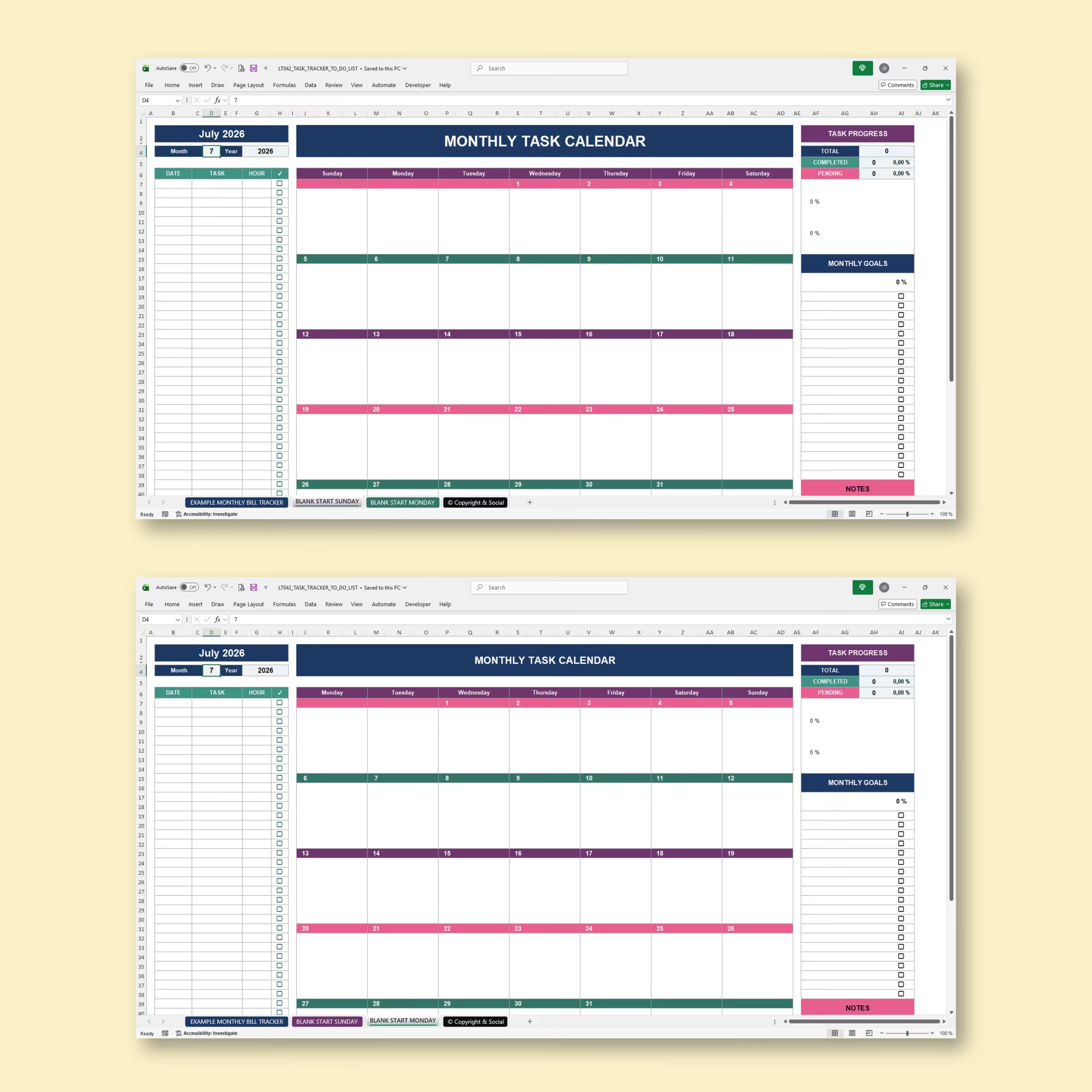
Plan Your Entire Month with One Simple Task Tracker
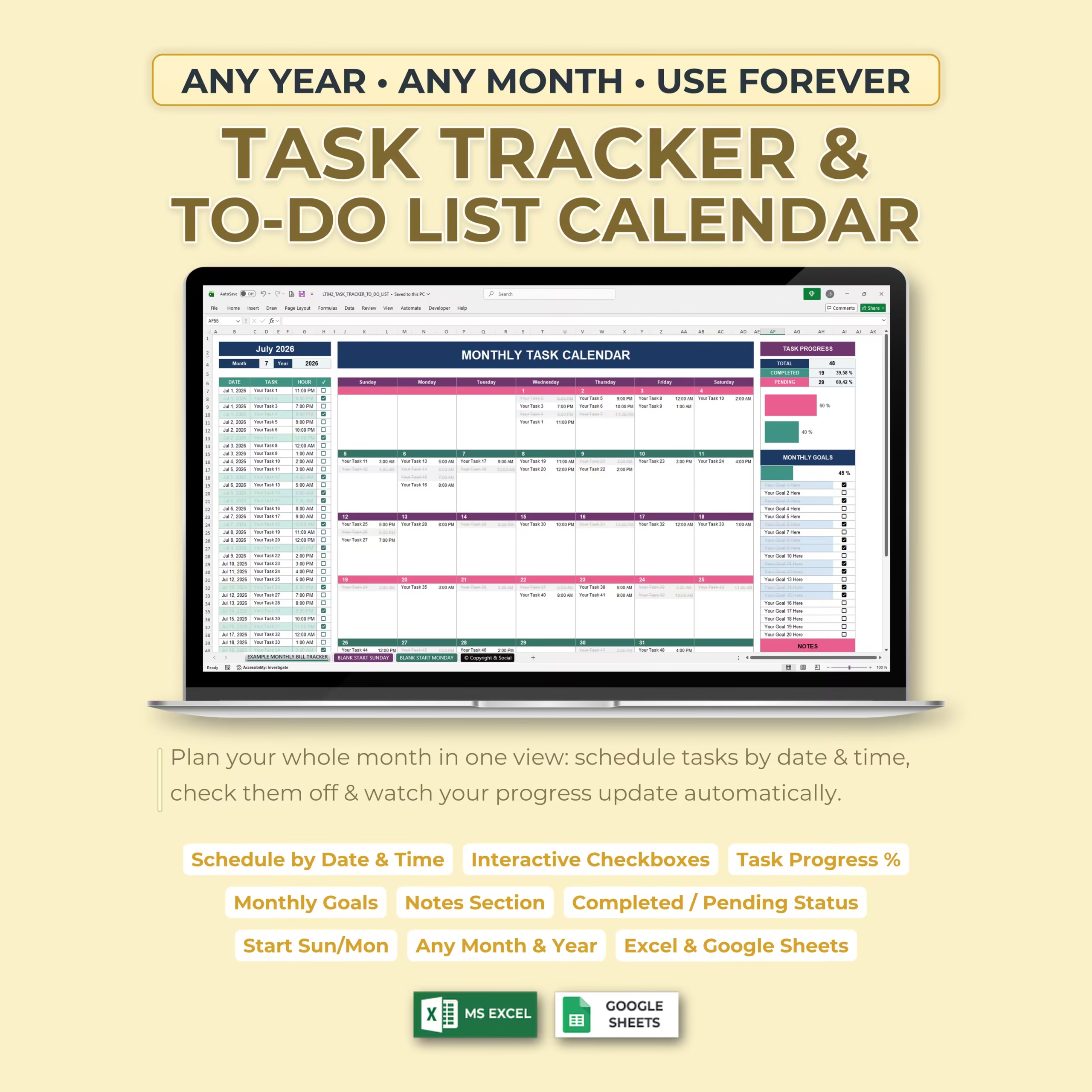
Organize your schedule, monthly tasks, appointments, goals, and reminders with this Monthly Task Tracker & To-Do List Calendar for Microsoft Excel and Google Sheets.
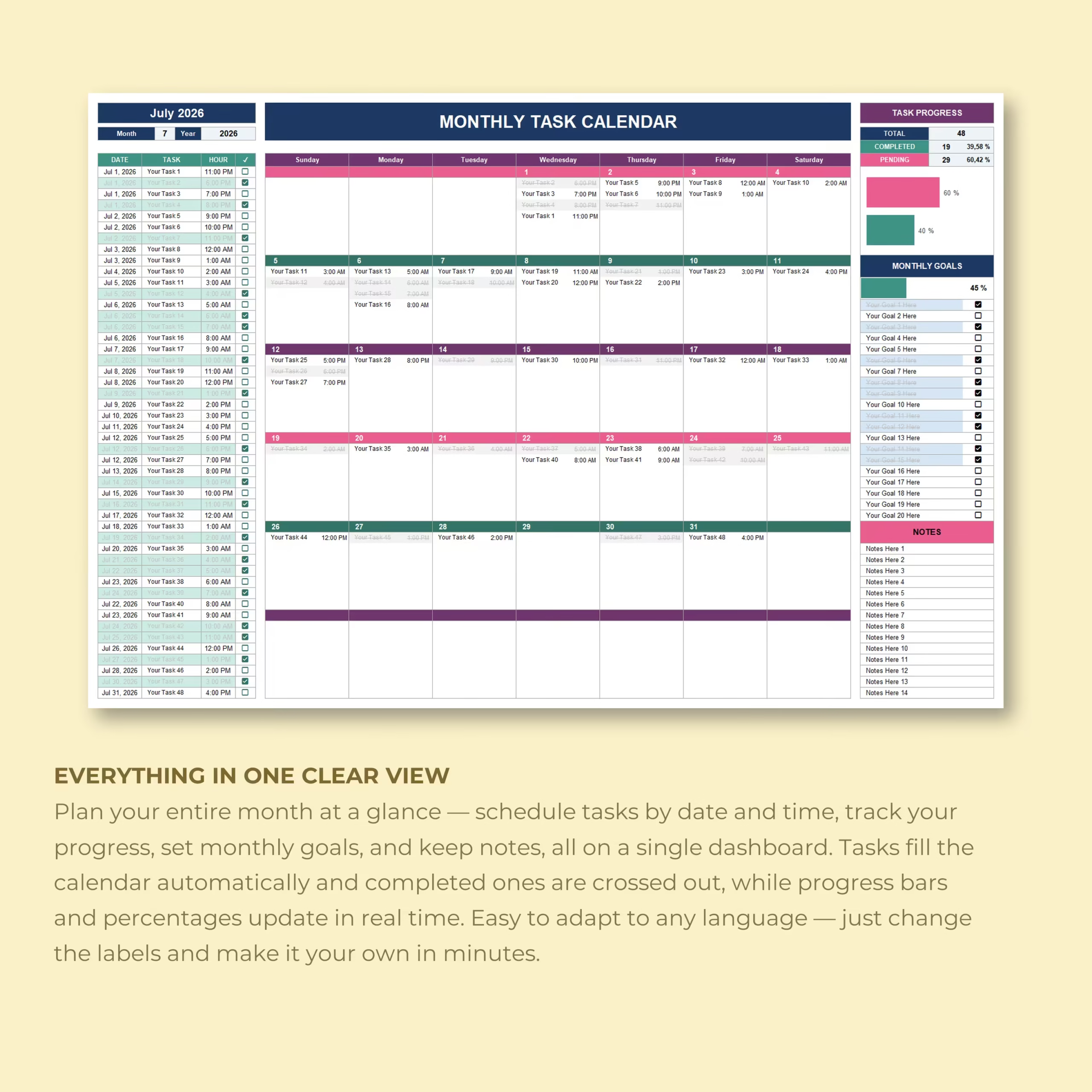
Instead of keeping separate to-do lists and calendars, this spreadsheet combines everything into one visual monthly dashboard. Enter each task with a date and time, and the template automatically places it on the correct day of the calendar.
As you complete tasks, simply check them off. Your completed and pending totals, percentages, calendar formatting, and progress indicators update automatically.
Use It for Any Month and Any Year
The monthly calendar is fully reusable.
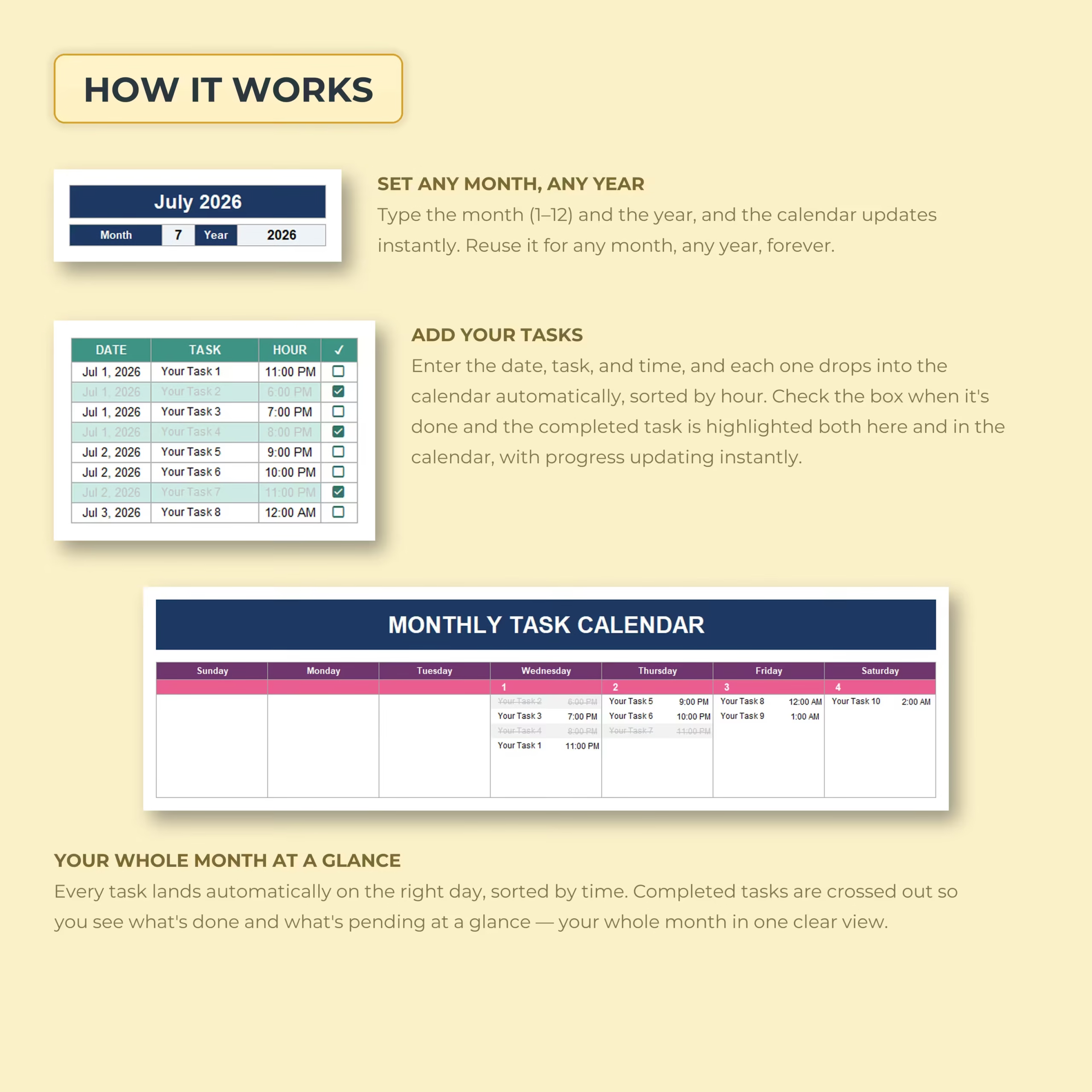
Enter the month number from 1 to 12 and choose your year. The spreadsheet automatically rebuilds the calendar with the correct dates and weekdays.
There is no need to purchase a new planner every year or manually rearrange dates each month. Use the same template again and again for future months and years.
Add Tasks by Date and Time
The task-entry table makes monthly planning simple.
For every item, enter:
- Date
- Task or to-do item
- Time
- Completion status
Once entered, the task automatically appears on the corresponding day in your monthly calendar.
If several tasks fall on the same day, they are displayed in time order so you can quickly see what needs to happen first.
See Your Entire Month at a Glance
The visual calendar gives you a clear overview of upcoming tasks without having to scan a long list.
Use it to organize:
- Work tasks
- Appointments
- Errands
- School deadlines
- Family activities
- Meetings
- Household tasks
- Personal projects
- Exercise and wellness plans
- Important reminders
Your schedule stays visible in one centralized monthly view.
Check Off Tasks as You Complete Them
Each task includes an interactive checkbox.
When you mark a task as complete, the spreadsheet automatically updates its appearance both in the task list and on the monthly calendar. Completed tasks are visually distinguished so you can immediately separate finished work from what still needs attention.
Automatic Task Progress Tracking
You do not need to count completed tasks or calculate percentages manually.
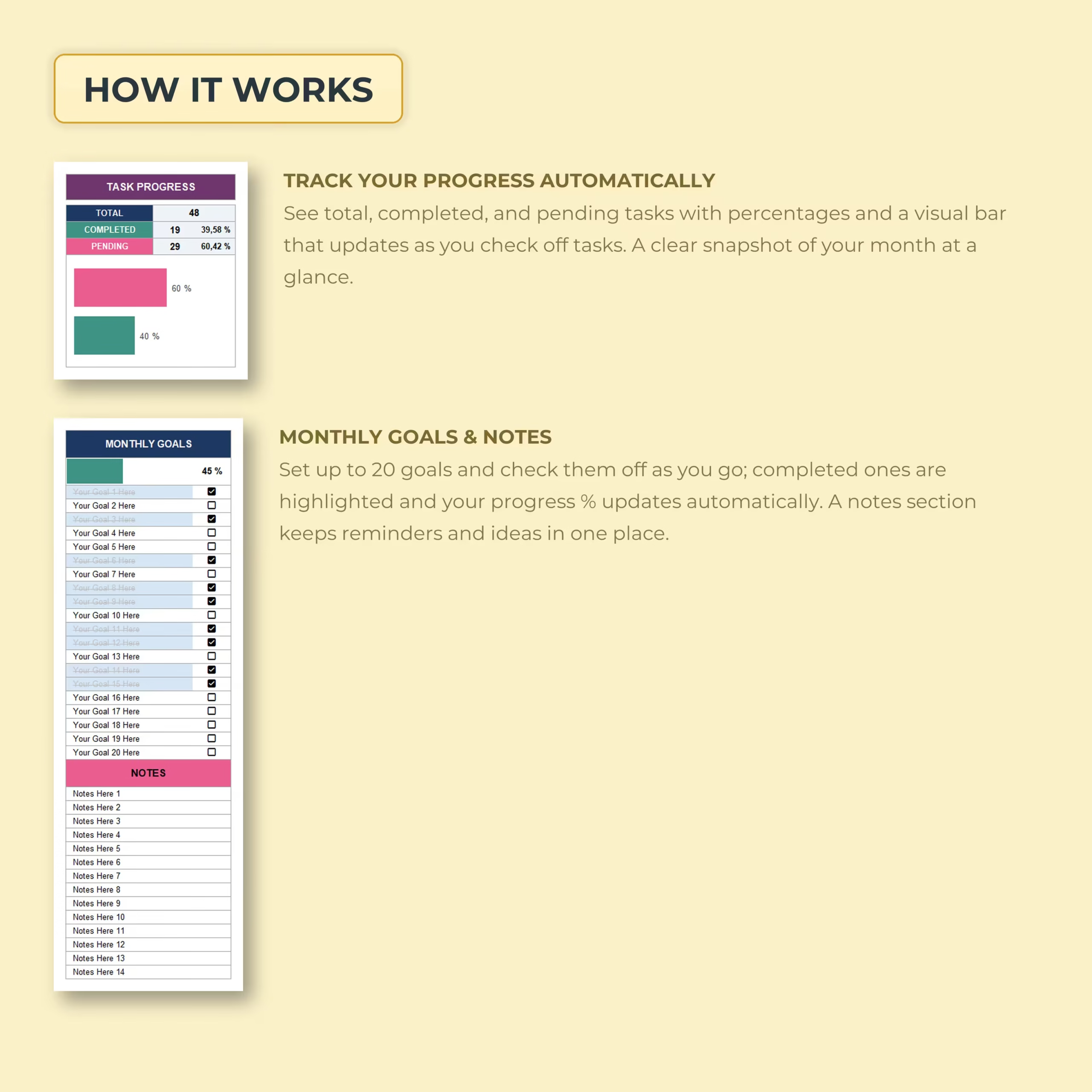
The built-in Task Progress dashboard automatically shows:
- Total tasks
- Completed tasks
- Pending tasks
- Completion percentage
- Pending percentage
- Visual progress bars
Every time you check off a task, your monthly progress updates automatically.
Track Up to 20 Monthly Goals
Tasks keep your schedule moving, while goals help you focus on the bigger picture.
The template includes a dedicated Monthly Goals section with space for up to 20 goals.
Add your goals and check them off as you achieve them. Your goal completion percentage updates automatically, giving you a simple visual measurement of your monthly progress.
Keep Notes and Reminders in the Same Spreadsheet
A dedicated notes section gives you space for additional information that does not belong on the calendar itself.
Use it for reminders, ideas, follow-ups, shopping notes, important details, things to remember next month, or anything else you want to keep close to your schedule.
Sunday-Start and Monday-Start Calendars Included
Different people organize their weeks differently, so the template includes both:
- Sunday-start monthly calendar
- Monday-start monthly calendar
Choose the layout that works best for your routine.
Automatic Calendar Organization
You only need to maintain your task list.
Once you enter the date, task, and time, the spreadsheet handles the calendar placement automatically. Completed tasks are also updated visually without requiring you to edit the calendar manually.
This helps you maintain a clean monthly planner without duplicating information in multiple places.
Perfect for Personal, Family, School, and Work Planning
This monthly task planner is flexible enough for many different uses.
It can work as a:
- Monthly to-do list
- Work task tracker
- Personal productivity planner
- Family schedule
- Student assignment tracker
- Appointment calendar
- Project task list
- Home organization planner
- Goal tracker
- Monthly productivity dashboard
Example and Blank Templates Included
An example version is included so you can immediately see how the task tracker works with sample entries.
Blank versions are also provided so you can start building your own monthly schedule from scratch.
Both Sunday-start and Monday-start options make it easy to choose the calendar format you prefer.
Microsoft Excel and Google Sheets Compatible
The template is designed for use with both Microsoft Excel and Google Sheets, giving you flexibility to work from your preferred spreadsheet platform.
Turn Your To-Do List into a Visual Monthly Plan
A long list of tasks tells you what needs to be done. A calendar tells you when you are going to do it.
This Monthly Task Tracker & To-Do List Calendar combines both approaches, helping you schedule tasks by date and time, monitor what has been completed, track monthly goals, and keep your entire month organized from one spreadsheet.
Enter your tasks, check them off, and let the template handle the rest.
Reviews
There are no reviews yet.