
Monthly Expense Tracker Spreadsheet for Excel and Google Sheets
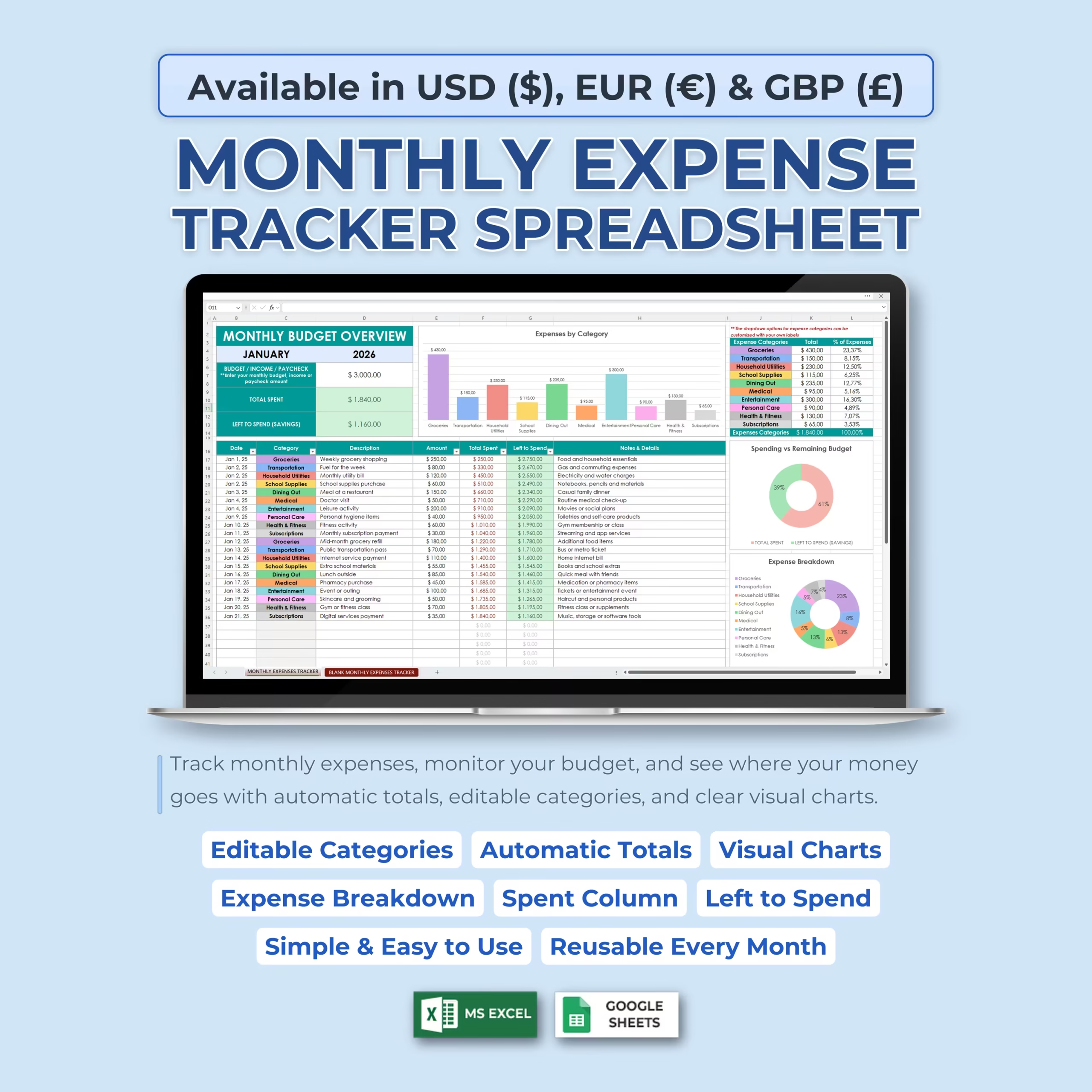
Stay on top of your spending with this Monthly Expense Tracker Spreadsheet for Microsoft Excel and Google Sheets. This ready-to-use file works as a practical monthly expense tracker spreadsheet, expense spreadsheet, expense tracking sheet, excel expense spreadsheet, monthly budget spreadsheet, and Google Sheets expense tracker for buyers who want a template they can download, customize, and start using right away.
If you are comparing options to track bills, groceries, subscriptions, transportation, and everyday purchases in one place, this template gives you a simple system to record expenses, monitor your monthly budget, calculate total spending, and instantly see how much money you have left to spend.
Track Monthly Expenses in One Simple Spreadsheet
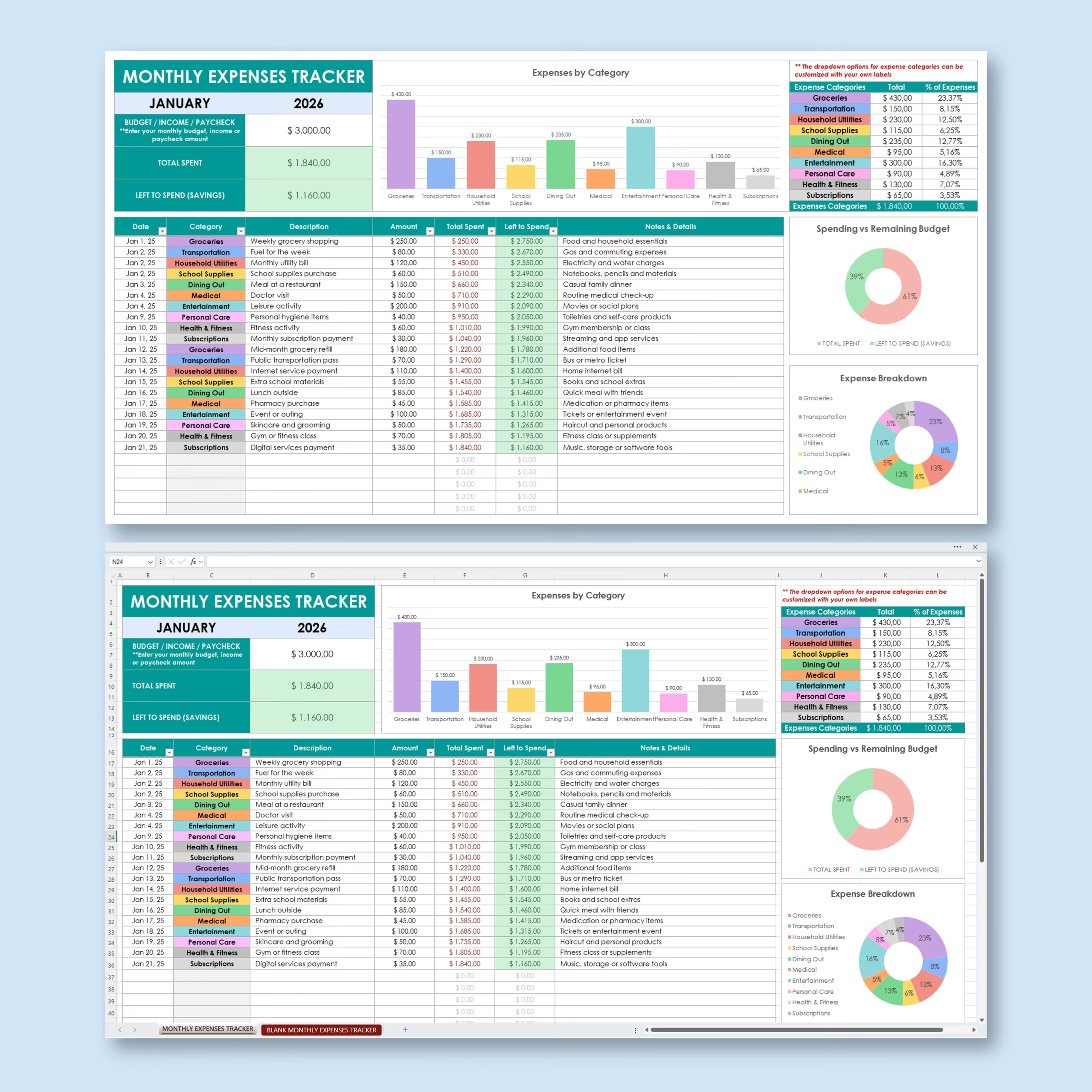
This monthly expense tracker keeps your budget, expense log, category breakdown, and spending charts together in one organized sheet. Enter your monthly budget, income, or paycheck amount, then start recording your expenses as they happen.
As you add expenses, the template automatically updates your total spent, remaining balance, category totals, charts, and percentages.
Monthly Budget Overview
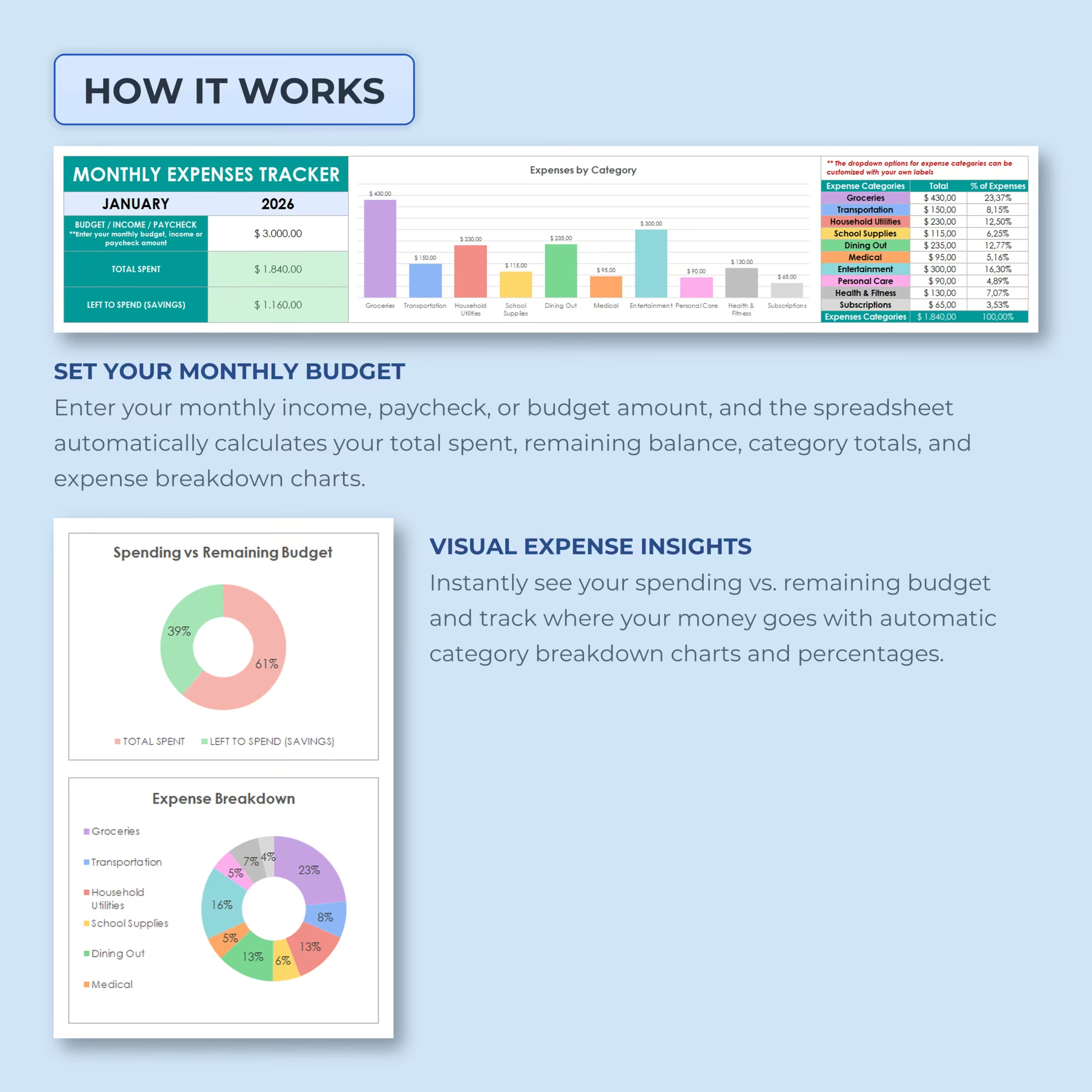
The budget overview section gives you a quick snapshot of your month. You can enter the selected month, year, and available budget amount, then view your spending progress automatically.
The dashboard tracks:
- Budget, income, or paycheck: Enter your monthly budget, income, or paycheck amount.
- Total spent: See how much you have spent so far.
- Left to spend: Instantly view how much money remains available.
- Expense category totals: See spending totals by category.
- Expense percentages: Understand what percentage each category represents.
Track Expenses in Real Time
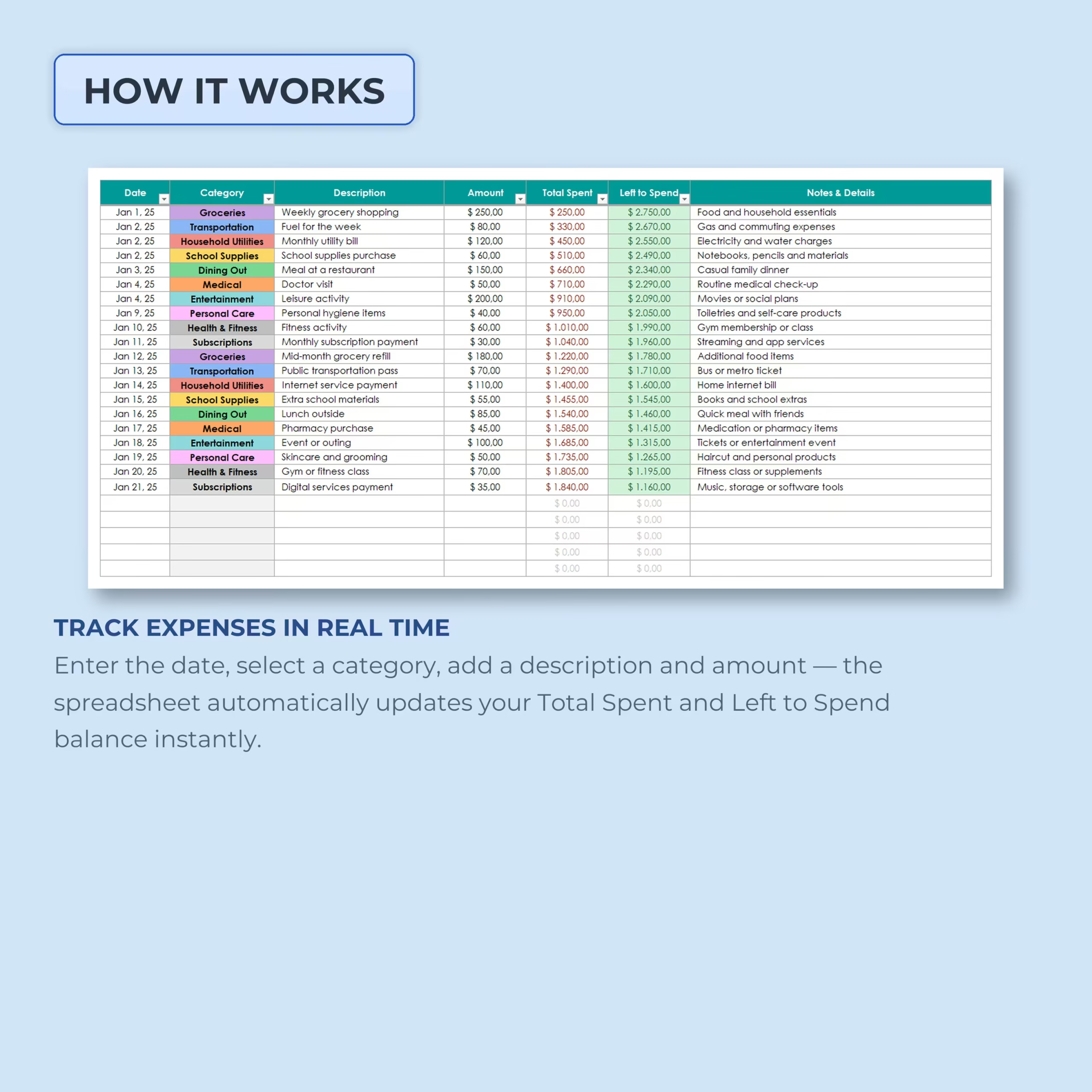
The expense log makes it easy to record every purchase or payment. Enter the date, choose a category, add a description, enter the amount, and include notes or details.
For each entry, the spreadsheet automatically updates the running Total Spent column and the Left to Spend balance, helping you understand your budget position after every expense.
Useful for Household Budgeting and Monthly Planning
This template works well for U.S. households, individuals, students, and families who want a simple spreadsheet to plan monthly spending. It is especially useful if you prefer to review bills, groceries, subscriptions, transportation, and everyday purchases in Excel or Google Sheets instead of relying on a more complex budgeting app.
For buyers looking for a reusable monthly budget spreadsheet, personal spending tracker, household expense tracker, or an expense spreadsheet they can reuse every month, this file gives you a practical starting point for recurring budget reviews, paycheck planning, and day-to-day expense control.
Editable Expense Categories
The template includes editable expense categories with dropdown selections. You can use the included categories or customize them with your own labels to match your lifestyle and budget.
Example categories include:
- Groceries
- Transportation
- Household utilities
- School supplies
- Dining out
- Medical
- Entertainment
- Personal care
- Health and fitness
- Subscriptions
Once categories are updated, the dropdowns, totals, percentages, and charts reflect your spending automatically.
Visual Expense Insights
The built-in charts help you quickly understand your monthly spending. The spreadsheet includes visual insights for expenses by category, spending vs. remaining budget, and overall expense breakdown.
This makes it easier to identify your biggest spending areas, compare categories, and adjust your budget before the month ends.
Spending vs. Remaining Budget
The spending vs. remaining budget chart shows how much of your monthly budget has already been spent compared to what is still available. This gives you a simple visual reminder of whether you are staying on track.
Use it to make better spending decisions throughout the month and avoid accidentally overspending.
Expense Breakdown by Category
The category breakdown table shows each expense category, total spent, and percentage of total expenses. This helps you quickly see where most of your money is going.
Use the category breakdown to review spending habits, identify unnecessary expenses, and plan a better budget for future months.
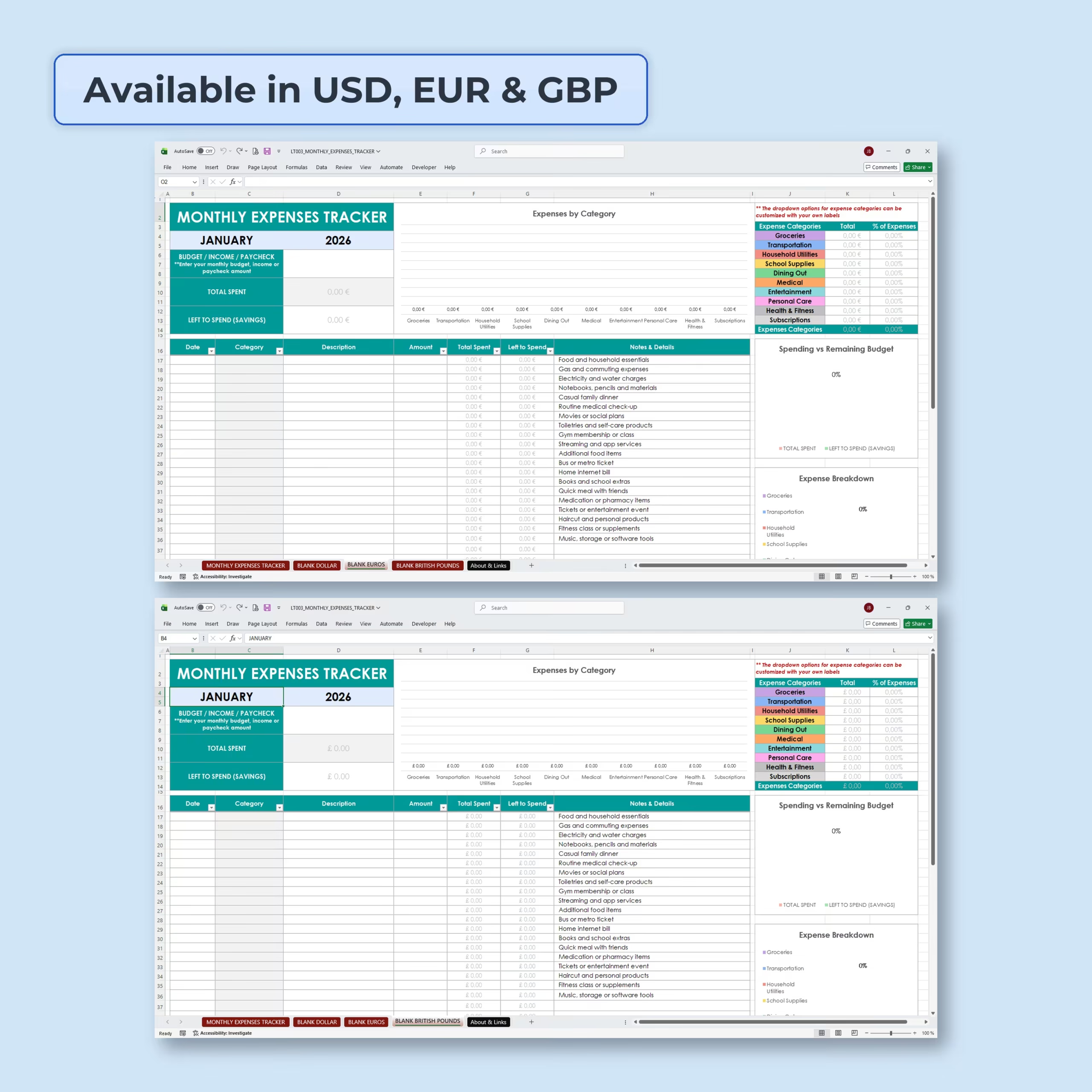
Includes USD, EUR, and GBP Versions
This monthly expense tracker includes versions for:
- USD ($)
- EUR (€)
- GBP (£)
This makes the template flexible for users in the United States and other regions that prefer euro or pound currency formatting.
Blank Templates Included
Blank monthly expense tracker templates are included so you can start fresh with your own budget and categories. You can duplicate the blank version and reuse it every month.
The template is simple, clean, and beginner-friendly, making it easy to maintain a monthly expense tracking habit without complicated budgeting software.
Works with Excel and Google Sheets
This expense tracker works with both Microsoft Excel and Google Sheets, so you can use it offline on your computer or online in your browser.
Perfect For
- Monthly expense tracking
- Monthly budget planning
- Personal budgeting
- Household spending
- Paycheck budgeting
- Student budgets
- Family expense tracking
- Simple money management
- Tracking daily purchases
- Reviewing category spending
Why Buyers Choose This Monthly Expense Tracker
- Ready-to-use monthly expense tracker for Excel and Google Sheets
- Useful as a monthly budget spreadsheet, household budget template, or personal spending tracker
- Shows total spent and left-to-spend balance automatically
- Editable categories with dropdowns
- Automatic category totals, percentages, and charts
- Includes USD, EUR, and GBP versions
- Blank templates included for repeat monthly use
- Beginner-friendly and easy to customize
If you need a practical monthly expense tracker spreadsheet you can download and start using right away, this Excel and Google Sheets template gives you a simple system for budgeting, expense tracking, and monthly money reviews.
Reviews
There are no reviews yet.