
A Simple Monthly Budget Spreadsheet That Keeps Everything Together
Budgeting is much easier when your income, expenses, savings, and debt are all connected instead of spread across different worksheets, apps, or notes.
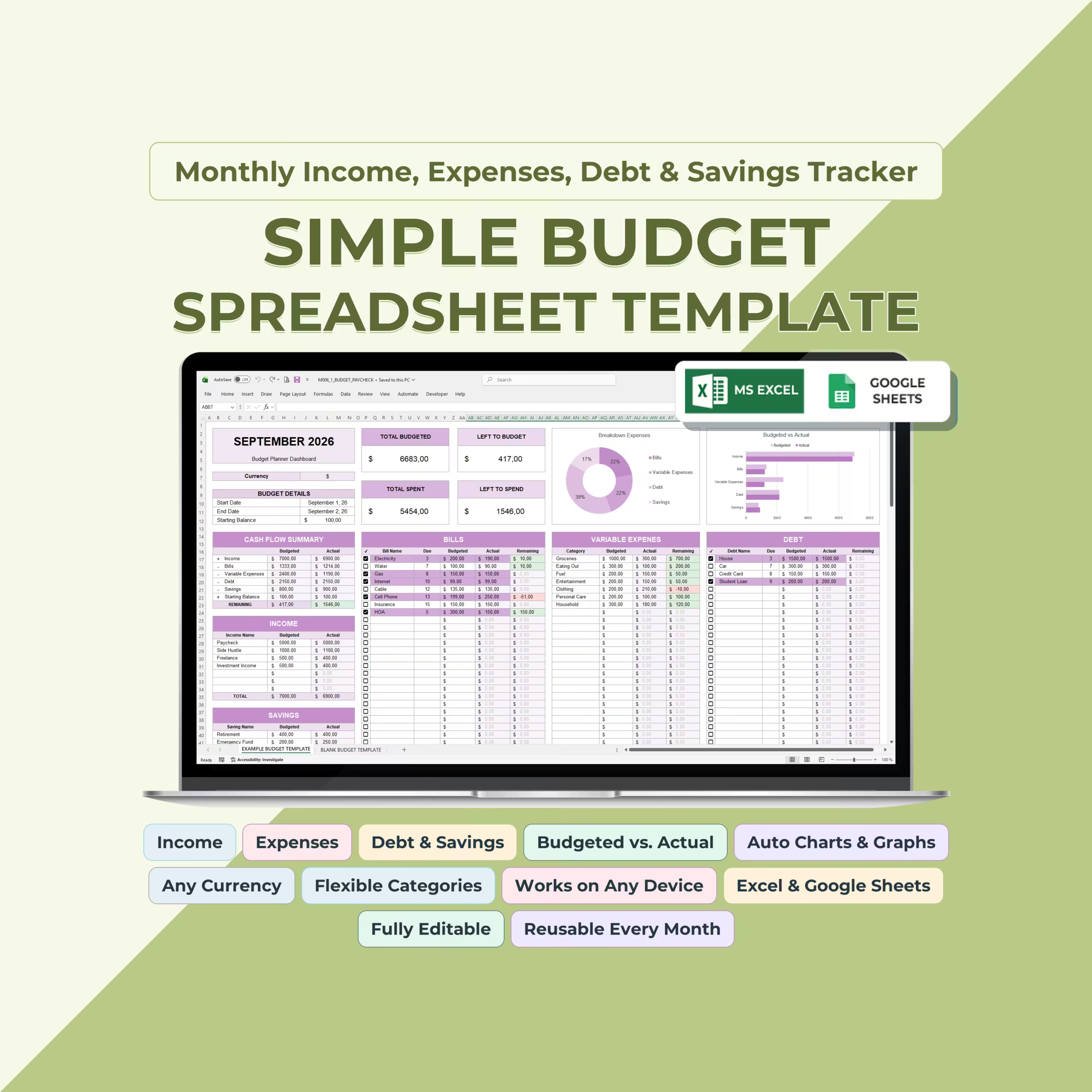
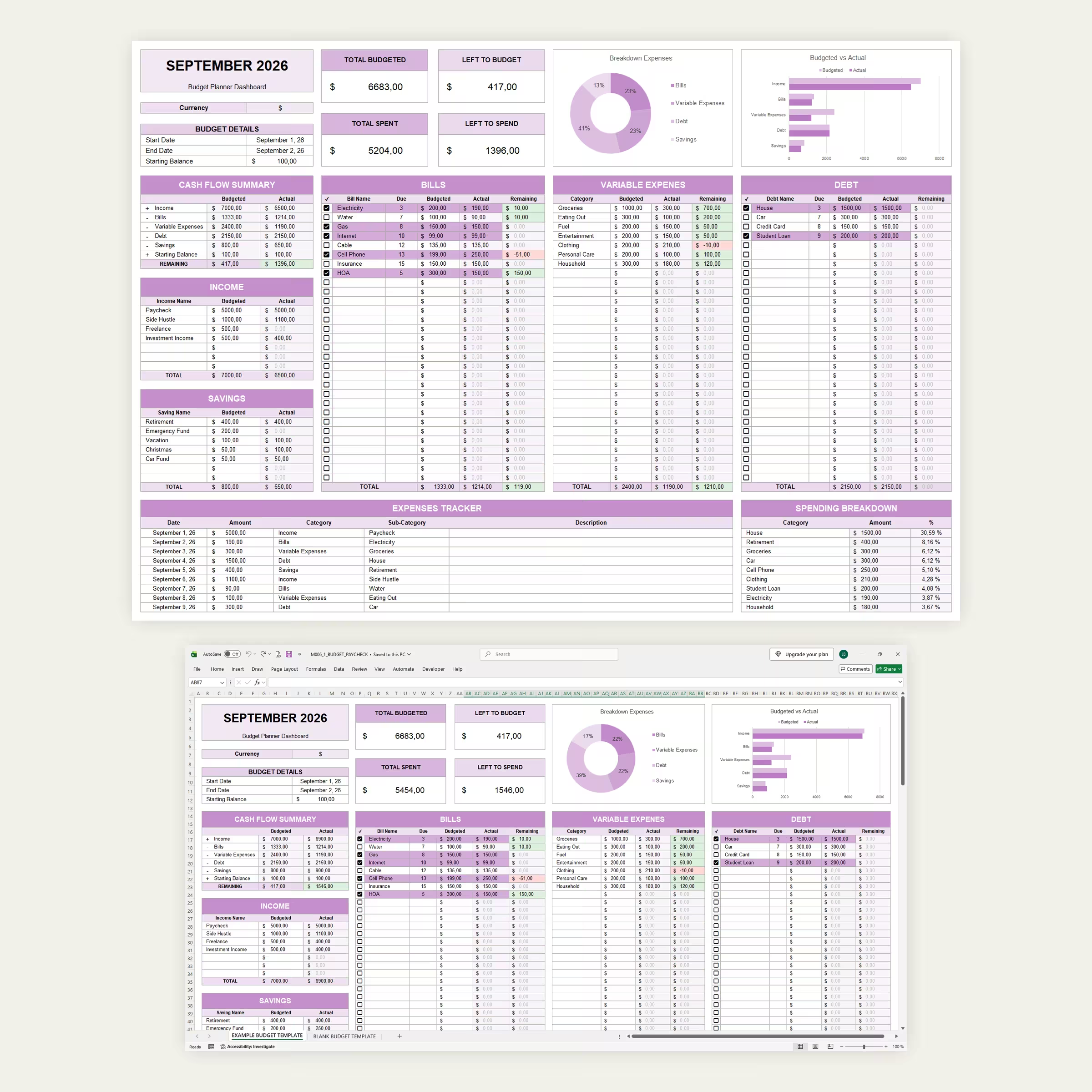
This Monthly Budget Spreadsheet Template for Microsoft Excel and Google Sheets gives you one complete system for planning your monthly finances and comparing your plan with what actually happens.
Set your budget, record your transactions, and let the spreadsheet calculate the rest.
Track Your Complete Monthly Budget
The dashboard brings together the main parts of your finances:
- Income
- Bills
- Variable expenses
- Debt payments
- Savings
- Starting balance
Instead of looking at each area separately, you can see how they all affect your available money for the month.
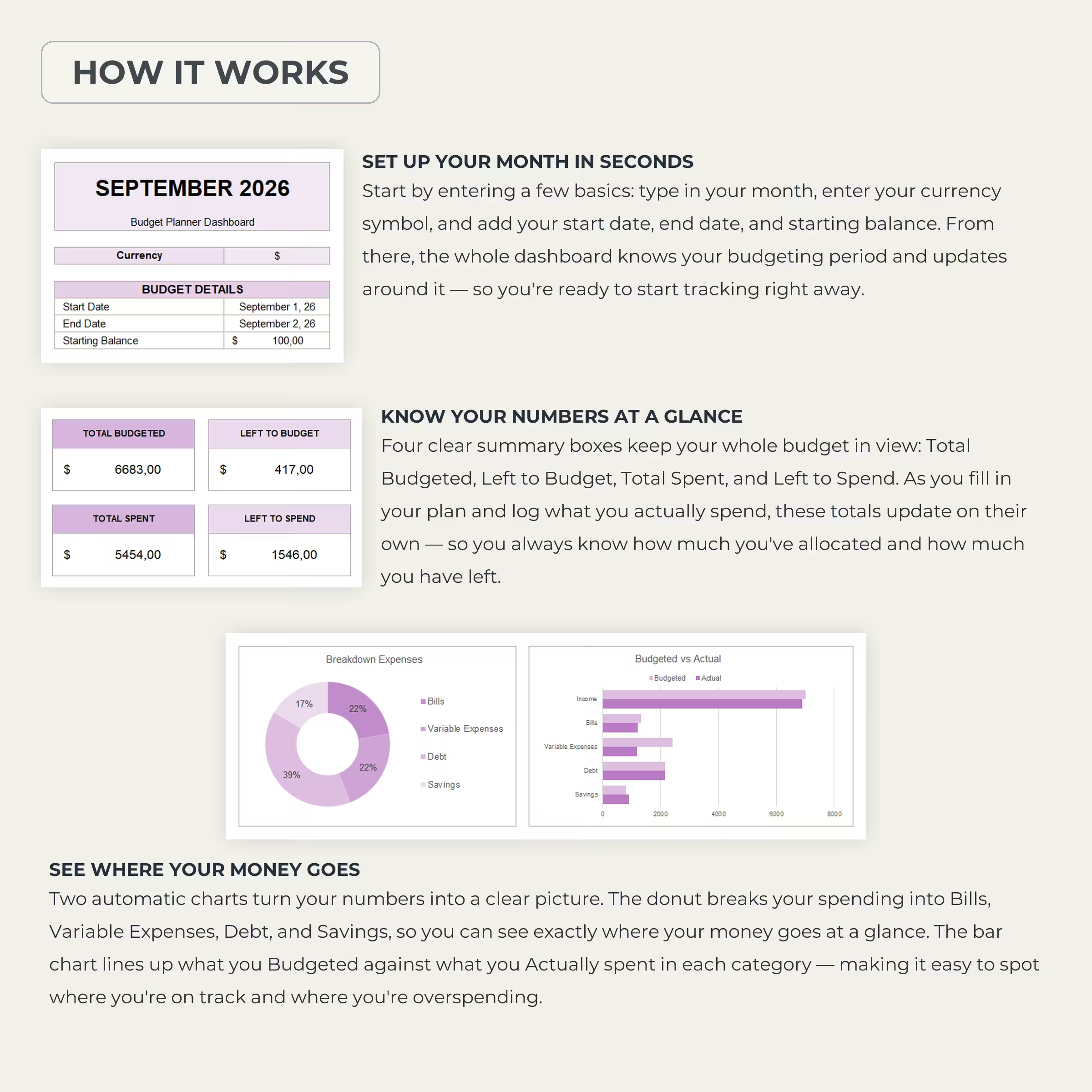
Set Up Your Month in Seconds
Start by entering a few basic details:
- Month
- Currency symbol
- Start date
- End date
- Starting balance
Once your budgeting period is set, you can begin adding your planned amounts and recording your real transactions.
See Your Most Important Numbers Instantly
Four summary boxes give you an immediate snapshot of your budget:
- Total Budgeted — how much money you have allocated
- Left to Budget — how much income still needs to be assigned
- Total Spent — your actual recorded spending
- Left to Spend — how much money remains available
These figures update automatically as you enter your budget and transactions.
Budgeted vs. Actual Cash Flow
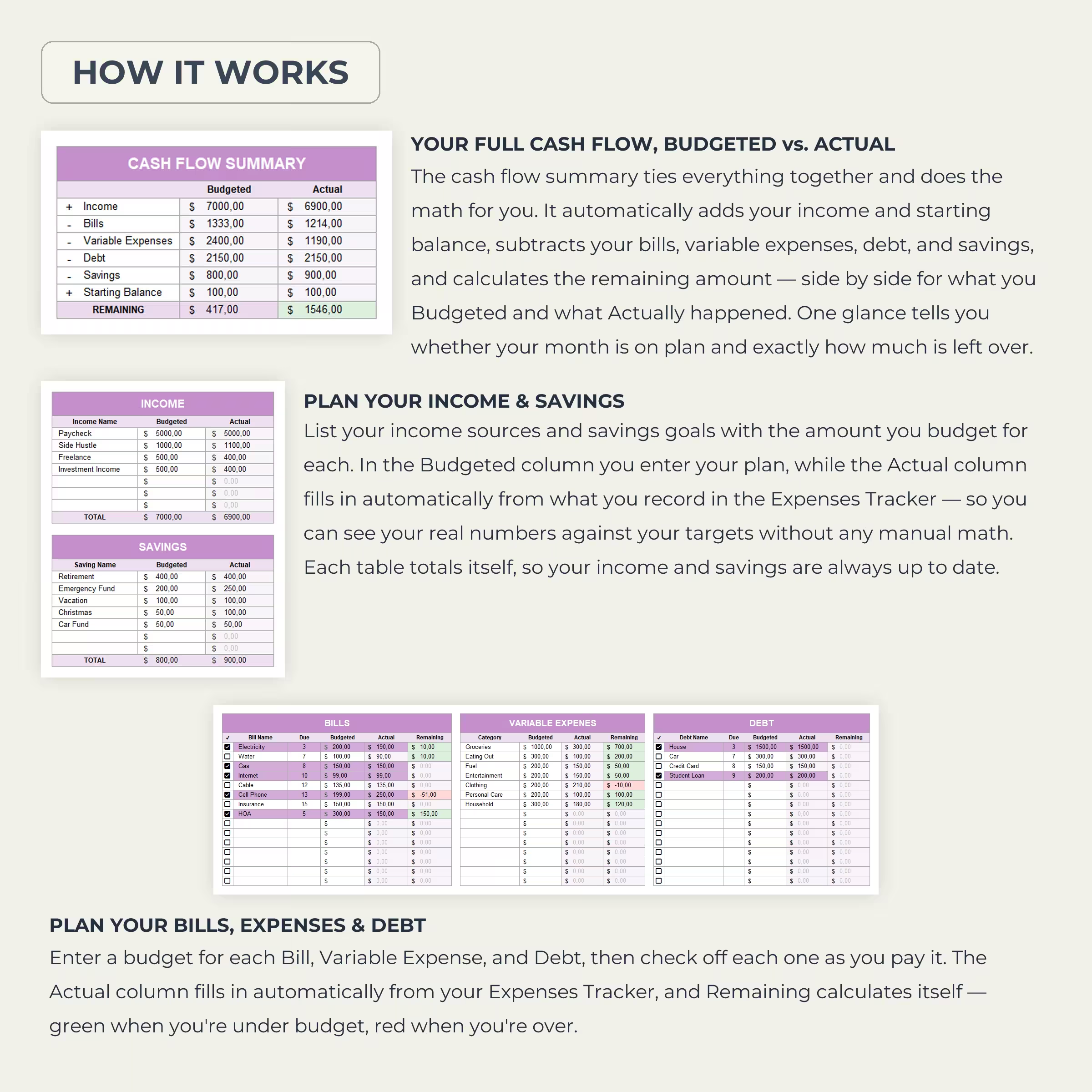
The built-in Cash Flow Summary shows your planned numbers beside your actual results.
It automatically combines your income and starting balance, then subtracts:
- Bills
- Variable expenses
- Debt
- Savings
You can immediately see what you expected to have remaining and what you actually have left.
Plan and Track Your Income
Add your different income sources and enter the amount you expect to receive from each.
You can use the section for salary, freelance income, side hustles, investments, commissions, or any other source of money.
Your actual income is calculated from the transactions recorded in the Expense Tracker, allowing you to compare your expected income with the amount you really received.
Manage Your Bills
Create a monthly list of bills with:
- Bill name
- Due date
- Budgeted amount
- Actual amount
- Remaining amount
- Payment checkbox
The spreadsheet shows the difference between what you planned and what you actually paid, making it easier to identify bills that were higher or lower than expected.
Track Variable Expenses
Not every expense is fixed. Use the Variable Expenses section for categories such as:
- Groceries
- Eating out
- Fuel
- Entertainment
- Clothing
- Personal care
- Household expenses
Set a budget for each category and compare it with your actual spending throughout the month.
Monitor Debt Payments
Keep your debt payments visible alongside the rest of your budget.
Add credit cards, loans, student debt, car payments, mortgages, or other balances and compare the amount you planned to pay with the amount actually recorded.
Plan Your Savings Goals
The Savings section lets you create separate goals and allocate money toward each one.
You might use it for:
- Emergency fund
- Retirement
- Vacation
- Christmas
- Car fund
- Home improvements
- Other personal savings goals
Each savings category shows both your planned and actual contribution.
Enter Each Transaction Once
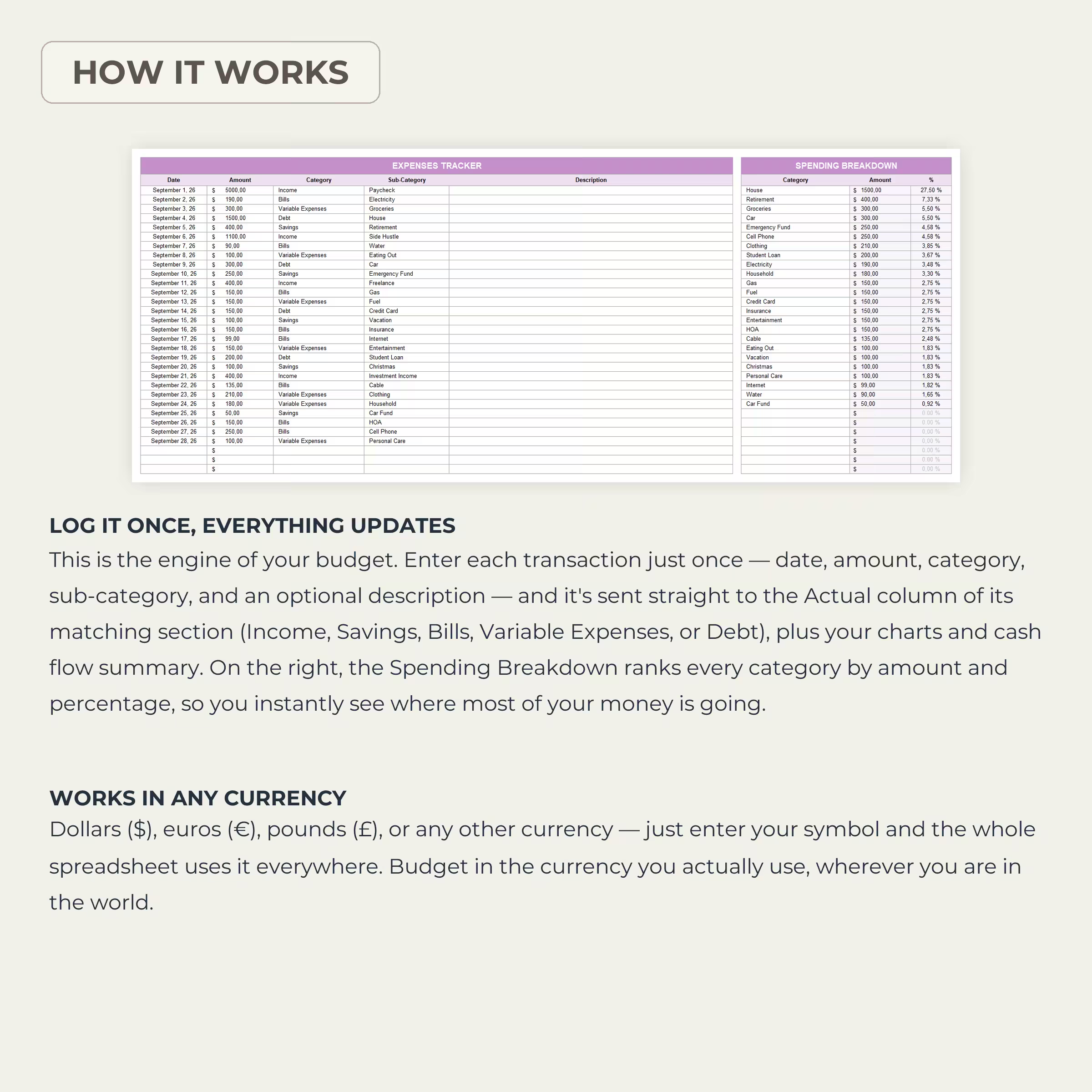
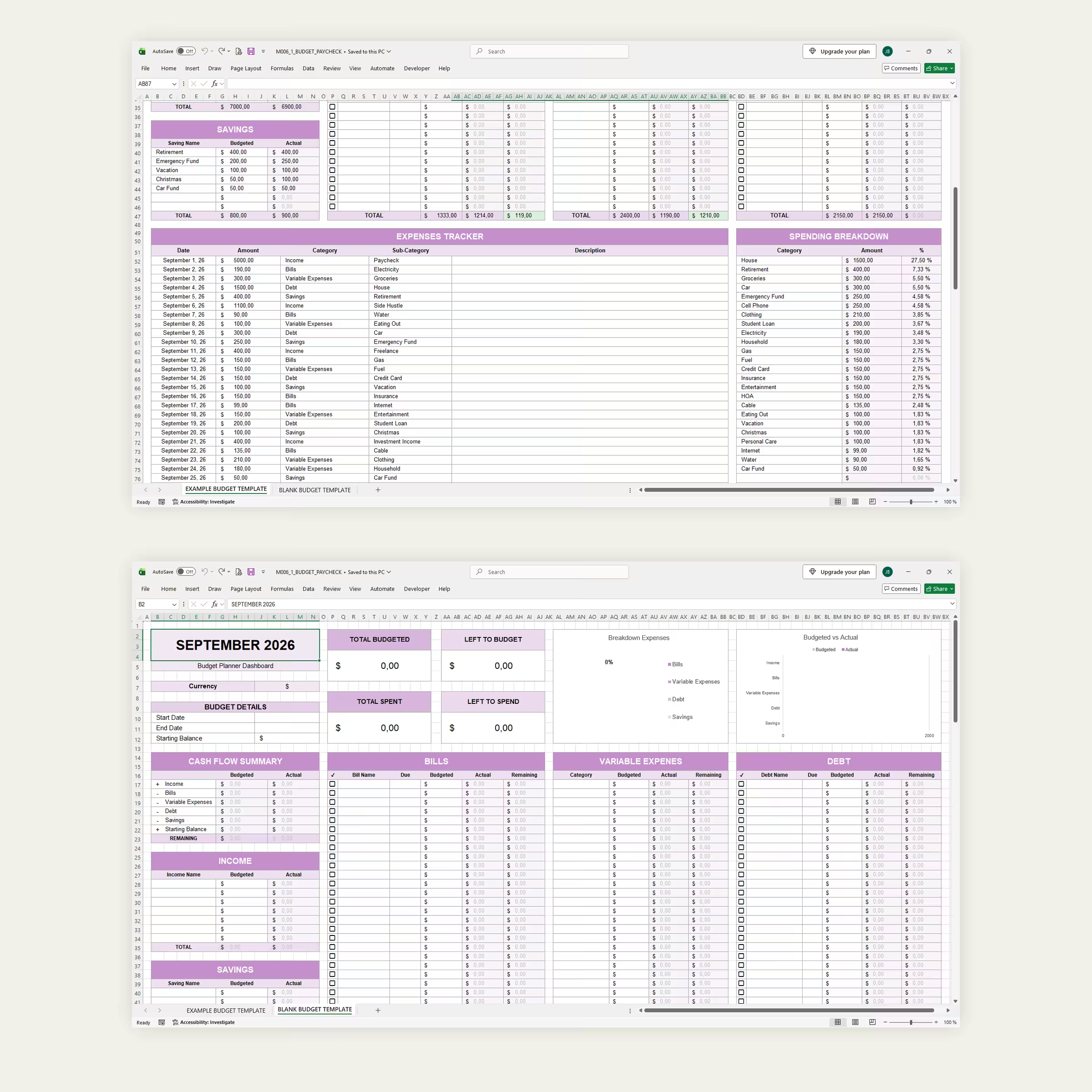
The Expenses Tracker acts as the engine behind the spreadsheet.
For every transaction, simply record:
- Date
- Amount
- Category
- Sub-category
- Optional description
The transaction then feeds into the appropriate Actual totals throughout the spreadsheet.
This means you do not need to manually update your bills, expense categories, debt, savings, charts, and cash flow separately.
Automatic Spending Breakdown
The template automatically organizes your recorded spending and shows how much money went toward each category.
The Spending Breakdown displays both the amount and percentage, helping you quickly identify your largest expenses.
Visual Budget Charts
Automatic charts turn your numbers into a quick visual overview.
The dashboard includes:
- Expense breakdown chart
- Budgeted vs. Actual comparison chart
See how your money is distributed across bills, variable expenses, debt, and savings and quickly spot areas where actual spending differs from your plan.
Know When You Are Over or Under Budget
Remaining amounts calculate automatically throughout the planner.
Color indicators make it easier to identify categories where you still have money available and those where actual spending has exceeded the original budget.
Use Any Currency
The template is not limited to dollars.
Enter your preferred currency symbol and use the spreadsheet with dollars ($), euros (€), pounds (£), or another currency of your choice.
Flexible Categories
Your finances are personal, so the spreadsheet is designed to be editable.
Customize income sources, bills, expense categories, savings goals, debt items, and descriptions to match your own budget.
Reusable Every Month
Use the blank template to create a new budget for each month while keeping the same organized structure.
This makes it useful for ongoing household budgeting, personal finance tracking, paycheck planning, debt management, savings planning, and monthly expense monitoring.
Example and Blank Templates Included
An example worksheet is included with sample data so you can immediately understand how the budget works.
You also receive a clean blank version ready for your own income, expenses, bills, debt, and savings.
Microsoft Excel and Google Sheets Compatible
Use the template in Microsoft Excel or Google Sheets and manage your budget from the platform that works best for you.
See Your Plan and Reality Side by Side
A useful budget does more than list expenses. It shows whether what actually happened matched what you planned.
With automatic cash flow calculations, budgeted vs. actual comparisons, transaction tracking, spending breakdowns, savings and debt sections, and visual charts, this Monthly Budget Spreadsheet gives you a clear picture of where your money is going and how much you still have available.
Reviews
There are no reviews yet.