
A Simple Monthly Budget Spreadsheet That Keeps Everything in One Place
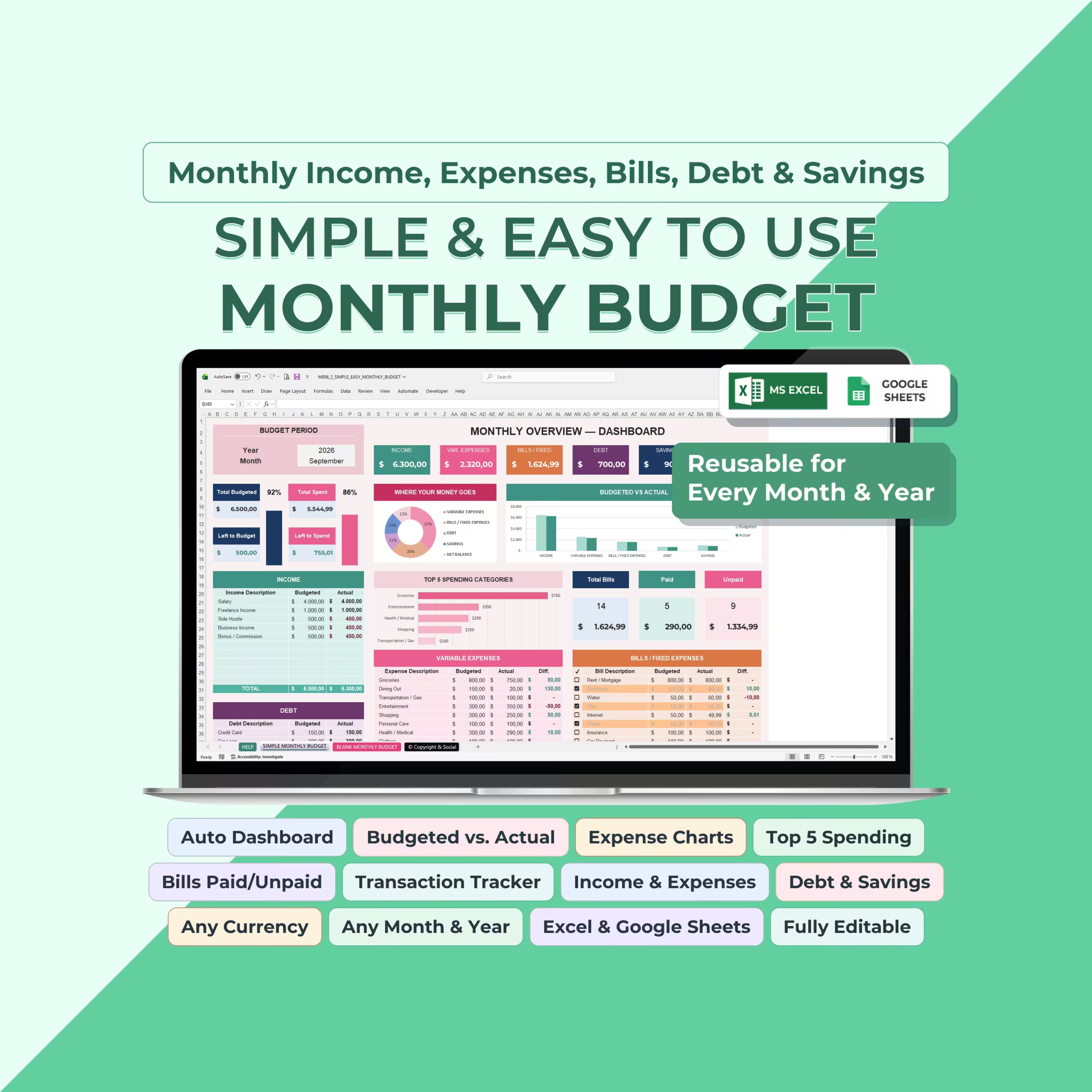
This Monthly Budget Spreadsheet Template gives you one organized place to plan your budget, record transactions, track bills, manage debt, monitor savings, and see exactly where your money is going.
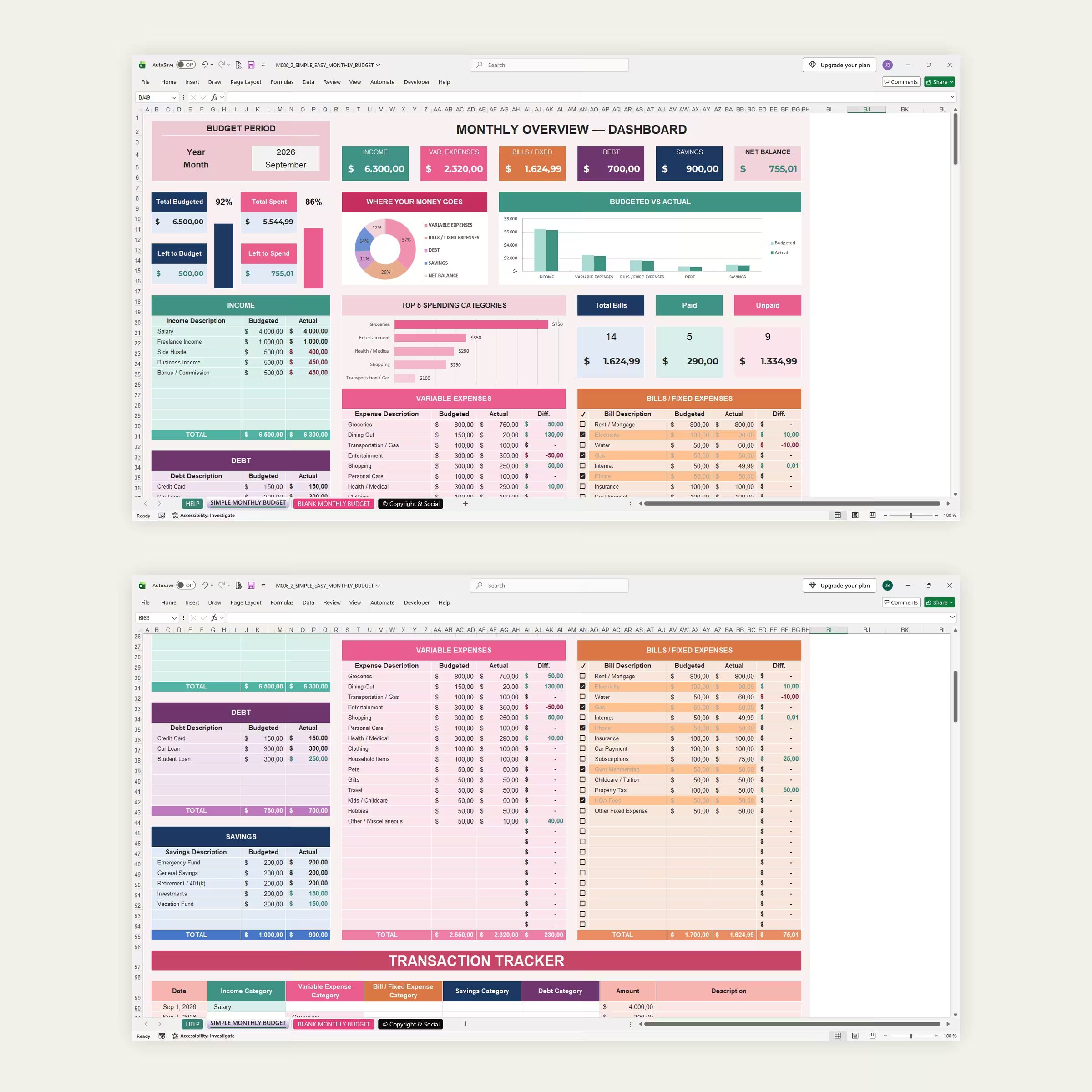
Designed for Microsoft Excel and Google Sheets, the template combines detailed budgeting tables with an automatic visual dashboard so you can compare what you planned to spend with what actually happened.
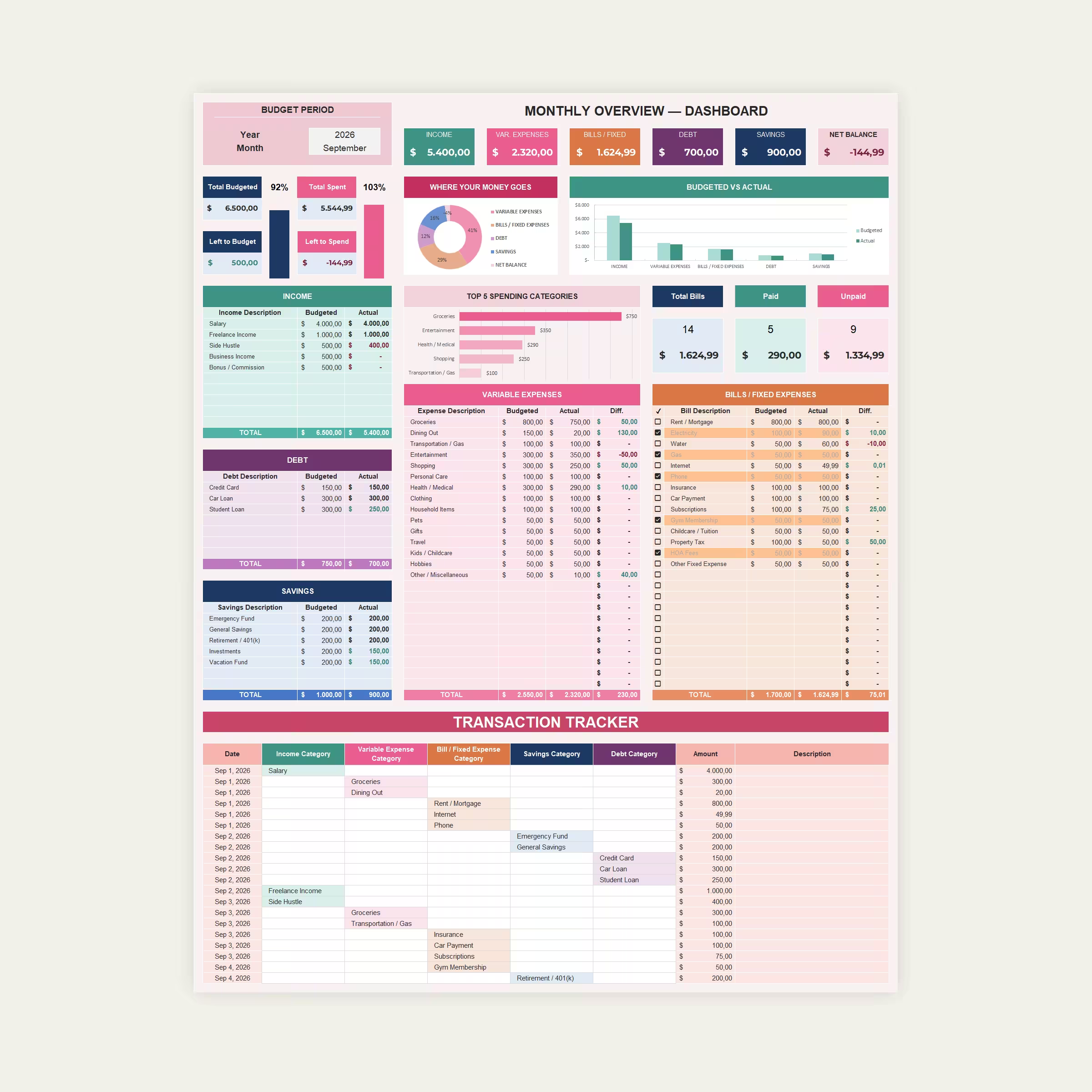
Your Entire Month at a Glance
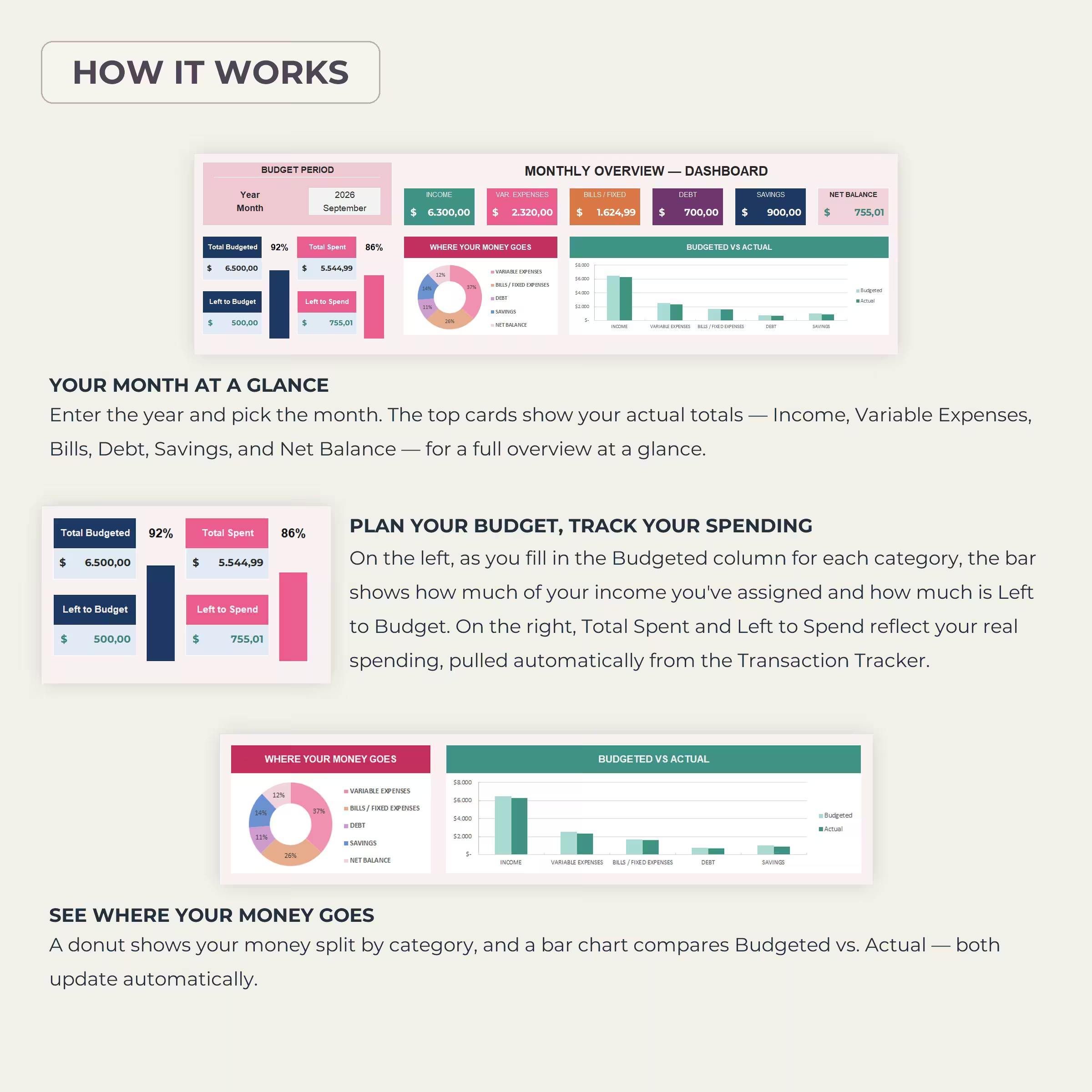
Choose your month and year and the dashboard gives you an instant overview of your finances, including:
- Total income
- Variable expenses
- Bills and fixed expenses
- Debt payments
- Savings
- Net balance
- Total budgeted
- Total spent
- Amount left to budget
- Amount left to spend
The template is reusable, so once you’ve finished one month you can use the same system again for the next.
Budgeted vs. Actual Spending
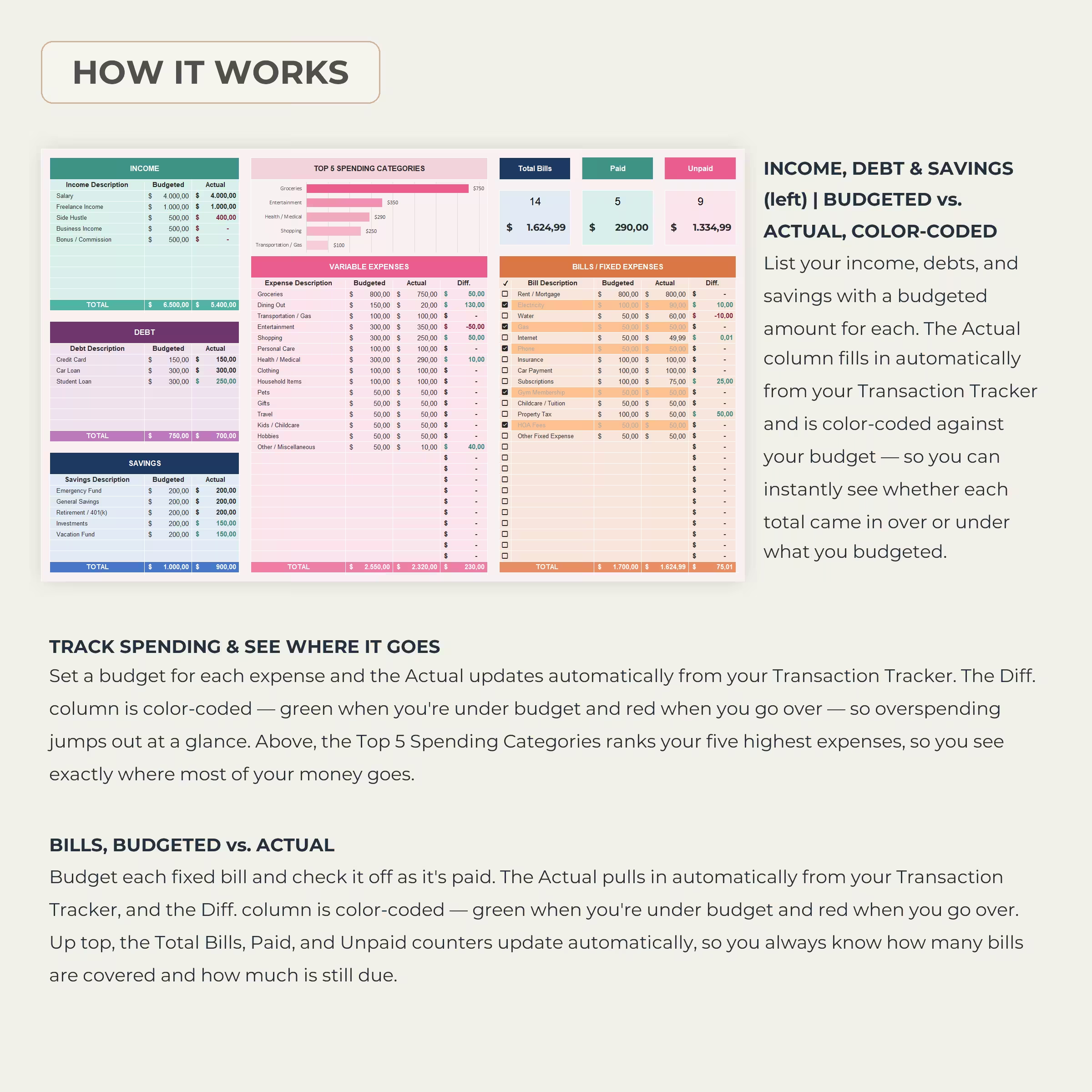
Set a planned amount for each part of your budget and compare it with your real spending throughout the month. The spreadsheet automatically calculates the difference between your budgeted and actual amounts, making it easy to identify where you’re staying on track and where you’re overspending.
Automatic Monthly Budget Dashboard
Your dashboard turns all of your numbers into a clear visual summary. Automatic charts show your spending distribution and compare your planned budget against your actual results.
You can quickly see how much of your money is going toward expenses, bills, debt, and savings without manually creating charts or calculating percentages.
Track Income from Multiple Sources
Record salary, freelance income, side hustles, business income, commissions, or any other money coming in. Add a budgeted amount for each source and compare it with your actual income for the month.
Manage Variable Expenses
Organize everyday spending such as groceries, dining out, transportation, entertainment, shopping, personal care, health, household expenses, travel, childcare, hobbies, and more.
Each expense category includes Budgeted, Actual, and Difference values so you can immediately see how your spending compares with your plan.
Track Bills and Fixed Expenses
Keep recurring monthly bills organized in one dedicated section. Add the bill name and planned amount, record the actual payment, and use the included checkboxes to mark bills as paid.
Automatic counters show your Total Bills, Paid Bills, and Unpaid Bills, including the corresponding amounts still outstanding.
Monitor Debt and Savings
Keep debt repayments and savings goals alongside the rest of your monthly budget. Track credit cards, loans, retirement contributions, emergency funds, investments, vacation savings, or any other financial goal you want to include.
Budgeted and actual amounts make it easy to see whether you’re meeting the targets you set for yourself.
Top 5 Spending Categories
The built-in ranking automatically identifies your five highest spending categories, helping you quickly understand where the largest portions of your money are going.
Enter Transactions Once
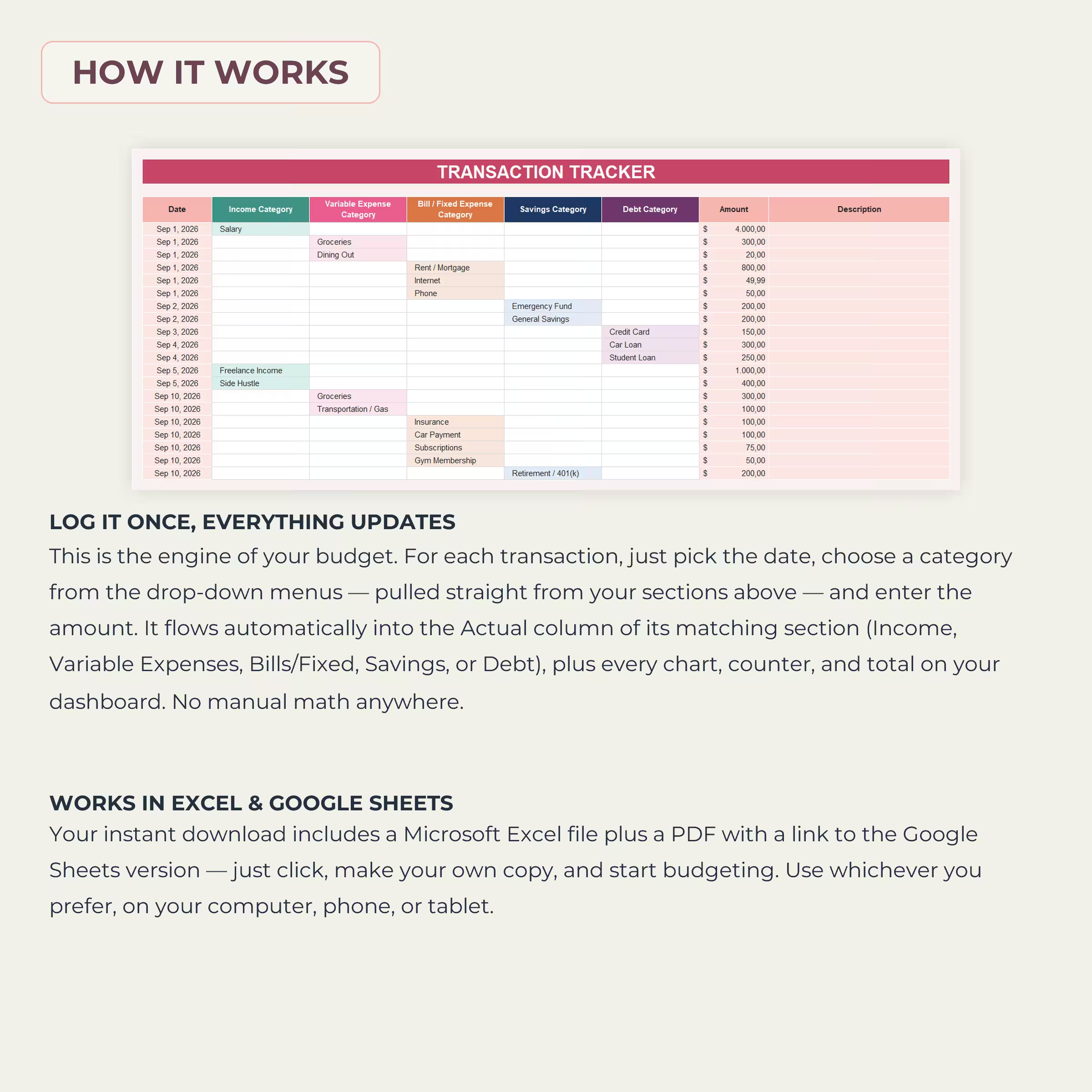
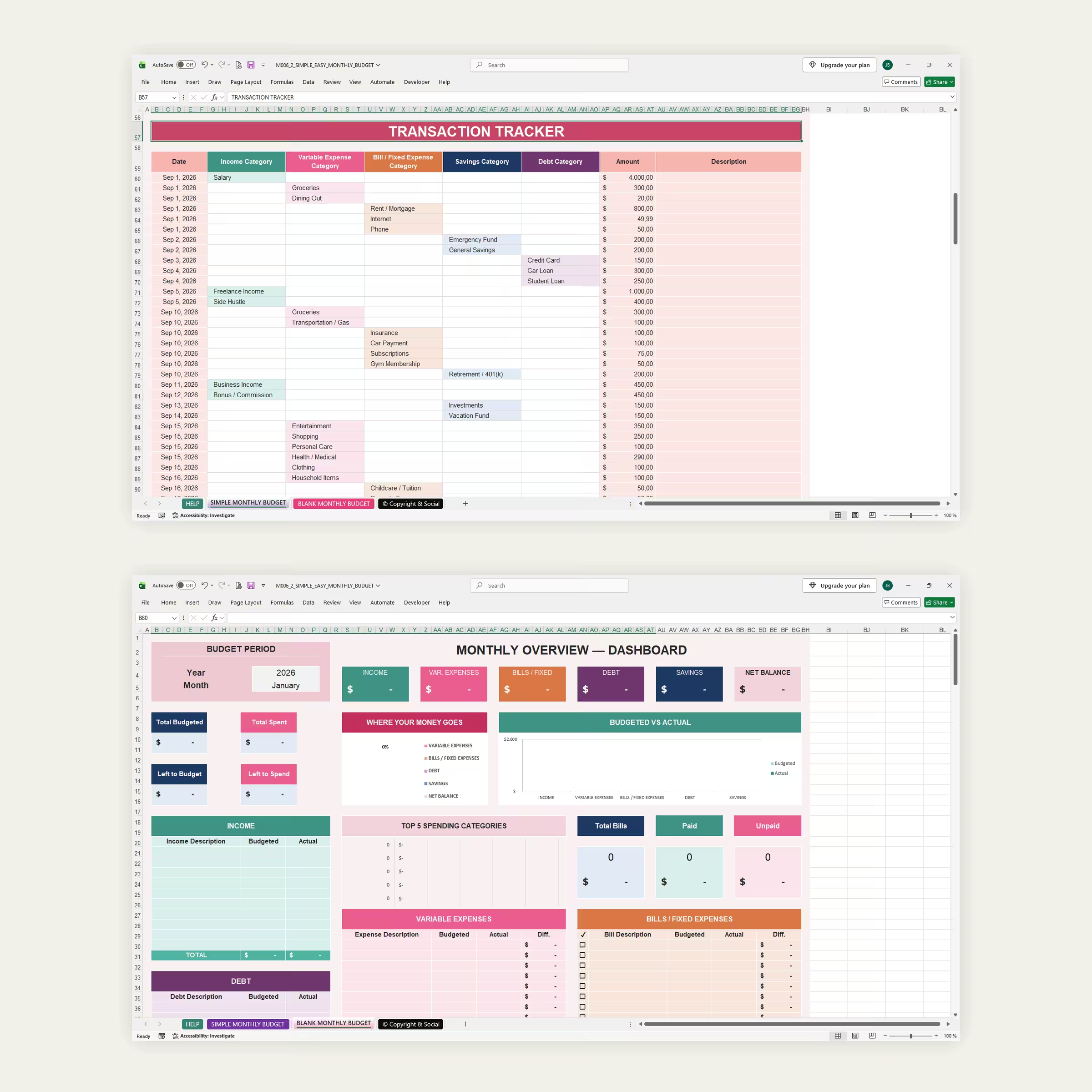
The Transaction Tracker is the engine behind the spreadsheet. Enter each transaction with its date, category, amount, and optional description.
Choose from categories for Income, Variable Expenses, Bills / Fixed Expenses, Savings, or Debt. Your entries automatically feed into the matching sections, totals, dashboard cards, and charts.
This means you don’t have to enter the same expense in several different places or manually update your totals.
Use Any Currency
The spreadsheet can be adapted to dollars, euros, pounds, or another currency, making it suitable for users around the world.
Works in Excel & Google Sheets
Use the budget template in Microsoft Excel or Google Sheets. The layout is fully editable, so you can customize categories, labels, amounts, and budgeting sections to match the way you manage your own money.
What’s Included
- Monthly budget dashboard
- Income tracker
- Variable expense tracker
- Fixed bills tracker
- Paid and unpaid bill tracking
- Debt tracker
- Savings tracker
- Transaction tracker
- Budgeted vs. actual calculations
- Automatic spending charts
- Top 5 spending categories
- Net balance calculation
- Left to budget calculation
- Left to spend calculation
- Any month and year
- Any currency
- Example budget template
- Blank ready-to-use template
- Microsoft Excel compatibility
- Google Sheets compatibility
Plan your budget, record your spending once, and let the spreadsheet keep the rest of your monthly finances organized automatically.
Reviews
There are no reviews yet.