
Monthly & Annual Tax Deductions Tracker for Excel and Google Sheets
Keeping track of tax deductions can be frustrating when receipts, personal expenses, business deductions, notes, and monthly totals are scattered across different places.
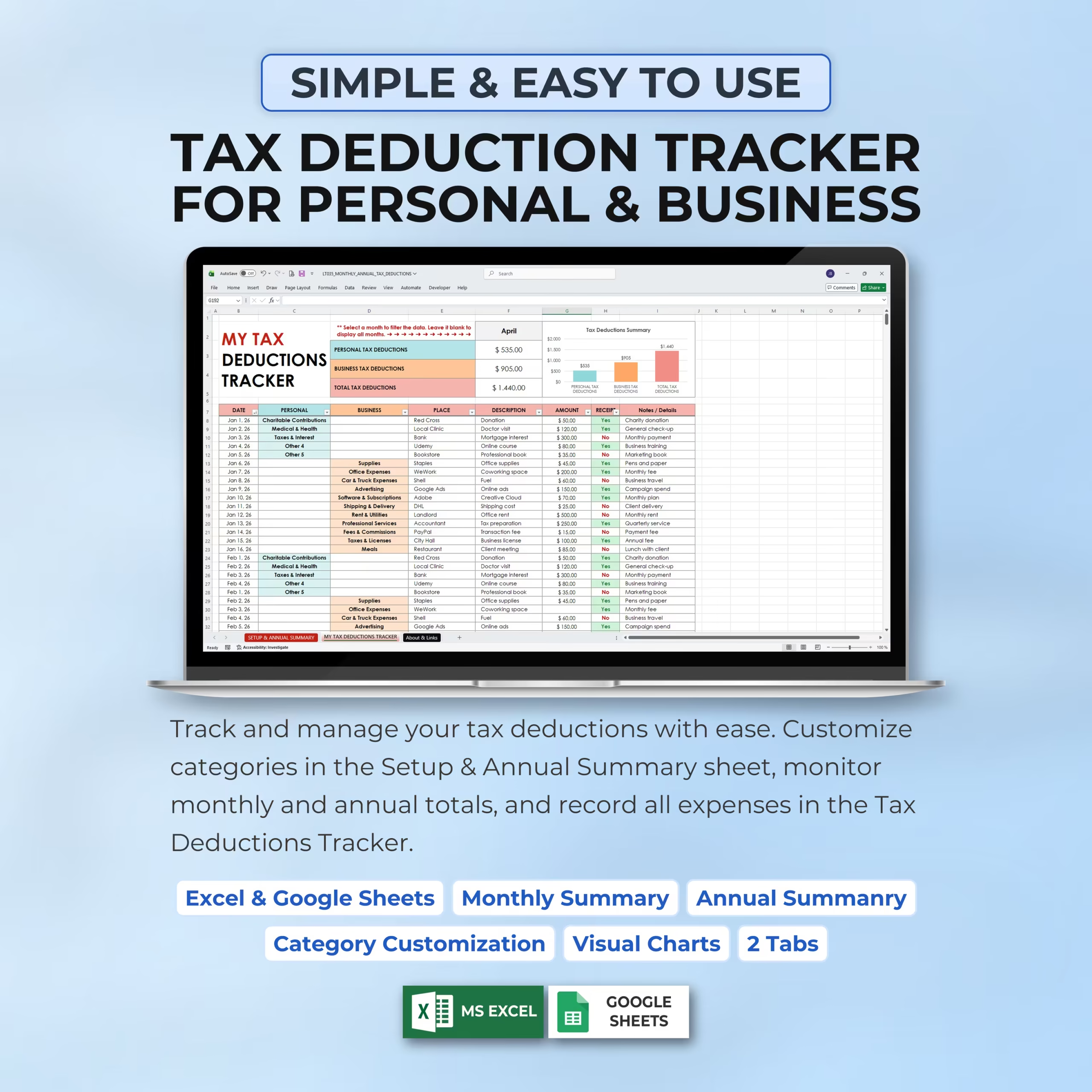
This Monthly & Annual Tax Deductions Tracker Spreadsheet gives you a simple and organized way to record deductible expenses, separate personal and business categories, track receipts, and review monthly and annual tax deduction summaries in Excel or Google Sheets.
Track Personal and Business Tax Deductions
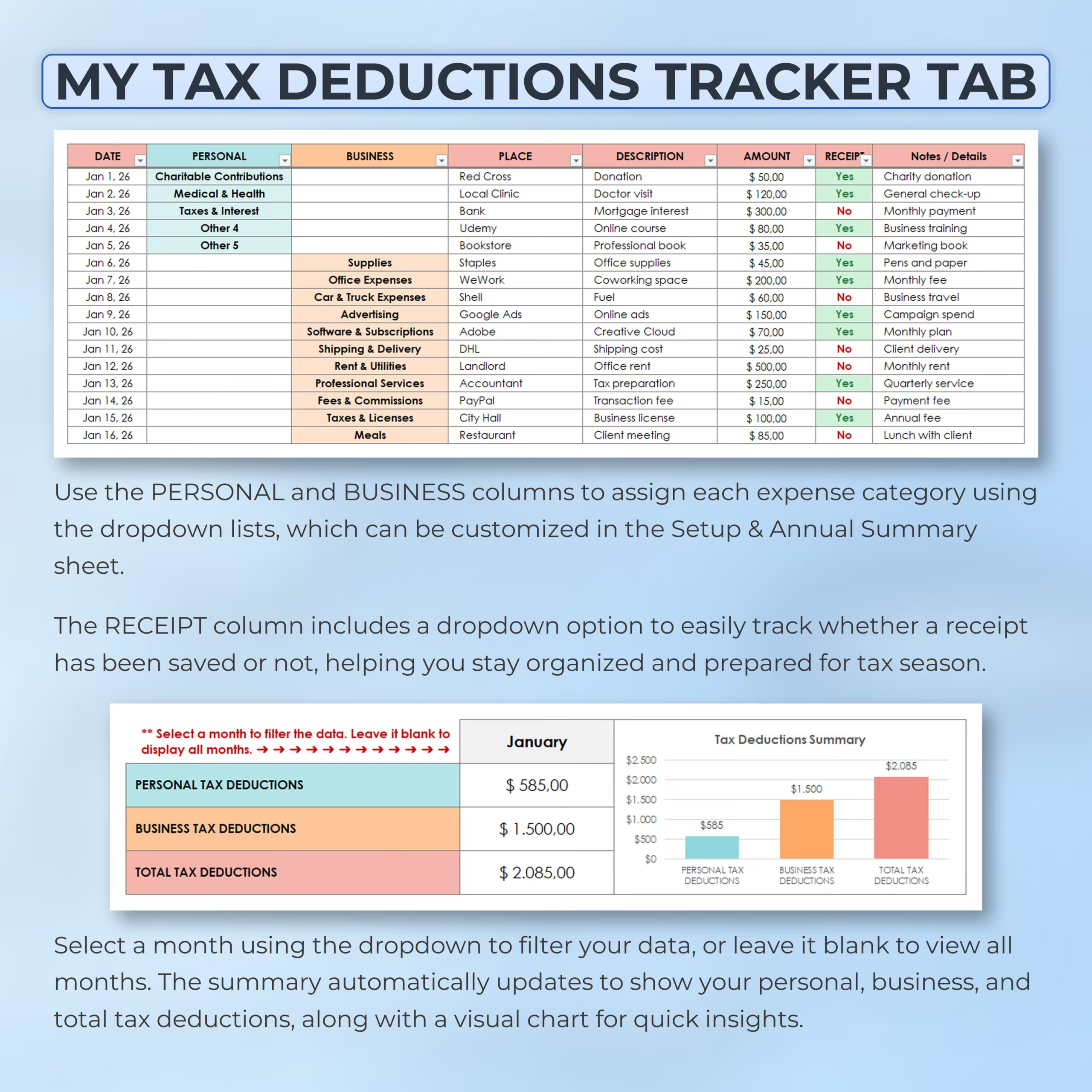
The tracker lets you organize deductions into personal and business categories using clear dropdown lists.
You can record each expense with the date, category, place, description, amount, receipt status, and notes or details, helping you keep your tax-related records organized throughout the year.
Monthly Tax Deduction Tracking
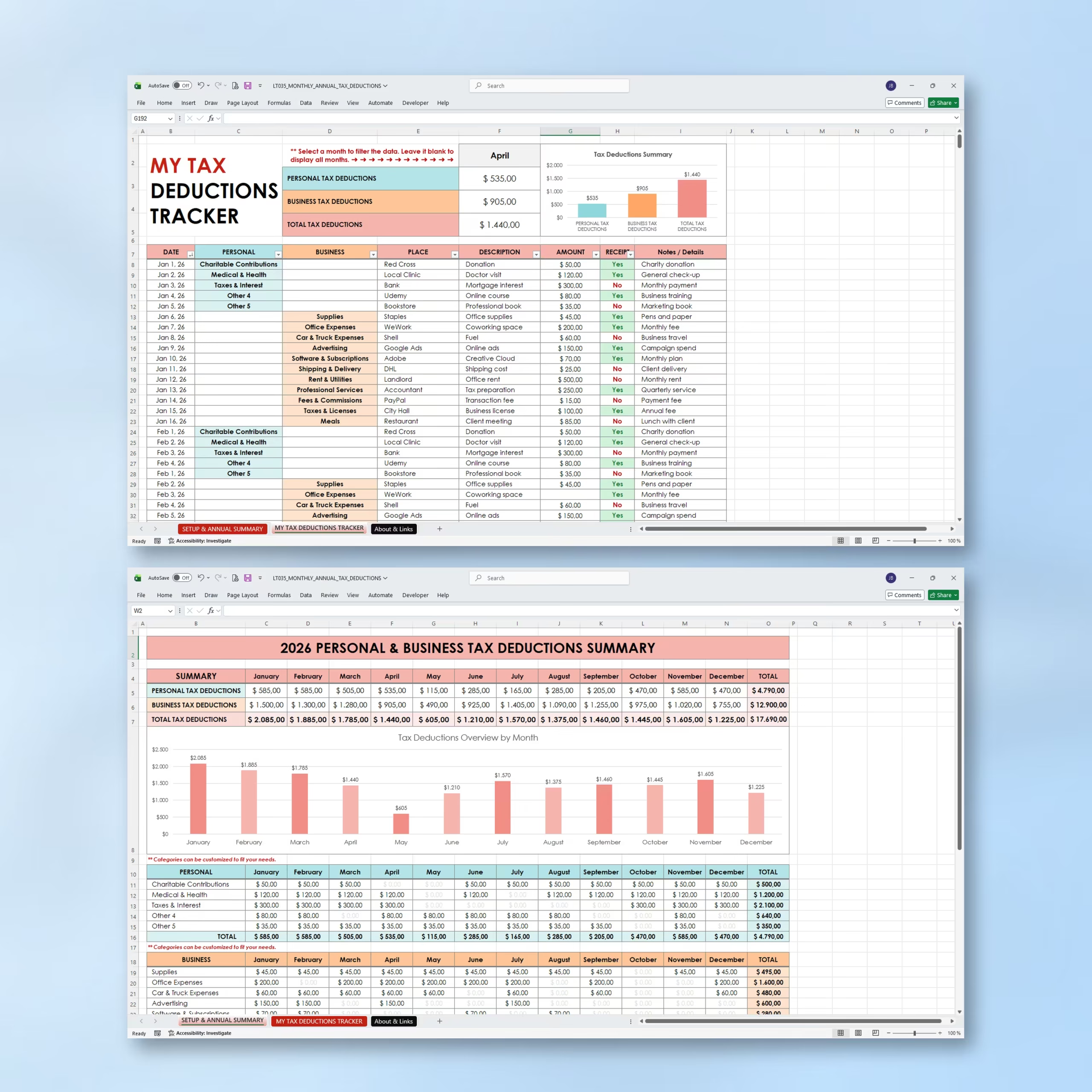
The My Tax Deductions Tracker tab is where you enter your deductible expenses month by month.
You can select a month from the dropdown to filter your data, or leave the month field blank to display all months. The summary automatically updates to show personal tax deductions, business tax deductions, and total tax deductions for the selected period.
Receipt Tracking
The receipt column includes a simple Yes/No dropdown so you can track whether a receipt has been saved for each expense.
This helps you stay more organized and makes it easier to review your supporting documents when preparing for tax season or working with an accountant.
Setup & Annual Summary Tab
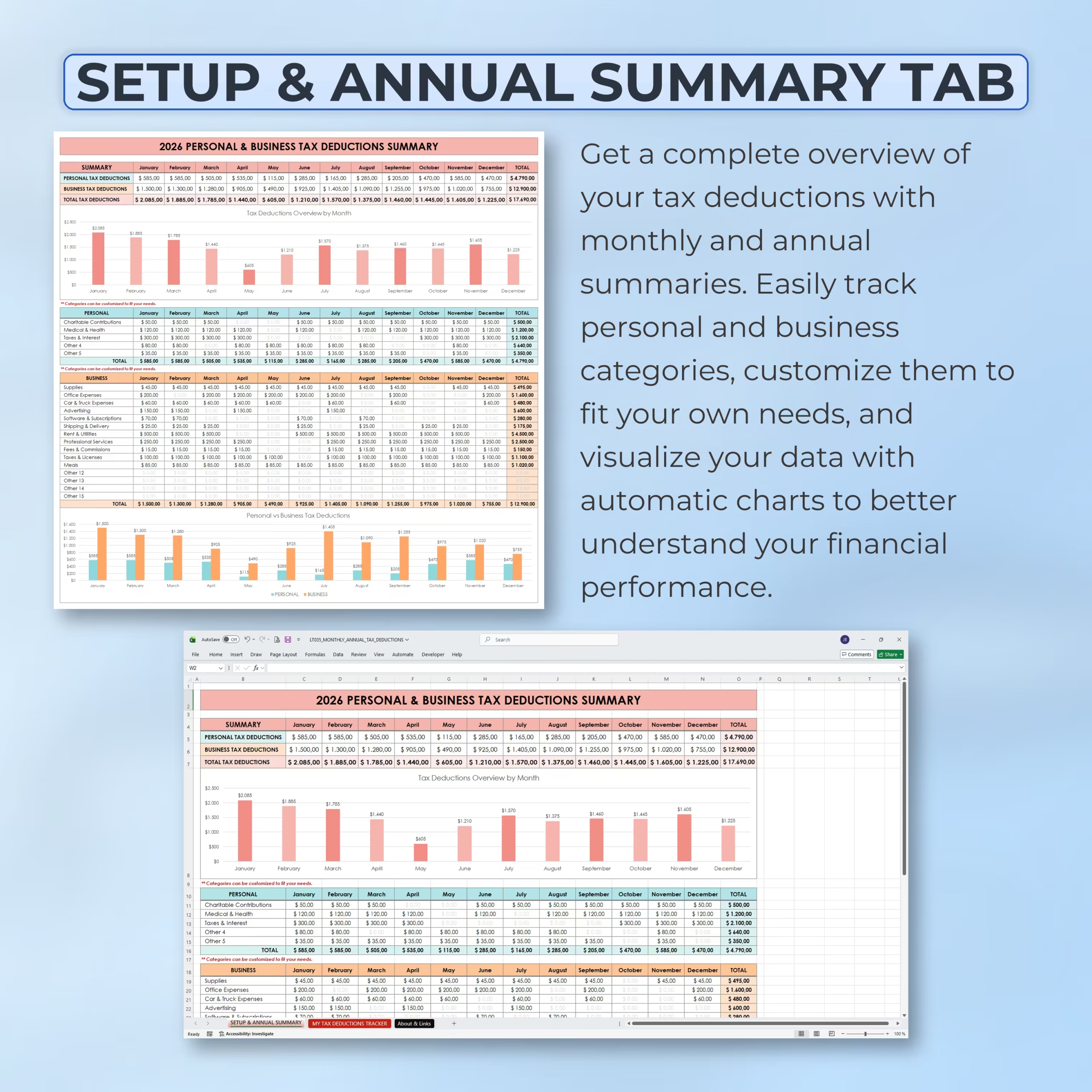
The Setup & Annual Summary tab gives you a complete overview of your tax deductions across the full year.
You can customize personal and business deduction categories, review monthly totals, compare personal and business deductions, and visualize your annual tax deduction activity with built-in charts.
Customizable Deduction Categories
The template includes editable categories for both personal and business deductions.
You can customize them to fit your own needs, whether you want to track charitable contributions, medical and health expenses, taxes and interest, office expenses, software subscriptions, advertising, rent and utilities, professional services, fees, commissions, meals, or other deductible categories.
Automatic Monthly and Annual Summaries
As you enter expenses in the tracker, the spreadsheet automatically updates the monthly and annual summary sections.
This makes it easier to monitor your totals, understand your deduction patterns, and review your financial data without manually building formulas or reports.
Visual Charts for Quick Insights
The template includes visual charts that help you understand your personal, business, and total tax deductions at a glance.
Charts and summaries make it easier to compare months, identify higher deduction periods, and quickly review your overall tax deduction activity.
Simple and Easy to Use
This spreadsheet is designed for users who want a straightforward tax deduction tracker without complicated accounting software.
Use the dropdown menus, enter your expenses, mark receipts as saved, and let the spreadsheet calculate the rest automatically.
Compatible With Excel and Google Sheets
This Monthly & Annual Tax Deductions Tracker works with both Microsoft Excel and Google Sheets, so you can use it in the platform that best fits your workflow.
You can update it throughout the year, duplicate it for future years, and keep your deduction records organized in one digital file.
Who Is This Template For?
- Individuals tracking personal tax deductions
- Small business owners
- Freelancers
- Self-employed professionals
- Independent contractors
- Consultants and service providers
- Side hustlers
- Anyone who wants to organize deductible expenses and receipts
What’s Included
- Monthly tax deductions tracker
- Setup & Annual Summary tab
- My Tax Deductions Tracker tab
- Personal tax deduction categories
- Business tax deduction categories
- Customizable category lists
- Dropdown category selection
- Month filter dropdown
- Receipt saved tracking
- Monthly deduction summary
- Annual deduction summary
- Personal vs business deduction summaries
- Visual charts
- Excel and Google Sheets versions
Stay Organized for Tax Season
This Monthly & Annual Tax Deductions Tracker helps you record expenses as they happen, organize receipts, separate personal and business deductions, and review your totals whenever you need them.
Use it to keep cleaner records, save time, and stay prepared throughout the year.
Reviews
There are no reviews yet.