
Event Budget Planner Spreadsheet for Excel and Google Sheets
Planning an event can get expensive quickly, especially when you are managing venue costs, catering, decorations, music, photography, entertainment, invitations, suppliers, payment dates, and outstanding balances.
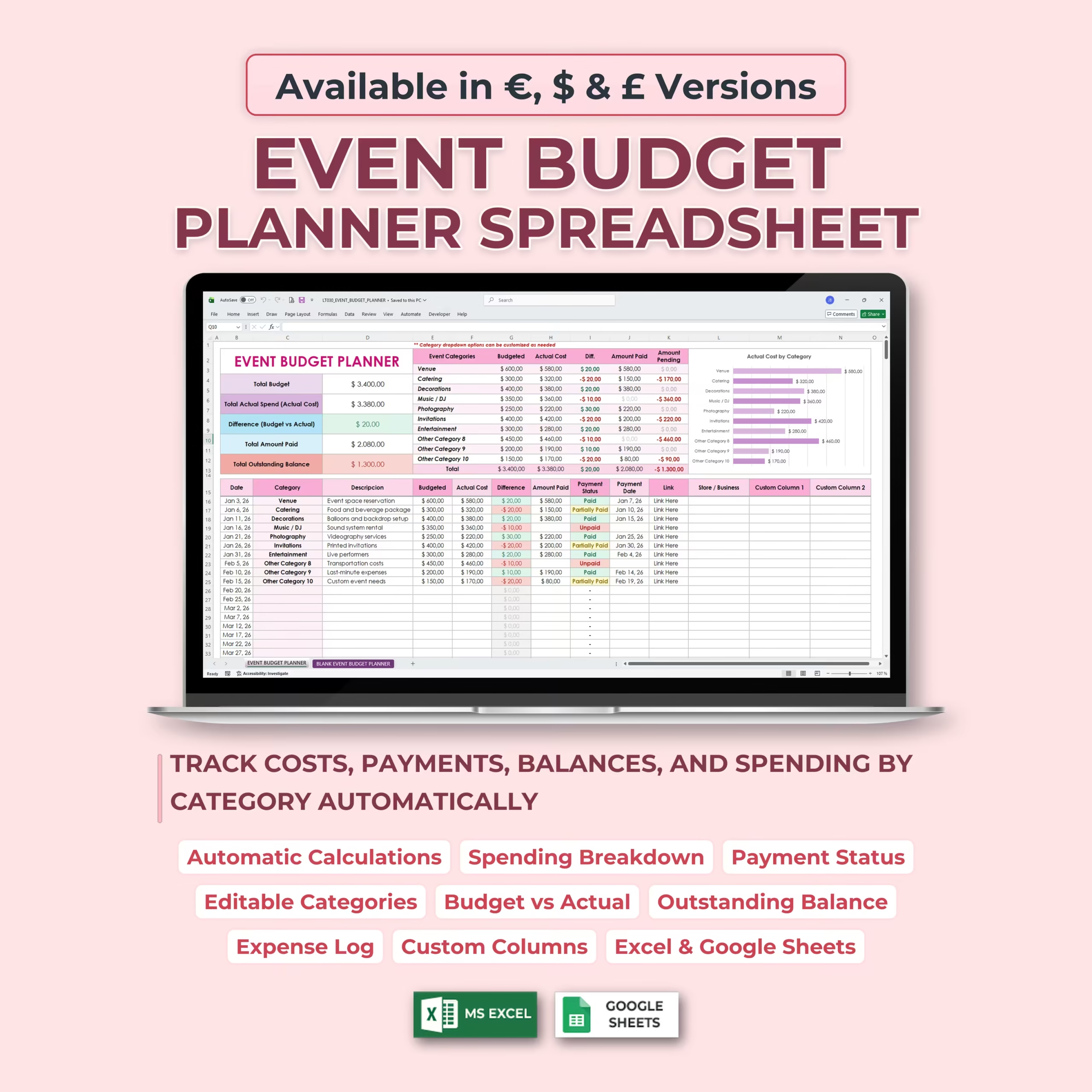
This Event Budget Planner Spreadsheet gives you one organized place to plan your event budget, record expenses, compare budgeted costs with actual spending, track payments, and monitor remaining balances in Excel or Google Sheets.
Track Your Event Budget From Start to Finish
The template helps you track your total budget, total actual spend, budget vs actual difference, total amount paid, and total outstanding balance.
As you add or update event expenses, the summary updates automatically so you can quickly see where your event budget stands.
Budget vs Actual Cost Tracking
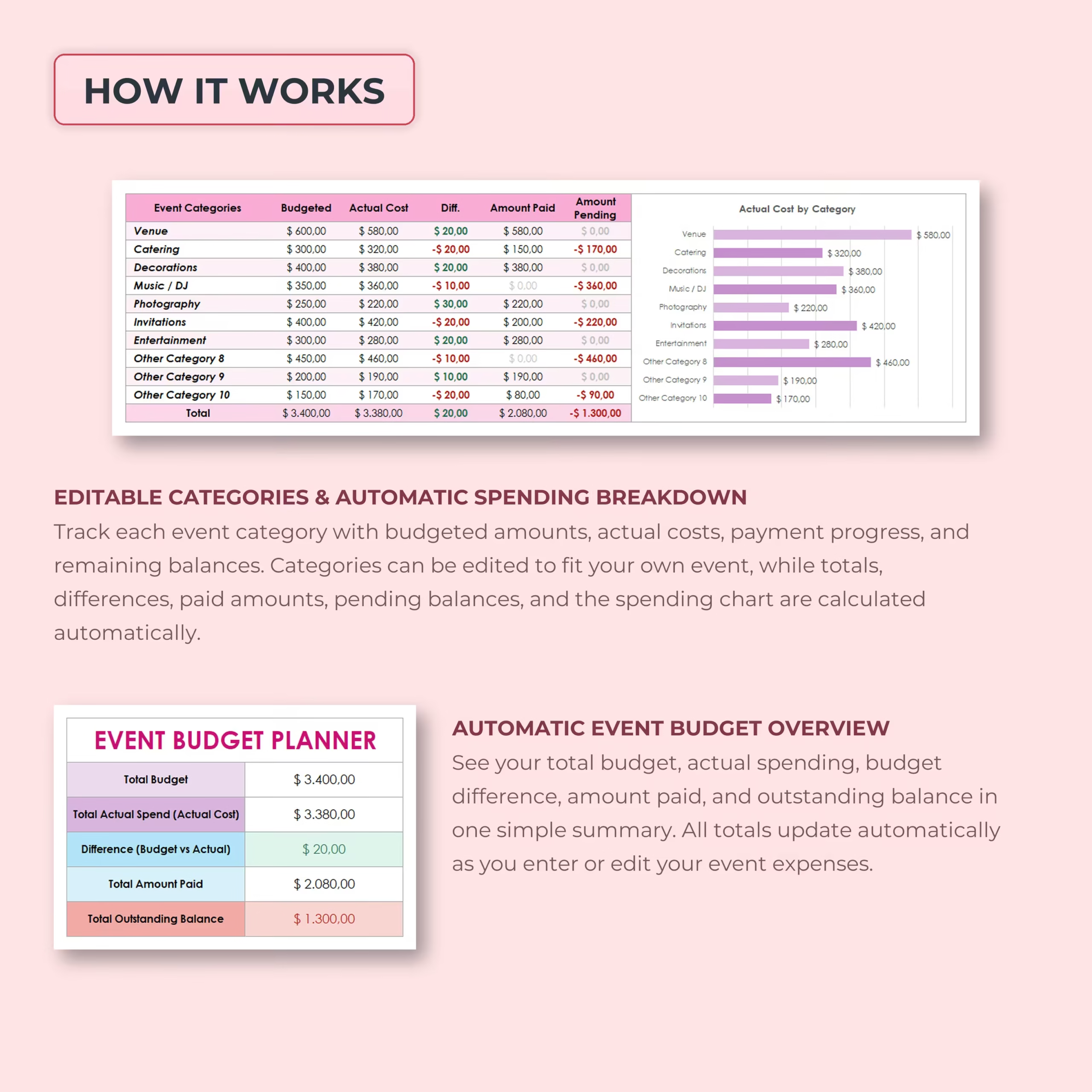
For each event category, you can track the budgeted amount, actual cost, difference, amount paid, and amount pending.
This makes it easy to compare your original event budget with real costs and identify which areas are over budget, under budget, paid, or still pending.
Editable Event Categories
The template includes common event budget categories such as venue, catering, decorations, music or DJ, photography, invitations, entertainment, and additional custom categories.
You can edit the categories to fit your own event, whether you are planning a wedding, birthday party, corporate event, conference, fundraiser, community event, anniversary, shower, or private celebration.
Detailed Event Expense Log
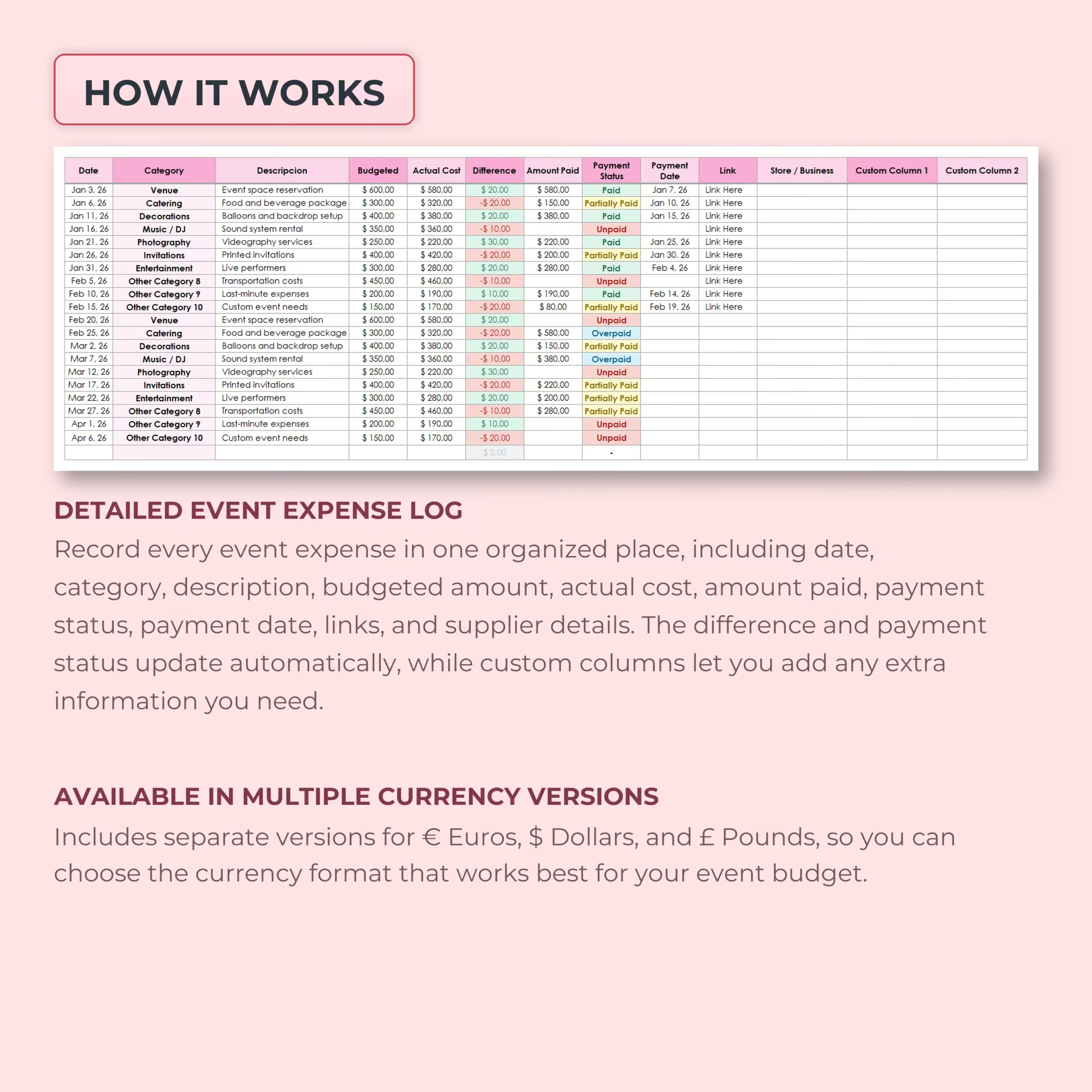
The expense log lets you record every event cost in one organized table. You can enter the date, category, description, budgeted amount, actual cost, difference, amount paid, payment status, payment date, link, store or business, and custom details.
The category field is designed to help you assign each expense to the correct event category, keeping your spending organized and easier to review.
Payment Status and Outstanding Balance Tracking
This spreadsheet helps you track whether each expense is paid, partially paid, or unpaid.
You can also record payment dates and see pending balances, making it easier to stay on top of suppliers, vendors, reservations, deposits, and final payments.
Automatic Event Budget Overview
The summary section gives you a clear overview of your event finances, including total budget, total actual spending, budget difference, amount paid, and outstanding balance.
All totals update automatically as you enter or edit your expenses, reducing manual calculations and helping you make better budget decisions.
Spending Breakdown by Category
The template includes a visual chart that shows actual cost by category, giving you a quick overview of where your event money is going.
This makes it easier to review major costs, compare categories, and understand which parts of your event are using the biggest share of your budget.
Multiple Currency Versions Included
The spreadsheet includes separate versions for € Euros, $ Dollars, and £ Pounds, so you can choose the currency format that works best for your event budget.
Each version includes the correct currency symbol already applied throughout the template for a clean and consistent look.
Compatible With Excel and Google Sheets
This Event Budget Planner Spreadsheet works with both Microsoft Excel and Google Sheets, so you can use it in the platform that best fits your workflow.
You can use it digitally, update it as your event plans change, and duplicate it for future events.
Who Is This Template For?
- Wedding planners
- Event planners
- Couples planning a wedding
- People organizing parties or celebrations
- Small business owners planning events
- Nonprofits managing fundraisers
- Corporate teams planning meetings or conferences
- Anyone who wants a simple event budget tracker
What’s Included
- Event budget planner spreadsheet
- Blank event budget planner
- Total budget tracking
- Actual cost tracking
- Budget vs actual difference calculations
- Amount paid and amount pending tracking
- Payment status tracking
- Payment date tracking
- Detailed event expense log
- Editable event categories
- Supplier, store, business, and link fields
- Custom columns for extra information
- Automatic event budget overview
- Actual cost by category chart
- Euro, Dollar, and Pound versions
- Excel and Google Sheets versions
Keep Your Event Budget Organized
This Event Budget Planner Spreadsheet helps you organize costs, payments, suppliers, and balances in one clear system.
Use it to plan smarter, avoid budget surprises, and keep your event spending under control from the first estimate to the final payment.
Reviews
There are no reviews yet.