
A Complete Co-Parenting Visits and Calls Record in One Spreadsheet
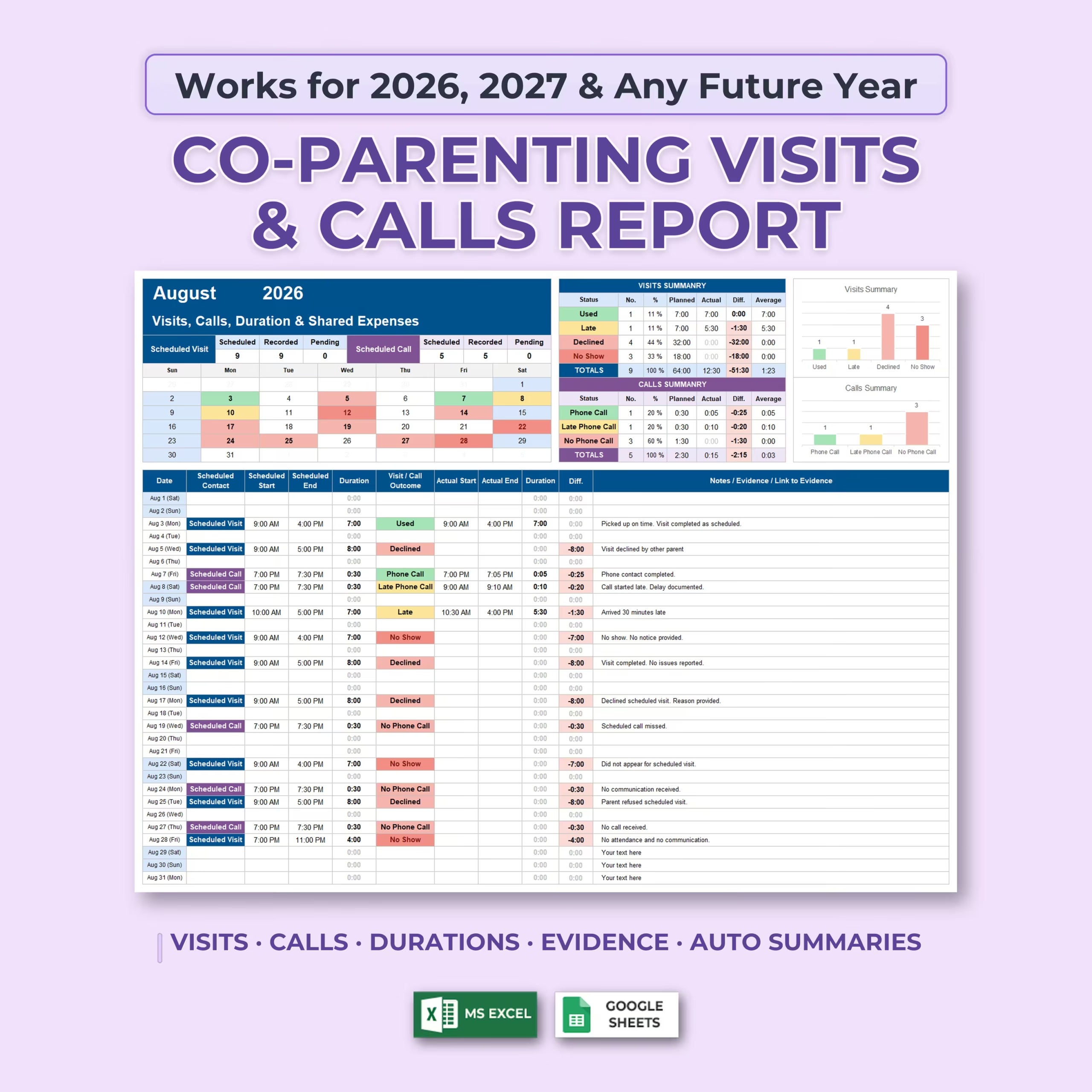
Keep scheduled parenting time, phone contact, actual durations, missed events, notes, supporting evidence links, and shared expenses organized with this Co-Parenting Visits & Calls Tracker for Microsoft Excel and Google Sheets.
This detailed co-parenting spreadsheet is designed to help you document both what was originally scheduled and what actually happened. Instead of relying on memory, scattered messages, calendars, and handwritten notes, you can maintain a structured month-by-month record in one workbook.
Automatic calculations and reports summarize your entries for you, making it easier to review patterns across individual months or the entire year.
Track Scheduled Visits and Phone Calls
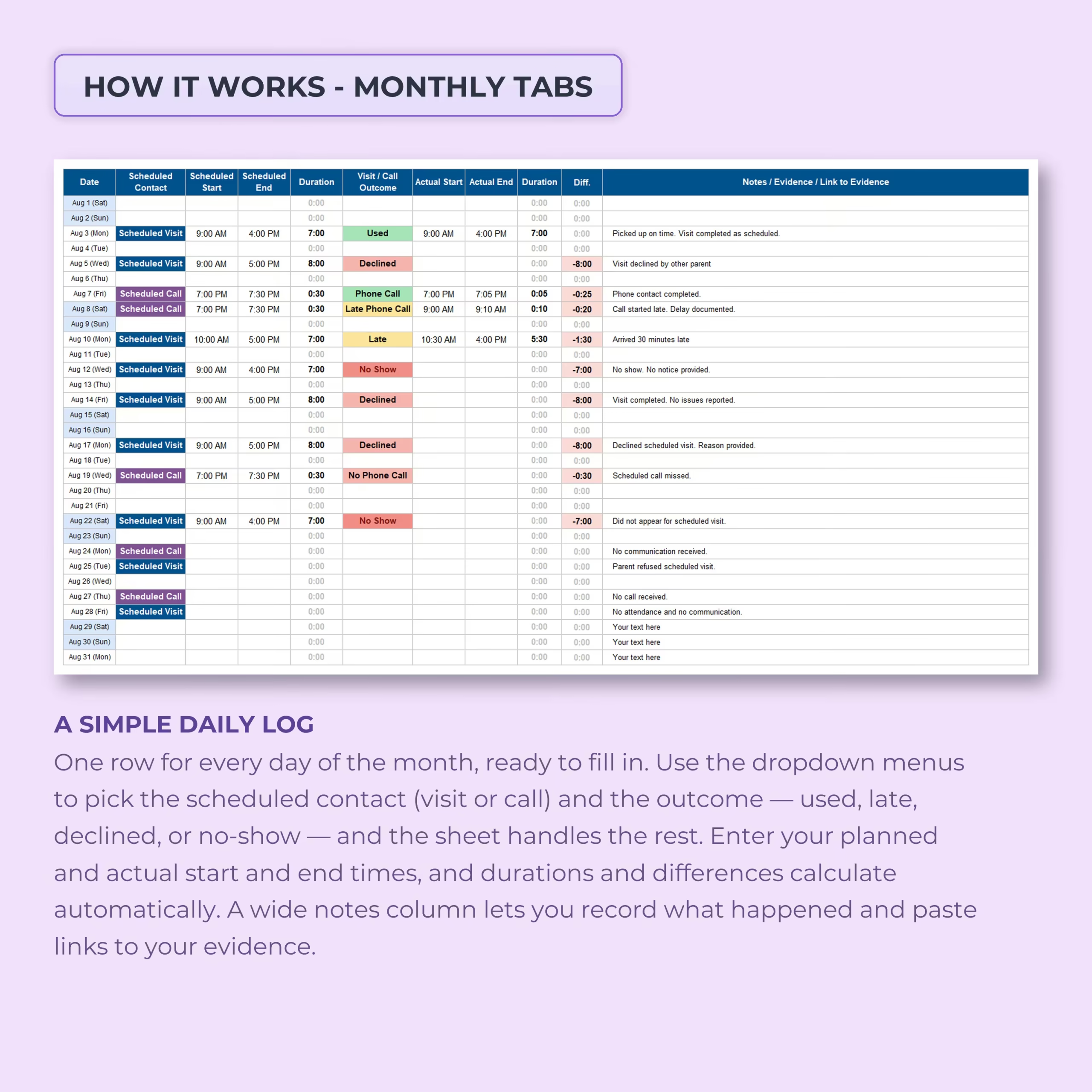
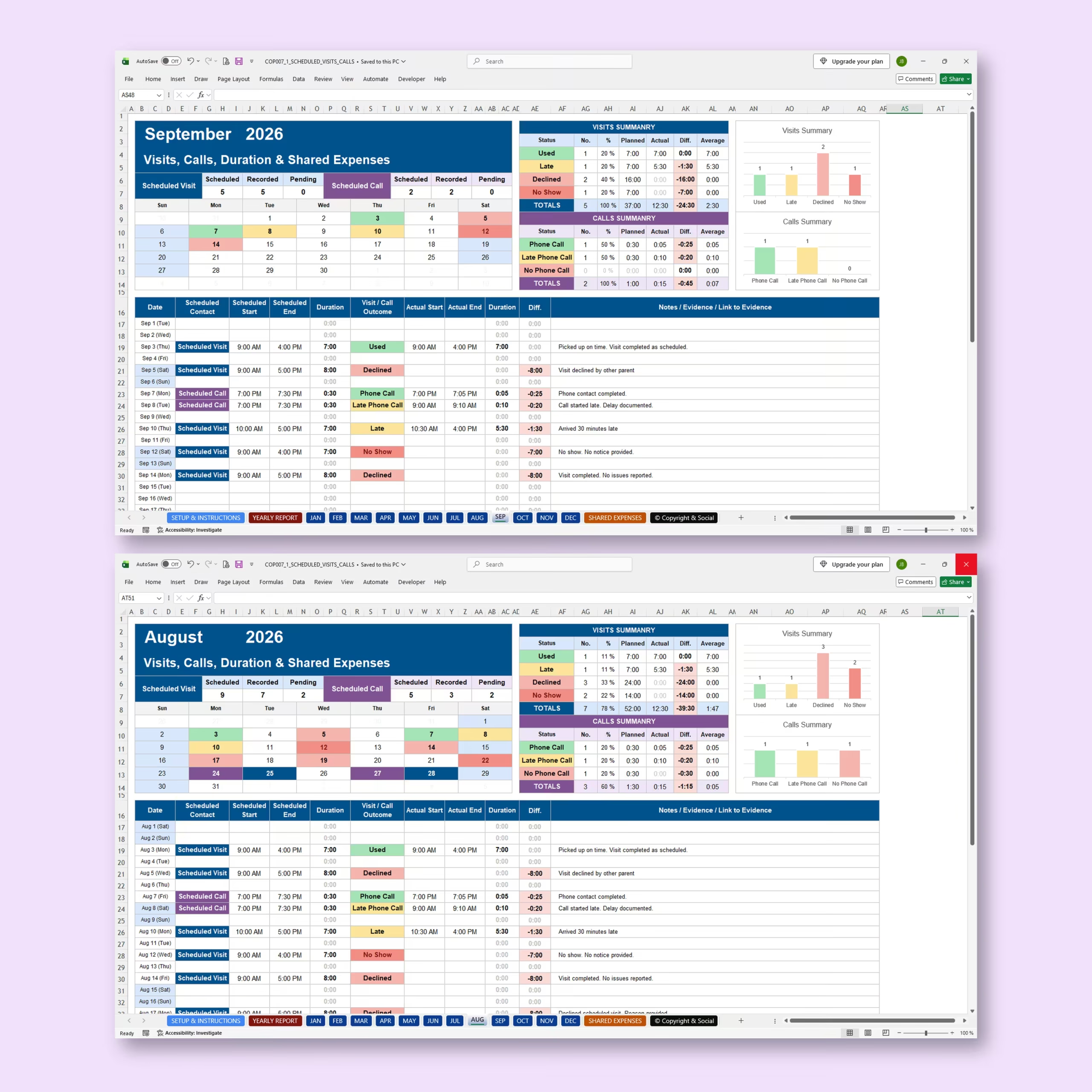
Each monthly sheet lets you identify whether a scheduled contact was a parenting visit or a phone call.
For every date, you can record:
- Scheduled contact type
- Scheduled start time
- Scheduled end time
- Planned duration
- Visit or call outcome
- Actual start time
- Actual end time
- Actual duration
- Difference between planned and actual time
- Notes, evidence details, or links to supporting documentation
This makes it possible to document not only whether contact occurred, but also whether it happened as planned and how much time actually took place.
Record What Actually Happened
The tracker includes color-coded status options for common co-parenting situations.
Visit outcomes include:
- Used
- Late
- Declined
- No Show
Phone contact outcomes include:
- Phone Call
- Late Phone Call
- No Phone Call
The status labels and contact types can be customized to better match your own parenting arrangement or preferred terminology.
Compare Planned Time with Actual Time
This spreadsheet goes beyond a simple custody calendar by tracking duration.
Enter the scheduled start and end times to record the planned amount of parenting time or phone contact. Then enter the actual start and end times after the event.
The tracker automatically calculates the actual duration and the difference between planned and completed time.
This can help you identify patterns such as shortened visits, late arrivals, missed contact, reduced phone time, or parenting time that occurred exactly as scheduled.
Automatic Monthly Visits and Calls Summaries
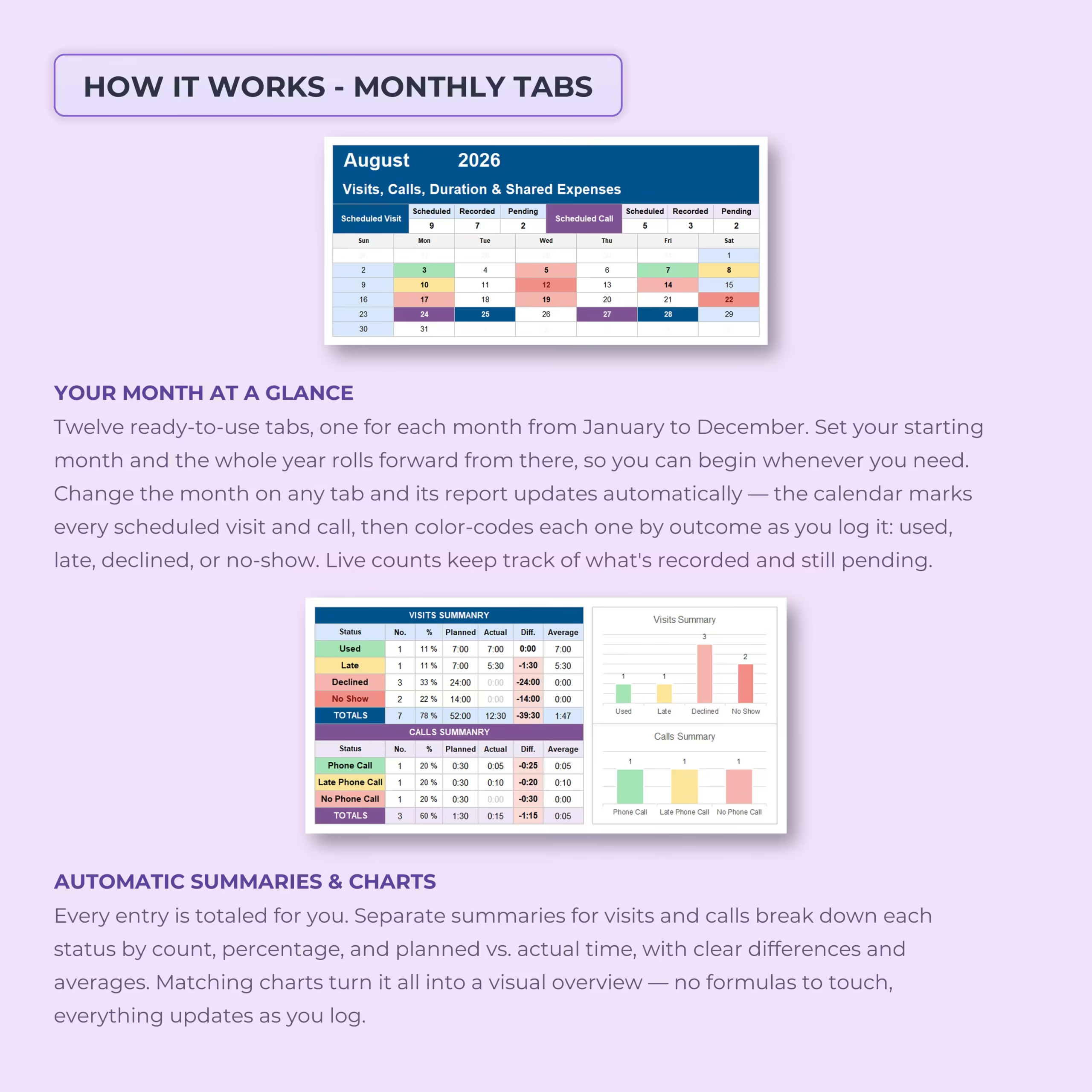
Every monthly tab includes separate automatic summaries for visits and phone calls.
The reports calculate information including:
- Number of events by status
- Percentage by status
- Planned duration
- Actual duration
- Difference between planned and actual time
- Average duration
Visual charts provide an immediate overview of the month’s visitation and call outcomes without requiring you to create formulas or reports manually.
See Scheduled, Recorded, and Pending Contact at a Glance
Each monthly calendar provides a visual overview of your scheduled visits and calls.
The tracker displays how many events were scheduled, how many have already been recorded, and how many remain pending. Calendar dates are color-coded as outcomes are entered, making it easier to review the month quickly.
12 Monthly Tracking Tabs
The workbook includes a ready-to-use tracking tab for every month of the year.
Set your starting month and the workbook continues through the following 12 months, allowing you to begin your records when you need to instead of being restricted to January.
The template is designed to work with 2026, 2027, and future years.
Notes and Links to Supporting Evidence
Every daily row includes a wide notes column where you can document relevant details about that day’s parenting contact.
You can use this area to record information such as:
- What happened during the scheduled contact
- Reasons provided for a cancellation or delay
- Pickup or drop-off details
- Late arrival information
- Missed calls or visits
- Relevant factual notes
- References or links to supporting documents, messages, receipts, or other records
This helps keep the event itself and its related documentation together in one chronological record.
Automatic Annual Visit and Call Report
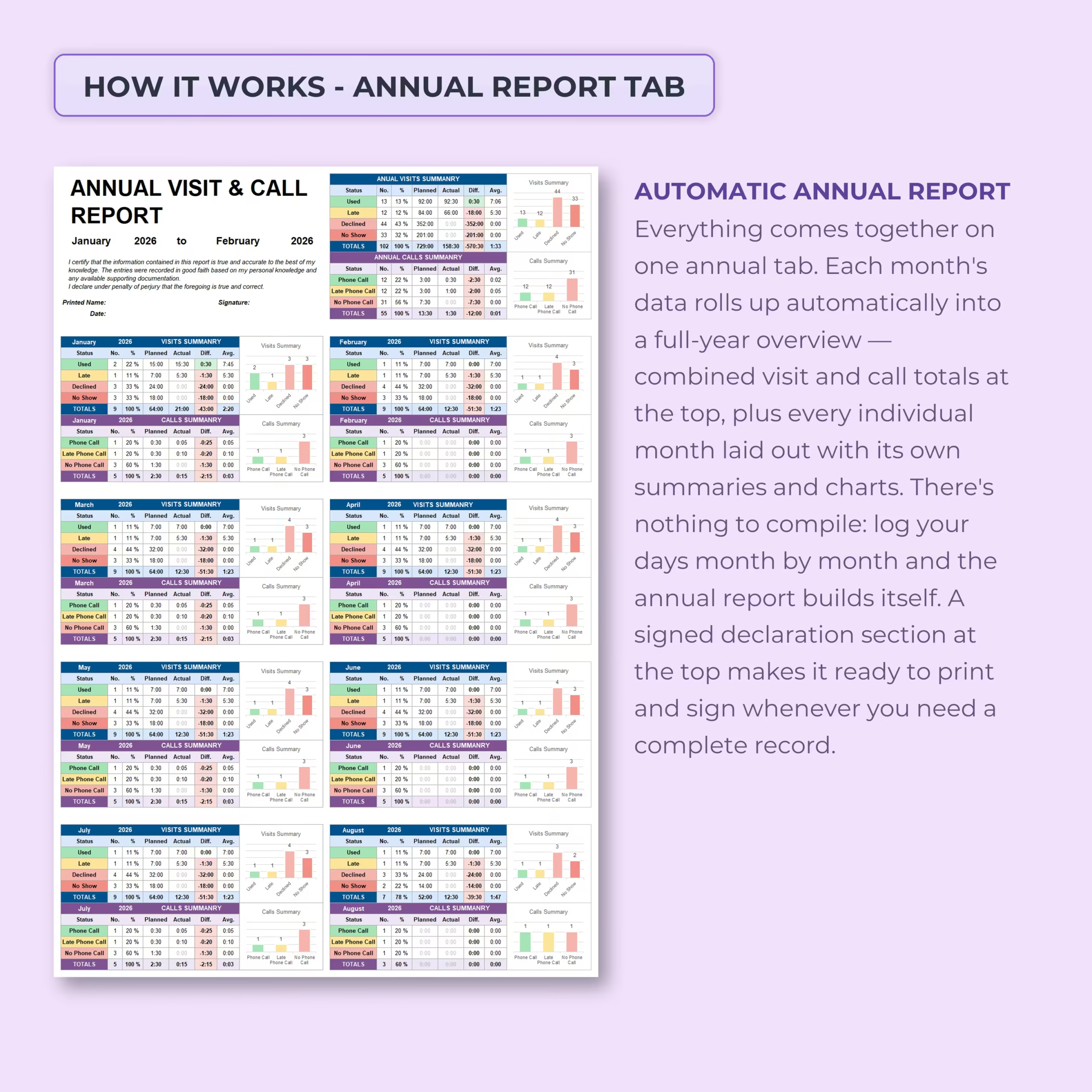
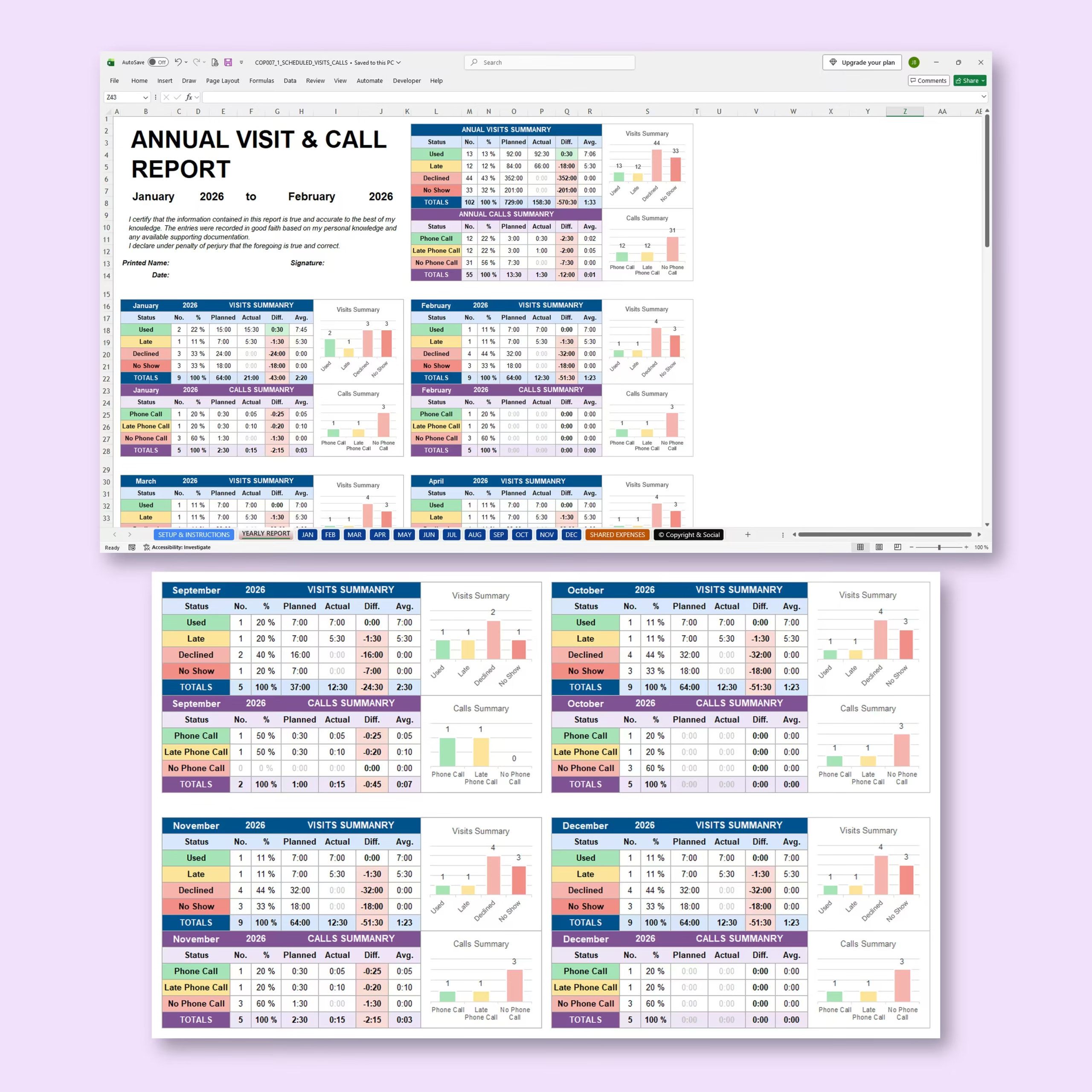
Your monthly data automatically rolls into an Annual Visit & Call Report.
The yearly report combines your records into a consolidated overview with:
- Annual visit totals
- Annual call totals
- Planned versus actual time
- Differences in recorded duration
- Average durations
- Status percentages
- Visual summary charts
- Individual monthly summaries
The annual report also includes an area for printed name, date, and signature, making it easier to prepare a complete organized record when needed.
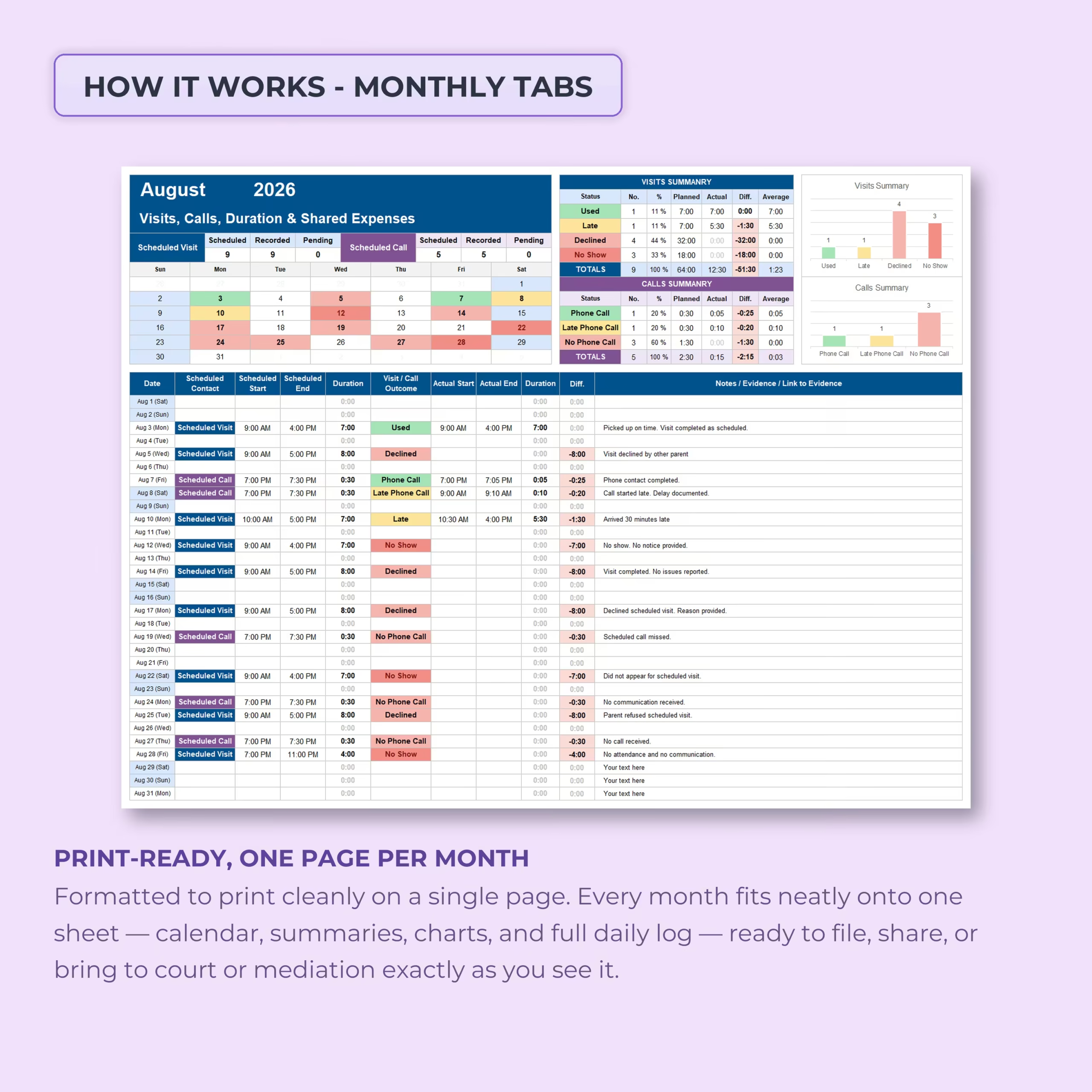
Print-Ready Monthly Reports
Each monthly report is formatted to present the calendar, summaries, charts, and detailed daily log together in a clean layout.
This makes it convenient to save, print, file, or review individual months without manually rebuilding the information into a separate report.
Shared Expenses Tracker Included
The workbook also includes tools for recording shared parenting expenses.
You can document information such as:
- Expense description
- Total amount
- Percentage to be shared
- Amount owed
- Payment status
- Payment date
- Additional notes or supporting documentation
This gives you one workbook for both parenting-contact records and related shared-expense tracking.
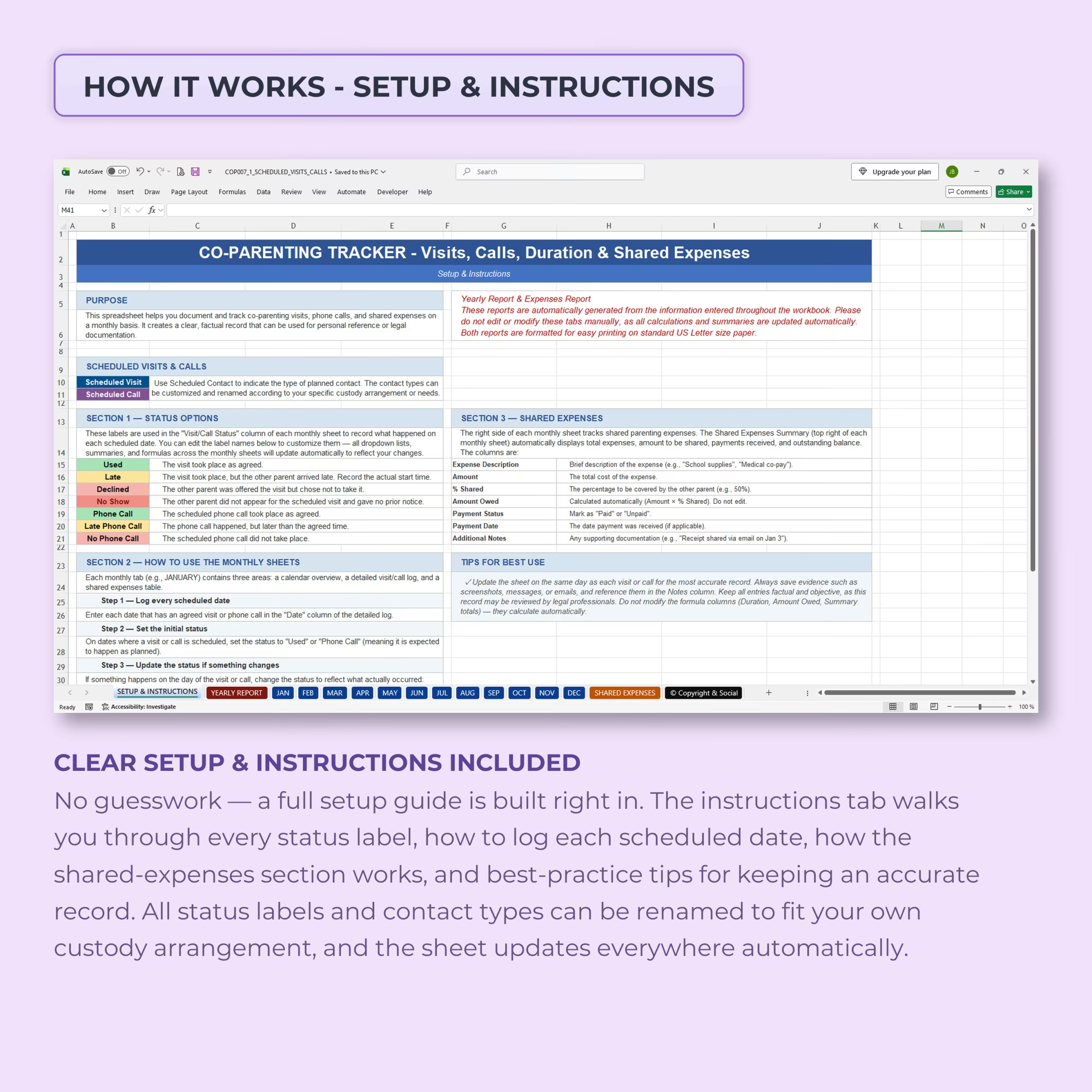
Built-In Setup and Instructions
A dedicated setup and instructions section explains how to use the tracker, schedule contact, update outcomes, manage status labels, record shared expenses, and maintain your monthly records.
The customizable structure allows you to adapt the terminology to your own co-parenting arrangement while keeping the automatic calculations and summaries connected throughout the workbook.
Useful for Organized Co-Parenting Recordkeeping
This co-parenting spreadsheet can help organize records related to:
- Custody and parenting-time visits
- Scheduled phone contact
- Parenting-time duration
- Late arrivals
- Declined visits
- No-shows
- Missed or late phone calls
- Planned versus actual parenting time
- Shared parenting expenses
- Supporting notes and documentation
- Monthly visitation reports
- Annual co-parenting records
Microsoft Excel and Google Sheets Compatible
The template is designed for use with both Microsoft Excel and Google Sheets, allowing you to choose the spreadsheet platform that best fits your workflow.
Keep a More Complete Record of Your Co-Parenting Schedule
Knowing that a visit or call was scheduled is only part of the story. This tracker helps you document the scheduled time, actual outcome, real duration, differences, notes, and related records in one consistent system.
Use the Co-Parenting Visits & Calls Tracker to create a clearer chronological record and automatically turn your daily entries into useful monthly and annual reports.
This spreadsheet is an organizational and recordkeeping tool only. It does not provide legal advice, replace a custody agreement or court order, or guarantee that any information recorded will be accepted as evidence in a legal proceeding.
Choose This All-in-One Tracker for Visits, Calls, Evidence, and Expenses
This spreadsheet is a practical choice when a basic custody calendar is not enough. It combines planned and actual visitation time, phone call records, outcome statuses, evidence links, shared expenses, monthly summaries, and an annual report in one reusable system.
- You need to compare scheduled contact with what actually occurred
- You want visits and phone calls documented in the same file
- You need supporting notes, evidence links, and shared expense records together
- You prefer an editable Microsoft Excel or Google Sheets template
Reviews
There are no reviews yet.