
Keep Clear and Organized Co-Parenting Visitation Records
Document parenting time consistently with this Co-Parenting Visitation Tracker Spreadsheet for Microsoft Excel and Google Sheets.
The template provides a structured, day-by-day system for recording scheduled custody visits, visitation outcomes, delays, declined visits, and any important notes you may need to reference later.
If you need a practical co parenting visitation tracker spreadsheet, custody tracking spreadsheet, parenting time tracker, visitation calendar spreadsheet, or visitation log spreadsheet, this ready-to-use file helps you keep a full year of records in one place instead of relying on text messages, handwritten notes, or memory.
It is especially useful for U.S. buyers who want a downloadable spreadsheet template for Excel or Google Sheets to review parenting time patterns, missed visits, and schedule changes without paying for more complex custody software.
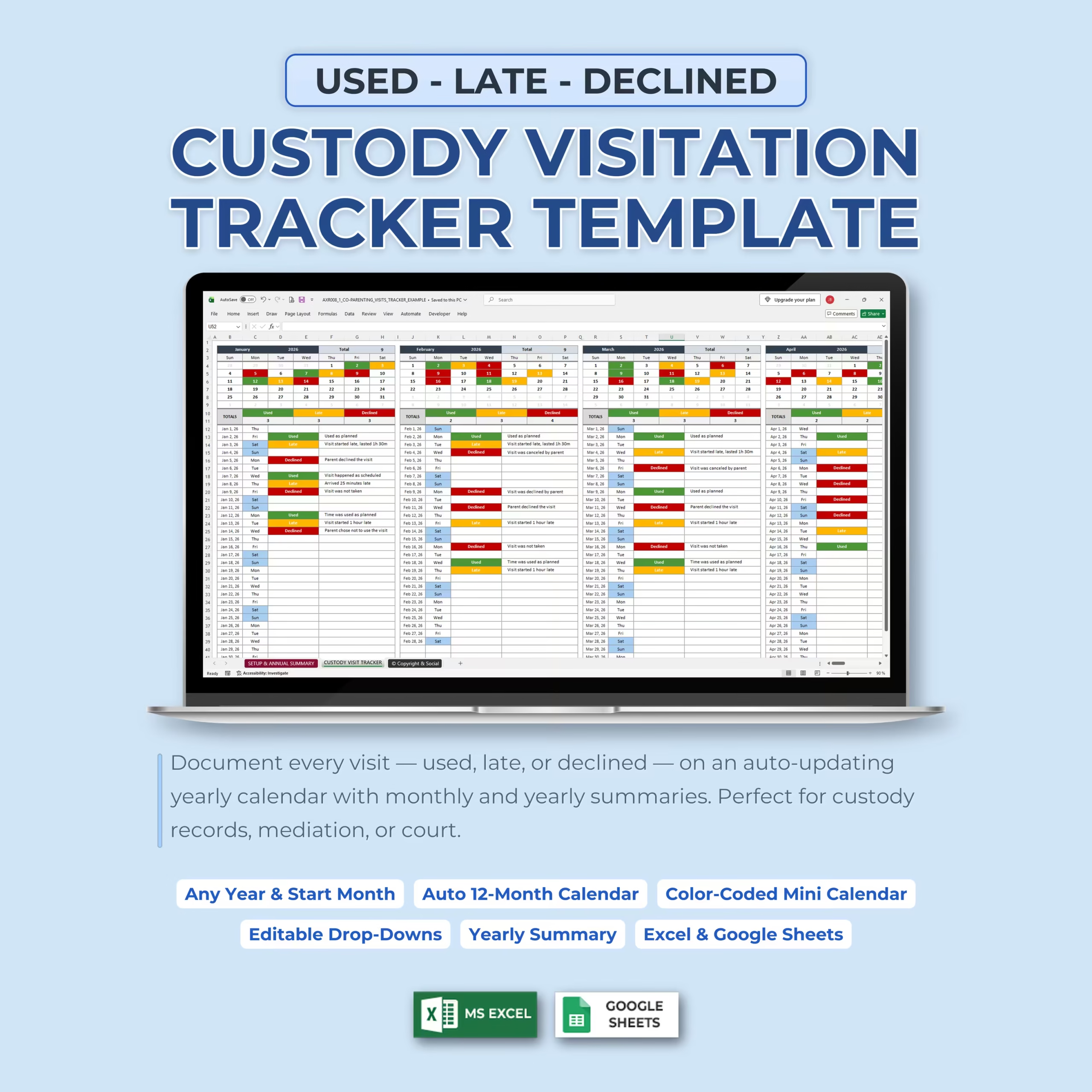
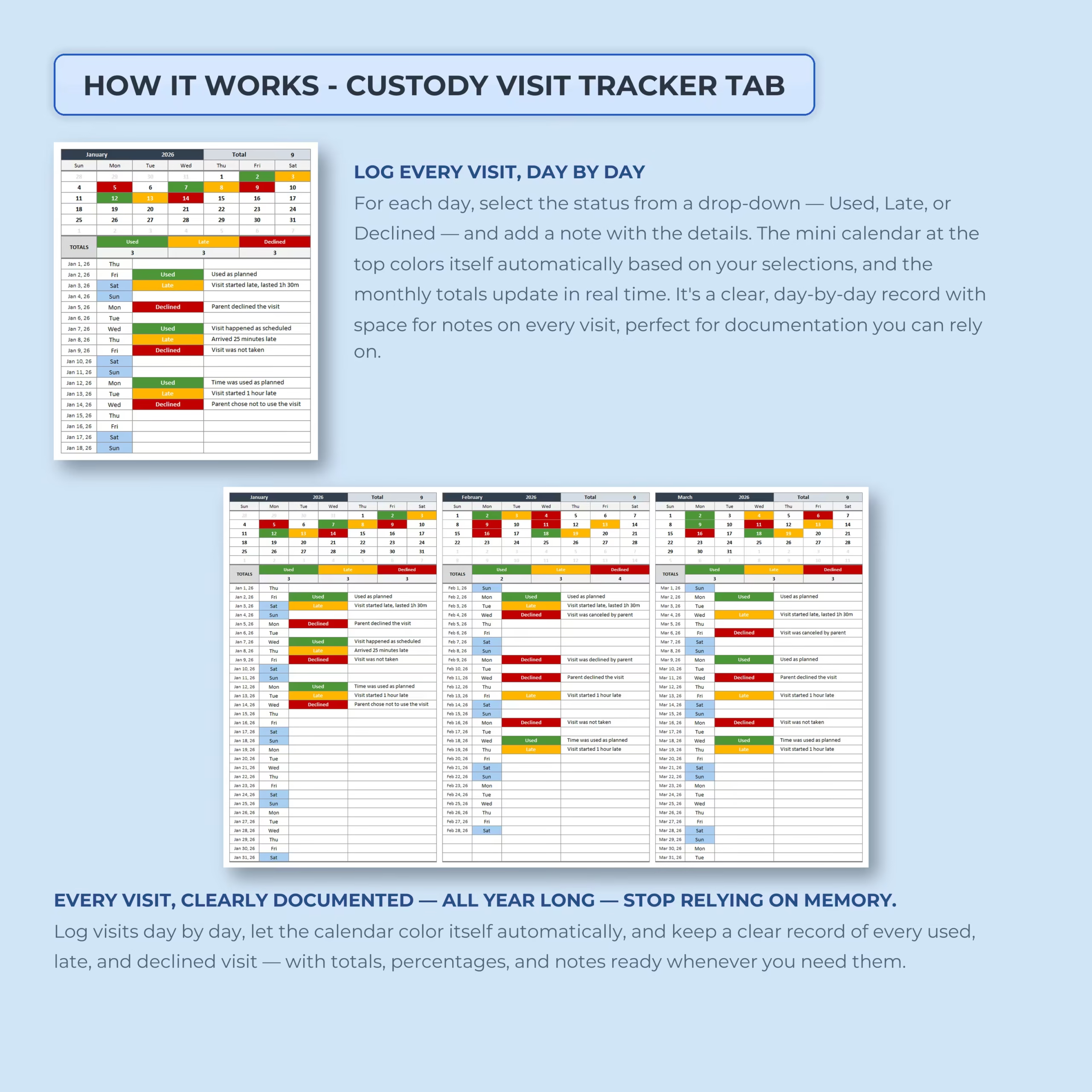
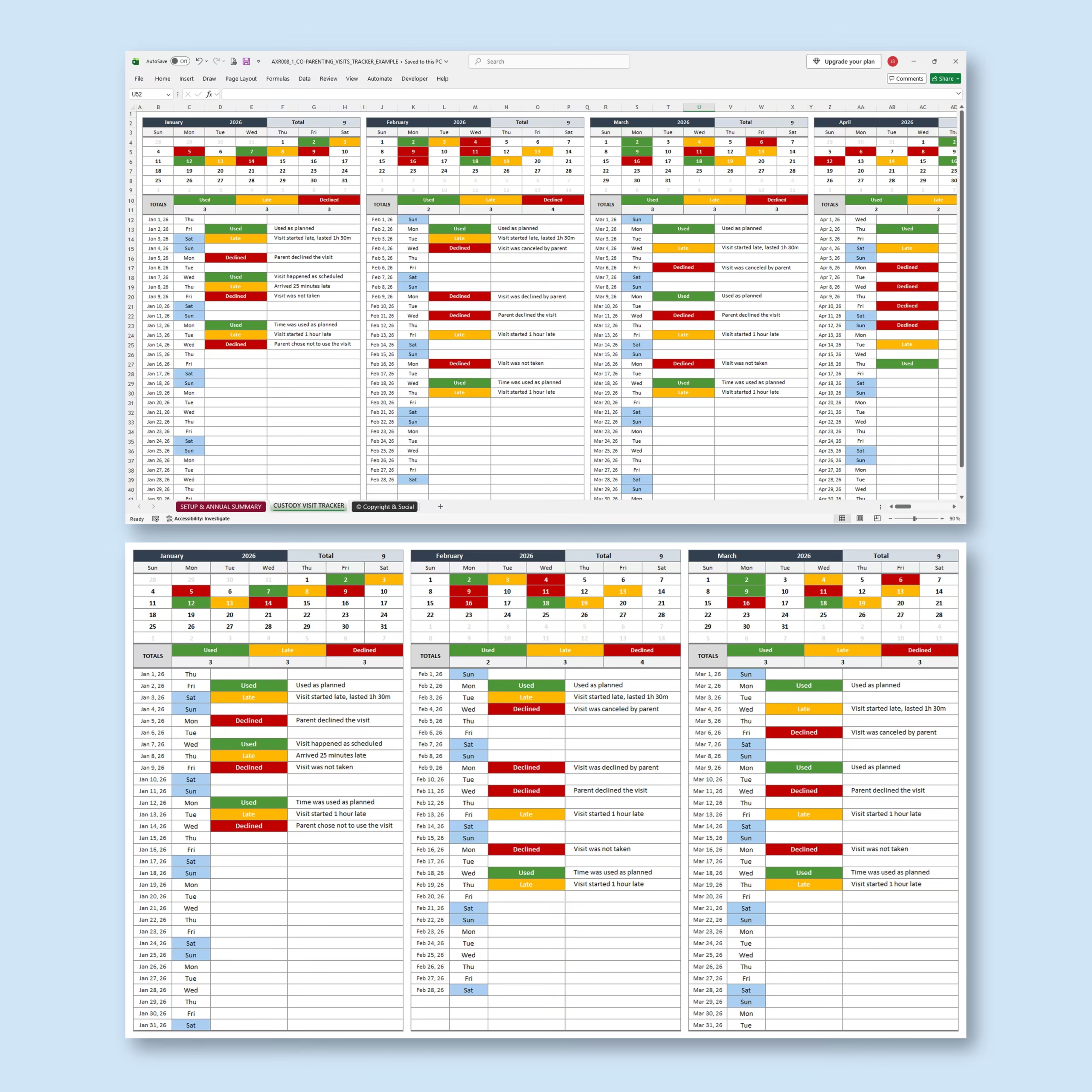
Track Every Visit Day by Day
Each daily entry includes space for the date, day of the week, visitation status, and your own notes. Select a status from the built-in drop-down menu and add relevant details about what happened.
The default visitation status options include:
- Used: The scheduled parenting time took place
- Late: The visit started later than scheduled
- Declined: The scheduled visit was not used or was declined
The status labels are editable, allowing you to rename them or adapt the spreadsheet to the terminology used in your own parenting plan.
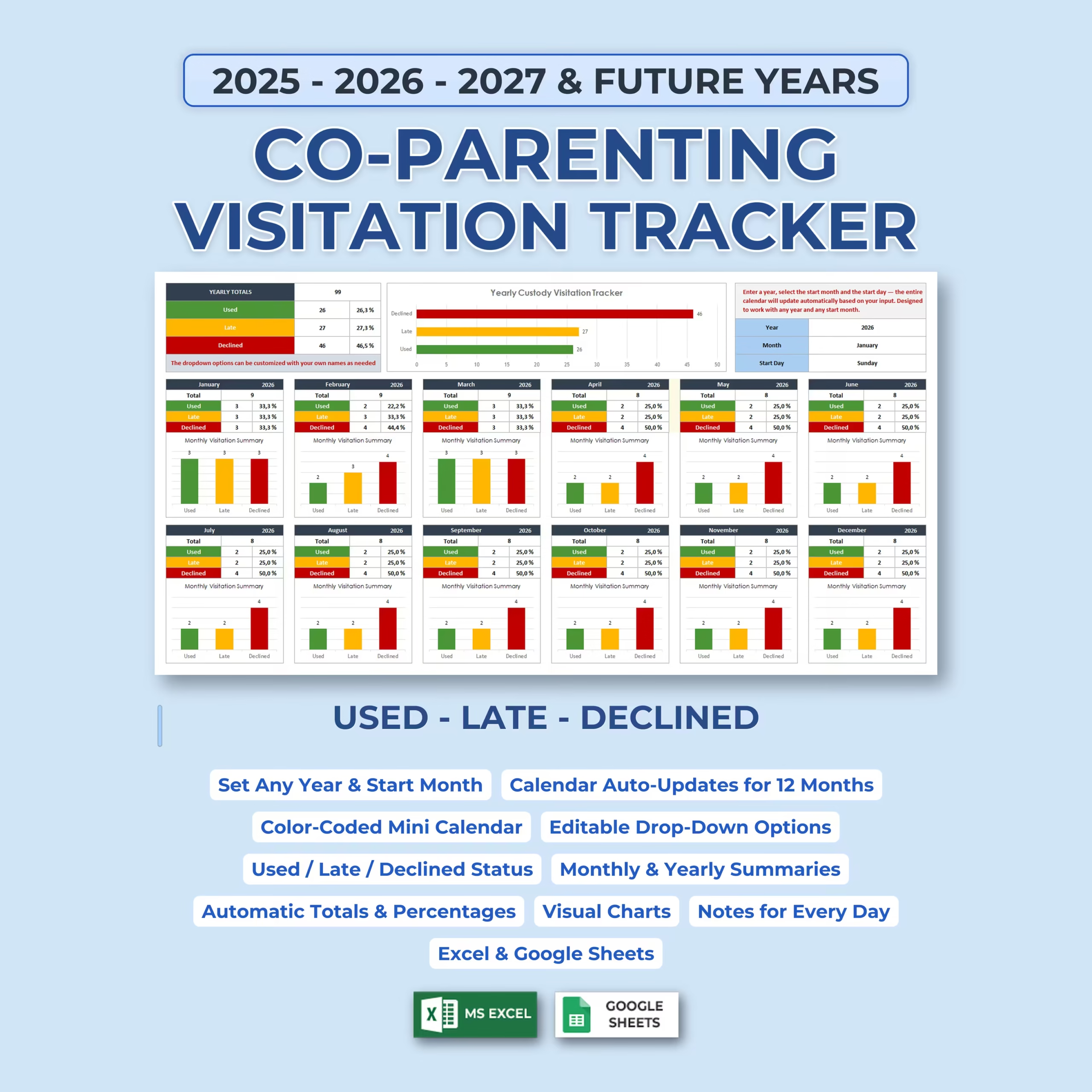
Automatic 12-Month Calendar for Any Year
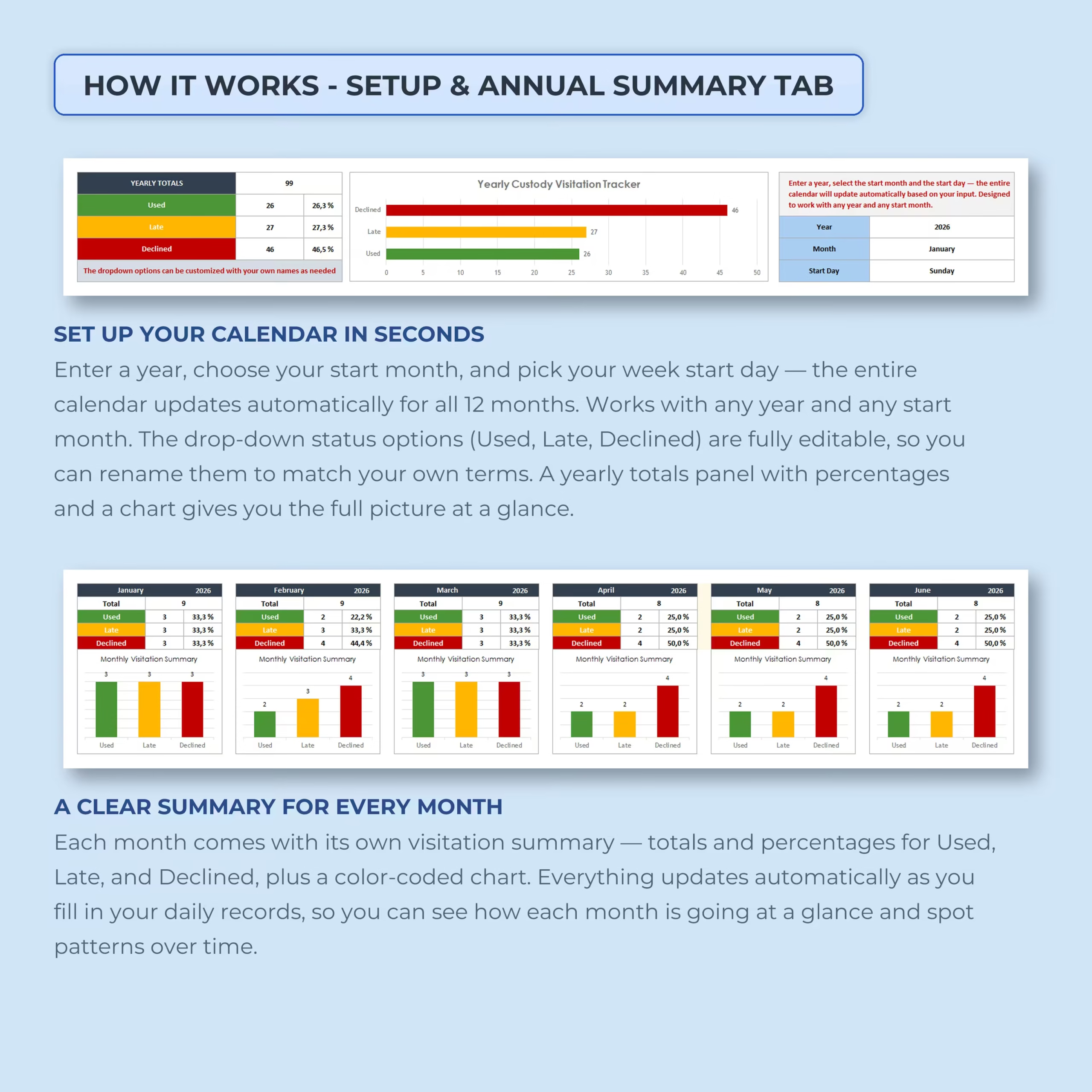
The tracker is not limited to a specific calendar year. Simply enter your preferred year, select the starting month, and choose the day on which your week begins.
The complete 12-month calendar then updates automatically based on your selections. This allows you to use the same template for 2025, 2026, 2027, and future years without purchasing a new version.
Color-Coded Mini Calendars
Each month includes a compact calendar that automatically changes color according to the visitation status selected in the daily records.
This visual system helps you quickly identify patterns and review which scheduled visits were used, late, declined, or missed without reading every individual note.
Add Notes for Every Scheduled Visit
The notes section gives you space to record additional context for each day, such as:
- Whether the visit occurred as scheduled
- How late the visit started
- Whether a parent canceled or declined the visit
- Changes to pickup or drop-off arrangements
- Missed or rescheduled parenting time
- Other relevant visitation details
This creates a more complete record than a basic calendar or attendance checklist.
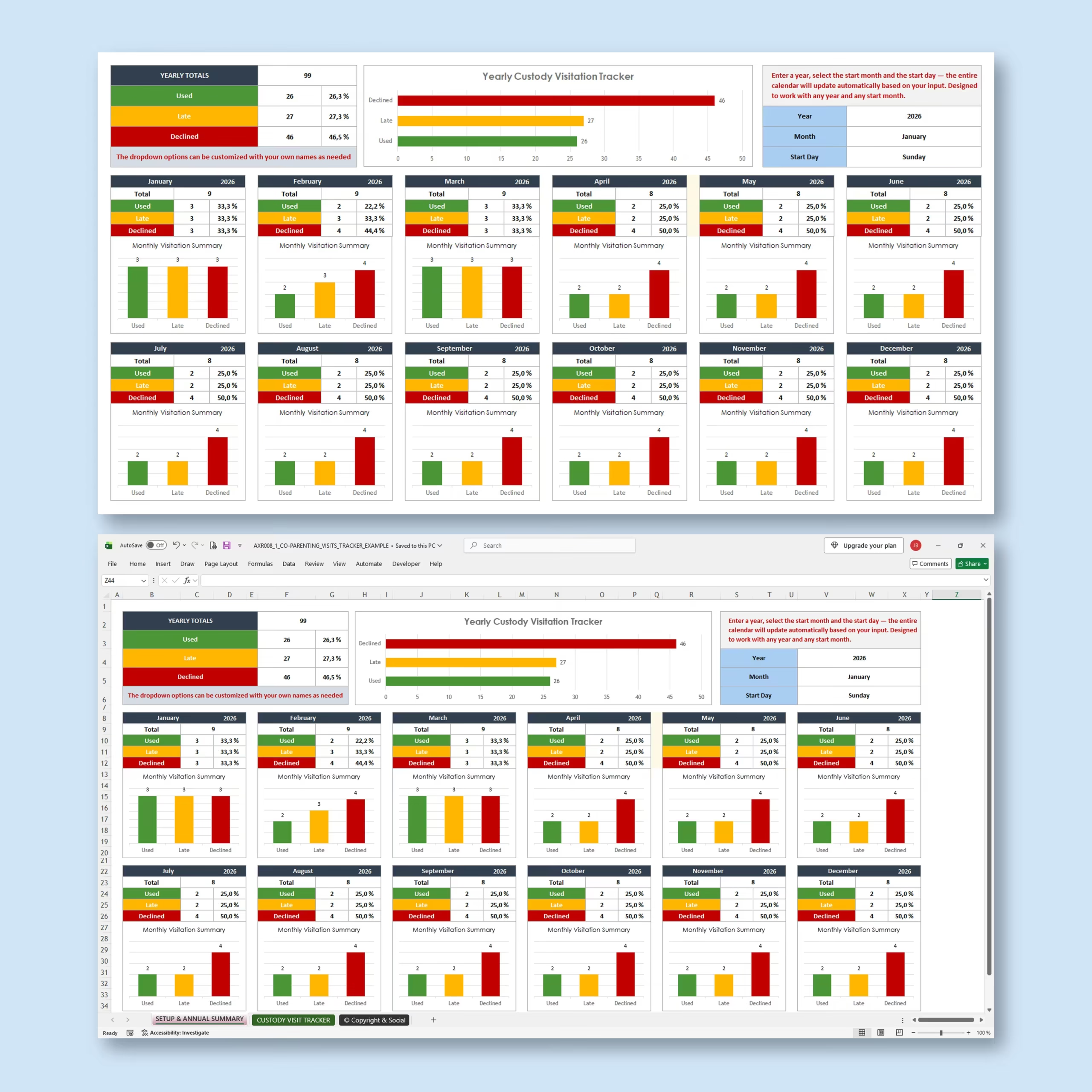
Automatic Monthly Visitation Summaries
Every month includes an automatically calculated summary showing:
- Total recorded visitation events
- Number of visits used
- Number of late visits
- Number of declined visits
- Percentage for each visitation status
- A color-coded monthly chart
The totals and percentages update automatically as you enter information into the daily tracker.
Review the Entire Year at a Glance
The annual summary dashboard combines the information from all 12 months into one clear overview.
You can quickly review yearly totals, percentages, and a visual chart comparing used, late, and declined visitation periods. This can help you identify recurring patterns and prepare a clear chronological summary of the year.
Useful for Co-Parenting Recordkeeping
This custody visitation tracker may be useful for:
- Co-parenting documentation
- Parenting time tracking
- Child custody visitation records
- Shared custody schedules
- Missed visitation tracking
- Late pickup or drop-off records
- Parenting plan reviews
- Preparing organized records for discussions with a mediator or attorney
The spreadsheet is designed as an organizational and personal recordkeeping tool. It does not provide legal advice and does not guarantee that records will be accepted as evidence in a legal proceeding.
Microsoft Excel and Google Sheets Compatible
The template is designed for use with both Microsoft Excel and Google Sheets, giving you the flexibility to choose the spreadsheet platform that works best for you.
Use the Excel version on your computer or access the Google Sheets version online when you need to update your records from different devices.
A Simple System for Consistent Visitation Documentation
Consistent records are easier to review than scattered messages and notes. This template brings your daily entries, monthly summaries, annual totals, percentages, calendars, and charts together in one organized file.
Use the Co-Parenting Visitation Tracker Spreadsheet to maintain a clearer, more reliable record of scheduled parenting time, and get a ready-made custody tracking spreadsheet you can customize immediately in Excel or Google Sheets.
Choose This Visitation Tracker If You Need More Than a Custody Calendar
This template is designed for co-parents who need to document what happened on each scheduled visitation day, not only display a parenting schedule. Use the editable status options and daily notes to record whether visits were used, late, declined, missed, or changed, then review patterns in monthly and yearly summaries.
- You want a visitation log and automatic 12-month calendar in one spreadsheet
- You need consistent daily status records with space for notes
- You prefer a reusable Microsoft Excel or Google Sheets tracker
Reviews
There are no reviews yet.