
Co-Parenting Visitation Tracker & Calendar for Excel and Google Sheets
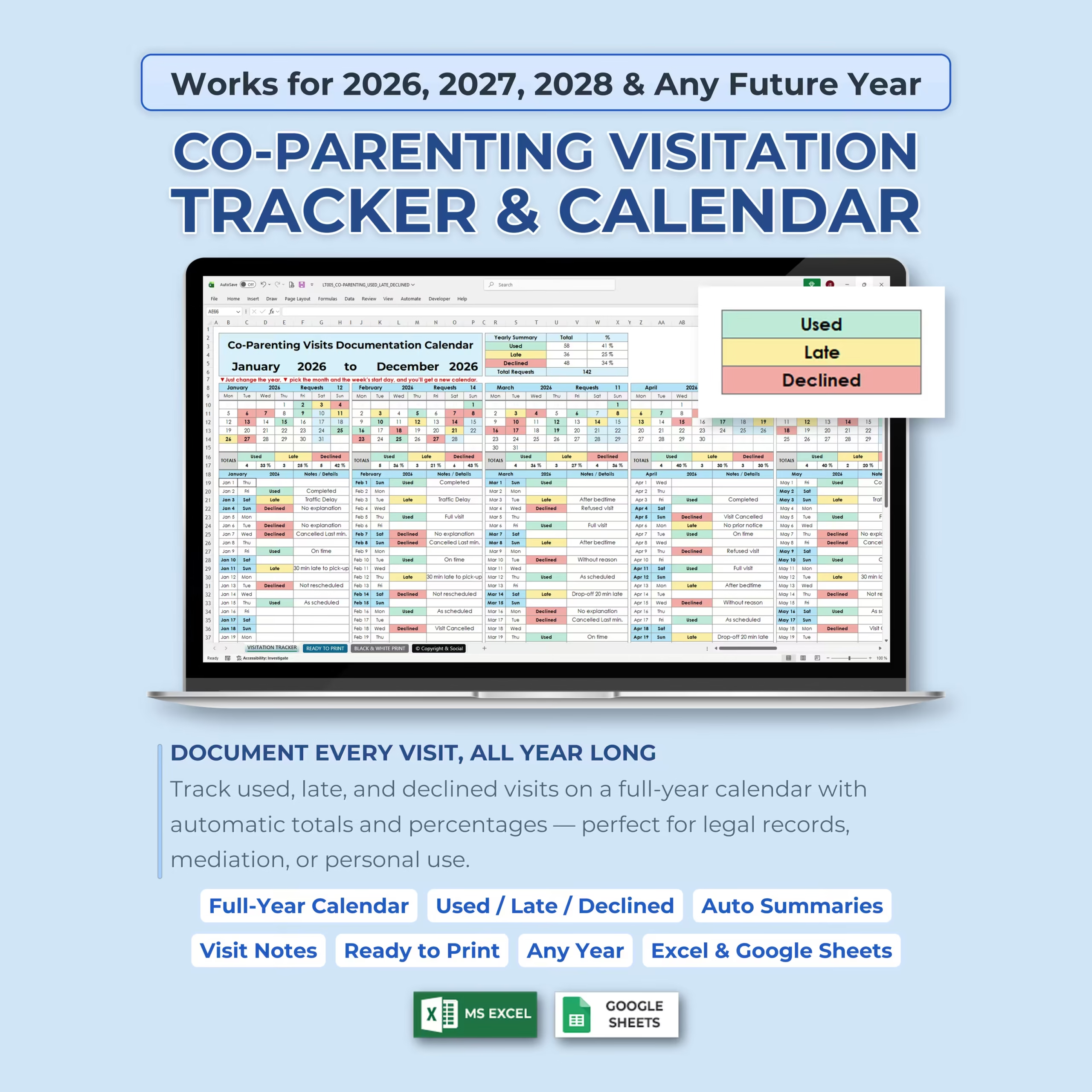
Keep your co-parenting records organized with this Co-Parenting Visitation Tracker & Calendar, designed to help you document every scheduled visit throughout the year. This spreadsheet template makes it easy to track whether each visit was Used, Late, or Declined, while also giving you space to add notes and review automatic summaries.
Whether you need a personal parenting time log, a visitation documentation calendar, or a simple way to keep track of co-parenting visits for mediation, legal records, or personal organization, this template gives you a structured full-year system you can reuse year after year.
Document Every Visit, All Year Long
The main visitation tracker tab includes a full-year calendar where you can record each visit directly on the corresponding date. Each month includes daily tracking rows, visit status drop-downs, and a notes/details area so you can document what happened clearly and consistently.
- Used: track completed visits or parenting time that took place
- Late: document visits that happened later than scheduled
- Declined: record visits that were refused, canceled, or did not move forward
- Notes / Details: add context such as traffic delays, schedule changes, no explanation, or completed visits
Works for 2026, 2027, 2028, and Any Future Year
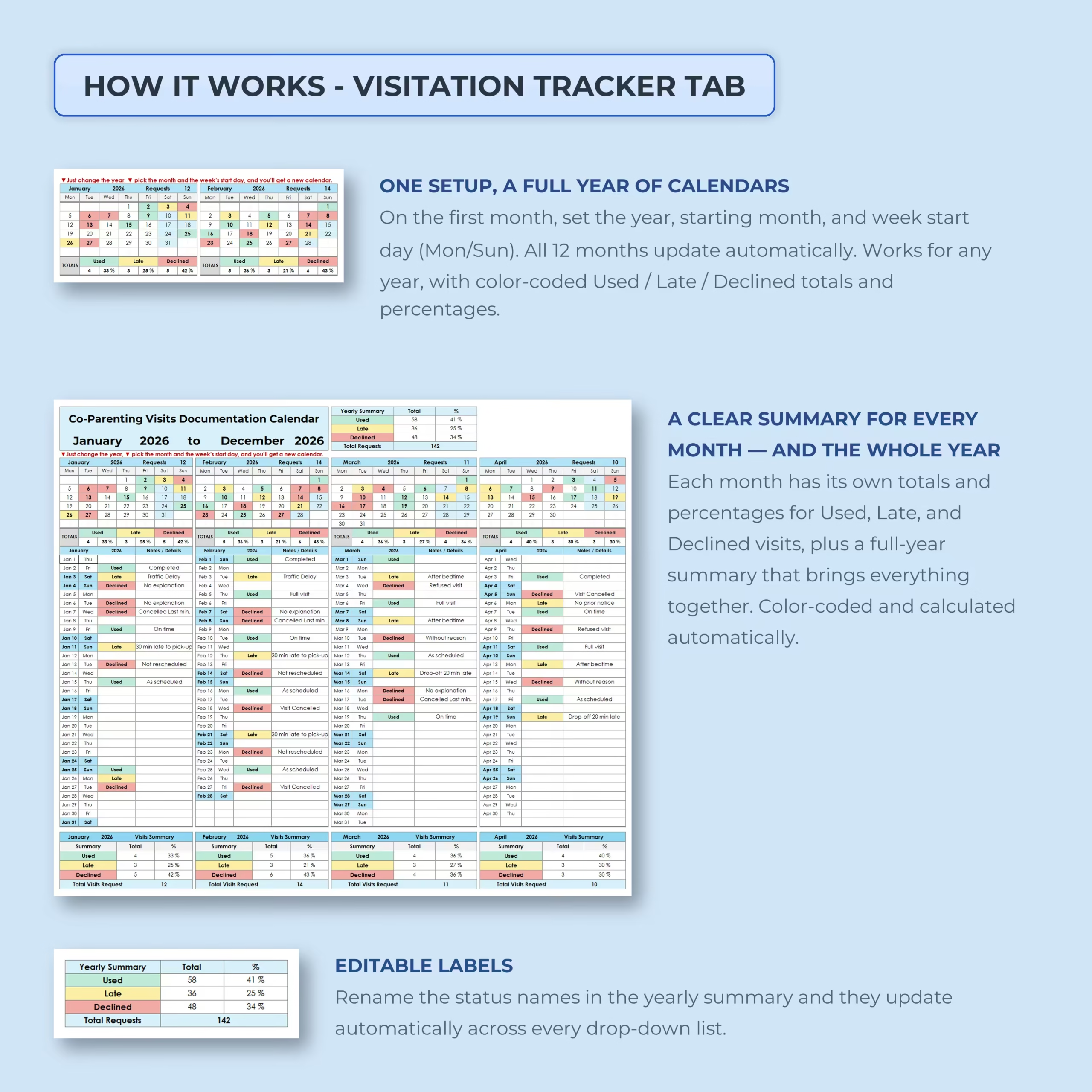
This co-parenting calendar is built to work for future years. Simply set the year, choose the starting month, and select your preferred week start day. The full-year calendar updates automatically, making the template reusable for 2026, 2027, 2028, and beyond.
You only need to set it up once, and all 12 months update for the selected year.
Automatic Monthly and Yearly Summaries
The template automatically calculates totals and percentages for Used, Late, and Declined visits. Each month includes its own visit summary, and the yearly summary brings everything together into one clean overview.
This makes it easier to identify patterns, review the full year, and keep your visitation documentation organized without manually calculating totals.
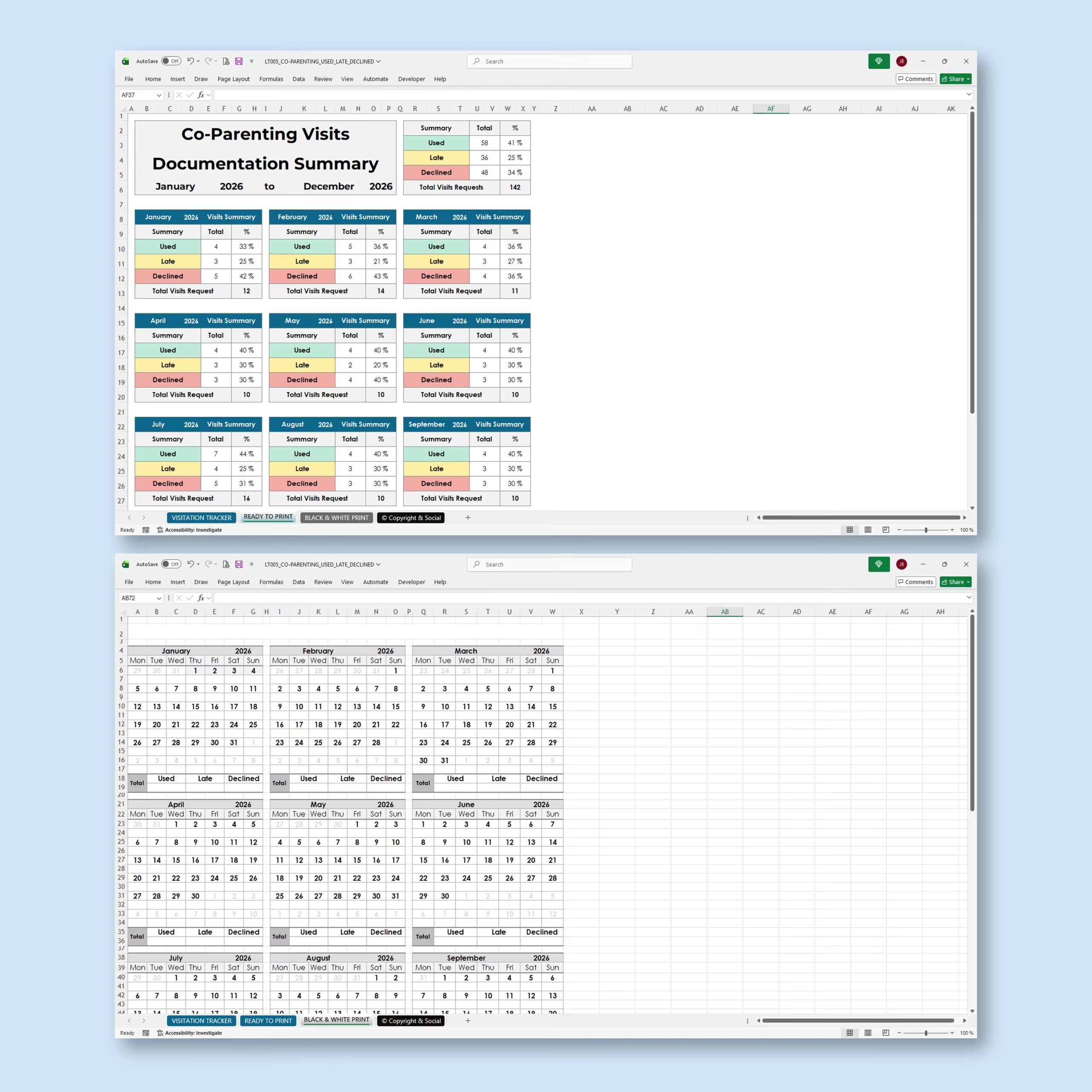
Ready-to-Print Documentation Summary
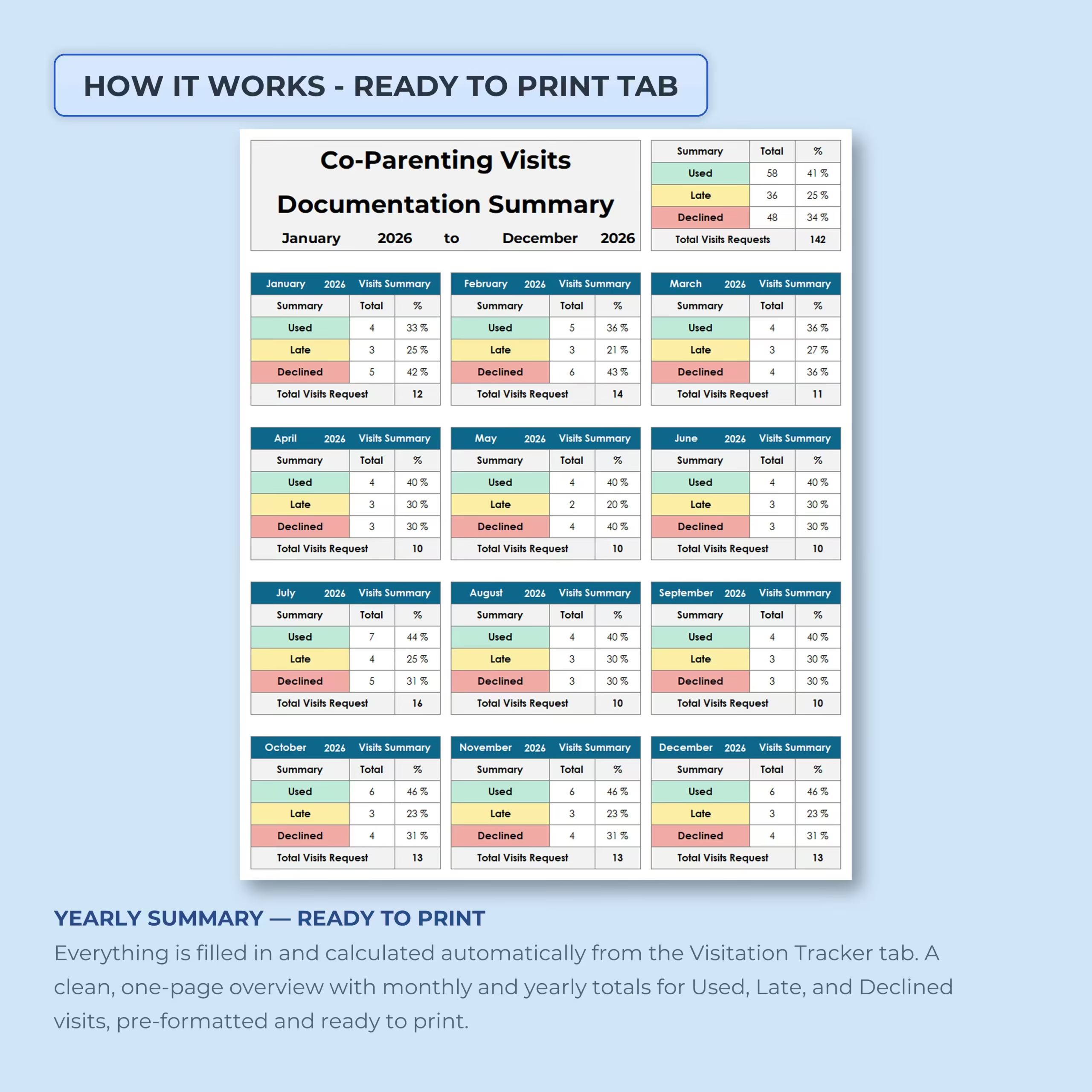
The included ready-to-print tab gives you a clean one-page overview with monthly and yearly totals. This printable summary is automatically filled in from the visitation tracker tab, so you can quickly print or save a clear record of your co-parenting visitation history.
- Monthly totals for each visit status
- Yearly total visits requested
- Percentages for Used, Late, and Declined visits
- Clean layout designed for printing
Editable Status Labels
The status labels can be renamed to match your preferred wording. If you want to use different terms instead of Used, Late, and Declined, you can update the labels and have them apply across the drop-down lists automatically.
This makes the tracker flexible for different co-parenting situations, documentation styles, or personal preferences.
Black and White Print Version
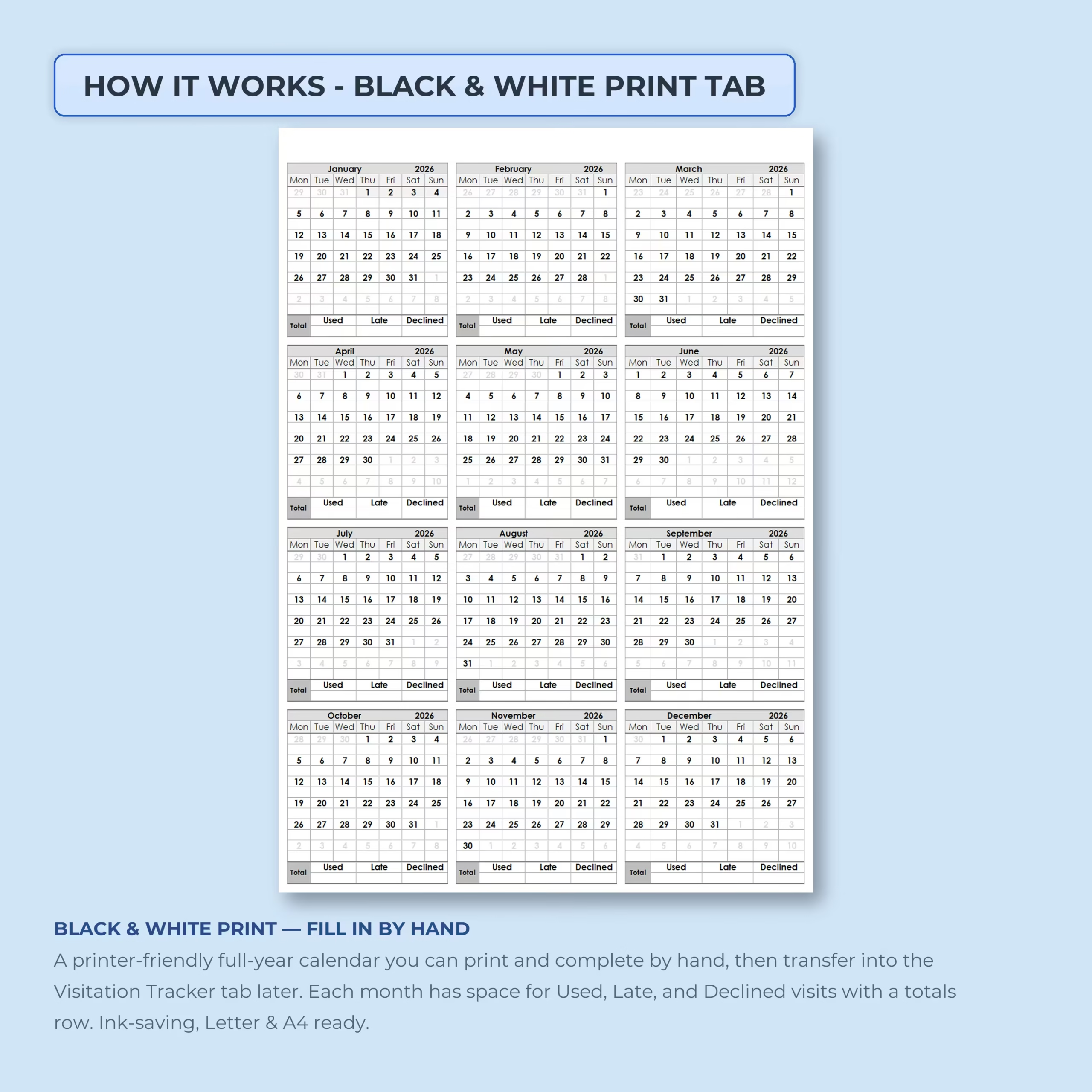
The template also includes a black and white print tab designed for handwritten records. You can print the full-year calendar, fill it out by hand, and later transfer the information into the digital visitation tracker if needed.
- Printer-friendly black and white layout
- Great for handwritten documentation
- Ink-saving design
- Letter and A4 ready
What’s Included
- Co-parenting visitation tracker tab
- Full-year calendar layout
- Used, Late, and Declined visit tracking
- Daily notes and details section
- Automatic monthly summaries
- Automatic yearly summary
- Ready-to-print documentation summary
- Black and white printable calendar
- Excel version
- Google Sheets version
Perfect For
- Parents managing a shared custody or visitation schedule
- Co-parents who want a clear parenting time log
- Tracking used, late, declined, canceled, or missed visits
- Keeping organized visitation records for personal use
- Preparing documentation for mediation or record keeping
- Anyone who wants a printable co-parenting calendar
Use It in Excel or Google Sheets
This co-parenting visitation tracker is compatible with both Microsoft Excel and Google Sheets. Use it on your preferred platform, customize the year and labels, start documenting visits, and print your summaries whenever needed.
Please note: this template is for organization and documentation purposes only. It does not provide legal advice.
Reviews
There are no reviews yet.