
Bill Payment Tracker Spreadsheet for Excel & Google Sheets
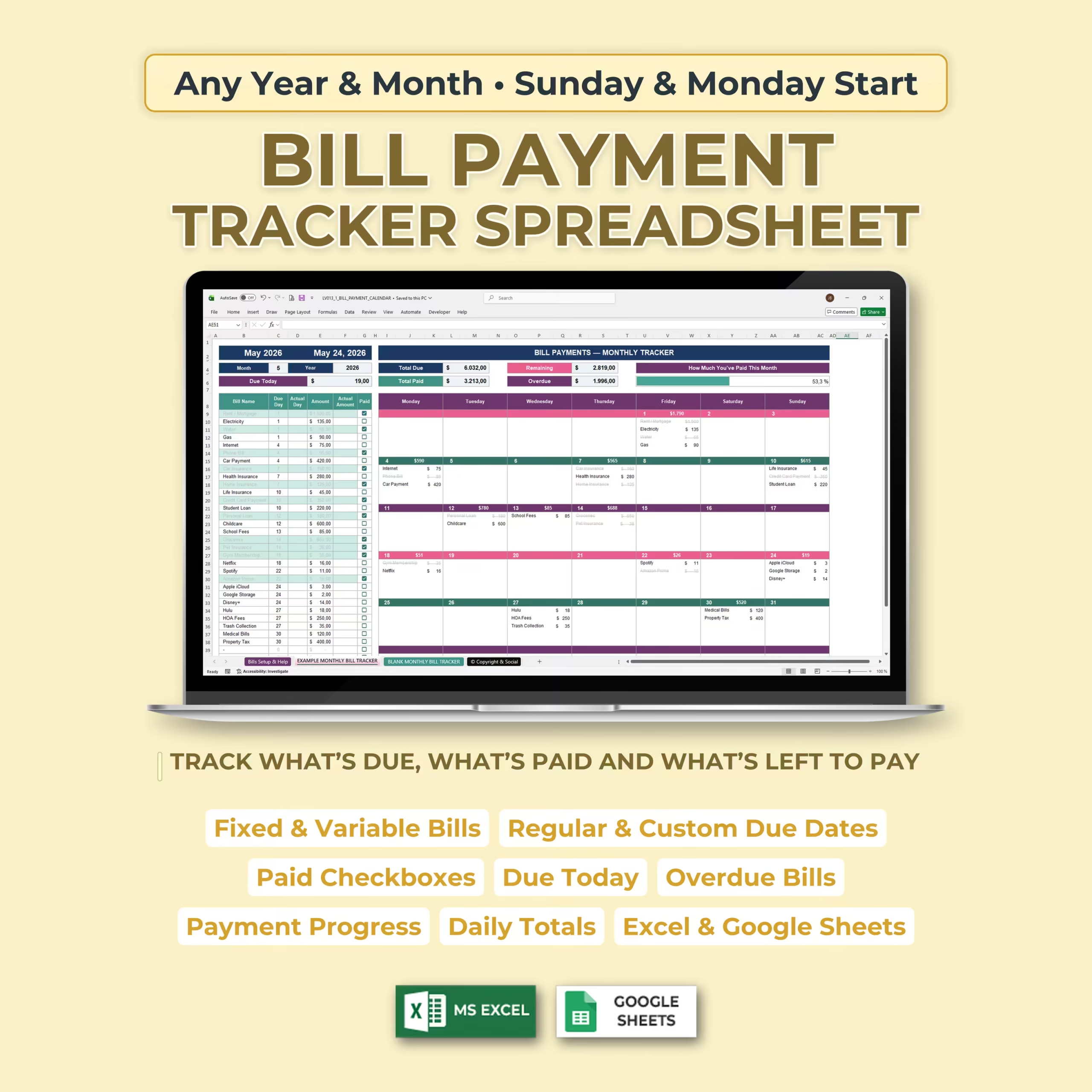
Organize your monthly bills, track payment status, and stay in control of your household or personal finances with this Bill Payment Tracker Spreadsheet. Designed for both Microsoft Excel and Google Sheets, this template helps you see what is due, what has been paid, what is overdue, and what is still left to pay.
Instead of trying to remember due dates or manage bills across different apps, notes, and statements, this spreadsheet gives you one clear monthly bill tracker with a master bill list, payment checklist, automatic calendar, progress dashboard, and daily totals.
Track What’s Due, What’s Paid, and What’s Left to Pay
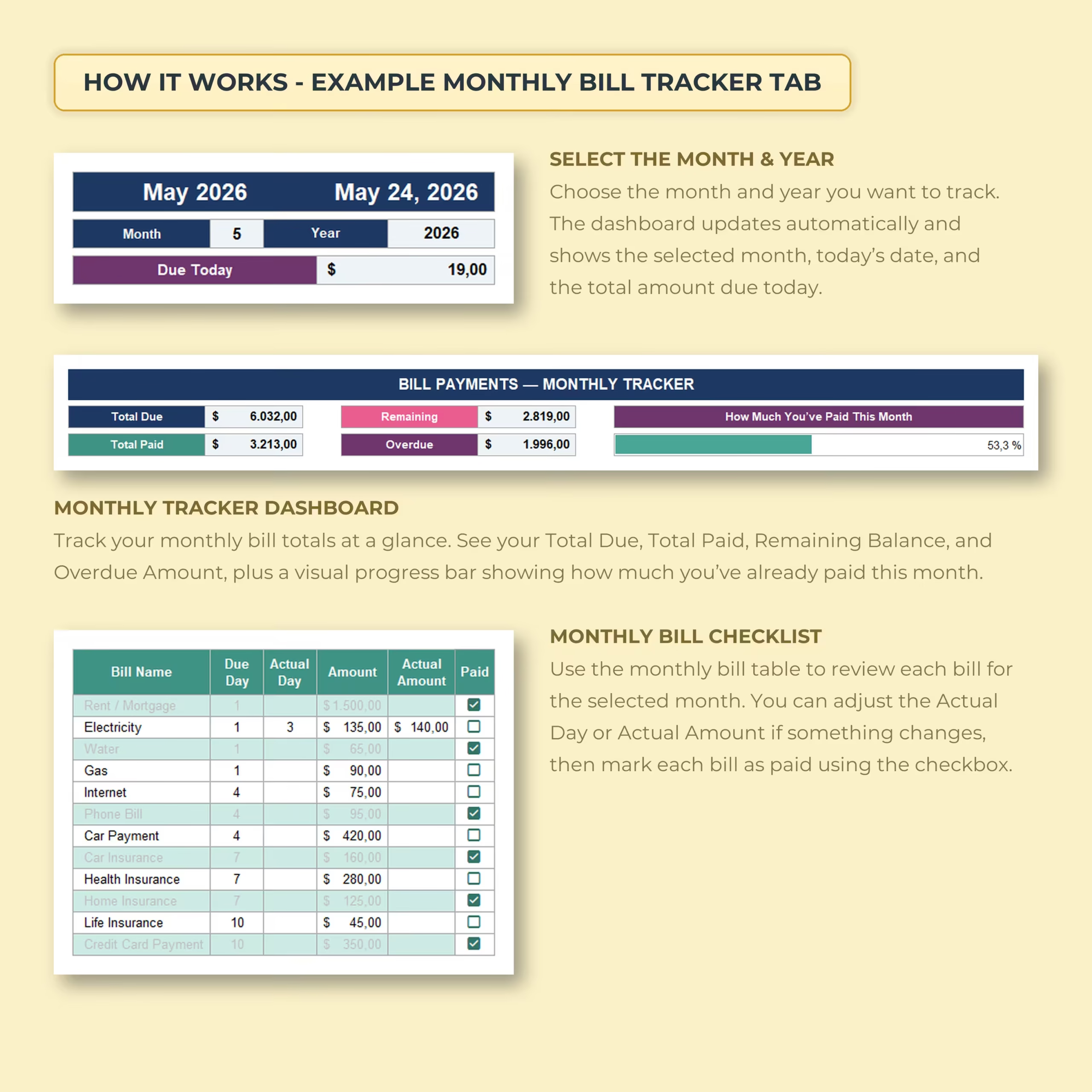
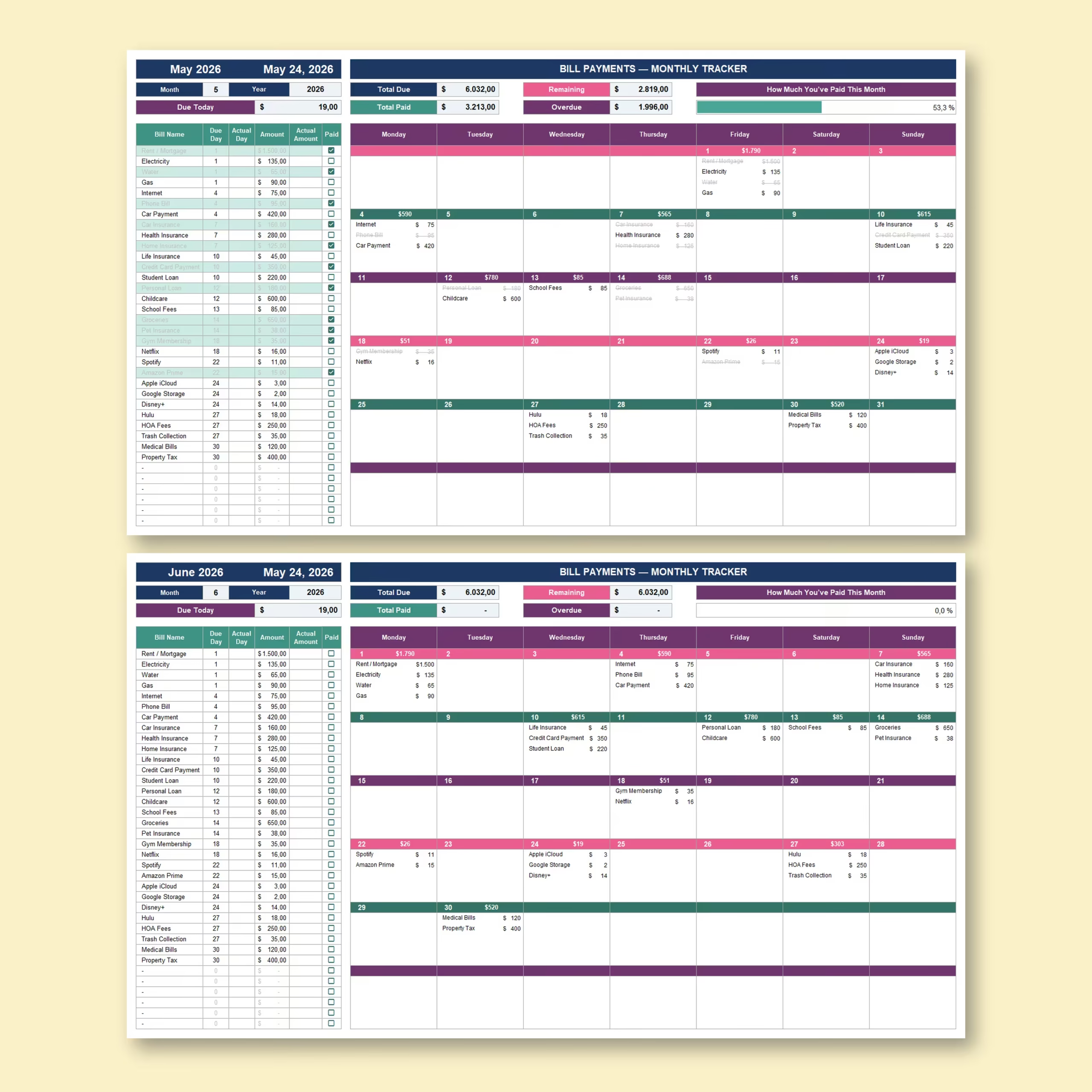
The monthly bill tracker makes it easy to review every bill for the selected month. Each bill includes the bill name, regular due day, actual day, amount, actual amount, and a paid checkbox so you can quickly update your payment status.
- Track monthly bills and recurring payments
- Mark paid bills with checkboxes
- See remaining balances automatically
- Identify overdue bills
- View how much is due today
- Track total paid and total due for the month
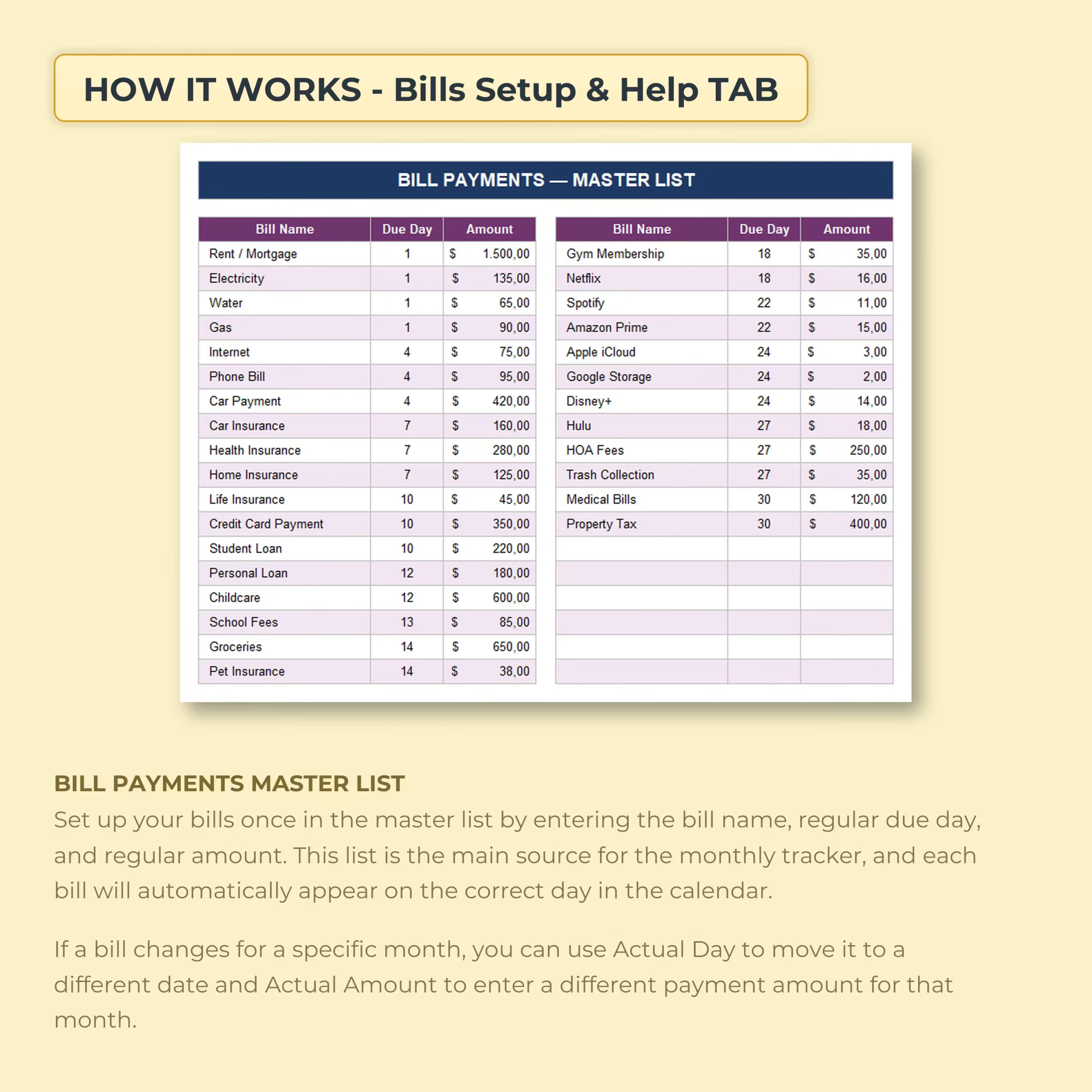
Bill Payments Master List
Set up your bills once in the master list by entering the bill name, regular due day, and regular amount. This list becomes the main source for the monthly tracker, and each bill automatically appears on the correct day in the calendar.
If a bill changes for a specific month, you can use the Actual Day field to move it to a different date or the Actual Amount field to enter a different payment amount for that month.
Monthly Bill Tracker Dashboard
The dashboard gives you a clear overview of your monthly bill payments. Select the month and year you want to track, and the spreadsheet updates automatically to show your selected month, today’s date, the amount due today, total due, total paid, remaining balance, overdue amount, and payment progress.
- Total Due
- Total Paid
- Remaining Balance
- Overdue Amount
- Due Today
- Monthly payment progress bar
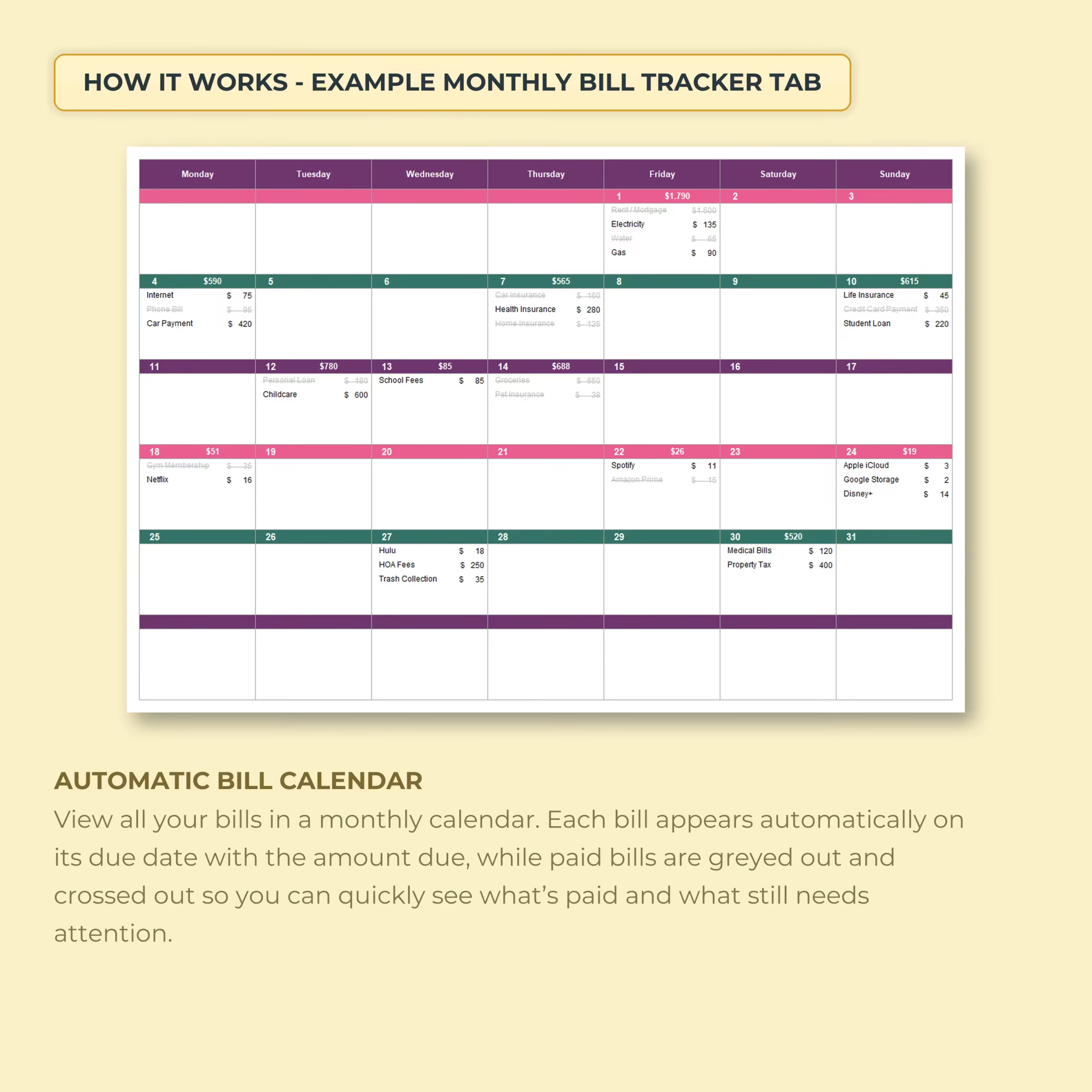
Automatic Monthly Bill Calendar
View all your bills in a monthly calendar layout. Each bill appears automatically on its due date with the amount due, making it easy to see your payment schedule at a glance.
Paid bills are visually greyed out and crossed out, so you can quickly identify which payments are complete and which bills still need attention.
Works for Any Year and Any Month
This bill payment tracker is reusable and flexible. You can choose any month and any year, and the monthly calendar updates automatically. Use it for the current year, future years, or whenever you need a clean monthly bill payment system.
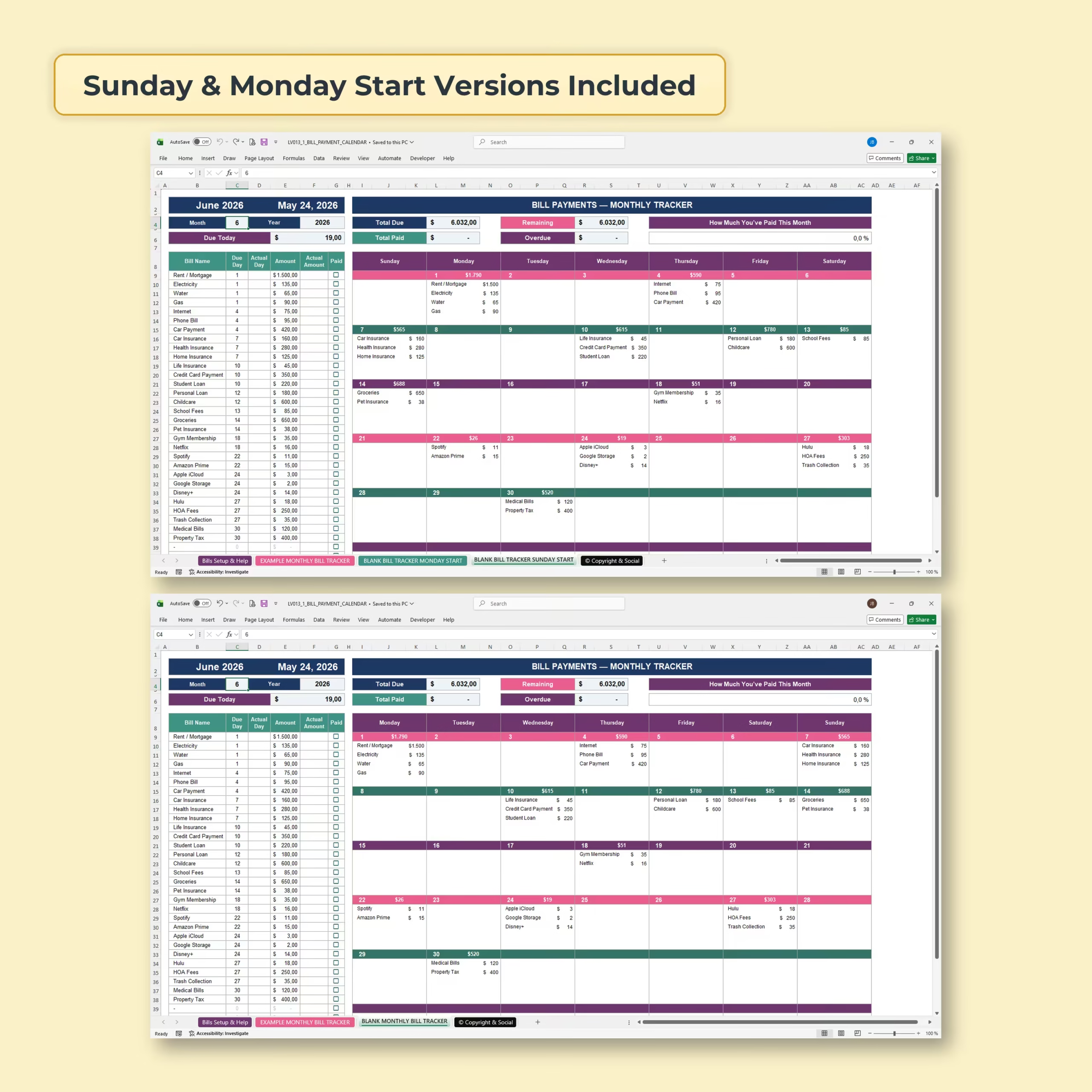
Sunday and Monday Start Versions Included
The template includes both Sunday start and Monday start versions, so you can use the calendar layout that best fits your planning style.
Fixed and Variable Bill Tracking
The spreadsheet works for both fixed bills and variable bills. Enter regular monthly bills in the master list, then adjust the actual due date or actual amount in the monthly tracker when something changes.
This is useful for expenses like rent, mortgage, electricity, water, gas, internet, insurance, credit card payments, loans, subscriptions, childcare, school fees, groceries, medical bills, property tax, and more.
Daily Totals and Payment Progress
The calendar includes daily bill totals so you can see how much is due on each day. The monthly dashboard also includes a visual payment progress bar, helping you understand how much of the month’s bills you have already paid.
What’s Included
- Bill Payments Master List
- Setup and Help tab
- Example monthly bill tracker
- Blank monthly bill tracker
- Sunday start calendar version
- Monday start calendar version
- Monthly bill checklist
- Automatic bill payment calendar
- Paid checkboxes
- Due today calculation
- Overdue bill tracking
- Total due, total paid, and remaining balance
- Monthly payment progress bar
- Daily totals in calendar view
- Excel version
- Google Sheets version
Perfect For
- Monthly household bill tracking
- Personal budget planning
- Family finance organization
- Tracking recurring bills and subscriptions
- Avoiding missed due dates
- Managing fixed and variable expenses
- Anyone who wants a simple bill payment calendar
Use It in Excel or Google Sheets
This Bill Payment Tracker Spreadsheet is compatible with both Microsoft Excel and Google Sheets. Download the template, choose your preferred version, enter your bills, select the month and year, and start tracking payments right away.
Please note: this spreadsheet is an organization and budgeting tool. It does not provide financial, tax, accounting, or legal advice.
Reviews
There are no reviews yet.