
Keep Every Monthly Bill Organized in One Calendar
Take the guesswork out of monthly bill management with this Bill Payment Calendar and Monthly Bill Tracker for Microsoft Excel and Google Sheets. It works as a ready-to-use bill due date spreadsheet and monthly bill calendar spreadsheet for buyers who want a practical template instead of building one from scratch.
Instead of checking bank statements, emails, sticky notes, and different apps to remember what needs to be paid, this spreadsheet brings your recurring bills, due dates, payment amounts, and monthly progress together in one clear system. It is especially useful for U.S. households looking for a simple bill payment spreadsheet or Google Sheets bill calendar they can reuse every month.
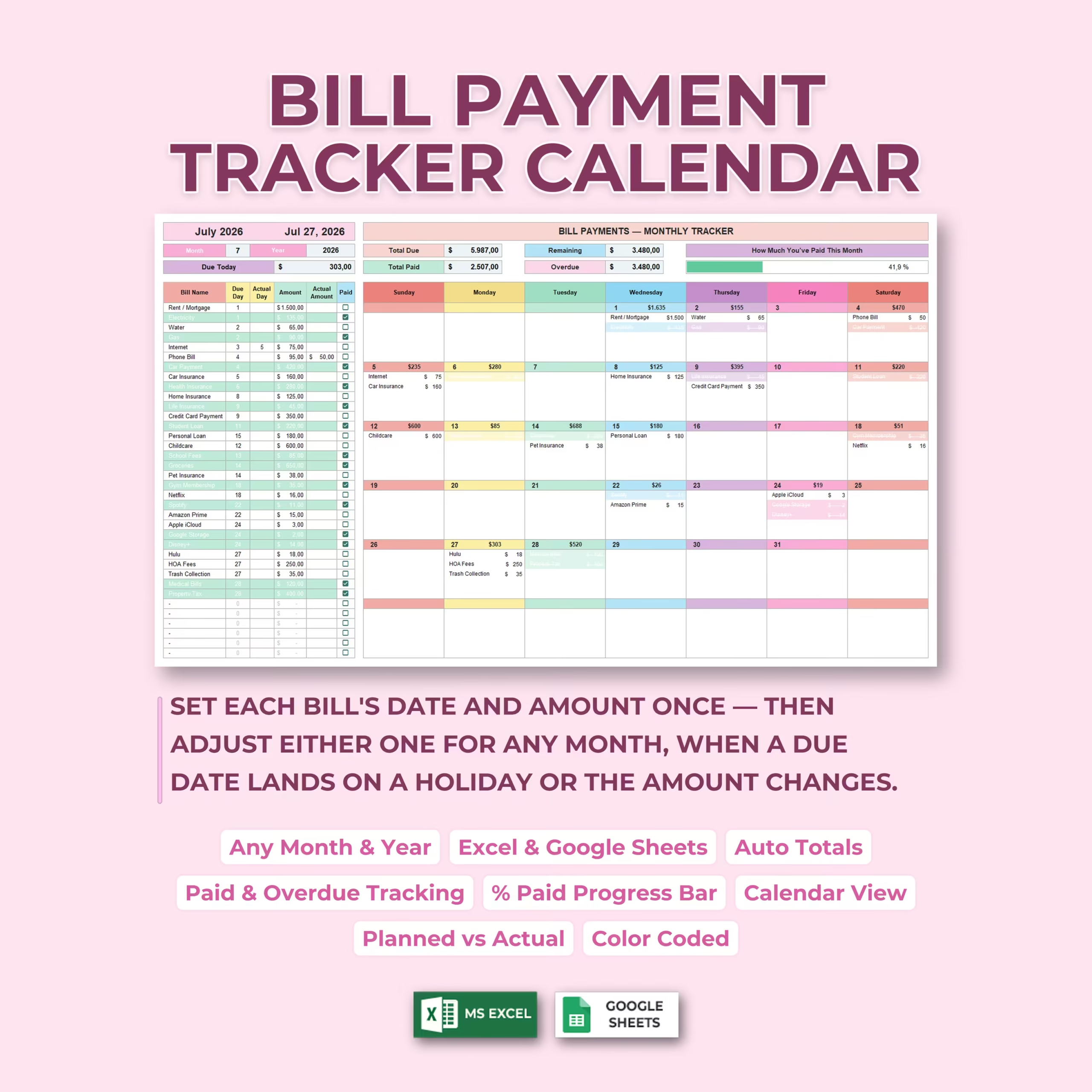
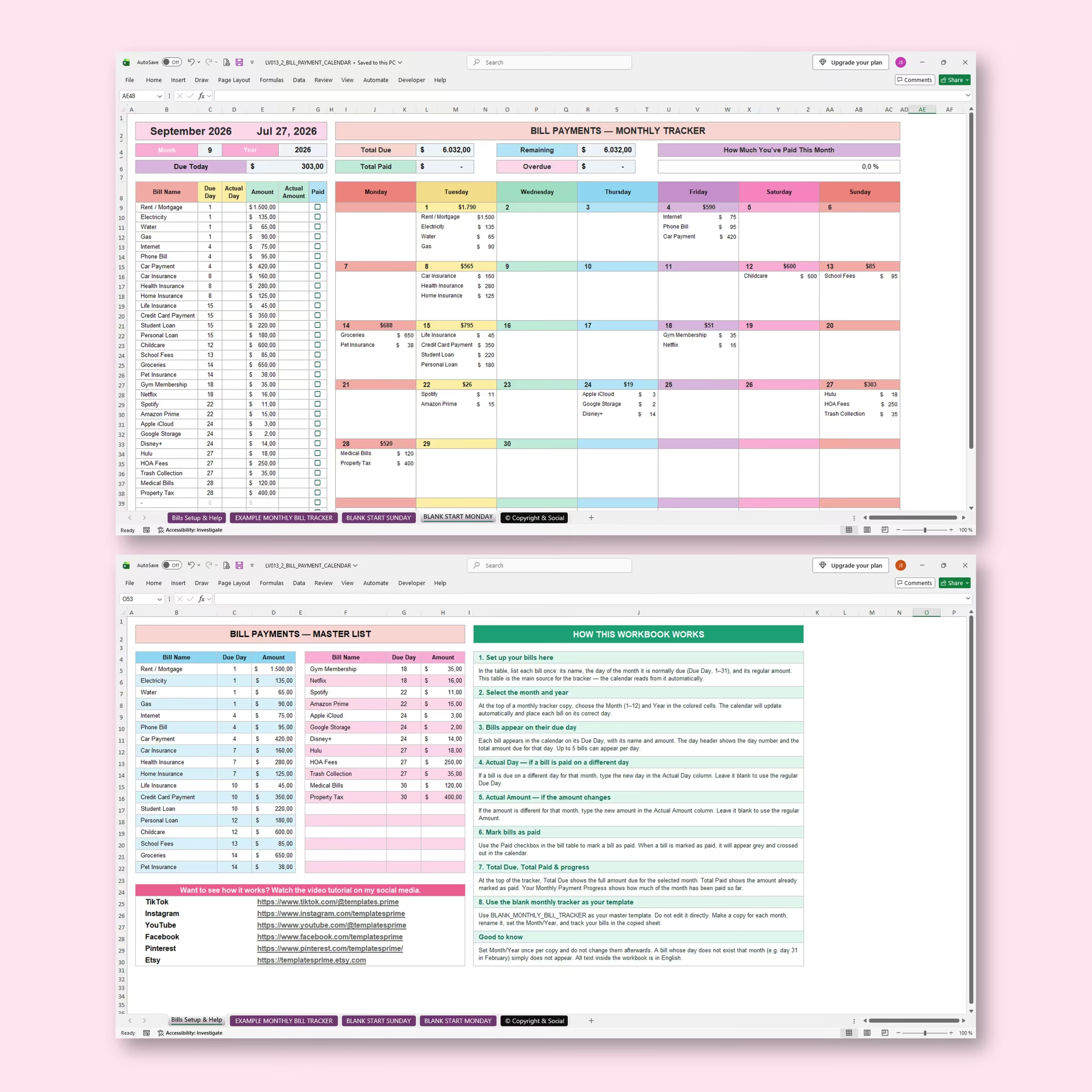
Enter each regular bill once in the master list, select the month and year you want to track, and the spreadsheet automatically places your bills onto the monthly calendar.
Set Up Your Recurring Bills Once
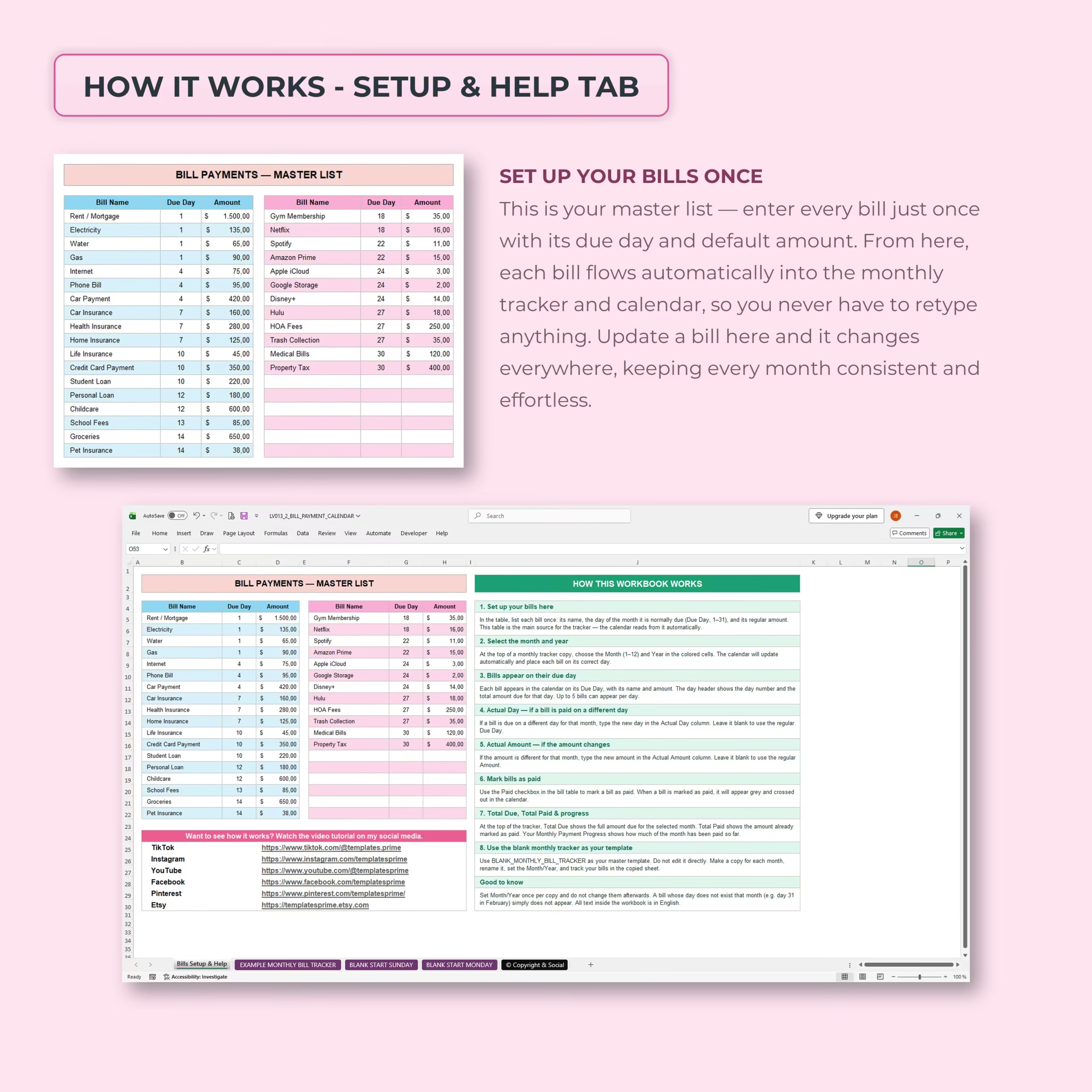
A dedicated master list lets you enter your regular monthly expenses with three simple pieces of information:
- Bill name
- Usual due day
- Default payment amount
Once entered, this information flows automatically into the monthly bill tracker and calendar.
If you update a bill in the master list, the tracker uses the updated information, helping you keep your recurring expenses consistent without repeatedly typing the same details.
Use It for Any Month and Year
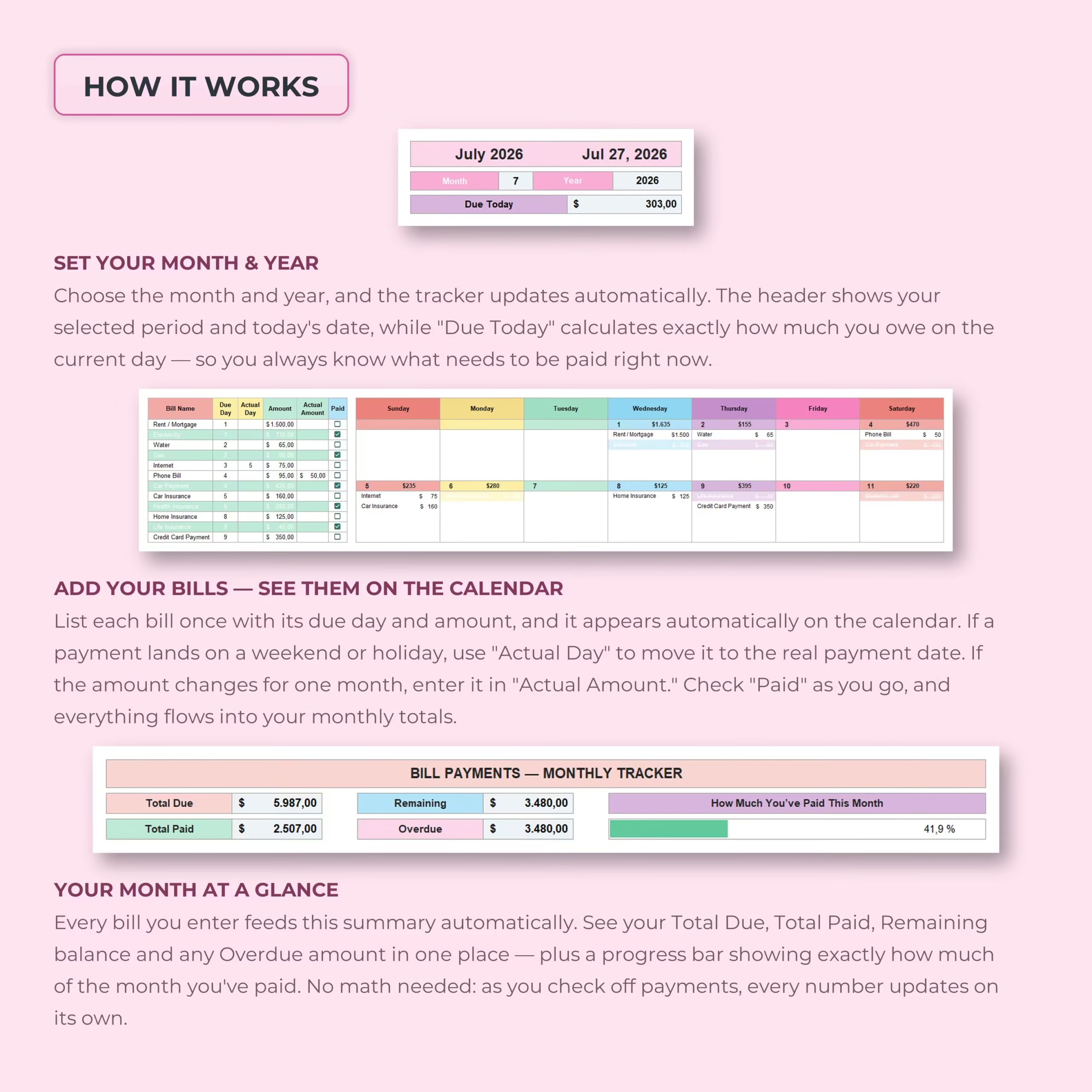
Choose the month and year you want to manage and the calendar automatically updates to match the selected period.
This makes the template reusable month after month and year after year without needing a separate spreadsheet for every calendar period.
See Every Bill on a Monthly Bill Calendar
Your bills automatically appear on the calendar according to their due dates, giving you a visual overview of when money needs to leave your account throughout the month.
Each calendar day can display the bills due on that date along with their payment amounts, helping you anticipate expensive days and plan your cash flow more effectively.
Know Exactly What Is Due Today
The tracker includes a Due Today calculation that shows the total amount scheduled for the current date.
Instead of scanning the entire calendar, you can immediately see how much needs your attention today.
Adjust the Actual Payment Date When Needed
Recurring bills do not always get paid on their usual due date. A due date may fall on a weekend or holiday, or you may need to make the payment on a different day.
The Actual Day field allows you to adjust an individual payment date for the selected month without changing the bill’s normal recurring due day.
This gives you the convenience of a recurring bill system while still allowing for real-world schedule changes.
Handle Bills with Changing Amounts
Not every bill costs exactly the same each month.
If the payment amount changes, simply enter the month’s value in the Actual Amount field. The tracker uses the adjusted amount for that month while keeping the standard amount available for future periods.
This is useful for variable expenses such as utilities, credit card payments, medical bills, insurance adjustments, and other payments that may fluctuate.
Mark Bills as Paid with a Checkbox
Use the built-in checkbox to mark each bill as paid.
As payments are completed, the spreadsheet automatically updates your monthly figures and visually distinguishes paid bills, helping you quickly identify what has already been handled and what still needs attention.
Automatic Monthly Bill Summary
The dashboard gives you an instant financial overview of the selected month.
Automatic calculations include:
- Total Due – the total amount scheduled for the month
- Total Paid – the amount already marked as paid
- Remaining – the amount still outstanding
- Overdue – unpaid amounts identified as overdue
- Payment Progress – the percentage of the month’s bills already paid
A visual progress bar makes it easy to understand your monthly payment status without calculating anything manually.
Plan Cash Flow More Easily
A traditional bill list tells you what you owe. A calendar also shows you when you owe it.
By seeing bills distributed across the month, you can better understand which weeks carry the largest expenses and plan around paydays, account balances, and upcoming obligations.
Useful for All Types of Monthly Bills
This monthly bill payment tracker can be used to organize expenses such as:
- Rent or mortgage
- Electricity, water, and gas
- Internet and phone bills
- Car payments and insurance
- Health and life insurance
- Credit card payments
- Student or personal loans
- Childcare and school fees
- Groceries and household expenses
- Streaming subscriptions
- Gym memberships
- HOA fees
- Medical bills
- Property-related expenses
Sunday-Start and Monday-Start Calendars
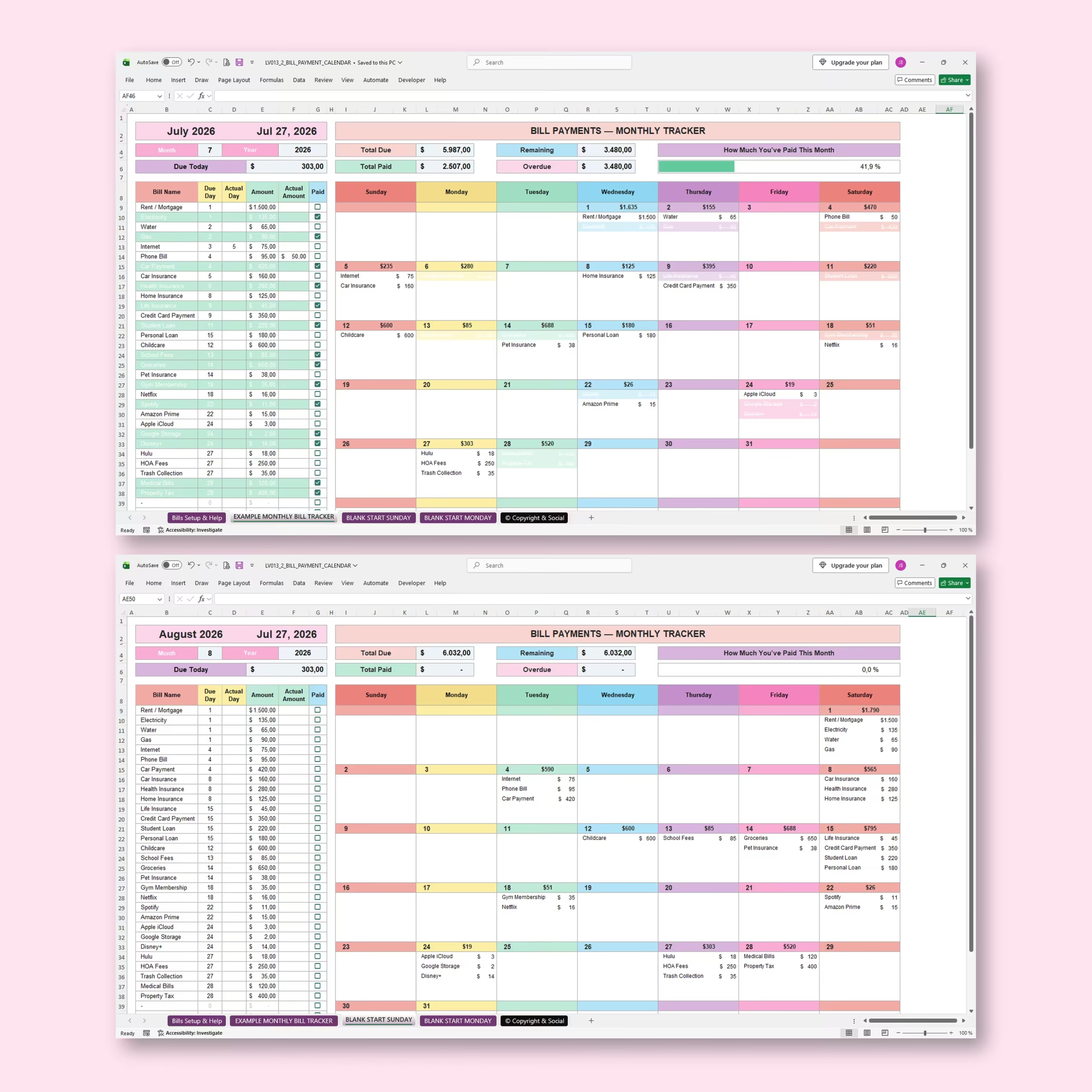
The workbook includes blank calendar layouts for both Sunday-start and Monday-start weeks, so you can use the format that feels most natural to you.
Example Tracker and Built-In Instructions Included
An example monthly bill tracker is included so you can see how the system works before entering your own expenses.
The workbook also contains a dedicated setup and help section explaining how to create your master bill list, select a month and year, change actual payment dates or amounts, mark bills as paid, and understand the automatic monthly totals.
Microsoft Excel and Google Sheets Compatible
The Bill Payment Calendar is designed for use with both Microsoft Excel and Google Sheets, giving you the flexibility to use the spreadsheet platform that best fits your budgeting routine.
A Simpler Way to Stay on Top of Monthly Bills
Managing bills becomes much easier when you can see your due dates, amounts, payment status, and remaining balance together.
Use this Bill Payment Calendar and Monthly Bill Tracker to organize recurring expenses, stay ahead of upcoming payments, monitor what has already been paid, and maintain a clearer picture of your monthly financial obligations.
Reviews
There are no reviews yet.