
Build a Monthly Budget Spreadsheet That Fits Real Life
Take control of your income, bills, spending, savings, and debt with this 50/30/20 Budget Template for Microsoft Excel and Google Sheets.
This digital monthly budget spreadsheet is designed for buyers who want a ready-to-use budget planner template they can download, customize, and start using right away for personal or household budgeting.
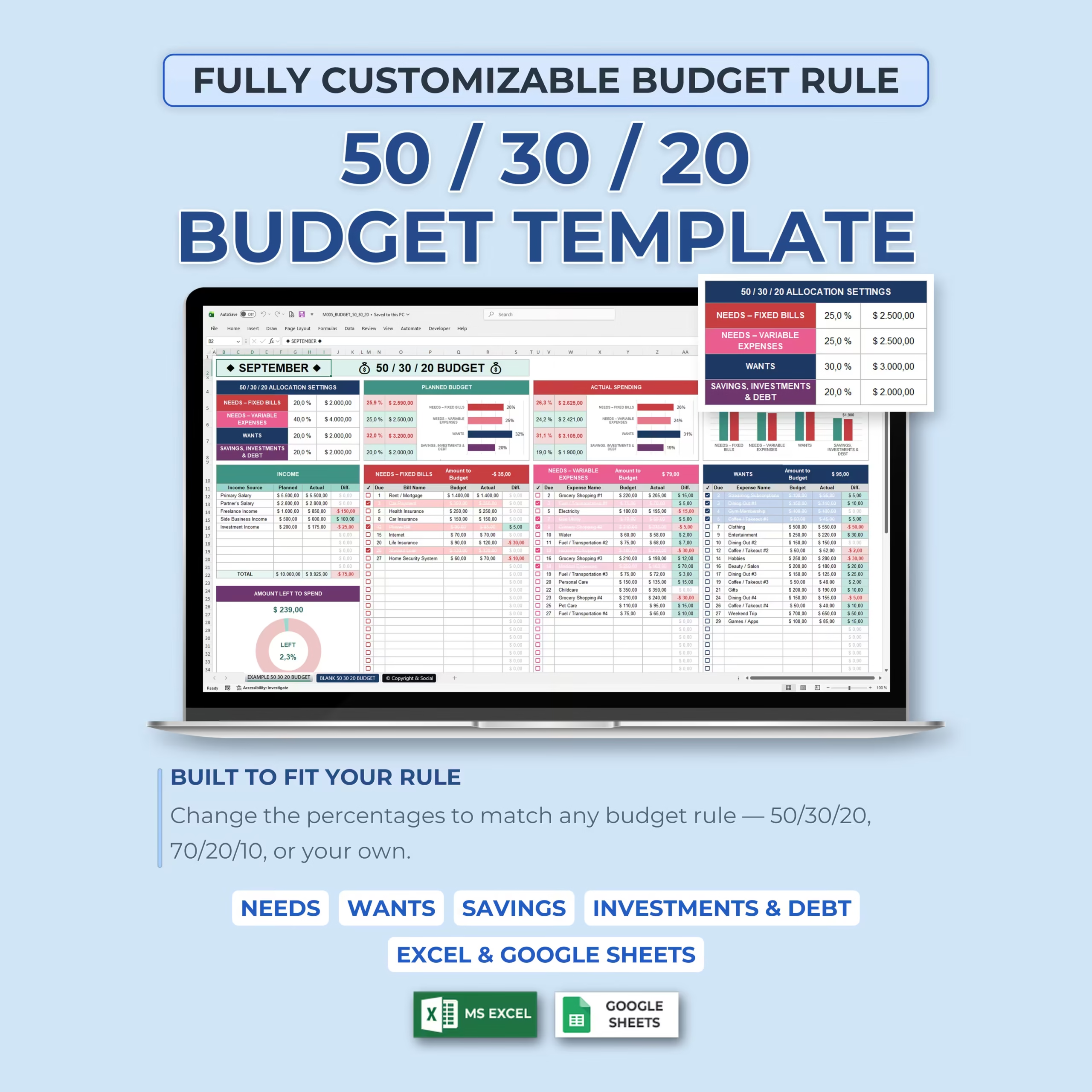
The classic 50/30/20 budgeting method is a simple way to divide income between needs, wants, and financial goals, but every budget looks a little different. That is why this spreadsheet lets you fully customize your budget percentages instead of locking you into one fixed rule.
Use the traditional 50/30/20 method, create a 70/20/10 budget, or define your own allocation based on your income, fixed bills, debt payoff goals, savings priorities, and cost of living.
Customize Your Own Budget Rule
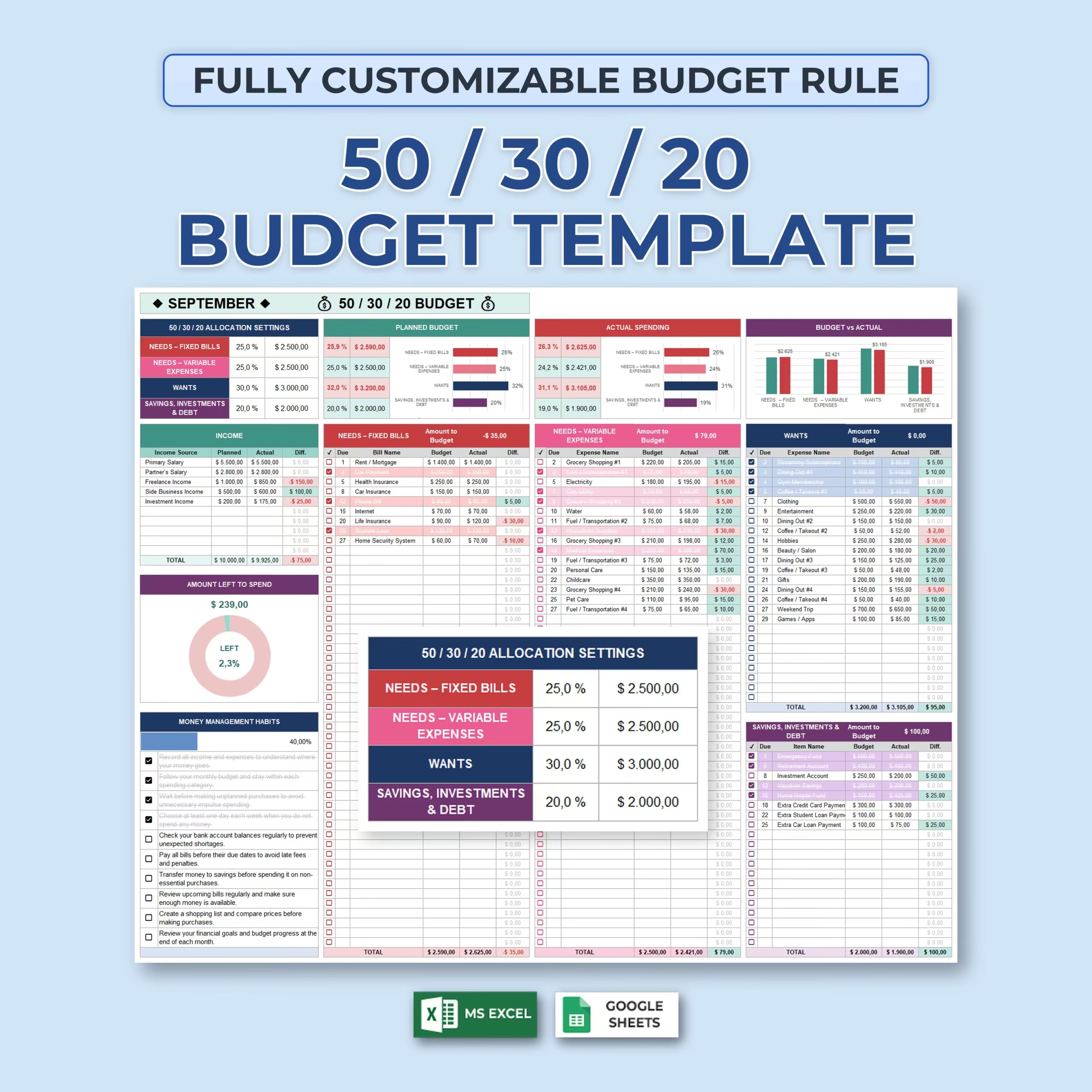
The built-in allocation settings let you decide exactly how much of your income should go toward each major category.
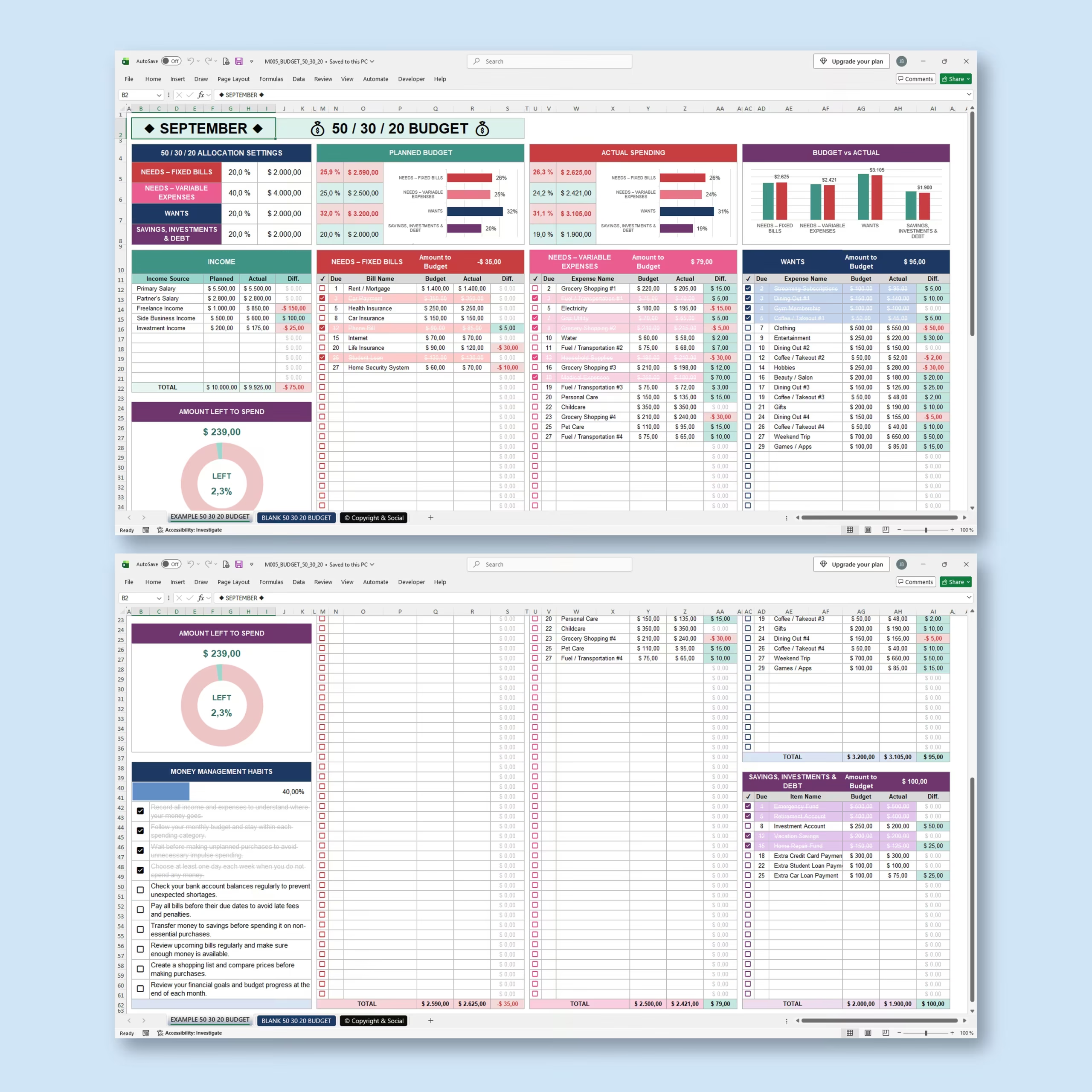
The template organizes your budget into:
- Needs, Fixed Bills
- Needs, Variable Expenses
- Wants
- Savings, Investments & Debt
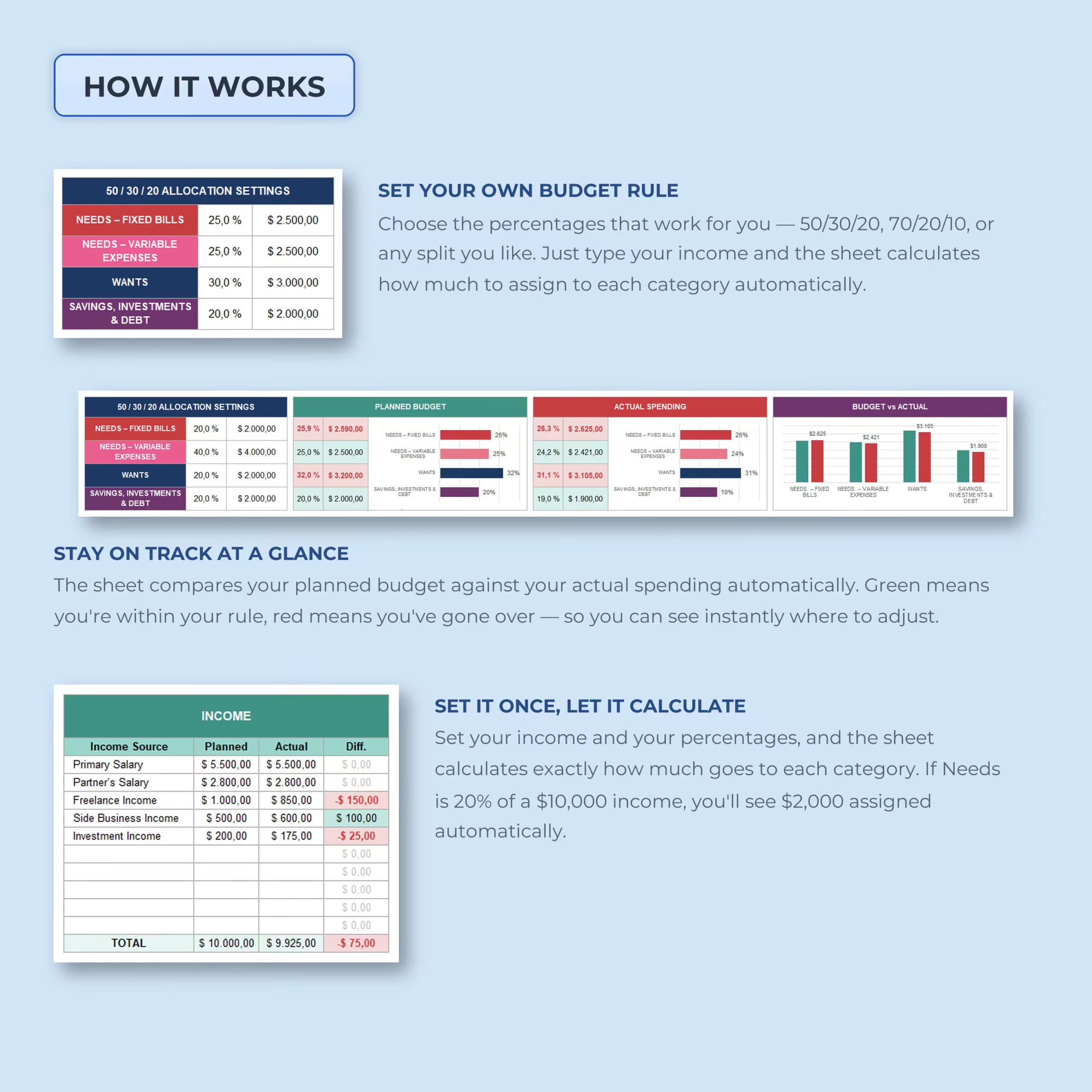
Enter your preferred percentages and the spreadsheet automatically calculates the dollar amount available for each category based on your planned income.
You can follow the traditional 50/30/20 budget rule or create a completely different allocation that better reflects your financial situation.
Track Planned and Actual Income
A dedicated income section lets you record multiple sources of income and compare what you expected to receive with what actually came in.
Track income such as:
- Primary salary
- Partner or household income
- Freelance income
- Side business income
- Investment income
- Other monthly income
The spreadsheet automatically calculates the difference between planned and actual income, helping you adjust your spending plan when your real income differs from expectations.
Automatic Budget Allocation by Category
Once your income and percentages are entered, the spreadsheet automatically calculates how much money should be allocated to each budget category.
For example, if your monthly income is $10,000 and you assign 20% to a category, the template automatically calculates a $2,000 budget for that section.
No manual percentage calculations are required.
Separate Fixed and Variable Needs
Instead of grouping every essential expense together, this budget spreadsheet separates fixed bills from variable necessary expenses.
Fixed needs can include expenses such as:
- Rent or mortgage
- Car payments
- Insurance
- Internet
- Loans
- Home security
Variable needs can include:
- Groceries
- Utilities
- Fuel and transportation
- Childcare
- Personal care
- Pet care
This gives you a clearer picture of which essential costs are predictable and which ones fluctuate throughout the month.
Track Wants Without Losing Sight of Your Limits
The Wants section helps you budget for non-essential spending while keeping it within the percentage you have chosen.
Use it to track expenses such as:
- Dining out
- Entertainment
- Streaming services
- Clothing
- Hobbies
- Beauty and salon expenses
- Gifts
- Coffee and takeout
- Games and apps
- Weekend activities
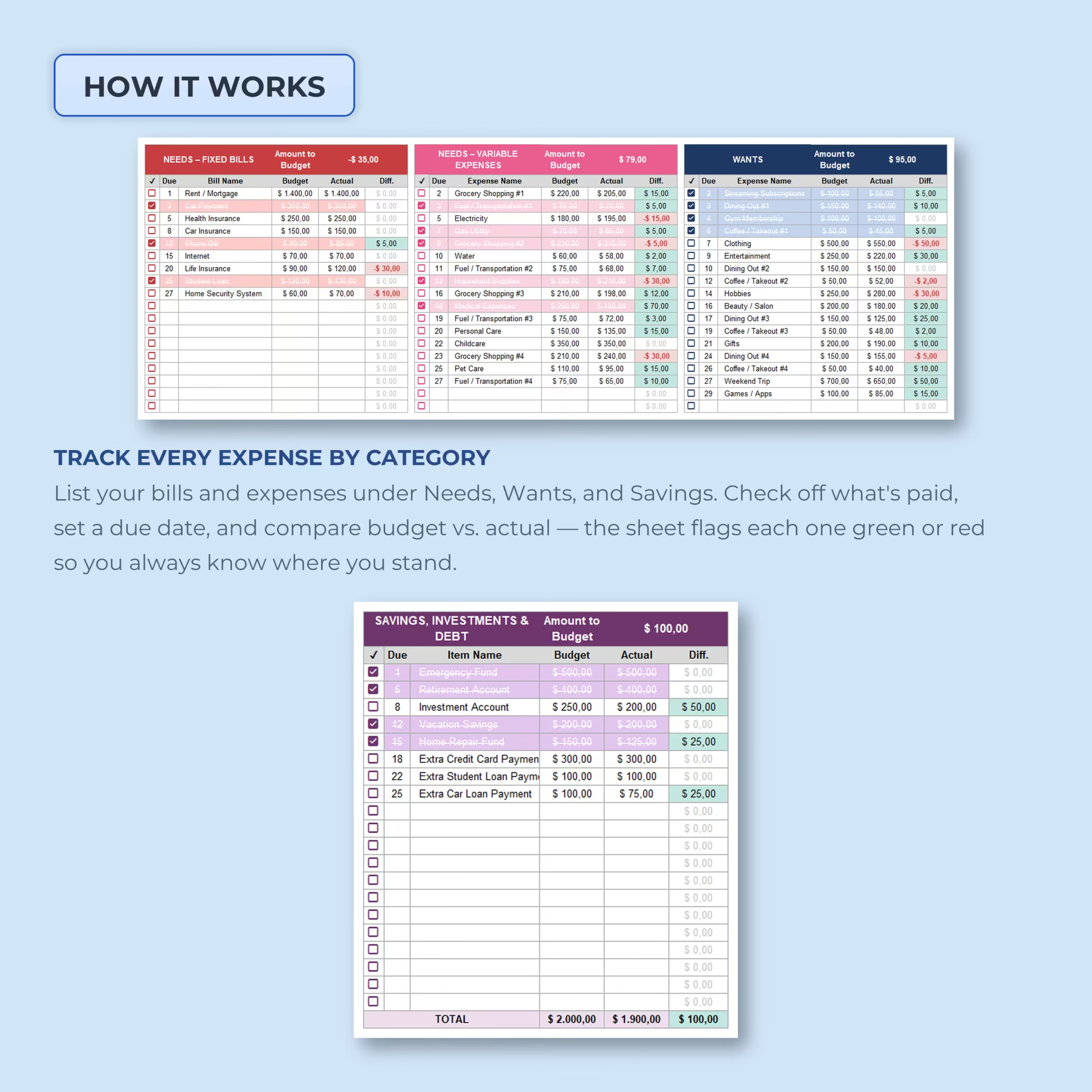
Each expense includes budgeted and actual amounts so you can immediately see whether you spent more or less than planned.
Make Savings, Investments, and Debt Part of the Plan
Financial goals are included directly in the monthly budget instead of being treated as an afterthought.
The dedicated Savings, Investments & Debt section can be used for:
- Emergency fund contributions
- Retirement accounts
- Investment accounts
- Vacation savings
- Home repair funds
- Extra credit card payments
- Extra student loan payments
- Extra car loan payments
Compare your target contribution with the actual amount and immediately see the difference.
Compare Budget vs. Actual Spending
Every major spending section includes planned, actual, and difference columns.
As you enter your real expenses, the spreadsheet automatically shows where you are:
- Within budget
- Under budget
- Over budget
Color-coded differences make problem areas easier to identify so you can adjust before small overspending turns into a bigger monthly shortfall.
Track Individual Expenses and Due Dates
Each category includes detailed rows for individual bills and expenses.
You can record:
- Due date
- Bill or expense name
- Budgeted amount
- Actual amount
- Difference
- Payment or completion status
This means the template works as both a high-level monthly budget planner and a detailed expense tracker.
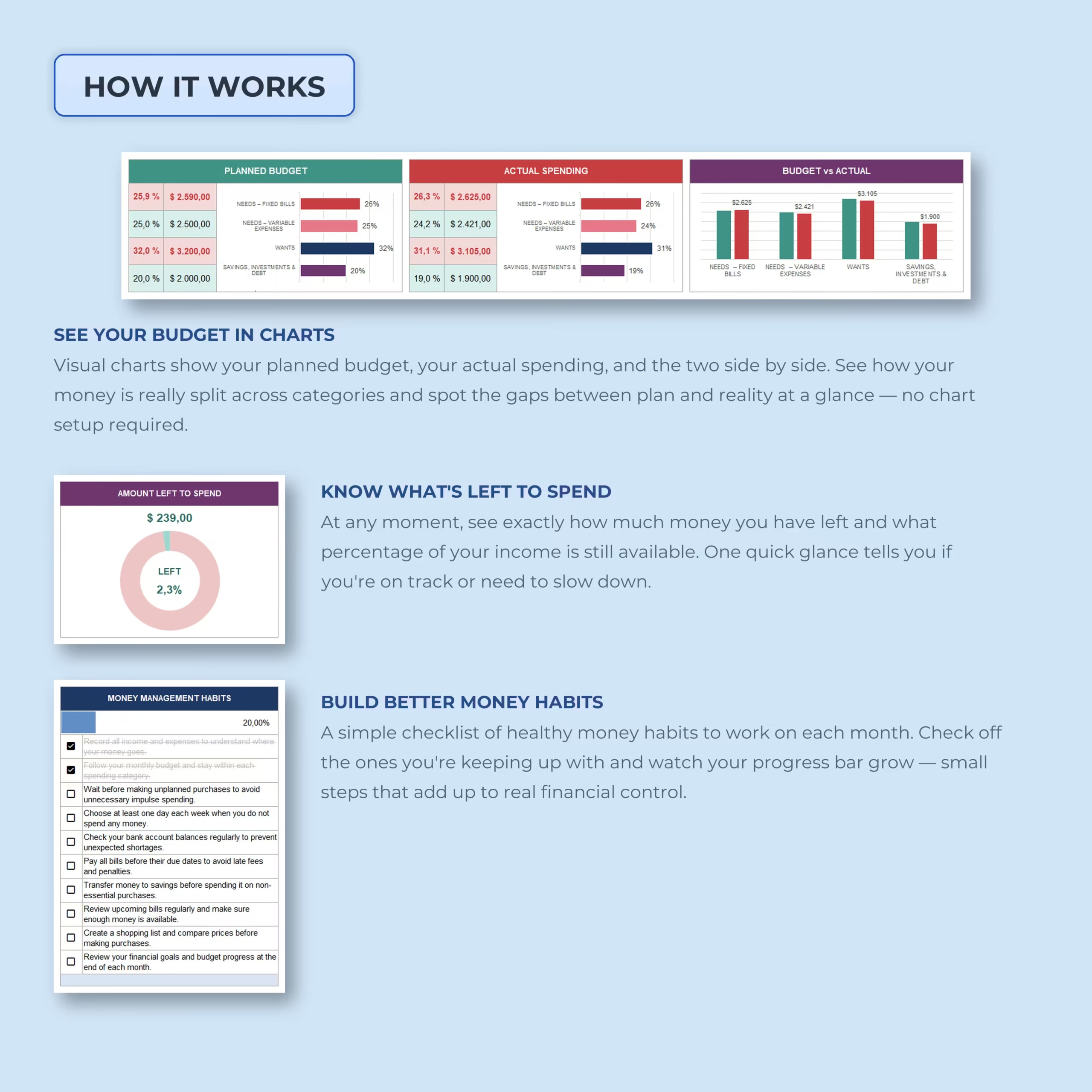
See Planned Budget vs. Actual Spending in Visual Charts
Built-in charts turn your budget data into an easy-to-understand visual overview.
The spreadsheet compares:
- Planned budget allocation
- Actual spending allocation
- Budget vs. actual amounts by category
You can quickly see whether your real spending still matches the budget rule you originally set.
Always Know How Much You Have Left to Spend
The Amount Left to Spend dashboard automatically calculates how much of your income remains after your recorded expenses.
A visual donut chart also displays the percentage still available, giving you a quick answer to one of the most important budgeting questions: How much can I still spend this month?
Build Better Money Management Habits
The template also includes a monthly money habits checklist designed to reinforce practical financial routines.
Use the interactive checkboxes to track habits such as reviewing your budget, avoiding unplanned purchases, paying bills on time, transferring money to savings, checking upcoming expenses, and reviewing your financial goals.
Your habit progress percentage updates as you complete the checklist.
Use It as a 50/30/20 Budget or Make It Your Own
This template is built around the popular 50/30/20 budgeting method, but the real advantage is flexibility.
You are free to change the percentages based on your lifestyle, debt payoff strategy, savings goals, cost of living, or financial priorities.
Whether your ideal budget is 50/30/20, 60/20/20, 70/20/10, or something completely different, the calculations adjust automatically.
Example and Blank Budget Templates Included
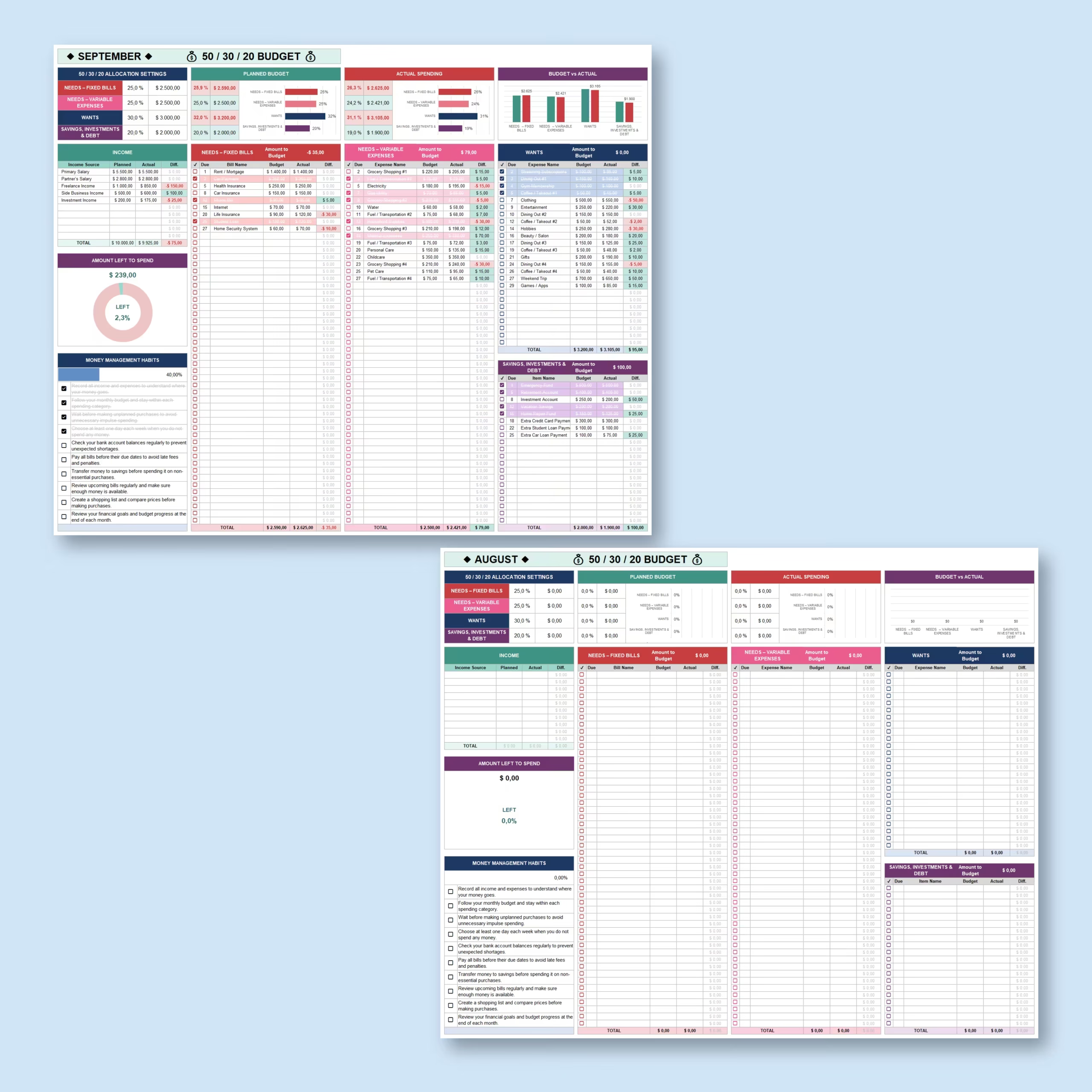
An example budget is included so you can see how the spreadsheet works with sample income and expenses.
A blank version is also provided so you can start fresh with your own income, percentages, bills, expenses, savings goals, and debt payments.
Microsoft Excel and Google Sheets Compatible
The budget planner is designed for both Microsoft Excel and Google Sheets, giving you the flexibility to use whichever spreadsheet platform works best for you.
A Smarter Way to Manage Your Monthly Money
A budget is much more useful when it compares your plan with what actually happened.
This 50/30/20 Budget Template helps you allocate income, monitor real spending, track bills and expenses, prioritize savings and debt, and instantly see whether your monthly finances are staying on track.
For U.S. shoppers looking for a downloadable budget spreadsheet template, it offers a practical way to organize household money management without building formulas from scratch.
Set your rule, enter your numbers, and let the spreadsheet handle the calculations.
What’s Included in the Budget Template Download
- Customizable monthly 50/30/20 budget spreadsheet
- Example template and blank template for your own budget
- Planned vs. actual income, bills, expenses, savings, and debt tracking
- Automatic category allocations, amount-left-to-spend calculations, and charts
- Editable percentage rules for 50/30/20, 60/20/20, 70/20/10, or a custom split
- Files for Microsoft Excel and Google Sheets
Download the template, enter your income and preferred percentages, and start planning a monthly budget without building formulas, category summaries, or charts from scratch.
Reviews
There are no reviews yet.