
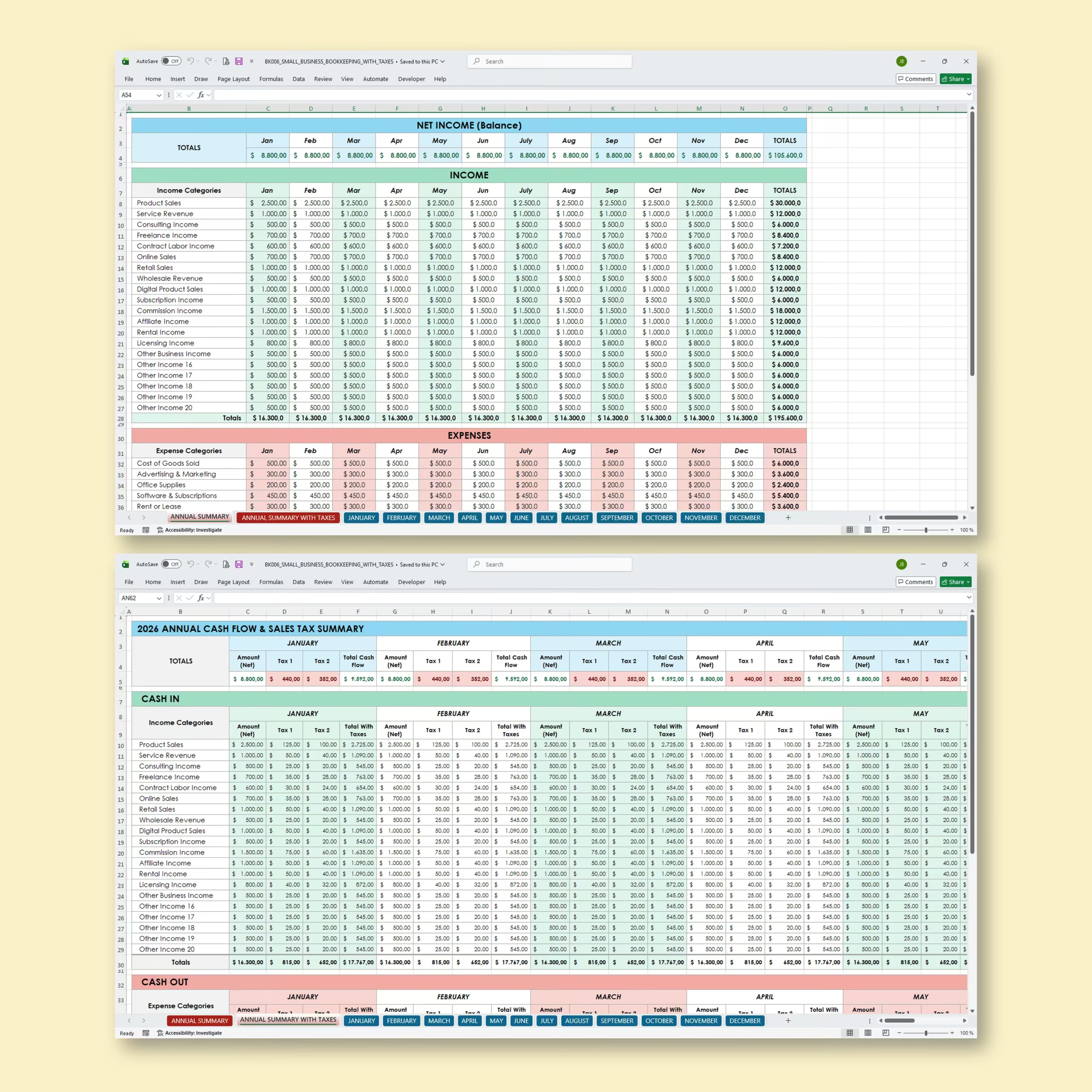
Small Business Bookkeeping Spreadsheet with Taxes
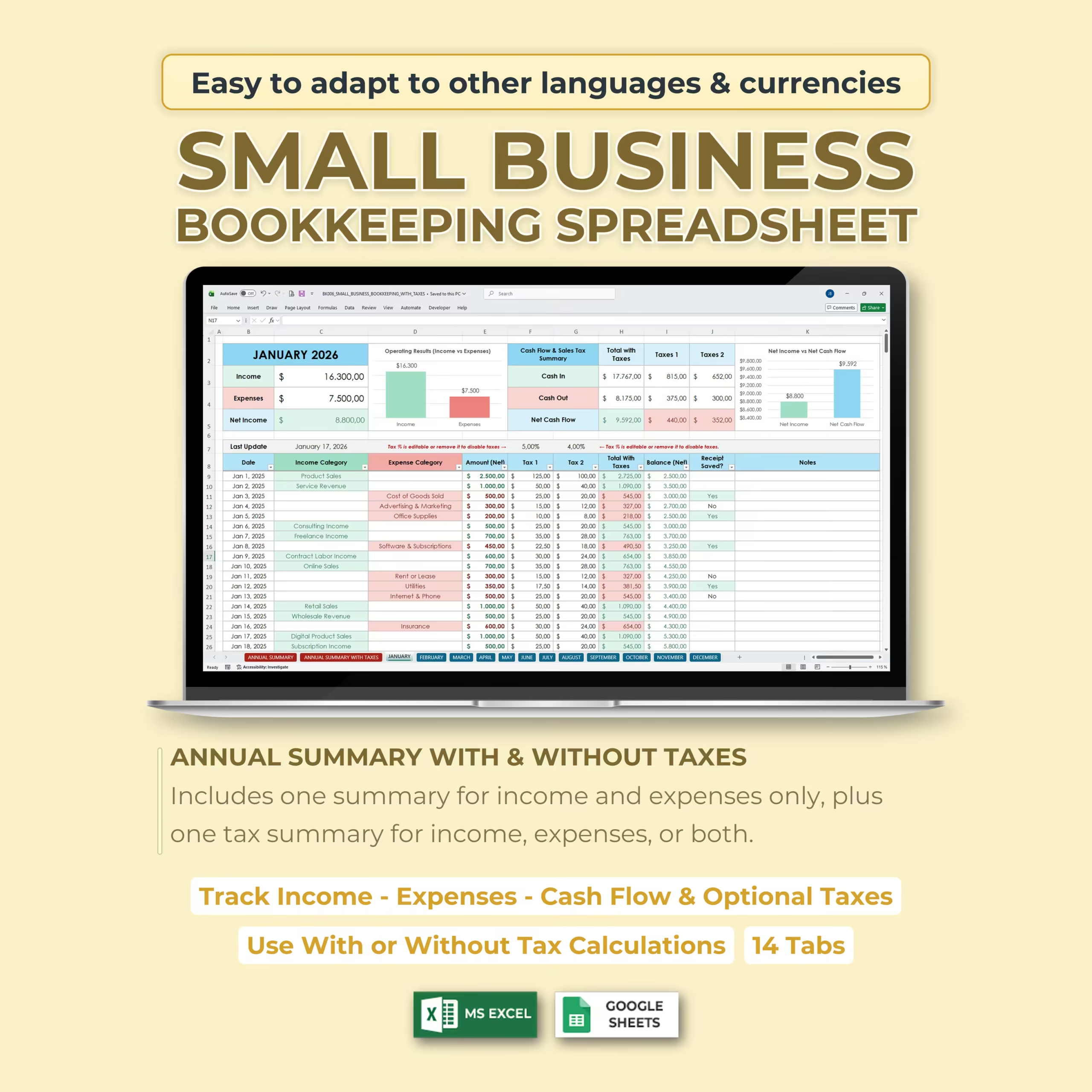
Stay organized and take control of your business finances with this Small Business Bookkeeping Spreadsheet for Excel and Google Sheets. Designed for small business owners, freelancers, independent contractors, and entrepreneurs, this template gives you a simple way to track income, expenses, cash flow, receipts, and optional taxes throughout the year.
Instead of using complicated accounting software, you can record your transactions month by month and automatically review your totals in clean annual summary tabs. The spreadsheet is easy to customize, simple to update, and flexible enough to use with or without tax calculations.
What This Bookkeeping Spreadsheet Helps You Track
- Monthly income
- Monthly expenses
- Net income
- Cash in and cash out
- Net cash flow
- Optional Tax 1 and Tax 2 amounts
- Total amounts with taxes
- Receipt status
- Transaction notes
- Income and expense categories
Monthly Bookkeeping Tabs
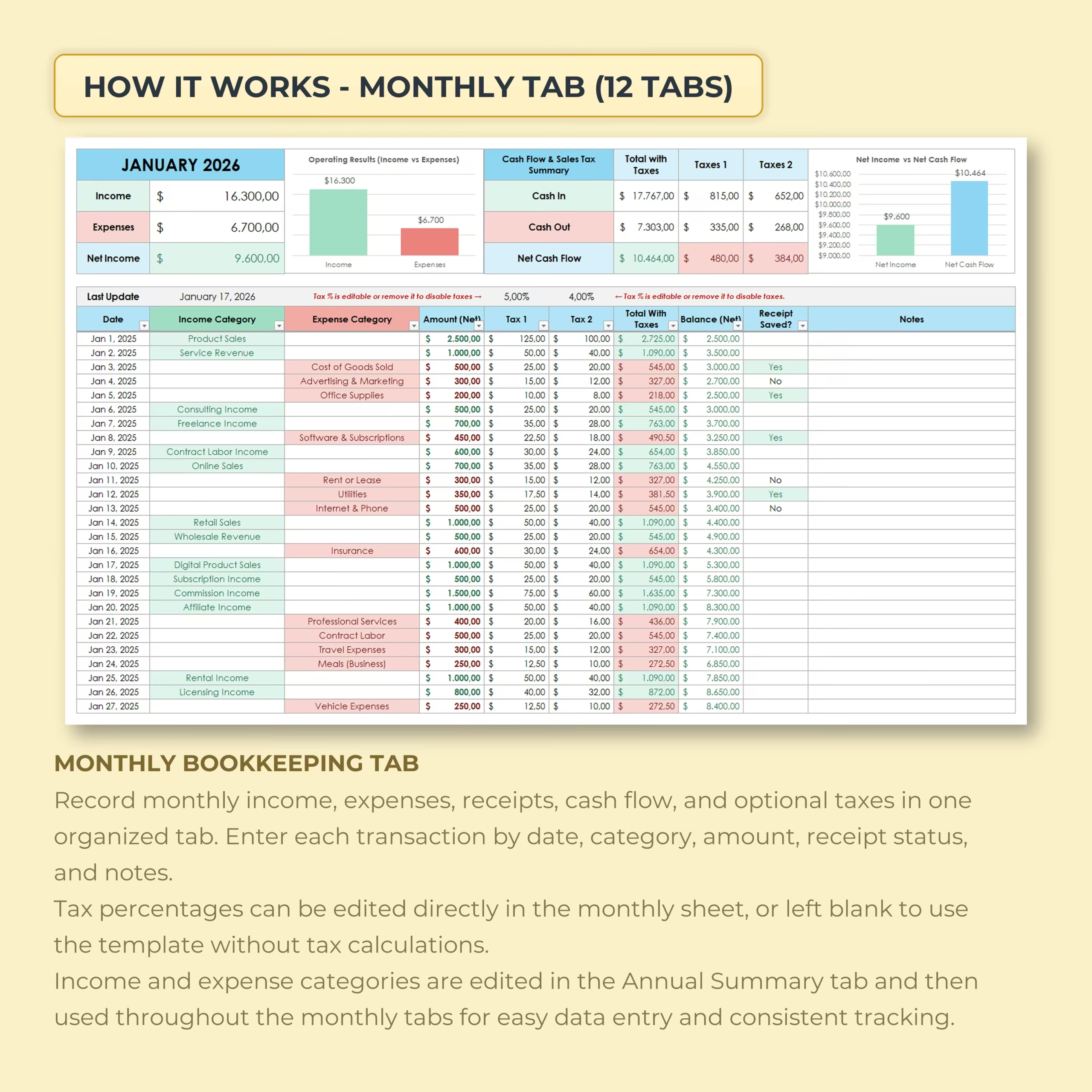
The template includes 12 monthly bookkeeping tabs, one for each month of the year. Each monthly sheet is designed to help you enter and organize your business transactions in a clear and practical format.
You can record each transaction by date, category, amount, receipt status, tax percentage, and notes. The monthly dashboard gives you a quick overview of your income, expenses, net income, cash flow, and tax totals for that month.
Annual Summary Tab
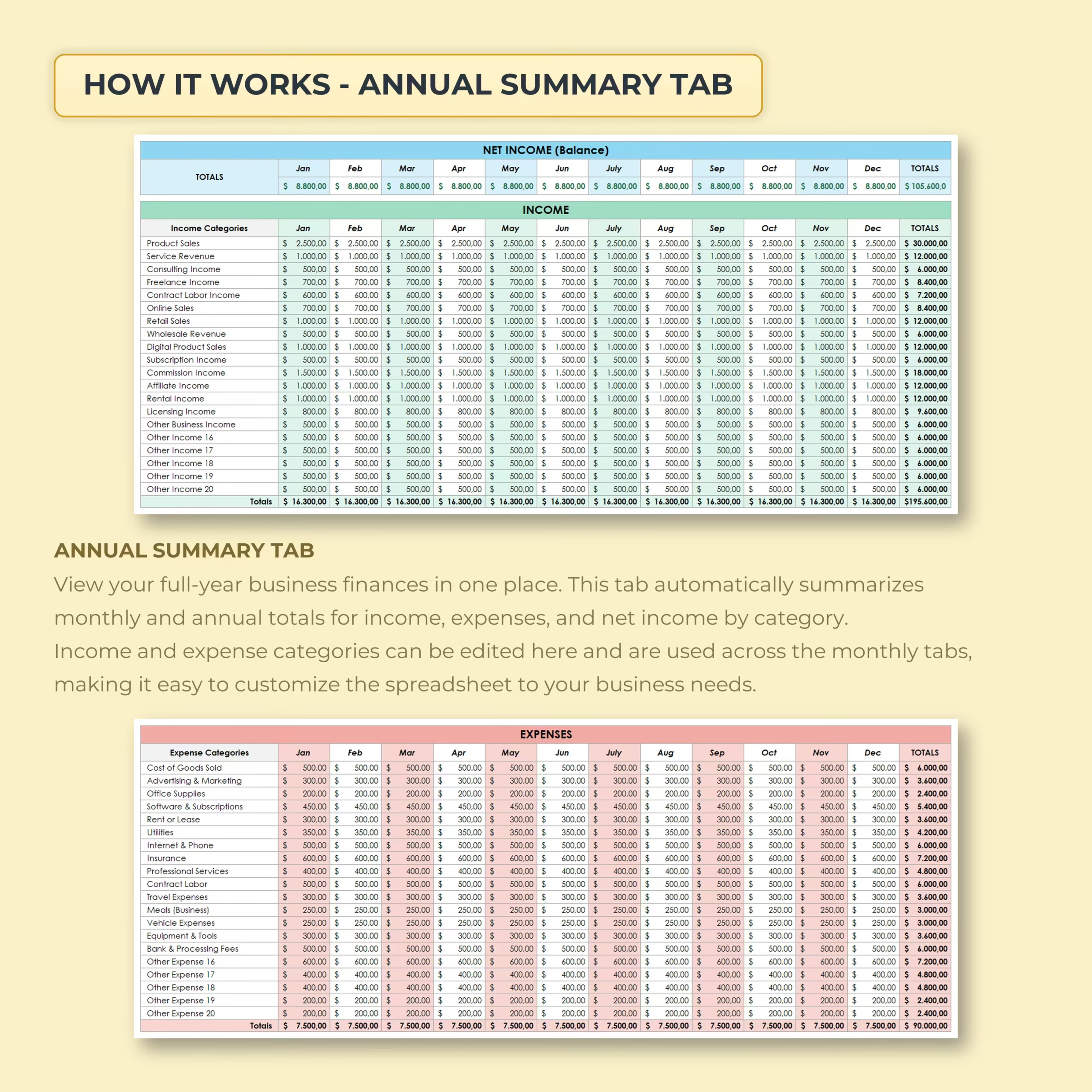
The Annual Summary tab automatically brings your monthly data together so you can review your yearly business performance in one place. It summarizes income, expenses, and net income by month and by category, helping you understand where your money is coming from and where it is going.
You can also edit your income and expense categories from the annual summary area, making it easy to customize the spreadsheet for your own business.
Annual Summary with Taxes
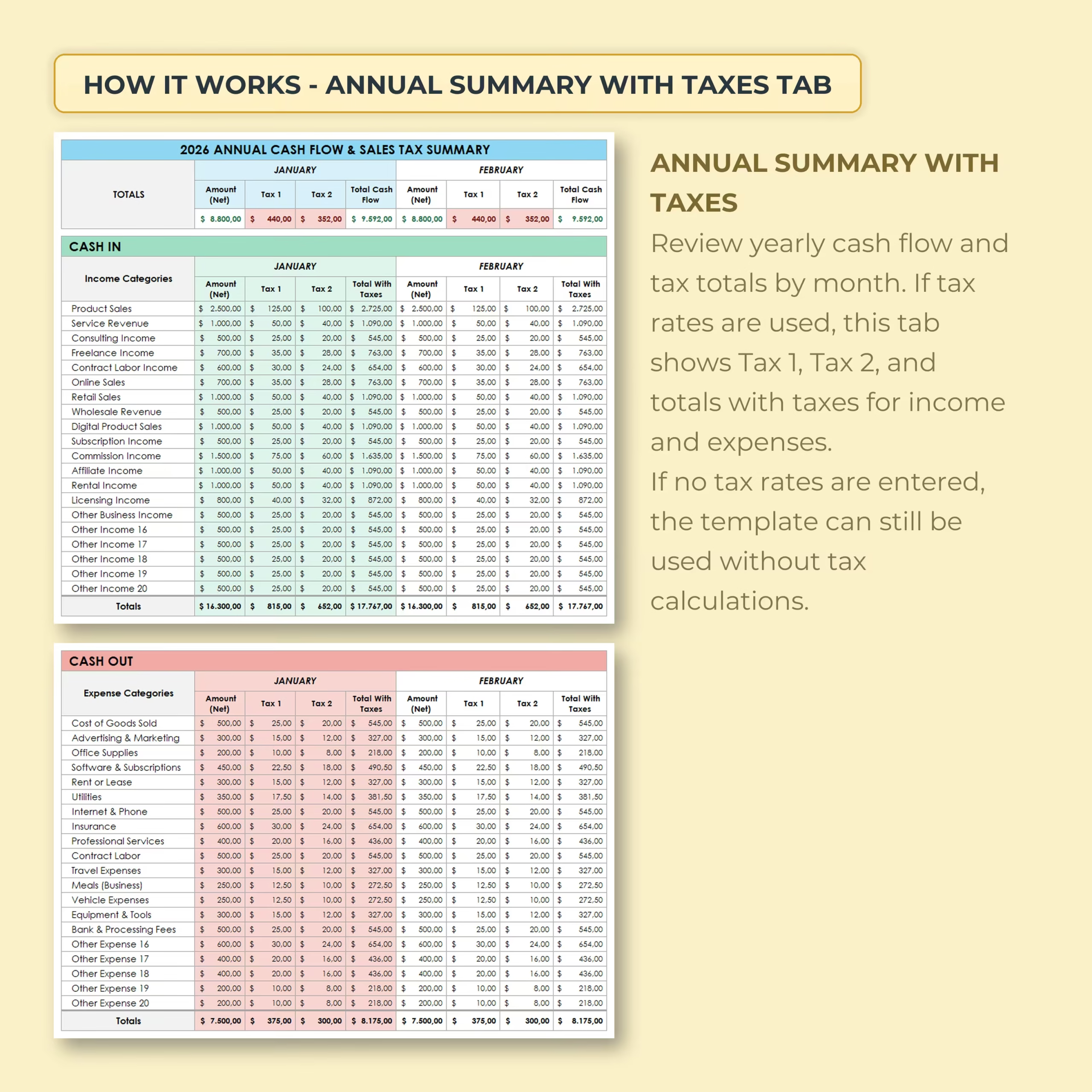
This bookkeeping template also includes an Annual Summary with Taxes tab. If you enter tax rates in the monthly sheets, this section helps you review yearly cash flow and tax totals by month.
The tax summary can show Tax 1, Tax 2, and total amounts with taxes for both income and expenses. If you do not need tax calculations, simply leave the tax fields blank and use the template as a standard income and expense tracker.
Use It With or Without Tax Calculations
This spreadsheet is flexible. You can use it as a simple small business income and expense tracker, or you can use the optional tax fields to calculate tax amounts for your transactions.
Tax percentages can be edited directly in the monthly sheets, so the template can be adapted to different tax rates, locations, business types, or currencies.
Compatible with Excel and Google Sheets
This template is designed to work with both Microsoft Excel and Google Sheets. You can use it on your computer, save it to the cloud, or duplicate it for future years.
What’s Included
- Small business bookkeeping spreadsheet
- Excel version
- Google Sheets version
- 14 organized tabs
- 12 monthly bookkeeping tabs
- Annual summary tab
- Annual summary with taxes tab
- Editable income categories
- Editable expense categories
- Optional tax tracking fields
Best For
- Small business owners
- Freelancers
- Independent contractors
- Consultants
- Online sellers
- Service-based businesses
- Side hustles
- Self-employed professionals
Why Use This Small Business Bookkeeping Template?
Good bookkeeping does not have to be complicated. This spreadsheet gives you a clear structure for recording your business activity, reviewing monthly results, and understanding your yearly financial picture.
Whether you want to track income and expenses only, or also monitor optional taxes and cash flow, this template gives you a practical system you can use all year long.
Download the Small Business Bookkeeping Spreadsheet with Taxes today and start organizing your business finances with confidence.
Reviews
There are no reviews yet.