
Simple Paycheck Expense Tracker for Excel and Google Sheets
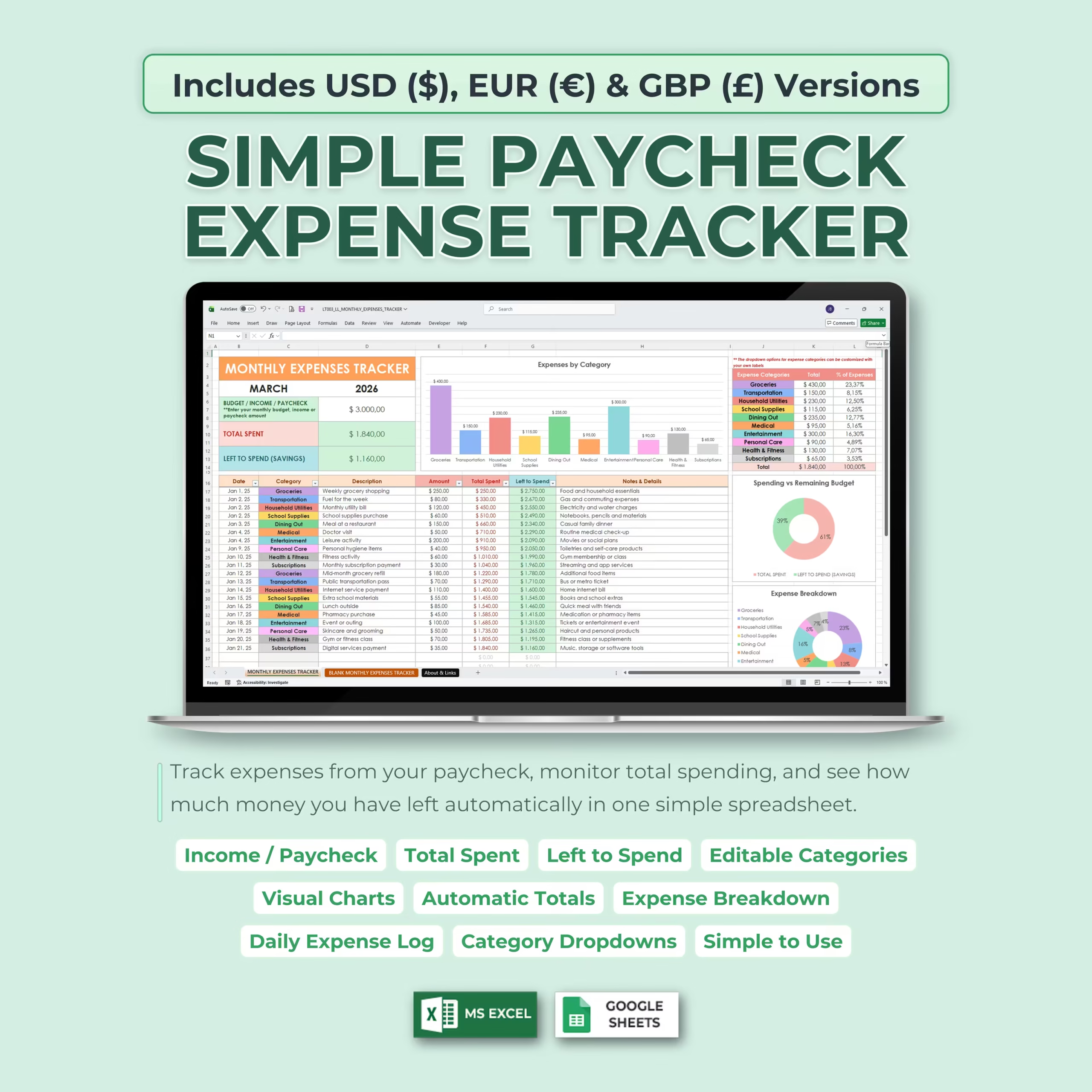
Manage your money with a practical paycheck expense tracker template for Microsoft Excel and Google Sheets. This spreadsheet is designed for people who want a simple way to plan each paycheck, track everyday spending, and clearly see how much money is left after bills, groceries, transportation, and other expenses.
If you are searching for a paycheck budget template, budget by paycheck spreadsheet, paycheck budget spreadsheet, or Google Sheets paycheck budget template that is easy to customize, this file gives you a ready-to-use system without the complexity of full budgeting software.
Built for Paycheck Budgeting
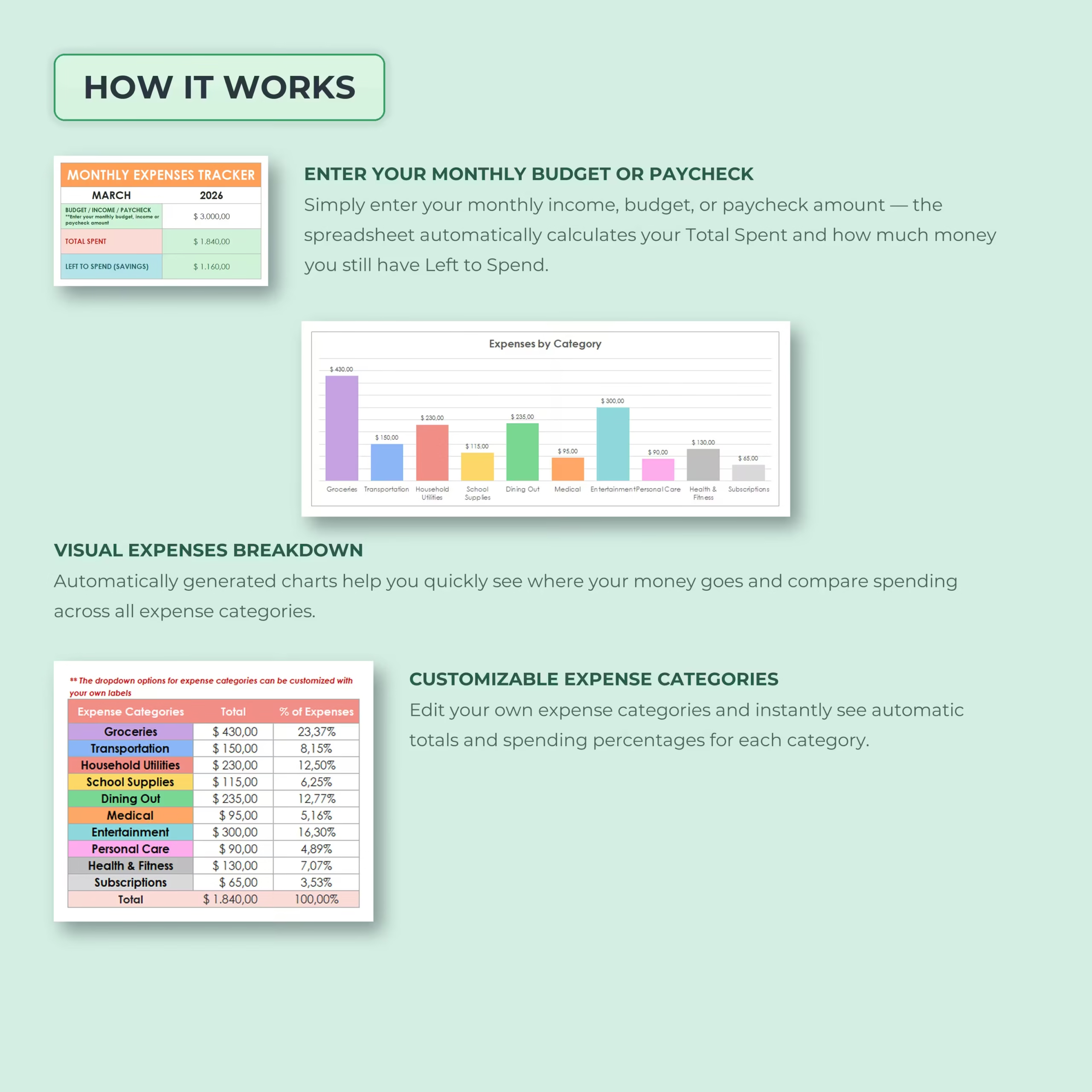
This template works especially well for people who budget around weekly, biweekly, semimonthly, or monthly paychecks. Enter your paycheck amount or available budget, then record each expense as it happens. The spreadsheet automatically updates your totals so you can see how much has been spent and how much remains.
That makes it useful for personal budgeting, family spending, student budgets, and anyone who wants more control between paychecks.
What the Tracker Helps You Monitor
- Paycheck or budget amount: Add the money you want to manage for the pay period or month.
- Total spent: See how much of your paycheck has already been used.
- Left to spend: Instantly check the balance still available.
- Expense categories: Review where your money is going.
- Spending percentages: Understand which categories take the biggest share of your budget.
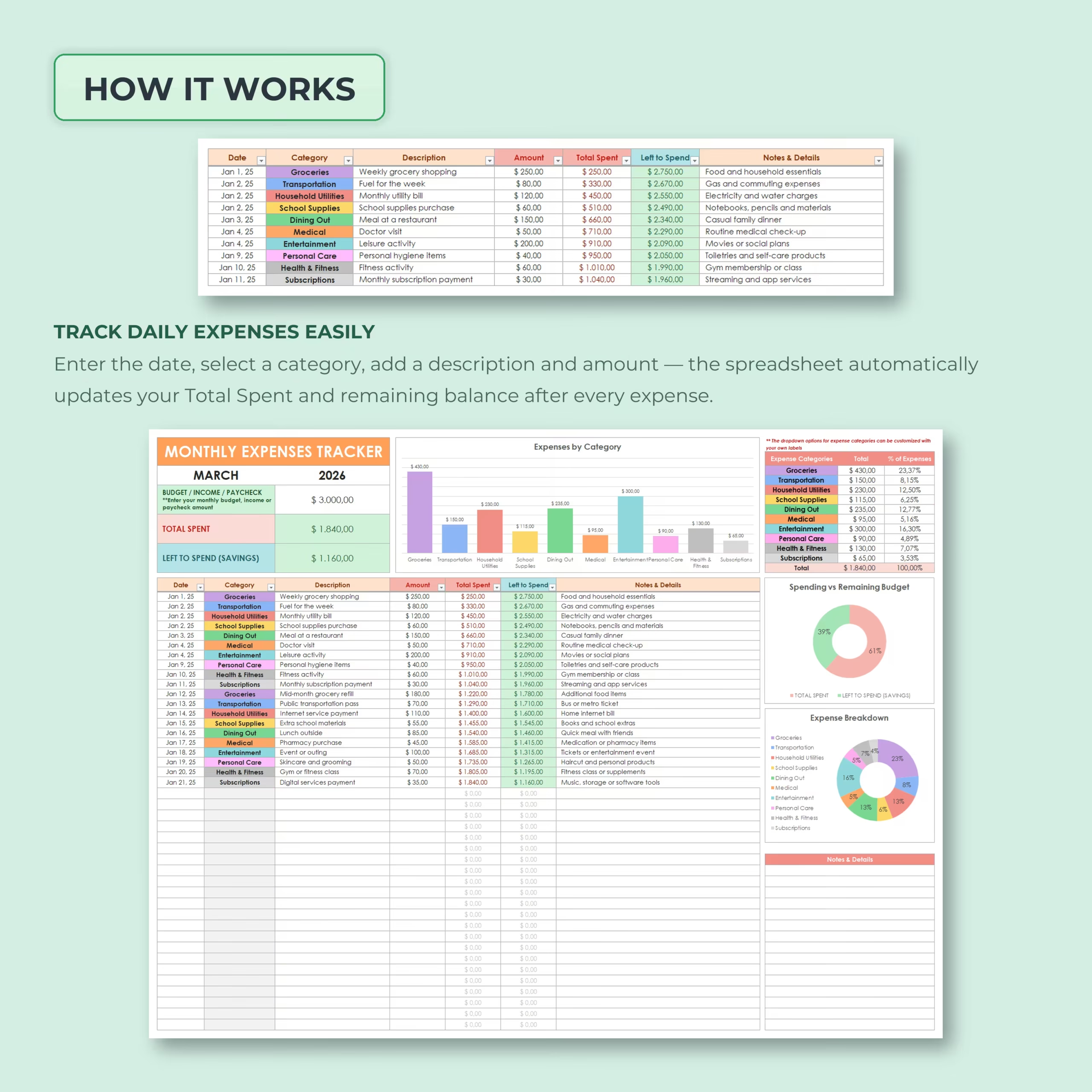
Daily Expense Log with Running Balance
The expense log gives you a simple place to enter each purchase, bill, or payment. Each row includes the date, category, description, amount, running total spent, left-to-spend balance, and notes.
This running balance is one of the most useful parts of the template because it helps answer a real buying-intent question fast: how much money do I still have left from this paycheck?
Editable Categories and Visual Budget Insights
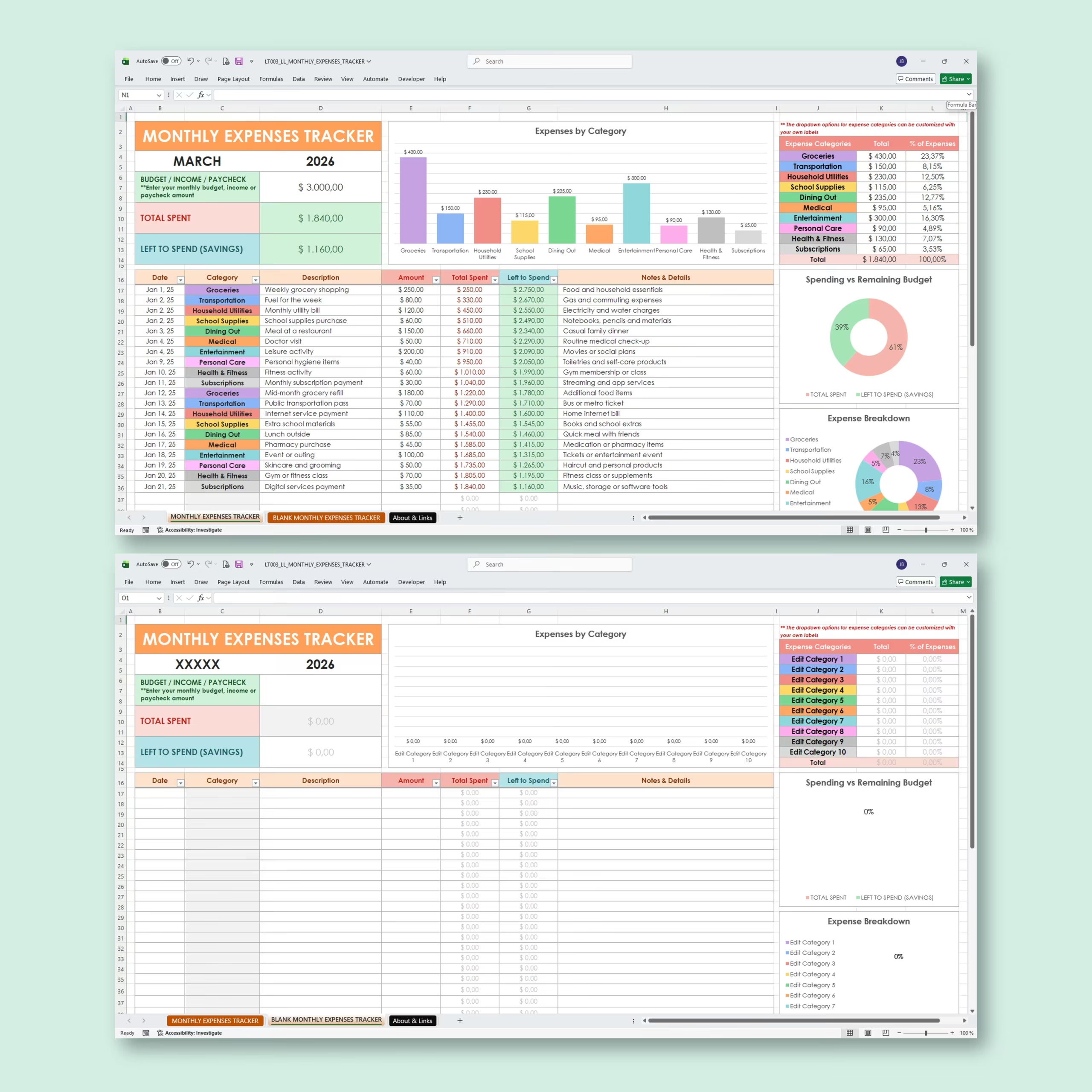
The template includes editable expense categories with dropdown menus, so you can keep the default setup or adapt it to your own budget. Typical categories may include groceries, transportation, utilities, dining out, subscriptions, medical costs, and personal spending.
Built-in charts and category summaries help you spot spending patterns quickly, compare spending vs. remaining budget, and adjust before the pay period ends.
Useful for U.S. Paycheck Planning
This spreadsheet is a good fit for U.S. buyers who budget around 2-paycheck months, 3-paycheck months, or irregular spending between paydays. Instead of starting from a blank file, you can use this template to organize paycheck income, everyday expenses, and remaining cash flow in one simple place.
It is especially useful if you want a lightweight spreadsheet alternative to a budgeting app and prefer to manage your money directly in Excel or Google Sheets.
Works for U.S. and International Users
This spreadsheet includes USD ($), EUR (€), and GBP (£) versions. That makes it especially useful for U.S. shoppers looking for a paycheck spreadsheet template, while still being flexible for buyers in other markets.
Works with Excel and Google Sheets
Use the template in Microsoft Excel or Google Sheets, depending on how you prefer to manage your budget. It is a digital spreadsheet template, so you can duplicate it and reuse it for every new paycheck or month.
Perfect For
- Paycheck budgeting
- Biweekly budget tracking
- Semimonthly budget planning
- Monthly expense tracking
- Personal and household budgeting
- Student budgets
- Simple spending control
- Anyone who wants a ready-made Excel or Google Sheets budget template
Why This Template Sells Well
- Easy to start, even for beginners
- Clear left-to-spend balance after every expense
- Useful for weekly, biweekly, semimonthly, or monthly paycheck budgeting
- Automatic totals, summaries, and charts
- Editable categories
- Includes USD, EUR, and GBP versions
- Works with Excel and Google Sheets
Use this Simple Paycheck Expense Tracker when you want a straightforward spreadsheet template to organize spending, stay on budget, and make each paycheck easier to manage.
Reviews
There are no reviews yet.