
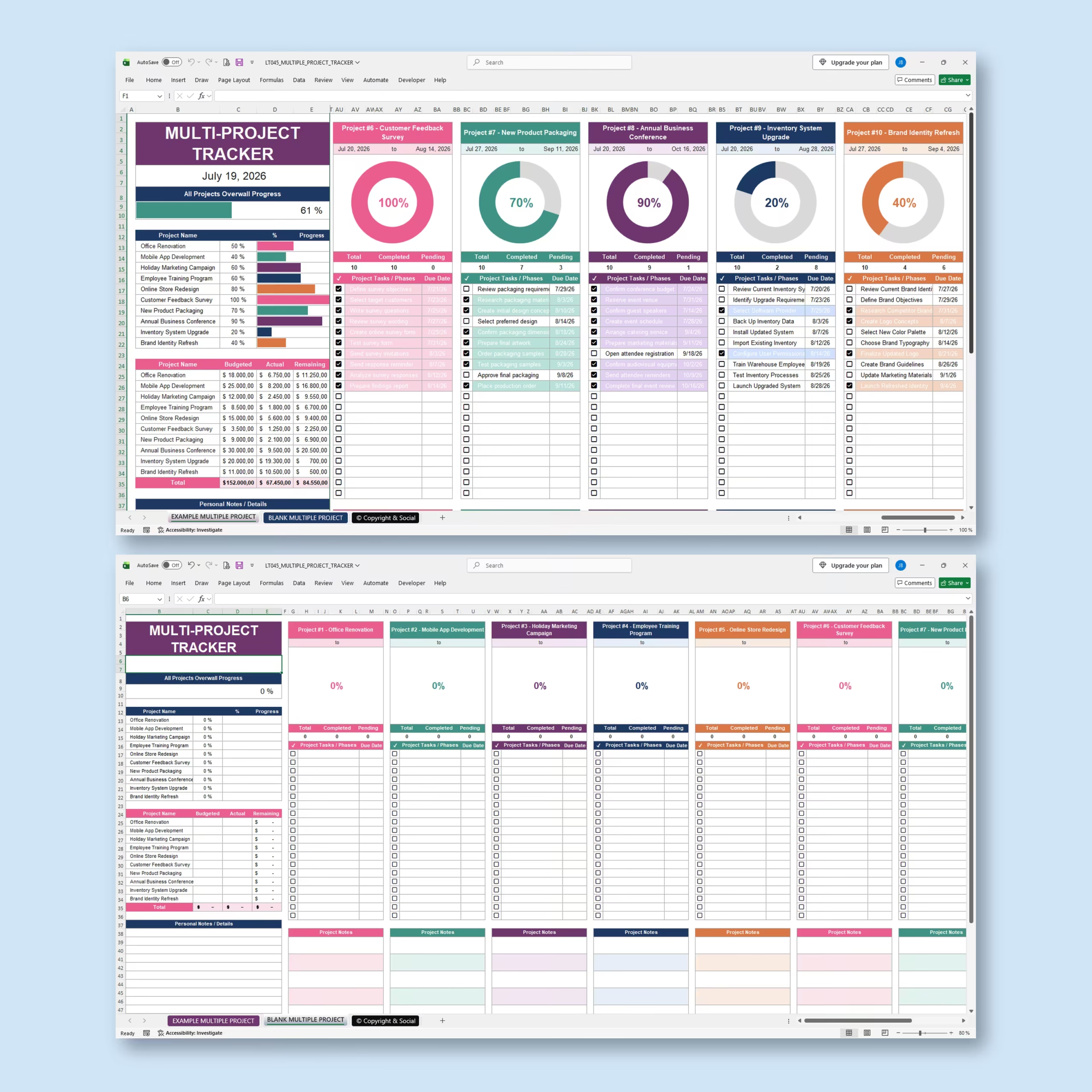
Manage Multiple Projects from One Organized Spreadsheet
Keep your projects, tasks, deadlines, budgets, expenses, and progress organized with this Multiple Project Tracker for Microsoft Excel and Google Sheets.
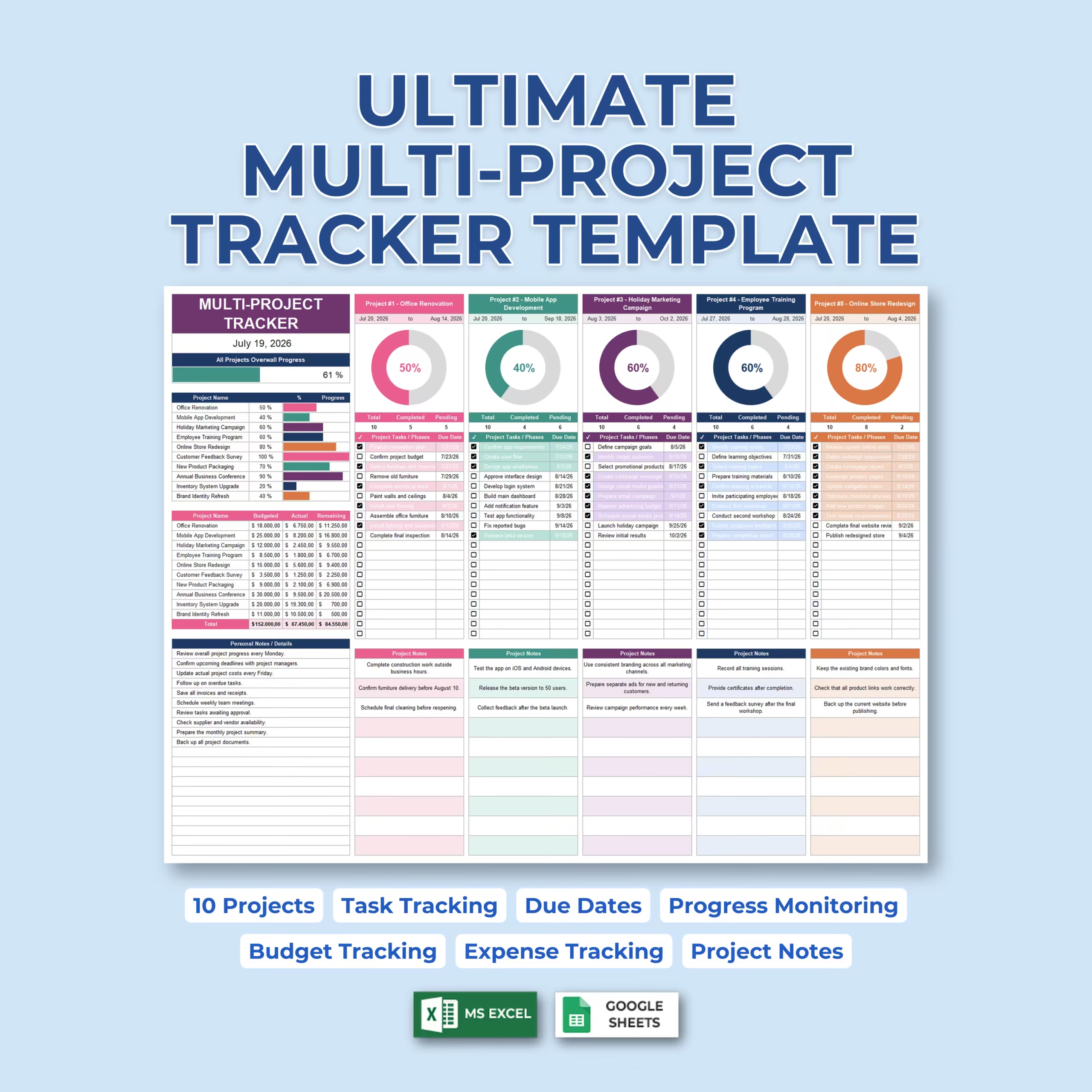
Designed for anyone managing several projects at the same time, this template gives you a centralized overview of up to 10 individual projects while still providing dedicated tracking areas for each one.
Instead of maintaining separate spreadsheets for every project, you can monitor the entire portfolio from one easy-to-review dashboard.
Track Up to 10 Projects at Once
The spreadsheet includes dedicated sections for 10 individual projects.
Each project can have its own:
- Project name
- Start date
- End date
- Task or phase list
- Task due dates
- Completion checkboxes
- Progress percentage
- Visual progress chart
- Project notes
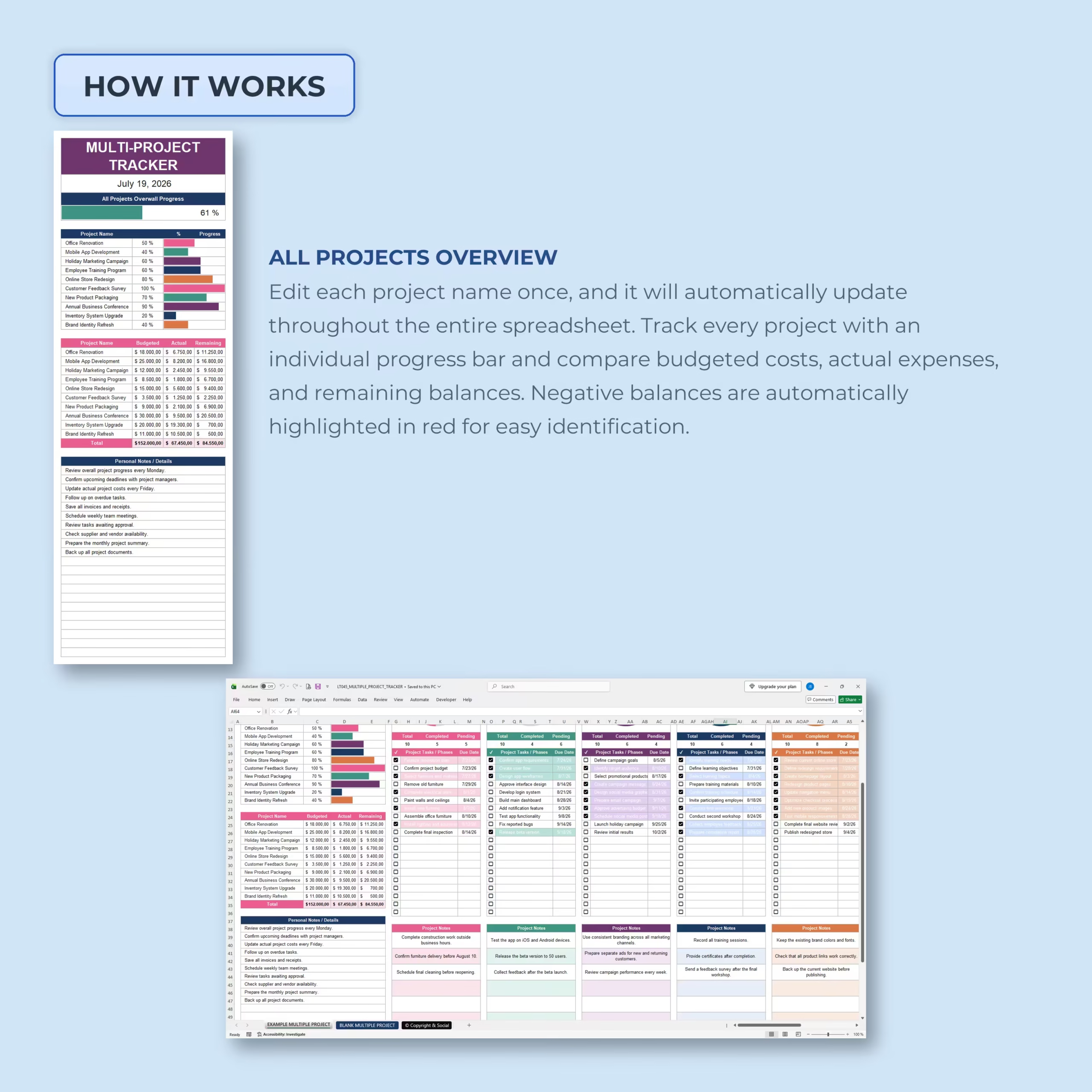
Project names entered in the overview automatically carry through the spreadsheet, helping you maintain a consistent project structure without repeatedly entering the same information.
See All Projects at a Glance
The main project overview gives you a quick snapshot of how your entire workload is progressing.
Review each project’s completion percentage alongside an automatic overall progress indicator that summarizes progress across all of your active projects.
This makes it easier to identify which projects are moving forward, which are nearly complete, and which may need additional attention.
Detailed Task and Phase Tracking
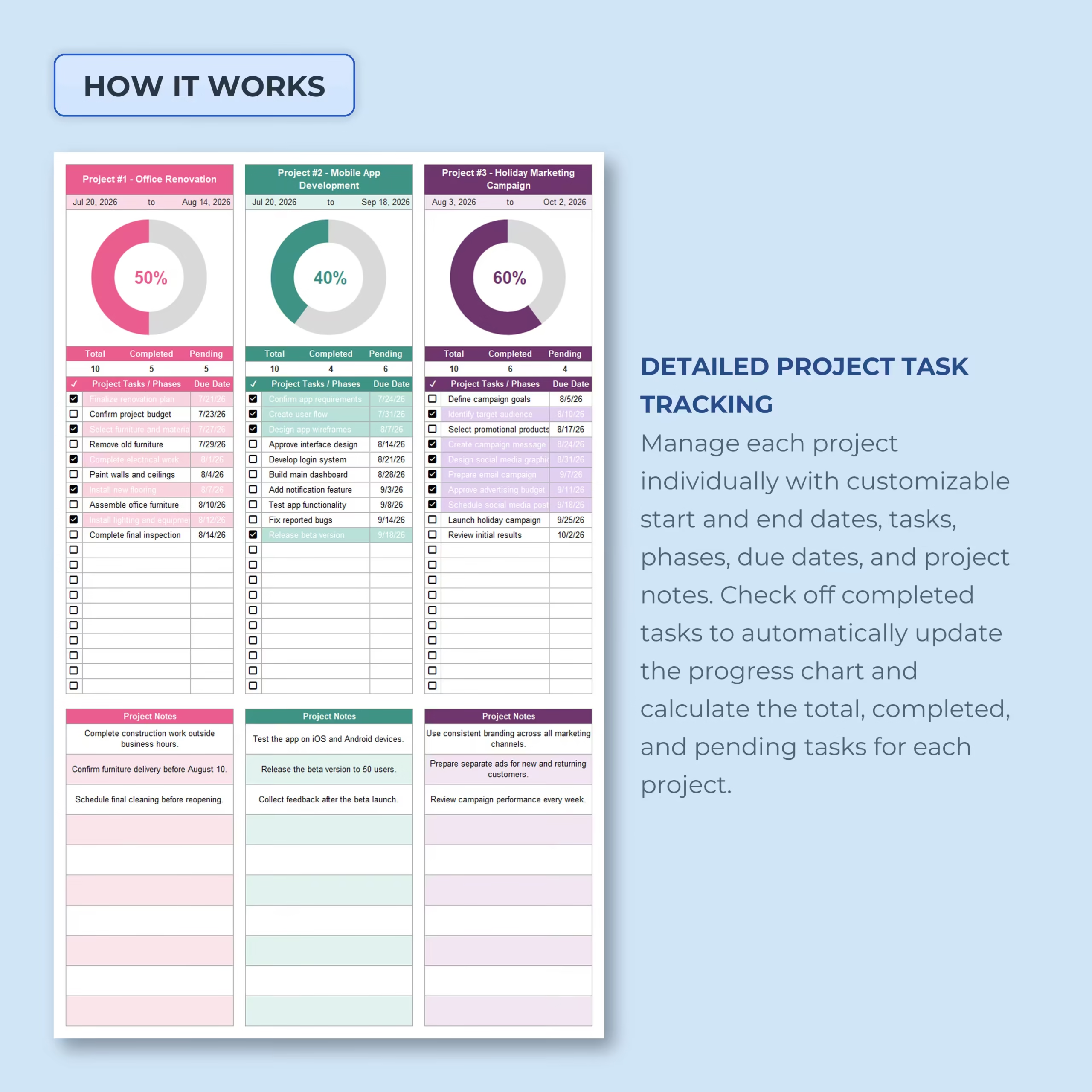
Each project includes its own structured task list where you can break larger projects into individual tasks, phases, milestones, or action items.
Enter the task description, assign a due date, and check it off once completed.
The spreadsheet automatically calculates:
- Total project tasks
- Completed tasks
- Pending tasks
- Project completion percentage
The accompanying progress chart updates automatically as tasks are completed.
Track Project Start and End Dates
Define a custom start and end date for every project so you can quickly understand each project’s expected timeline.
Combined with individual task due dates, this helps you keep both high-level project schedules and day-to-day deadlines visible in the same tracker.
Automatic Project Progress Monitoring
You do not need to manually calculate completion percentages.
As you check off finished tasks, each project’s totals and visual progress indicator update automatically.
The main dashboard also reflects project progress, allowing you to compare all 10 projects from one central view.
Project Budget and Expense Tracking
The built-in financial overview helps you monitor the budget for every project alongside actual spending.
For each project, you can track:
- Budgeted amount
- Actual expenses
- Remaining budget
The spreadsheet also calculates combined totals across your projects, giving you a quick overview of total planned spending, actual costs, and remaining funds.
Negative remaining balances are automatically highlighted, making potential budget overruns easier to identify.
Dedicated Notes for Every Project
Each project includes its own notes area for information that does not belong in the task list.
Use it for:
- Important project updates
- Client or stakeholder notes
- Reminders
- Decisions
- Upcoming milestones
- Follow-up items
- Project-specific details
A separate general notes section is also available for information related to your overall project workload.
Useful for Business, Freelance, and Personal Projects
This multi-project management spreadsheet can be adapted to many different workflows, including:
- Small business project management
- Freelance client projects
- Marketing campaigns
- Website and software development
- Renovation projects
- Product launches
- Training programs
- Event planning
- Creative projects
- Internal company initiatives
- Personal projects
Example and Blank Multi-Project Trackers Included
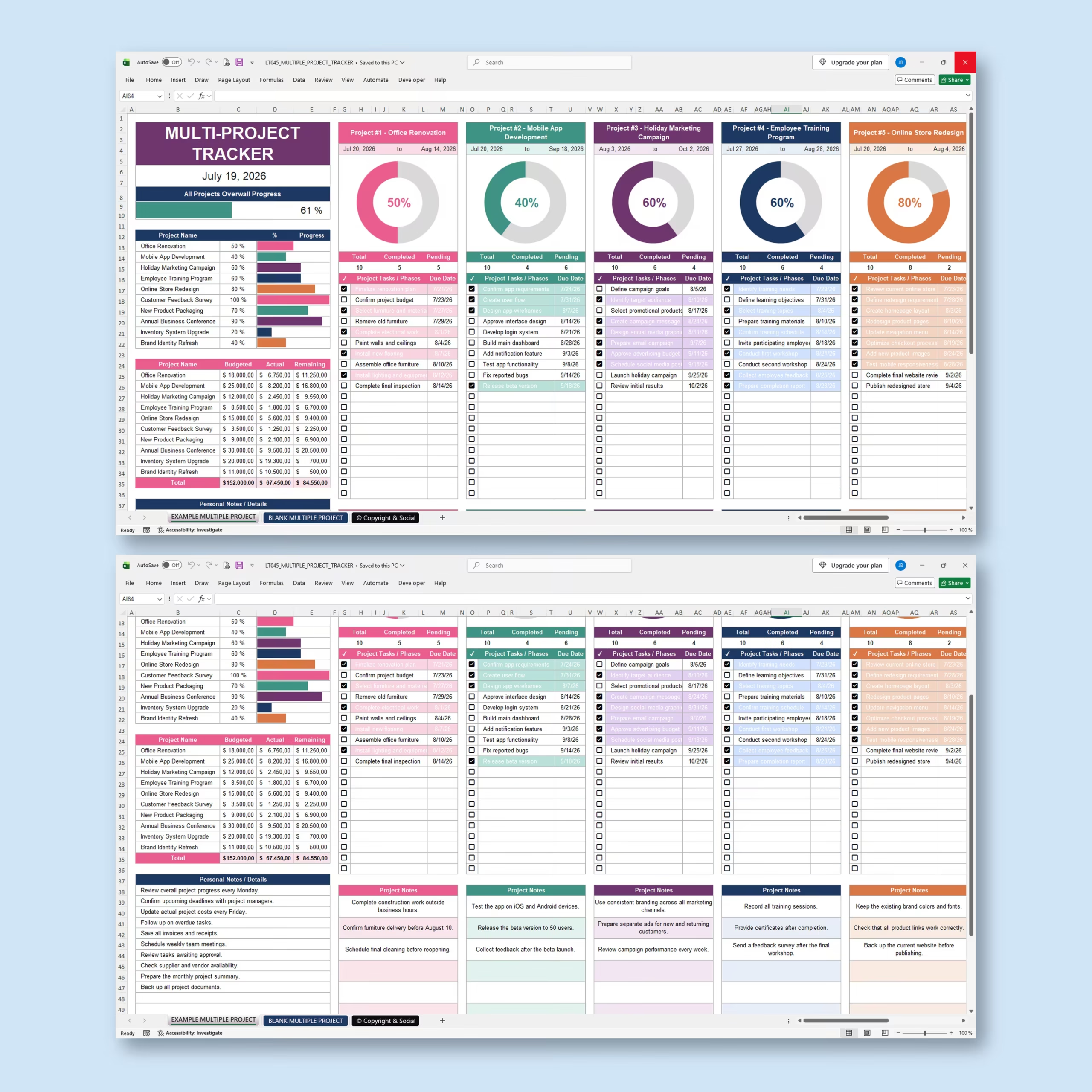
An example tracker is included with sample projects and tasks, making it easy to understand how the template works before entering your own information.
A blank version is also included so you can start building your own project dashboard immediately.
Microsoft Excel and Google Sheets Compatible
The template is designed for use with both Microsoft Excel and Google Sheets, giving you the flexibility to use the spreadsheet platform that best matches your workflow.
One Dashboard for Your Entire Project Portfolio
Managing multiple projects becomes much harder when deadlines, tasks, notes, and financial information are spread across different files.
This Multiple Project Tracker brings everything together into one visual system, helping you monitor progress, stay ahead of deadlines, control project spending, and keep important details organized.
Use it to manage up to 10 projects from start to finish without losing sight of the bigger picture.
Reviews
There are no reviews yet.