
Monthly Task Planner & To-Do Calendar for Excel and Google Sheets
Keeping your tasks, reminders, appointments, and monthly schedule organized can be difficult when everything is scattered across different apps, notes, and calendars.
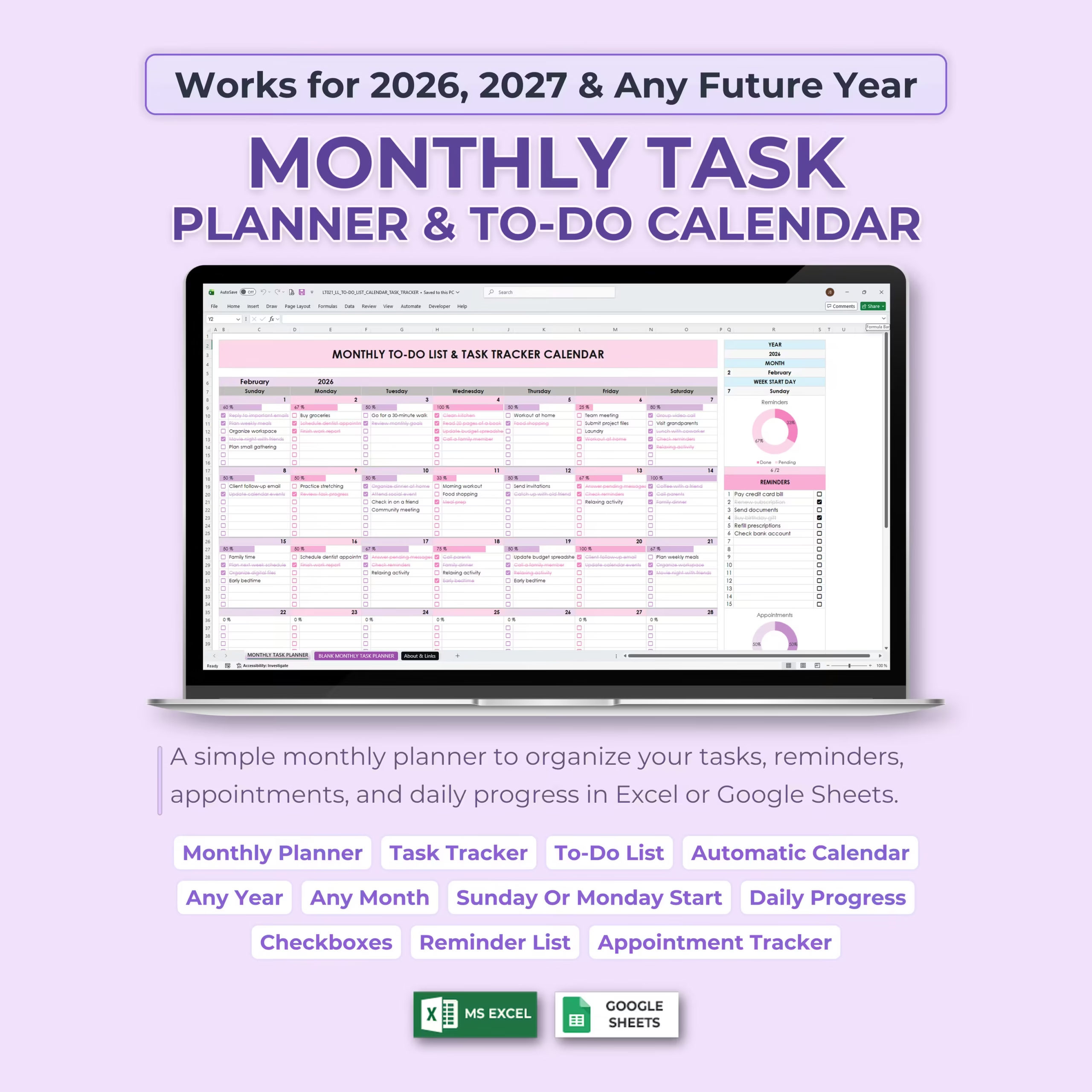
This Monthly Task Planner & To-Do Calendar Spreadsheet gives you a simple and visual way to plan your month, track your to-do list, manage appointments, organize reminders, and monitor daily progress in Excel or Google Sheets.
Automatic Monthly Calendar Setup
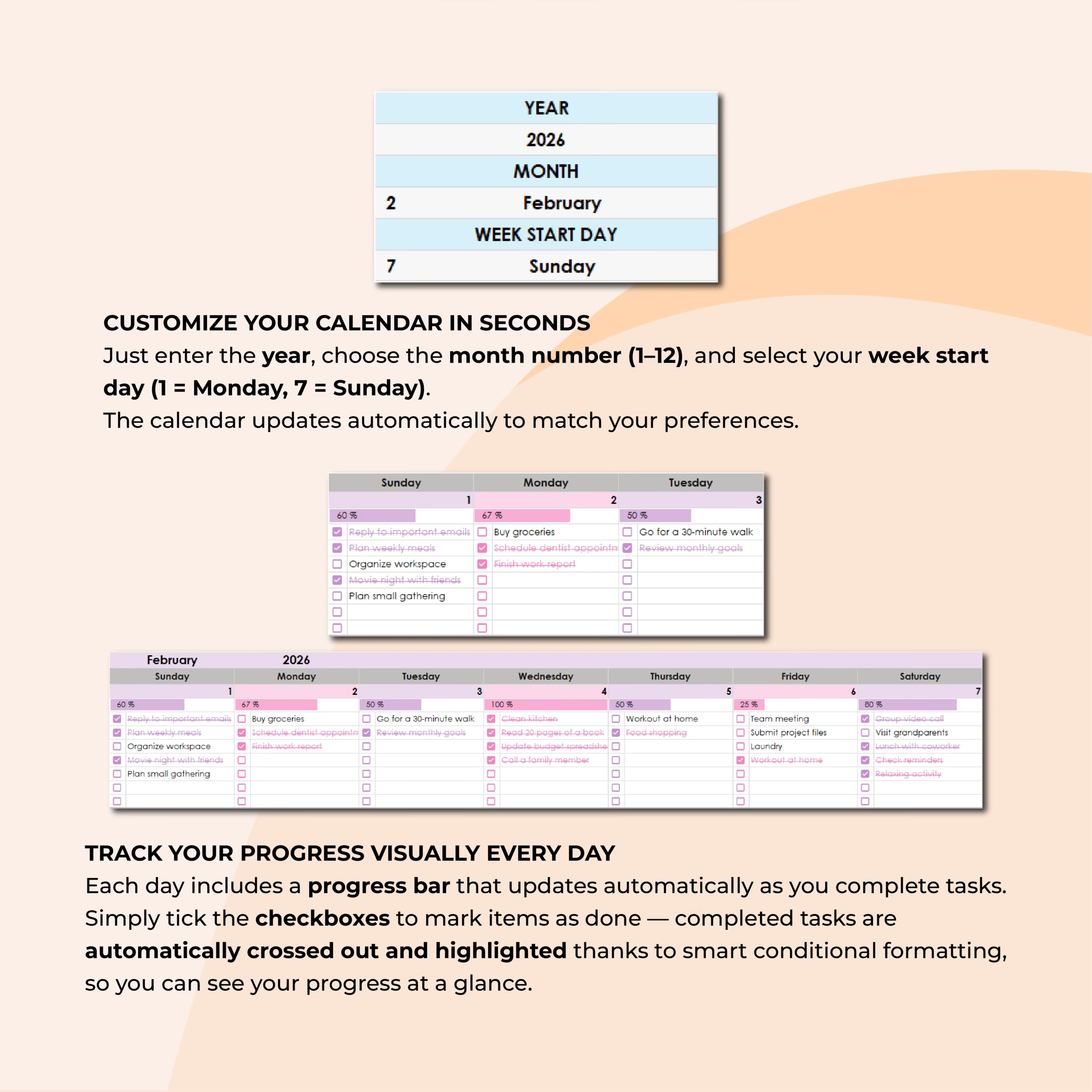
The template is designed to work for 2026, 2027, and any future year. Just enter the year, select the month number, and choose your preferred week start day.
The monthly calendar updates automatically based on your settings, so you can reuse the spreadsheet month after month without rebuilding your planner from scratch.
Daily To-Do List and Task Tracker
Each day of the month includes space to write your tasks and mark them as complete using checkboxes.
As you complete tasks, the spreadsheet automatically updates your daily progress and uses smart formatting to make completed items easier to identify.
Track Your Progress Visually
The planner includes automatic progress tracking so you can quickly see how much you have completed each day.
Visual progress bars and daily completion indicators help you stay motivated, review your productivity, and spot unfinished tasks at a glance.
Reminders and Appointments Sections
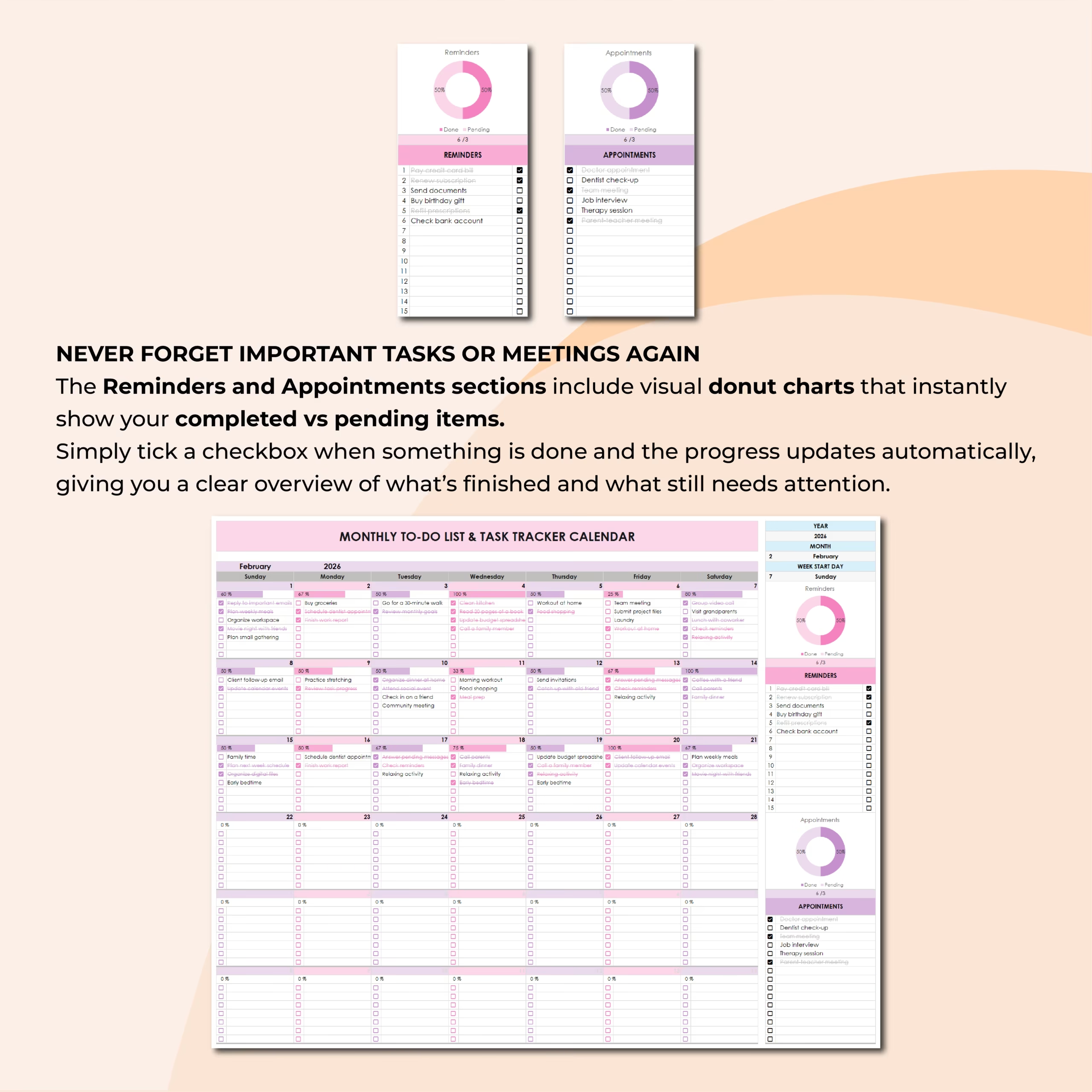
The template includes dedicated sections for reminders and appointments, making it easier to keep important tasks, meetings, deadlines, calls, and events visible.
Visual donut charts show completed vs. pending items, helping you understand what is finished and what still needs attention.
Monthly Planning in One Clean View
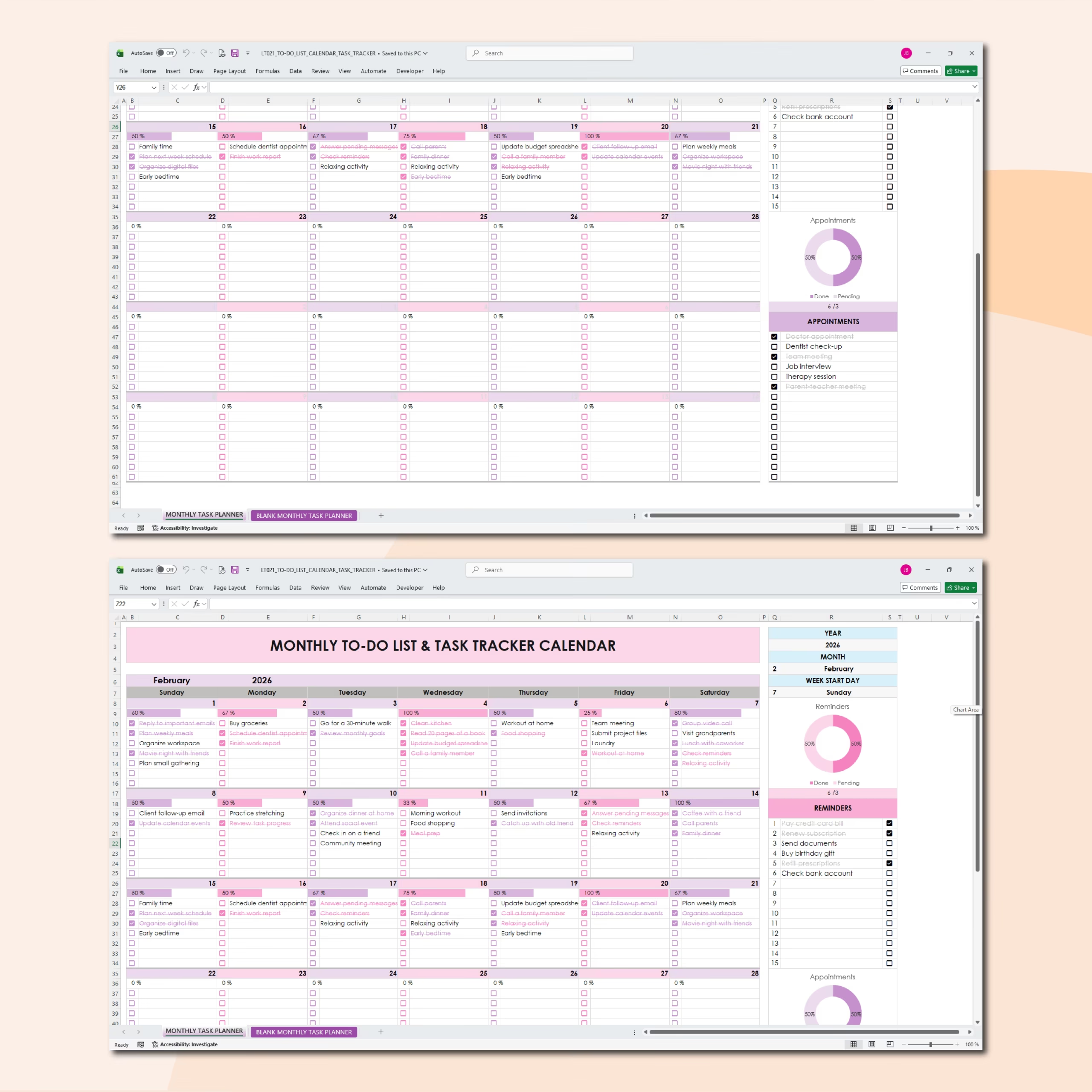
This spreadsheet combines a monthly calendar, task checklist, reminder list, appointment tracker, and progress overview in one organized layout.
You can use it for personal planning, work tasks, meetings, school assignments, family schedules, content planning, client work, household routines, or recurring monthly responsibilities.
Customizable Week Start Day
You can choose the week start day that fits your planning style, from Monday to Sunday.
This makes the calendar flexible for different workflows, personal preferences, and scheduling habits.
Compatible With Excel and Google Sheets
This monthly task planner works with both Microsoft Excel and Google Sheets, so you can use it in the spreadsheet platform that works best for you.
It is a reusable digital planner that you can duplicate, customize, and use again for future months and years.
Who Is This Template For?
- People who want a simple monthly task planner
- Professionals managing tasks, meetings, and deadlines
- Students organizing assignments and study plans
- Freelancers tracking client work and appointments
- Small business owners managing monthly priorities
- Families organizing reminders, appointments, and routines
- Anyone who wants a visual monthly to-do calendar
What’s Included
- Monthly task planner calendar
- Automatic year and month setup
- Customizable week start day
- Daily task checklist
- Task checkboxes
- Automatic daily progress tracking
- Reminder list
- Appointment tracker
- Completed vs. pending visual charts
- Smart conditional formatting
- Reusable monthly calendar layout
- Excel and Google Sheets versions
Plan Your Month and Stay on Track
This Monthly Task Planner & To-Do Calendar helps you organize your month, keep important tasks visible, track reminders and appointments, and monitor your progress without complicated planning software.
Select your month, add your tasks, check off what is done, and stay organized all month long.
Reviews
There are no reviews yet.