
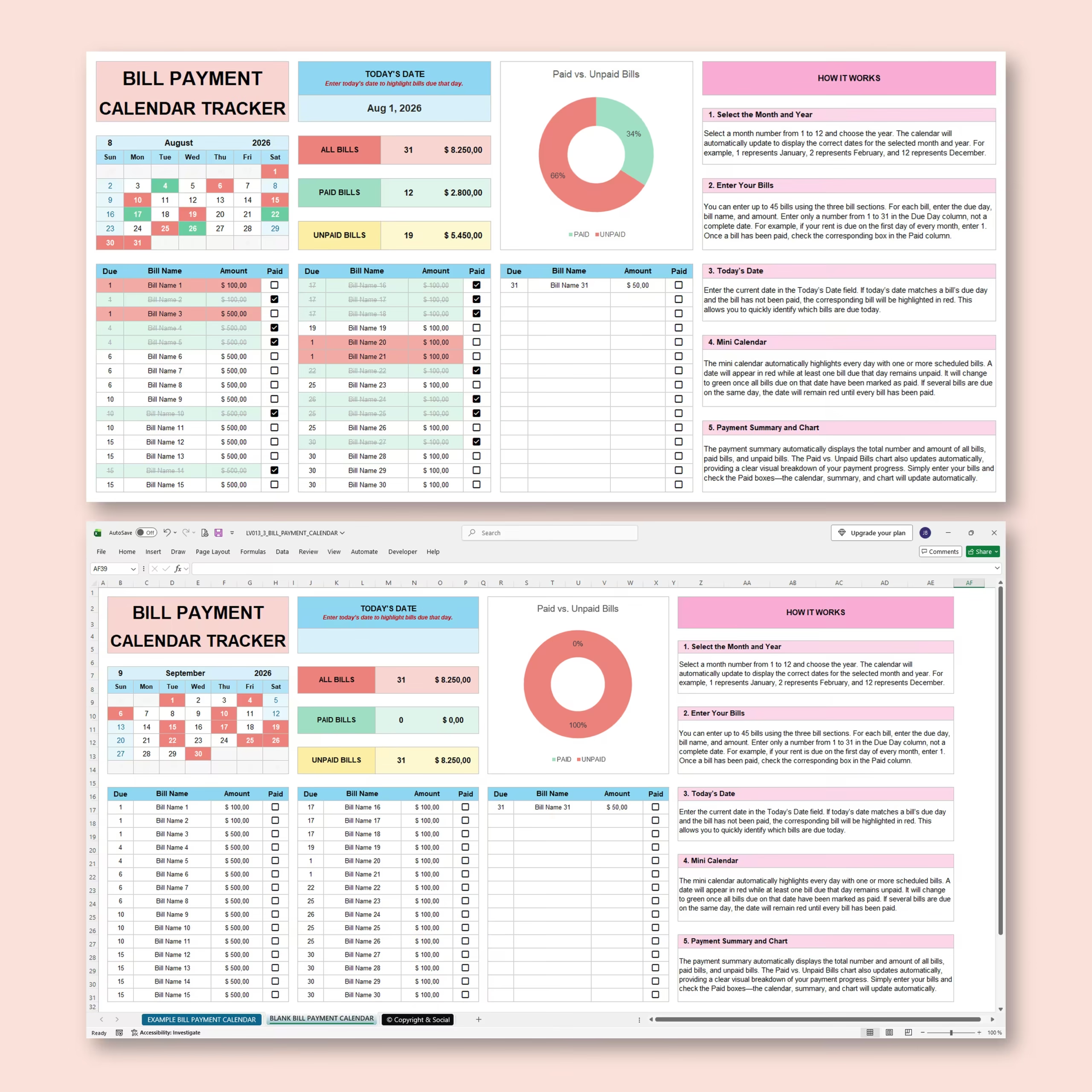
Organize Your Monthly Bills in One Easy-to-Use Calendar
Keep track of bills, due dates, payment amounts, and paid status with this Monthly Bill Payment Calendar for Microsoft Excel and Google Sheets. This ready-to-use spreadsheet is built for buyers who want a practical bill payment calendar template, monthly bill tracker, or bill due date spreadsheet they can download and start using right away.
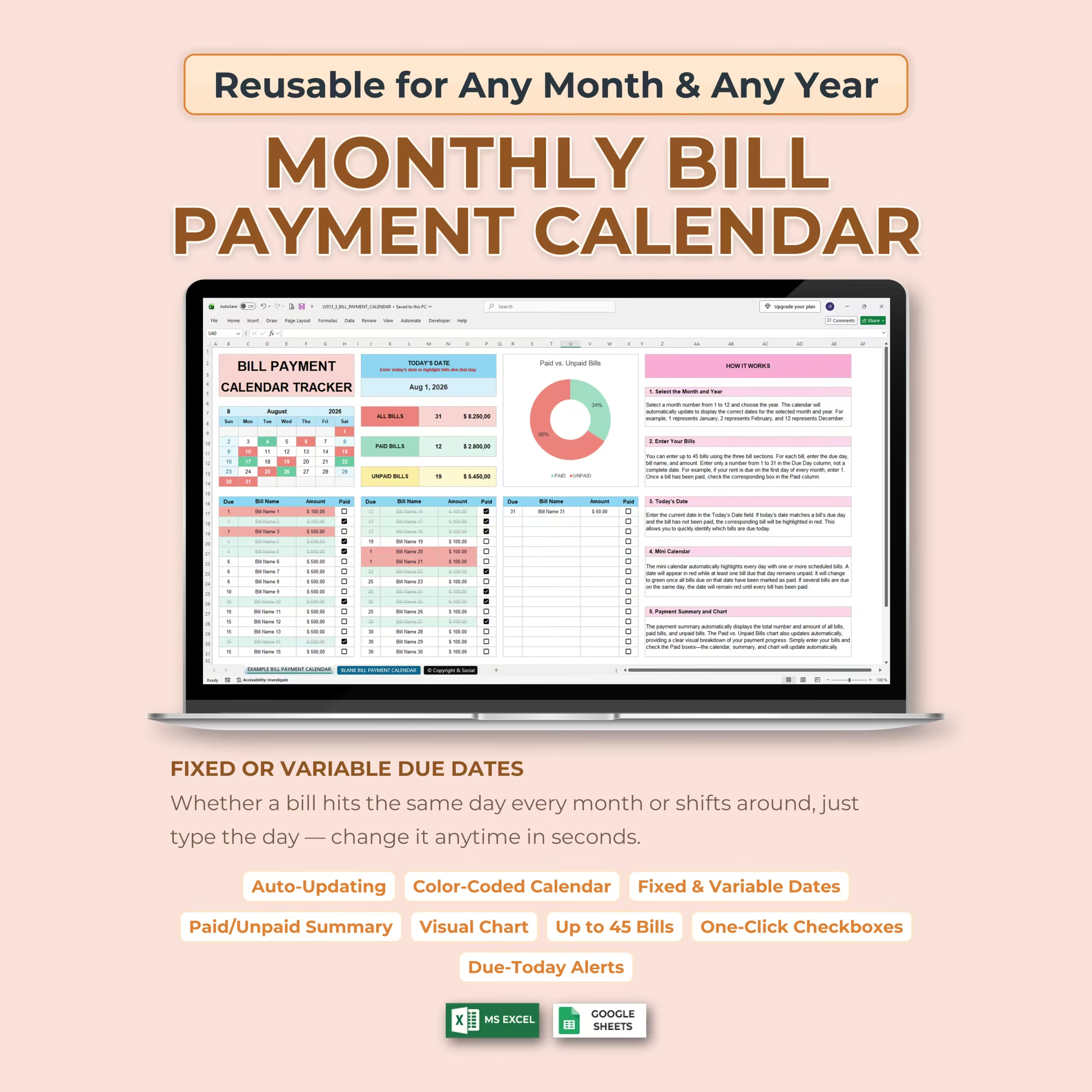
The template combines a bill list, visual monthly calendar, payment summary, and automatic chart in one organized spreadsheet, helping you quickly see what needs to be paid and what has already been taken care of. Instead of building a bill pay spreadsheet from scratch, you get a reusable file for monthly bill planning, recurring payments, and paid versus unpaid tracking in one place.
Simply choose your month and year, enter your bills, and check them off as you pay them. The calendar, totals, colors, and charts update automatically, which makes it especially useful for U.S. households managing rent, utilities, subscriptions, insurance, credit cards, and loan payments around weekly, biweekly, or semimonthly paychecks.
Track Up to 45 Bills Each Month
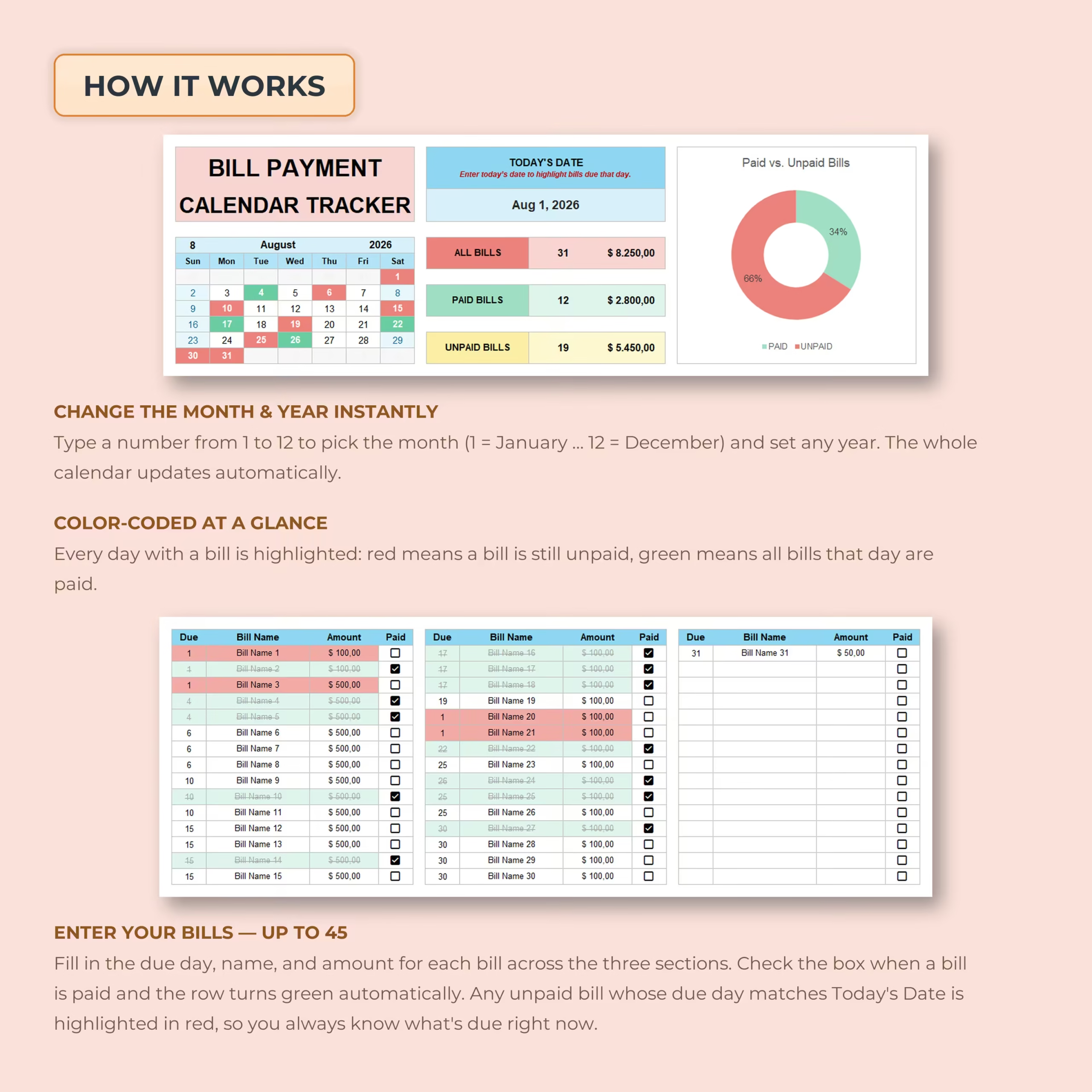
The spreadsheet provides space for up to 45 individual bills.
For each bill, you can enter:
- Due day
- Bill name
- Payment amount
- Paid status
Use it for a simple household budget or a more detailed monthly payment schedule with dozens of recurring expenses.
Reusable for Any Month and Any Year
This bill tracker is not tied to one specific calendar period.
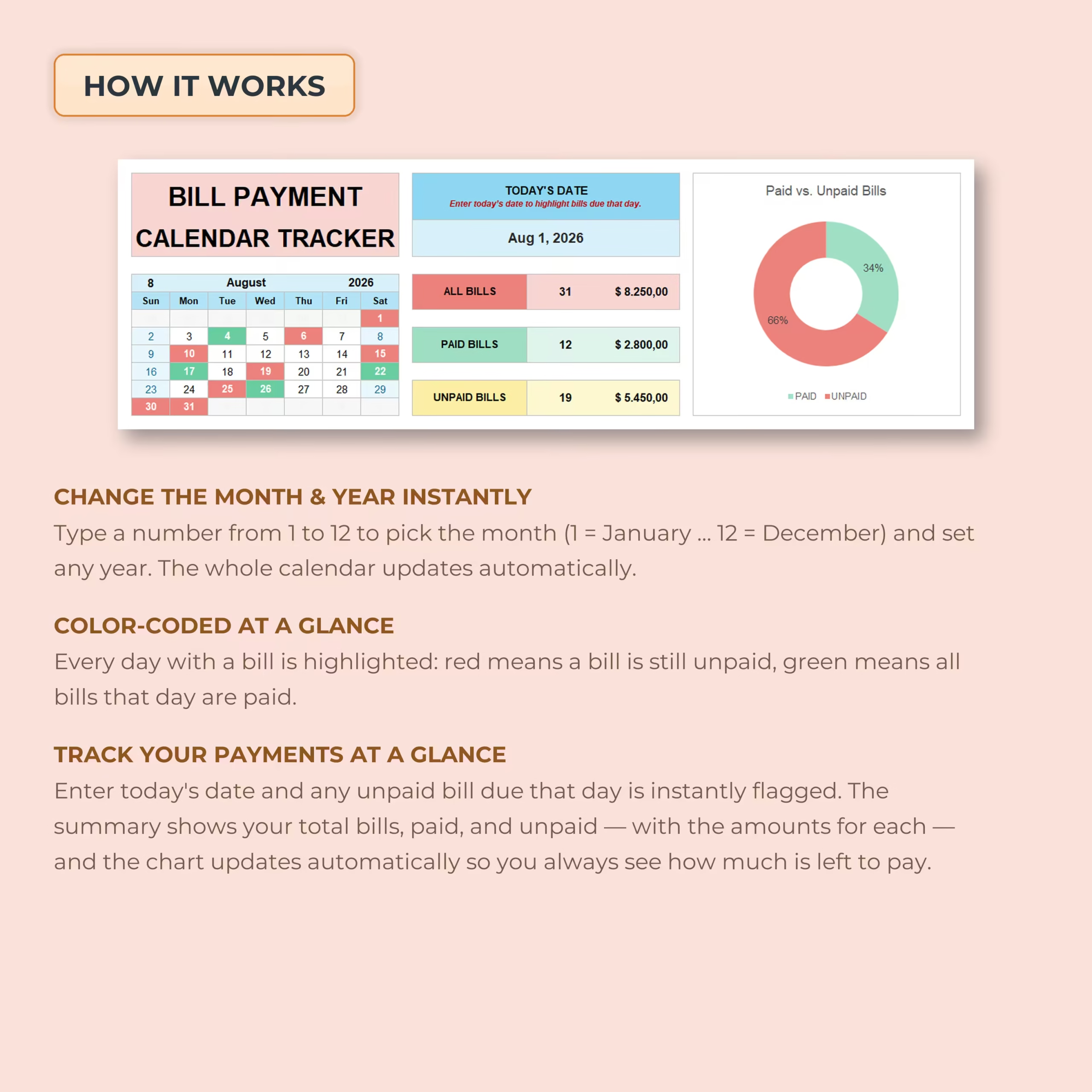
Enter a month number from 1 to 12 and choose your year. The mini calendar automatically rebuilds itself with the correct dates and weekdays.
That means you can reuse the same template month after month and year after year.
Fixed or Variable Bill Due Dates
Some bills arrive on the same day every month, while others may change.
The due date for each bill is entered directly into the tracker, so you can keep regular recurring dates or quickly change an individual bill when its payment date shifts.
This makes the spreadsheet flexible enough for both predictable monthly expenses and bills with changing due dates.
Color-Coded Monthly Bill Calendar
The built-in mini calendar gives you a fast visual overview of your payment schedule.
Dates containing bills are highlighted automatically:
- Red: one or more bills due that day are still unpaid
- Green: all bills due that day have been marked as paid
If several bills fall on the same date, the calendar remains unpaid until every bill scheduled for that day has been completed.
Highlight Bills Due Today
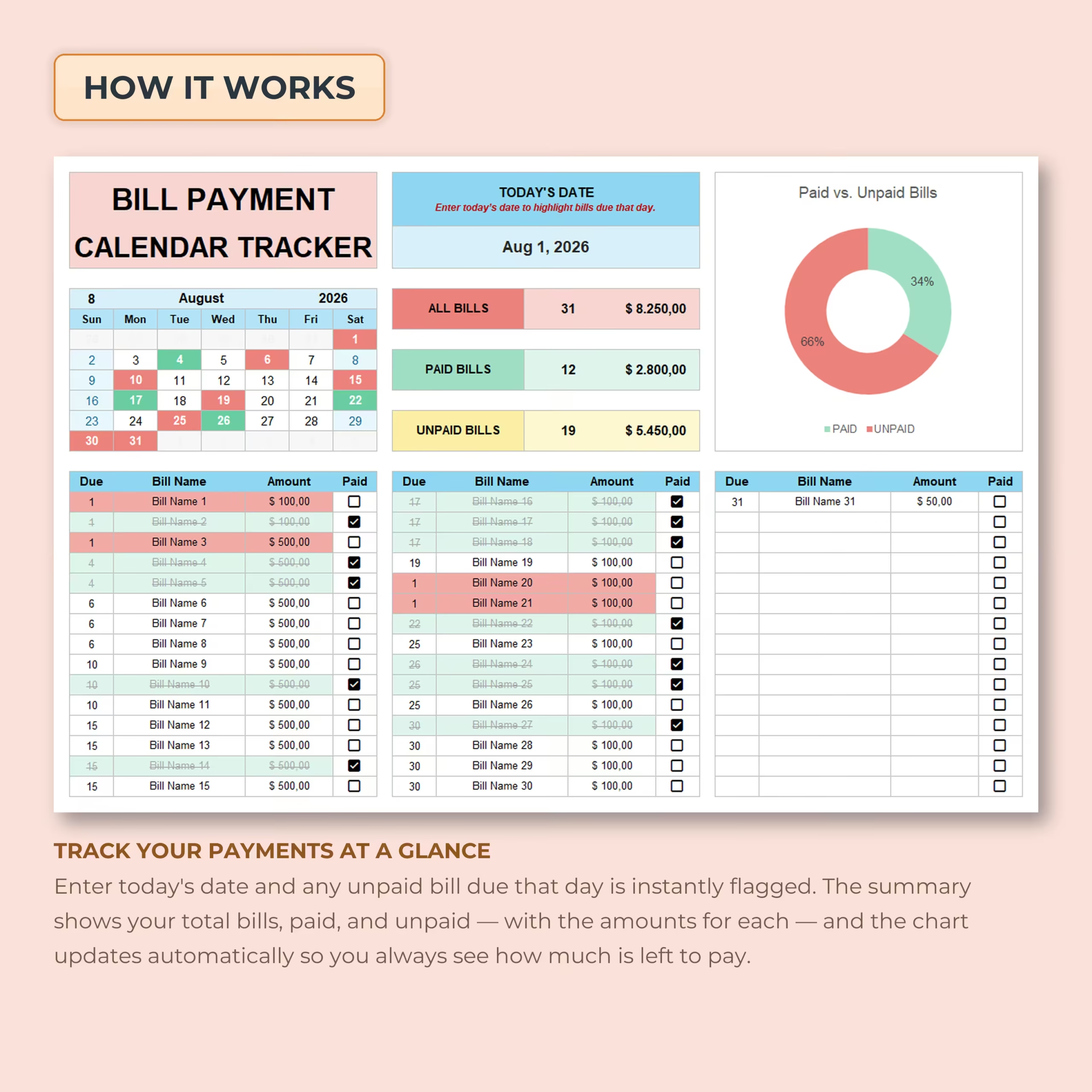
Enter the current date in the Today’s Date field and any unpaid bill with a matching due date is automatically highlighted.
This gives you an immediate reminder of payments requiring attention right now without searching through the entire bill list.
Mark Bills Paid with One Click
Each bill includes an interactive checkbox.
Once a payment is completed, check the box and the spreadsheet automatically updates its status. Paid rows are visually distinguished, the monthly summary changes, and the calendar reflects the updated payment status.
Automatic Paid and Unpaid Bill Summary
The dashboard automatically calculates both the number and total dollar amount of your bills.
At a glance, you can see:
- Total number of bills
- Total amount due
- Number of paid bills
- Total amount paid
- Number of unpaid bills
- Total amount still unpaid
There is no need to manually add up your monthly payments or count outstanding bills.
Visual Paid vs. Unpaid Chart
An automatic donut chart provides a clear visual breakdown of your paid and unpaid bills.
As you check off payments, the chart updates automatically, giving you an instant picture of how far you are through the month’s bills.
Perfect for Household and Personal Bill Management
This monthly bill tracker can be used for payments such as:
- Rent or mortgage
- Electricity, water, and gas
- Internet and phone service
- Credit card payments
- Car payments
- Insurance
- Personal and student loans
- Subscriptions and memberships
- Childcare and school expenses
- Medical payments
- Taxes and fees
- Other recurring household bills
Built-In Instructions
The workbook includes clear instructions explaining how to select your month and year, enter bills, use the Today’s Date feature, understand the color-coded calendar, and manage the automatic payment summary and chart.
You can start using the tracker without needing advanced spreadsheet knowledge.
Example and Blank Bill Trackers Included
An example Bill Payment Calendar is included so you can see exactly how the tracker works with sample data.
A blank version is also provided, ready for you to enter your own bills, amounts, and due dates.
Microsoft Excel and Google Sheets Compatible
The template is designed for use with both Microsoft Excel and Google Sheets, giving you the freedom to choose the spreadsheet platform that works best for you.
Make Monthly Bill Tracking Simpler
You should not have to search through emails, banking apps, paper statements, and reminders just to figure out what still needs to be paid.
This Monthly Bill Payment Calendar brings your bill list, due dates, payment status, totals, and calendar together so you can see your entire month at a glance and stay on top of upcoming payments.
Is This Bill Payment Calendar Right for You?
Choose this template if you want a downloadable bill payment spreadsheet that combines due dates, a monthly calendar, paid and unpaid checkboxes, and automatic summaries in one file. It is a practical fit for U.S. households managing recurring bills around weekly, biweekly, or monthly paydays.
- You prefer Microsoft Excel or Google Sheets instead of a subscription-based bill app
- You want to see upcoming due dates and payment status on a calendar
- You need a reusable monthly bill tracker for rent, utilities, credit cards, loans, insurance, and subscriptions
Reviews
There are no reviews yet.