
Income & Expenses Tracker Spreadsheet for Excel & Google Sheets
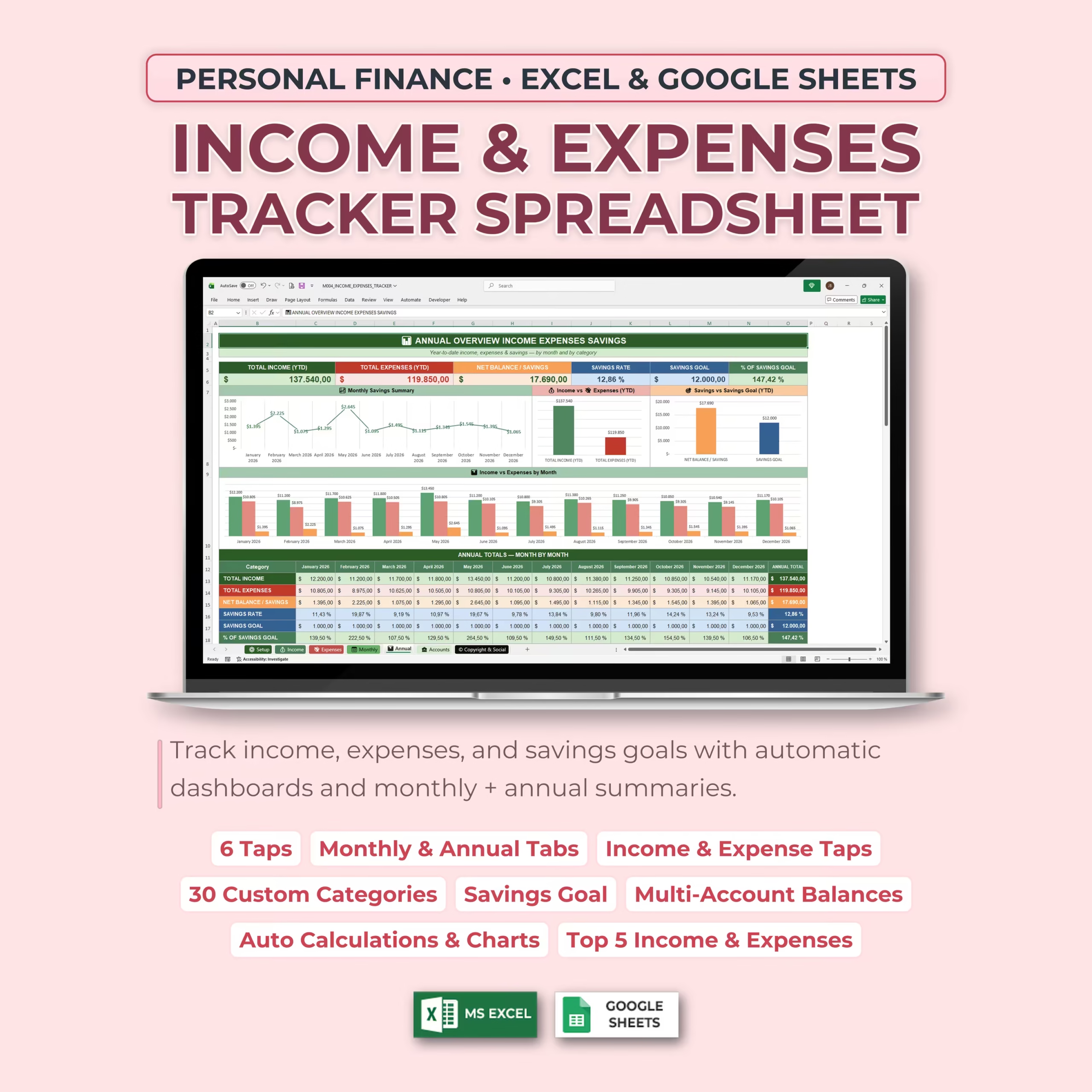
Organize your personal finances in one place with this Income & Expenses Tracker Spreadsheet. Designed for Microsoft Excel and Google Sheets, this template helps you track income, expenses, savings goals, monthly performance, annual totals, account balances, and transfers with automatic dashboards and visual charts.
Whether you want to manage your household budget, track personal income, monitor spending, build savings, or understand your full financial picture month by month, this spreadsheet gives you a clean and practical system you can use all year long.
Why buyers choose this personal finance spreadsheet
Many shoppers looking for an income and expense tracker spreadsheet, personal finance spreadsheet, or monthly budget planner do not want to spend time building formulas, dashboards, and account tabs from scratch. This template gives you a ready-made file you can download, customize, and start using right away in Excel or Google Sheets.
It is especially useful for U.S. households and individuals who want a practical spreadsheet to manage paychecks, bills, savings goals, and monthly cash flow in one place without moving to a more complex budgeting app.
Track Income, Expenses, and Savings Goals
This personal finance spreadsheet includes dedicated income and expense trackers, plus monthly and annual dashboards that automatically calculate your totals, net balance, savings rate, and progress toward your savings goals.
- Track all income sources in one place
- Record expenses by date, category, amount, and account
- Set monthly savings goals
- View your savings rate automatically
- Compare income vs. expenses
- See your net balance and left-to-spend amount
Bookkeeping Setup Tab
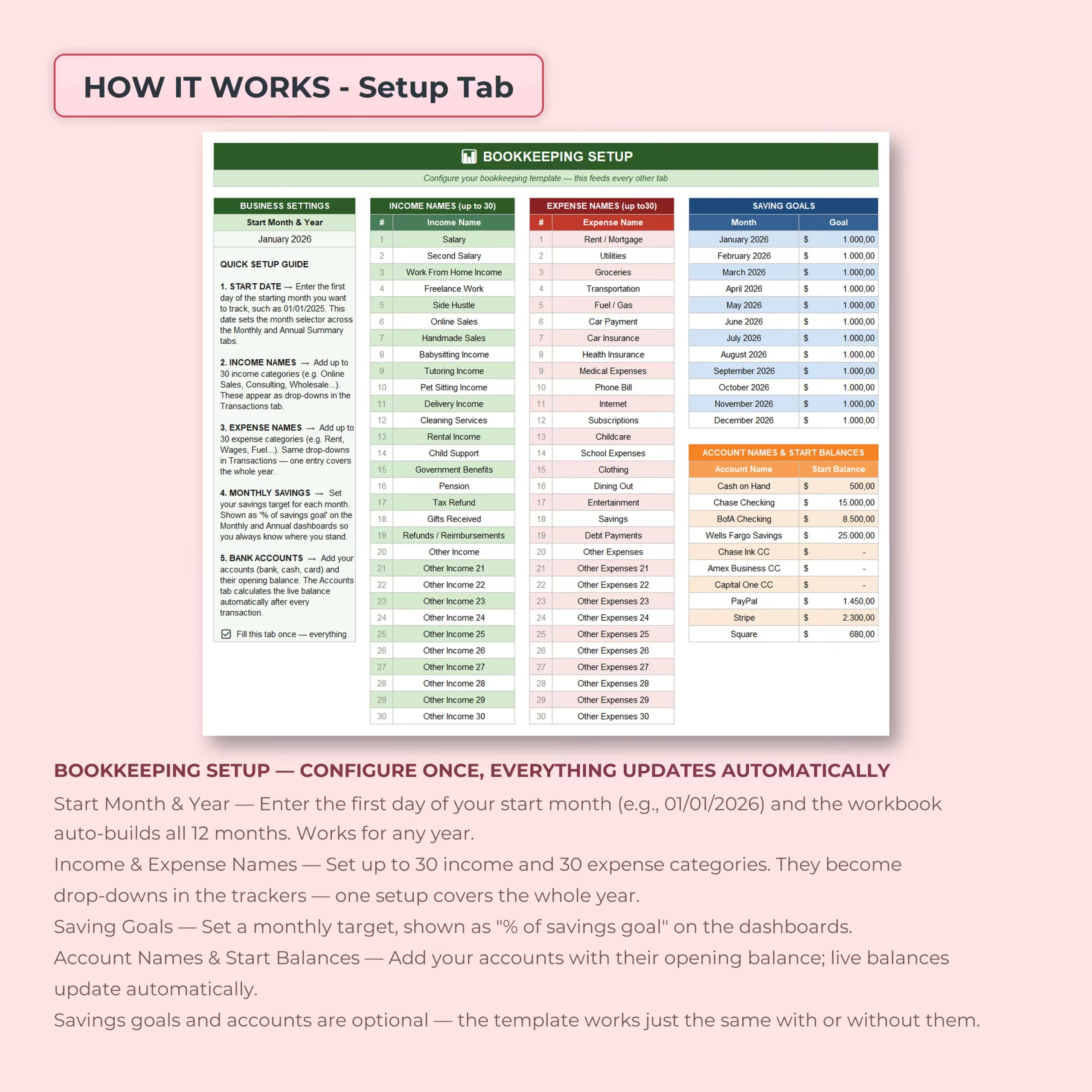
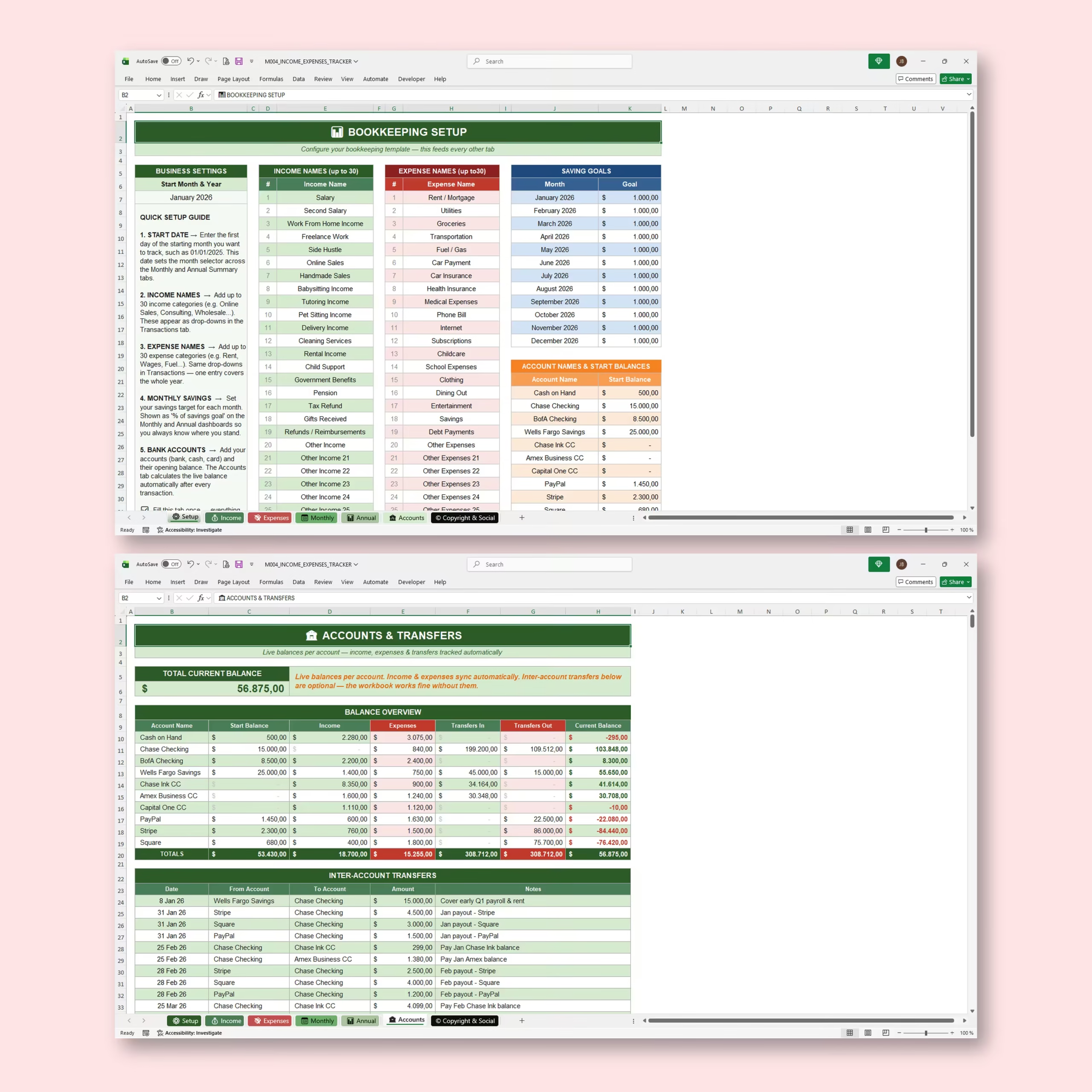
The setup tab lets you configure the entire workbook once. Enter your start month and year, add your income categories, create your expense categories, set monthly savings goals, and list your accounts with opening balances.
You can add up to 30 income categories and 30 expense categories. These categories become dropdown options in the income and expense trackers, making data entry faster and more consistent.
- Start month and year setup
- Up to 30 custom income categories
- Up to 30 custom expense categories
- Monthly savings goal setup
- Account names and starting balances
- Quick setup guide included
Income Tracker Tab
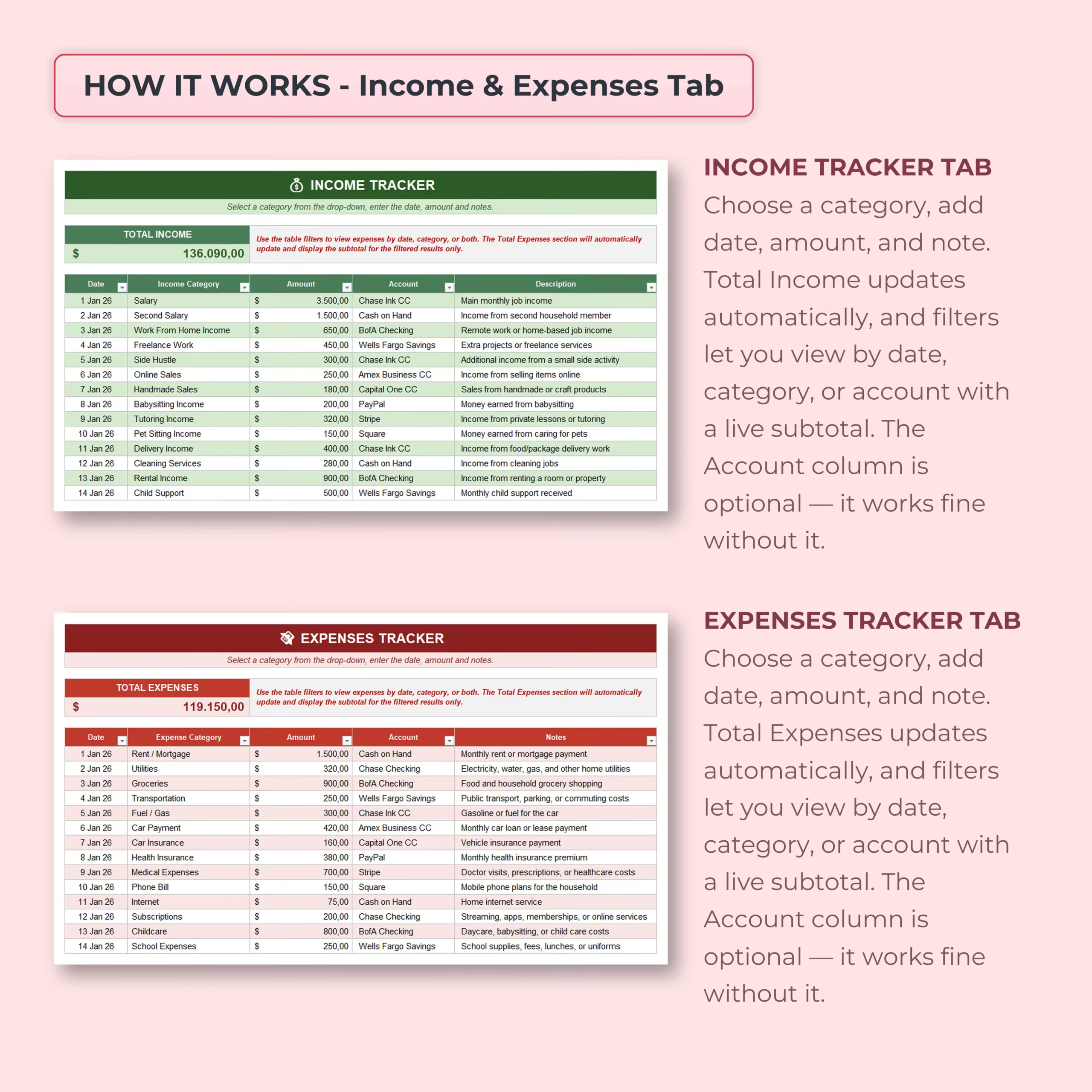
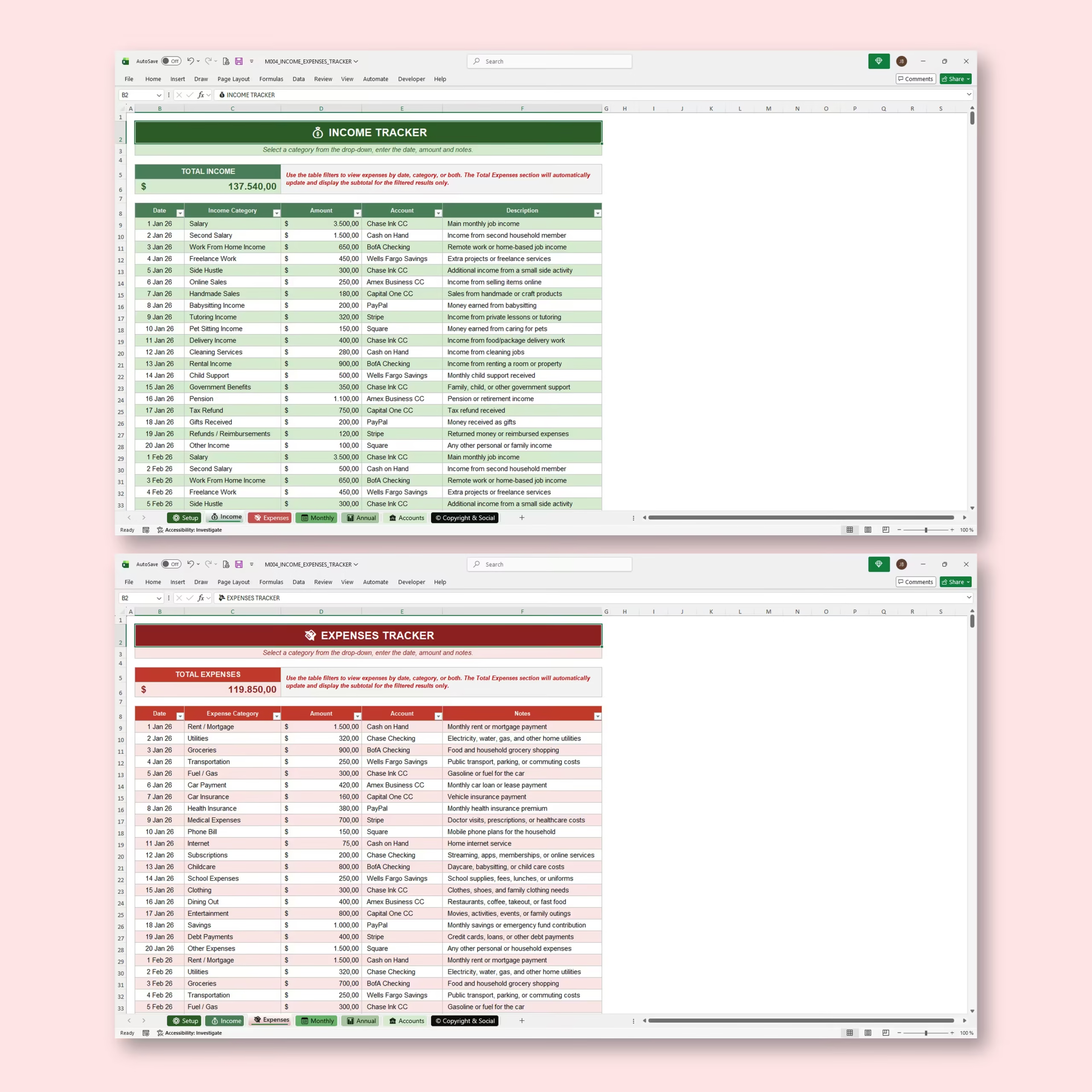
The income tracker tab helps you log every income entry with the date, income category, amount, account, and description. Total income updates automatically as you add entries.
You can also use filters to view income by date, category, or account, with live subtotals for the filtered results.
Expenses Tracker Tab
The expenses tracker tab gives you a simple way to record and review your spending. Add the date, expense category, amount, account, and notes for each transaction. Total expenses update automatically as you enter new items.
Use this tab to track everyday spending, bills, groceries, transportation, subscriptions, childcare, entertainment, debt payments, savings contributions, and any other personal expense category you want to monitor.
Monthly Dashboard
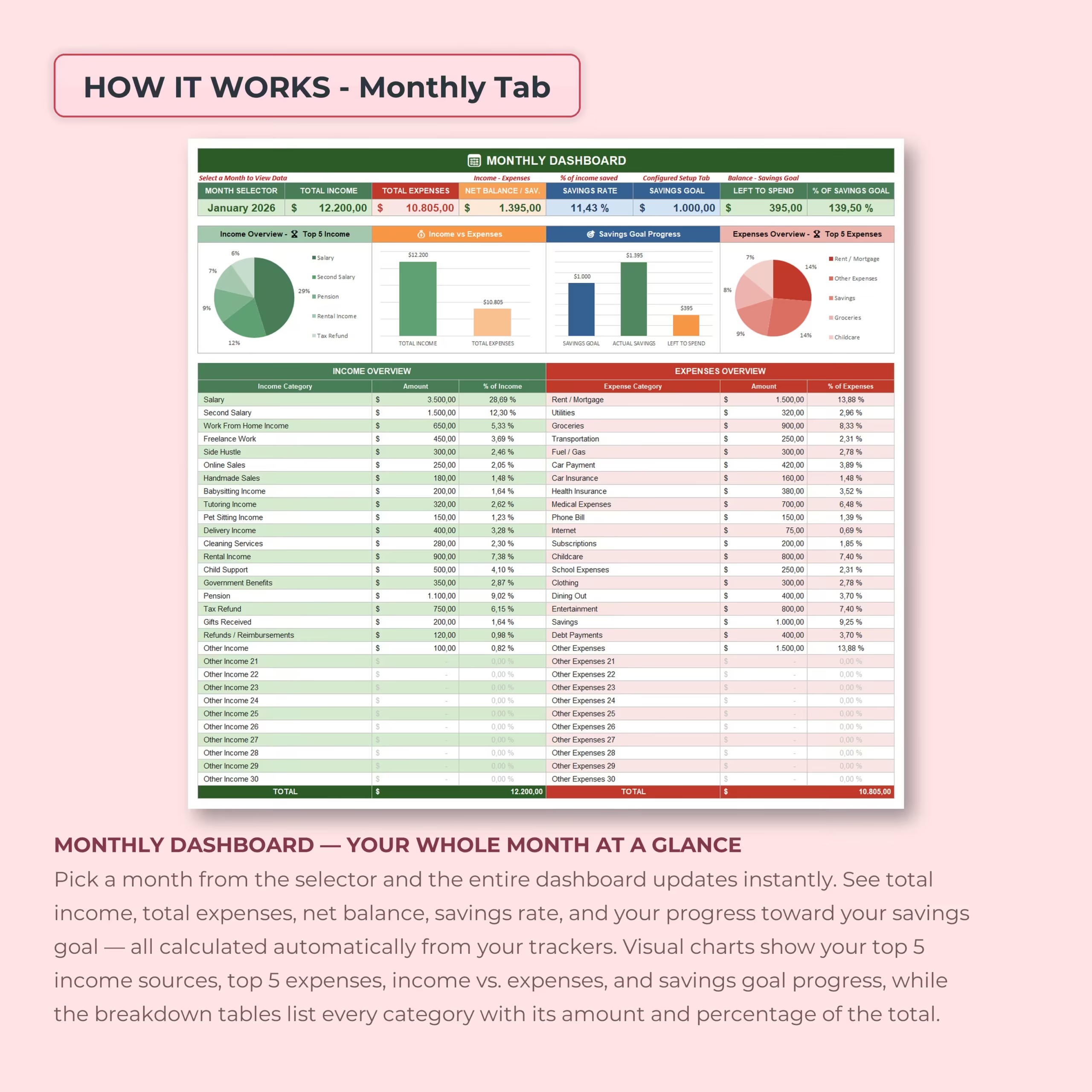
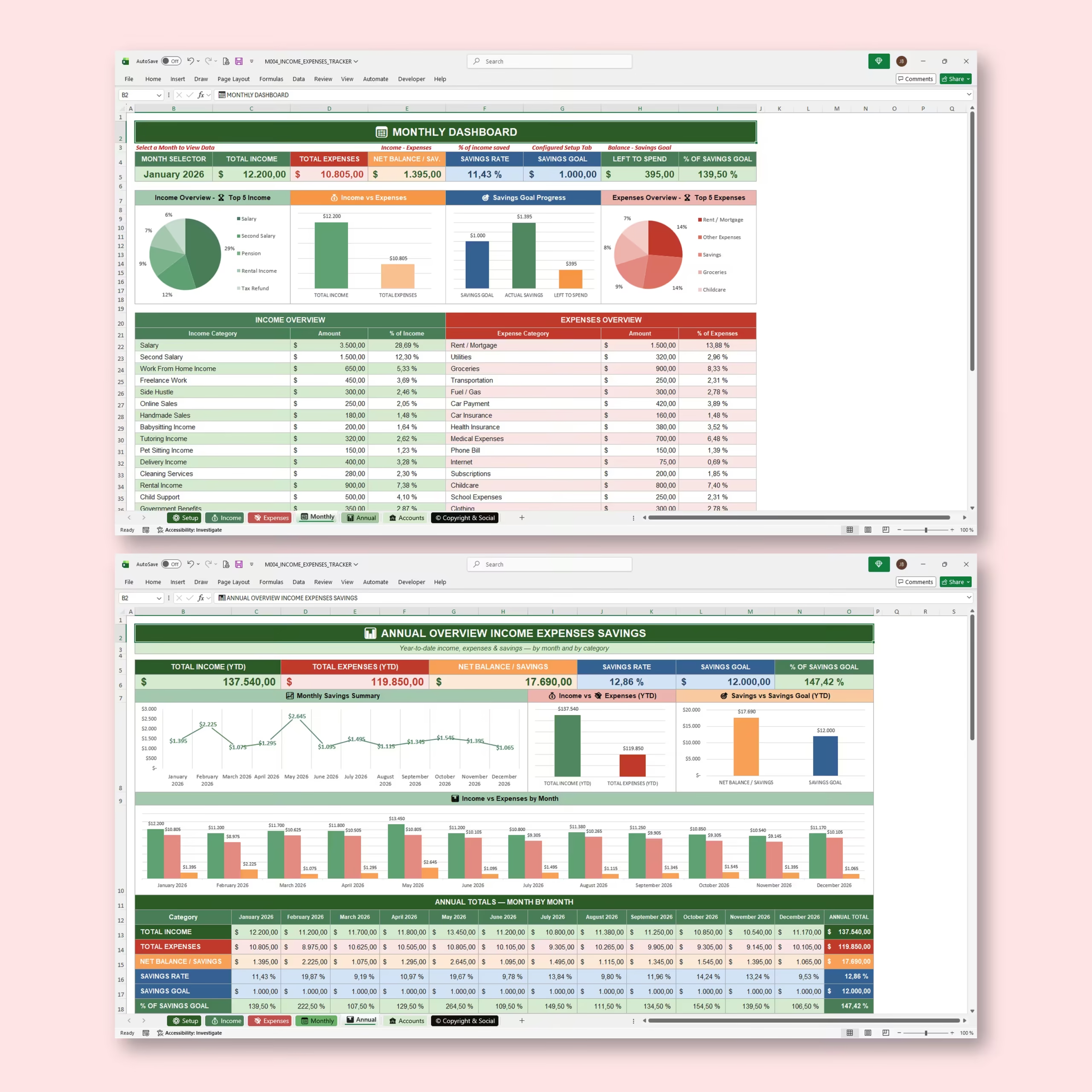
The monthly dashboard gives you a full month-at-a-glance view. Select a month, and the entire dashboard updates automatically with your income, expenses, net balance, savings rate, savings goal progress, and left-to-spend amount.
Visual charts help you quickly understand your top 5 income sources, top 5 expenses, income vs. expenses, and savings goal progress.
- Total income for the selected month
- Total expenses for the selected month
- Net balance / savings
- Savings rate
- Savings goal and left to spend
- Top 5 income sources
- Top 5 expense categories
- Income vs. expenses chart
Annual Overview Dashboard
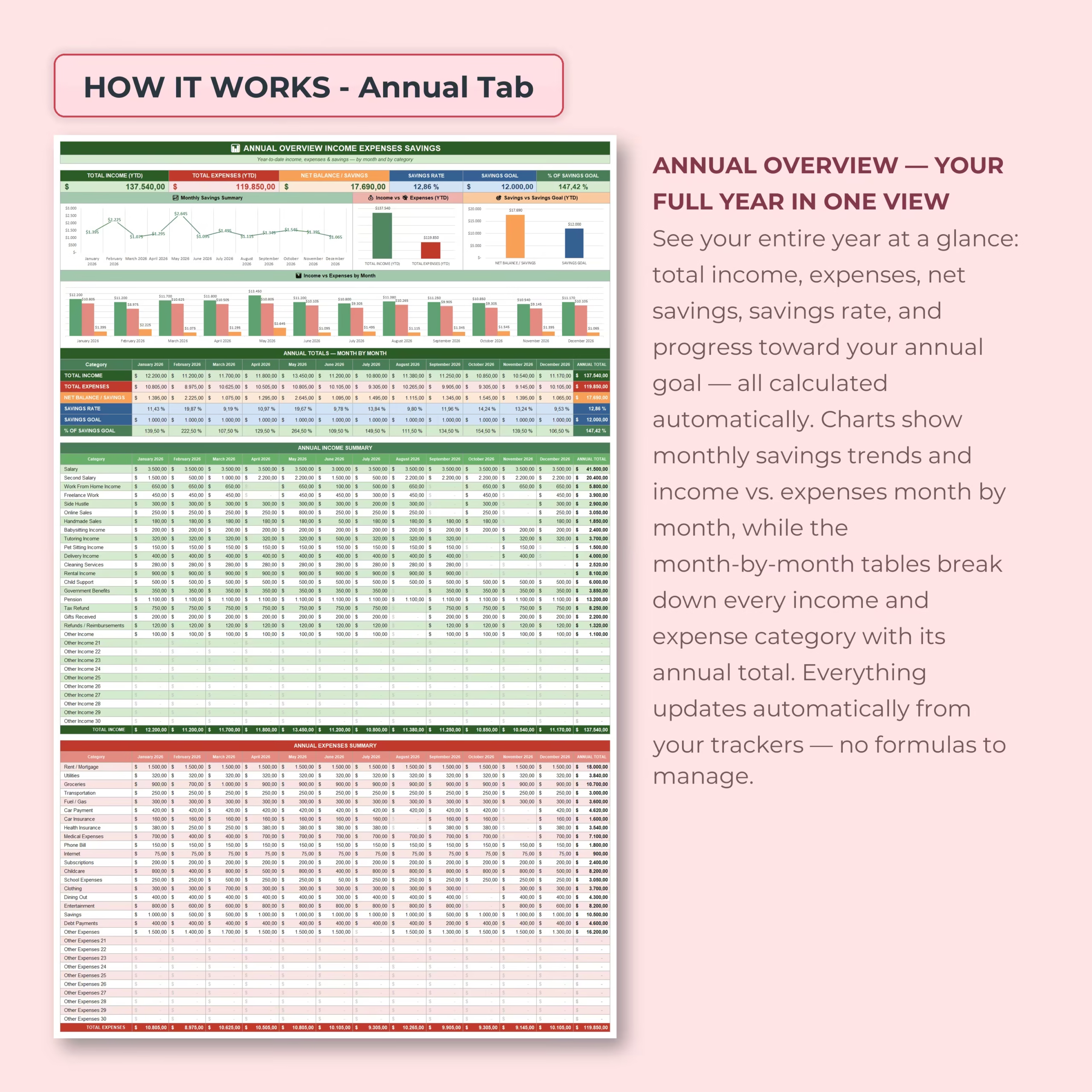
The annual tab gives you your full year in one view. See year-to-date income, expenses, net savings, savings rate, savings goal progress, monthly savings trends, and month-by-month income vs. expenses.
The annual dashboard also includes detailed month-by-month tables for each income and expense category, so you can understand how your finances change throughout the year.
Accounts & Transfers Tab
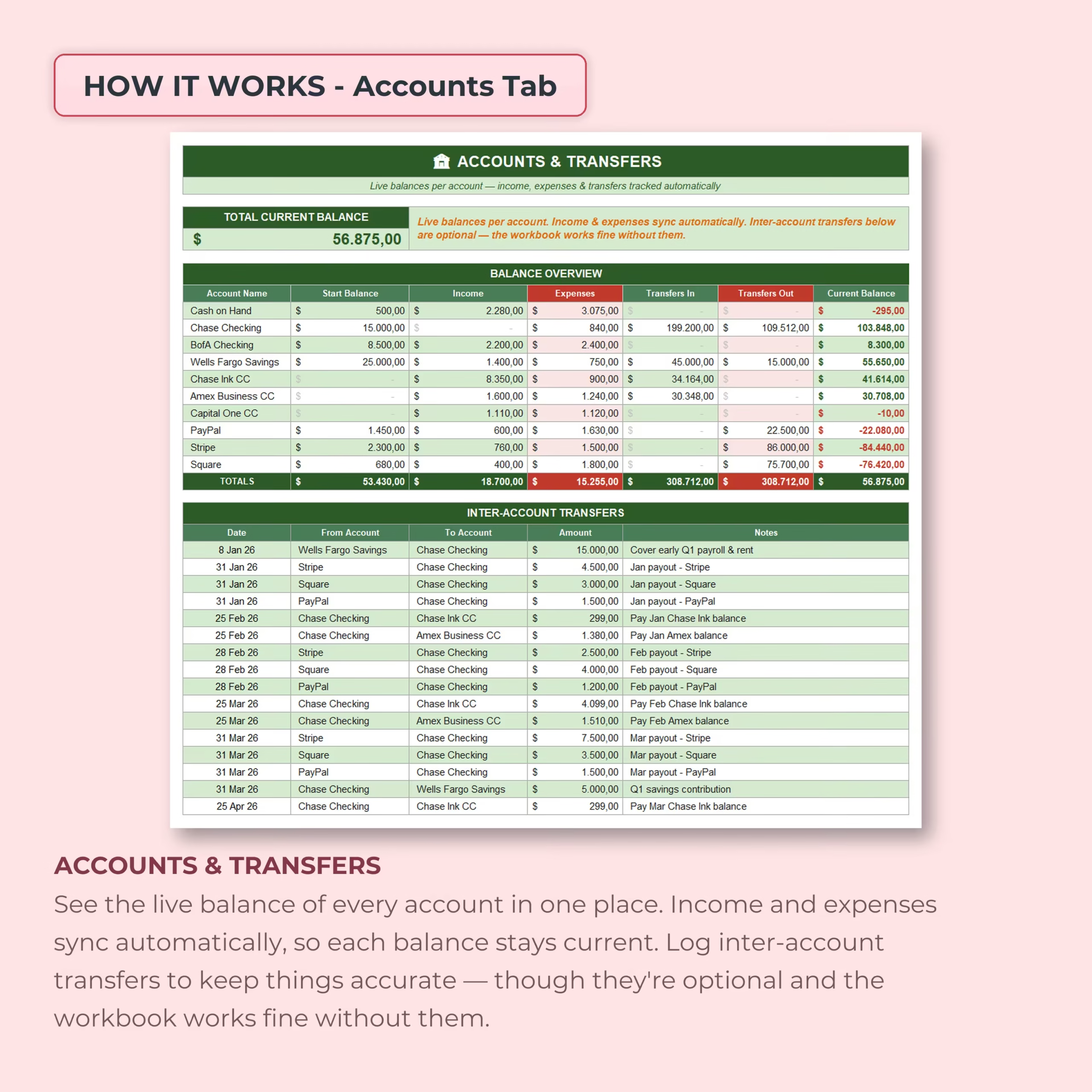
The accounts tab helps you monitor the live balance of every account in one place. Income and expenses sync automatically to the selected accounts, and you can also log inter-account transfers to keep balances accurate.
This section is optional, so the tracker works whether you want to track accounts in detail or simply monitor income and expenses.
- Track multiple accounts
- Add starting balances
- View current account balances
- Track income and expenses by account
- Log transfers between accounts
- See total current balance
Useful for monthly bill tracking and paycheck planning
Beyond general budgeting, this template works well for people who need a practical way to organize recurring bills, paycheck deposits, savings targets, and spending categories month after month. It can support households that budget around weekly, biweekly, semimonthly, or monthly income while keeping a clearer view of what is left to spend.
Automatic Calculations and Charts
The template includes built-in formulas and visual dashboards, so your summaries update automatically as you enter income, expenses, savings goals, and transfers.
- Monthly income totals
- Monthly expense totals
- Annual income and expense totals
- Net balance and savings
- Savings rate
- Savings goal progress
- Top 5 income and expense charts
- Account balance calculations
What’s Included
- Bookkeeping Setup tab
- Income Tracker tab
- Expenses Tracker tab
- Monthly Dashboard tab
- Annual Overview tab
- Accounts & Transfers tab
- 30 custom income categories
- 30 custom expense categories
- Monthly savings goals
- Multi-account balance tracking
- Automatic calculations and charts
- Top 5 income and expense summaries
- Excel version
- Google Sheets version
Perfect For
- Personal finance tracking
- Monthly budgeting
- Household budget planning
- Tracking income and expenses
- Monitoring savings goals
- Managing multiple accounts
- Reviewing annual financial progress
- Anyone who wants a clear money management spreadsheet
Use It in Excel or Google Sheets
This Income & Expenses Tracker Spreadsheet is compatible with both Microsoft Excel and Google Sheets. Download the template, choose your preferred version, set up your categories and accounts, and start tracking your finances right away.
Please note: this spreadsheet is an organization and budgeting tool. It does not provide financial, tax, accounting, investment, or legal advice.
Reviews
There are no reviews yet.