
Expiration Date & Renewal Tracker for Excel and Google Sheets
Keeping track of expiration dates, renewals, licenses, subscriptions, IDs, certifications, insurance documents, permits, registrations, and vendor compliance deadlines can get messy when everything lives in different emails, folders, and calendars.
This Expiration Date & Renewal Tracker Template gives you a clear system to organize renewal deadlines, monitor expiration status, assign renewal owners, and avoid missed due dates in Excel or Google Sheets.
If you are comparing an expiration date tracker Excel, renewal tracker spreadsheet, business license renewal spreadsheet, permit renewal tracker, subscription expiration tracker, or compliance deadline tracker, this template is designed for buyers who want a ready-to-use file instead of building one from scratch.
Track Expirations and Renewals in One Place
The template helps you centralize all important renewal items in one spreadsheet. You can track each document, license, subscription, certification, permit, insurance record, registration, membership, or ID with its issue date, expiry date, renewal owner, status, location, links, and notes.
Remaining days are calculated automatically, and each item is clearly marked as valid, expiring soon, or expired using color-coded alerts.
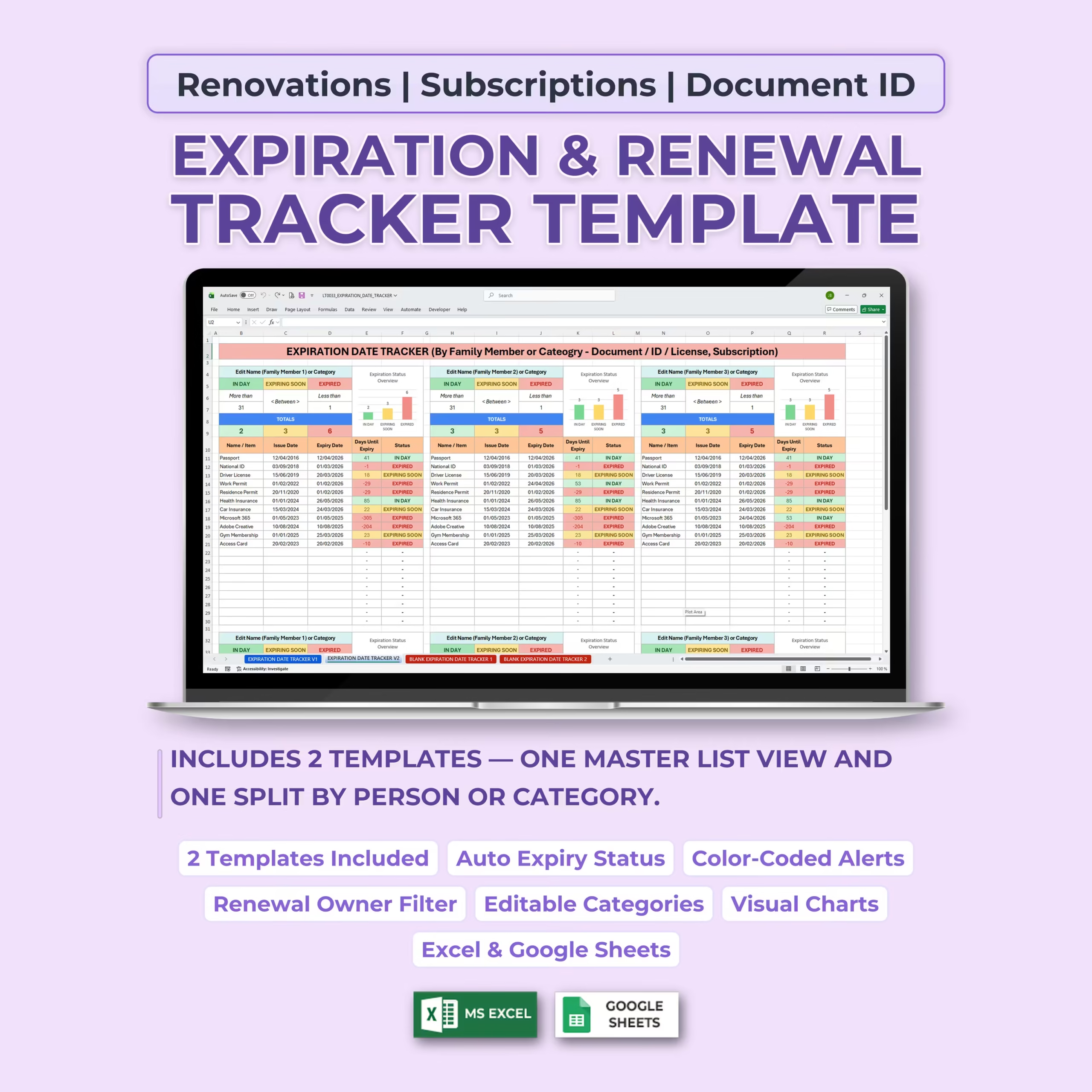
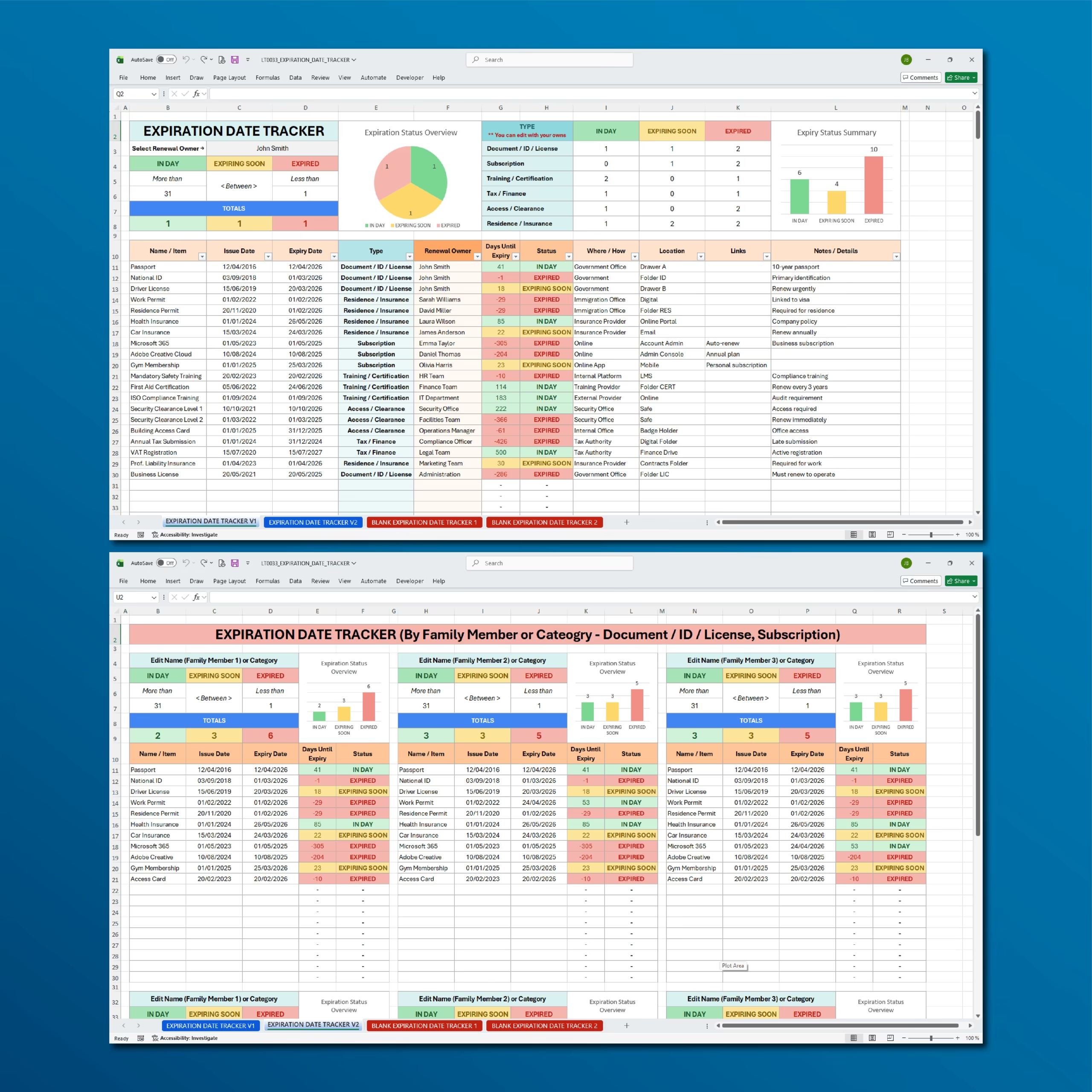
2 Tracker Templates Included
This product includes two practical tracker layouts so you can choose the structure that works best for your needs.
Template 1 provides a master list view where all expiration and renewal items are managed in one central table. Template 2 provides a split layout where items can be organized by person, family member, team, department, vendor, or category.
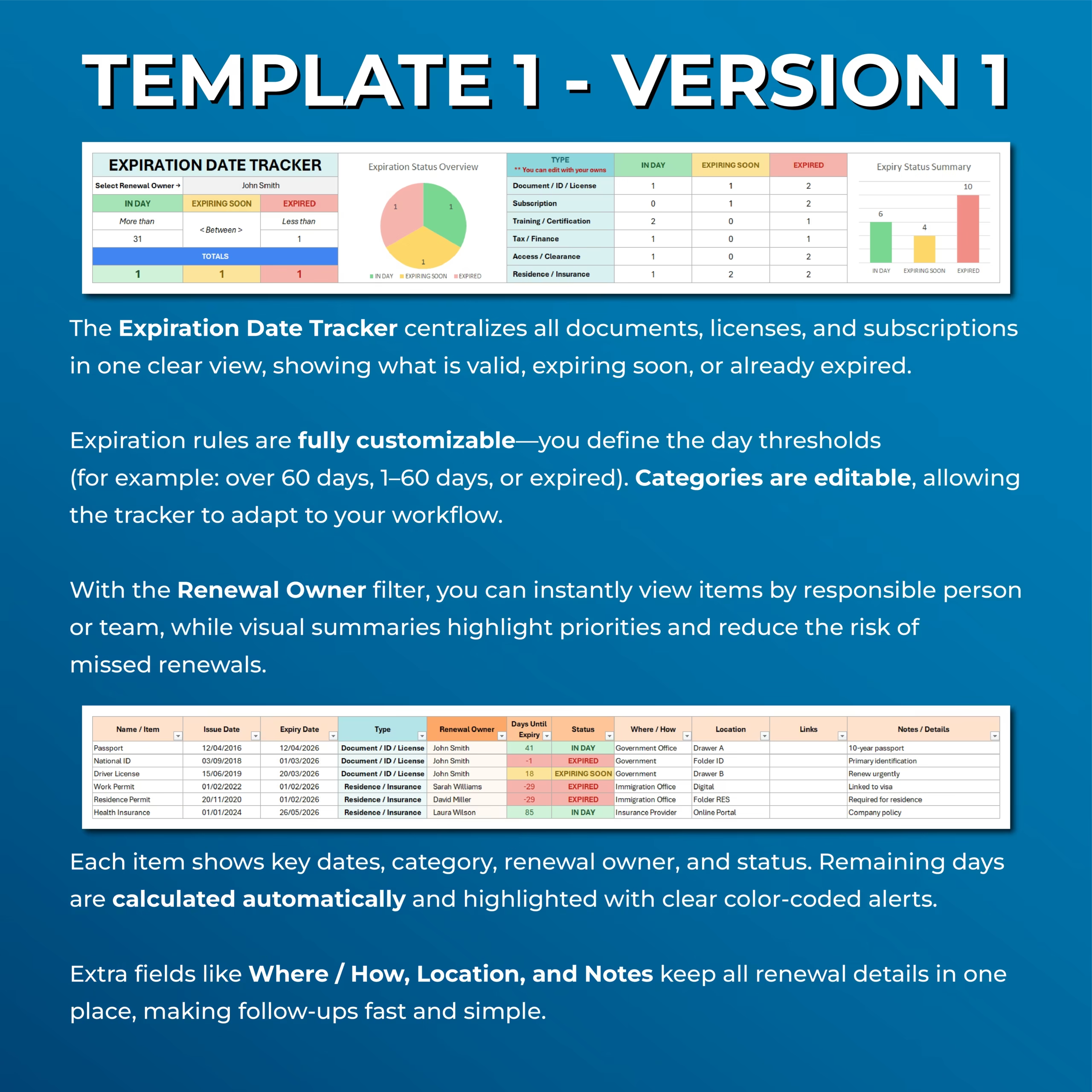
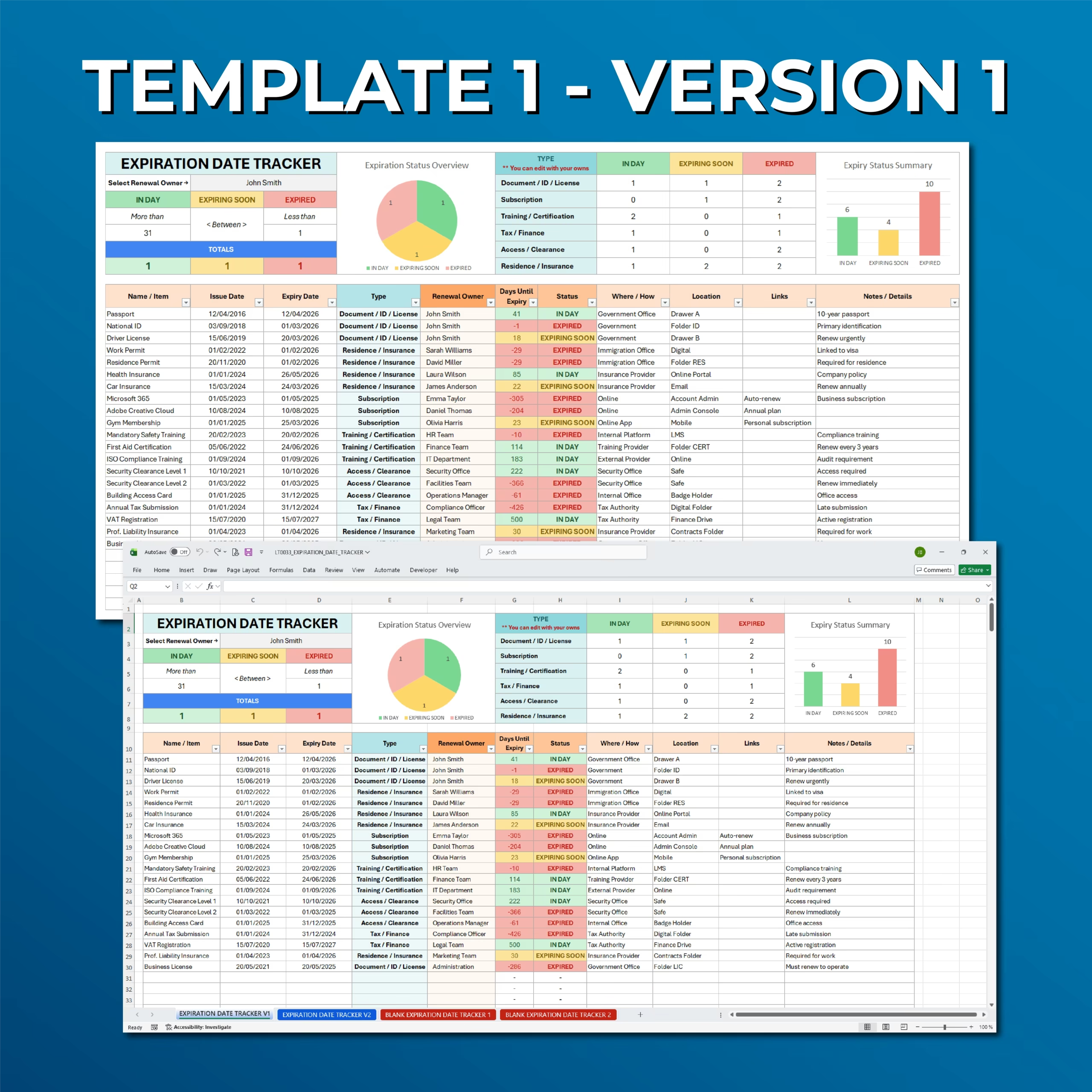
Template 1: Master Expiration Date Tracker
The master tracker centralizes all renewal items in one clean view. Each row includes key details such as item name, issue date, expiry date, type, renewal owner, days until expiry, status, where or how to renew, location, links, and notes.
This layout is ideal when you want a complete overview of every expiration date and renewal deadline in one searchable and sortable list.
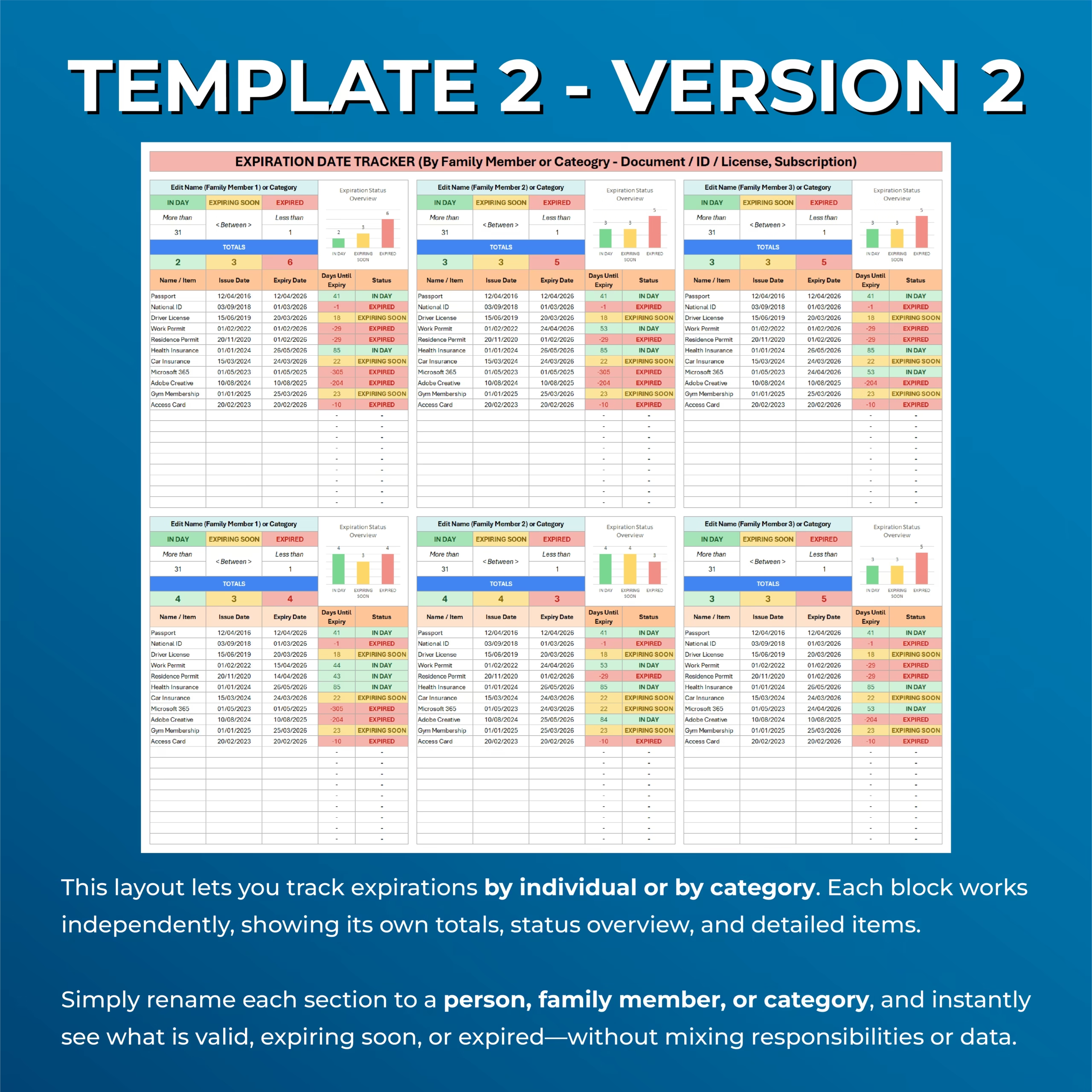
Template 2: Split Tracker by Person or Category
The second layout lets you track expirations by individual, family member, team, department, category, or responsibility area.
Each block works independently and includes its own totals, expiration status overview, and detailed renewal items. This makes it easier to separate responsibilities without mixing data in one large list.
Automatic Expiry Status
The spreadsheet automatically calculates the number of days until each item expires and assigns a status based on your rules.
Items can be marked as valid, expiring soon, or expired, helping you quickly identify which renewals need attention first.
Customizable Expiration Rules
You can customize the day thresholds that control the status labels. For example, you can define what counts as safe, what should be considered expiring soon, and when an item should be treated as expired.
This allows the tracker to adapt to your workflow, whether you need long renewal windows or shorter reminder periods.
Editable Categories
The template includes common categories such as document, ID, license, subscription, training, certification, tax, finance, access, clearance, residence, insurance, and vendor compliance.
You can edit these categories to match your own personal, family, business, administrative, or compliance tracking needs.
Renewal Owner Filter
The master tracker includes a renewal owner filter so you can view items by the person, team, or department responsible for renewal.
This is useful for families, small businesses, teams, property managers, HR departments, office admins, and anyone who needs to assign renewal responsibility clearly.
Useful for U.S. Licenses, Permits, and Compliance Deadlines
For U.S. buyers, this template is especially useful for tracking business licenses, contractor licenses, permits, insurance renewals, professional certifications, vehicle registrations, memberships, subscriptions, and recurring admin deadlines.
It works well when you need a simple spreadsheet for household organization, office admin, vendor compliance follow-up, or small business recordkeeping without paying for specialized software.
Useful for Contractors, Small Businesses, and Office Admin
Buyers in the United States often need a simple way to stay on top of contractor license renewals, city permits, insurance expiration dates, vendor certificates, and office subscriptions. This tracker helps keep those deadlines visible in one place so nothing important gets missed.
That makes it a good fit for service businesses, construction-related admin, office managers, property support teams, and small companies that want a low-friction renewal tracking system in a familiar spreadsheet format.
Color-Coded Alerts and Visual Summaries
The spreadsheet uses color-coded status alerts to make expiration priorities easy to understand at a glance.
Visual summaries and charts show how many items are valid, expiring soon, or expired, helping you quickly review your renewal workload and avoid missed deadlines.
Track Extra Renewal Details
Each item includes fields for where or how to renew, location, links, and notes or details.
You can use these fields to store renewal instructions, online portals, folder locations, account details, reference notes, or any information needed for follow-up.
Compatible With Excel and Google Sheets
This Expiration Date & Renewal Tracker works with both Microsoft Excel and Google Sheets, so you can use it in the platform that best fits your workflow.
Use it for personal organization, family administration, business compliance, subscription management, document tracking, or any recurring renewal process.
Who Is This Template For?
- Individuals tracking personal documents and renewals
- Families managing IDs, passports, insurance, and memberships
- Small businesses tracking licenses, permits, registrations, subscriptions, and vendor documents
- HR or admin teams managing certifications and compliance dates
- Property managers tracking insurance, permits, and contracts
- Anyone who wants to avoid missed expiration dates
What’s Included
- Expiration date tracker template
- Master list tracker layout
- Split tracker by person, family member, team, vendor, or category
- Blank tracker versions
- Automatic days until expiry calculation
- Automatic status labels
- Color-coded alerts
- Renewal owner filter
- Editable categories
- Customizable expiry thresholds
- Expiration status overview charts
- Fields for location, links, where/how, and notes
- Excel and Google Sheets versions
Stay Ahead of Every Renewal Deadline
This Expiration Date & Renewal Tracker Template helps you keep important dates organized, see what needs attention, and reduce the risk of missed renewals.
Track your documents, subscriptions, IDs, licenses, permits, and recurring deadlines in one clear spreadsheet with automatic alerts and visual summaries.
Reviews
There are no reviews yet.