
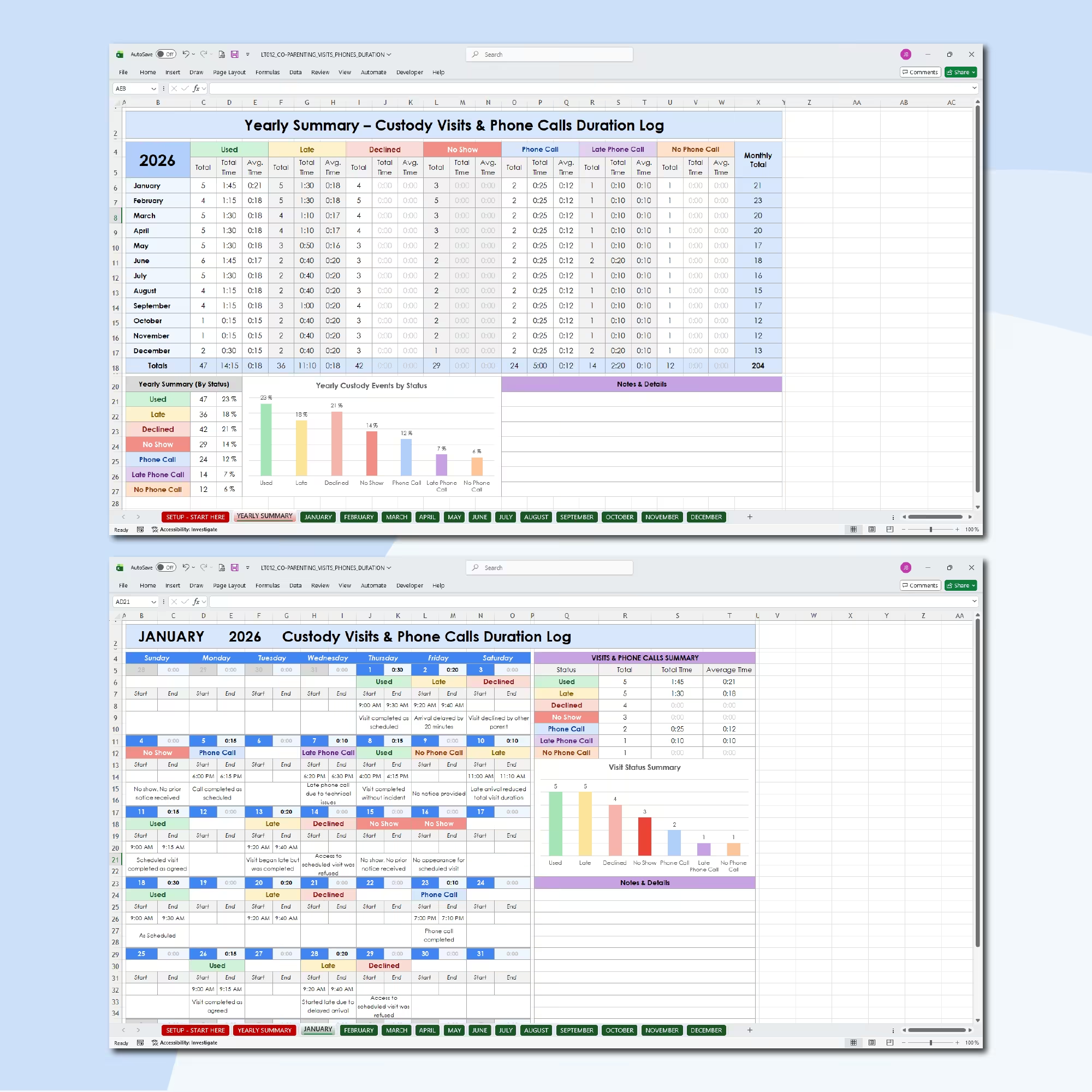
Track Co-Parenting Visits, Phone Calls, and Actual Contact Time
Maintain a clear, organized record of parenting visits and phone contact with this Co-Parenting Visitation and Phone Call Duration Tracker for Microsoft Excel and Google Sheets.
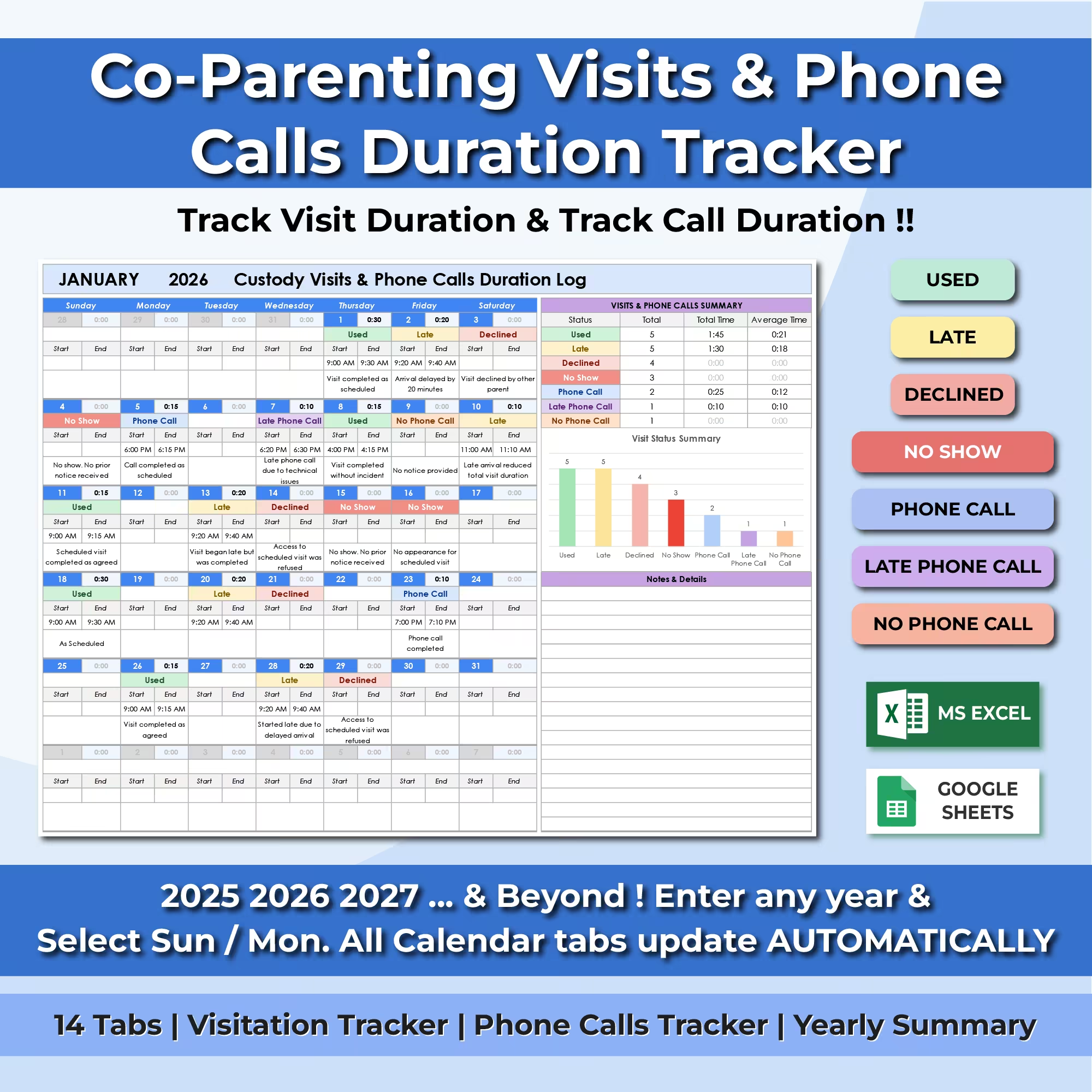
This comprehensive spreadsheet goes beyond simply recording whether contact occurred. It allows you to document the type of event, start and end times, calculated duration, and relevant notes for every day of the year.
Monthly summaries, average durations, yearly totals, percentages, and visual charts update automatically, giving you a complete overview of both the frequency and length of parenting time and phone communication.
Document Every Visit and Phone Call Day by Day
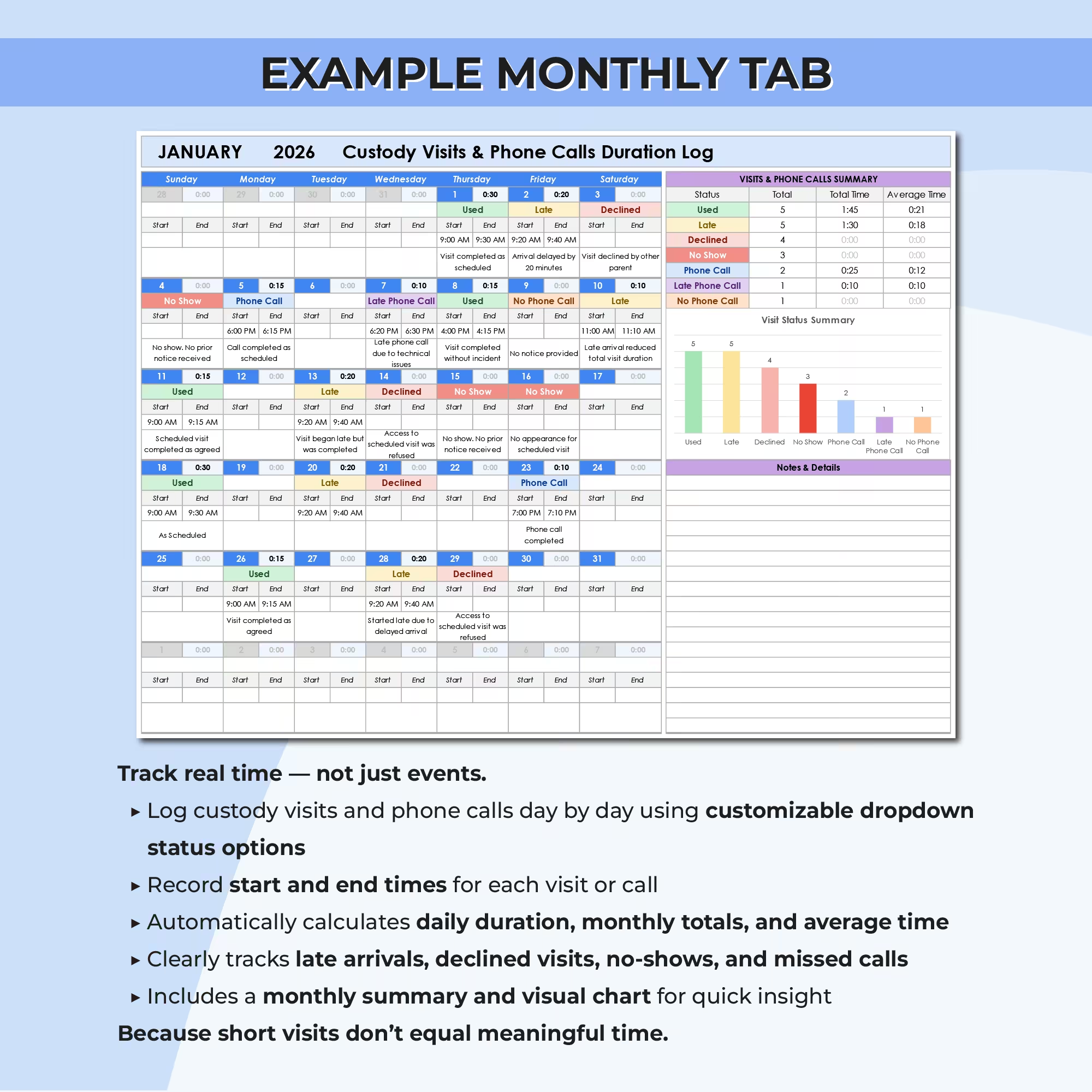
Each monthly calendar provides a structured area for recording custody visits, phone calls, missed contact, delays, and other relevant events.
For each entry, you can:
- Select a status from a color-coded drop-down menu
- Enter the start time
- Enter the end time
- Automatically calculate the total duration
- Add notes explaining what happened
This creates a detailed chronological record that is easier to review than scattered text messages, handwritten notes, or information stored across multiple apps.
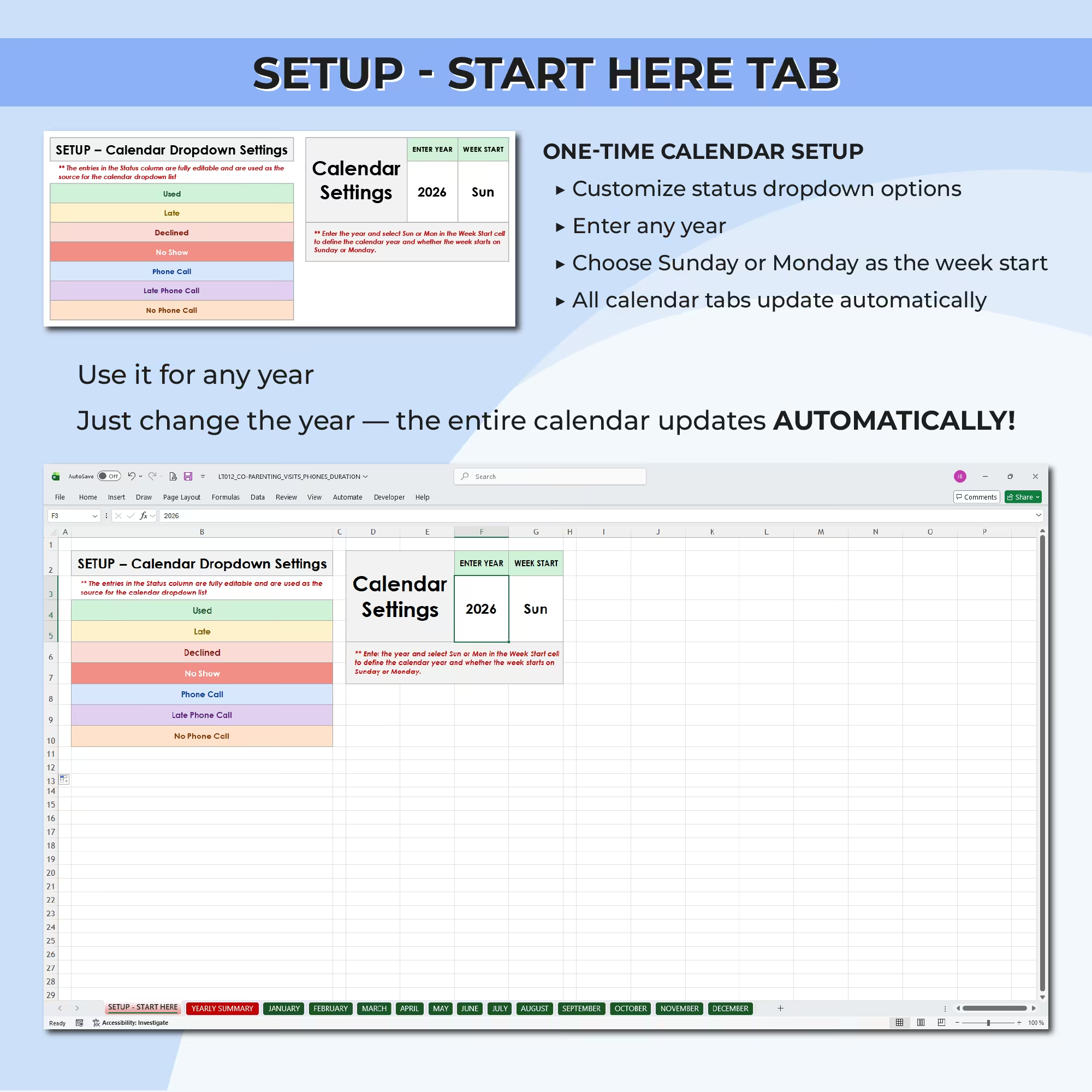
Customizable Status Drop-Down Options
The spreadsheet includes seven default status options:
- Used
- Late
- Declined
- No Show
- Phone Call
- Late Phone Call
- No Phone Call
The status labels can be edited from the setup tab, allowing you to replace them with the wording that best matches your parenting plan, communication arrangements, or personal recordkeeping needs.
Record the Actual Duration of Parenting Time
Frequency alone does not always show the complete picture. A visit may occur but last significantly less time than planned, while a delayed visit or phone call may still take place later.
By entering the start and end times, the spreadsheet automatically calculates the duration of each recorded event. This helps you track not only whether contact occurred, but also how much time was actually used.
Automatic Monthly Summaries
Every monthly tab includes an automated summary showing the activity recorded during that month.
For each status, the spreadsheet calculates:
- Total number of recorded events
- Total accumulated time
- Average duration
- Monthly event distribution
A built-in chart provides a quick visual comparison of used visits, late visits, declined visits, no-shows, phone calls, late calls, and missed calls.
Full-Year Co-Parenting Summary
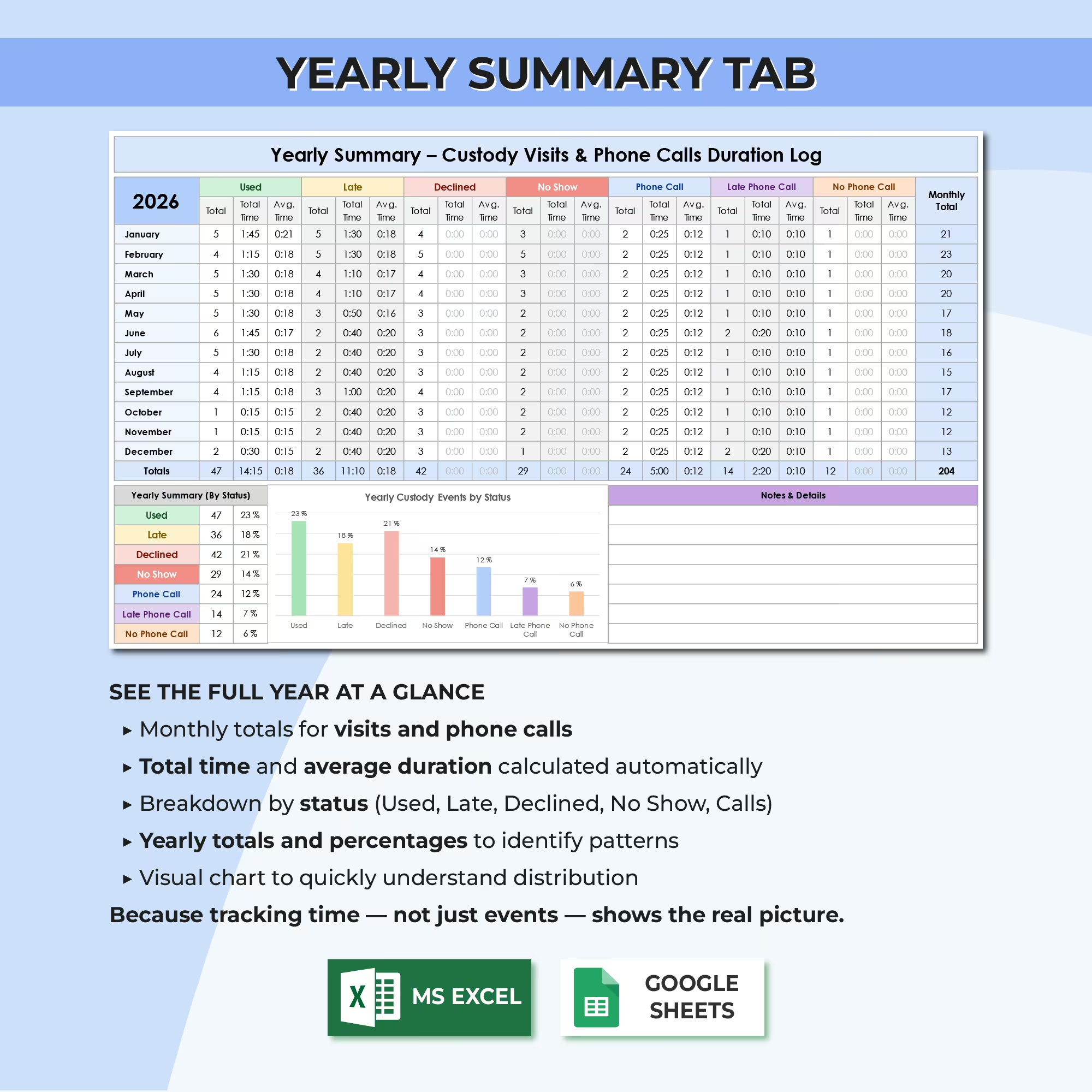
The yearly summary tab combines the information from all 12 monthly calendars into one centralized dashboard.
The annual overview includes:
- Monthly totals for every status
- Total time recorded by category
- Average event duration
- Total number of yearly events
- Yearly percentages by status
- A visual status distribution chart
- Additional space for notes and important details
This makes it easier to review patterns across the year without manually combining information from each month.
Automatic Calendar for Any Year
The template can be reused year after year. Enter the desired year in the setup tab and all 12 monthly calendars update automatically.
You can also choose whether each calendar week begins on Sunday or Monday, making the layout suitable for different scheduling preferences.
14 Organized Spreadsheet Tabs
The workbook includes 14 tabs:
- One setup and calendar settings tab
- One yearly summary tab
- Twelve individual monthly tracking tabs
This structure keeps the spreadsheet easy to navigate while providing enough space to document a complete year of parenting visits and phone communication.
Useful for Co-Parenting Recordkeeping
This co-parenting duration tracker may be useful for documenting:
- Scheduled custody visits
- Parenting time start and end times
- Shortened or delayed visits
- Declined parenting time
- No-shows and missed visits
- Scheduled phone calls
- Late or missed phone contact
- Changes to visitation arrangements
- Relevant notes about each event
- Monthly and yearly co-parenting patterns
Microsoft Excel and Google Sheets Compatible
The template is designed for use with both Microsoft Excel and Google Sheets.
Use the Excel version on your computer or manage your records online with Google Sheets, depending on the platform that best suits your workflow.
Keep More Complete and Consistent Parenting-Time Records
A simple attendance log records whether an event happened. This spreadsheet also records when it began, when it ended, how long it lasted, and any additional details you want to preserve.
Use the Co-Parenting Visitation and Phone Call Duration Tracker to maintain organized, consistent, and easy-to-review records throughout the year.
This spreadsheet is an organizational recordkeeping tool and does not provide legal advice. It does not replace a formal custody agreement, parenting plan, or advice from a qualified legal professional.
Reviews
There are no reviews yet.