
Keep Your Wedding Budget Beautifully Organized
Take control of your wedding spending with this blush wedding budget tracker, a practical spreadsheet template designed for couples and families planning a wedding.
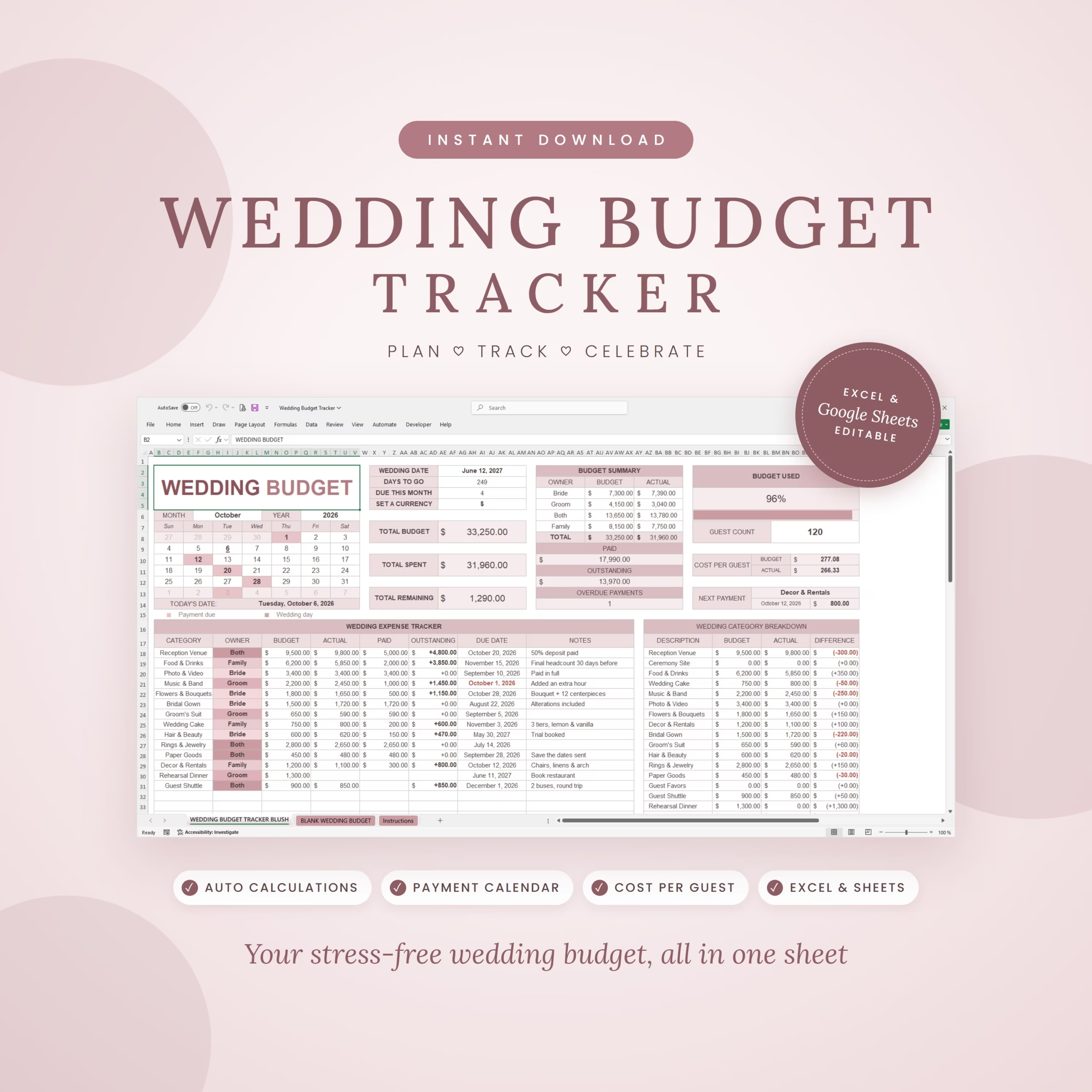
Track your budget, actual costs, payments, outstanding balances, and due dates in one organized workbook. Built-in formulas update your summaries automatically as you enter your own information.
What You Can Track
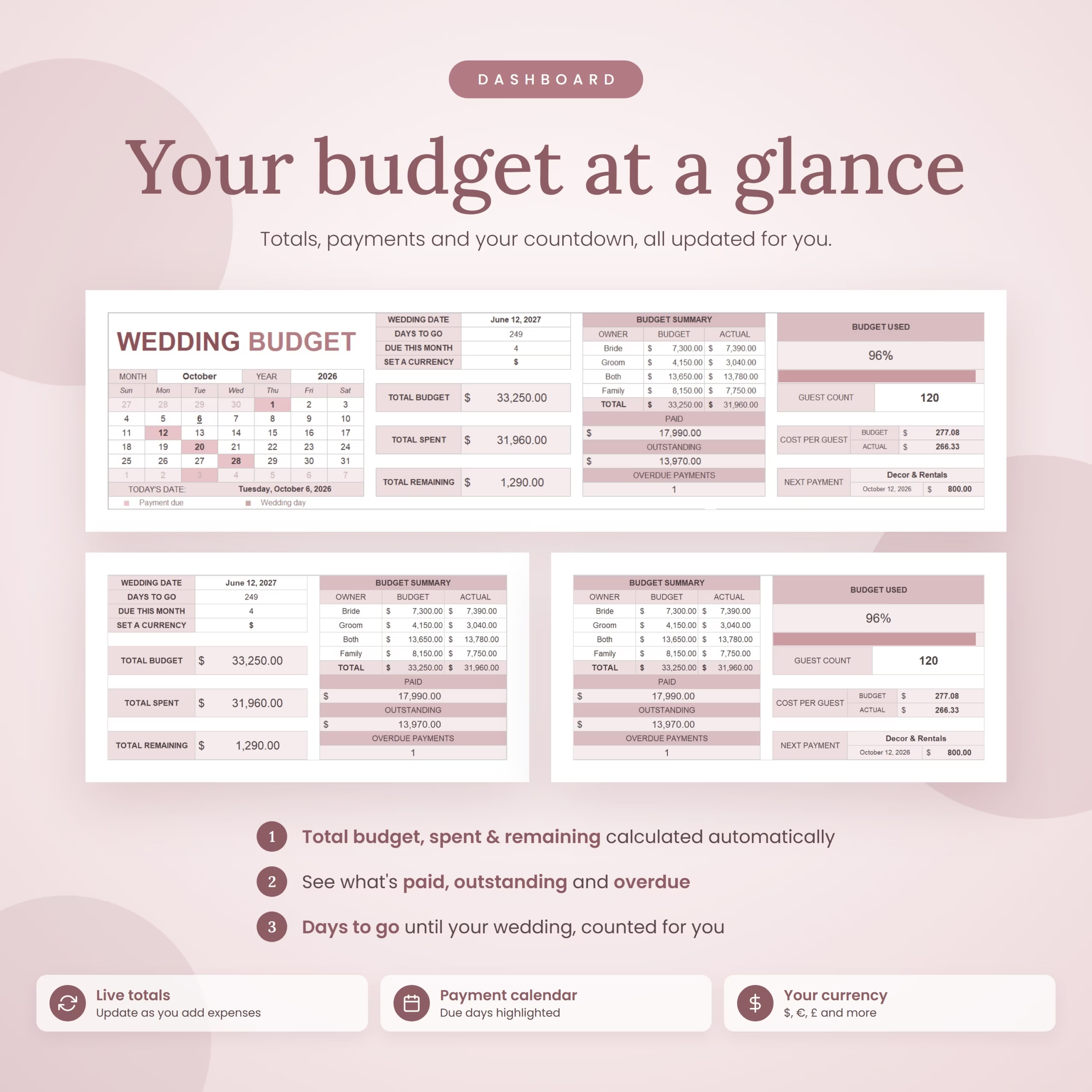
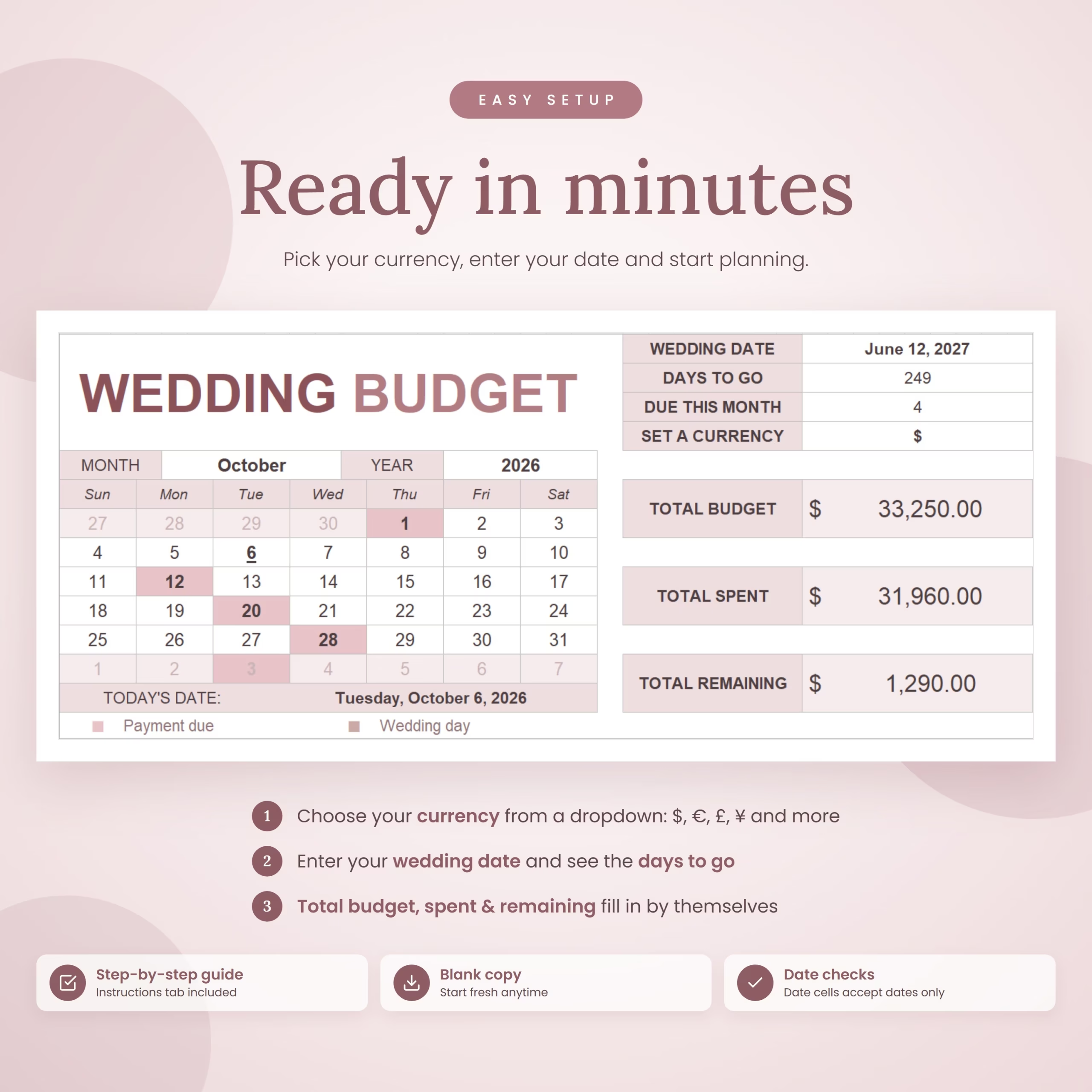
- Total wedding budget, actual spending, and remaining budget.
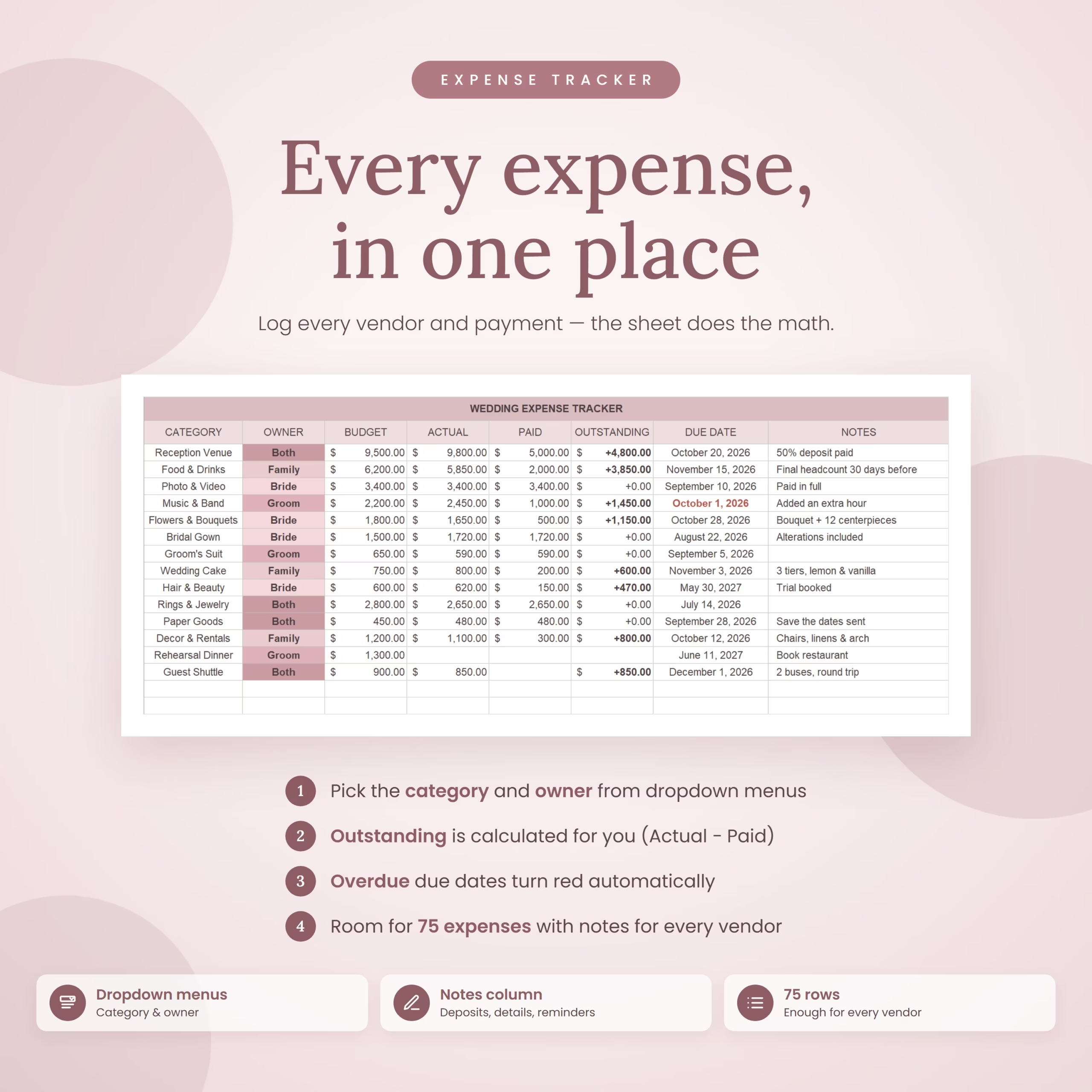
- Paid and outstanding amounts for each expense.
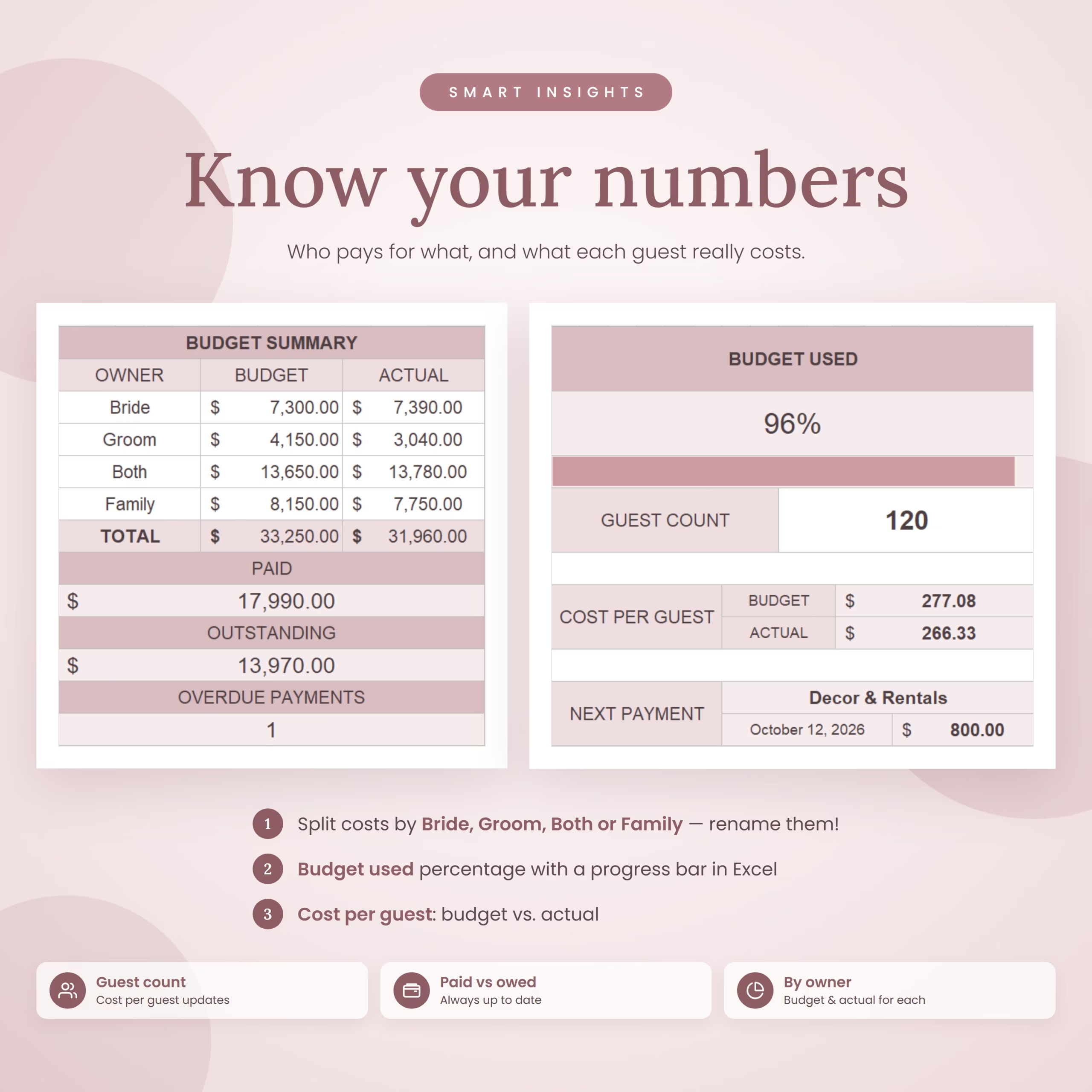
- Budget and actual totals by owner.
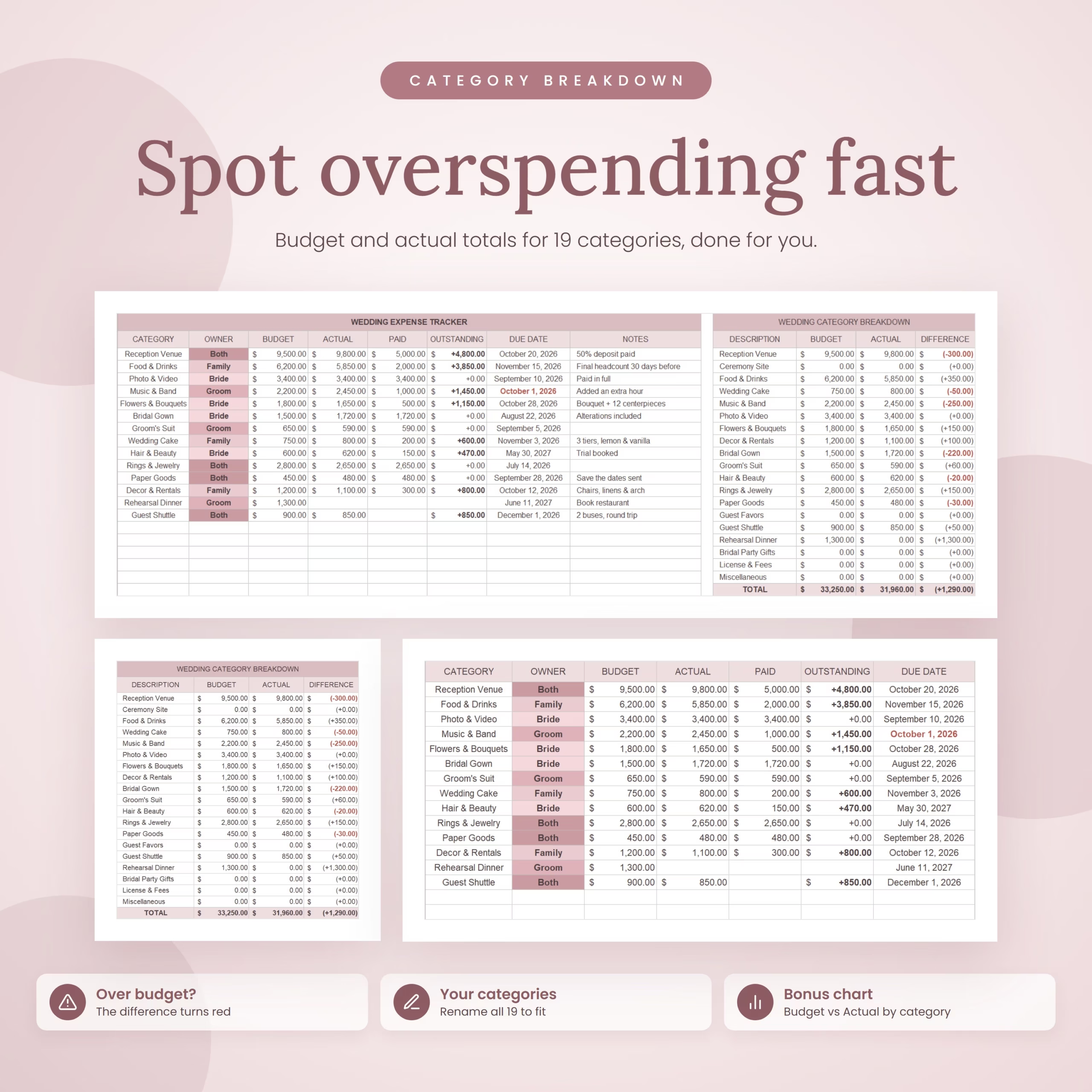
- Budget differences by wedding category.
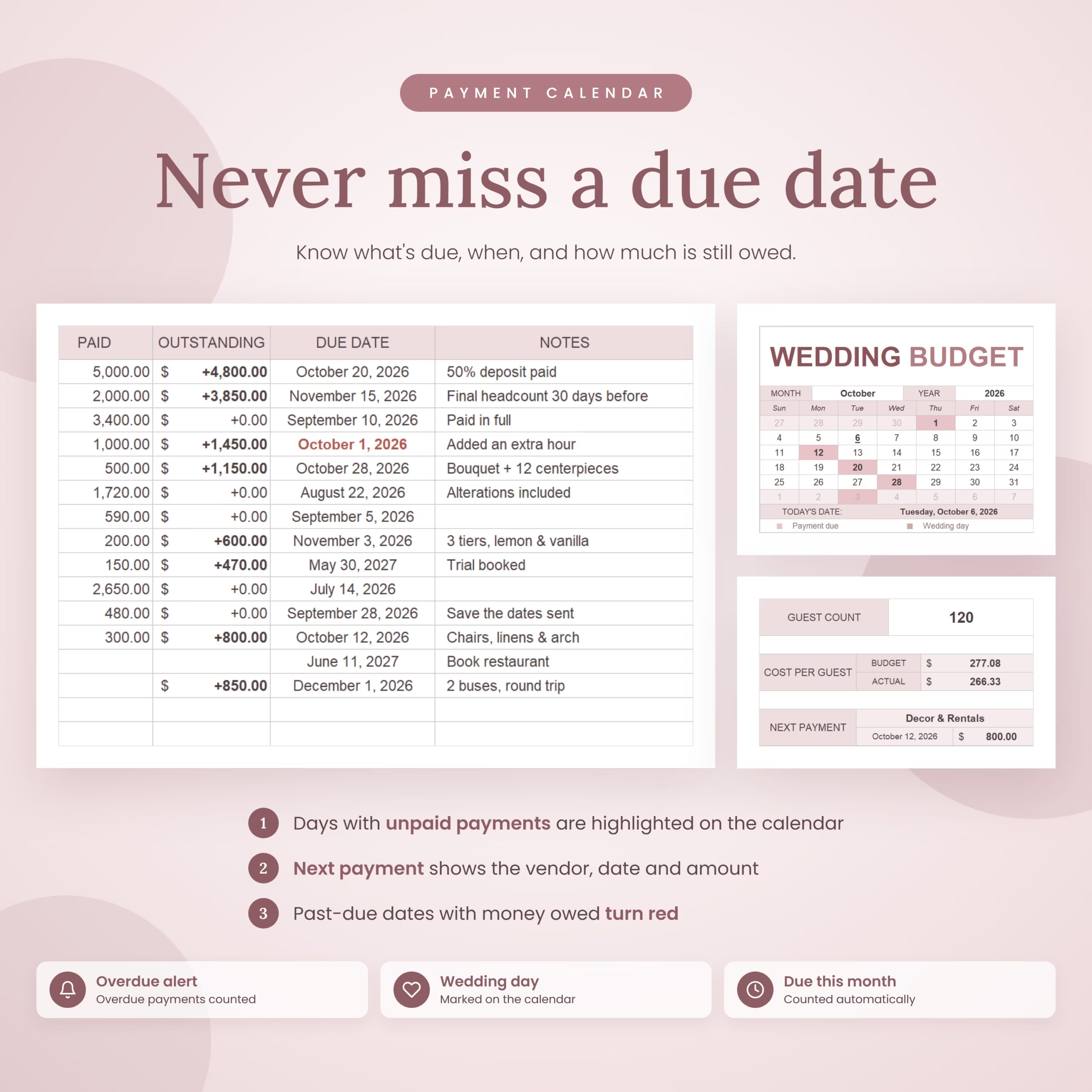
- Upcoming and overdue payments.
- Wedding countdown and wedding date.
- Monthly payment calendar.
- Guest count and budget/actual cost per guest.
- Vendor notes, deposits, reminders, and payment details.
Included Workbook Sheets
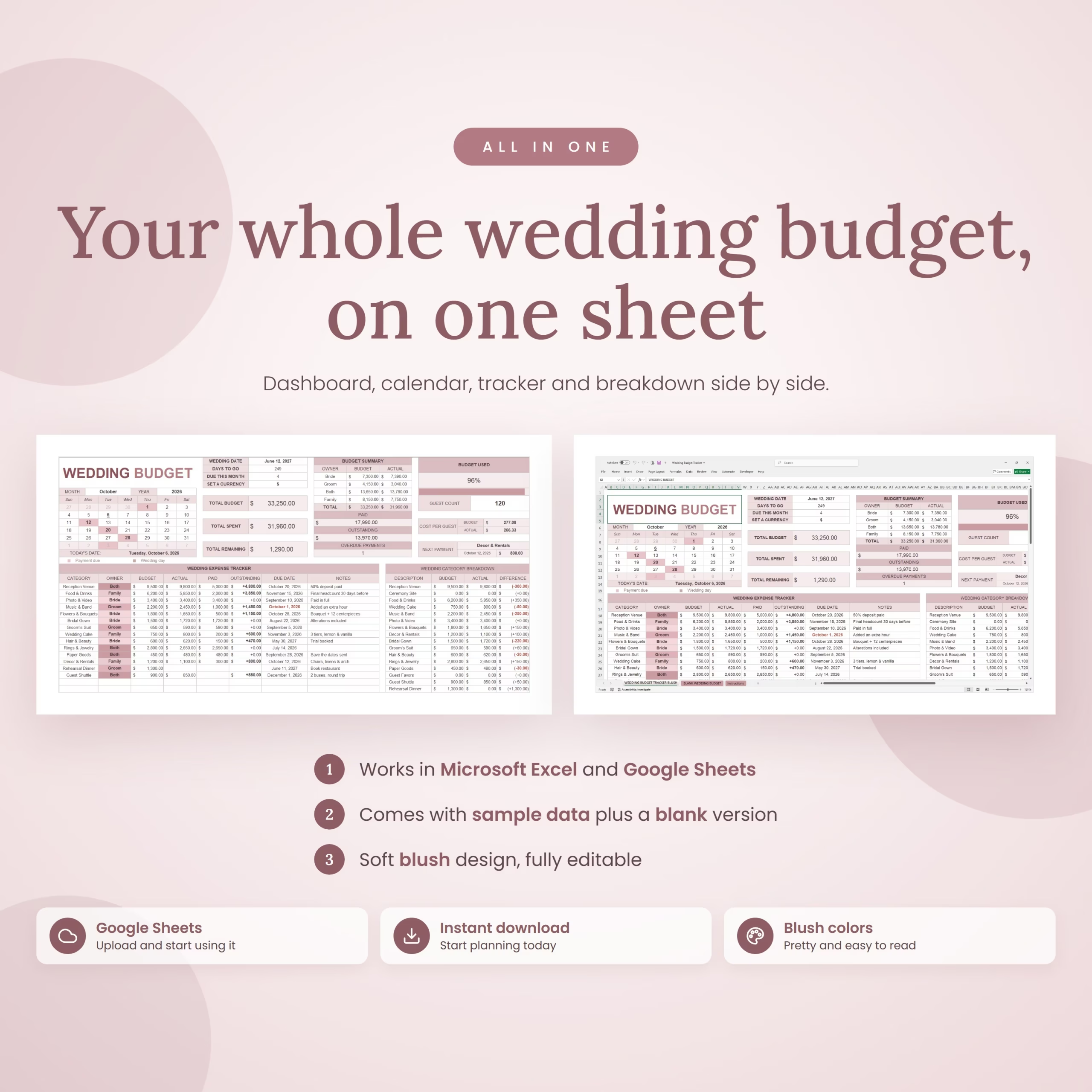
- Wedding Budget Tracker Blush: A sample-filled version showing how the tracker works.
- Blank Wedding Budget: A clean version ready for your own wedding plans.
- Instructions: Step-by-step guidance for setting up and customizing the workbook.
Useful Features
- Dropdown menus for categories and owners.
- Customizable owner names such as Bride, Groom, Both, and Family.
- Customizable wedding categories.
- Automatic outstanding balance calculations.
- Automatic totals and category breakdowns.
- Overdue unpaid dates highlighted in the tracker.
- Currency symbol selector.
- Built-in Excel chart for budget-versus-actual comparison.
- Space for up to 75 expense entries.
Compatibility
The workbook is provided as an Excel file and is designed for Microsoft Excel and Google Sheets. To use it in Google Sheets, upload the file or open the included template link and select File > Make a copy.
Google Sheets may display some formatting, dates, and charts slightly differently from Microsoft Excel. For the best date-entry experience in Google Sheets, use the United States locale as described in the included instructions.
What You Receive
- One Excel workbook in XLSX format.
- Sample-filled wedding budget tracker.
- Blank wedding budget version.
- Instructions sheet.
- PDF with access instructions and template link.
Important Notes
- This is a digital spreadsheet template; no physical item will be shipped.
- The template does not send payment reminders or connect to an external calendar.
- Currency symbols are formatting options and do not perform currency conversion.
- Always keep a backup before making substantial structural changes to formula cells.
- For personal use only. Please do not resell, redistribute, or share the template.
Reviews
There are no reviews yet.